DBFlux
English · Español · 한국어 · 简体中文 · Português (Brasil)
An extensible, keyboard-first data platform delivered as a Rust + GPUI desktop client.
dbflux.dev · Documentation · Install
Overview
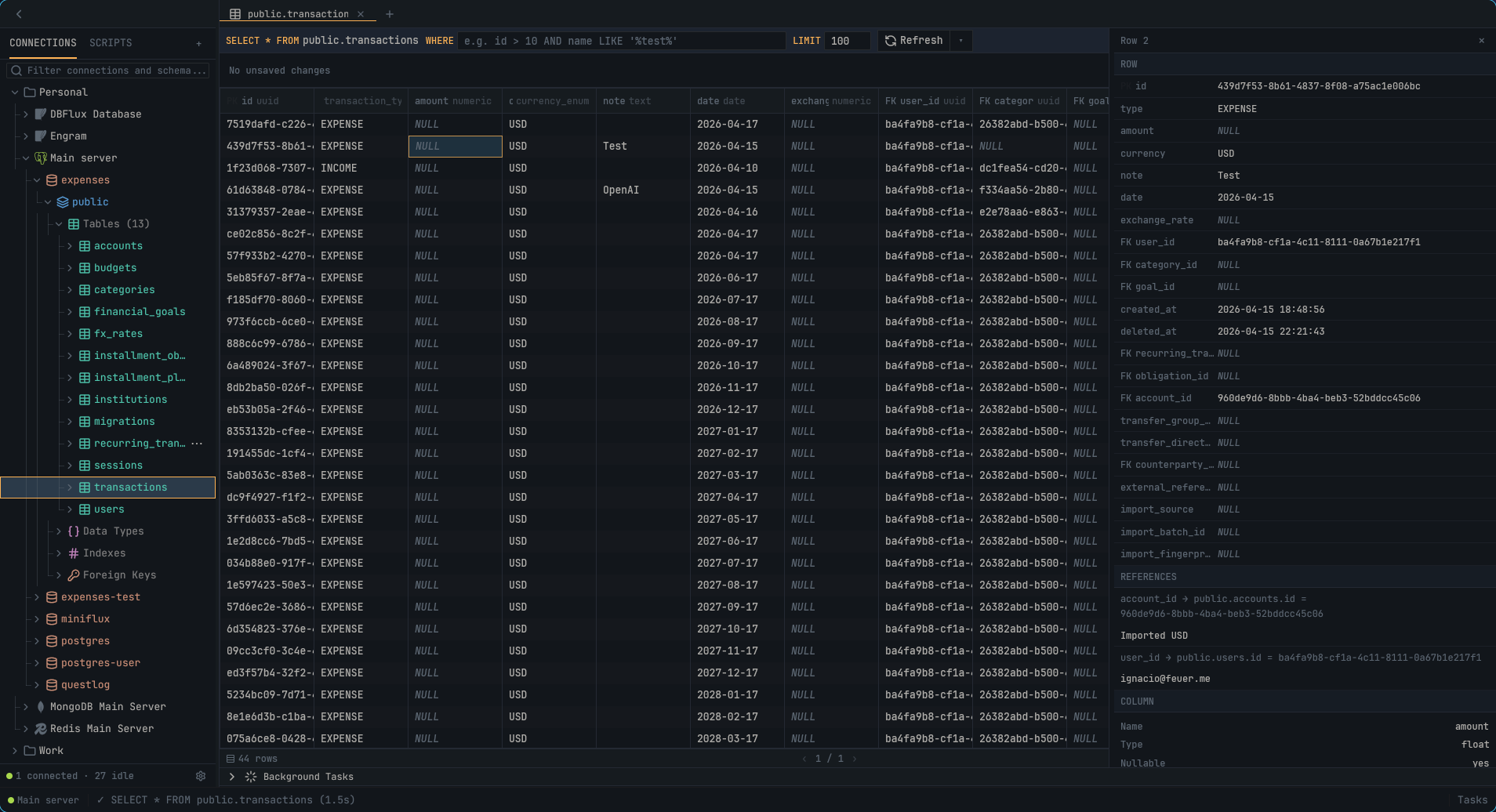
DBFlux is an open-source desktop client with built-in drivers for relational and non-relational databases. Its core contracts are driver-neutral, and external drivers can integrate over RPC.
The client focuses on performance, a clean UX, and keyboard-first workflows. The long-term goal is one fully open-source client for every database you work with.
Documentation
Everything below is published at docs.dbflux.dev, rendered from
these same files, with search and a version selector. The links here point at the source; read them
on the site if you prefer.
Choose the path that matches what you want to do.
Start here
More user guides
Contributors
- Contributing — setup, checks, and contribution workflow
- Key Concepts — the short mental model for contracts and subsystem boundaries
- Driver Authoring — choose and implement a built-in Rust or external RPC driver
- Architecture — the canonical architecture and crate map, including crate boundaries and cross-crate flows
Translations
DBFlux is translated on Hosted Weblate.
The catalogs live in crates/dbflux_i18n/locales/, one YAML file per language, and
translation updates arrive as pull requests from Weblate.
Contributing translations covers every translatable surface:
the application UI, the documentation, and the website.

Reference
Installation
# Linux — install to /usr/local
curl -fsSL https://raw.githubusercontent.com/0xErwin1/dbflux/main/scripts/install.sh | sudo bash
Packages for every platform — tarball, AUR, .deb, .rpm, AppImage, Nix, macOS
DMG and the Windows installer — are on the Releases
page. The full guide, including the Gatekeeper and SmartScreen steps for the
unsigned macOS and Windows builds, is in Installing DBFlux.
Features
Database Support
- PostgreSQL with SSL/TLS modes (Disable, Prefer, Require)
- Amazon Redshift with read-only SQL over the PostgreSQL wire protocol, SSH tunneling, and TLS/client certificates
- MySQL / MariaDB
- SQLite for local database files
- Microsoft SQL Server (TDS) with TLS, SQL Browser named-instance routing, and multi-schema introspection
- MongoDB with collection browsing, document CRUD, and shell query generation
- Redis with key browsing for all types (String, Hash, List, Set, Sorted Set, Stream)
- DynamoDB with table browsing, item CRUD, and AWS authentication
- InfluxDB v1 and v2 (InfluxQL on v1, InfluxQL + Flux on v2)
- ClickHouse and ClickHouse Cloud over HTTP(S), with database/table discovery, visual SELECTs, and explicit raw SQL execution
- TursoDB and libSQL (
sqld) over HTTP, with schema discovery, typed CRUD, and interactive transactions per editor tab
- DuckDB files and in-memory databases, with DuckLake catalogs attached on connect
- CloudWatch Logs with log group/stream browsing and event streaming
- Amazon S3 with bucket browsing, object preview/editing, full CRUD, and presigned URLs, including S3-compatible endpoints (Cloudflare R2, MinIO)
- External drivers over RPC (register out-of-process drivers via the Driver RPC Protocol)
See docs/DRIVERS.md for a full capability matrix and per-driver limitations.
User Interface
- Document-based workspace with multiple result tabs (like DBeaver/VS Code)
- Collapsible, resizable sidebar with ToggleSidebar command (Ctrl+B)
- Schema tree browser with lazy loading for large databases
- Schema-level metadata: indexes, foreign keys, constraints, custom types (PostgreSQL)
- Stored procedures / routines folder per schema (drivers that expose them)
- Multi-tab SQL editor with syntax highlighting and multi-statement execution (one result set per statement, where the driver supports it)
- Virtualized data table with column resizing, horizontal scrolling, and sorting
- Table browser with WHERE filters, custom LIMIT, and pagination
- Workspace inspector rail for row/document details
- "Copy as Query" context menu to copy INSERT/UPDATE/DELETE as SQL, MongoDB shell, or Redis commands
- Query preview modal with language-specific syntax highlighting
- Command palette with fuzzy search
- Custom toast notification system with auto-dismiss
- Background task panel
- Session restore: open tabs are restored on startup, and a recovered draft that differs from its file is never written over it
Visual Query Builder
- Right-rail SELECT builder: projection, joins, a nested WHERE predicate tree, ORDER BY, and LIMIT/OFFSET, with a live parameterized SQL preview
- GROUP BY with aggregates (COUNT, SUM, AVG, MIN, MAX) and HAVING
- Visual UPDATE / DELETE builder with mutation policies (read-only / approval-required) and chunked, cancellable execution
- Schema-aware autocomplete on builder inputs and the results WHERE filter
- Relational filters in the results filter bar via dotted foreign-key paths (e.g.
created_by.email LIKE '%@acme.com')
- Inline cell edit and row delete on builder-generated results when they map 1:1 to a single table
- Saved visual queries per connection
- SQL drivers only (SQLite, PostgreSQL, MySQL/MariaDB, SQL Server); driver-agnostic by construction
Charts & Visualization
- Chart any query or collection result: Line, Bar, Scatter, Area, Stacked Bar, and Pie
- Automatic axis detection from column kinds (timestamp X axis, numeric Y series) — no per-driver heuristics
- Saved charts that reopen as their own document tab
- Dashboards: arrange saved charts, dividers, and inspector panels on a 12-column grid with a shared time range
- Read-only Instance Overview per connection — live server metrics and tabular inspectors, with "Save as editable"; PostgreSQL, MySQL/MariaDB, MongoDB, Redis, and SQL Server ship instance catalogs
- Browse and import upstream provider dashboards (CloudWatch)
- See docs/CHARTS.md and docs/DASHBOARDS.md for details
Connectivity & Access
- SSH tunnels with key, password, and agent authentication; reusable SSH tunnel profiles
- SOCKS5 / HTTP CONNECT proxy tunnels with reusable proxy profiles
- Managed access providers (AWS SSM) for connecting without exposing ports
- Provider-driven auth profiles (e.g. AWS SSO/shared/static), with import from
~/.aws/config
- Connection hooks at PreConnect/PostConnect/PreDisconnect/PostDisconnect, runnable as a command, a script, or in-process Lua
AI & MCP Integration
- Built-in Model Context Protocol (MCP) server (
dbflux mcp) for AI clients
- Governance layer: operation classification, role/policy engine, trusted clients, and human approval flow for write/destructive operations
- See docs/MCP_AI_INTEGRATION.md
Audit & Scripting
- SQLite-backed audit log for queries, connections, hooks, scripts, MCP, governance, and config events, with redaction and query fingerprinting — see docs/AUDIT.md
- Centralized user-facing error reporting: failures surface as a toast with a correlation id and a "View in Audit" action, drive a status-bar error badge, and are correlated with their audit row
- Lua, Python, and Bash scripts run as documents with live streamed output — see docs/LUA.md
Keyboard Navigation
- Vim-style navigation (
j/k/h/l) throughout the app
- Context-aware keybindings (Document, Sidebar, BackgroundTasks)
- Document focus with internal editor/results navigation
- Results toolbar:
f to focus, h/l to navigate, Enter to edit/execute, Esc to exit
- Toggle sidebar with
Ctrl+B
- Tab switching (MRU order) with
Ctrl+Tab / Ctrl+Shift+Tab
Query Management
- Query history with timestamps
- Saved queries with favorites
- Search across history and saved queries
Export
- Shape-based export: CSV, JSON (pretty/compact), Text, Binary (raw/hex/base64)
- Export format determined by result type (table, JSON, text, binary)
Development
Prerequisites
On Linux, the mold linker is required for local builds: the repo's
.cargo/config.toml links the x86_64-unknown-linux-gnu target with
-fuse-ld=mold to cut link time and memory across the 60+ workspace crates.
The Nix dev shell provides it automatically; for non-Nix setups install it via
your package manager (included below). Windows and macOS use their default
linker and are unaffected.
Ubuntu/Debian:
sudo apt install pkg-config libssl-dev libdbus-1-dev libxkbcommon-dev mold
Fedora:
sudo dnf install pkg-config openssl-devel dbus-devel libxkbcommon-devel mold
Arch:
sudo pacman -S pkg-config openssl dbus libxkbcommon mold
macOS:
# Xcode Command Line Tools (required)
xcode-select --install
Windows:
# Visual Studio Build Tools with C++ workload (required)
# Download from: https://visualstudio.microsoft.com/visual-cpp-build-tools/
Building
cargo build -p dbflux --release
Running
cargo run -p dbflux
Commands
cargo check --workspace                    # Type checking
python3 scripts/lint.py clippy             # Lint
python3 scripts/lint.py fmt                # Format
cargo test --workspace                     # Tests
Faster tests with nextest
cargo-nextest is the recommended test runner for this
workspace: it runs each test in its own process across a global pool, which is
noticeably faster than cargo test on a workspace this size. The Nix dev shell
provides it; otherwise install it from .
cargo nextest run --workspace              # unit + integration tests
cargo test --doc --workspace               # doctests (nextest does not run these)
Live integration tests (normally #[ignore]d) use a different flag under nextest:
cargo nextest run -p dbflux_driver_sqlite --run-ignored all
Website
The site under web/ is an Astro static build. It reads docs/, the driver READMEs,
ARCHITECTURE.md and CONTRIBUTING.md out of git, one set per published version, so editing a
document is all that is needed to change what the site shows.
cd web
pnpm install
pnpm dev          # local server
pnpm build        # static output in web/dist
pnpm check        # types
pnpm format       # prettier
Which versions are published is declared in web/versions.json. Each entry names a git ref; the
product version shown for it is read from that ref's Cargo.toml.
DOCS_MODE decides where the documentation is served: embedded (the default, everything on one
origin under /docs/), or site and docs for a split deployment across two hosts. Local
development uses the default, so one command still brings up the whole site.
Nix Development Shell
If you use Nix, you can enter a development shell with all dependencies:
# With flakes
nix develop

# Traditional
nix-shell
License
MIT & Apache-2.0. The DBFlux name and logo are covered by the Trademark Policy, not by the code license.
DBFlux collects no data. See the Privacy Policy.
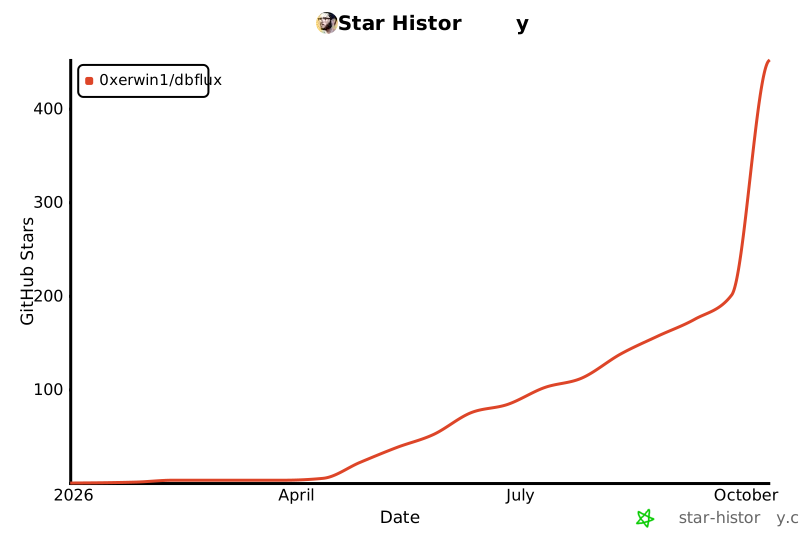
Star History
Contributors
