Inkwell is a single-file Markdown editor designed for focused writing, offering a distraction-free environment with local-first functionality. It prioritizes privacy, simplicity, and portability, making it an ideal tool for writers, researchers, and note-takers who value sovereignty over their data.
Key Features:
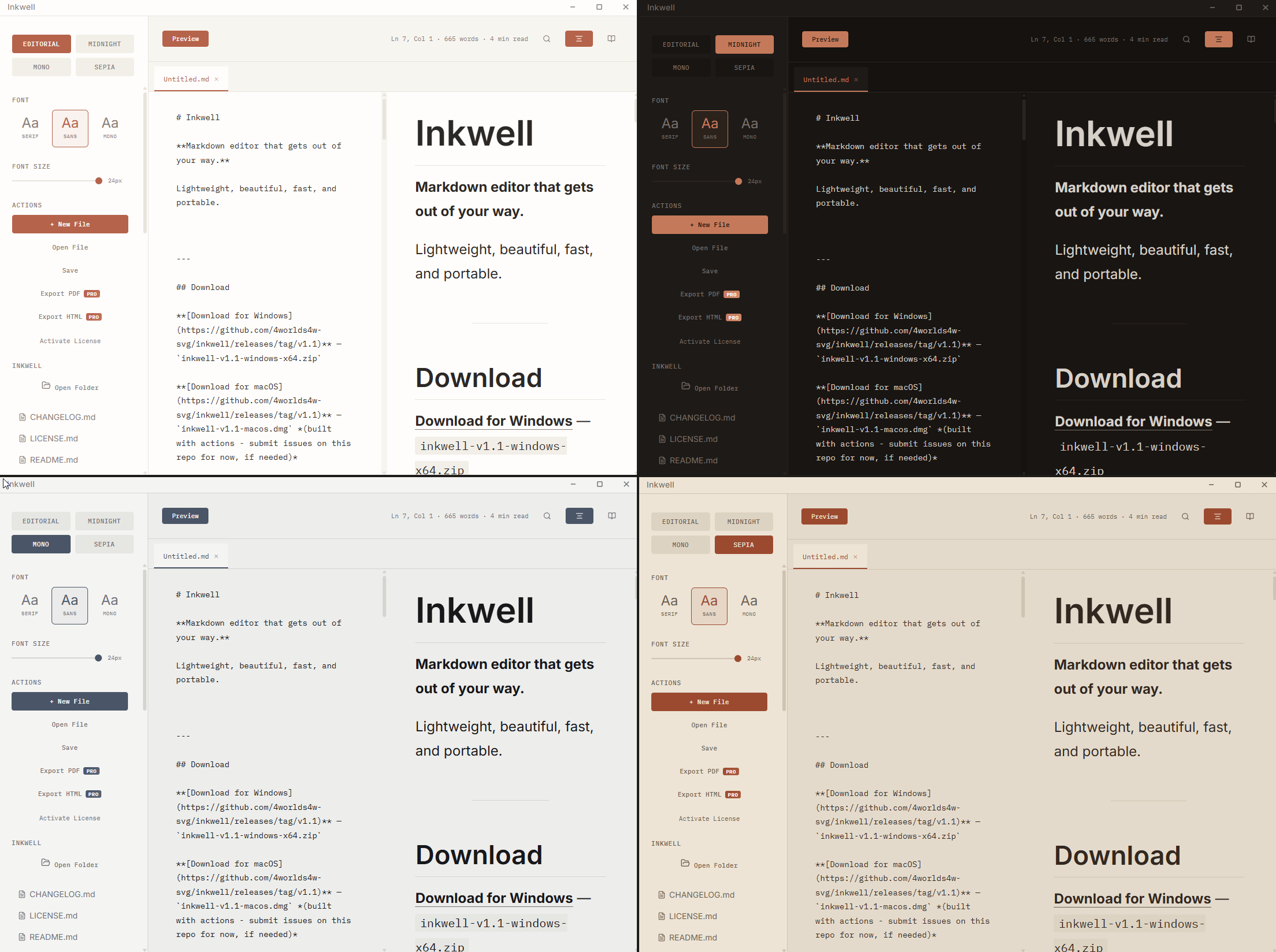
Inkwell provides typewriter mode for immersive writing, version history with a diff viewer to track changes, and four customizable themes (Editorial, Midnight, Mono, Sepia) for personalizing the workspace. It also includes focus mode to eliminate distractions, file tabs for multitasking, templates for quick starts, and search functionality. PDF/HTML export is available with a license.
Audience & Benefit:
Ideal for users seeking a lightweight, portable editor that respects privacy, Inkwell enhances productivity by reducing friction between writing and previewing. Its minimalist design ensures clarity without compromising on essential features, making it perfect for those who prioritize efficiency and sovereignty in their workflow.
Install via winget: winget install 4Worlds.Inkwell.
Windows: Download and unzip. Run inkwell.exe. Start writing.
> Windows SmartScreen may warn you on first launch, this is expected for unsigned apps. Click "More info" → "Run anyway".
macOS: Download the .dmg and drag Inkwell to Applications.
> macOS Gatekeeper may block unsigned apps. If that happens, run:
> bash > xattr -cr /Applications/Inkwell.app >
> Then open normally.
Linux: Download and extract, then:
chmod +x inkwell
./inkwell
Features
Typst PDF Engine — Native Rust typesetting for PDF exports. Professional typography, chapter breaks, math equations, and Mermaid diagrams. Cross-platform, no browser dependency.
SQLite Persistence — Workspace state, files, templates, themes, and history live in a local database (inkwell.db). Faster, more reliable, no browser storage limits.
Command Palette — Press Ctrl+K to fuzzy-search all actions. Full keyboard navigation with shortcut hints.
Custom Themes — Build your own theme with 6 color pickers and live preview.
Workspace & File Tree — Open any folder, browse and switch between .md files from the sidebar. Persists between sessions.
Mermaid Diagrams — Write flowcharts, sequence diagrams, and more in fenced code blocks. Live rendering in the preview pane.
LaTeX Math (KaTeX) — Inline $...$ and display $$...$$ equations rendered beautifully. Full KaTeX support.
Custom Title Bar — No OS chrome. The entire window is Inkwell, themed edge to edge.
Editor — Split view with a draggable divider. Live preview as you type. Current line highlight with accent-colored cursor.