🌐 Official Website: tithify.guptaaayush.com.np

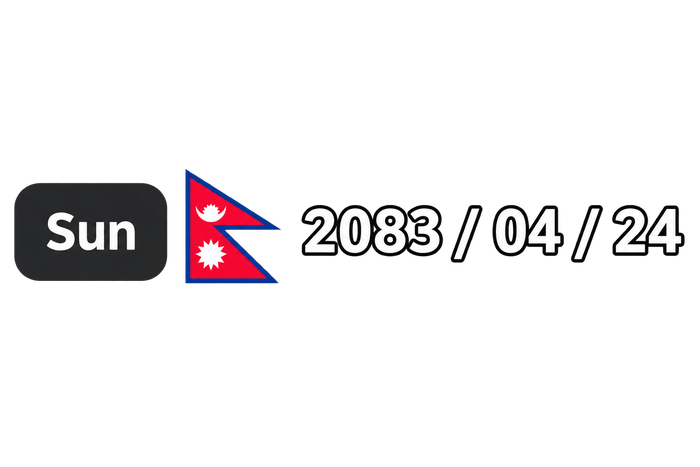
A lightweight, native C++ desktop widget for Windows that beautifully displays the current Nepali (Bikram Sambat) date, specially designed to be viewed directly above your taskbar.
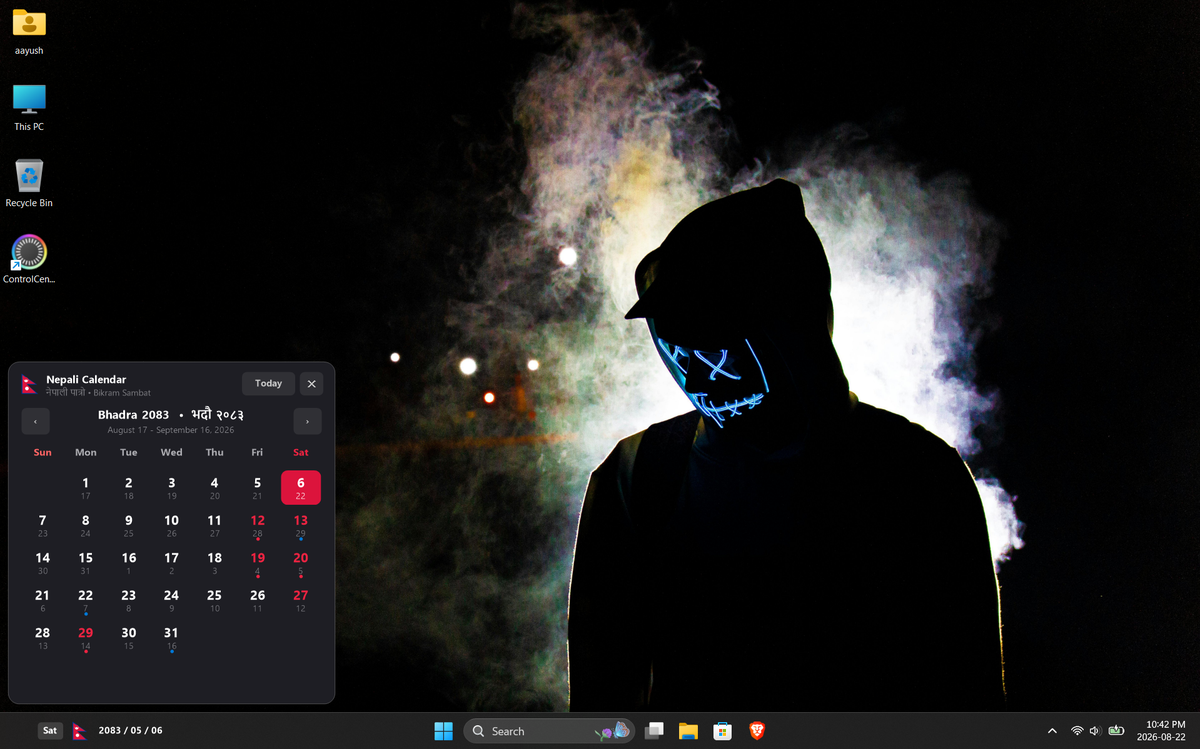
🚀 Features
- Theme Auto-Adapt: Automatically detects your Windows Light/Dark mode and adjusts its colors and text rendering seamlessly. Reacts to live theme changes instantly without a restart.
- Auto-Updates: Built-in update checker uses the GitHub Releases API on a background thread to notify you when a new version is available.
- Customizable Layout: Toggle the Day of the Week (Sun, Mon, Tue) next to the Nepali flag directly from the context menu.
- Zero-Distraction Design: Frameless, borderless, and perfectly transparent with high-quality GDI+ per-pixel alpha blending.
- Smart Auto-Hide: Automatically detects when you're playing games or watching movies in fullscreen and hides itself so it doesn't get in your way.
- DPI Aware: Renders crystal-clear text and graphics on high-resolution (4K) monitors without blurriness.
- Professional Installer: Comes with a standard Windows Installer (
Setup.exe) for easy installation, Start Menu shortcuts, and clean uninstalls (no Admin privileges required).
- System Tray Icon: Accessible from the system tray with a right-click context menu for quick access to all settings.
Click the widget to open a full Bikram Sambat Calendar popup — powered by a native GDI+ rendering engine.
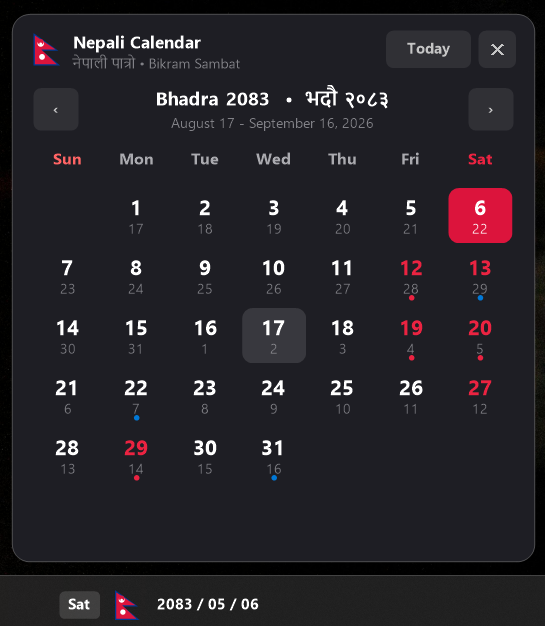
- Month Navigation: Use the
‹ / › buttons or scroll the mouse wheel to navigate between months of the current BS year.
- Dual Date Display: Every calendar cell shows both the BS day (large) and the corresponding AD date (small, bottom-right).
- Today Highlight: The current day is highlighted in crimson red for instant recognition.
- Keyboard Navigation: Use Arrow Keys to move between days, Home to jump to today, and Escape to close.
- Bilingual Header: Month name displayed in both English and Devanagari script, e.g.,
Baisakh 2082 • बैशाख २०८२.
- Gregorian Range: Shows the full Gregorian (AD) date range for the displayed BS month.
- Public Holiday & Saturday Indicators: Saturdays and public holidays are highlighted in red; festival/event days show a colored dot indicator.
🎉 Holiday & Festival Engine
The calendar automatically fetches and displays Nepali public holidays and cultural events for the current BS year.
- Online Auto-Fetch: On first launch, holiday data is downloaded from GitHub (with jsDelivr CDN as a fallback) in a background thread — the UI never freezes.
- Smart Local Cache: Downloaded holidays are saved in an XOR-encoded binary
.dat file under %LOCALAPPDATA%\Tithify\ so they load instantly on every subsequent launch.
- Event Flyout Panel: Clicking on any day with an event shows a speech-bubble flyout with:
- Full Nepali (Devanagari) and English event title
- Event category badge (e.g., PUBLIC HOLIDAY, FESTIVAL / पर्व)
- A detailed event description
- Offline Mode: If no internet is available, the calendar shows an ⚠ OFFLINE notice with a ↻ Retry button to re-attempt fetching when back online.
- BS Year Coverage: Full calendar data from BS 1975 to 2100.
💖 Support & Donate
Tithify is 100% free and open-source. If you find it helpful for your daily workflow, consider supporting its maintenance and ongoing development!
 |  |
|---|
 | 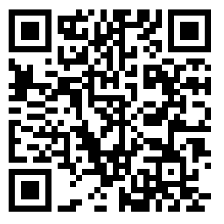 |
| eSewa Mobile Wallet | Khalti Digital Wallet |
⚡ Ultra-Efficient Resource Management
This widget is engineered from the ground up to consume absolutely minimal system resources (essentially 0.00% CPU usage and a tiny RAM footprint).
How it achieves this:
Instead of constantly running complex date conversion algorithms, the widget uses an ultra-efficient caching technique:
- Every second, it asks the Windows OS for the current Gregorian (AD) Date — a nearly zero-cost operation.
- It checks if the Day, Month, Year has changed since the last frame.
- Only if the day has physically changed (which happens exactly once a day at 12:00 AM) will the widget perform the Bikram Sambat conversion logic and re-render the text.
- For the other 86,399 seconds of the day, it skips all math entirely and just paints the cached text to the screen!
This ensures you have a perfectly accurate, real-time widget that doesn't drain your laptop's battery or steal CPU cycles from your games.
🛠️ How It Works
The widget uses the native Windows Win32 API and GDI+ to render directly to your screen:
- Z-Order Enforcement: It uses a 250ms background timer to assert its
HWND_TOPMOST status, preventing Windows from hiding it behind other windows.
- Taskbar Previews: It aggressively intercepts the
WM_SHOWWINDOW API call to veto SW_PARENTCLOSING requests, stopping the Windows Taskbar thumbnail system from accidentally hiding it when you hover over open apps.
- Native BS Conversion: The entire Bikram Sambat (1975–2100) calendar mapping is embedded directly into the C++ binary. This guarantees offline date display out-of-the-box.
- WinHTTP API: Update checks and holiday fetching are performed safely on detached background threads using native Windows networking to ensure the UI never stutters.
- Live Theme Sync: Listens for
WM_SETTINGCHANGE (ImmersiveColorSet) to detect and apply Windows theme changes in real-time.
🏃 Installation
⚡ Option 1: Fast Command-Line Install (PowerShell)
Open PowerShell and run the one-line command below:
irm https://raw.githubusercontent.com/aayushlbef/Tithify/main/install.ps1 | iex
> Command Prompt (CMD):
> cmd > powershell -c "irm -useb https://raw.githubusercontent.com/aayushlbef/Tithify/main/install.ps1 | iex" >
📦 Option 2: Windows Package Manager (Winget) — Coming Soon
winget install Aayush.Tithify
💾 Option 3: Manual Download
> [!NOTE]
> Browser & Windows SmartScreen Warnings
> Because this is a free open-source project without a paid EV code-signing certificate, your web browser or Windows SmartScreen might initially show a warning for new releases. You can safely bypass it by clicking Keep -> Keep anyway in your browser, and More Info -> Run Anyway in Windows.
- Download
Tithify_v3.6.3.zip or Tithify_Setup.exe from the Latest Release.
- Run
Tithify_Setup.exe to install.
🎯 Getting Started & Usage
- Positioning: Right-click the widget to unlock its position and drag it to your preferred spot on your screen / taskbar.
- Locking: Right-click again and select "Lock Position" to make it click-through and seamless!
- Open Calendar: Left-click the widget at any time to open the interactive Bikram Sambat Calendar.
- Settings: Right-click to configure Run at Startup, toggle Show Day of Week, switch themes, or check for updates.
🤝 How to Contribute
Contributions are welcome and appreciated! Whether it's a bug fix, a new feature, or improved documentation, here's how to get started.
🧰 Prerequisites
- Windows 10/11 (the widget relies on the Win32 API and GDI+)
- Visual Studio 2022 (or later) with the Desktop development with C++ workload installed
- Git
🛠️ Local Development
- Fork the repository and clone your fork:
git clone https://github.com/aayushlbef/Tithify.git
cd Tithify
- Open the project in Visual Studio (use the solution/
.vcxproj in this repo).
- Select the Release (or Debug) configuration and build.
- Run the compiled executable to test your changes.
🌱 Making Changes
- Create a new branch for your work:
git checkout -b feature/my-improvement
- Make your changes, keeping commits focused and descriptive.
- Test thoroughly on both Light and Dark Windows themes.
📤 Submitting
- Push your branch to your fork:
git push origin feature/my-improvement
- Open a Pull Request against the
main branch of this repository.
- Describe what you changed and why — include screenshots for UI changes where possible.
🐞 Reporting Issues
- Search existing issues before opening a new one.
- Include your Windows version, widget version, and clear steps to reproduce.
📜 License
By contributing, you agree that your contributions will be licensed under the MIT License.