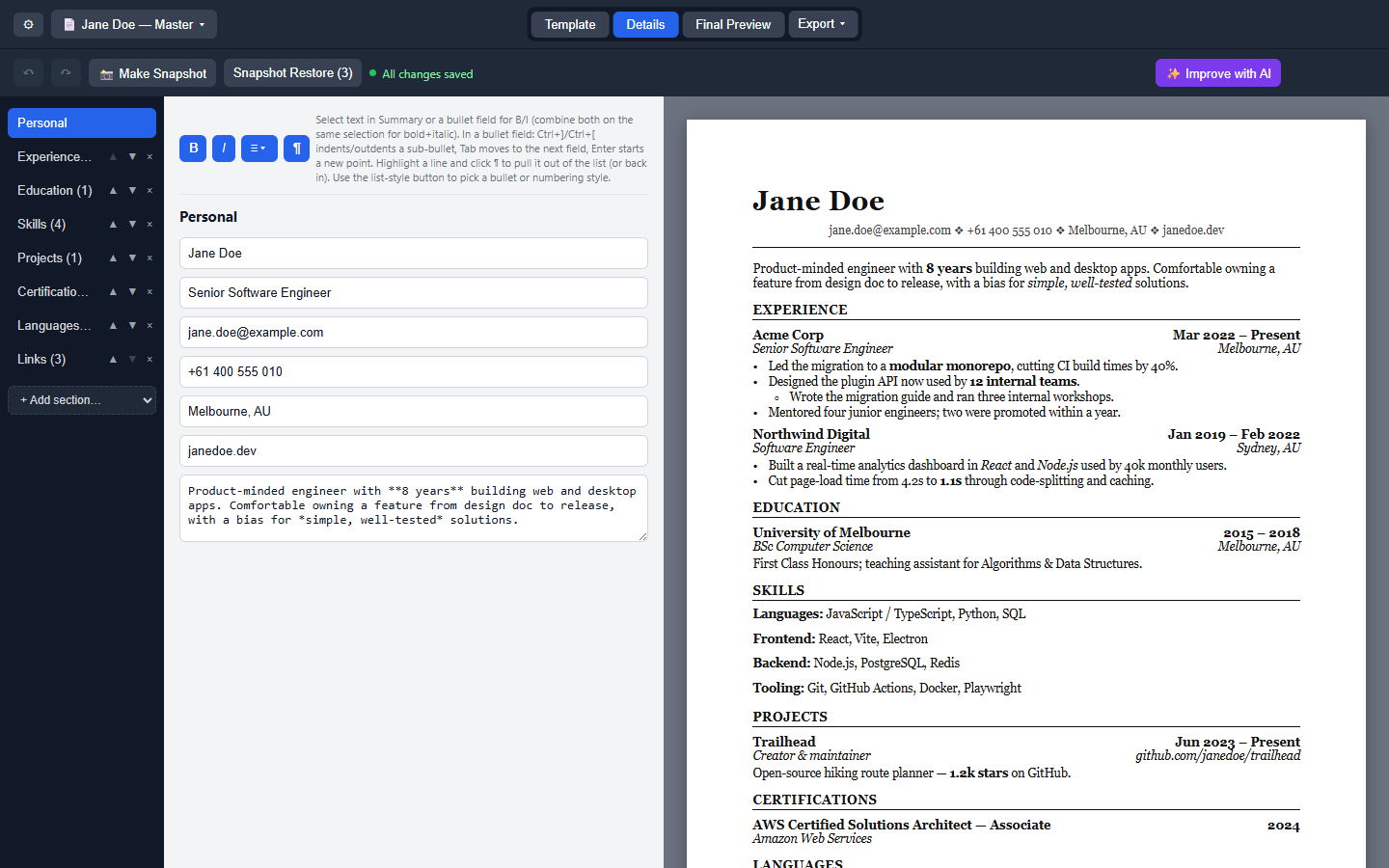
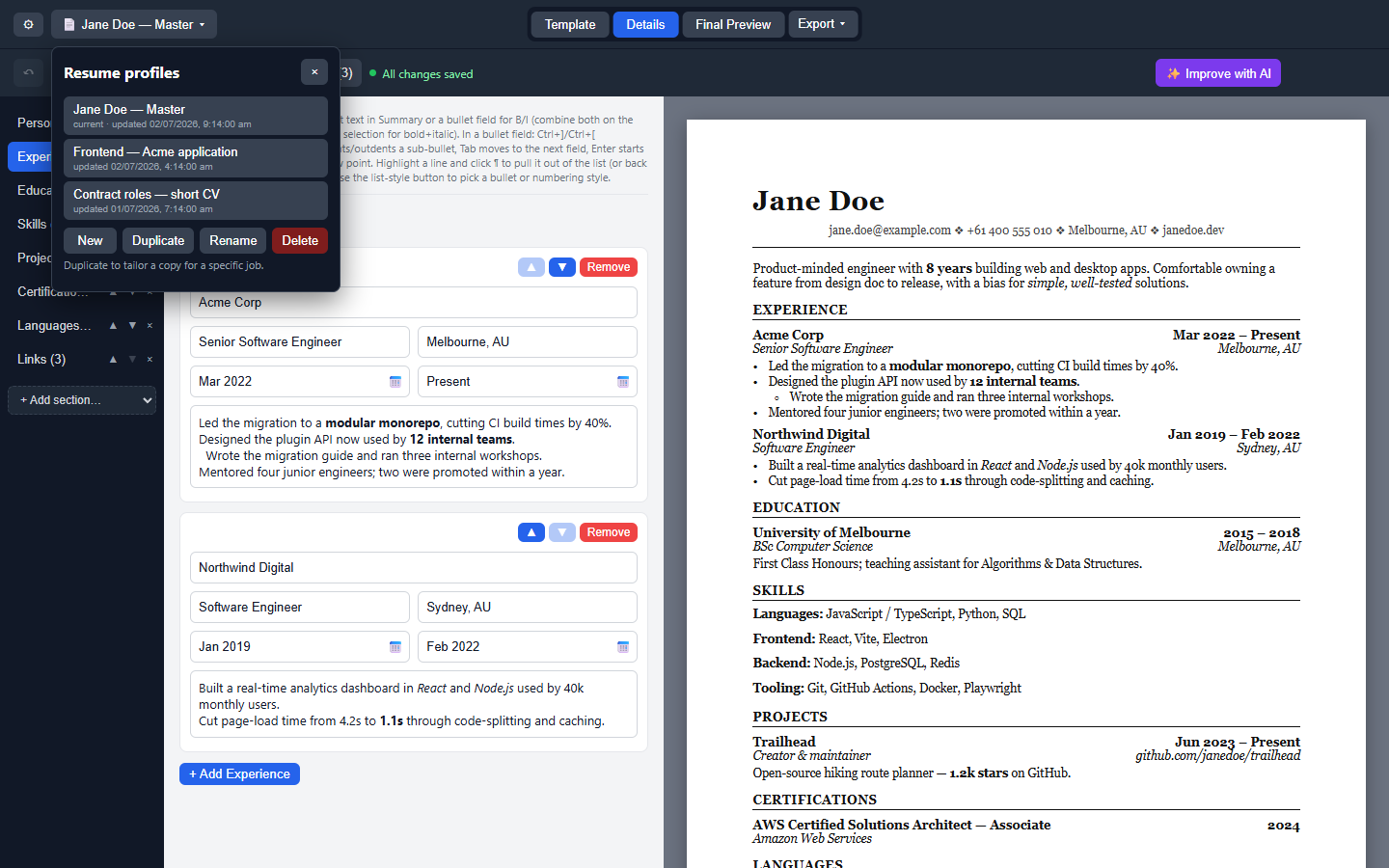
OpenResume Builder is a free, open-source desktop application designed to help users create and customize resumes efficiently. The tool offers a live A4 preview, three distinct templates (Classic, Modern, and Resumatic), and rich-text editing capabilities for bold, italic, bullet points, and numbered lists. It supports multiple named resume profiles, allowing users to maintain a master resume and tailor it for different applications. Additionally, the software features snapshots, autosave functionality, and undo/redo history to ensure data security and ease of use.
Key Features:
Multiple Resume Profiles: Create, duplicate, rename, or delete profiles with autosave and snapshot capabilities.
Live A4 Preview: Real-time preview ensures the resume appears as it will on paper.
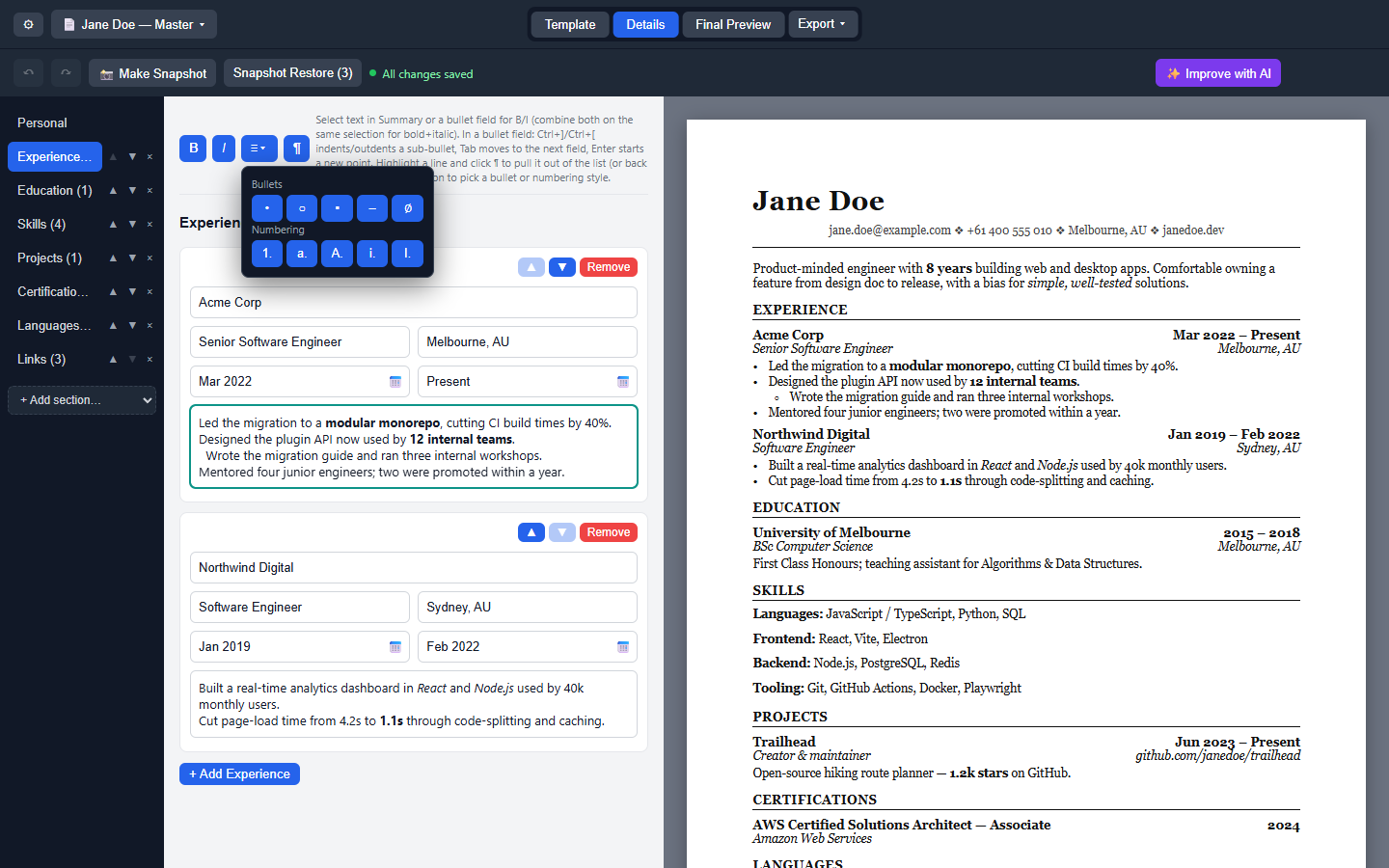
Rich Text Editing: Format text with bold, italic, bullet points, and numbered lists for professional presentation.
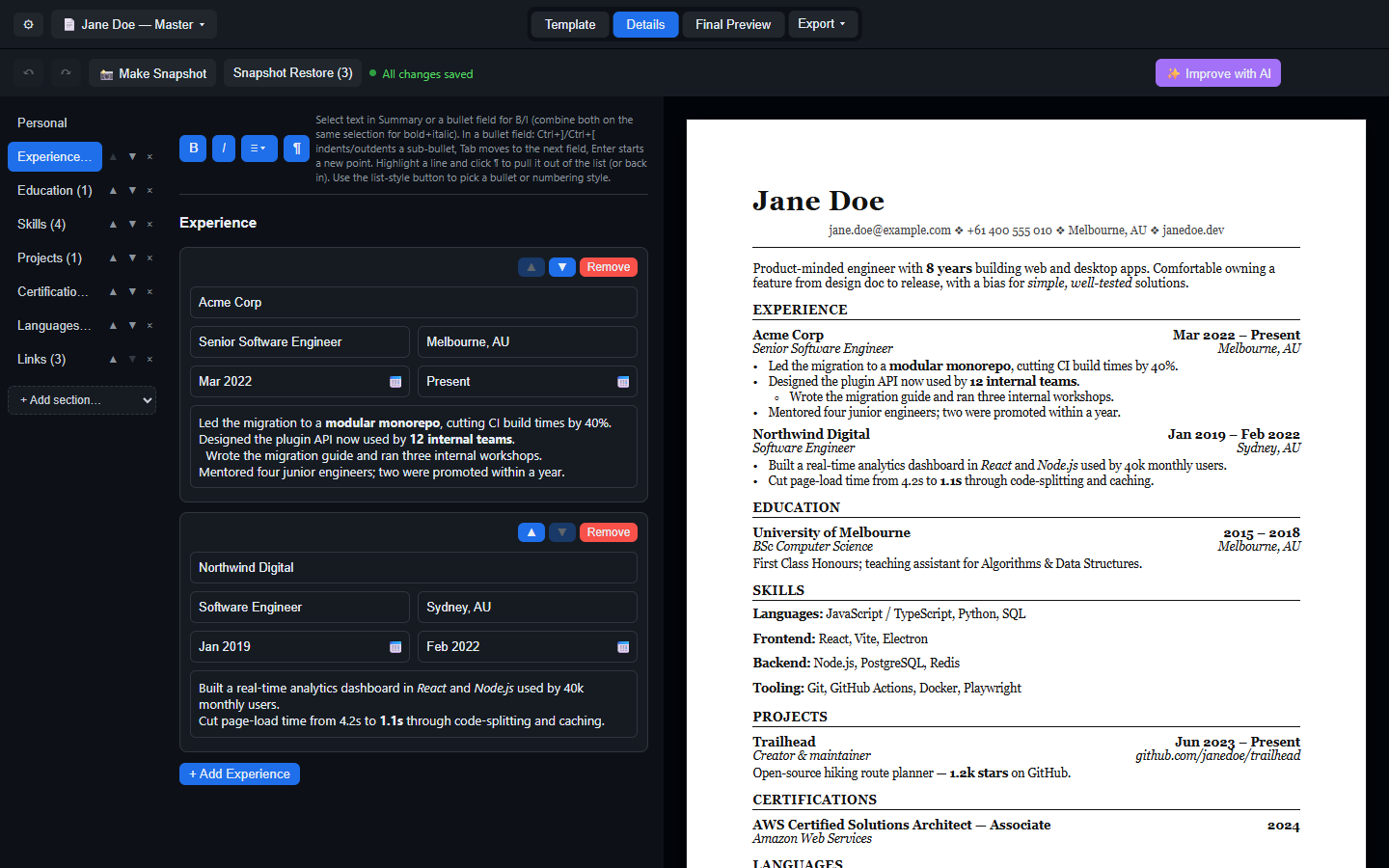
Light and Dark Themes: Choose between System, Light, or Dark themes for optimal comfort.
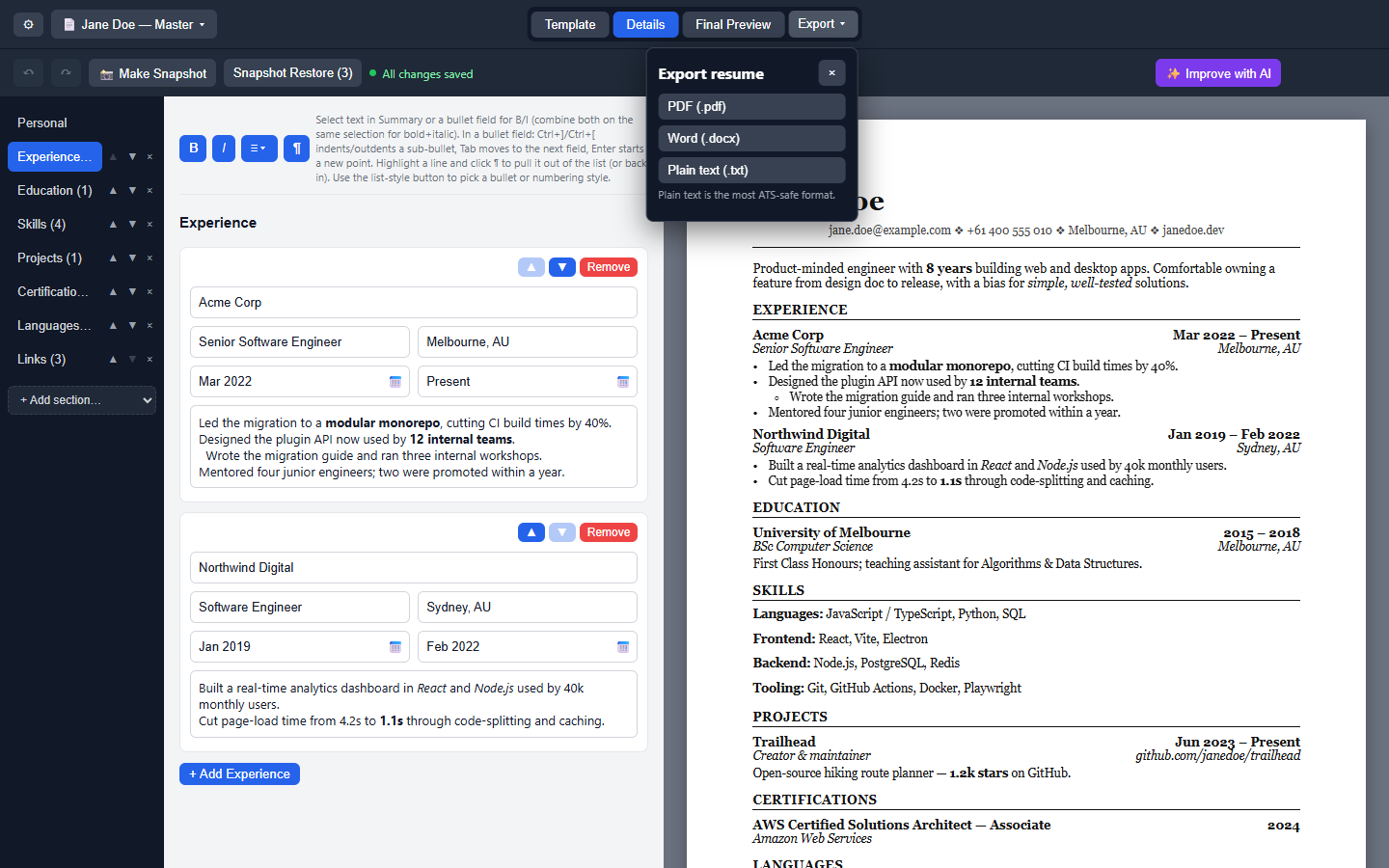
Export Options: Export resumes to PDF, DOCX, and plain text formats, ensuring compatibility with various platforms.
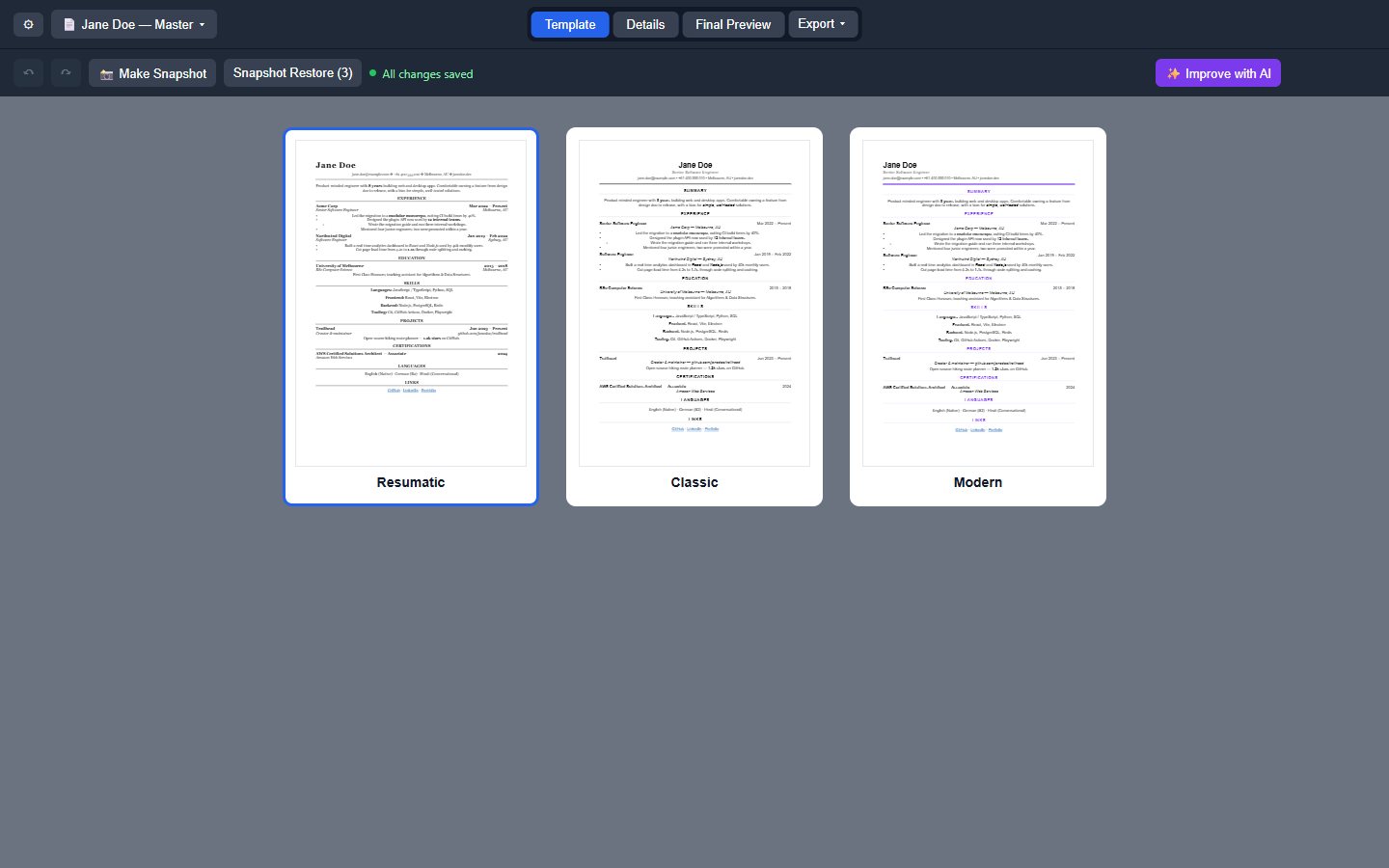
Template Gallery: Switch between three templates using a live-thumbnail gallery for visual selection.
Audience & Benefit:
Ideal for professionals, job seekers, and career coaches looking to present themselves effectively in the job market. OpenResume Builder empowers users to create polished, tailored resumes that stand out while saving time through efficient profile management and formatting tools. The software ensures data remains secure on the device with automatic saving and no external dependencies.
Installable via winget, OpenResume Builder is a versatile tool for anyone seeking to build or refine their professional resume.
README
OpenResume Builder
A free, open-source, cross-platform resume builder built with Electron + React + Vite.
Features
Multiple resume profiles — keep a master resume plus tailored copies per application; New / Duplicate / Rename / Delete from a toolbar dropdown, with per-profile autosave, snapshots, and undo history
Export to PDF, Word (.docx), and plain text (.txt) — bold/italic become real Word formatting, bullet/numbering styles become real Word numbering, links become clickable hyperlinks; plain text is the most ATS-safe format
Dark mode — three-way System / Light / Dark, applied before first paint (no white flash); the resume preview stays paper-white, because it represents the printed page
Customizable resume sections — Experience, Education, Skills, Projects, Certifications, Languages, Links, and free-form Custom sections; add, remove, rename, and reorder whole sections, and reorder individual entries within a section
Three templates — Classic, Modern, and Resumatic (serif, bold header), switchable from a live-thumbnail template gallery
Template / Details / Final Preview workspace — pick a template visually, edit in the section-based form, then check a clean chrome-free preview before exporting
WYSIWYG bold/italic — Experience descriptions, Custom Section, and Skills render real bold/italic as you type, no visible **/* markup; combinable into bold+italic, with a Word/LibreOffice-style bullet & numbering picker (•, ○, ▪, –, 1., a., A., i., I.), an intro-sentence-before-the-list option, and Word-style list editing (Ctrl+]/Ctrl+[ to indent, Enter continues the list)
Undo/redo — Ctrl+Z / Ctrl+Y plus ↶/↷ toolbar buttons; rapid edits coalesce so undo rewinds a typing burst, not a keystroke
Month/year date picker — click a Start/End field (Experience, Education, Projects) for a year navigator and month grid, with a "Present" quick-pick and future dates blocked automatically
Autocomplete & autocorrect — suggestion dropdowns for Title, Role, Skill, Degree, and Language-proficiency fields, plus real spellcheck with right-click correction suggestions
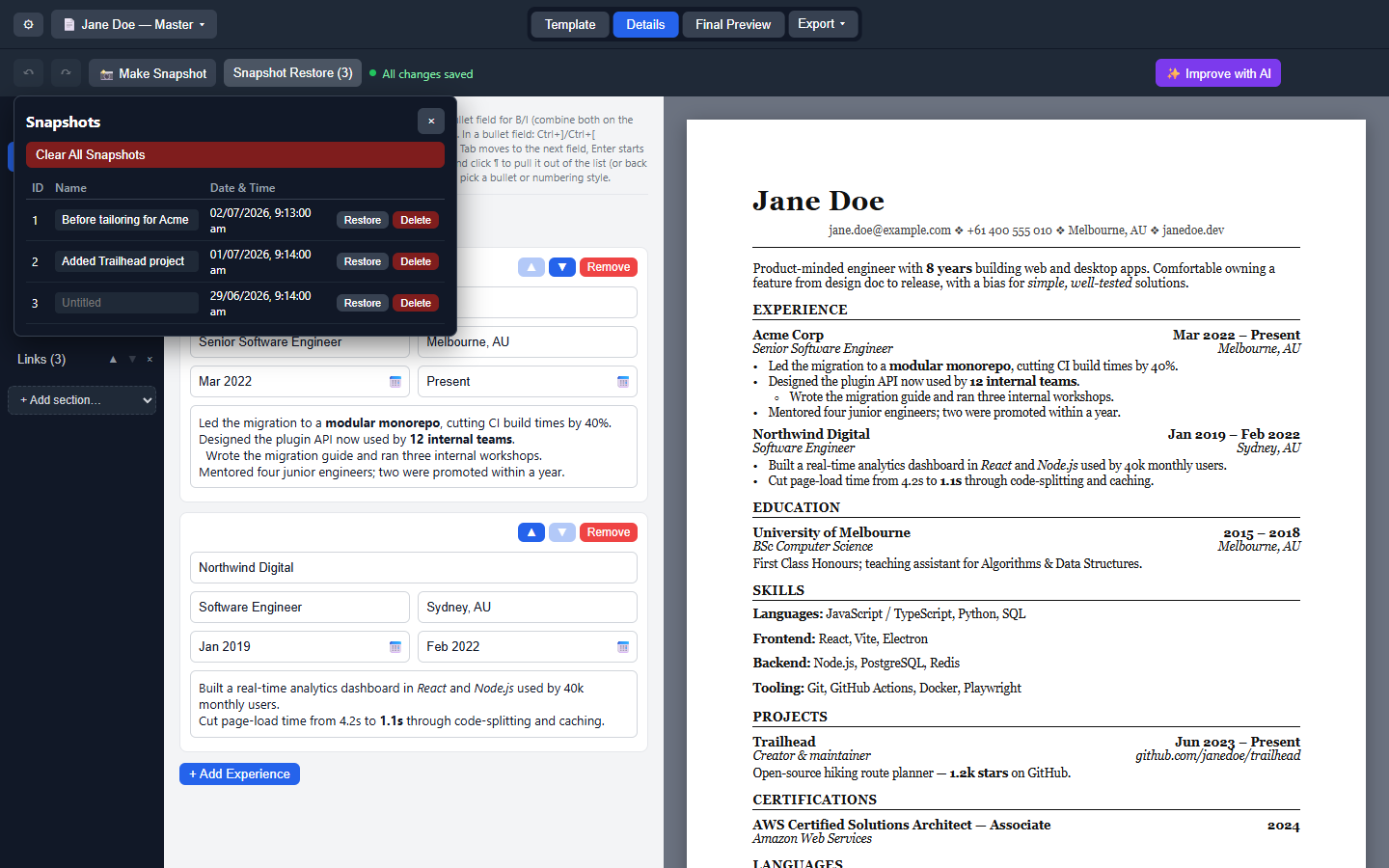
Snapshot backups — take a named, timestamped snapshot at any point, then browse/restore/rename/delete from a table, with a confirmation warning before restoring
Autosave status indicator — "Saving…" / "All changes saved" in the toolbar
Save / Open as JSON — via the native File menu (Ctrl+O / Ctrl+Shift+S) — keep multiple resume files and reopen them anytime
Automatic update check — checks GitHub Releases on launch, plus a manual "Check for Updates" button in Settings
Tested — Vitest unit tests plus a Playwright e2e suite driving the real Electron app; the full suite gates every push and every release build
Windows — installer (Setup.exe) or portable (.exe)
macOS — .dmg for Apple Silicon or Intel (built via CI, currently untested on real Mac hardware)
Linux — .AppImage (built via CI, verified on a real Linux kernel via WSL2/WSLg) — see the wiki's Linux install/run instructions for chmod +x, FUSE troubleshooting, and desktop integration
These are unsigned builds, so Windows SmartScreen / macOS Gatekeeper will warn about an unidentified developer the first time you run one.
Roadmap
See TODO.md for planned work (page-break handling in PDF export, JSON Resume import/export, backup/restore, AI integration).
Contributing / running from source
See DEVELOPMENT.md for setup, running in dev mode, testing, and building installers yourself.