Lazyssh is a terminal-based, interactive SSH manager inspired by tools like lazydocker and k9s — but built for managing your fleet of servers directly from your terminal.
With lazyssh, you can quickly navigate, connect, manage, and transfer files between your local machine and any server defined in your ~/.ssh/config. No more remembering IP addresses or running long scp commands — just a clean, keyboard-driven UI.
✨ Features
Server Management
- 📜 Read & display servers from your
~/.ssh/config in a scrollable list.
- ➕ Add a new server from the UI with comprehensive SSH configuration options.
- ✏ Edit existing server entries directly from the UI with a tabbed interface.
- 🗑 Delete server entries safely.
- 📌 Pin / unpin servers to keep favorites at the top.
- 🏓 Ping server to check status.
Quick Server Navigation
- 🔍 Fuzzy search by alias, IP, or tags.
- 🖥 One‑keypress SSH into the selected server (Enter).
- 🏷 Tag servers (e.g., prod, dev, test) for quick filtering.
- ↕️ Sort by alias or last SSH (toggle + reverse).
Advanced SSH Configuration
- 🔗 Port forwarding (LocalForward, RemoteForward, DynamicForward).
- 🚀 Connection multiplexing for faster subsequent connections.
- 🔐 Advanced authentication options (public key, password, agent forwarding).
- 🔒 Security settings (ciphers, MACs, key exchange algorithms).
- 🌐 Proxy settings (ProxyJump, ProxyCommand).
- ⚙️ Extensive SSH config options organized in tabbed interface.
Key Management
- 🔑 SSH key autocomplete with automatic detection of available keys.
- 📝 Smart key selection with support for multiple keys.
Upcoming
- 📁 Copy files between local and servers with an easy picker UI.
- 🔑 SSH Key Deployment Features:
- Use default local public key (
~/.ssh/id_ed25519.pub or ~/.ssh/id_rsa.pub)
- Paste custom public keys manually
- Generate new keypairs and deploy them
- Automatically append keys to
~/.ssh/authorized_keys with correct permissions
🔐 Security Notice
lazyssh does not introduce any new security risks.
It is simply a UI/TUI wrapper around your existing ~/.ssh/config file.
-
All SSH connections are executed through your system’s native ssh binary (OpenSSH).
-
Private keys, passwords, and credentials are never stored, transmitted, or modified by lazyssh.
-
Your existing IdentityFile paths and ssh-agent integrations work exactly as before.
-
lazyssh only reads and updates your ~/.ssh/config. A backup of the file is created automatically before any changes.
-
File permissions on your SSH config are preserved to ensure security.
🛡️ Config Safety: Non‑destructive writes and backups
- Non‑destructive edits: lazyssh only writes the minimal required changes to your ~/.ssh/config. It uses a parser that preserves existing comments, spacing, order, and any settings it didn’t touch. Your handcrafted comments and formatting remain intact.
- Atomic writes: updates are written to a temporary file and then atomically renamed over the original, minimizing the risk of partial writes.
- Backups:
- One‑time original backup: before lazyssh makes its first change, it creates a single snapshot named config.original.backup beside your SSH config. If this file is present, it will never be recreated or overwritten.
- Rolling backups: on every subsequent save, lazyssh also creates a timestamped backup named like: ~/.ssh/config--lazyssh.backup. The app keeps at most 10 of these backups, automatically removing the oldest ones.
📷 Screenshots
🚀 Startup
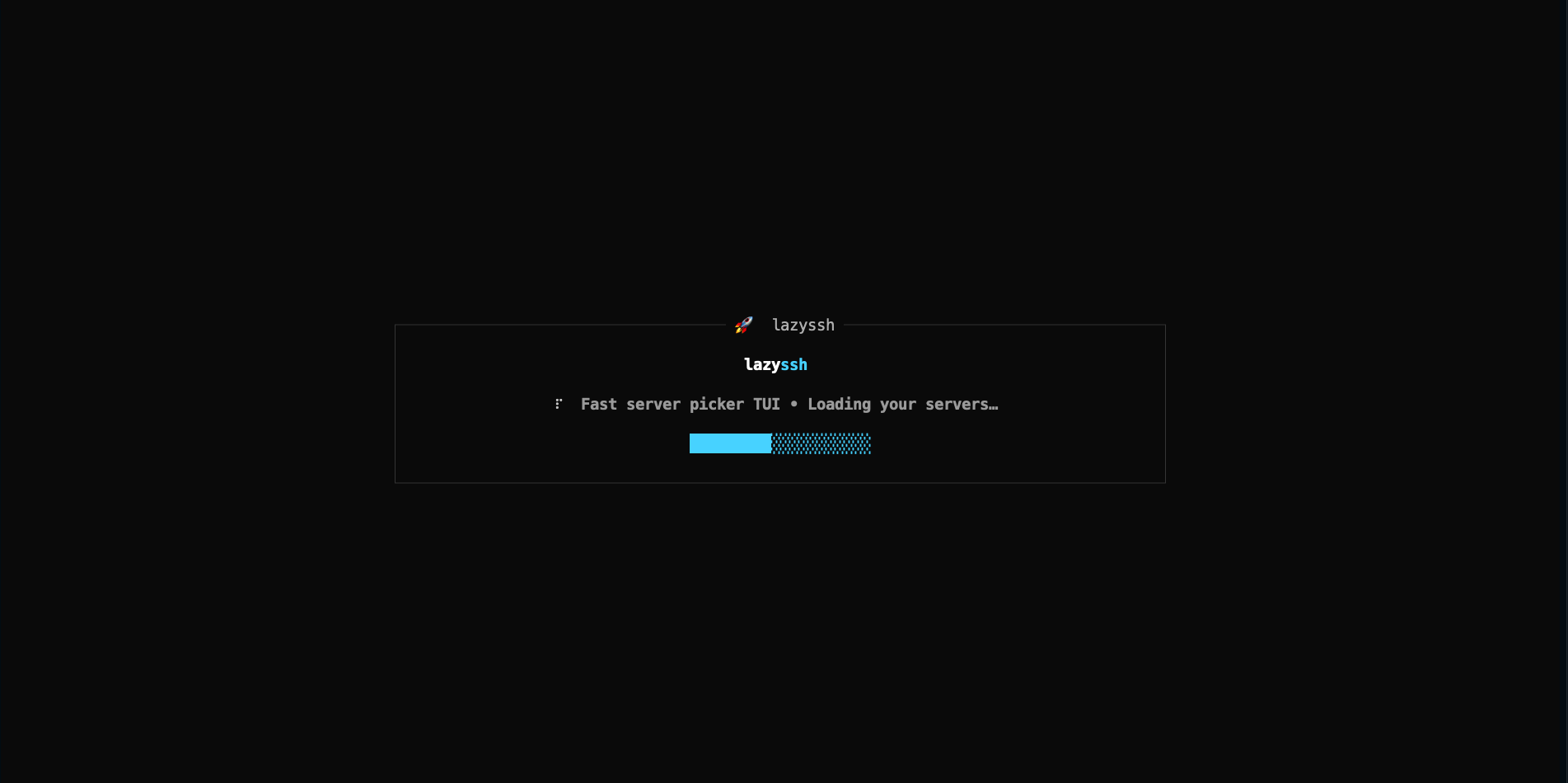
Clean loading screen when launching the app
📋 Server Management Dashboard
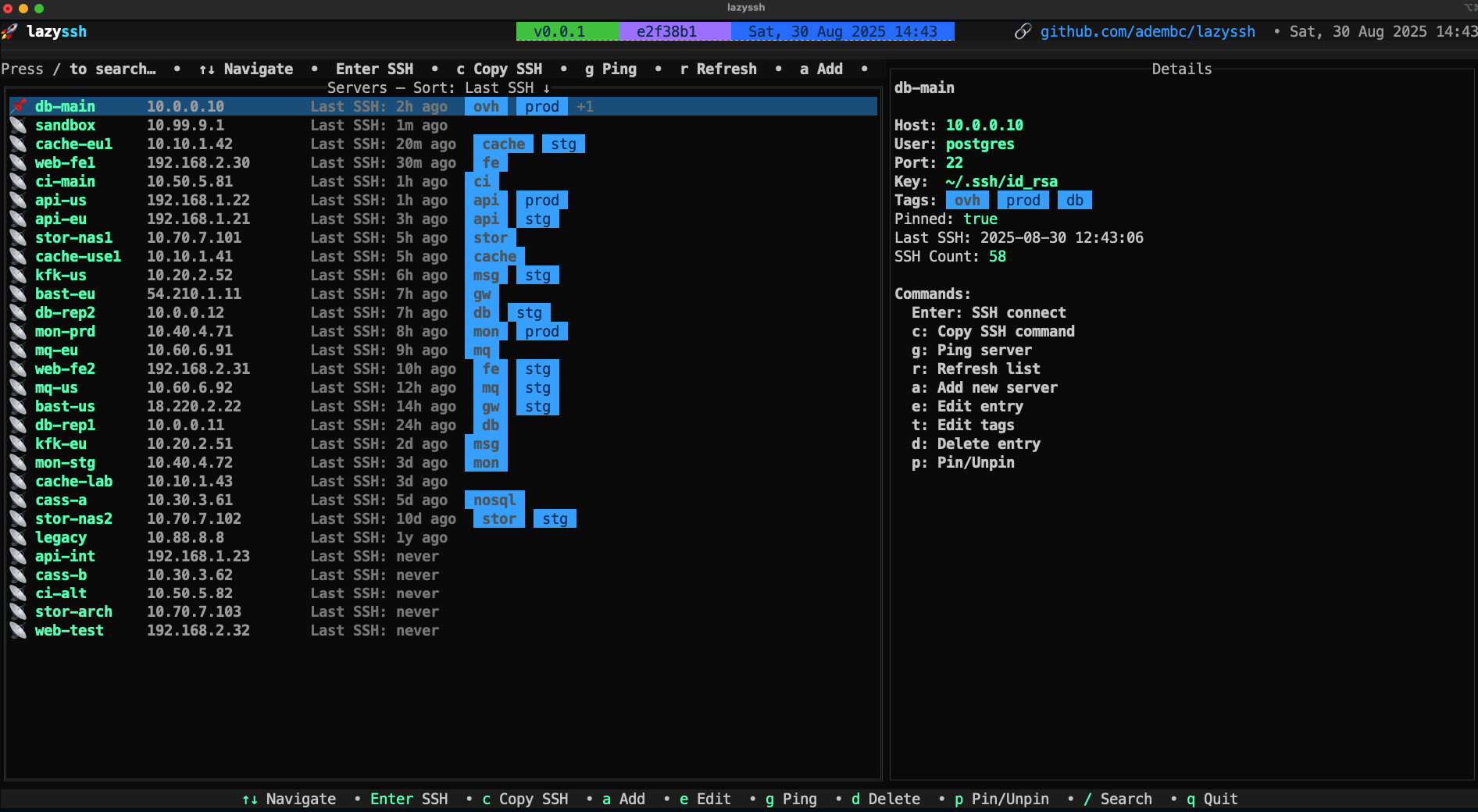
Main dashboard displaying all configured servers with status indicators, pinned favorites at the top, and easy navigation
🔎 Search
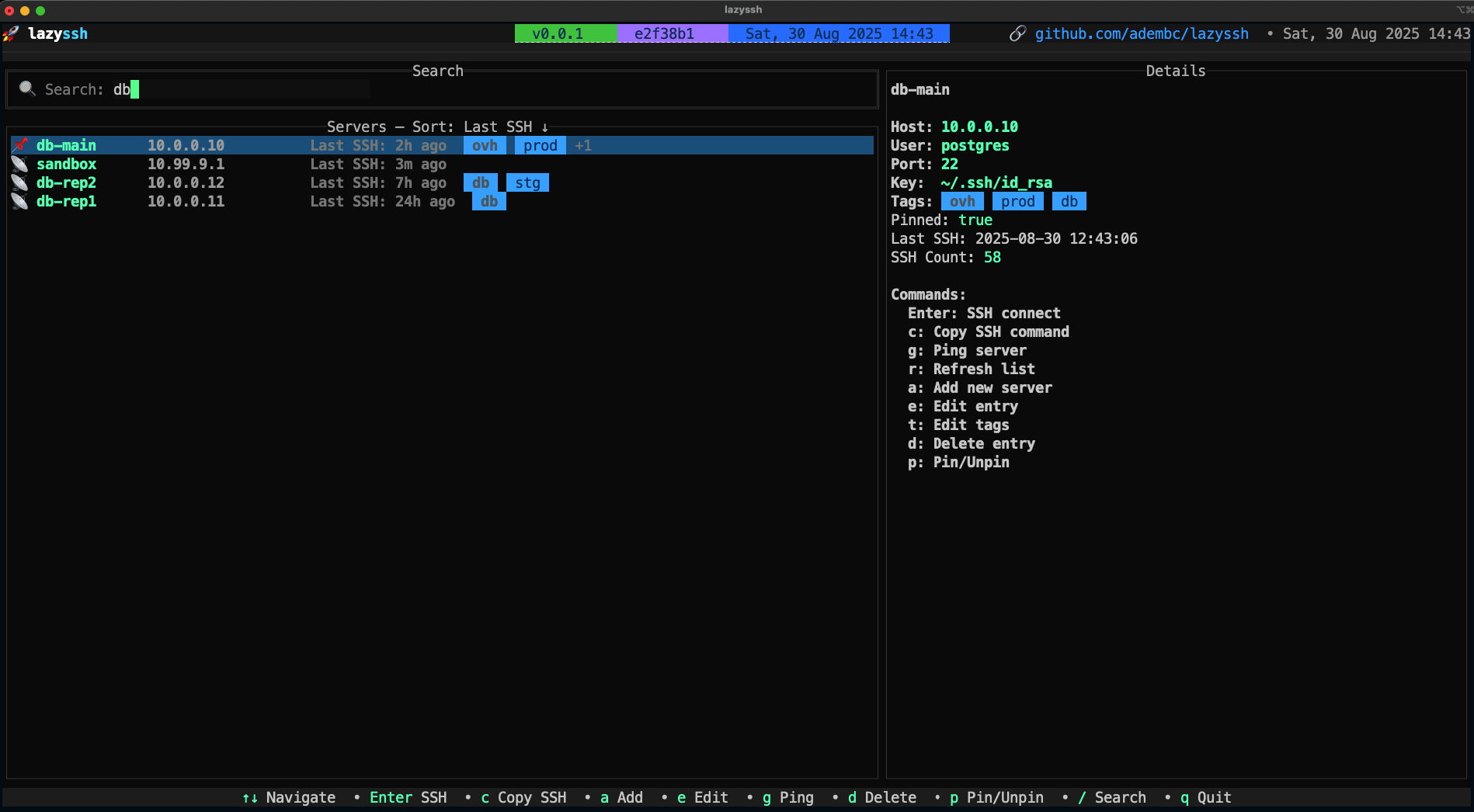
Fuzzy search functionality to quickly find servers by name, IP address, or tags
➕ Add/Edit Server
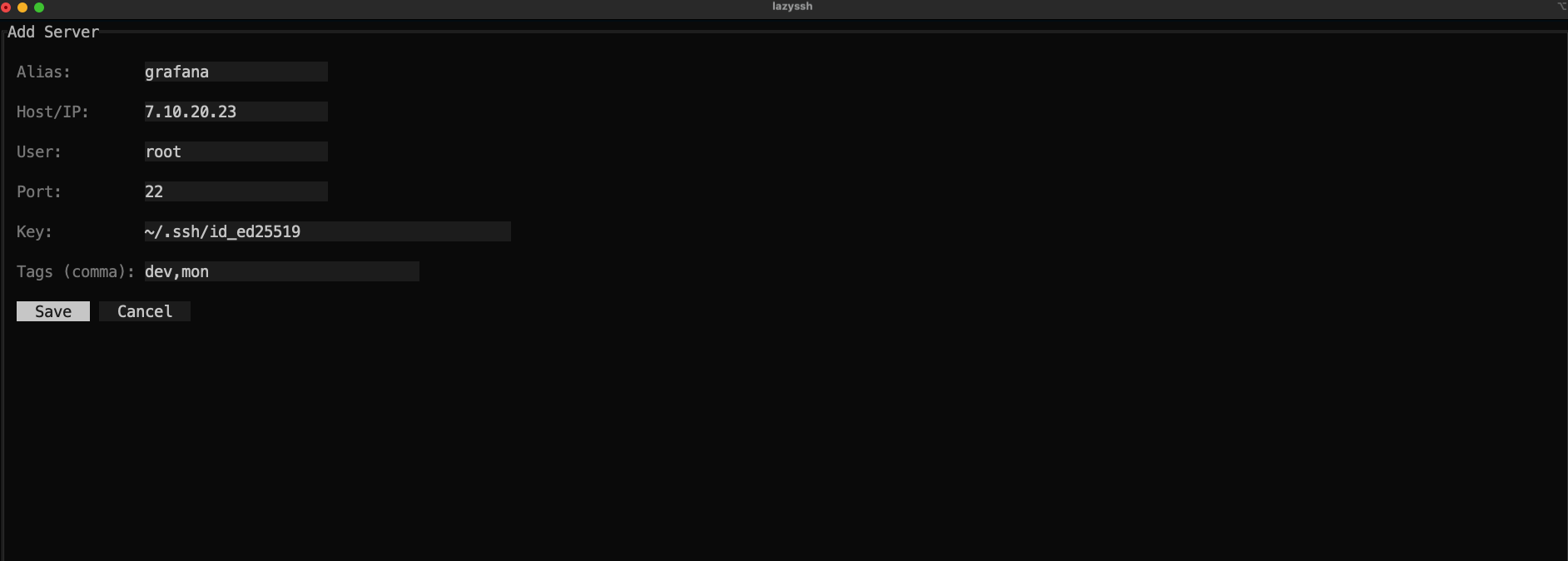
Tabbed interface for managing SSH connections with extensive configuration options organized into:
- Basic - Host, user, port, keys, tags
- Connection - Proxy, timeouts, multiplexing, canonicalization
- Forwarding - Port forwarding, X11, agent
- Authentication - Keys, passwords, methods, algorithm settings
- Advanced - Security, cryptography, environment, debugging
🔐 Connect to server
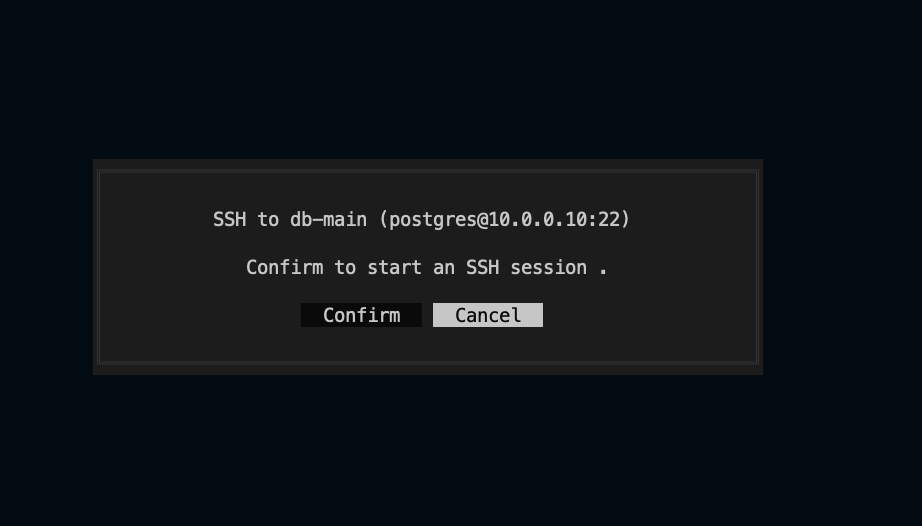
SSH into the selected server
📦 Installation
Option 1: Homebrew (macOS)
brew install Adembc/homebrew-tap/lazyssh
Option 2: Download Binary from Releases
Download from GitHub Releases. You can use the snippet below to automatically fetch the latest version for your OS/ARCH (Darwin/Linux and amd64/arm64 supported):
# Detect latest version
LATEST_TAG=$(curl -fsSL https://api.github.com/repos/Adembc/lazyssh/releases/latest | jq -r .tag_name)
# Download the correct binary for your system
curl -LJO "https://github.com/Adembc/lazyssh/releases/download/${LATEST_TAG}/lazyssh_$(uname)_$(uname -m).tar.gz"
# Extract the binary
tar -xzf lazyssh_$(uname)_$(uname -m).tar.gz
# Move to /usr/local/bin or another directory in your PATH
sudo mv lazyssh /usr/local/bin/
# enjoy!
lazyssh
Option 3: Build from Source
# Clone the repository
git clone https://github.com/Adembc/lazyssh.git
cd lazyssh

# Build for macOS
make build
./bin/lazyssh

# Or Run it directly
make run
⌨️ Key Bindings
| Key | Action |
|---|
| / | Toggle search bar |
| ↑↓/jk | Navigate servers |
| Enter | SSH into selected server |
| c | Copy SSH command to clipboard |
| g | Ping selected server |
| r | Refresh background data |
| a | Add server |
| e | Edit server |
| t | Edit tags |
| d | Delete server |
| p | Pin/Unpin server |
| s | Toggle sort field |
| S | Reverse sort order |
| q | Quit |
In Server Form:
| Key | Action |
|---|
| Ctrl+H | Previous tab |
| Ctrl+L | Next tab |
| Ctrl+S | Save |
| Esc | Cancel |
Tip: The hint bar at the top of the list shows the most useful shortcuts.
🤝 Contributing
Contributions are welcome!
- If you spot a bug or have a feature request, please open an issue.
- If you'd like to contribute, fork the repo and submit a pull request ❤️.
We love seeing the community make Lazyssh better 🚀
Semantic Pull Requests
This repository enforces semantic PR titles via an automated GitHub Action. Please format your PR title as:
- type(scope): short descriptive subject
Notes:
- Scope is optional and should be one of: ui, cli, config, parser.
Allowed types in this repo:
- feat: a new feature
- fix: a bug fix
- improve: quality or UX improvements that are not a refactor or perf
- refactor: code change that neither fixes a bug nor adds a feature
- docs: documentation only changes
- test: adding or refactoring tests
- ci: CI/CD or automation changes
- chore: maintenance tasks, dependency bumps, non-code infra
- revert: reverts a previous commit
Examples:
- feat(ui): add server pinning and sorting options
- fix(parser): handle comments at end of Host blocks
- improve(cli): show friendly error when ssh binary missing
- refactor(config): simplify backup rotation logic
- docs: add installation instructions for Homebrew
- ci: cache Go toolchain and dependencies
Tip: If your PR touches multiple areas, pick the most relevant scope or omit the scope.
⭐ Support
If you find Lazyssh useful, please consider giving the repo a star ⭐️ and join stargazers.
☕ You can also support me by buying me a coffee ❤️

🙏 Acknowledgments