winmon ailuntx
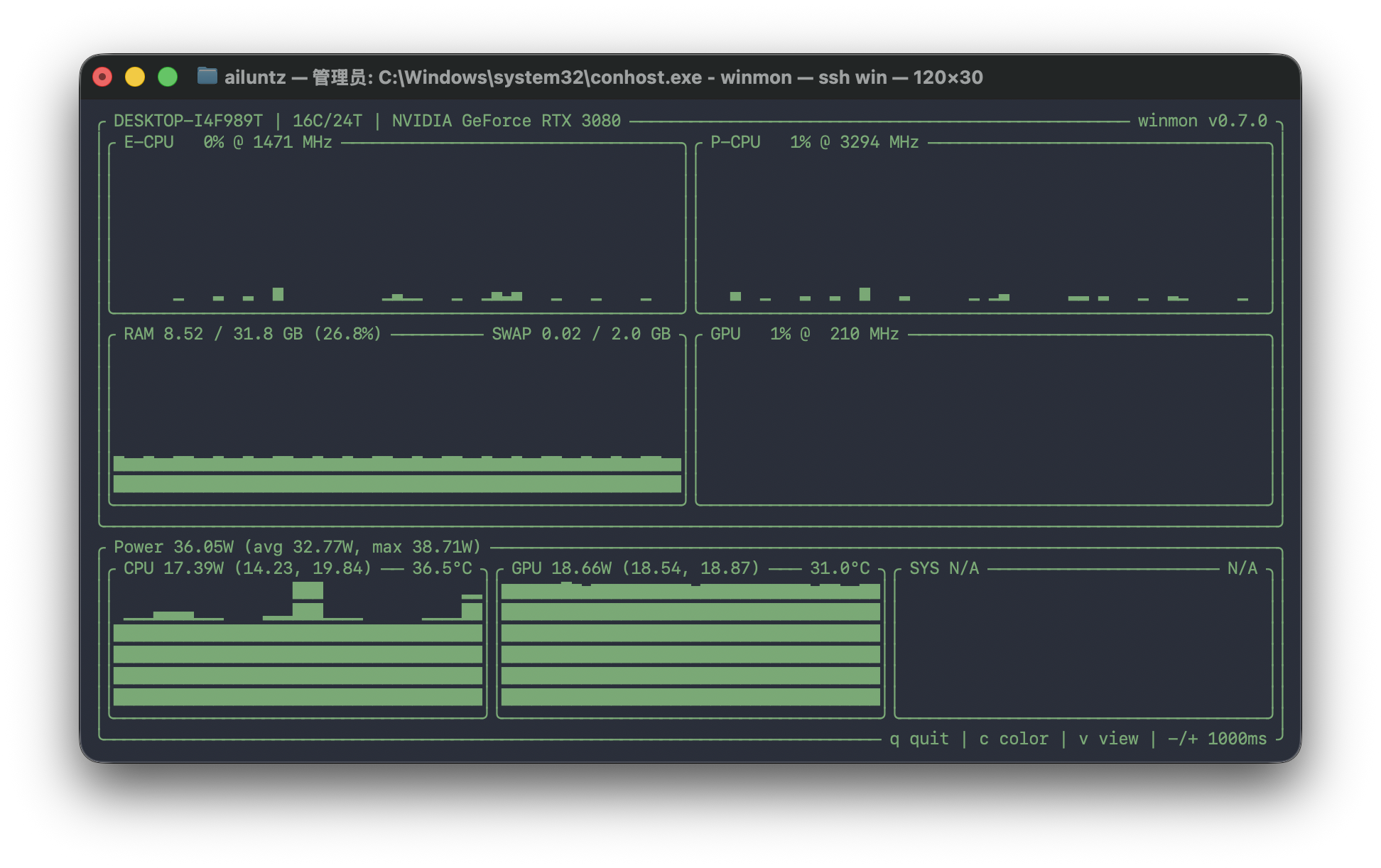
winget install --id=Ailuntx.Winmon -e winmon is a terminal-based hardware monitoring tool for Windows, specifically designed to provide real-time insights into Intel CPUs and NVIDIA discrete GPUs. It offers a robust solution for system administrators, hardware enthusiasts, and DevOps professionals working in Windows environments.
Key Features:
- Text-Based User Interface (TUI): winmon starts with an interactive terminal interface by default, displaying detailed metrics such as CPU temperature, GPU usage, power consumption, and sensor data.
- Command-Line Integration: Supports pipe mode for seamless integration with command-line workflows, allowing users to output monitoring data directly into scripts or other tools.
- Debug Mode: Enables detailed logging for troubleshooting hardware monitoring issues, providing insights into sensor readings and system interactions.
- Serve Mode: Exposes monitoring metrics via HTTP endpoints, facilitating easy integration with monitoring systems like Prometheus and Grafana. Users can access
/jsonfor structured data or/metricsin PromQL format.
Audience & Benefit: Ideal for system administrators and hardware enthusiasts who need to monitor and optimize performance on Windows 10/11 x64 systems equipped with Intel CPUs and NVIDIA GPUs. winmon helps users ensure optimal system health, track resource usage, and diagnose potential hardware issues. It can be installed via winget for convenient setup.
winmon is a versatile tool that combines simplicity with powerful monitoring capabilities, making it an essential utility for anyone managing or optimizing high-performance Windows systems.