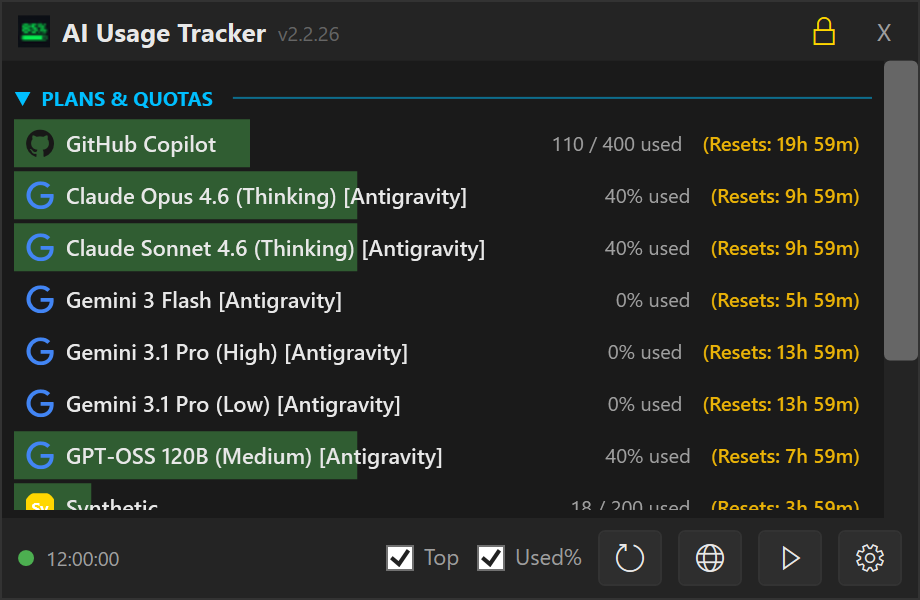
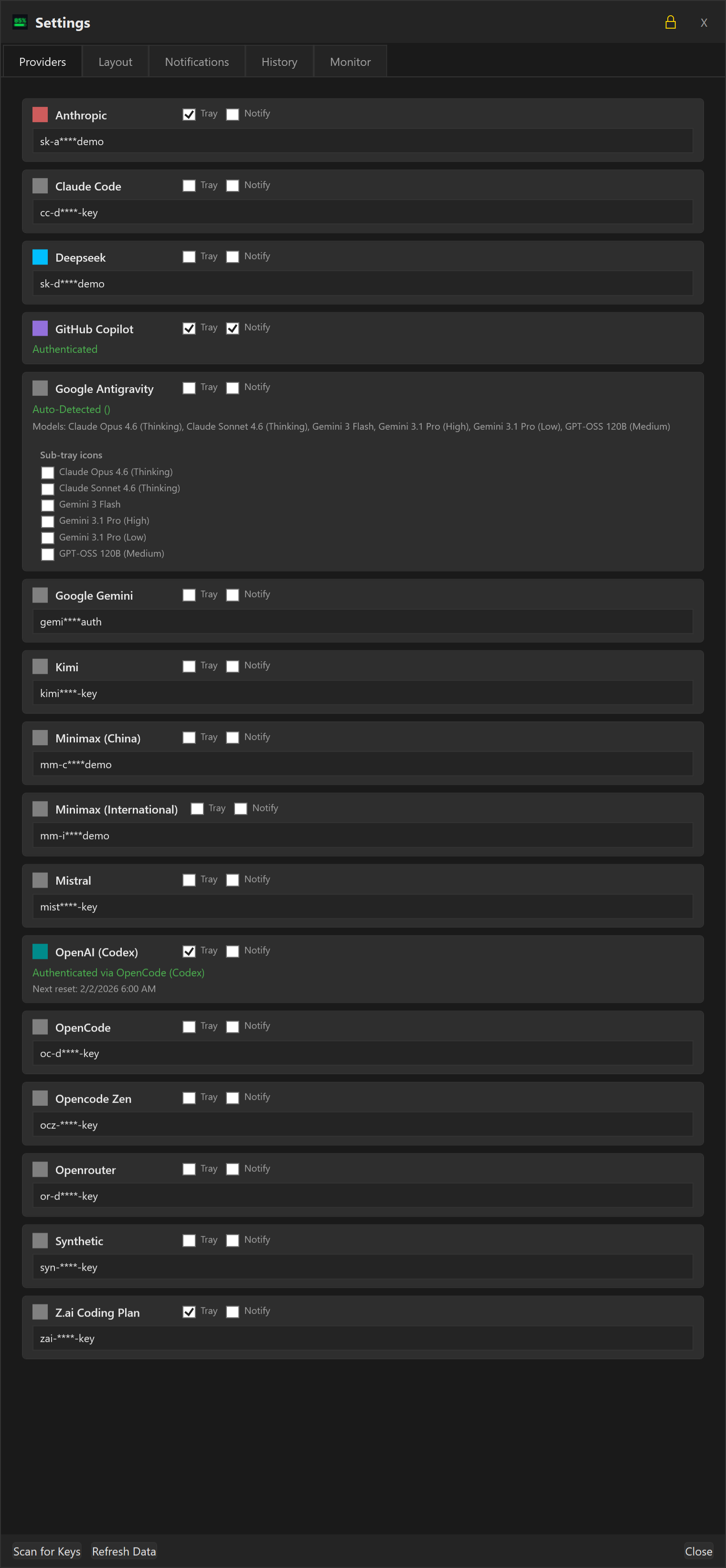
AI Consumption Tracker is a dashboard and tray utility for Windows designed to monitor AI API usage, costs, and quotas across multiple providers. It offers multi-provider support, tracking usage for Anthropic, Gemini, OpenRouter, and more, with smart discovery of API keys through environment variables and configuration files.
Key features include auto-updates with one-click downloads, a minimalist dashboard providing quick overviews, and compact settings UIs for streamlined provider management. The utility also features dynamic tray integration, live progress bars, inverted progress bars for remaining capacity, improved DeepSeek support with multi-currency tracking, and secure API key management through a refined settings menu.
Ideal for developers, researchers, and organizations relying on AI APIs, this tool streamlines monitoring of costs and quotas, helping users manage expenses effectively and avoid overages. Installation is available via winget.
README
AI Usage Tracker
A streamlined Windows dashboard and tray utility to monitor AI API usage, costs, and quotas across multiple providers.
Download the latest installer or .zip file from the Release page.
Key Features
OpenAI resets and expiration dates: Hover over the OpenAI quota bar and quickly see the resets and their expiration dates
Multi-Provider Support: Track usage for Anthropic, Gemini, OpenRouter, OpenCode, Kilo Code, DeepSeek, OpenAI, GitHub Copilot, Codex, Mistral, and more.
Smart Discovery: Automatically scans environment variables, Claude Code credentials, and standard configuration files for existing API keys.
Auto-Updates: Notifies you of new releases directly in the dashboard with a one-click download link.
Minimalist Dashboard: A compact, topmost window providing a quick overview of your current spend and token usage.
Compact Settings UI: Streamlined provider cards with 40-50% less vertical space, larger dialog for better visibility.
Dynamic Tray Integration:
Auto-Hide: Dashboard hides automatically when focus is lost.
Individual Tracking: Option to spawn separate tray icons for specific providers.
Live Progress Bars: Tray icons feature "Core Temp" style bars that reflect usage levels in real-time.
Pace Projection & Badges: See at a glance whether you'll exhaust your quota before it resets.
Headroom (green) — projected usage under 70%, plenty of room left.
On pace (green) — projected 70–100%, healthy usage rate.
Over pace (red) — projected over 100%, on track to hit the limit before reset.
Shows the projected end-of-period percentage (e.g. "Projected: 73%") so you can judge for yourself.
Works independently for both 5-hour burst and 7-day rolling windows.
Can be toggled on/off in Settings → Cards → "Pace-Aware Colours".
 AI Usage Tracker