Quick start
- Install OxideTerm. Grab a package from the latest release; platform notes are in Install below.
- Add a server. Open the Session Manager and create an SSH connection, or import hosts from your
~/.ssh/config.
- Connect. Open a terminal. Host keys are checked against
~/.ssh/known_hosts.
- Use the rest of the workspace. Open SFTP, port forwarding, or the built-in editor on the same node. By default they share one SSH connection.
- Optional: turn on AI. In Settings, add your own OpenAI, Anthropic, Gemini, Ollama, or OpenAI-compatible endpoint to enable OxideSens.
For a guided tour, see the documentation.
What you get
| |
|---|
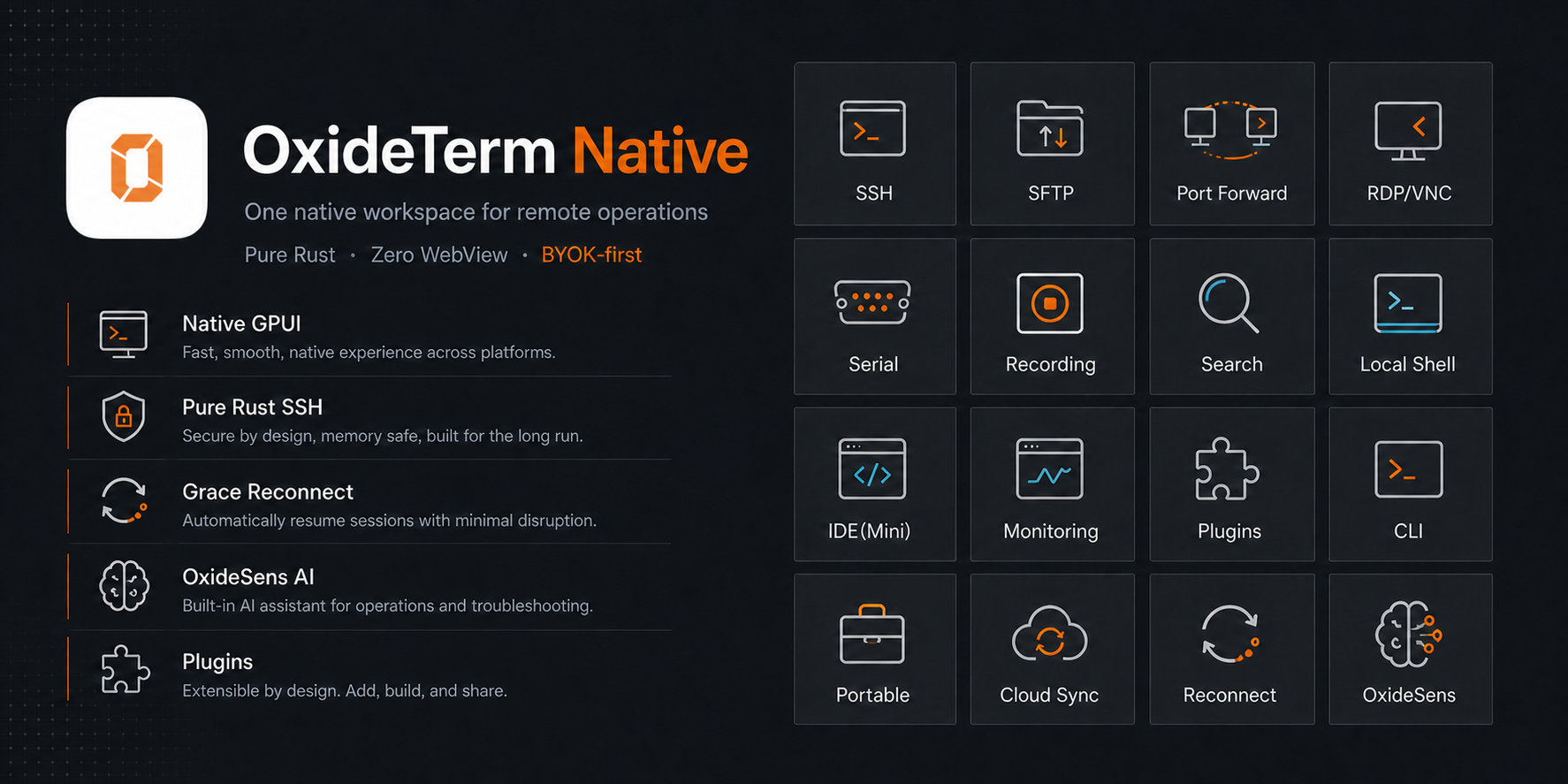
| Terminals and protocols | Local shells, SSH, Mosh, Telnet, Serial, split panes, multi-hop routes, SSH agent and agent forwarding, 2FA and TOTP credentials, X11 forwarding, shell integration, command marks, configurable session logs, recording, Sixel and Kitty graphics, trzsz transfers |
| tmux and broadcast | Native tmux -CC control mode with pane layouts and draggable dividers, named broadcast groups, and an advanced multi-target command sender for scheduled, repeatable input |
| Reliability | Grace Period reconnect keeps TUI apps alive through short network drops, then restores forwards, transfers, and open editor files |
| Files and editing | SFTP dual-pane manager, transfer queues with speed limits and ETA, bookmarks, a built-in remote editor with safe writes, conflict handling, and workspace restore |
| Networking | Local, remote, and dynamic SOCKS5 forwarding, saved rules, remote port detection, connection topology, ad-hoc socket debugging |
| Remote desktop | RDP and VNC plugins with the native viewer, clipboard and input support |
| Host operations | Monitoring for processes, services, logs, ports, tasks, disks, packages, containers, and tmux |
| AI and automation | BYOK OxideSens, MCP, local RAG, Agent Skills, approved workspace actions, a standalone CLI |
| Review and audit | Optional Notification & Audit workspace and encrypted session recordings (both off by default) |
| Sync and portability | Encrypted cloud sync, portable .oxide bundles |
| Personalization | Themes, background images, configurable shortcuts, Quick Commands, 11 interface languages |
Why OxideTerm
- Free and local-first. No account, no subscription, no telemetry. Your connections and operational data stay under your control.
- One workspace per server. Terminal, SFTP, forwarding, RDP/VNC, editor, monitoring, and AI attach to the same node instead of behaving like disconnected utilities.
- Native, not a browser in disguise. The interface is drawn directly on the GPU with GPUI. There is no Electron and no bundled WebView.
- AI on your terms. OxideSens uses your own provider and key, and acts only on actions you approve.
- Resilient connections. Grace Period reconnect probes the old connection for 30 seconds before replacing it, so TUI apps can survive short network drops.
- Pure-Rust SSH. The SSH stack uses
russh with ring, without OpenSSL or libssh2.
Memory usage
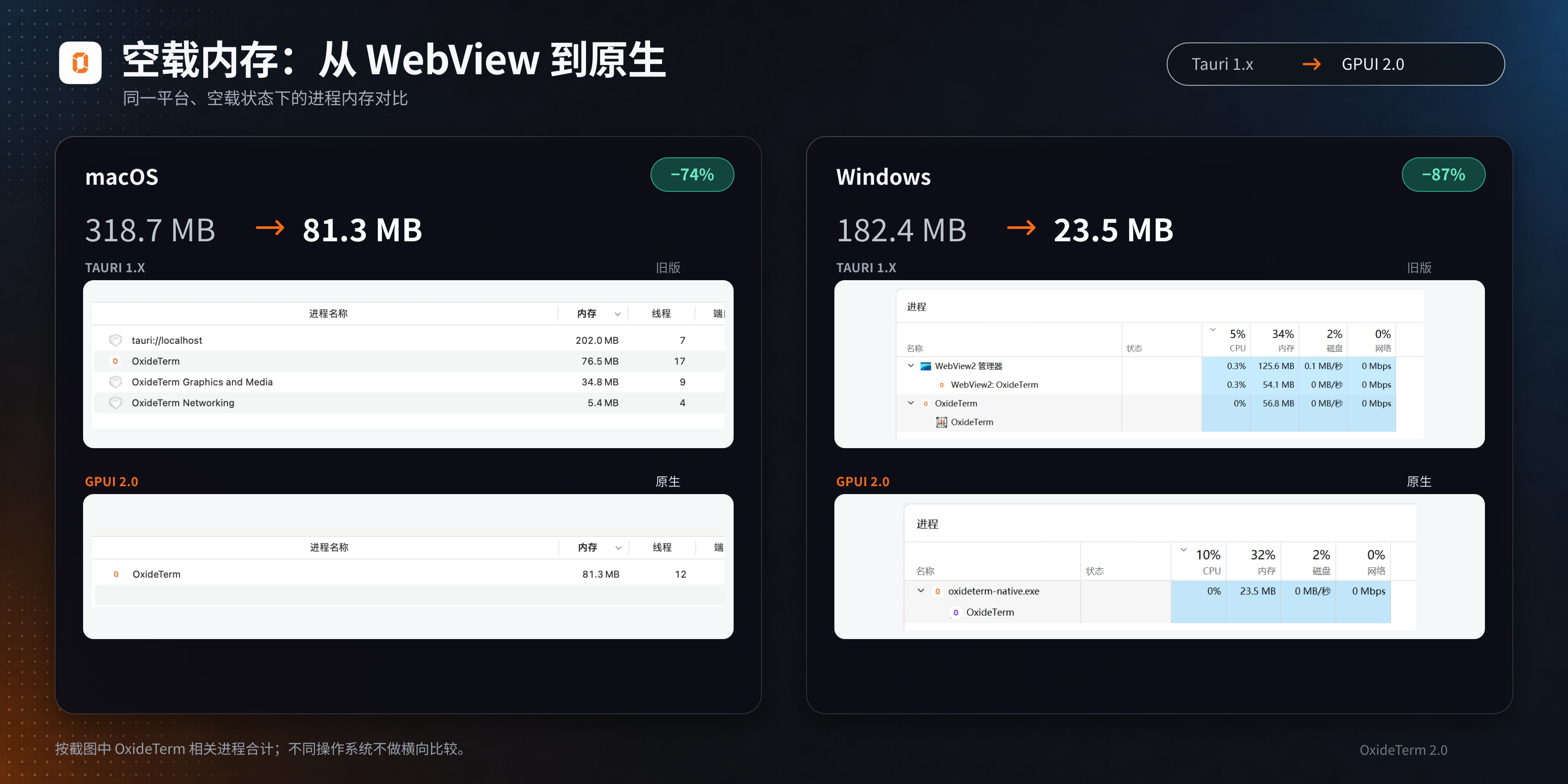
The native rewrite cut idle memory to about a quarter of the old version on macOS and about an eighth on Windows. These are the maintainer's recorded observations from the move from Tauri 1.x to native GPUI 2.0:
| Platform | Tauri 1.x (idle) | Native 2.0 (idle) | Reduction |
|---|
| macOS | 318.7 MB | 81.3 MB | About 74% |
| Windows | 182.4 MB | 23.5 MB | About 87% |
The old version's total includes OxideTerm and its associated WebView processes. The native version no longer needs those browser processes.
Screenshots
| SSH terminal with OxideSens | SFTP file manager |
|---|
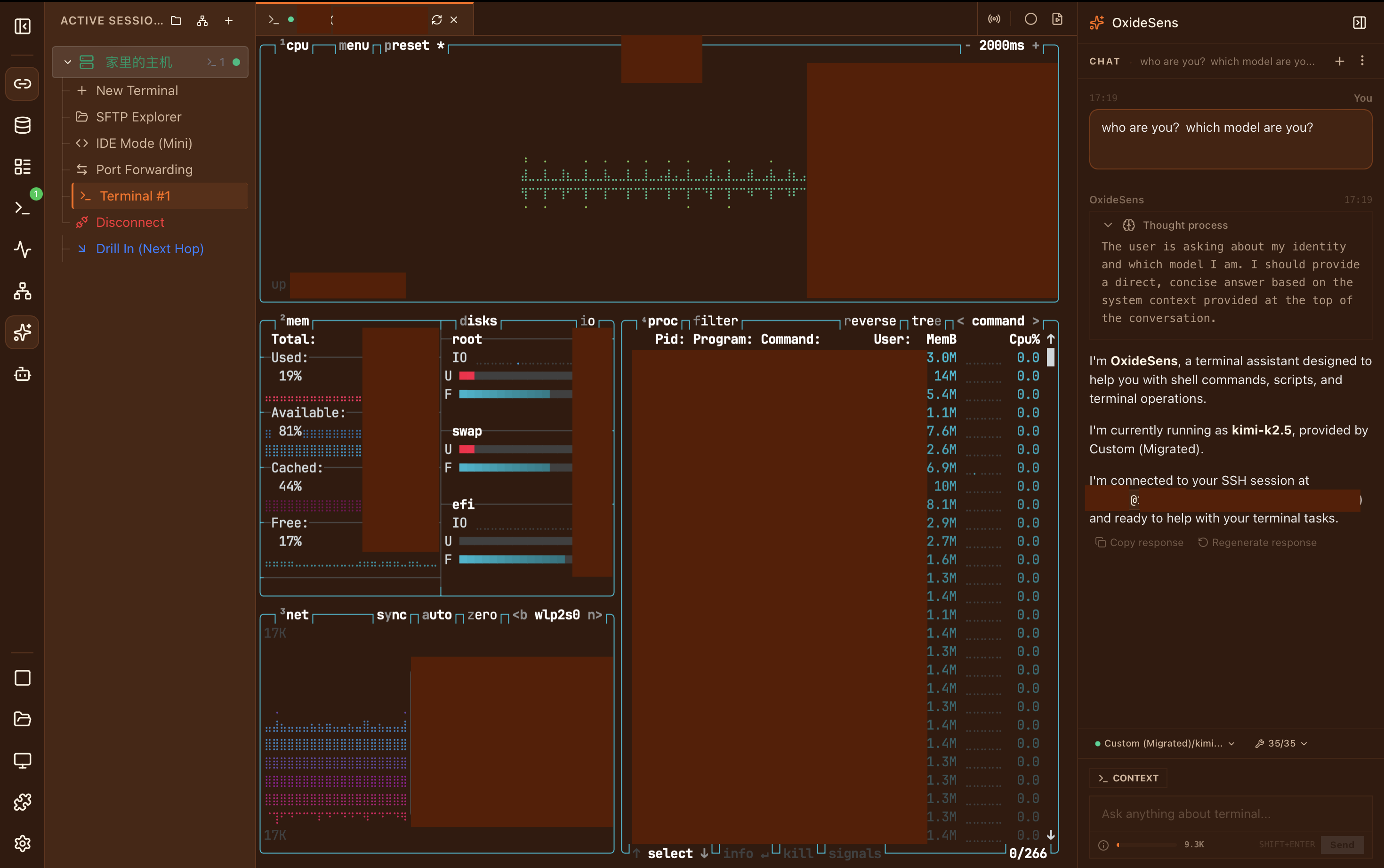 | 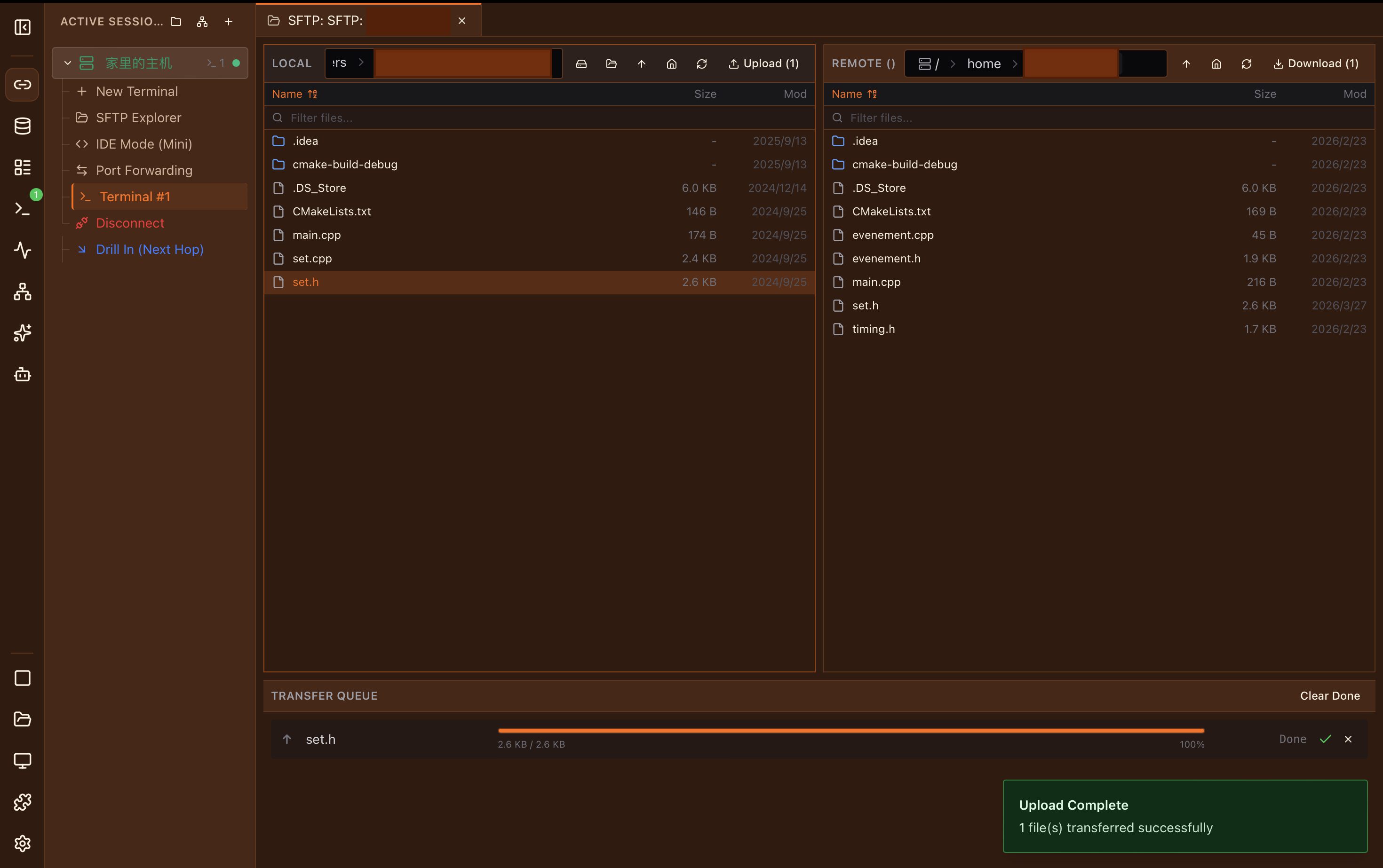 |
| Built-in IDE | Smart port forwarding |
|---|
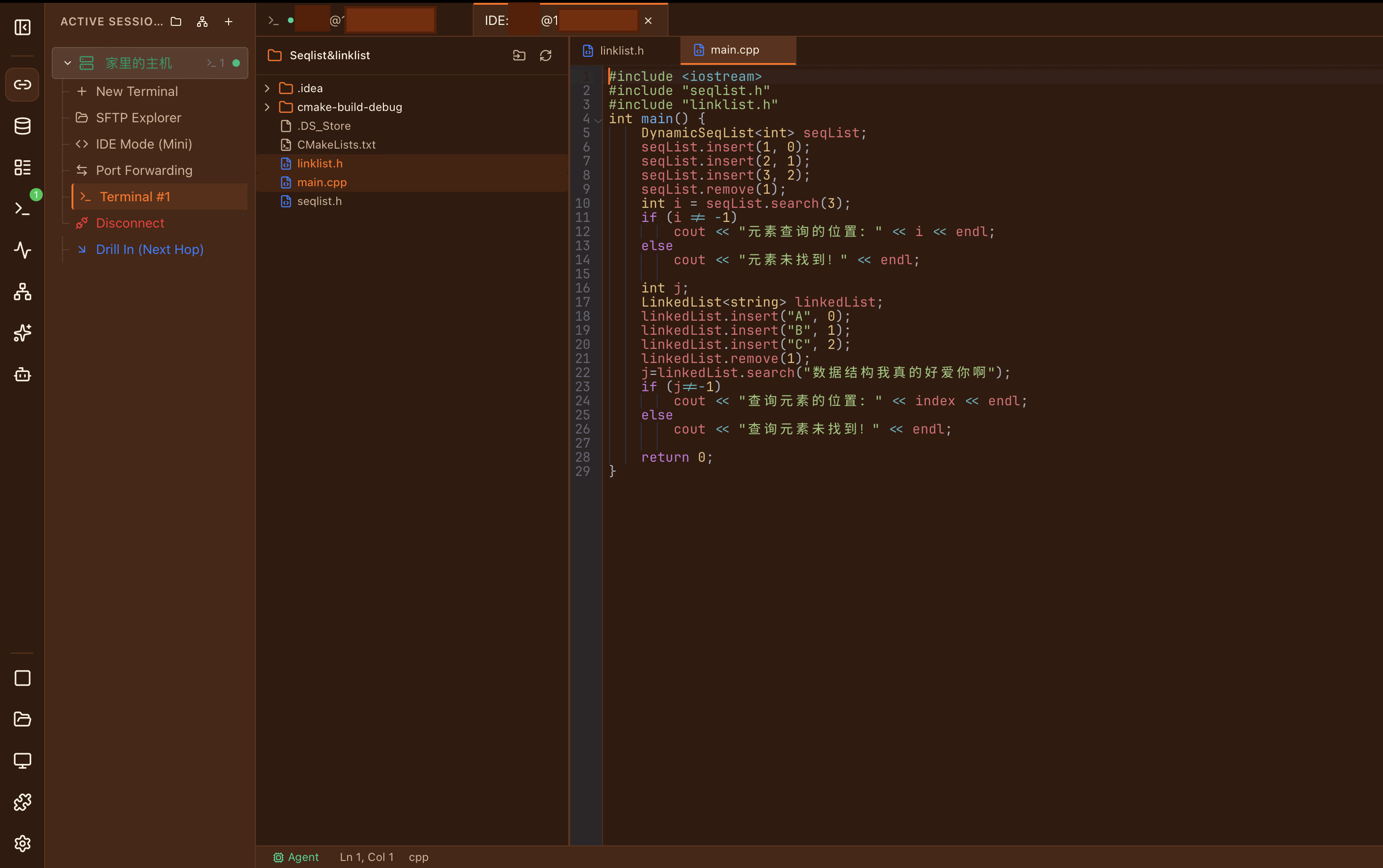 | 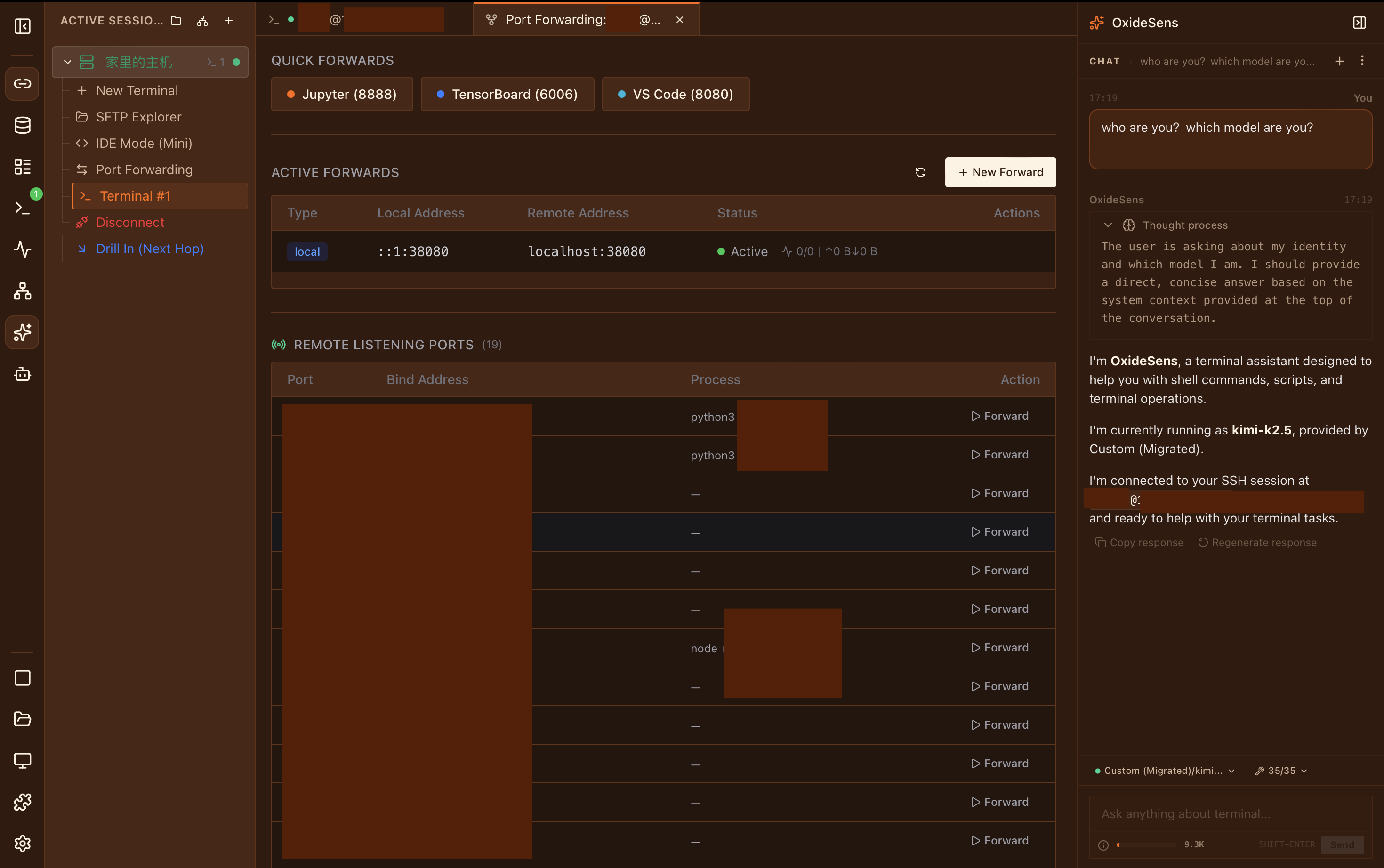 |
Watch OxideSens open a terminal from a plain-language request
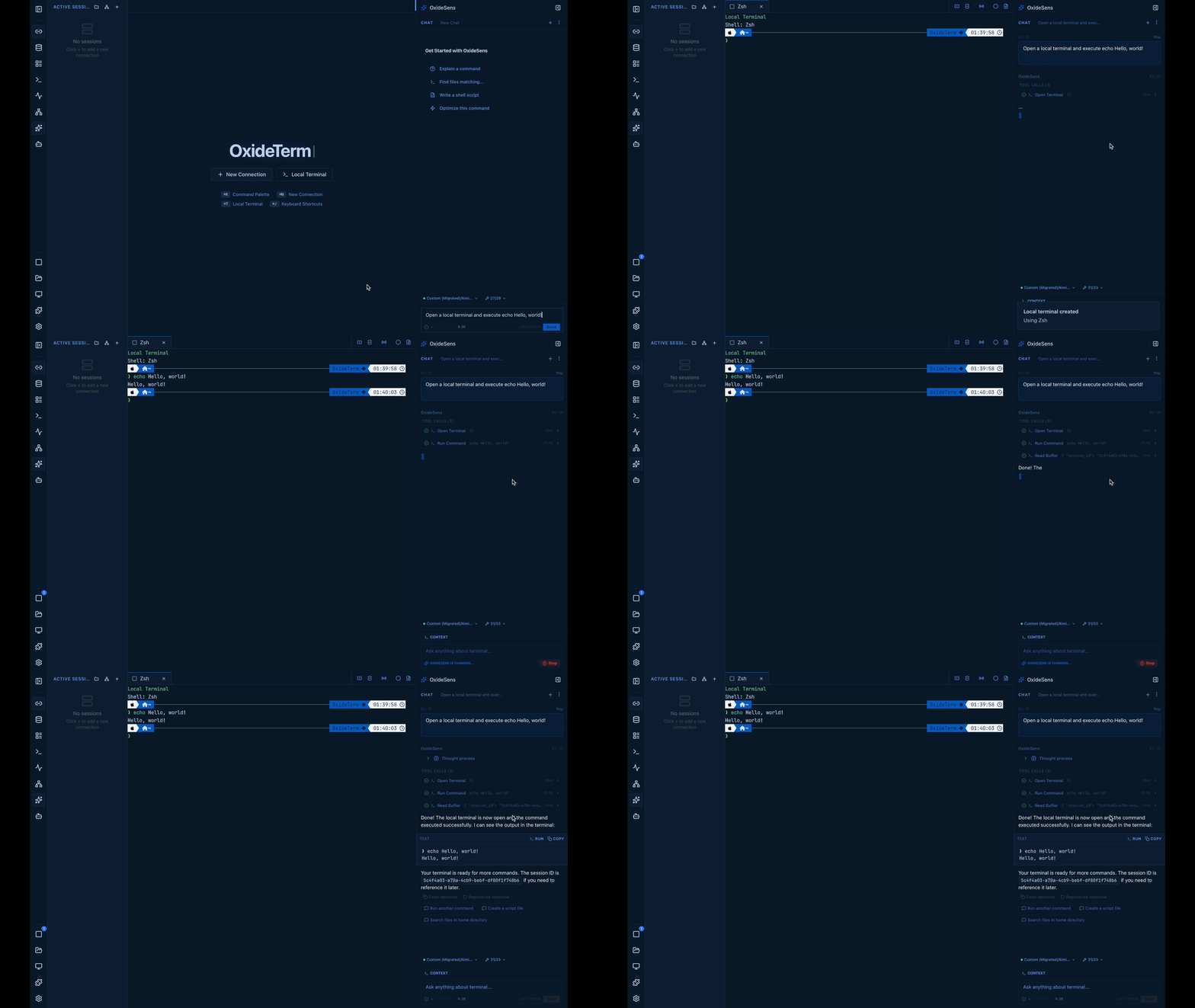
OxideSens AI
OxideSens is an optional assistant that can inspect your live sessions and perform workspace actions only after you approve them.
- Bring your own key. Works with OpenAI, Anthropic (Claude), Google Gemini, Ollama, and any OpenAI-compatible endpoint, with provider-aware reasoning controls. There are no platform credits.
- MCP and Agent Skills. Connect MCP servers (stdio and SSE) and load bounded Agent Skills.
- Local knowledge base (RAG). BM25 full-text search plus a vector index.
- You control the context. You choose which workspace context and actions are approved, and command policy rules apply.
- Credential redaction. Messages sent to a provider pass through credential-pattern redaction.
- Keys stay in your OS keychain and are kept out of structured logs.
Plugins
OxideTerm supports three plugin paths:
| Type | How it runs | Boundary |
|---|
| Manifest-only | Declarative extensions, no code | No executable code |
| WASM | Wasmtime/WASI or a sidecar | Controlled host calls, capability-scoped |
| Process | An ordinary local process | Trusted local code, not OS-sandboxed |
Legacy Tauri (1.x) ESM plugins may be listed but are not executed by the native 2.x app. Only install process plugins from sources you trust.
Security and privacy
| Topic | How it works |
|---|
| Stored credentials | OS keychain (macOS Keychain, Windows Credential Manager, libsecret) |
| Secrets in memory | Secret-bearing types and temporary buffers use zeroize at supported ownership boundaries |
| Host keys | Trust on first use against ~/.ssh/known_hosts; unexpected changes are rejected |
| Portable exports | .oxide bundles use ChaCha20-Poly1305 with Argon2id (256 MB memory, 4 iterations) |
| AI context | Credential-pattern redaction before anything reaches a provider; you approve context and actions |
| Session recordings | Off by default; stored encrypted on your device and excluded from cloud sync; keyboard input is not captured |
| Audit | Off by default; data stays on your device with sensitive details encrypted |
| CLI changes | Dry-run plans, --yes guards, and rollback backups for state-changing commands |
| Plugins | See Plugins |
| Telemetry | None |
Lawful use. OxideTerm is licensed under GPL-3.0-only without additional restrictions. Access only systems, networks, and devices you own or are explicitly authorized to access, and comply with applicable law. Do not use OxideTerm for unauthorized access, service disruption, or bypassing access controls.
Current limits
We would rather you know before installing:
- Desktop only (macOS, Windows, Linux). There is no mobile app.
- The project moves quickly, with frequent releases. See the changelog and open issues.
- Auditing and session recording are opt-in, and only reflect what OxideTerm itself can observe.
- Process plugins are not sandboxed by the OS.
- If the renderer fails on your machine, try the compatibility profile:
OXIDETERM_RENDER_PROFILE=compatibility.
For developers
Run from source
Requirements: Rust toolchain (edition 2024) and a desktop environment capable of running GPUI.
# Run the app
cargo run

# If the renderer fails on your machine
OXIDETERM_RENDER_PROFILE=compatibility cargo run

# Build the headless CLI companion
./scripts/build/build-cli.sh

# Build the optional Linux remote agent
./scripts/build/build-agent.sh
With Nix: nix build .#oxideterm, nix run .#oxideterm, or nix develop.
CLI artifacts land in crates/oxideterm-gpui-app/resources/cli-bin//oxideterm.
Command-line interface
The headless oxideterm CLI works without launching the app, which is useful for automation, CI, and diagnostics. It covers settings, connections, forwards, plugins, quick commands, secrets, portable bundles, diagnostics, reports, batch plans, backups, and cloud sync.
cargo run -p oxideterm-cli -- doctor --strict
cargo run -p oxideterm-cli -- settings validate --strict --json
cargo run -p oxideterm-cli -- connections search prod
cargo run -p oxideterm-cli -- forwards list --format json
cargo run -p oxideterm-cli -- cloud-sync push --dry-run --json
cargo run -p oxideterm-cli -- oxide export ./profile.oxide --connection prod --password-stdin
cargo run -p oxideterm-cli -- report --bundle ./oxideterm-report.zip
cargo run -p oxideterm-cli -- completion install zsh --force

# Path and profile isolation for CI or fixtures
cargo run -p oxideterm-cli -- --config-dir ./fixture-config doctor --strict
Architecture
The UI and the terminal/SSH backend share one Rust process; optional remote agents and platform helpers sit outside that boundary. Terminal bytes mutate TerminalState directly, and GPUI renders from that state, with no JSON, WebSocket, Base64, or xterm.js parsing step.
┌─────────────────────────────────────────────────┐
│               GPUI Render Loop                  │
│   WorkspaceApp  ·  Tab surfaces  ·  GPUI views  │
└──────────────────────┬──────────────────────────┘
                       │  in-process Arc<> / async
┌──────────────────────▼──────────────────────────┐
│             Domain Crates (Rust async)          │
│  NodeRouter → SshConnectionRegistry             │
│  TerminalState ← SSH PTY channel (russh)        │
│  SftpSession · ForwardingRuntime · IdeWorkspace │
│  Ai/ACP Entities · CloudSync · Plugin Runtimes  │
└─────────────────────────────────────────────────┘
| Aspect | Bundled-browser approach | OxideTerm |
|---|
| Rendering | Browser engine and web layout | GPUI on a GPU surface |
| Terminal data flow | WebSocket → JS event loop → xterm.js | Rust input → TerminalState → GPUI render |
| Connection lifecycle | Split across frontend and backend | One in-process connection and reconnect pipeline |
| AI context | Copied through an application bridge | Built from the active workspace with user approval |
| CLI | Needs the desktop app running | Standalone binary, direct crate linkage |
Connection pool. SshConnectionRegistry is backed by DashMap and used through NodeRouter. Terminal panes, SFTP, port forwards, and the editor can share one physical SSH connection per node, and a terminal policy can opt into a dedicated connection instead. Each connection follows connecting → active → idle → link_down → reconnecting. A jump-host failure marks downstream nodes link_down. AI and plugins use capability handles and host snapshots rather than registering as connection consumers.
Grace Period reconnect.
- Detect a keepalive timeout.
- Snapshot terminal panes, SFTP transfers, forwards, and editor files.
- Probe the old connection for 30 s so TUI apps can survive short network drops.
- Open a new connection, restore forwards, resume transfers, and reopen editor files.
SFTP sessions carry a connection generation: after a reconnect, an eligible session is reacquired, but an operation from an old generation is never silently moved to the new connection.
Port forwarding. A standalone crate supporting -L, -R, and -D (SOCKS5). A single ssh_io task owns each SSH channel, so there is no shared mutex on the hot path.
Pure-Rust SSH. russh with ring: full SSH2, ChaCha20-Poly1305 and AES-GCM, Ed25519/RSA/ECDSA keys, SSH agent on Unix (SSH_AUTH_SOCK) and Windows (\\.\pipe\openssh-ssh-agent), and multi-hop chains with independent auth per hop.
Tech stack
| Layer | Technology |
|---|
| UI | GPUI (Zed's GPU-backed UI framework) |
| Runtime | Tokio, DashMap |
| SSH | russh with ring (no OpenSSL or libssh2) |
| Local PTY | portable-pty (ConPTY on Windows) |
| Terminal emulation | alacritty_terminal (VT100–VT500, Sixel, Kitty graphics) |
| Editor | tree-sitter syntax highlighting, custom buffer |
| Encryption | ChaCha20-Poly1305, Argon2id |
| Plugins | Wasmtime/WASI, sidecar WASM, and process paths |
| AI streaming | SSE (OpenAI, Anthropic, Gemini), in-process |
| RAG | BM25 + HNSW vector index with rank fusion, CJK bigram tokenizer |
| i18n | oxideterm-i18n (11 locales) |
Install
Download the latest release
| OS | x64 | ARM64 |
|---|
| macOS | DMG (Intel) | DMG (Apple Silicon) |
| Windows | Installer (.exe) | Installer (.exe) |
| Linux | AppImage · .deb · .rpm | AppImage · .deb · .rpm |
Verify your download with the sha256sums.txt asset on the release page. Portable archives and signatures are listed there too.
macOS
If Gatekeeper blocks the app, remove the quarantine flag:
xattr -cr /Applications/OxideTerm.app
Windows
If SmartScreen shows a warning, choose More info → Run anyway.
Linux
# AppImage
chmod +x OxideTerm_*_linux_*.AppImage && ./OxideTerm_*_linux_*.AppImage

# Debian / Ubuntu
sudo dpkg -i OxideTerm_*_linux_*.deb && sudo apt-get install -f

# Fedora / RHEL-compatible
sudo dnf install ./OxideTerm_*_linux_*.rpm

# Nix; updates are managed by Nix
nix run github:AnalyseDeCircuit/oxideterm
Prefer to build it yourself? See Run from source under For developers.
Contributing
Contributions are welcome: Rust code, documentation, translations, plugins, testing, and issue reproduction. Open an issue first to discuss larger changes.
Bug reports are most useful with a redacted diagnostic bundle:
cargo run -p oxideterm-cli -- report --bundle ./oxideterm-report.zip
Reproducible bugs and regressions are prioritized. Feature requests are reviewed for scope, safety, and fit with OxideTerm's remote-server workspace direction. If OxideTerm helps your work, a GitHub star, a reproducible bug report, a translation fix, or a plugin all help keep it moving.
Contributors
Thanks to everyone who helps make OxideTerm better.

License
GPL-3.0-only. Dependency attributions are in THIRD_PARTY_NOTICES.md, with additional notices in NOTICE.
Built with: russh · GPUI · alacritty_terminal · portable-pty · wasmtime · tree-sitter