Kaizoku Service Manager is a modern Windows service manager designed to enhance service management beyond the capabilities of the built-in services.msc tool. It allows users to group and filter services by their logon accounts, save custom views for quick access, and manage services with live status updates. The software supports multi-select operations, favorites, search functionality, and export options for CSV and JSON formats, making it an efficient tool for managing numerous services on Windows Server or personal systems.
Key Features:
Account-Centric Management: Group and filter services by logon accounts for streamlined organization.
Custom Views & Organization: Save and switch between custom groupings of services to suit specific needs.
Efficient Service Control: Use multi-select actions, quick start/stop/restart options, and bulk startup type changes to manage services effectively.
Live Status Monitoring: Track service statuses with color-coded indicators for real-time insights.
Audience & Benefit:
Ideal for system administrators and IT professionals managing multiple services on Windows environments. Kaizoku Service Manager reduces time spent on repetitive tasks by offering features like custom views, favorites, and bulk actions, thereby improving workflow efficiency.
Kaizoku Service Manager integrates natively with Windows, ensuring seamless service control without external dependencies. It can be installed via winget for straightforward setup, providing a robust solution for enhanced service management.
README
Kaizoku Service Manager
A modern Windows service manager that does what services.msc won't: group and filter services by the account they run under, and save your own custom views.
Why
Built for Windows Server, where a single box often runs dozens of services across several dedicated accounts (bots, workers, game servers, app pools, scheduled agents). The built-in Services console can't filter by logon account and can't save groupings, so you waste time scrolling and squinting. Kaizoku Service Manager fixes exactly that, and works just as well on Windows 10/11.
Features
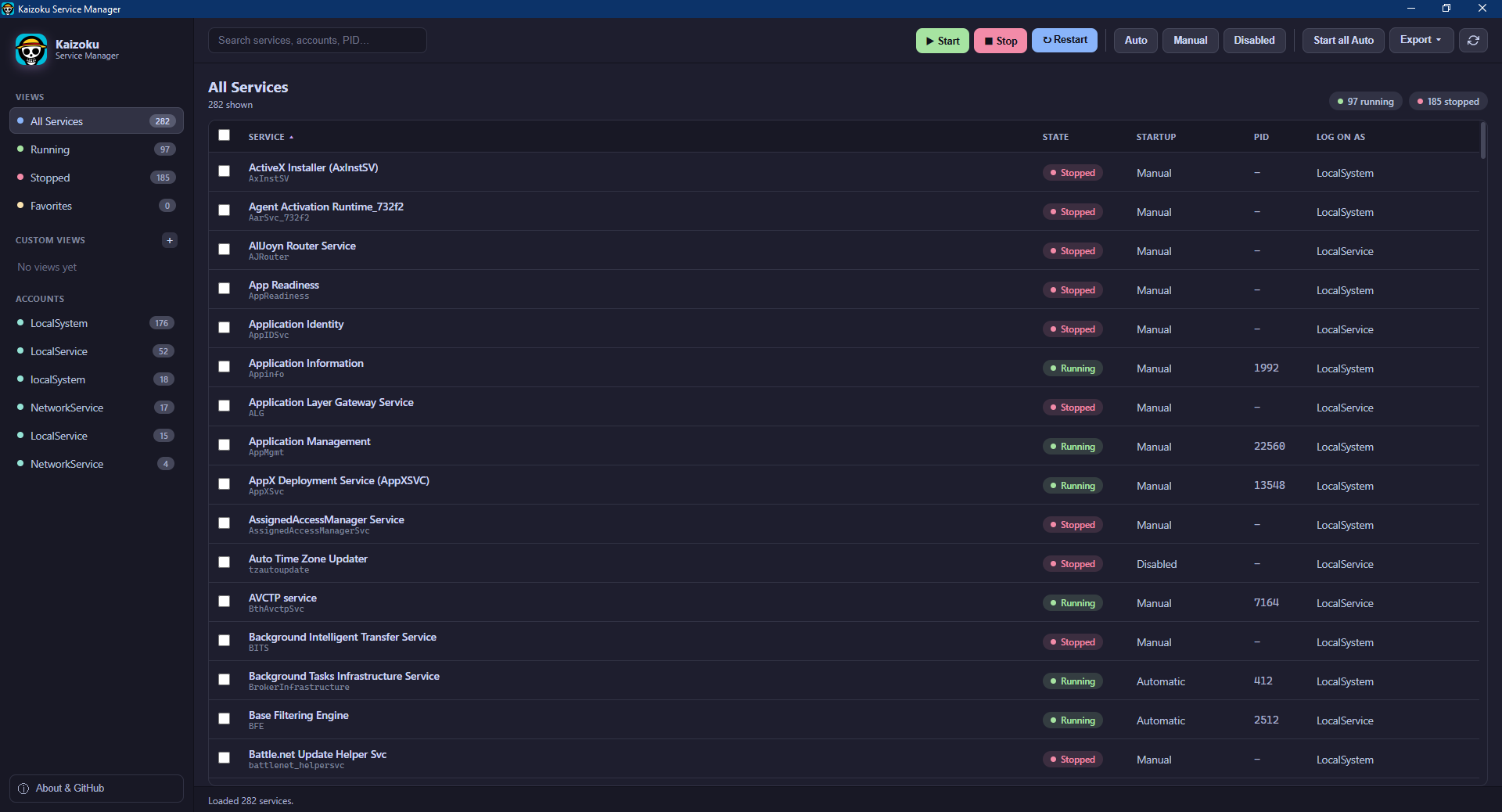
Accounts sidebar: every logon account on the machine, with live counts. Click to see only that account's services.
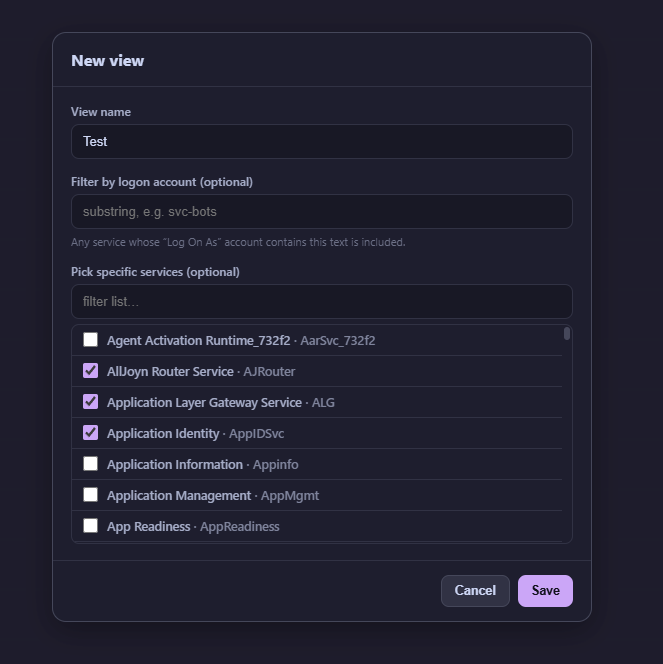
Custom views: save arbitrary groupings of services (by account substring, an explicit pick list, or both). Switch between them in one click.
Live status: running / stopped / total counts per view, with colour-coded state pills.
Right-click menu: services.msc-style context menu on any row.
Startup types: set selected services to Automatic, Manual, or Disabled.
One-click Start all Auto: start every stopped Automatic service in the current view.
Favorites: right-click any service to star it; the Favorites view collects them.
Search: instant filter across name, display name, account, state, startup type, and PID.
Export: dump the current view to CSV or JSON.
Native: single signed-able .exe, runs elevated, talks directly to the Windows Service Control Manager (no sc.exe/nssm shelling).
Screenshots
All services, grouped and filterable by logon account
Build your own saved views by account substring or an explicit pick list
Install
Download
Grab the latest KaizokuServiceManager.exe from the Releases page and run it. It will prompt for administrator rights, which are required to control services.
go install github.com/wailsapp/wails/v2/cmd/wails@latest

# live-reload dev
wails dev

# production build -> build/bin/KaizokuServiceManager.exe
wails build
Kaizoku Service Manager is licensed under the GNU Affero General Public License v3.0 (LICENSE). You may use, study, modify, and share it freely, but any distributed or network-served derivative must also be released under the AGPL and keep attribution. Closed-source or proprietary forks are not permitted under this license.
Commercial / proprietary use: if you want to use this software without the AGPL's copyleft obligations (e.g. in a closed-source or commercial product), a separate commercial license is available. See LICENSING.md.