ant — Claude Platform CLI


ant is the official CLI for the Claude Platform. It puts the Claude API in your terminal — send messages, manage agents and sessions, upload files, and script against every API endpoint.
Documentation
Full documentation is available at platform.claude.com/docs/en/api/sdks/cli.
Installation
Homebrew
brew install anthropics/tap/ant
Go
To install from source, you need Go version 1.22 or later.
go install 'github.com/anthropics/anthropic-cli/cmd/ant@latest'
The binary is placed in $(go env GOPATH)/bin. If ant isn't found after installation, add that directory to your PATH:
# Add to your shell profile (.zshrc, .bashrc, etc.)
export PATH="$PATH:$(go env GOPATH)/bin"
Getting started
Log in with your Claude Console account:
ant auth login
Or set the ANTHROPIC_API_KEY environment variable to an API key from the Claude Console.
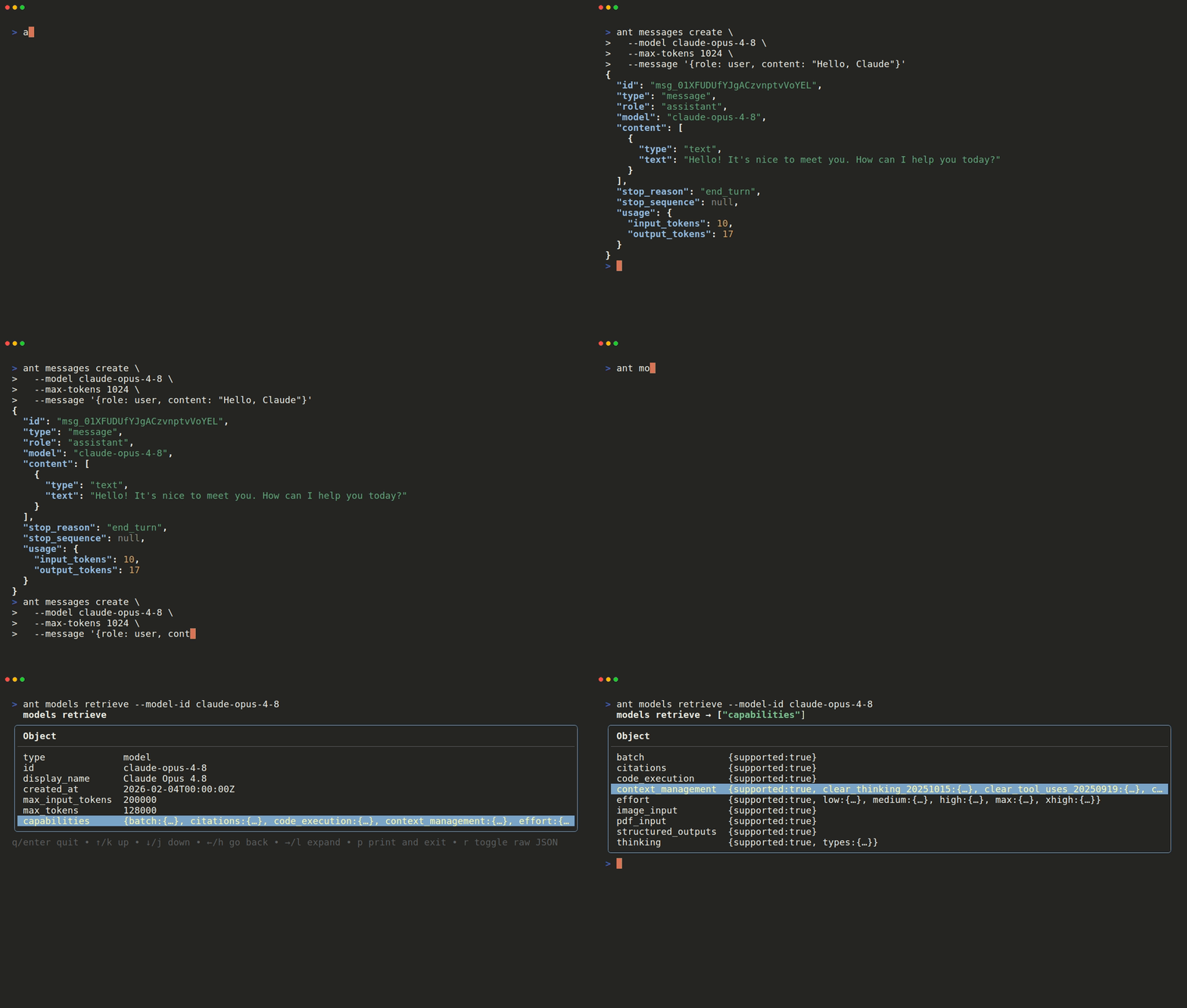
Then send your first message:
ant messages create \
  --model claude-opus-4-8 \
  --max-tokens 1024 \
  --message '{role: user, content: "Hello, Claude"}'
Structured flags accept relaxed JSON or YAML, so unquoted keys are fine.
Usage
The CLI follows a resource-based command structure, with nested resources separated by colons:
ant [:] [flags...]
# List available models
ant models list

# Browse a response in the interactive explorer (the default in a terminal)
ant models retrieve --model-id claude-opus-4-8

# Extract a single field from a response, jq-style
ant messages create \
  --model claude-opus-4-8 \
  --max-tokens 1024 \
  --message '{role: user, content: "Hello, Claude"}' \
  --transform content.0.text --raw-output

# Send a file using the @path syntax
ant messages create \
  --model claude-opus-4-8 \
  --max-tokens 1024 \
  --message '{role: user, content: [
    {type: image, source: {type: base64, media_type: image/jpeg, data: "@photo.jpg"}},
    {type: text, text: "What is in this image?"}
  ]}'

# Manage beta resources such as agents, sessions, and files
ant beta:agents list
Run ant --help for the full list of resources, or append --help to any command to see its flags.
Requirements
macOS, Linux, or Windows.
Contributing
See CONTRIBUTING.md.
License
This project is licensed under the MIT License. See the LICENSE file for details.