ArkDeploy Driver Hub




ArkDeploy Driver Hub is a high-performance, on-premises driver management platform for IT teams and technicians. Build a central driver library, match drivers to hardware, and install or export them across Windows PCs and WinPE deployment environments. Native Win32 SetupAPI bus scans and content-addressable storage (CAS) deliver precise hardware matching in seconds, reducing reliance on bulky vendor driver packs.
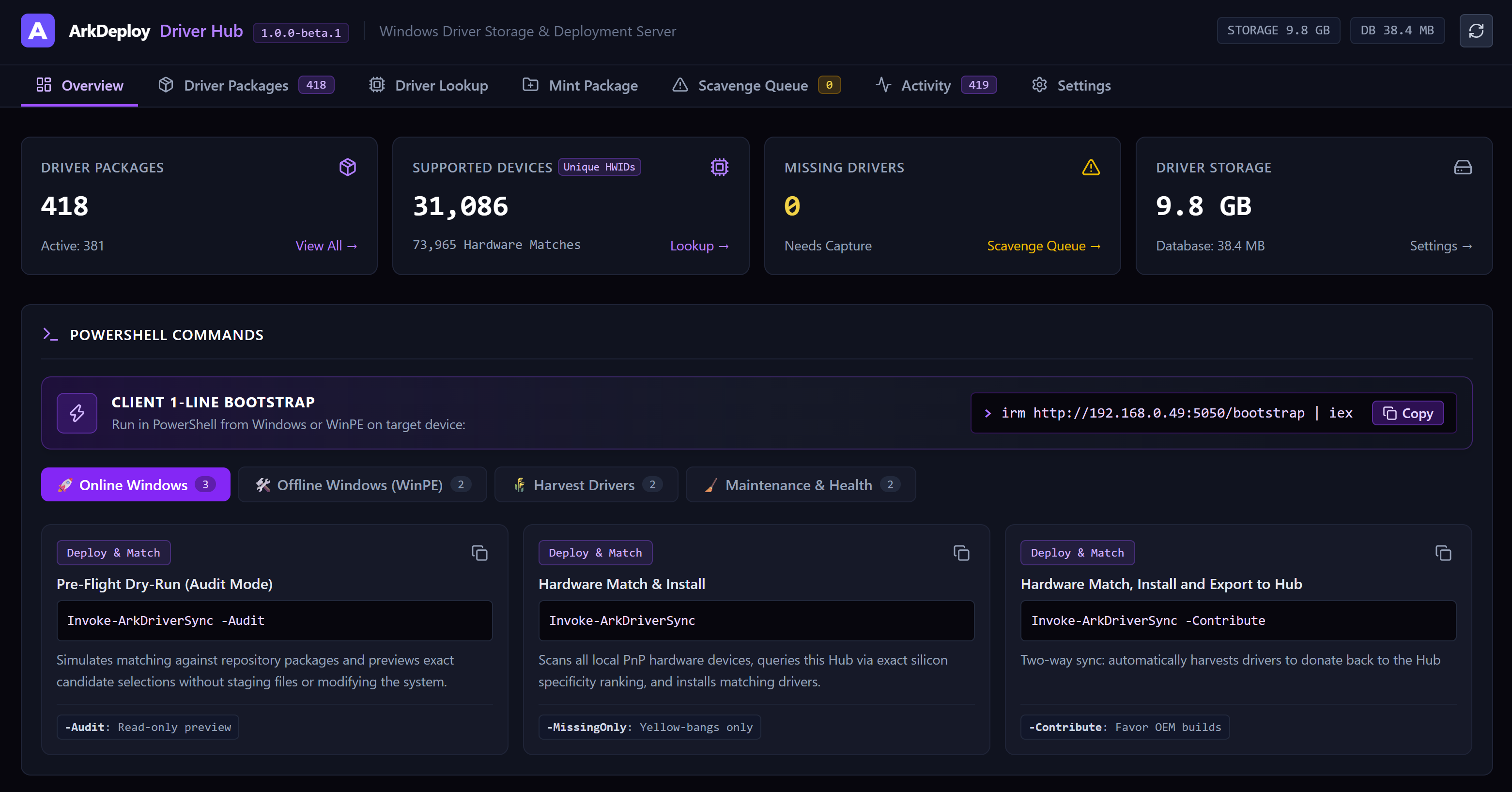
View your driver library, hardware coverage, and storage usage, with ready-to-copy commands for Windows and WinPE.
📥 Downloads
Current release: 1.0.2-beta.1 — Beta
| Installer | Description | Version | Size | Direct Download |
|---|
| ArkDeploy-DriverHub-Setup-v1.0.2-beta.1.exe | Versioned Windows Installer | 1.0.2-beta.1 | ~13.5 MB | ⬇️ Download |
| ArkDeploy-DriverHub-Setup.exe | Latest Release Pointer | Latest | ~13.5 MB | ⬇️ Download |
🔒 Checksums (SHA-256)
| File | SHA-256 Checksum |
|---|
ArkDeploy-DriverHub-Setup-v1.0.2-beta.1.exe | 743aeba0f19cd44559e7fc17b09632a8d429a55741d30fd3661df599c8119cdc |
ArkDeploy-DriverHub-Setup.exe | 743aeba0f19cd44559e7fc17b09632a8d429a55741d30fd3661df599c8119cdc |
🚀 Installation
Interactive Setup (GUI)
- Download ArkDeploy-DriverHub-Setup-v1.0.2-beta.1.exe.
- Run the executable as Administrator.
- Choose your desired HTTP service port (default:
5050).
- Click Install. The installer automatically checks for .NET 10 runtime prerequisites (auto-downloading if missing), creates and starts the
ArkDeployHub Windows Service, and adds the required Windows Firewall inbound rule.
Unattended / Silent Installation
To deploy silently via script or automated provisioning:
ArkDeploy-DriverHub-Setup-v1.0.2-beta.1.exe /VERYSILENT /SUPPRESSMSGBOXES /NORESTART
To specify a custom port during silent installation:
ArkDeploy-DriverHub-Setup-v1.0.2-beta.1.exe /VERYSILENT /SUPPRESSMSGBOXES /NORESTART /PORT=8080
🖥️ Getting Started
1. Access the Hub Dashboard
Once installed, open your web browser and navigate to:
http://localhost:5050
Or use http://:5050 from another computer on your local network. If you selected a custom port, replace 5050 accordingly.
2. Connect a Windows PC or WinPE Session
On the client PC or in WinPE, open an elevated PowerShell prompt and run the following, replacing `` with your Hub server’s IP address:
irm http://:5050/bootstrap | iex
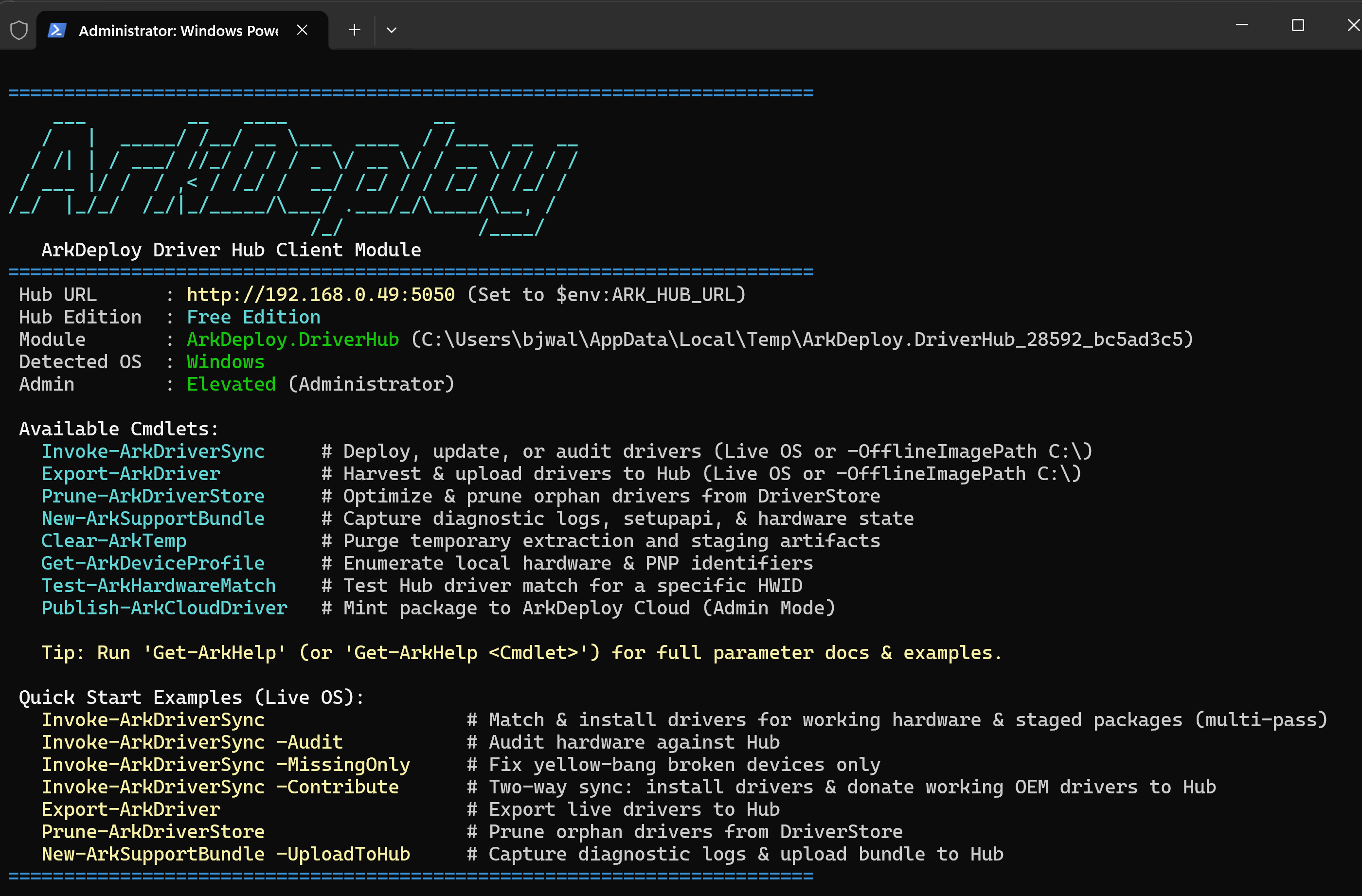
Commands for driver deployment, auditing, export, maintenance, and diagnostics, with built-in help and quick-start examples.
3. Deploy, Match & Export Drivers
Simulate & Audit — preview without installing:
Invoke-ArkDriverSync -Audit
Match & Install Drivers:
Invoke-ArkDriverSync
Export Drivers to the Hub:
Export-ArkDriver
Match, Install & Contribute Drivers to the Hub:
Invoke-ArkDriverSync -Contribute
📦 Driver Library
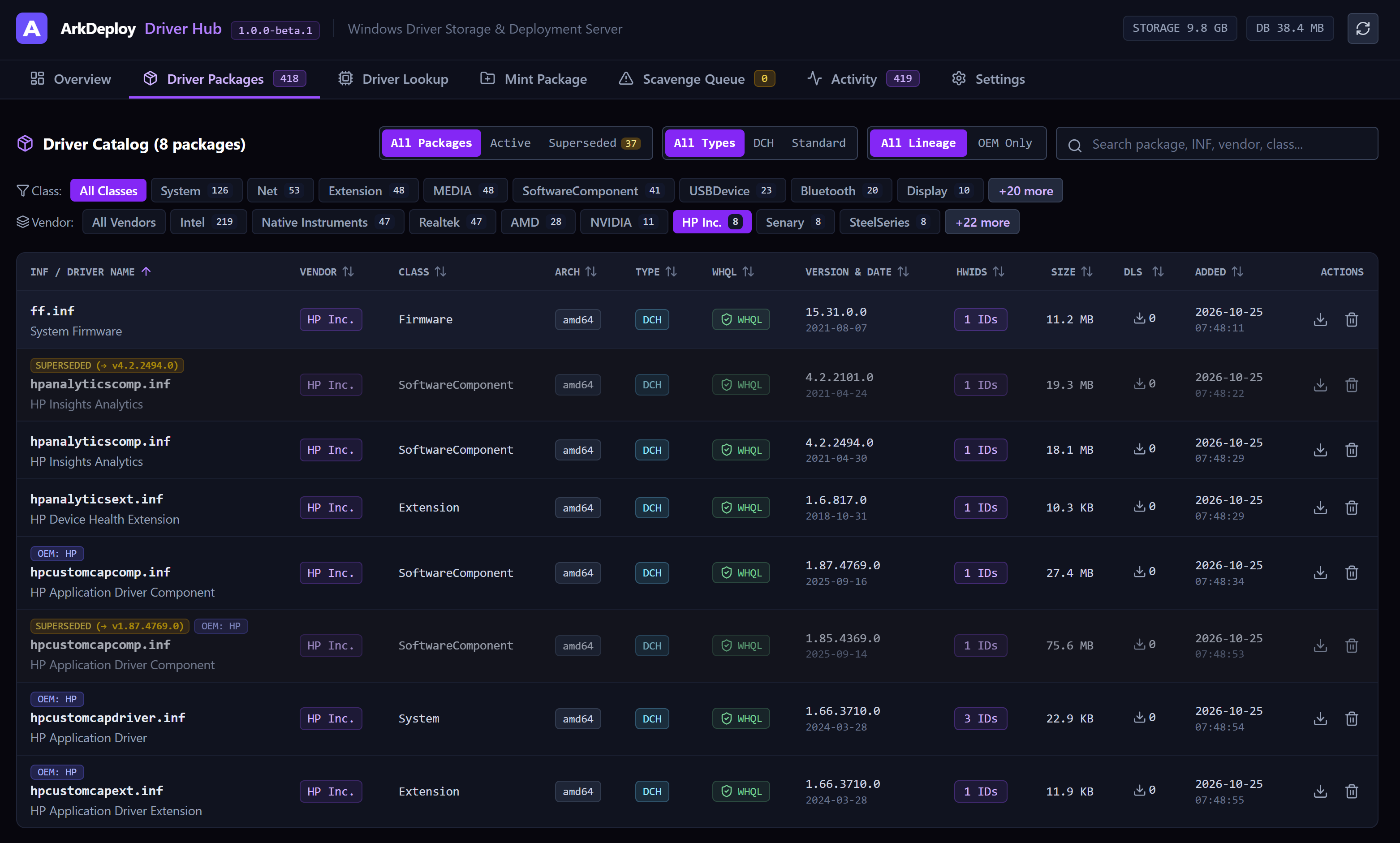
Browse and filter your driver library, inspect package details, and identify superseded versions and their replacements.
🔎 Hardware Matching
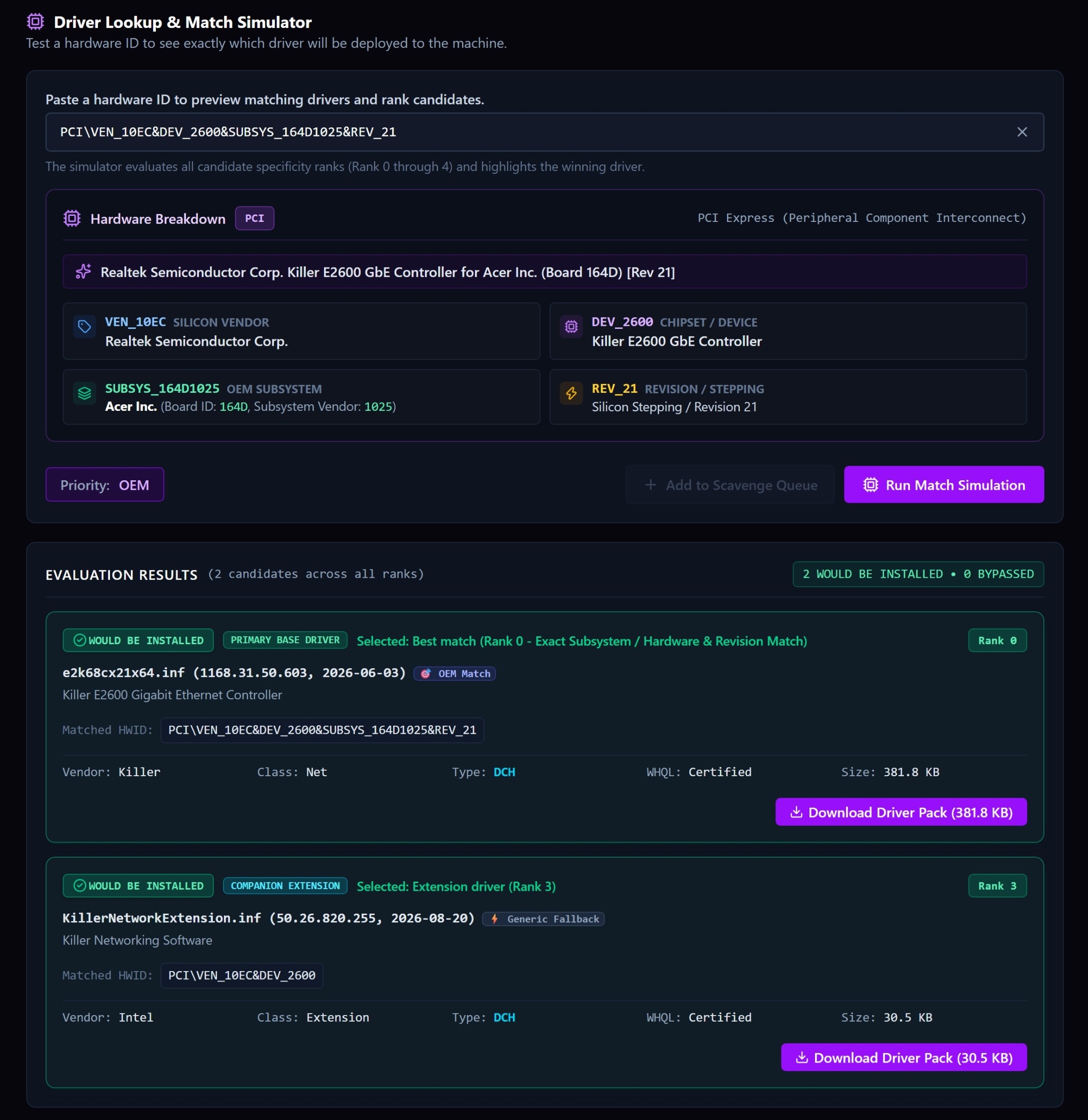
Inspect a hardware ID, compare ranked driver matches, and preview which base driver and companion extensions would be installed.
📋 System Requirements
- Operating System: Windows 10 (1809+), Windows 11, or Windows Server 2016/2019/2022/2025 (64-bit).
- Runtime: Microsoft ASP.NET Core Runtime 10.0 (x64) (automatically installed by setup / WinGet).
- Privileges: Local Administrator rights required for service creation and driver injection.
- Client Requirements: Windows PowerShell 5.1 or PowerShell 7+ on target machines.
🌐 Official Resources