HalalDL
Local-first media downloading for Windows, powered by yt-dlp.
Official website • Download the latest release • Report a bug • Get support • Read the docs
Start Here
HalalDL is a local-first Windows media downloader powered by yt-dlp, with presets, visible logs, and optional tool management.
- Best for most users: download the latest release and choose
HalalDL-Full-...-setup.exe
- Best for power users: choose
HalalDL-Lite-...-setup.exe if you want to manage yt-dlp, ffmpeg, and optional tools yourself
- Best for no-install use: choose
HalalDL-Portable-...zip if you want the app, settings, archive, thumbnails, and managed tools kept together in one folder
- WinGet: install Full with
winget install --id Asdmir786.HalalDL, Lite with winget install --id Asdmir786.HalalDL.Lite, or Portable with winget install --id Asdmir786.HalalDL.Portable. Catalog propagation can lag behind GitHub Releases, especially for Portable.
- Chocolatey: install Full with
choco install halaldl. Community moderation can lag behind GitHub Releases.
- AlternativeTo: view the HalalDL listing for discovery and comparisons
- Scoop: no verified package-manager install path is published yet
- Platform today: Windows 10 and Windows 11, x64
- Use it responsibly: only download content you are allowed to access and save; respect platform rules, copyright, and local law
Package managers can lag behind GitHub Releases, so the latest GitHub release is still the fastest path to a new version.
Why People Try HalalDL
- Local-first: no account, no tracking, no cloud dependency
- Beginner-friendly: paste a URL, pick a preset, and go
- Fast clipboard flow: quick tray downloads and auto-paste keep repeat downloads moving
- Transparent: raw logs stay visible instead of being hidden behind vague progress messages
- Flexible: Full, Lite, and Portable builds let you choose between convenience, control, and no-install use
Why This Exists
HalalDL exists because a lot of Windows users want the power of yt-dlp without living in a terminal or hunting through scattered setup steps.
The project tries to keep the strong parts of the CLI ecosystem while making the daily workflow clearer:
- sane presets
- visible logs
- obvious installer choices
- no account system or telemetry layer
Screenshots
Paste a URL. Pick a preset. Watch progress and logs. Reopen finished files from History.
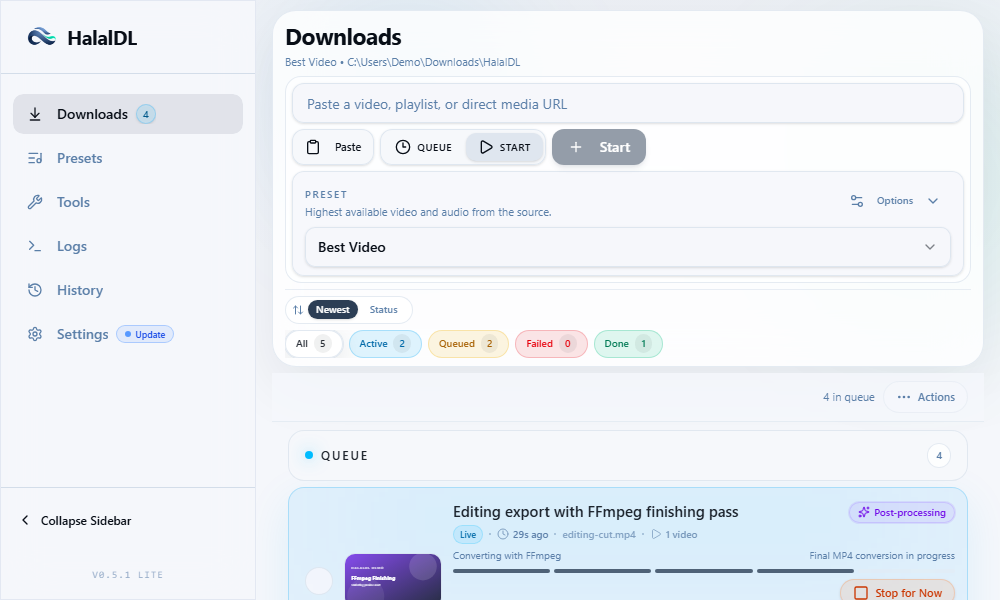
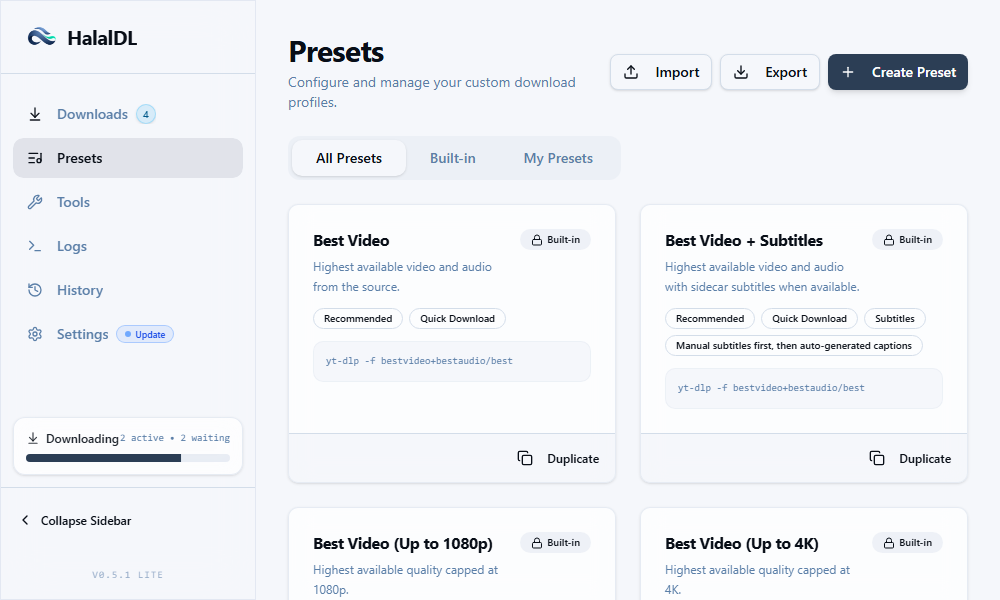
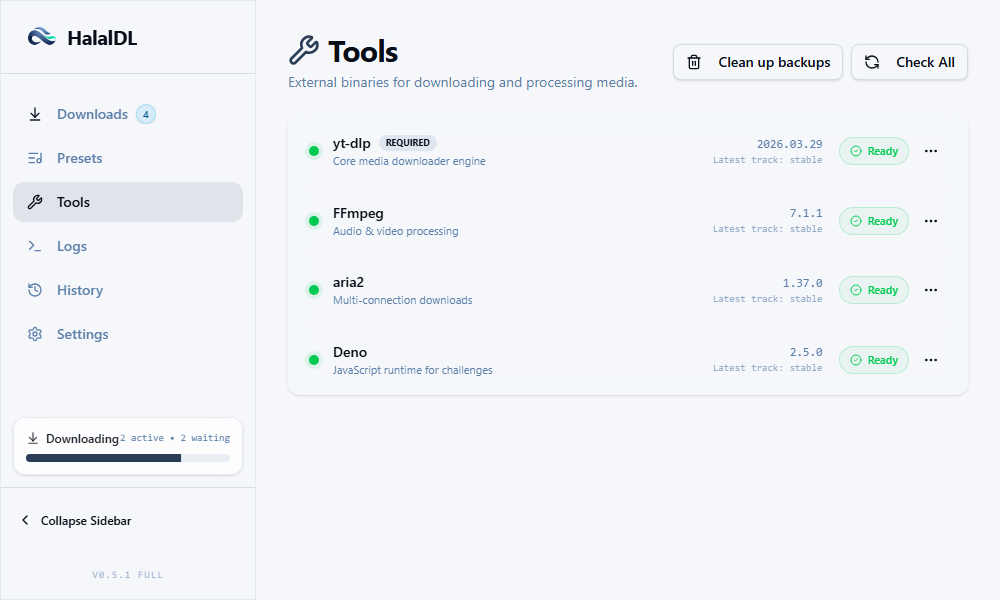
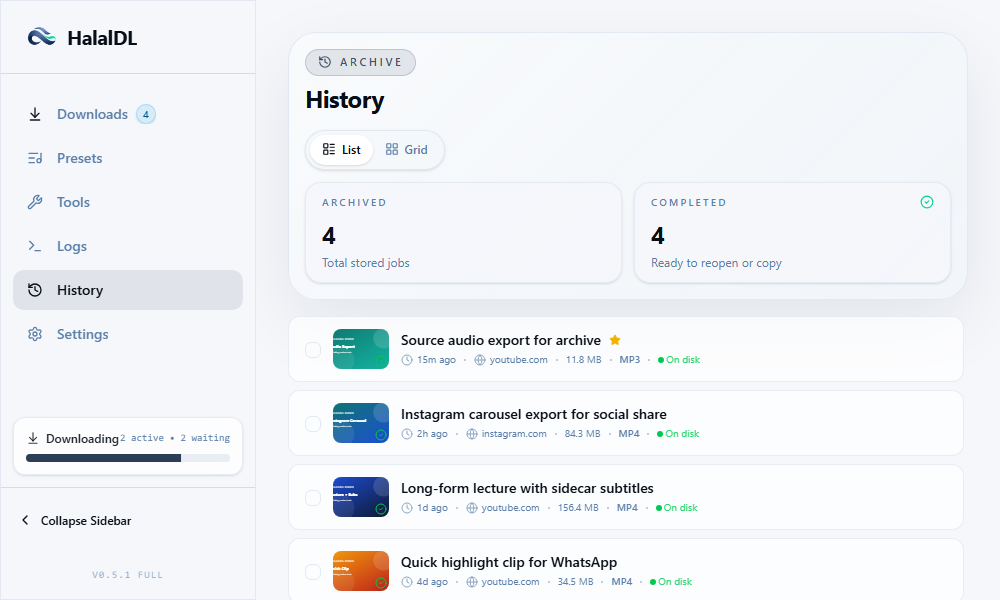
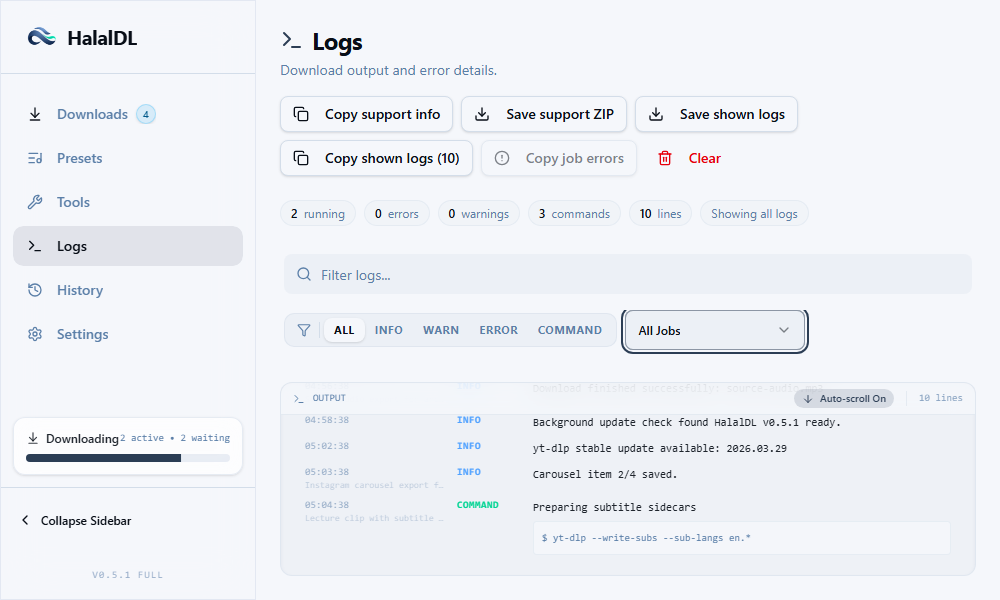
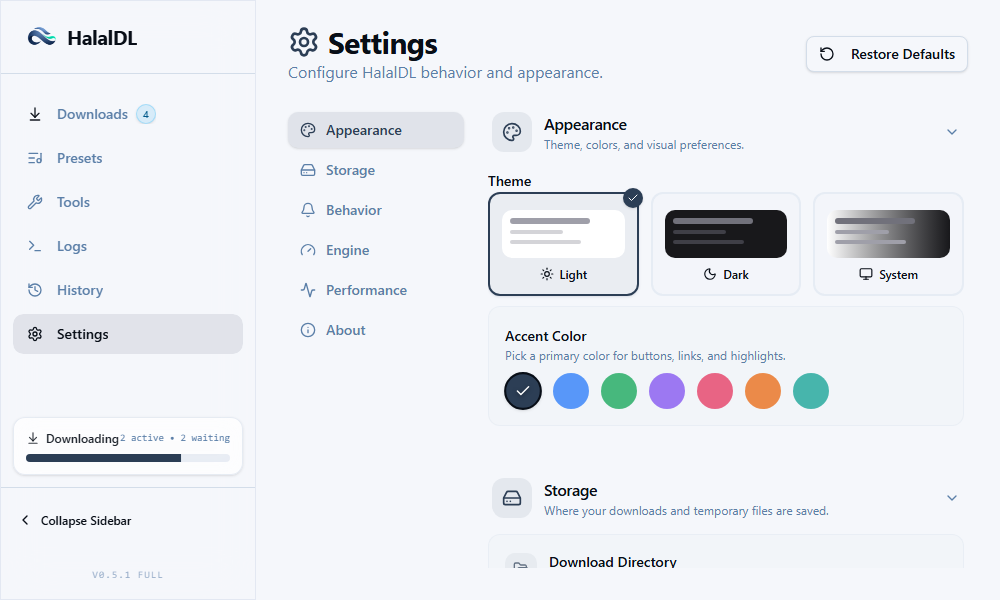
Dark mode, Install Trust, Performance, and more shots live in docs/assets/screenshots/.
Download Flow
- Paste a video or playlist URL.
- Pick a preset or keep the default.
- Choose whether to queue it or start immediately.
- Watch live progress and raw logs.
- Find completed files and past activity in History.
Which Build Should I Download?
For most people, start with Full setup EXE.
| Build | Best for | Includes tools | Notes |
|---|
| Full setup EXE | Most users | Yes, app-managed | Recommended first install path |
| Full MSI | Package/manual deployment | Yes, app-managed | Useful when you specifically prefer MSI |
| Lite setup EXE | Power users | No | Use your own yt-dlp, ffmpeg, aria2, and optional Deno runtime |
| Lite MSI | Power-user deployment | No | Same Lite behavior, MSI package |
| Portable ZIP | Locked-down or no-install Windows setups | Yes, inside portable-data/bin | Keep the app and its data together in one folder |
Install Trust And SmartScreen
HalalDL releases are currently not code-signed, so Windows SmartScreen may warn on first run.
- Download from the official GitHub Releases page only
- Verify the installer against the
SHA256SUMS.txt file attached to each release
- If SmartScreen appears, use
More info and confirm the publisher/source only if the checksum matches the release page
Verify SHA256 on Windows
Open PowerShell in the folder where you downloaded the installer and run:
Get-FileHash .\HalalDL-Full-v0.6.0-win10+11-x64-setup.exe -Algorithm SHA256
Compare the Hash value with the matching line in SHA256SUMS.txt from the same GitHub Release. If the filename differs, replace the filename in the command with the file you downloaded.
The repo is public so you can inspect the source, workflows, and release process before installing. See the Code signing policy for the current signing plan and verification guidance.
Features
- High-quality video and audio downloads from supported platforms
- Built-in presets for common formats, devices, and subtitle workflows
- Quick tray downloads with clipboard-aware preset launching
- In-app release checks with verified update downloads
- Better Instagram support including carousel and image-only handling
- Full transparency through raw
yt-dlp output
- Tools management for
yt-dlp, ffmpeg, aria2, and optional runtime support
- Download history with media-focused organization
- Lite and Full packaging for different comfort levels
FAQ
Is HalalDL a cloud service?
No. HalalDL is a local desktop app.
Which build should I choose?
Choose Full setup EXE if you want the easiest setup. Choose Lite if you prefer managing your own tools. Choose Portable ZIP if you want a no-install folder that carries its app data and managed tools with it.
Does HalalDL support macOS or Linux?
Not in the current release path. The project is Windows-first right now.
Is this code-signed?
Not yet. That is why the README and release process include SmartScreen and checksum guidance.
Current Scope
- Windows-first desktop app
- Tauri v2 + React + TypeScript frontend
- Local JSON storage, no login system, no telemetry
Development
Stack
Commands
pnpm install
pnpm dev
pnpm lint
pnpm typecheck
pnpm check
pnpm build:lite
pnpm build:full
Contributing
Small fixes, UX polish, packaging improvements, and bug reports are all welcome.
Support
License
MIT
About
Local-first Windows media downloader powered by yt-dlp, with presets, visible logs, and optional tool management.