Chatbox CE is an open-source desktop application designed to provide users with direct access to AI models like GPT-4 and GPT-3.5, enabling seamless interaction with OpenAI APIs across Windows, Mac, and Linux platforms.
Key Features:
Multi-AI Support: Compatible with various AI models, including Claude, Gemini, and Ollama, offering flexibility for diverse use cases.
Customizable Prompts: Create and save tailored prompts to streamline workflows and enhance productivity.
Real-Time Interaction: Engage in fluid, conversational exchanges with AI, fostering creativity and collaboration.
History Tracking: Maintain a record of past interactions to review or revisit ideas effortlessly.
Integration & Export: Export content directly from the app and integrate with external tools for enhanced workflow management.
Cross-Platform Sync: Access your work across devices with synchronized settings and history.
Audience & Benefit:
Ideal for students, professionals, developers, and researchers seeking a powerful yet intuitive tool to leverage AI capabilities for problem-solving, content creation, or innovation. Chatbox CE empowers users to explore new ideas, automate tasks, and collaborate effectively while maintaining control over their data.
Installable via winget, Chatbox CE offers a straightforward solution for anyone looking to harness the potential of AI in a user-friendly environment.
Download the appropriate installer for your platform from the releases page
Install and launch Chatbox
Configure your AI provider (OpenAI, Claude, etc.) in settings
Start chatting!
System Requirements
Platform
Minimum Version
Architecture
Windows
Windows 10
x64
macOS
macOS 11 (Big Sur)
Intel/Apple Silicon
Linux
Ubuntu 20.04+ / AppImage supported distros
x64
Features
🤖 AI Model Support
Support for Multiple LLM Providers
:gear: Seamlessly integrate with a variety of cutting-edge language models:
OpenAI (ChatGPT)
Azure OpenAI
Claude
Google Gemini Pro
Ollama (enable access to local models like llama2, Mistral, Mixtral, codellama, vicuna, yi, and solar)
ChatGLM-6B
Image Generation with Dall-E-3
:art: Create the images of your imagination with Dall-E-3.
Enhanced Prompting
:speech_balloon: Advanced prompting features to refine and focus your queries for better responses.
🖥️ User Experience
Local Data Storage
:floppy_disk: Your data remains on your device, ensuring it never gets lost and maintains your privacy.
No-Deployment Installation Packages
:package: Get started quickly with downloadable installation packages. No complex setup necessary!
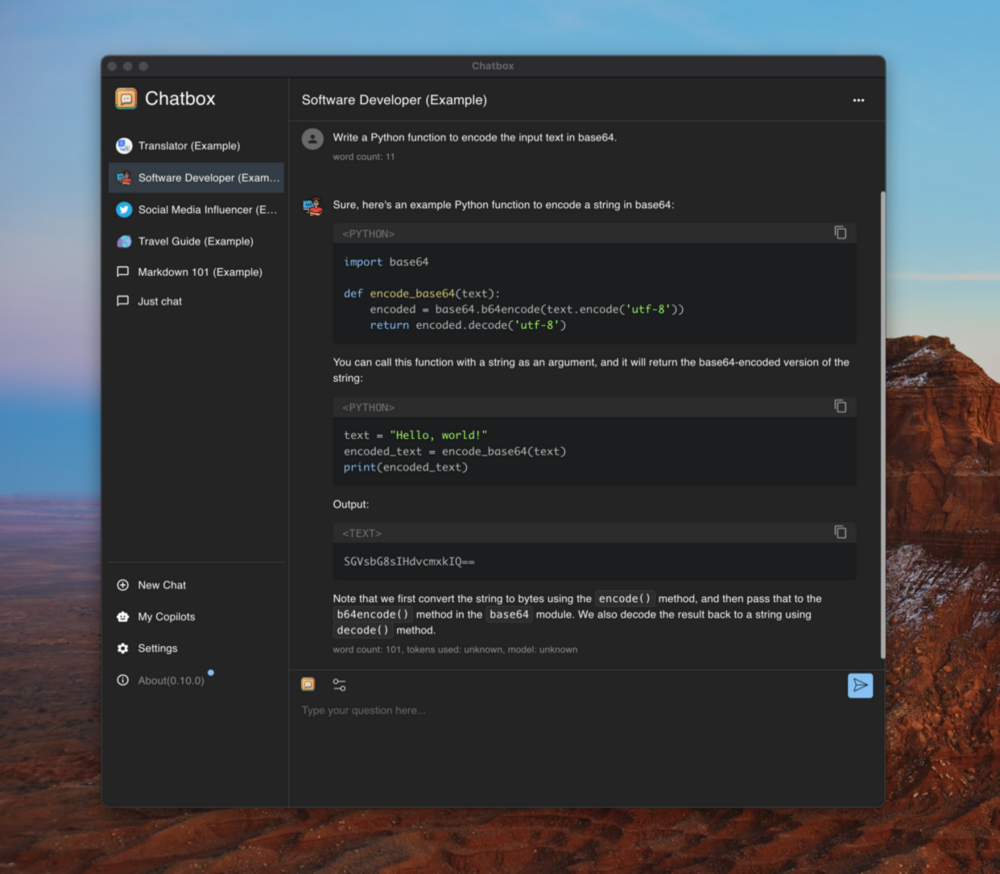
Ergonomic UI & Dark Theme
:new_moon: A user-friendly interface with a night mode option for reduced eye strain during extended use.
Keyboard Shortcuts
:keyboard: Stay productive with shortcuts that speed up your workflow.
Streaming Reply
:arrow_forward: Provide rapid responses to your interactions with immediate, progressive replies.
📄 Content & Formatting
Markdown, Latex & Code Highlighting
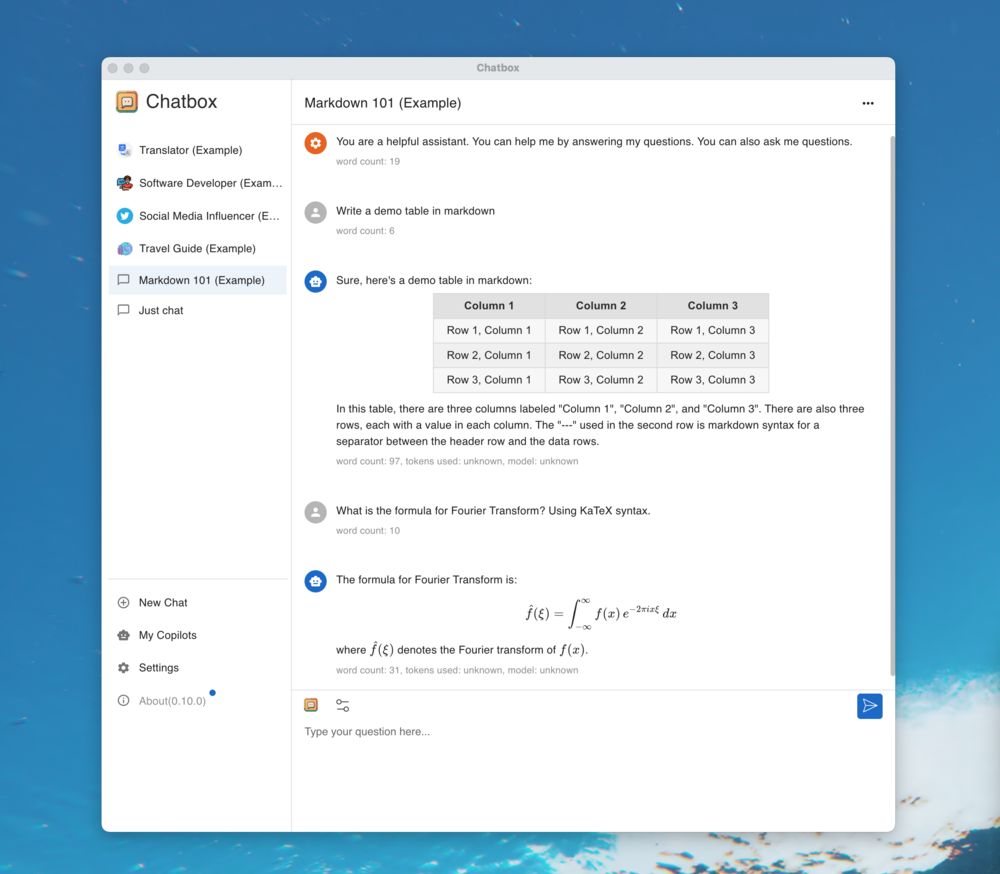
:scroll: Generate messages with the full power of Markdown and Latex formatting, coupled with syntax highlighting for various programming languages, enhancing readability and presentation.
Prompt Library & Message Quoting
:books: Save and organize prompts for reuse, and quote messages for context in discussions.
👥 Collaboration & Sharing
Team Collaboration
:busts_in_silhouette: Collaborate with ease and share OpenAI API resources among your team. Learn More
🌐 Platform Availability
Cross-Platform Desktop
:computer: Chatbox is ready for Windows, Mac, and Linux users.
Web Version
:globe_with_meridians: Use the web application on any device with a browser, anywhere.
Mobile Apps
:phone: Native iOS and Android applications for on-the-go access.
🌍 Localization
Multilingual Support
:earth_americas: Catering to a global audience by offering support in multiple languages:
English
简体中文 (Simplified Chinese)
繁體中文 (Traditional Chinese)
日本語 (Japanese)
한국어 (Korean)
Français (French)
Deutsch (German)
Русский (Russian)
Español (Spanish)
✨ More Features
And More...
:sparkles: Constantly enhancing the experience with new features!







 .APK
.APK