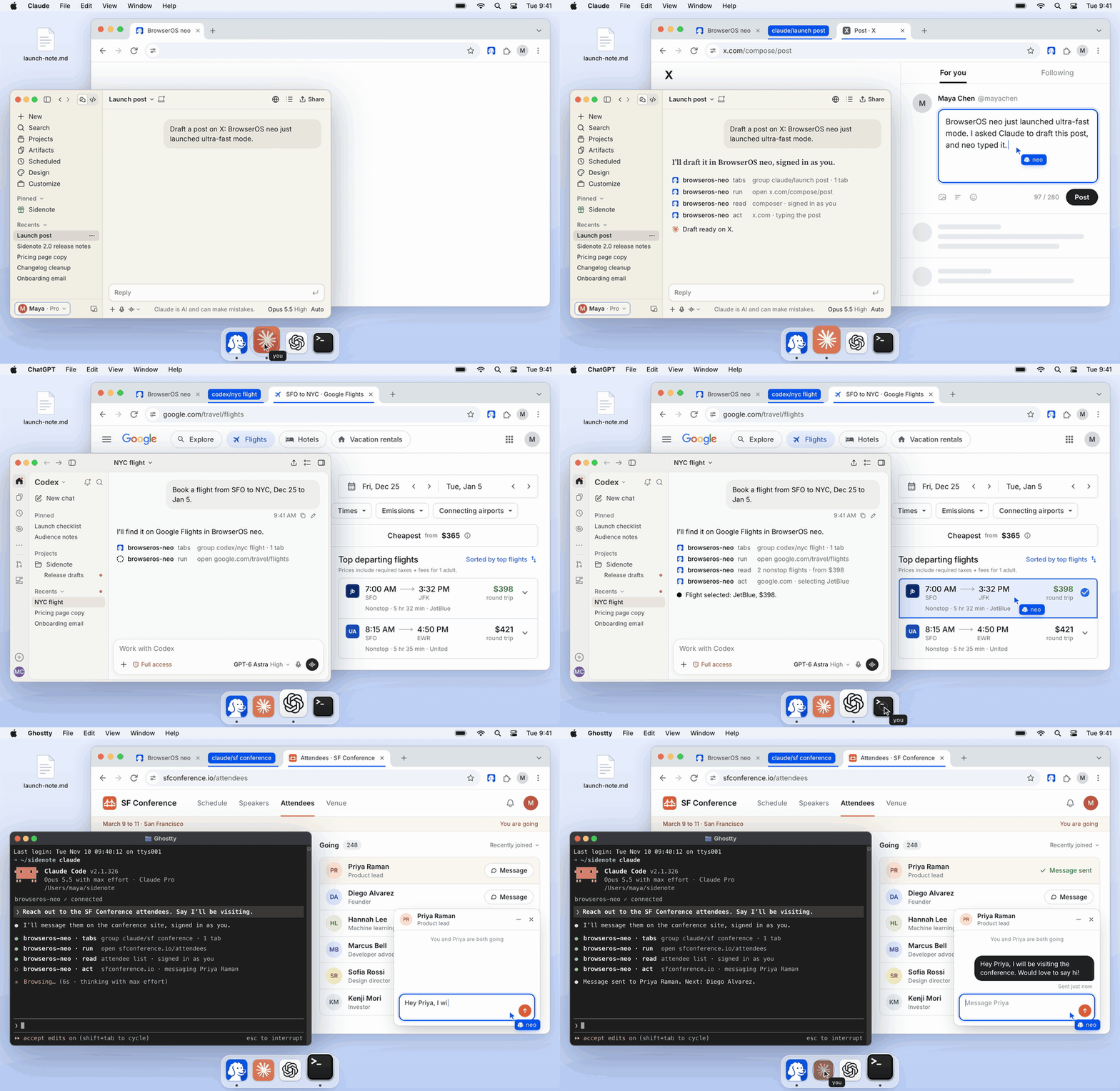
Claude Code, Codex and Cursor work in it signed in as you, in their own tabs, while you watch.Free, open source, and it runs on your machine.







Quick start
-
Install. Use a button above, or Homebrew:
brew tap browseros-ai/tap
brew install --cask browseros-neo
-
(optional) Import from Chrome. One click brings your logins, bookmarks and extensions.
-
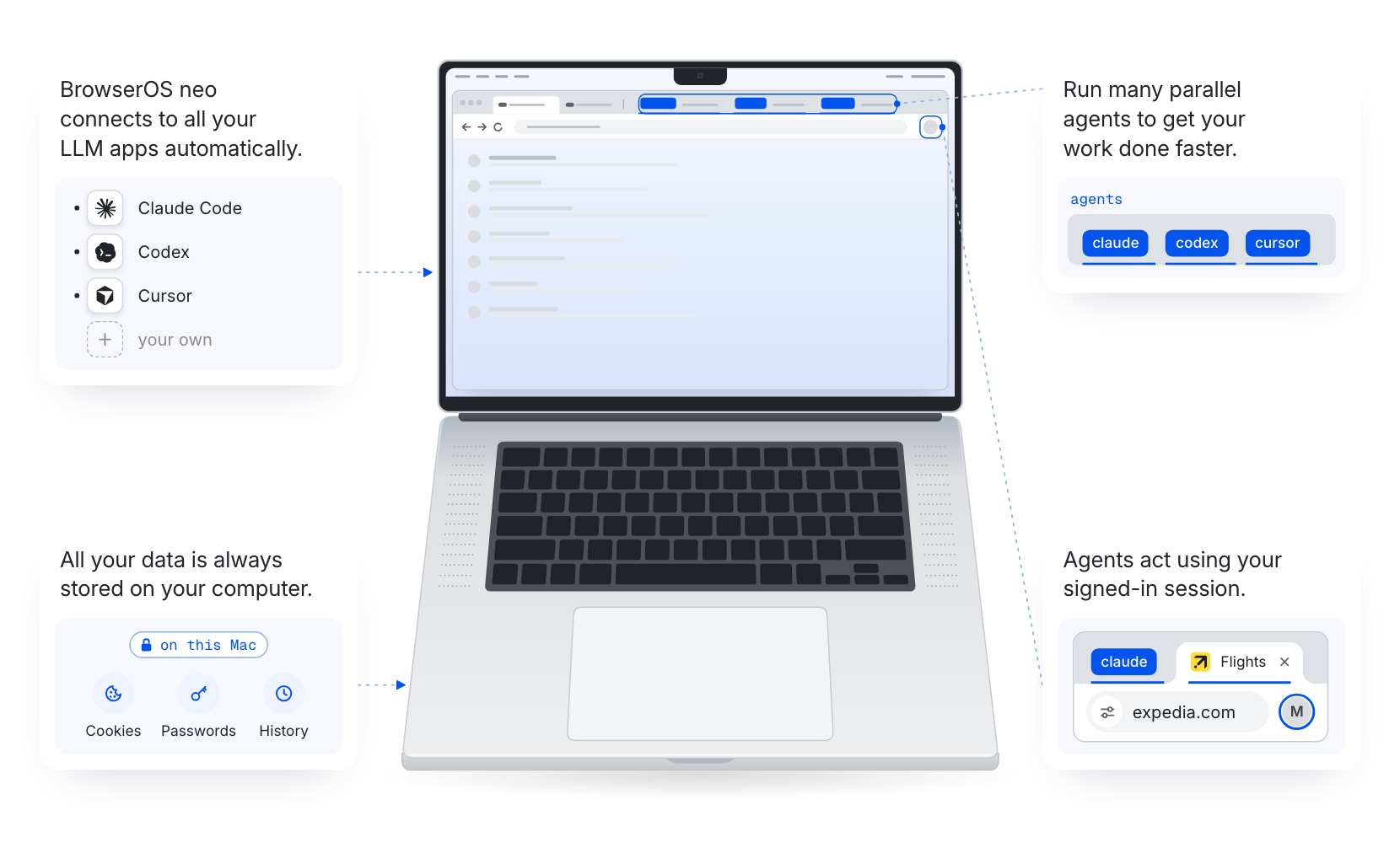
Automatically connects to your agents. neo finds Claude Code, Codex, Cursor, VS Code and more on your machine and connects to them automatically.
-
Start getting things done! Give a task to your agent and you just watch.
> Book me the cheapest flight to London.
What you get
- Signed in as you. Agents work in your real accounts, not a blank sandbox.
- Their own tabs. Every agent gets its own tab group. Run many at once. Your tabs stay yours.
- You can watch. Follow each step live, or replay any session later.
- Hand-off. Stuck at a login? neo notifies you, you help, the agent carries on.
- Fewer tokens. neo reads a page as short text, not as screenshots.
- Local. Sessions, screenshots and history stay on your machine. Privacy
What agents do with it
- Sales. Select leads in Salesforce and copy them into your outreach sheet.
- Coding. Deploy a function on AWS and check that the update went live.
- Research. Compare Reddit and X posts and save the sources behind your answer.
- Finance. Check bills in Brex against purchase orders and flag extra charges.
Benchmarks
About 63% faster and 40% fewer tokens than the browsers built into Claude and ChatGPT, and it finishes about 96% of tasks. These figures are approximate, and the full benchmark write-up is not published yet.
| Tool | Time per task | Tokens per task | Tasks finished |
|---|
| BrowserOS neo | ~102 s | ~21.6k | ~96% |
| Claude’s built-in browser | ~264 s | ~35.4k | n/a |
| ChatGPT’s built-in browser | ~276 s | ~35.8k | n/a |
chrome-devtools-mcp | ~192 s | ~29.4k | ~84% |
playwright-mcp | ~214 s | ~31.2k | ~76% |
Why not something else?
| Instead of | The catch | With neo |
|---|
| Headless driversPlaywright MCP, agent-browser | A fresh Chrome with no logins. Fine for CI, not for your inbox. | Your logins, imported from Chrome in one click. |
| Cloud browsersBrowserbase, browser-use | Datacenter IPs get blocked, and signing in is a chore. | Runs on your machine, at 127.0.0.1. |
| AI browsersAtlas, Comet, Dia | Each works only with its own AI. | Works with the agent you already pay for. |
FAQ
Which agents work with neo?
Any agent that speaks MCP. Claude Code, Codex, Cursor, OpenCode, Antigravity, VS Code and Zed connect in one click. Claude Desktop takes a one-file extension, and anything else connects with the endpoint URL. Setup guide.
Can I keep using my browser while agents work?
Yes. Agents work in their own tab group. Your tabs stay yours.
Does anything leave my machine?
Sessions, screenshots and history stay on your disk. neo sends anonymous usage events (never URLs, page content or prompts); one toggle in Settings turns them off. Full policy.
Do my Chrome extensions and bookmarks work?
Yes. neo is a Chromium fork, so extensions work, and bookmarks, passwords and settings import in one click.
Community and contributing
Website · Docs · Discord · Slack · X · Report a bug · Enterprise
We would love your help. The Contributing guide routes you: the neo app (TypeScript, React, Rust) sets up in about 15 minutes; the browser (C++, Python) needs about 100 GB of disk.
> [!TIP]
> Support open-source agent browsing. Star the repo and watch releases to hear when agents can do something new.
>
> 
Credits: Chromium and ungoogled-chromium · AGPL-3.0 · © 2026 Felafax, Inc.
Stargazers
Thank you to all our supporters.
Nikhil
Nithin
Dani



Built with ❤️ from San Francisco