CC One cc-one
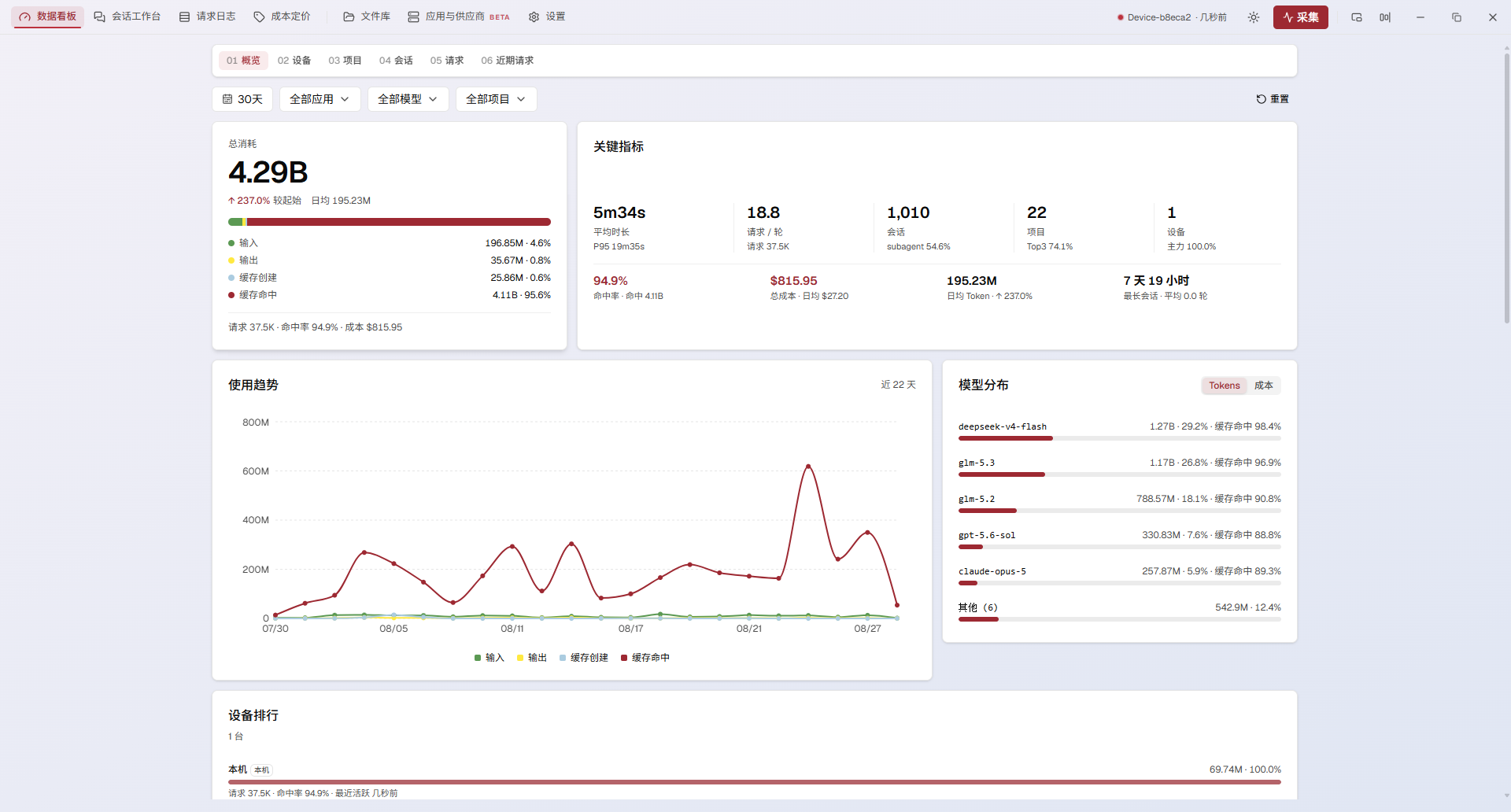
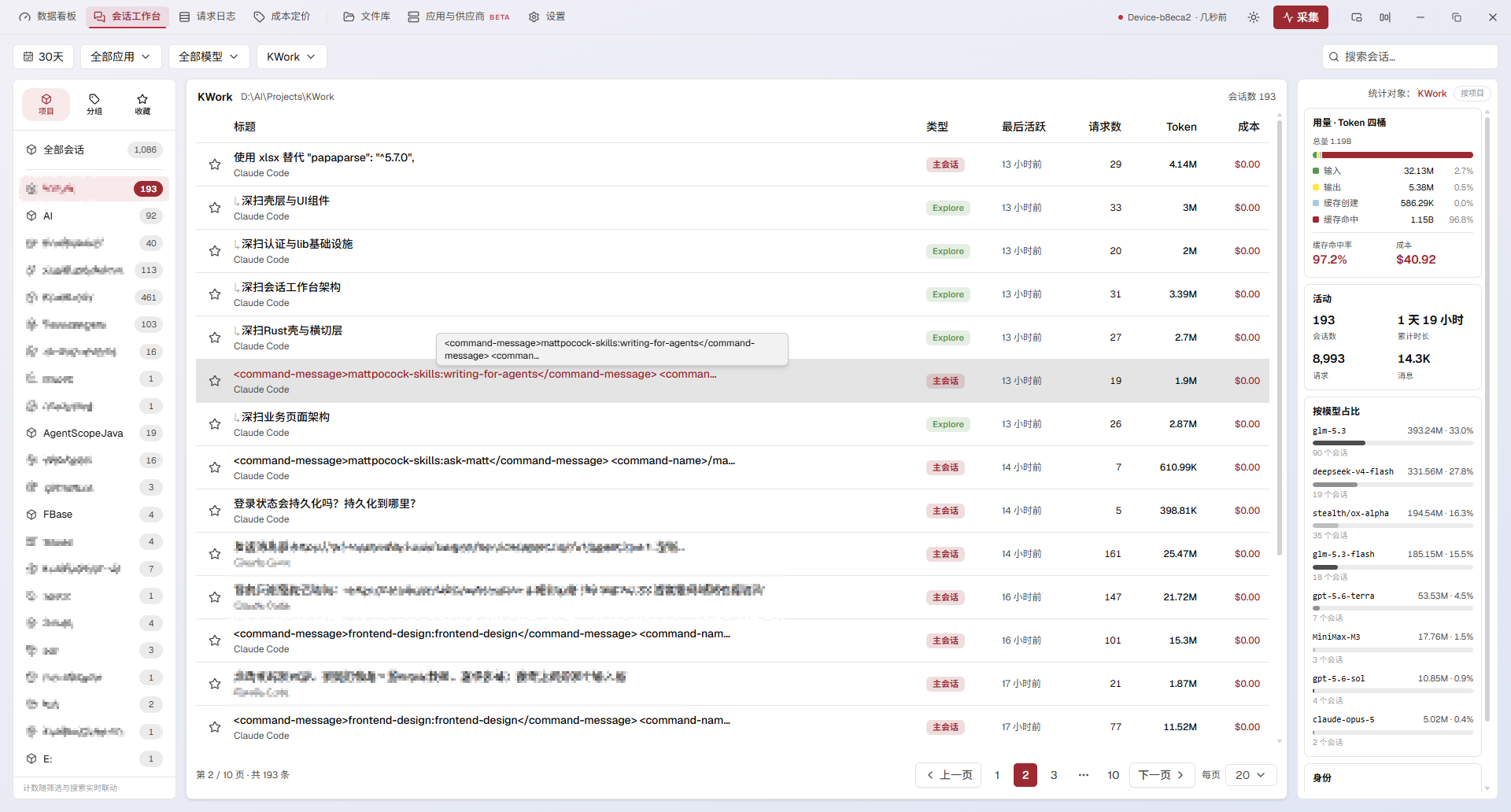
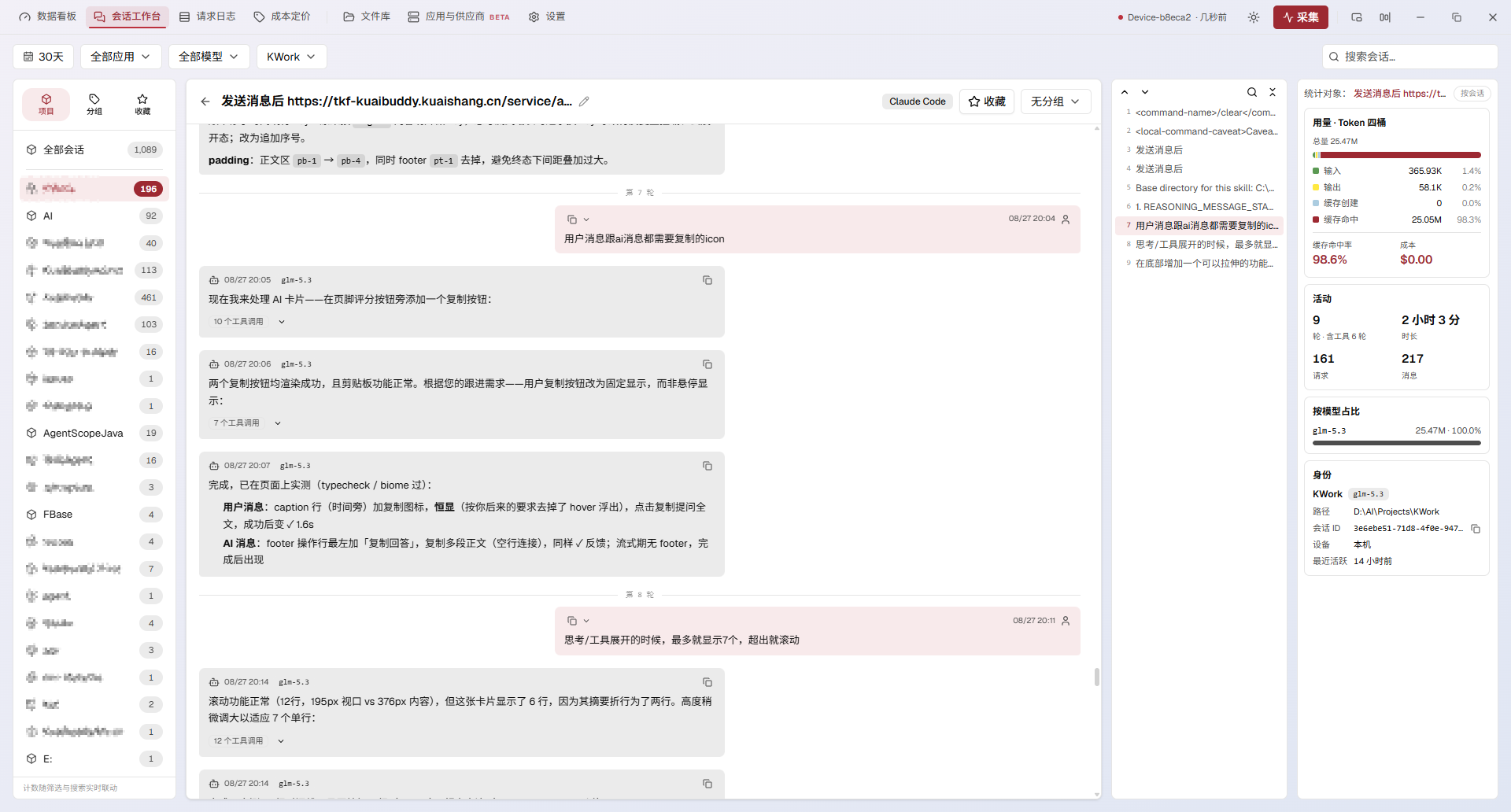
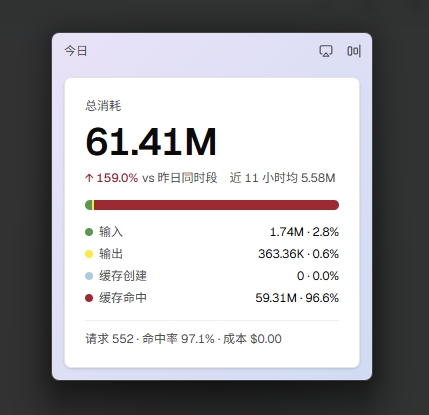
winget install --id=Buktal.CCOne -e Your AI CLI usage, owned by you. cc one reads the session logs your AI CLIs already write and turns them into tokens, cost, cache efficiency, and trends — a local-first dashboard with optional multi-device sync through a GitHub repo you control. Why Every session with Claude Code, Codex, Gemini CLI, Grok CLI, or OpenCode writes a log to disk — tokens, cache hits, spend — all in plain text, unread. cc one reads those logs and turns them into a clear picture: what you spent, what you received, and where your tokens went. It also manages provider switching, writing the exact config file each CLI reads. Two principles govern the design: - Local-first. The full dashboard works with zero network — the logs already on your disk are all it needs. - Read-only toward your logs. cc one never modifies session logs or tool behavior. The sole write is provider switching: always your explicit action, always backed up first. Multi-device sync is an opt-in layer, never a precondition. Features Providers - One config hub for all five CLIs — switching a provider writes the real config file that CLI reads, merging controlled fields only, with the previous file backed up first. - 59 built-in presets — select one, enter your API key, and switch. Import from CC-Switch, local config files, or a CC One backup; export the whole list as JSON anytime. - Model role mapping — five roles (Sonnet / Opus / Fable / Haiku / Subagent), each with its own model and a 1M-context toggle; one click fetches the vendor's model list. - Structure syncs, keys never — the provider list syncs per device; API keys are stripped from anything that leaves your machine. Dashboard - Four-bucket token economics — input / output / cache creation / cache read, normalized across CLIs into one model that matches your bill. - Cache-hit rate, model distribution, requests & cost — models ranked by tokens, each with its own cache-hit rate; totals frozen at collection time. - Trends & request log — multi-metric trend chart with today-vs-yesterday delta; per-call log with token breakdown, cost, and full details on click. Sessions - Browsable history — every conversation grouped by project, full-text search, filters by time / source / model / device. - Complete transcripts, instantly — stored locally at collect time, rendered as markdown with syntax highlighting; in-session search with hit-highlighting and jump. - Local & Favorites — private local groups that never leave this machine; favorited sessions sync across devices with source-device badges. Only favorited sessions ever leave your machine. Sync (optional) - Your own repo, plain text — usage projected into human-readable, per-device, per-day JSONL in a GitHub repo you control; no third-party server in the middle. - Conflict-free by construction — device-isolated writes, deterministic artifacts, self-healing rebases. - System-proxy aware; dashboard, glance card, and tucked bar can be scoped to a single device. Library - Drag-to-relay upload — drop files or directories into the window; they travel through your sync repo into that device's subtree. - In-app preview & manual export — images, text/JSON, sandboxed rendering for the rest; export to a path you choose. Cost & pricing - Editable per-model pricing, one-click LiteLLM cost-map fetch, rebill for records collected without a price, JSON import/export. Experience - Glance mode — a tucked mini-bar or a floating card mirroring the dashboard; each shape retains its placement. - Multi-skin theming, tray-resident background collection (5s–60s), signed auto-updates, UI in English / 简体中文 / 日本語. What stays local, what syncs | | Standalone | Synced (repo bound) | | ------------------------------------------------ | ---------- | -------------------------------------------- | | Usage, cost, trends, request log | Local only | Syncs across devices | | Session transcripts & favorites | Local only | Favorited sessions sync; the rest stay local | | Provider structure | Local only | Syncs per device — API keys never sync | | Library files | Local only | Syncs across devices | | Settings, skins, pricing overrides, local groups | Local | Local — never written to the repo | Nothing leaves your machine unless you bind a repo and enable sync. The access token stays on your machine and is never written to the repo. How it works A Tauri 2 app: a Rust backend handles collection, the local store (the single source of truth), provider config writes, and optional sync; a React frontend renders the dashboard through generated, type-safe IPC bindings.