lazyifconfig
한국어 README
lazyifconfig is a terminal UI for inspecting local network state.
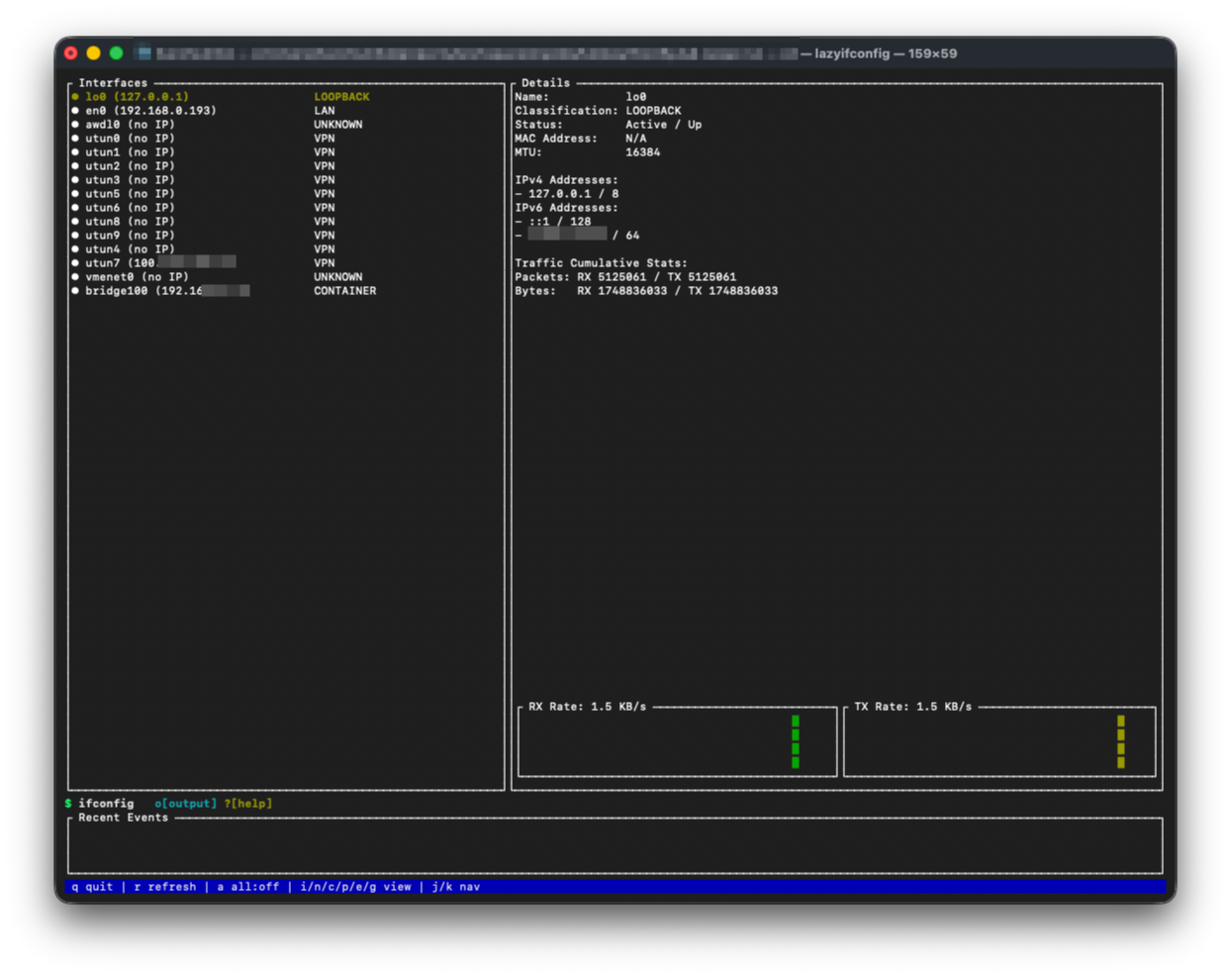
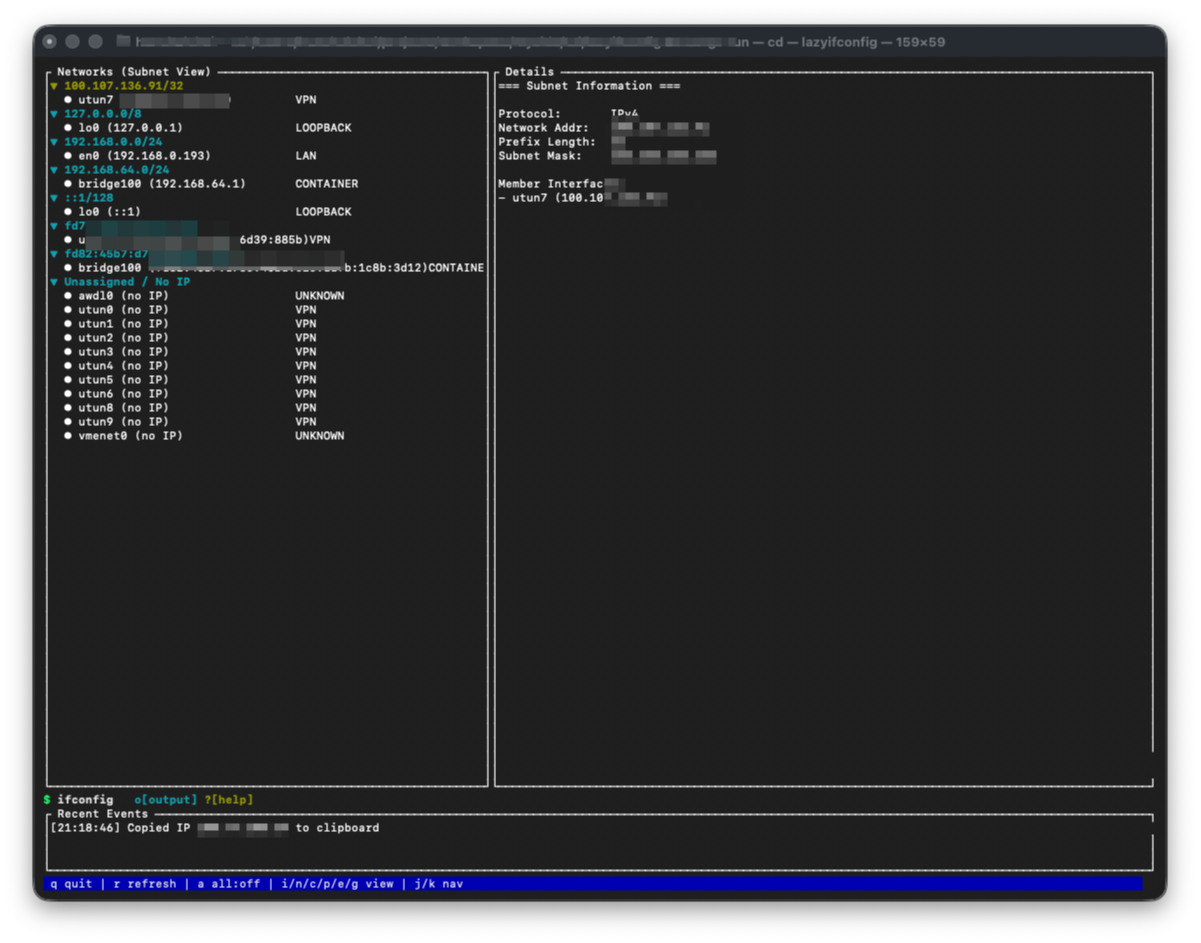
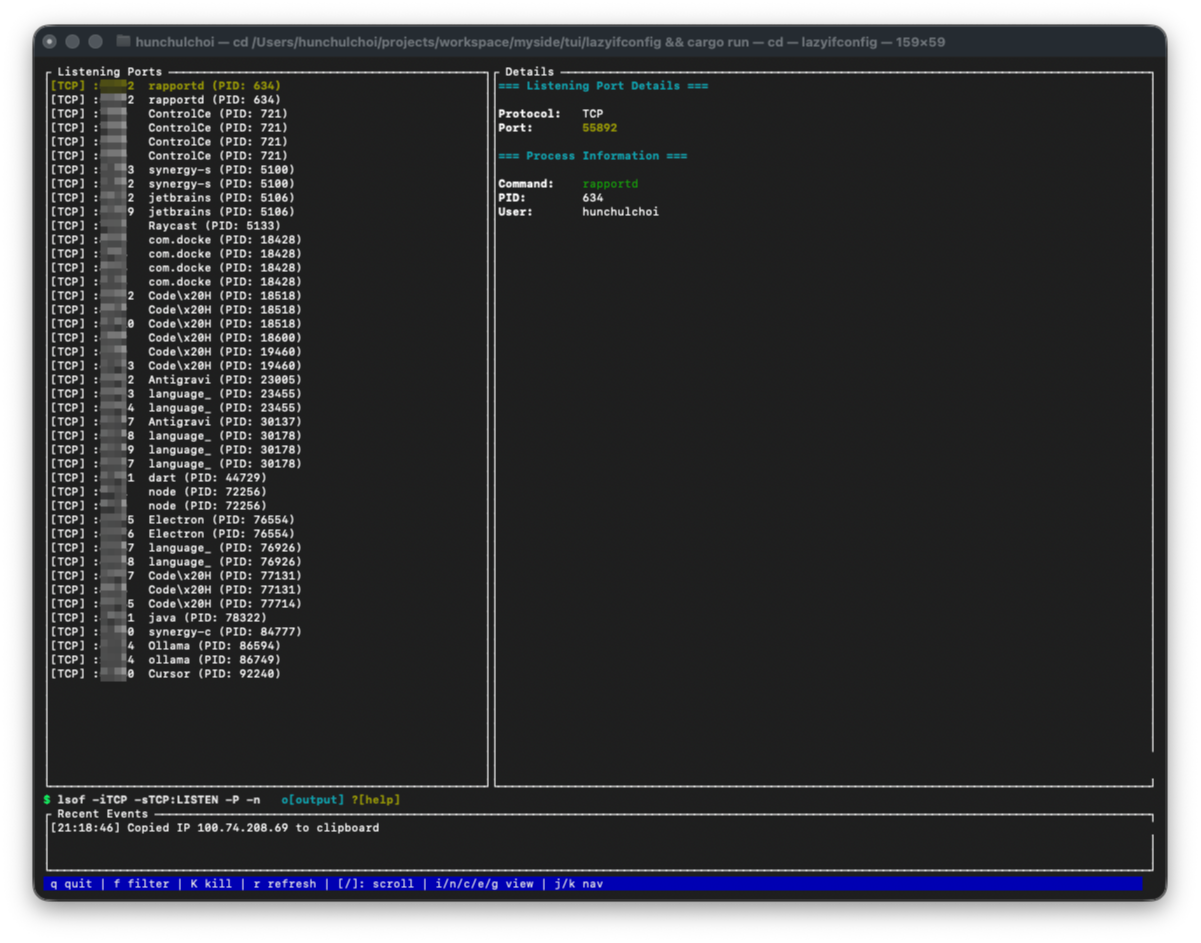
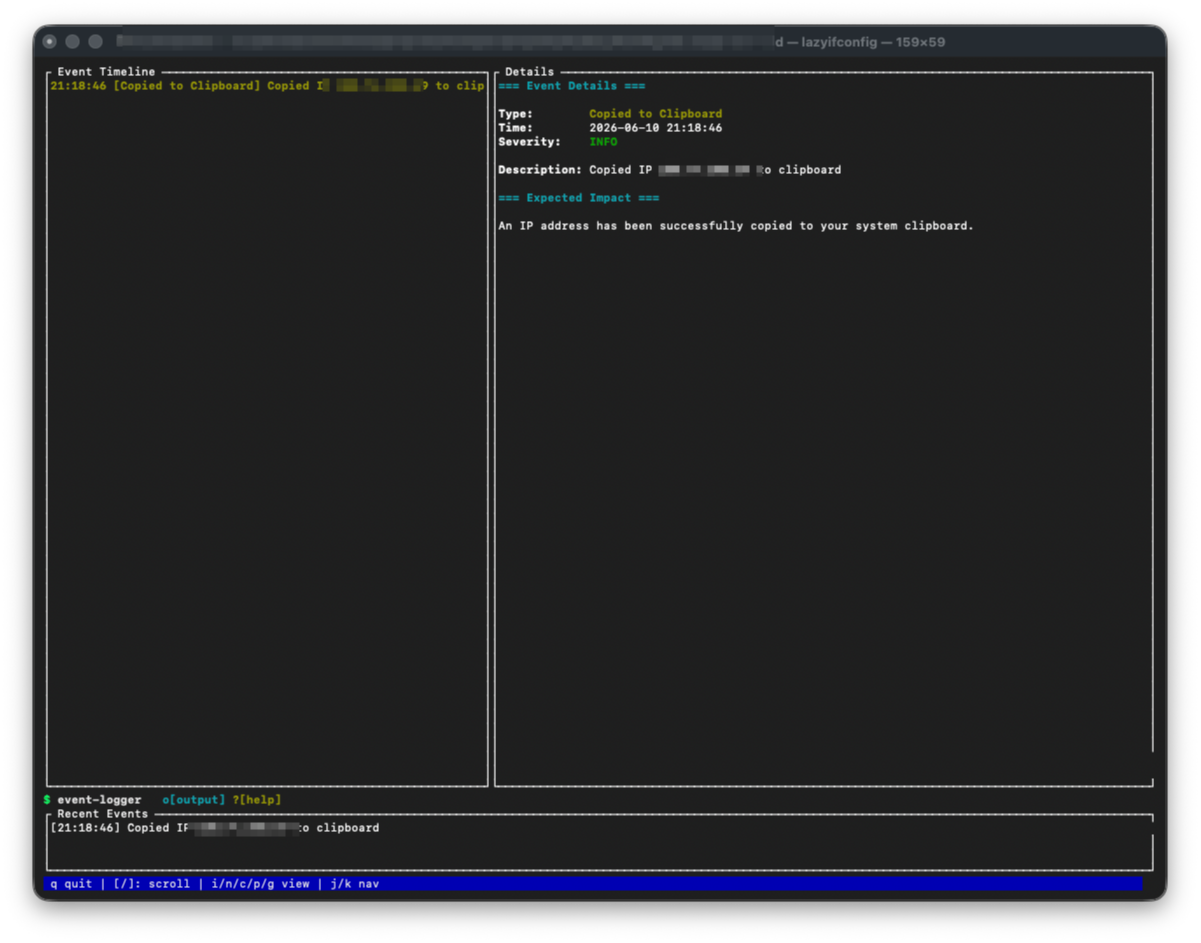
It combines local interface, route, connection, port, and public IP data into a single view for interfaces, subnets, routes, connections, ports, and recent network events.
Screenshots
Features
- Interface inventory: shows interface name, status, type, MAC address, MTU, IPv4/IPv6 addresses, prefixes, gateways, and traffic counters when the platform exposes them.
- Network view: groups interfaces by subnet so LAN, loopback, VPN, container, link-local, public, and unassigned networks are easier to scan.
- Connections view: lists active local and remote endpoints from
netstat -an, with sorting, filtering, copy actions, and per-connection details.
- Ports view: lists listening TCP ports from
lsof on macOS, ss on Linux, and netstat on Windows, with separate Summary/Detail panes, process metadata, and kill/restart actions.
- Route Inspector: summarizes default routes, route tables, route diagnostics, VPN route hints, and raw route command output.
- Destination path lookup: checks how a destination would be routed and renders a compact path view with interface, gateway, source IP, and VPN indication when available.
- Diagnostics: flags missing default routes, multiple defaults, down interfaces used by routes, missing interfaces, and route metric conflicts.
- Timeline: records local in-app events for interface appearance/removal, address changes, status changes, VPN-related changes, public IP changes, copy actions, and update checks.
- Tools Hub: runs DNS lookup, Whois/RDAP lookup, IP information, TCP port check, TLS inspection, ping, and traceroute from the TUI or directly from the CLI.
- DNS and IP information: resolves DNS records, reverse DNS, ASN/organization/country metadata where available, and uses Windows-native
nslookup on Windows.
- TLS Inspector: connects with native Rust TLS libraries and reports protocol, cipher suite, certificate subject/issuer, validity, SANs, and certificate count.
- Raw output viewer: stores the command output used to build each view so the rendered summary can be compared with the source command output.
- Self-update support: checks GitHub Releases in the background and can install a matching release artifact when available.
Privacy
lazyifconfig does not collect telemetry, does not track users, does not phone home for analytics, and does not upload local interface, route, port, connection, or process data to a project-owned service.
There is no account system, no background analytics SDK, no usage reporting, and no hidden data collection.
Most views are built from local operating-system commands and parsed in memory.
Raw command output is kept inside the running app for inspection and is not sent anywhere by lazyifconfig.
Timeline exports are written only when you press S, and they are saved to a local file in the current directory.
Some features intentionally contact external services when enabled or invoked:
- Public IP lookup requests
https://ipinfo.io/json.
- Release checks request the GitHub Releases API for this repository.
- Whois/RDAP fallback requests RDAP endpoints over HTTPS when local Whois is unavailable, and Windows uses RDAP directly.
- Tools Hub commands such as DNS, ping, traceroute, port check, TLS inspection, Whois/RDAP, and IP info contact the target host or resolver needed to perform the requested lookup.
Those requests are part of the feature being run; lazyifconfig itself still does not collect, retain, sell, or transmit telemetry.
Requirements
- macOS, Linux, or Windows
- Rust toolchain
- System commands available in
PATH:
- macOS:
ifconfig, netstat, route, lsof, ping, traceroute
- Linux:
ip, netstat, ss, ping, traceroute
- Windows:
ipconfig, route, netstat, ping, tracert, nslookup, clip, taskkill
- All platforms:
curl for public IP, RDAP/WHOIS fallback, release checks, and self-update
Tools Hub uses native Rust for TLS inspection, so openssl is not required.
On Windows, DNS and reverse DNS use nslookup, Whois uses RDAP over HTTPS, and traceroute uses tracert.
Windows port and interface-stat collection avoids blocking tab changes where possible: port details are loaded only from the Detail pane, and RX/TX adapter statistics are refreshed at a lower cadence.
Install
From Homebrew tap:
brew install choihunchul/tap/lazyifconfig
From the APT repository on Debian or Ubuntu:
echo "deb [trusted=yes] https://choihunchul.github.io/apt-repo stable main" | sudo tee /etc/apt/sources.list.d/choihunchul.list
sudo apt update
sudo apt install lazyifconfig
From WinGet on Windows after the first manifest is accepted into
microsoft/winget-pkgs:
winget install Choihunchul.Lazyifconfig
Until then, use the Windows .zip from GitHub Releases or install from source
with Cargo.
Windows release binaries are built with the MSVC C runtime statically linked, so
they do not require a separate Microsoft Visual C++ Redistributable install.
From crates.io:
cargo install lazyifconfig
From GitHub:
cargo install --git https://github.com/choihunchul/lazyifconfig.git
From a local checkout:
cargo install --path .
Build
cargo build --release
Run
cargo run --release
Run a tool directly from the CLI:
cargo run --release -- tools dns example.com
cargo run --release -- tools whois github.com
cargo run --release -- tools ip-info 8.8.8.8
cargo run --release -- tools port-check github.com 443
cargo run --release -- tools tls github.com:443
cargo run --release -- tools ping 8.8.8.8
cargo run --release -- tools traceroute 8.8.8.8
Controls
q: quitr: refreshu: check GitHub Release nowU: apply pending update nowj / k: move selectioni: interface viewn: network viewc: connections viewp: ports viewe: timeline viewS: save timeline to a timestamped file in current directory (e.g. lazyifconfig-timeline-YYYYMMDD-HHMMSS.txt)g: Route Inspector/ and [ : scroll in list-heavy views- In Route Inspector:
Enter starts destination path lookup, Tab switches inspector sections, Home/End or 1-4 jumps between sections, / filters routes, o opens raw route output
- In Connections:
Tab switches the detail tabs
- In Ports:
Tab switches between Summary and Detail; Windows loads process metadata only when Detail is selected
- In Tools:
Tab moves between input fields and the first field is focused when the modal opens
Some views expose additional actions in the footer, including filtering ports, copying values, WHOIS lookup, and raw output inspection.
When a newer GitHub Release is found, lazyifconfig will attempt to install the matching release artifact automatically. After the binary is replaced, restart the app to run the new version.
Windows Update Recovery
Windows releases before this updater fix may show Access is denied. (os error 5) while replacing the running executable. Quit lazyifconfig, open PowerShell in the folder containing lazyifconfig.exe, then run:
if (Test-Path .\lazyifconfig.exe.update) { Move-Item -Force .\lazyifconfig.exe.update .\lazyifconfig.exe }
If the .update file is not present, download and run the repair script:
$repair = Join-Path $env:TEMP "repair-windows-update.ps1"
Invoke-WebRequest https://raw.githubusercontent.com/choihunchul/lazyifconfig/main/scripts/repair-windows-update.ps1 -OutFile $repair
powershell -ExecutionPolicy Bypass -File $repair -InstallDir .
Testing
cargo test
Release
GitHub Actions creates a release when a tag matching v* is pushed.
git tag v0.2.11
git push origin v0.2.11
After the Release workflow finishes, the Homebrew tap workflow runs automatically and updates choihunchul/homebrew-tap.
You can also rerun Publish Homebrew Tap manually from GitHub Actions by providing a tag such as 0.2.11 or v0.2.11.
After the same Release workflow finishes, the Publish APT Repository workflow runs automatically and publishes
the amd64 and arm64 .deb assets to choihunchul/apt-repo.
You can also rerun Publish APT Repository manually from GitHub Actions by providing a tag such as 0.2.11 or v0.2.11.
After the same Release workflow finishes, the Publish WinGet Package workflow opens a WinGet manifest bump PR
against microsoft/winget-pkgs for the matching Windows release asset.
You can also rerun Publish WinGet Package manually from GitHub Actions by providing a tag such as 0.2.11 or v0.2.11.
You can also trigger the Create Release Tag workflow from GitHub Actions.
Enter 0.2.11 or v0.2.11 as the input, and it will:
- verify the version matches
Cargo.toml
- create an annotated
v* tag
- push the tag so the
Release workflow builds artifacts and publishes the GitHub Release
For crates.io publishing, trigger the Publish Crate workflow from GitHub Actions.
Enter 0.2.11 or v0.2.11, and it will:
- verify the version matches
Cargo.toml
- run
cargo publish --dry-run --locked
- optionally publish to crates.io with the
CARGO_REGISTRY_TOKEN secret
For Homebrew publishing, add a HOMEBREW_TAP_TOKEN secret with push access to
choihunchul/homebrew-tap. The Publish Homebrew Tap workflow will:
- download the Linux, macOS Intel, and macOS ARM release tarballs for the selected tag
- compute SHA-256 checksums for each platform
- write
Formula/lazyifconfig.rb into the tap repository
- push the formula update so
brew install choihunchul/tap/lazyifconfig works
For APT publishing, add an APT_REPO_TOKEN secret with push access to
choihunchul/apt-repo. The Publish APT Repository workflow will:
- download the
amd64 and arm64 .deb assets for the selected tag
- update the APT package index and
Release metadata in choihunchul/apt-repo
- push the repository update so
apt install lazyifconfig works after apt update
For WinGet publishing, add a WINGET_TOKEN secret with a classic PAT that has
public_repo scope and access to your winget-pkgs fork. The Publish WinGet Package workflow will:
- resolve the selected release tag and version
- find the Windows release asset that matches
lazyifconfig-.*-x86_64-pc-windows-msvc\.zip
- open or update a PR from your
winget-pkgs fork to microsoft/winget-pkgs
If Choihunchul.Lazyifconfig does not exist yet in microsoft/winget-pkgs, create and merge the first manifest PR manually.
If it already exists there, you can skip that step and use this workflow for version bumps.
The release workflow builds and uploads artifacts for:
- Linux
x86_64-unknown-linux-gnu
- Linux
aarch64-unknown-linux-gnu
- macOS
x86_64-apple-darwin
- macOS
aarch64-apple-darwin
- Windows
x86_64-pc-windows-msvc
Notes
- Linux interface and route views use
ip, and the port view uses ss; the connection view still relies on netstat.
- Windows interface and route views use
ipconfig and route PRINT; port and connection views use netstat.
- Whois lookups fall back to RDAP over HTTPS when a local
whois command is missing. On Windows, RDAP is used directly.
- TLS inspection is implemented with Rust TLS libraries and does not shell out to
openssl.
- Public IP information is fetched from
https://ipinfo.io/json.
Project Rules
- Project Rules: release workflows and checkpoint commit policy for development.