IdleHarbor — Lightweight Windows Mouse Jiggler and Keep-Awake Utility
> A small, native Windows mouse jiggler and keep-awake utility for authorized work sessions,
> presentations, installations, and long-running local tasks.



Project site → ·
Download v0.2.0 →
Genuine UI
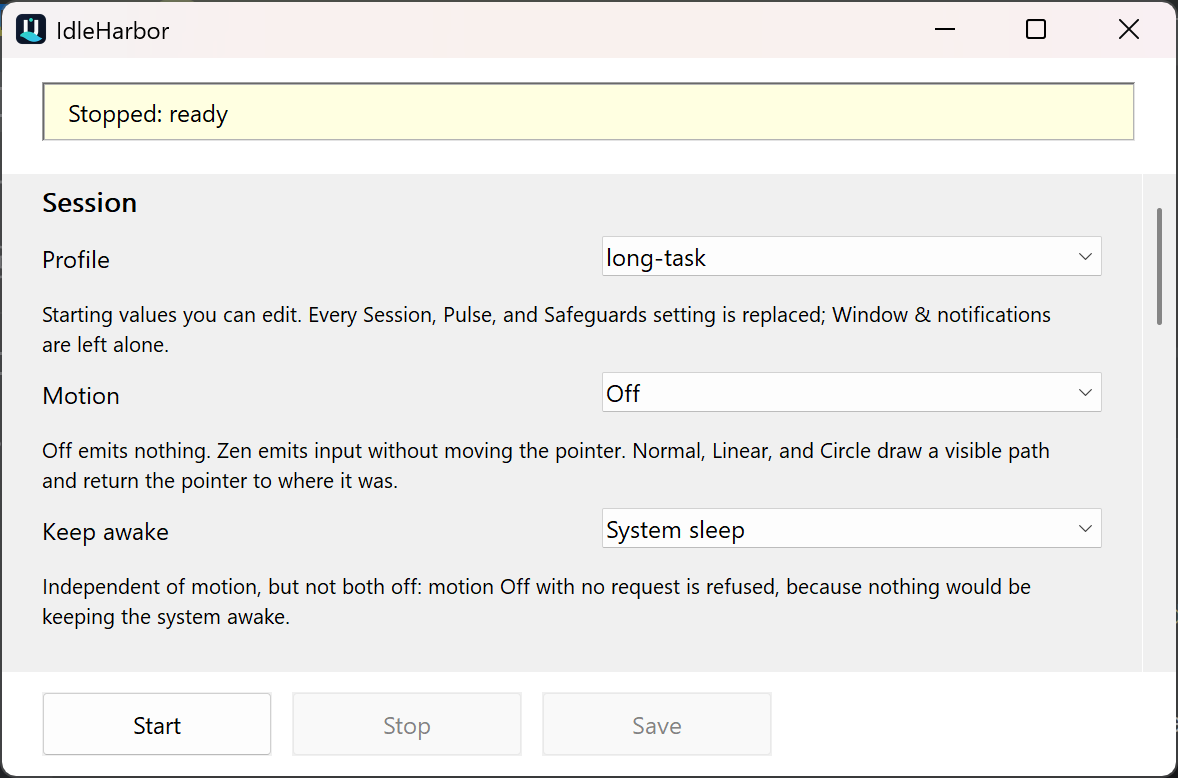
This is a real capture of the public v0.2.0 x64 release at 200% Windows display scaling, not a
mock-up. Each field carries its own printed explanation, and every control describes itself in more
detail on hover.
| Running | Intelligently paused |
|---|
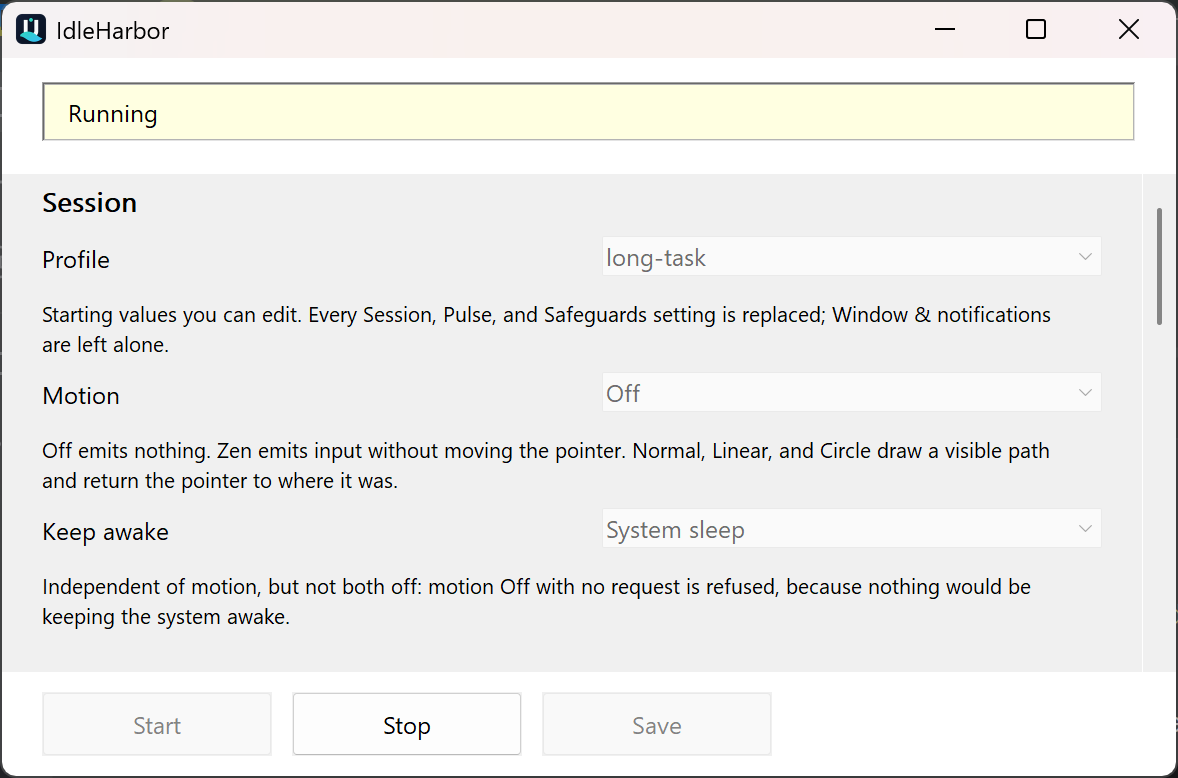 | 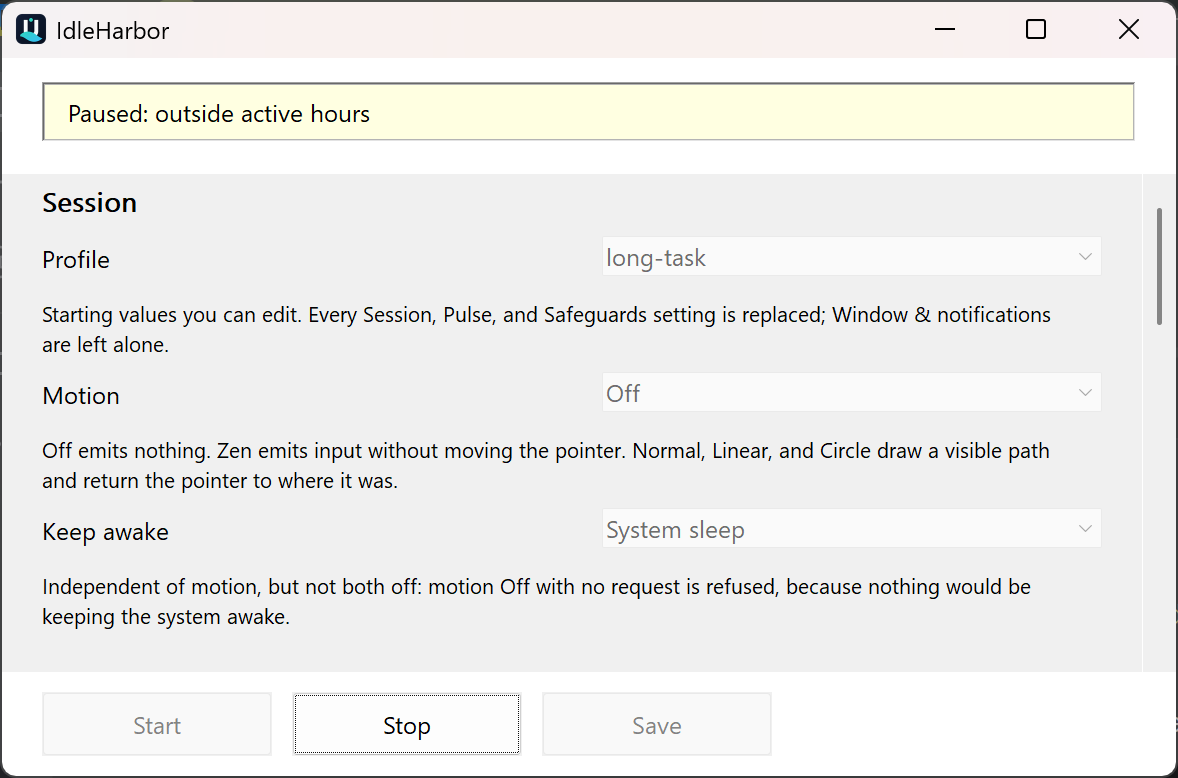 |
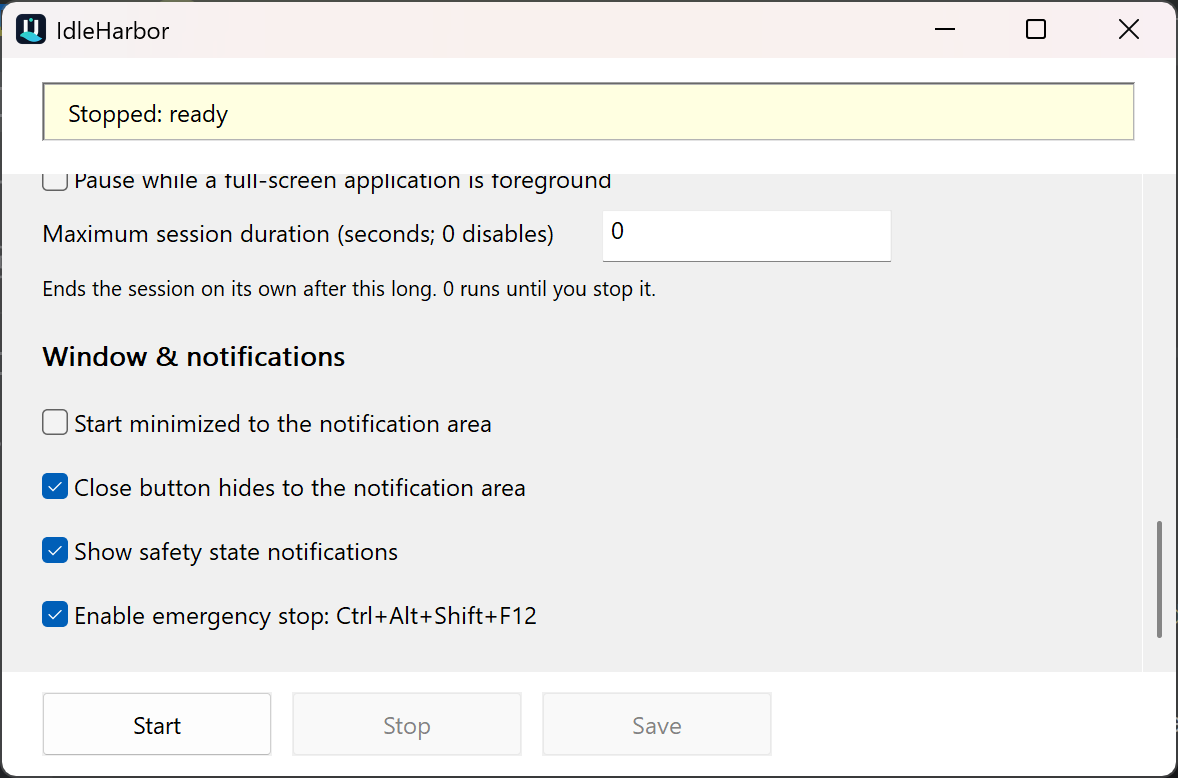
The scrolled safeguards view shows the same native window and its fixed action footer. Wheel,
scrollbar, resize, and keyboard-focus paths keep every control reachable without stale pixels.
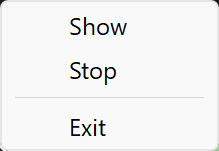
The repository includes a deterministic capture tool and a hash/dimension manifest for all five
images in docs/assets/capture-manifest.json.
IdleHarbor is an open-source, lightweight alternative to bulky mouse-jiggler applications. It is an
independent C++20/Win32 utility with no separately installed application runtime: optional motion
input and Windows power requests can be configured independently, while visible controls,
conservative safeguards, and an immediate stop path keep the session understandable and user
controlled. It does not provide concealment, monitoring bypasses, or claims of undetectability.
Status
Version 0.2.0 is the current stable release. Its canonical download and verification page is
v0.2.0. The visible runtime, policy
core, settings store, CLI, portable packages, per-user installer, startup choices, CI, CodeQL,
SBOMs, checksums, and GitHub provenance attestations are implemented and published.
0.2.0 is a settings-window release. Every control now explains itself: each field carries a short
printed explanation beneath it, and every control describes itself in more detail on hover. Picking a
profile, motion mode, or keep-awake mode updates the field immediately and works on the first click.
Four labels were renamed for what they do rather than how. See
CHANGELOG.md for the full list.
| Area | Available now | Notes |
|---|
| Runtime | Native Win32 window and notification-area controls | Windows-only |
| Modes | Off, Normal, Zen, Circle, Linear | Behavior remains subject to application and Windows compatibility |
| Safeguards | Genuine-input pause, lock/disconnect, battery, fullscreen, active hours, max duration | Users must verify behavior in their own session |
| Configuration | Validated local INI settings and profiles | No cloud sync or telemetry |
| Distribution | Architecture-labelled portable archives and an optional per-user installer | Canonical v0.2.0 release |
| Trust evidence | GPL-3.0-only, CI, CodeQL, SHA-256, SPDX SBOM, and GitHub attestations | v0.2.0 is unsigned |
Read PROJECT_STATE.md for the current milestone and proving commands.
Why IdleHarbor?
- Native footprint: C++20 and Windows system libraries, without bundling an application runtime.
- Visible by design: the window, tray state, status reason, settings, and stop controls remain
available to the user.
- Viewport-safe: per-monitor DPI scaling, resize, native scrolling, and focus reveal keep every
control reachable on compact or highly scaled displays.
- Two complementary mechanisms: motion modes address applications that observe input; power
requests address Windows idle transitions. They can be configured independently.
- Conservative automation: the per-user Start Menu launcher is ownership-safe by default;
automatic startup remains opt-in, least-privilege, and paired with an ownership-aware uninstall path.
- Evidence-led delivery: builds, tests, CodeQL, checksums, SBOMs, and attestations are part of
the release workflow rather than marketing claims.
The published v0.2.0 x64 executable is 544,256 bytes (531.5 KiB) with SHA-256
bbada75845a1832aa5907e81003ebfd52761cbc7cac1c234d61263be7baf5e5a. Across three repetitions of a
60-second stopped window and a 60-second active window, it held a 13.7 MiB working set stopped and
15.1 MiB while running a keep-awake session, at effectively zero CPU. That baseline, the exact
method, and its limitations are recorded in docs/BENCHMARKS.md.
Build and test from source
Use a Windows developer PowerShell with Visual Studio 2019 or newer and CMake. This machine's
validated Visual Studio 2019 Build Tools command is:
cmake -S . -B build/x64 -G "Visual Studio 16 2019" -A x64 -DIDLEHARBOR_BUILD_TESTS=ON
cmake --build build/x64 --config Release --parallel
ctest --test-dir build/x64 -C Release --output-on-failure
With Visual Studio 2022, use generator Visual Studio 17 2022 instead.
The project is Windows-only. CI also builds ARM64 and Win32; release packaging currently produces
x64 and ARM64 archives. The packaging parser and ownership tests can be run independently:
.\packaging\Test-Packaging.ps1
Runtime at a glance
- Launch IdleHarbor and confirm the visible state is Stopped.
- Choose a profile or configure motion, power, and safeguard settings.
- Press Start for the specific session that needs idle prevention.
- Watch the status reason; genuine input, lock/session changes, battery policy, fullscreen policy,
active hours, and maximum duration can pause or stop the session.
- Press Stop, use the tray menu, or use the emergency hotkey when finished.
IdleHarbor stores local settings only. The app has no network service or telemetry path and sends
nothing anywhere.
The project website () is separate from the app: it runs
the Pulseboard beta SDK. A Beta bar offers three categories: Usage counts (daily aggregate
counts of page views and of release or source link clicks), Diagnostics (page timings,
JavaScript error summaries, visible time and scroll depth), and Journeys and product data (a
random per-tab session id with ordered page events, including which of those links was chosen). In
the EEA, or while the region is unknown, only usage counts run until the visitor presses OK;
elsewhere all three start on and Choose turns any of them off. Global Privacy Control or Do Not
Track turns everything off with no bar and no request. No names, e-mail addresses, IP addresses,
cookies or page URLs are stored; detailed data is kept 90 days and aggregate counts currently 14
days. See observatory/README.md.
Modes and profiles
Motion modes are selectable independently of power requests:
| Motion | Behavior |
|---|
| Off | No pointer/input pulse; useful with a power request |
| Normal | Small visible diagonal path, scaled by the motion size |
| Zen | Virtual mouse input intended not to move the visible pointer |
| Circle | Bounded circular path, scaled by the motion size |
| Linear | Horizontal back-and-forth path, scaled by the motion size |
The motion size (--distance) is a scale from 1 to 120, not a raw pixel radius. Visible motion
uses independently designed IdleHarbor paths that remain bounded around a safe anchor and return
the cursor to its captured position. Project provenance is recorded in
THIRD-PARTY-NOTICES.md.
Profiles provide named starting points and can be refined before saving:
| Profile | Starting point |
|---|
| Balanced | Zen input, system power request, 60-second interval, user/lock/disconnect/low-battery safeguards |
| Long task | No motion, system power request, 120-second interval, four-hour maximum duration |
| Presentation | No motion, display-and-system power request, no pause on genuine input |
| Compatibility | Visible Normal input, no power request, 60-second interval |
| Visible | Circle input, no power request |
| Battery saver | Zen input, no power request, randomized 30–120-second interval, 30% low-battery threshold |
| Custom | Balanced starting values for explicit user overrides |
Power modes are none, system, and display. A power request is not input simulation: it asks
Windows to keep the system or display available while the session is active.
Command line
The GUI executable accepts one command and validated options. --help and --version open visible
information dialogs; --status opens a visible status dialog rather than writing to a console.
Commands: --start (-j, --jiggle), --stop, --toggle, --status,
          --show (--settings, -g), --exit

Profiles: --profile balanced|long-task|presentation|compatibility|visible|battery-saver|custom
Motion:   --motion off|zen|diagonal|linear|circle
Power:    --power none|system|display
Timing:   --interval DURATION, --random, --no-random, --pause-on-input DURATION,
          --stop-after DURATION
Safety:   --distance SIZE (1..120), --battery-threshold 0..100,
          --pause-on-fullscreen, --no-pause-on-fullscreen
Window:   --minimized, --close-to-tray, --no-close-to-tray
Storage:  --portable, --config PATH
Durations accept seconds by default or s, m, and h suffixes. Storage-path options apply when
the owning instance is launched; an already-running instance remains bound to its existing settings
path. Profile and settings overrides affect the current owner instance without silently changing the
INI file; use the visible Save action if those values should persist. The complete help text in
the shipped executable is authoritative.
Advanced INI settings
The settings store is a local, validated INI-style file. Portable mode places it beside the
executable; normal mode uses the user's local application-data directory; --config PATH selects an
explicit file. Unknown keys are ignored and invalid values fall back conservatively.
Active-hours controls are intentionally advanced and use minutes from midnight:
active_hours_enabled=true
active_hours_start_minute=540
active_hours_end_minute=1080
An end earlier than the start represents an overnight window. The complete key names are documented
in docs/USER_GUIDE.md.
Download, install, and trust
Download the architecture-labelled portable archives from the canonical
v0.2.0 release page, not an
unverified mirror. The release contains these exact asset names:
It also publishes:
SHA256SUMS.txt checksum manifest;- SPDX 2.3 SBOM JSON for each executable;
- GitHub artifact attestations;
- package manifest with source revision and architecture.
The optional per-user installer, Start Menu launcher, and startup helpers are documented in
packaging/README.md. v0.2.0 is explicitly unsigned, so Windows may show a
publisher warning. Use the published SHA-256 checksums, SPDX SBOMs, and GitHub attestations to verify
its artifacts. Startup is always an explicit choice and is not enabled by the portable archive alone.
Package-manager availability is deliberately reported rather than implied:
- WinGet PR #421663 is submitted for upstream
validation and moderation; the package is not available through the public WinGet source until
that PR is accepted.
- Reproducible Chocolatey package source is included in
packaging/chocolatey; community publication still requires the owner's
Chocolatey account/API key and moderation.
- Scoop Extras is not yet eligible for a package request because its current request template asks
new projects for popularity evidence that IdleHarbor does not yet have.
Until a package-manager submission is accepted, the GitHub release page remains the supported
installation source.
The recommended archive workflow is deliberately simple:
- Download the ZIP matching the PC architecture (
x64 for most PCs, ARM64 for Windows on Arm).
- Verify the ZIP against
SHA256SUMS.txt, then extract it.
- Run
IdleHarbor.exe directly for portable use, or run install.ps1 -Startup None for a per-user
Start Menu installation with no automatic startup.
- If automatic startup is genuinely wanted and permitted, preview
install.ps1 -Startup TaskScheduler -WhatIf, then run it without -WhatIf.
Portable use does not configure persistence. On a managed laptop, do not configure Task Scheduler,
the Startup folder, or the Run key unless policy permits both IdleHarbor and that persistence
mechanism. Do not disable or independently whitelist around endpoint protection to make it run.
Frequently asked questions
Is IdleHarbor a mouse jiggler?
Yes. It can send bounded, configurable input patterns for applications that legitimately need
input activity, or it can run with motion Off and use only a Windows power request. It is a
transparent utility, not an invisible or undetectable mouse jiggler.
Will it stop Windows from sleeping?
The System and Display power modes request that Windows keep the selected power state
available while a session is active. Whether that request is honored can depend on Windows policy,
hardware, lock state, battery settings, or a managed-device policy. Motion and power are separate,
so neither mechanism should be treated as a universal sleep-prevention guarantee.
Does it move the visible pointer?
That depends on the selected motion mode. Normal, Circle, and Linear are bounded visible
patterns; Zen requests virtual input intended not to move the visible pointer; Off emits no
motion. Applications can detect, block, log, or ignore simulated input.
Does it need .NET, Electron, or another runtime?
No separately installed application runtime is required. IdleHarbor is a native C++20/Win32 Windows
program built against Windows system libraries. The release notes and benchmark evidence describe
the exact build and its measured footprint.
Use the visible Stop button, the notification-area menu, or the configured emergency hotkey.
The session also pauses or stops for safeguards such as genuine input, lock or disconnect, battery
policy, fullscreen policy, active hours, and maximum duration when enabled.
Is it appropriate for a managed work laptop?
Only if the device, account, and workplace rules allow it. Read docs/SAFETY.md
and obtain any required approval first. IdleHarbor does not bypass monitoring or make activity
claims on a user's behalf; installing it and configuring automatic startup may be separate policy
decisions.
Is IdleHarbor code-signed?
No. v0.2.0, like v0.1.0, is intentionally unsigned because no signing identity has been
provided. Checksums, an SPDX SBOM, and GitHub provenance attestations provide release evidence, but
they do not remove Windows' unsigned-publisher warning. Signing can be added in a later release.
Which license does IdleHarbor use?
The source and release artifacts use the GNU General Public License version 3 only
(GPL-3.0-only). The repository and portable archives include the complete license text.
Safety boundary
IdleHarbor is not an employee-monitoring bypass and must not be used to misrepresent presence or
evade a device policy. Simulated input may be detected, blocked, logged, or ignored. Check the rules
for a managed device before installing or running it. See docs/SAFETY.md.
Documentation
docs/USER_GUIDE.md — controls, profiles, CLI, INI, and startup workflows.docs/ARCHITECTURE.md — landed runtime boundaries and release flow.docs/SAFETY.md — acceptable use, privacy, and trust assumptions.docs/TROUBLESHOOTING.md — build, runtime, install, and verification diagnosis.docs/BENCHMARKS.md — reproducible footprint and idle-cost methodology.packaging/README.md — portable archives, installation, and startup choices.CONTRIBUTING.md — development and review expectations.SECURITY.md — private vulnerability reporting.CHANGELOG.md — versioned user-visible changes.THIRD-PARTY-NOTICES.md — implementation provenance and attribution.
Licence
IdleHarbor is free software licensed under the
GNU General Public License version 3 only (GPL-3.0-only). Source distributions and
portable release archives include the complete licence text.