QontrolPanel is a system utility designed to enhance audio management on Windows. It provides comprehensive control over output and input volume, device selection, mute functionality, and application-specific volume adjustments. The software integrates seamlessly with HeadsetControl, offering extended support for compatible headsets.
Key Features:
Output/Input Volume Control: Adjust system-wide audio levels with precision.
Device Management: Switch between audio devices and manage their settings effortlessly.
Application Mixer: Fine-tune individual app volumes directly from the panel.
HeadsetControl Integration: Enhance headset functionality with customizable features.
Multi-Language Support: Available in multiple languages to suit diverse user preferences.
Audience & Benefit:
Ideal for users seeking advanced audio management on Windows, QontrolPanel is particularly beneficial for gamers, professionals requiring precise audio control, and those managing multiple devices or headsets. It streamlines audio configuration, reducing the need for external apps or frequent system adjustments.
Install QontrolPanel via winget for a seamless setup experience.
README
QontrolPanel
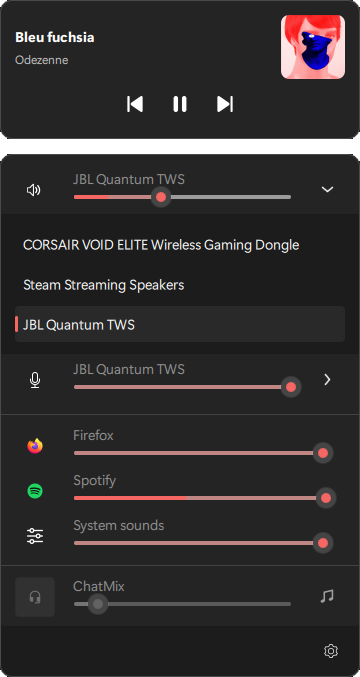
QontrolPanel is an enhanced audio panel for Windows. It provides output and input volume / device / mute control as well as application volume mixer and headsetcontrol integration.
If you like my work, please consider supporting me !
Usage
Left click on the tray icon to reveal the panel.
Click anywhere or left again on the tray icon to close the panel.
Double click on tray icon will open the settings pane.
Default section of settings pane is configurable in General section.
Highlights
Tray-first controls: Open the compact panel instantly from the Windows system tray.
Output audio: Adjust volume, mute audio, and switch between playback devices.
Input audio: Control microphone volume, mute state, and the active recording device.





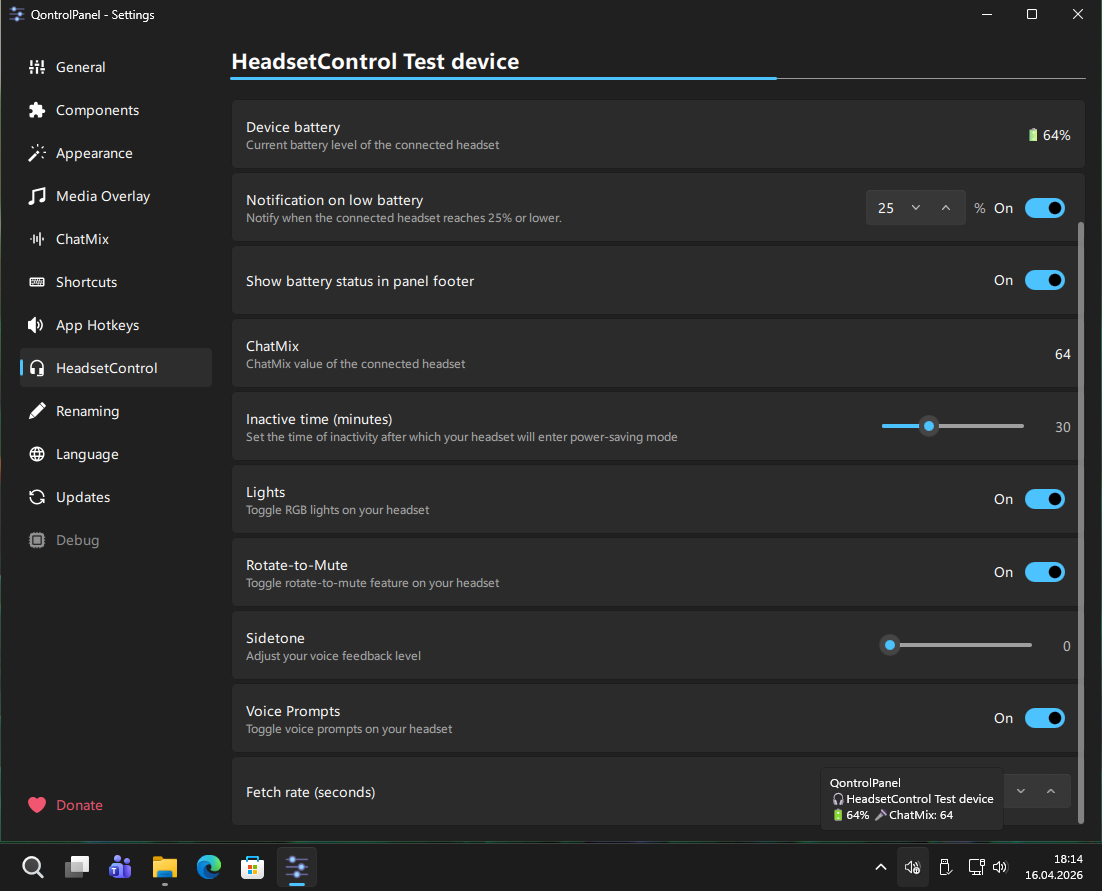 For a list of supported headsets visit