wtop Cingano Development
Use this command to install wtop:
winget install --id=Cingano.wtop -e wtop: A Lightweight Process Viewer for Windows
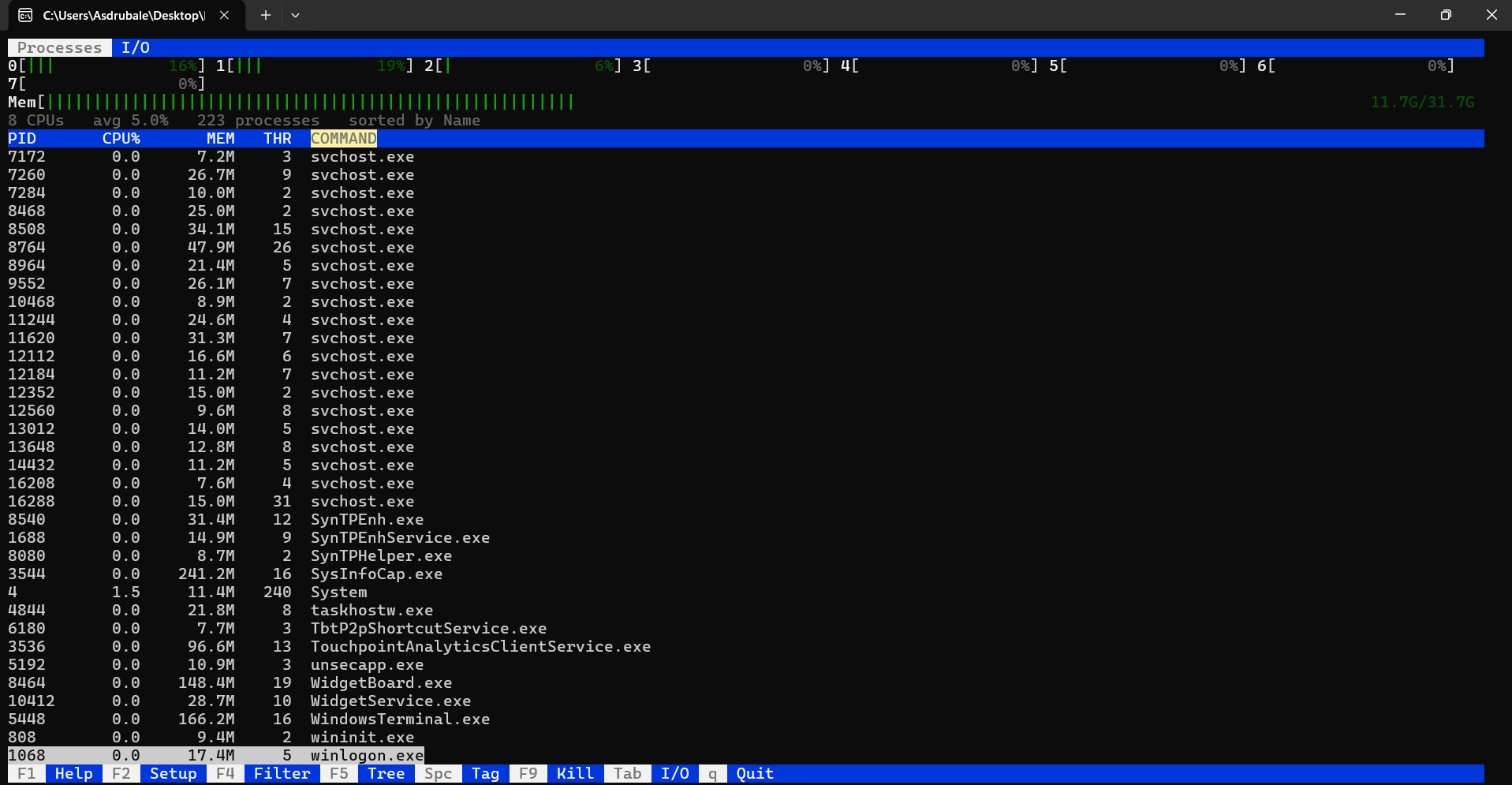
wtop is a powerful process viewer designed to provide real-time monitoring of system processes on Windows. Built using pure C with the Win32 API and C standard library, it ensures minimal dependencies and efficient performance.
Key Features:
- Real-Time Monitoring: Offers per-core CPU meters and a memory meter for detailed insights into resource usage.
- Advanced Process Management: Includes a sortable and filterable process table with tree view functionality to visualize parent-child relationships.
- Process Tagging & Bulk Actions: Users can tag processes and perform bulk actions like killing multiple tagged processes efficiently.
- Detailed Process Insights: Provides comprehensive details on environment variables, open files, registry keys, sockets, and threads for each process.
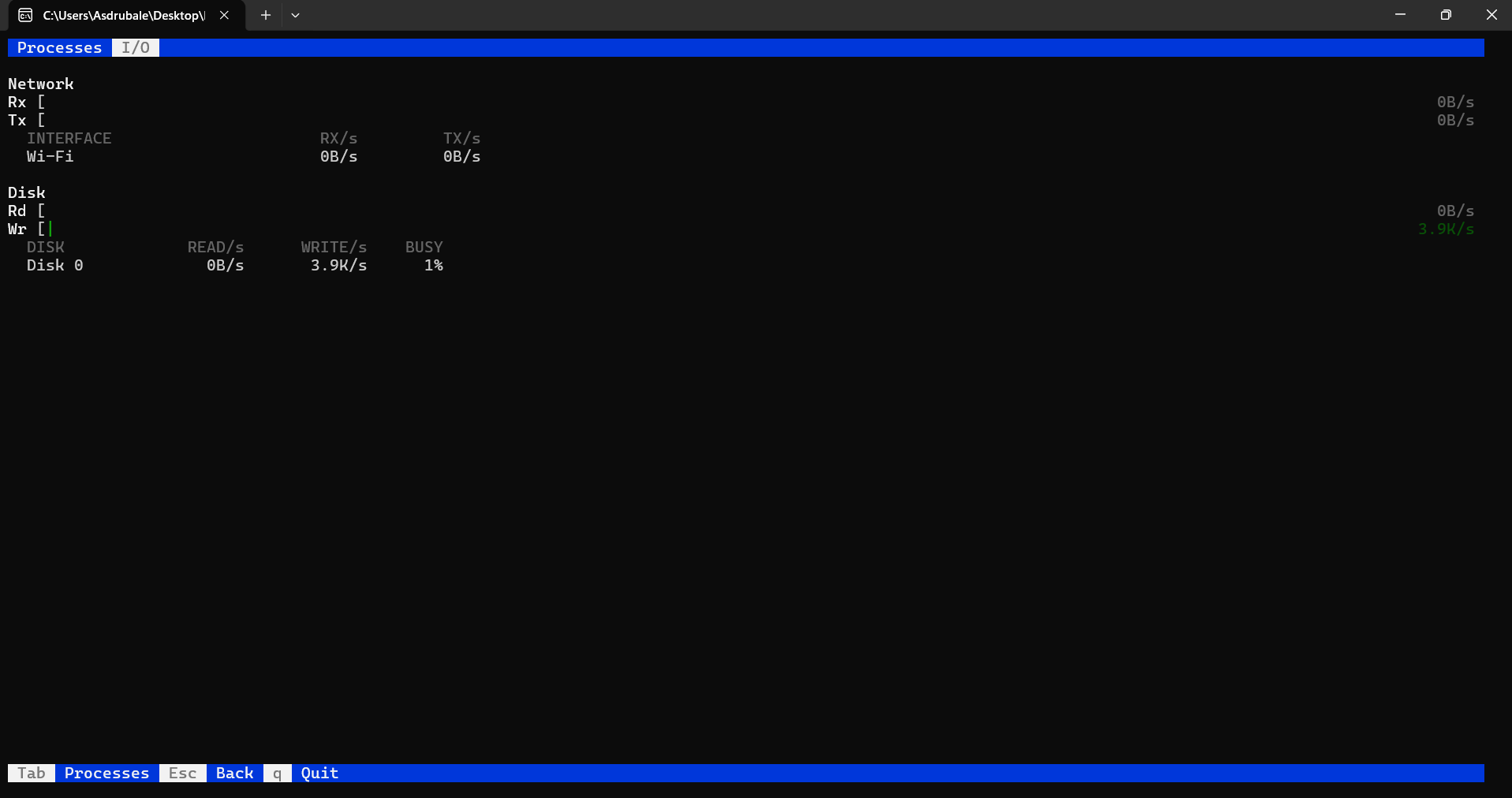
- Network & Disk Monitoring: The I/O tab displays live network and disk throughput, aiding in efficient system resource management.
Audience & Benefits: Ideal for system administrators, developers, and tech-savvy users seeking enhanced system monitoring capabilities. wtop enables efficient troubleshooting of performance issues, optimization of resource usage, and quick identification of problematic processes, thereby improving overall system efficiency.
Install wtop via winget to enjoy its robust features without external dependencies, ensuring a seamless experience on your Windows system.