Use this command to install Sourcetrail 64-bit with WinGet:
winget install --id=CoatiSoftware.Sourcetrail -e
Sourcetrail 64-bit Description
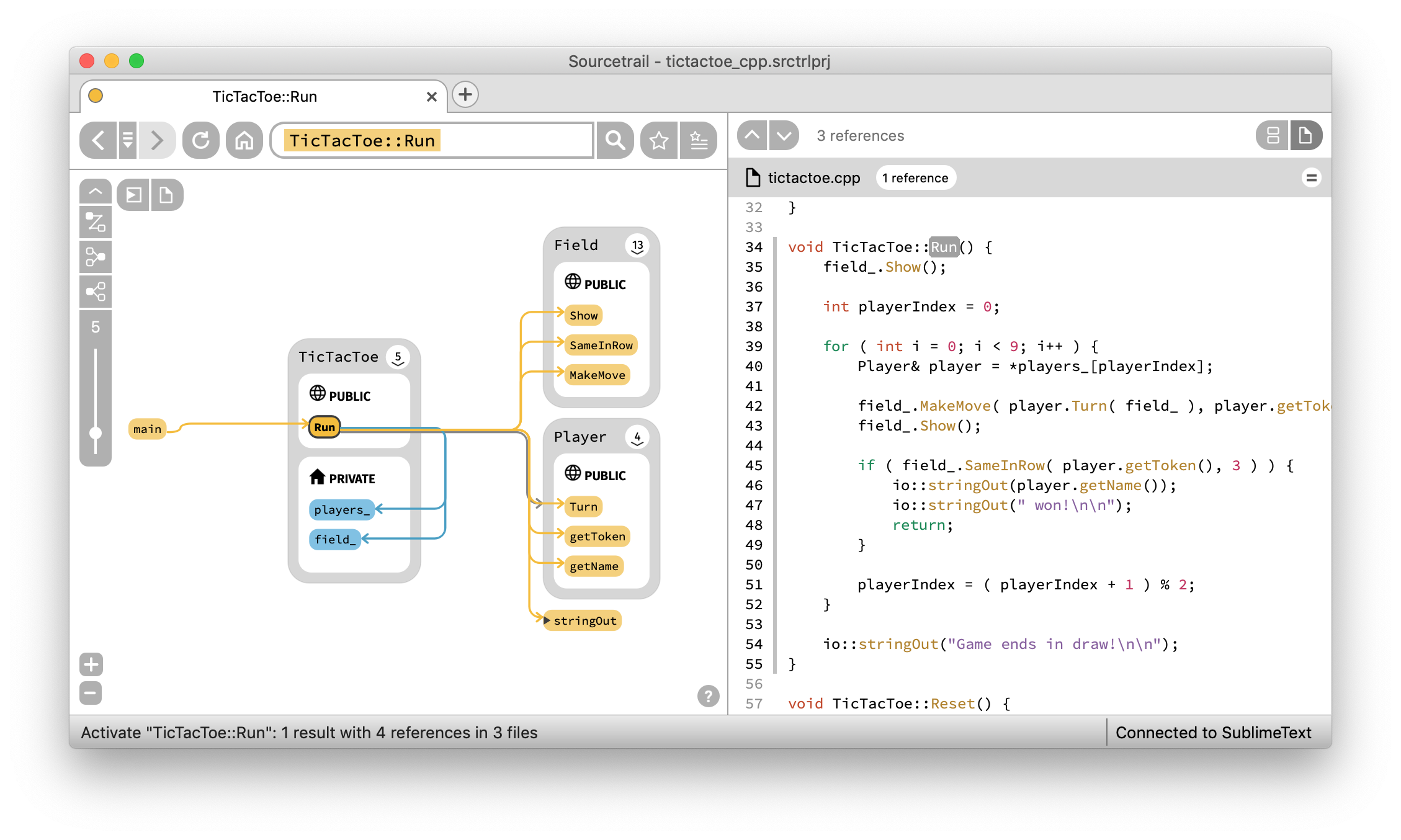
Sourcetrail is a cross-platform interactive source explorer designed to help developers quickly understand and navigate large, unfamiliar codebases. It supports multiple programming languages, including C, C++, Java, and Python, offering an intuitive interface for exploring complex software structures.
Key Features:
Cross-language support for seamless exploration of different programming languages.
Interactive visualization tools that provide clear insights into project architecture and interdependencies.
A language extension SDK enabling the creation of custom indexing solutions for additional languages.
Offline functionality, allowing developers to work without internet access.
Free and open-source software with a user-friendly interface.
Audience & Benefit:
Ideal for developers working with large codebases or those onboarding onto new projects, Sourcetrail helps accelerate productivity by providing clear insights into project architecture and interdependencies. It is particularly beneficial for teams looking to enhance collaboration and efficiency across diverse coding environments.
Sourcetrail can be installed using winget for ease of setup, ensuring a smooth integration into your development workflow.
README
Sourcetrail
Important Note: This project was archived by the original autors and maintainers of Sourcetrail by the end of 2021. If you want to know more about this decision, read more on our blog.
Sourcetrail is a free and open-source cross-platform source explorer that helps you get productive on unfamiliar source code.
offering an SDK (SourcetrailDB) to write custom language extensions
Sourcetrail on Patreon
The open-source development and regular software releases are made possible entirely by the support of these awesome patrons!
Using Sourcetrail
To setup Sourcetrail on your machine, you can either download the respective build for your operating system from our list of Releases and install it on your machine, or use one of the following package managers:
You may want to look out for issues labeled good first issue to find some initial tasks to tackle.
If you are looking for more information about Sourcetrail software development, please refer to our wiki.
How to Build
Building Sourcetrail requires several dependencies to be in place on your machine. However, our CMake based setup allows to disable indexing support for specific languages which reduces the number of dependencies to a minimum.
Building the Base Application
Required Tools
CMake v3.12 (required for Windows, Linux and MacOS)
Reason: Used to generate a build configuration for your build system
$ git clone https://github.com/CoatiSoftware/Sourcetrail.git
$ cd Sourcetrail
$ mkdir -p build/win64
$ cd build/win64
$ cmake -G "Visual Studio 15 2017 Win64" -DBOOST_ROOT= -DQt5_DIR= ../..
Hint: If you are using the CMake GUI, we recommend that you activate advanced mode. Also you may be required to add some of the defines via the "Add Entry" button.
After generating the build configuration, just open the Sourcetrail.sln file that was generated by CMake and build the Sourcetrail project.
On Unix
To set up your build environment run:
$ cd Sourcetrail
$ mkdir -p build/Release
$ cd build/Release
$ cmake -DCMAKE_BUILD_TYPE="Release" -DBOOST_ROOT= -DQt5_DIR= ../..
Now start the build with:
$ make Sourcetrail
Running
Run Sourcetrail from within the build directory. During execution Sourcetrail needs resources from bin/app/data and bin/app/user. CMake creates symlinks within the build directory that make these directories accessible.
Enable C/C++ Language Support
Required dependencies
LLVM/Clang 11.0.0
Reason: Used for running the preprocessor on the indexed source code, building and traversing an Abstract Syntax Tree and generating error messages.
Building: Make sure to check out the correct tag: git checkout llvmorg-11.0.0
Building for Windows: Follow these steps to build the project. Run the cmake command exactly as described.
Building for Unix: Follow this installation guide to build the project. Make sure to build with -DLLVM_ENABLE_RTTI=ON.
Reason: Used to build the Java indexer and make it callable from the C++ code via JNI.
Remarks: Make sure that /bin is available in your PATH environment variable and that the JAVA_HOME environment variable is set:
JAVA_HOME=/jdk1.x.x_xxx
Maven
REASON: Used within Sourcetrail's automated tests.
Remarks: Make sure .../apache-maven-x.x.x/bin is available in your PATH environment variable and that both M2_HOME and MAVEN_HOME environment variables are set:
Reason: Used for indexing the java sample project that ships with the package.
WinRAR
Reason: Used for creating the final zip files for the installer and the portable package.
Remarks: Make sure to add /WinRAR to your PATH environment variable.
Building
Run ./script/deploy_windows.sh from your Developer Command Prompt for Visual Studio. The script which will generate a 64bit build and packages it into a portable .zip file and a Wix-based Windows installer, each.
macOS
After building, run the bundle_install.sh script within the build directory which will create a Sourcetrail.app bundle and generate a Sourcetrail_.dmg container.
Linux
Run ./setup/Linux/createPackages.sh from the main directory, which creates both a .tar.gz and a .AppImage package in the main directory. Packaging depends on linuxdeployqt.
How to Run the Tests
The automated test suite of Sourcetrail is powered by Catch2. To run the tests, simply execute the Sourcetrail_test binary. Before executing, please make sure to set the working directory to ./bin/test.