ExoSnap
Record your screen. Keep your audio separate. Know what happened.




A Windows screen recorder for gameplay, software demos and everyday capture. NVIDIA hardware encoding, multi-track audio, HDR10, lossless trimming and recording diagnostics. Your recordings stay on your machine. No account required.
Download · Quick start · Formats · Known limitations · Roadmap
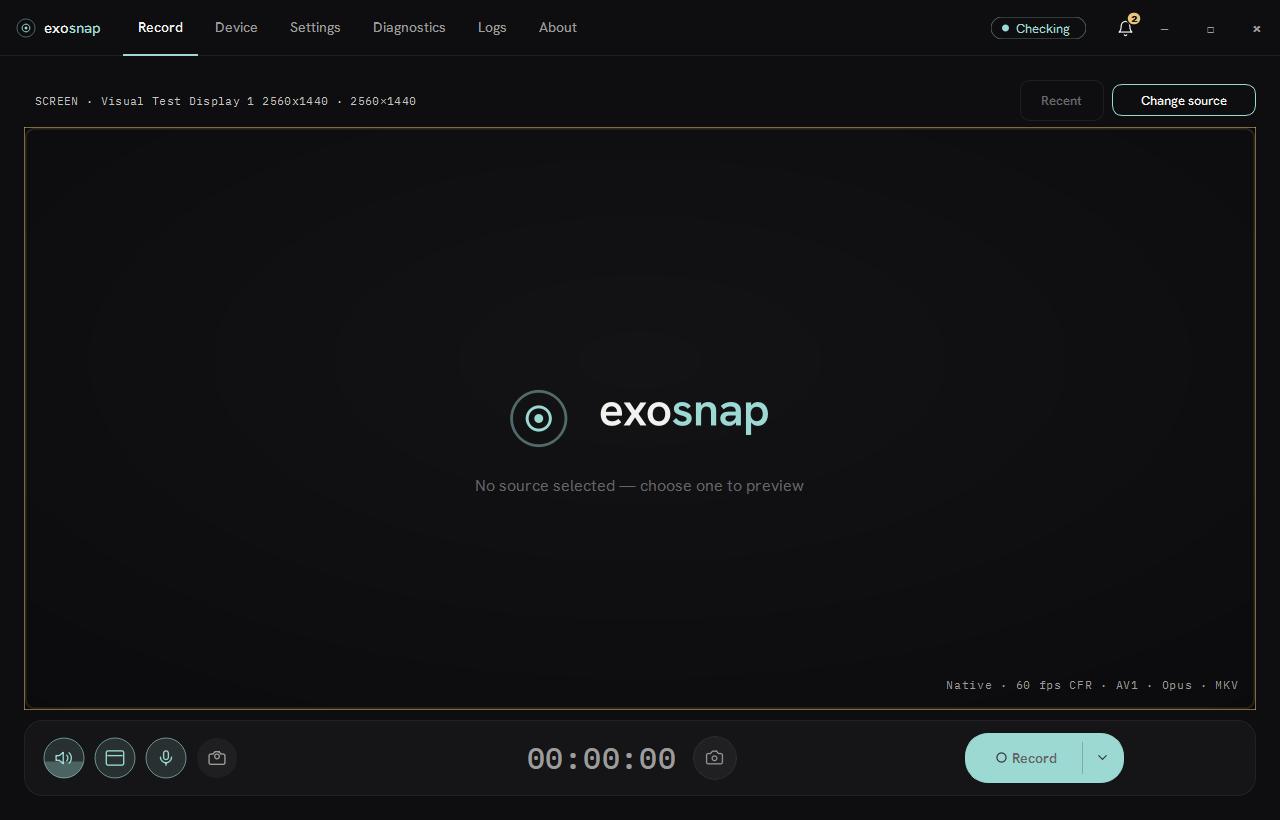
> Windows preview, before 1.0. Requires Windows 10/11 x64 and an NVIDIA GPU with NVENC.
> Windows 11 is the primary target; Windows 10 is best-effort. AMD, Intel and CPU encoding
> are not supported yet. Settings and preset formats may change between preview releases.
What you can do
| Workflow | What ExoSnap provides |
|---|
| Record a demo or a game | Capture a display, application window or region; include the cursor and a webcam overlay. |
| Keep control of the audio | Record application, system and microphone audio to separate tracks, or merge selected sources. |
| Choose the output | H.264, HEVC or AV1 with compatible MKV, MP4 or WebM output; resolution and frame-rate controls. |
| See problems early | Readiness checks before recording, live drop/drift/storage monitoring, and a report after stopping. |
| Keep a long session manageable | Split recordings by time or size; recover interrupted sessions on the next launch. |
| Prepare a short clip | Play back, scrub, trim at keyframes and export without re-encoding; keep markers in a JSON sidecar. |
Your first recording
- Download ExoSnap Setup (
ExoSnap--Setup.exe) from Releases and run it. The offline setup installs the required Microsoft Visual C++ runtime when it is missing, then ExoSnap. Administrators and package managers use the MSI (ExoSnap--windows-x64.msi); for a no-install build use the portable ZIP and keep its files together.
- Choose a screen, window or region. Select the application/system audio and microphone sources you want.
- Review the readiness status. ExoSnap explains blockers before you start and offers a fix where possible.
- Press Record, or use the default Alt+Shift+R start/stop hotkey. Hotkeys are configurable.
- Stop the recording and review the result. Open it in the built-in editor for a lossless trim if needed.
The built-in profile starts with MKV, AV1, Opus and 60 fps CFR. On first start, the video codec is reconciled to the best available encoder on your GPU: AV1, then HEVC, then H.264. Recordings default to the Windows Videos known folder plus ExoSnap, respecting folder redirection. The destination is configurable.
The Microsoft Visual C++ 2022 x64 Redistributable is required. Setup installs it when missing; the MSI refuses to install without it and says what to install; the portable ZIP expects it on the machine. If startup reports a missing runtime DLL, install it from Microsoft. Current Setup, MSI and portable builds are unsigned, so Windows SmartScreen may warn on first launch. See the portable guide for setup and storage details.
Container compatibility
These are the offered combinations, not a list of everything the underlying codecs could theoretically mux.
| Container | Video | Audio | When to use it |
|---|
| MKV | H.264, HEVC, AV1 | AAC, Opus, PCM, FLAC | Flexible recording, separate audio tracks and lossless audio. |
| MP4 | H.264, HEVC (hvc1) | AAC | Output for compatible players and editors; delivered by remuxing after capture. |
| WebM | AV1 | Opus | AV1/Opus output in a WebM container. |
NVENC availability depends on your NVIDIA GPU and driver. RTX 20-series or newer is recommended, but not every GPU supports every codec. HEVC, hvc1 and 10-bit paths work end-to-end but have not been validated across every NVIDIA generation. AV1-in-MP4 is not offered. Use MKV or WebM for AV1. PCM and FLAC are MKV-only. Unsupported combinations are reconciled or blocked before recording.
Picture and pacing
| Setting | Available options |
|---|
| Output size | Native source size, 720p, 1080p, 1440p or 2160p, with aspect-preserving scaling. |
| Frame-rate presets | 24, 30, 48, 50, 60, 90, 120, 144, 165 and 240 fps; Expert mode accepts custom values within its display-derived range. |
| SDR | BT.709 with Full/Limited color range; Limited is the default. |
| HDR10 | Native PQ/BT.2020 recording from compatible monitor or window/game sources, using HEVC or AV1 and a 10-bit path. |
| Bit depth | 8-bit; 10-bit P010 for HEVC Main10 and AV1. |
| Chroma | 4:2:0 by default; Expert 8-bit 4:4:4 for H.264/HEVC on compatible GPUs. No AV1 4:4:4, 10-bit 4:4:4 or 4:2:2. |
60 fps is the default, not the maximum. Presets above the fastest attached display's refresh rate remain visible but disabled. A selected rate is not a throughput guarantee: capture, encoder, storage and source refresh still determine what can be sustained. CFR may duplicate or drop frames to keep time.
HDR desktops record as tone-mapped SDR by default. Native HDR10 is an explicit option and needs compatible hardware and playback software. See Known limitations for the precise support boundary rather than assuming every combination works on every system.
Audio that stays editable
Application sound, system audio and microphone input have independent routing. Keep them on separate tracks to adjust narration and game audio later, or merge a source into the track above it. Each track has gain and mute controls. The mixed bus has a brickwall limiter enabled by default.
Optional microphone processing includes a high-pass filter, noise gate, automatic gain control and RNNoise suppression. Each stage is individually switchable and off by default. Opus and AAC cover compressed audio. MKV also supports lossless PCM and FLAC.
Recording health and recovery
- Before recording: check encoder capability, disk space and configuration compatibility. Diagnostics distinguishes blockers from notices and provides a concrete remedy where available.
- During recording: monitor frame drops, audio/video drift, remaining storage and pipeline load. Recording overlays are visible to you and excluded from supported capture paths.
- After recording: inspect the session report, play the clip and trim it without another encoding pass.
- After an interruption: the next launch offers recovery for interrupted sessions. Already finalized MKV/WebM split segments remain usable; an interrupted active segment may not be recoverable.
MP4 delivery uses stream-copy remuxing from the recording, avoiding a second video encode. Low-disk checks account for the temporary space needed while both files exist. Splitting can be triggered by time or size, with per-segment background MP4 remux as each segment completes.
The editor supports keyframe-accurate lossless trim, not arbitrary frame-accurate cuts or a multi-track editing timeline. Marker export is a JSON sidecar, not embedded chapters. There is no replay buffer in the current preview.
Local by default
Recordings are never uploaded or processed in the cloud. There is no account and no analytics telemetry. Update checks use public GitHub Releases. Crash reports require consent. Structured events are scrubbed; native minidumps can contain executable module paths, as disclosed in the privacy policy. Automatic checks are off by default in all builds; self-builds additionally lack the official production-feed/upload configuration. Update installation is visible and user-controlled, with verified downloads and explicit failure/restoration states.
Read Privacy for the network and storage details, and Security for reporting security issues. For recording bugs, include the app version, GPU/driver, capture source and selected format in an issue. Review logs before sharing them.
Build and contribute
ExoSnap uses a C++ recording engine and Qt 6 / Qt Quick UI, with D3D11 capture/composition, NVIDIA NVENC and FFmpeg. Recording policy and capability checks live in C++. QML handles presentation.
Requires Windows, Visual Studio 2022 with Desktop development with C++, CMake 3.27+ and Git.
git clone https://github.com/Exoridus/exosnap.git
cd exosnap
git switch -c my-change origin/main
cmake --preset windows-x64-debug
cmake --build --preset windows-x64-debug-exosnap
cargo exo-dev test --filter recorder_core.
Use cargo exo-dev verify --fast for scoped iteration and cargo exo-dev verify --full for the complete local gate before pushing. Hooks use the same entry point. Work on a branch and submit a pull request. main is updated through merges. Follow AGENTS.md for repository rules.
License and acknowledgements
ExoSnap is GPL-3.0-or-later. See LICENSE. FFmpeg is distributed as LGPL-2.1-or-later shared libraries. Component licenses are listed in Third-party notices. The binaries come from exosnap-ffmpeg-build.