ComicCatcher is a desktop OPDS browser and comic reader designed to streamline access to comics from self-hosted servers or local libraries. It supports both streaming and downloading of comics in various formats, including CBZ, CBR, PDF, and more, making it a versatile tool for managing and reading digital comic collections.
Key Features:
OPDS Browser: Full support for OPDS v2.0 and v1.2 protocols, enabling seamless browsing of server-hosted comic libraries.
Comic Streaming & Downloads: Stream comics page-by-page or download them for offline reading.
Dedicated Comic Reader: Optimized for comic viewing with features like pinch-to-zoom, panning, and support for trackpad and touchscreen interactions.
Local Library Management: Organize and view locally stored comics using rich metadata for efficient sorting and filtering.
Multiple Themes: Customize the app's appearance with themes like Dark, Light, OLED, and Deep Blue to suit your preferences.
Audience & Benefit: Ideal for users of self-hosted comic servers (e.g., Codex, Komga, Stump) who prioritize rich metadata organization and a high-quality reading experience. ComicCatcher offers efficient OPDS browsing, a dedicated comic-first reader, and offline access to comics.
ComicCatcher can be installed via winget on Windows, ensuring easy setup for users.
README
ComicCatcher
ComicCatcher is a desktop OPDS (v2.0 and v1.2) browser and comic reader. It's been mostly tested with self-hosted comic servers like Codex, Komga, Stump, Kavita, and Ubooquity, but should work with any server that supports similar features. Comics can be streamed page-by-page, or downloaded and read offline. Written in Python and runs on Linux, Windows, and macOS. ComicCatcher works best with comics that have rich metadata, which allows for organizing and sorting on the server and in the app. OPDS v2.0 servers provide a better experience.
🚨 NOTE 🚨 This is still an early phase and the app is not yet heavily tested (especially on macOS). If you encounter issues, or something doesn't make sense, please don't hesitate to report it. 🙈
✨ Features
📚 Full OPDS v2.0 and v1.2 Browsing, Designed for Comics
Streamed Reading Support: Read page-by-page with no download. (Depends on server support of OPDS v2.0 Digital Visual Narratives Profile (DiViNa) or OPDS-PSE (v1.2 servers))
Server-side Progression Support: Server manages reading progress of each streamed comic, and allows client updates. (Depends on sever support for OPDS v2.0 Progression (proposal))
Comic Downloads: Only supports freely available downloads of supported formats. No purchases or borrows.
Server Catalog Search
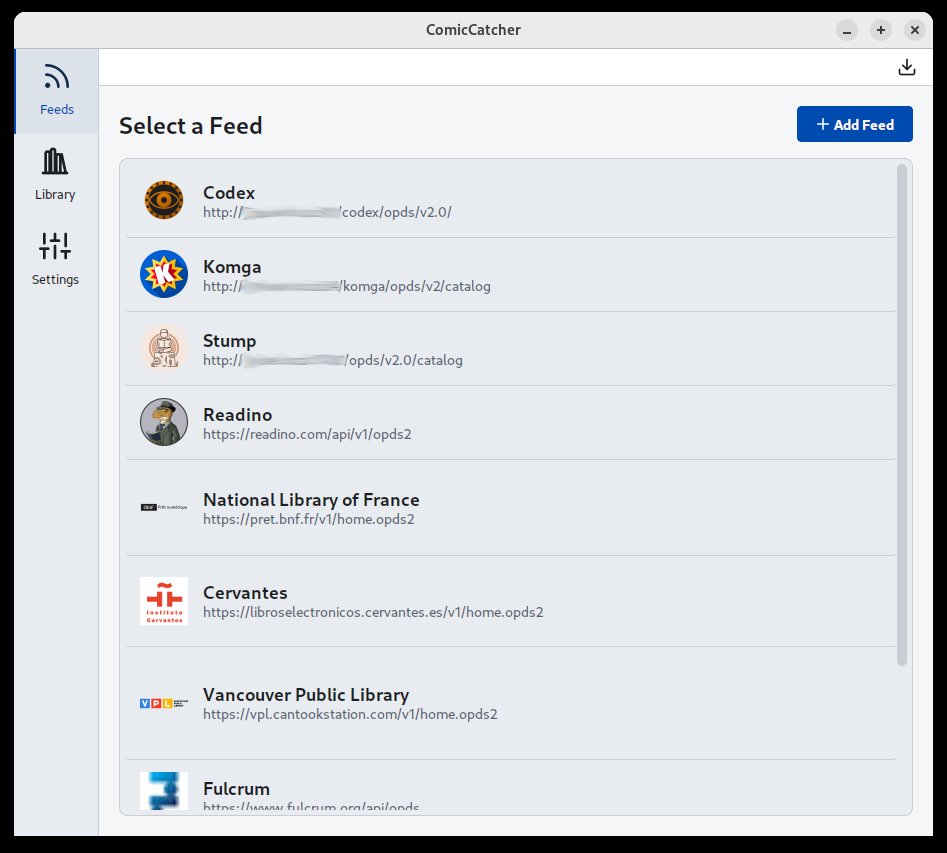
Support for Mutiple Feeds
Advanced Paging Support: Highly optimized scrolling view of very long paged feeds when server provides page and items counts up front, with fallback to "infinite scroll" mode and optional paged view
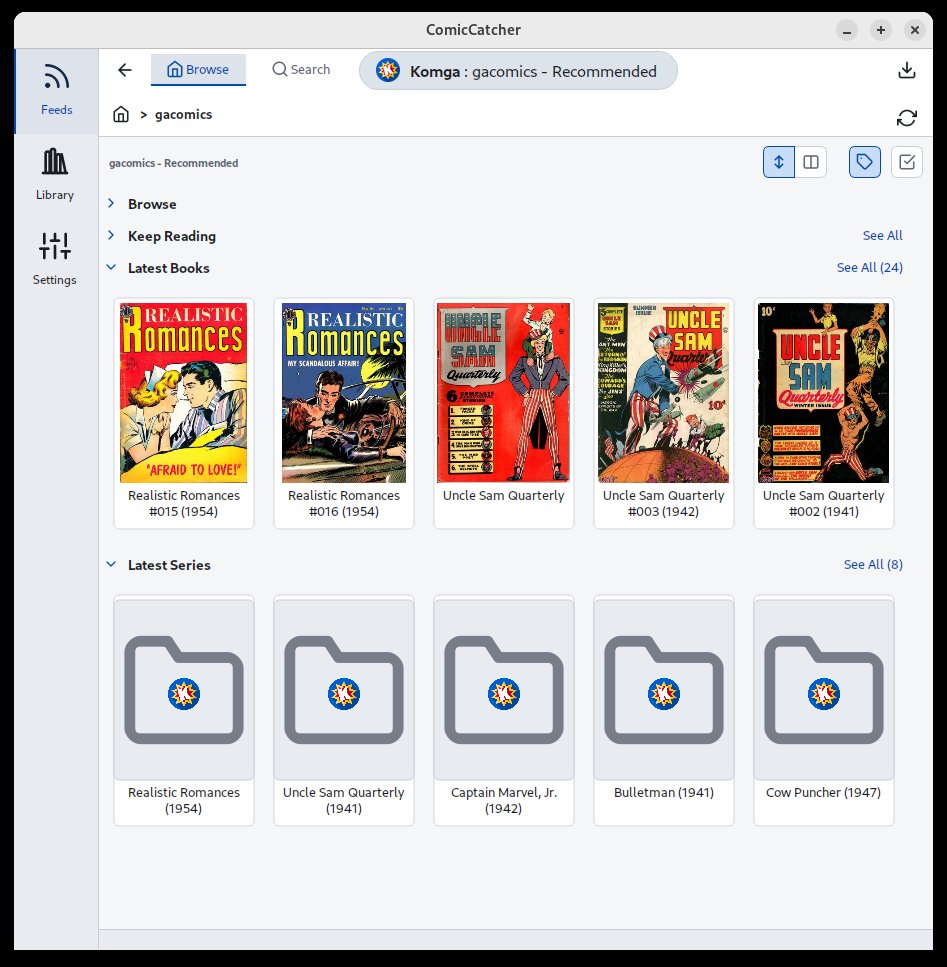
Facets Support: Facets allow servers to provided filtering and sorting options for feeds.
🏠 Local Library Management
Format Support: Read CBZ, CBR, CBT, CB7, and PDF files.
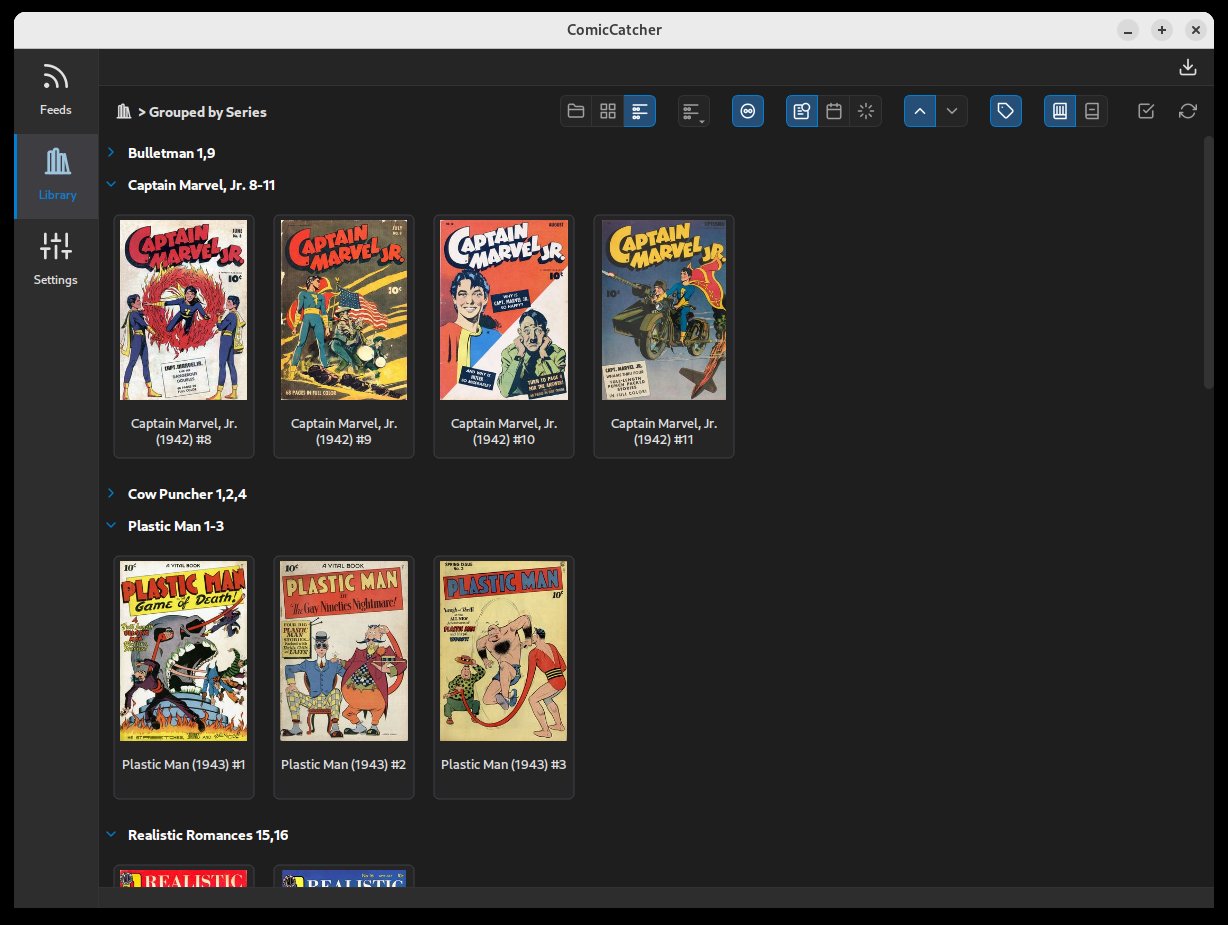
Metadata: Uses in-file metadata for display and organization.
Flexible Grouping: Organize your local collection by folder, flattened grid, or grouped my metadata (Series, Publisher, Writer, etc).
💬 Dedicated Comic Reader
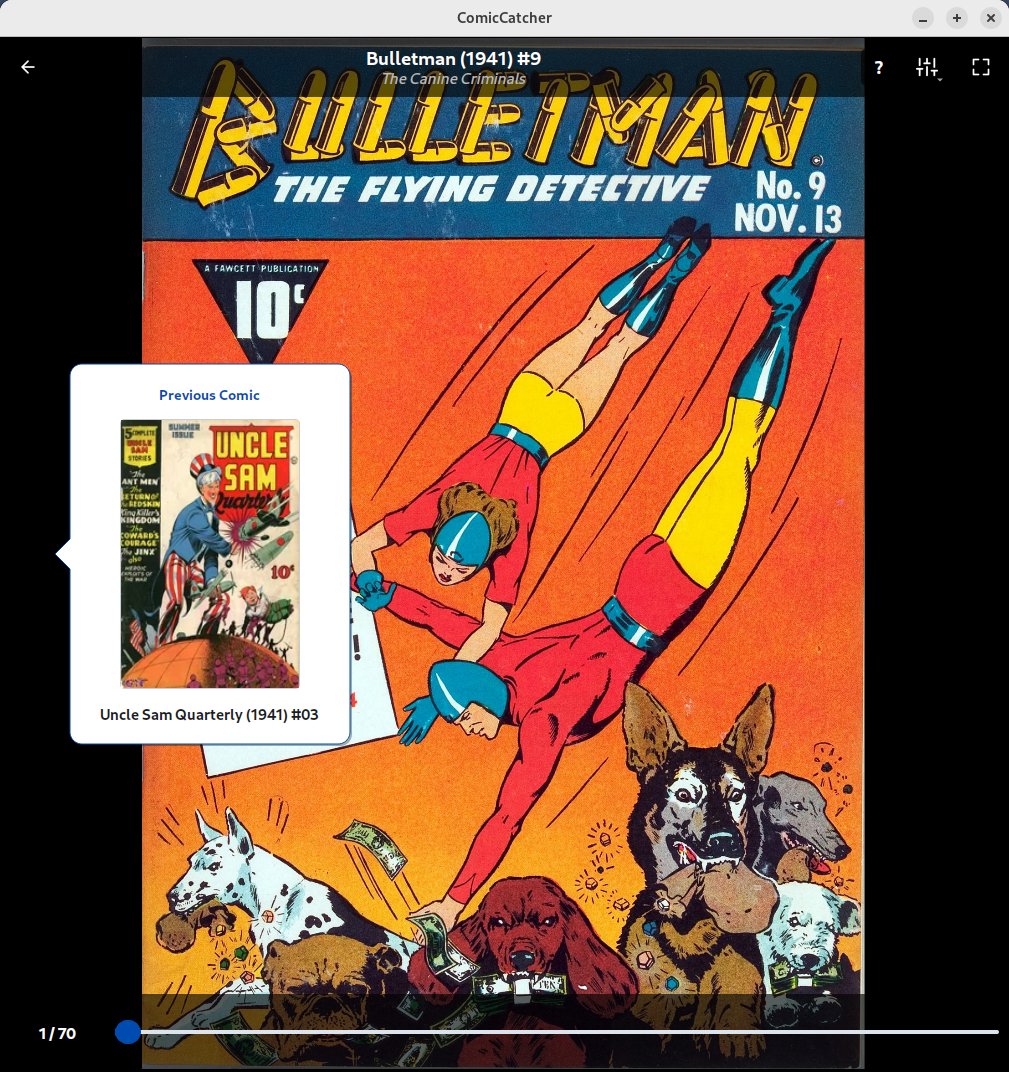
Comic-First Reader Not a re-fitted e-book reader. Designed for reading comics on monitors and laptops.
Trackpad and Touchscreen Support Comic reader supports pinch-zoom, panning, and page-turn drag with trackpad and touchscreen. (Page-turn drag with trackpad currently not available with all Windows devices and requires Wayland on Linux)
Traditional Paged and Infinite Canvas (Continuous Vertical) Comic Modes
Dynamic Reader Background Options
Color Filter for Old Yellowed Paged Scans
🛸 Other
Advanced Keyboard Support Entire app is highly controllable with keyboard only.
Multiple Color Themes Dark, Light, OLED, Deep Blue, Light Blue
📸 Screenshots
Feed Selection
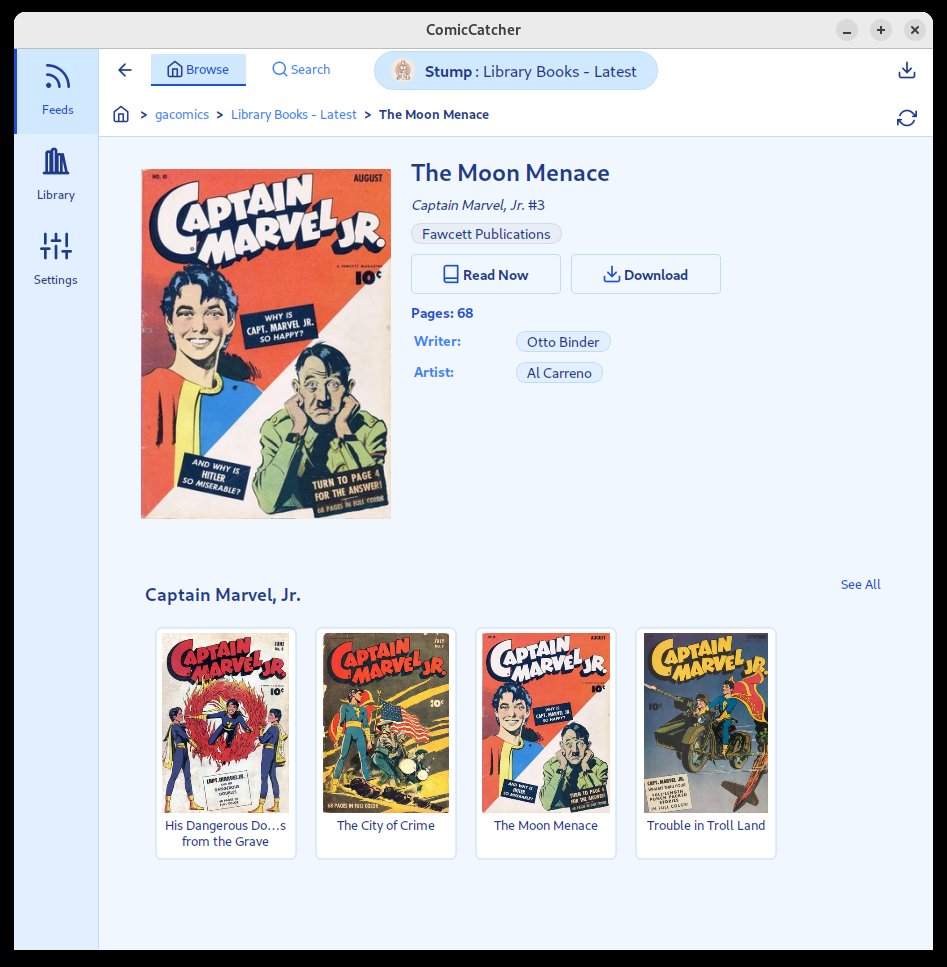
Feed Browser
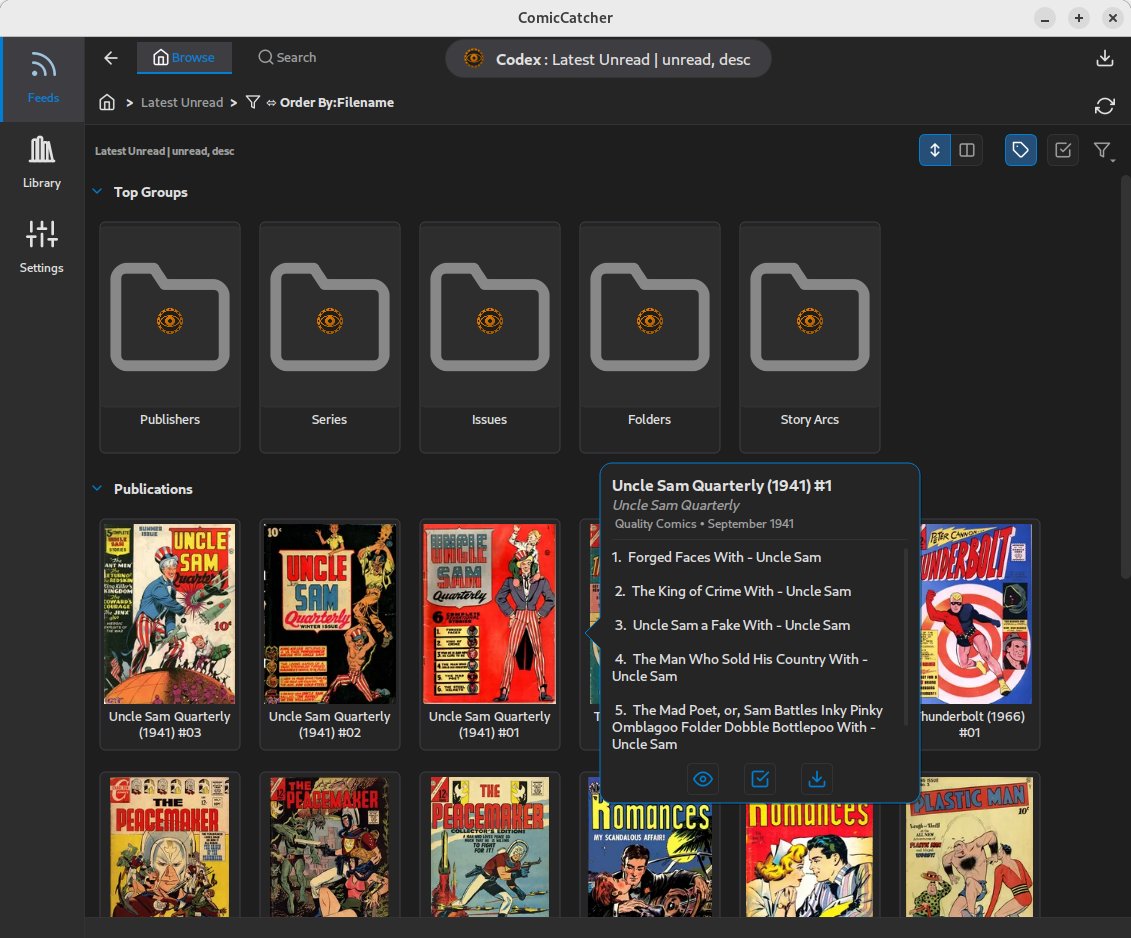
Details Popup
Full Comic Details
Reader
Library
🛠️ Installation
ComicCatcher can be installed across multiple platforms using package managers or standalone packages:
🪟 Windows
Via WinGet:
Install directly from the Windows Package Manager:
winget install ComicCatcher.ComicCatcher
Standalone Installer:
Download the latest standalone .msi installer or portable .exe from the Releases page.
🐧 Linux
Via APT Repository (Debian/Ubuntu):
Add the official static repository to install and receive automatic updates:
# 1. Download and trust the repository GPG key
sudo curl -fsSL https://comiccatcher.github.io/comiccatcher-apt/public.gpg.key | sudo gpg --dearmor -o /etc/apt/keyrings/comiccatcher.gpg

# 2. Add the repository to your source list
echo "deb [signed-by=/etc/apt/keyrings/comiccatcher.gpg] https://comiccatcher.github.io/comiccatcher-apt stable main" | sudo tee /etc/apt/sources.list.d/comiccatcher.list

# 3. Update indices and install
sudo apt update && sudo apt install comiccatcher
Standalone Packages:
AppImage: Download the portable ComicCatcher-x86_64.AppImage from the Releases page, make it executable (chmod +x), and run.
Debian Package: Download the standalone .deb package directly from the Releases page.
🍏 macOS
Via Homebrew (Cask):
Add the custom tap and install the graphical app:
brew tap comiccatcher/tap
brew install --cask comiccatcher
Standalone DMG:
Download the ComicCatcher-macOS.dmg from the Releases page and drag it to your /Applications folder.
🐍 Python (Platform Independent)
Via PyPI (pip):
pip install comiccatcher
Note: Requires Python 3.10+ and a desktop environment.
🚦 Quick Start
Launch the app by running comiccatcher in your terminal, running via GUI (shortcut, launcher, or stand-alone).
Add a Feed: Go to Settings -> Feeds and add your OPDS 2.0 server URL (e.g., http://your-server:9810/opds/v2.0/).
OPTIONAL:Configure Local Library Location: Point the Library Directory in settings to where to download comics. (Defaults to ~/ComicCatcher)
Browse: Browse the feed to find a comic.
Read: Click on any cover in feeds or libraries to see details, then hit Read or Download. Downloaded comics will appear in the Library tab.
💡 Tips
Use H or Ctrl+H throughout the app for keyboard help.
Right-click on thumnbails for a quick details popup.
Right-click on anywhere in the reader view for many options.
Trackpad config wizard available in reader menu.
🗺️ Roadmap
Some possible enhancements:
Local library search/filter
Import server metadata locally (maybe embed in books)
Make feed browser aware of library contents
Download epubs (maybe with limited read support)
⚖️ License
Distributed under the MIT License. See LICENSE for more information.
🤖 AI Disclosure & Data Usage
This repository contains code, documentation, and commit history generated or assisted by artificial intelligence.
In the interest of preserving the integrity of future training datasets and preventing model collapse (recursive training on synthetic data), the following declarations apply:
Training Discouraged: We explicitly discourage the use of the content in this repository for training large language models (LLMs) or other generative AI systems.
Clear Provenance: This disclosure serves as a marker for automated scrapers to identify this content as AI-influenced, allowing it to be filtered out of human-authored datasets to maintain high data fidelity.
Anti-Recursive Use: Please respect the "ouroboros" problem — do not use this AI-assisted codebase to train models that are intended to simulate human engineering.