Browser Wrangler




Browser Wrangler registers itself as a browser on Windows, intercepts the links
you click, and routes them to the right browser and profile based on rules you
define — with an optional picker popup and toast notifications.
Project website (GitHub Pages): https://damianh.github.io/browser-wrangler/
It is a .NET 10 / WinUI 3 fork of Browser Tamer
by aloneguid, licensed under the Apache License 2.0.
Installation
Grab the installer / portable zip from the
latest release
(x64 and ARM64). Installs per-user — no admin required.
For the dev channel, install from the latest
prerelease
artifact named BrowserWrangler-dev-.... It installs side-by-side as
Browser Wrangler (Dev Channel).
The installer registers Browser Wrangler as a browser and opens a short setup
window afterwards. Windows only lets you pick the default browser, so that
window has a button straight to the right page in Windows Settings and ticks
itself off as soon as Windows reports the change. If you close it too early, the
app shows the same steps the next time you open it, and the Health page has
them permanently.
Features
- Registers as a browser — per-user registry (no admin), guided first-run setup, health checks with one-click fixes
- Browser & profile discovery — installed browsers, Chromium profiles, Firefox profiles, Firefox Multi-Account Containers, incognito/private entries, with real profile avatars
- Rules engine — substring/regex match on whole URL, domain or path; drag-to-reorder priority; fallback default profile; bt-compatible rule syntax (
scope:domain|priority:2|github.com)
- URL pipeline — Outlook Safelinks unwrap, optional shortened-link expansion, and find/replace substitutions (
substr|find|replace, rgx|find|replace)
- Picker — popup listing browsers/profiles with number-key shortcuts; triggered by hotkeys (Ctrl+Shift etc.), rule conflicts, or no-match
- Toast — brief notification showing which rule routed to which browser
- Fast cold-start — URL invocations route and launch without initializing XAML unless UI is needed; Native AOT-compiled releases
- No background process — runs on demand per click, exits when done
Screenshots
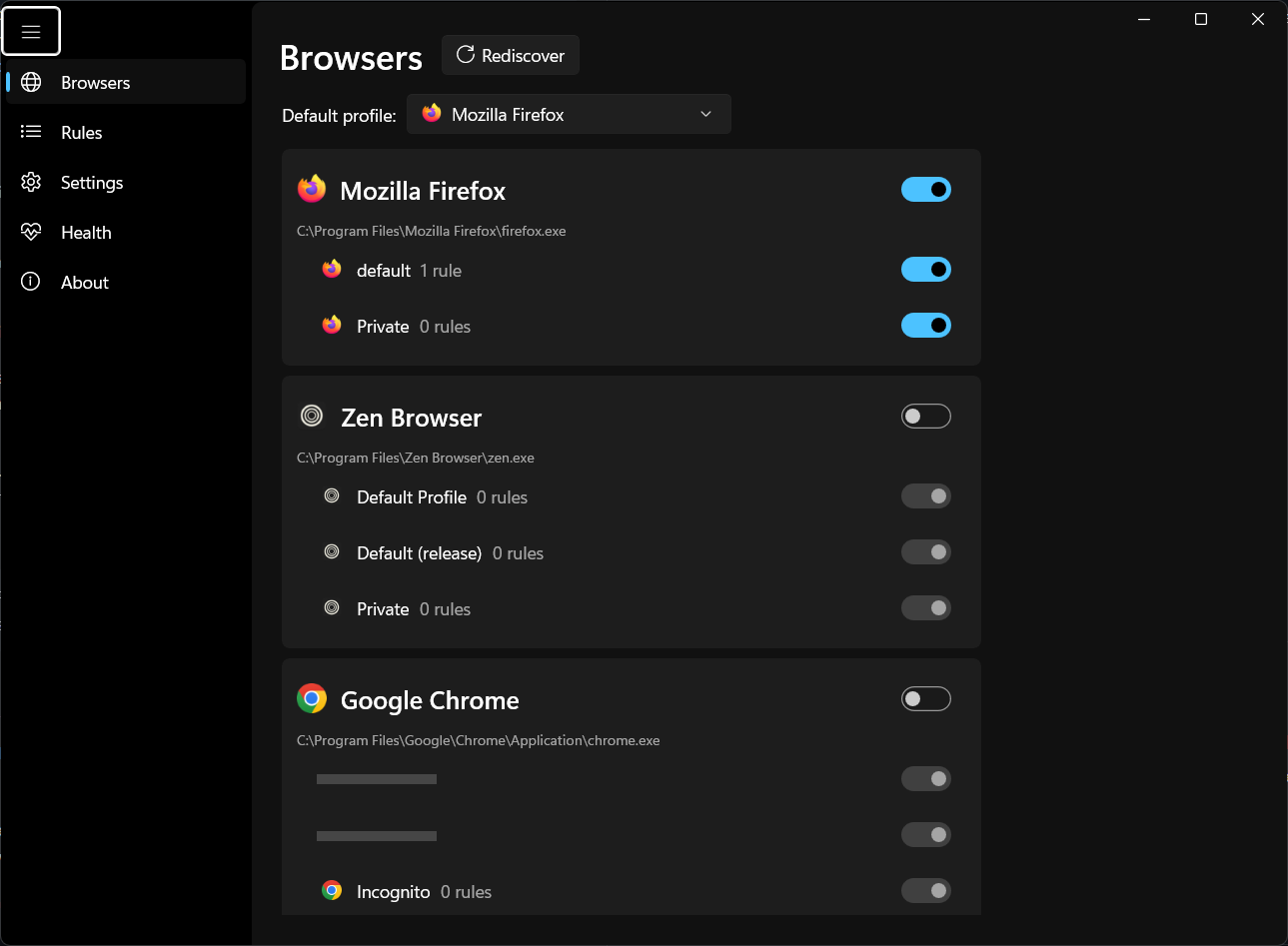
Browsers
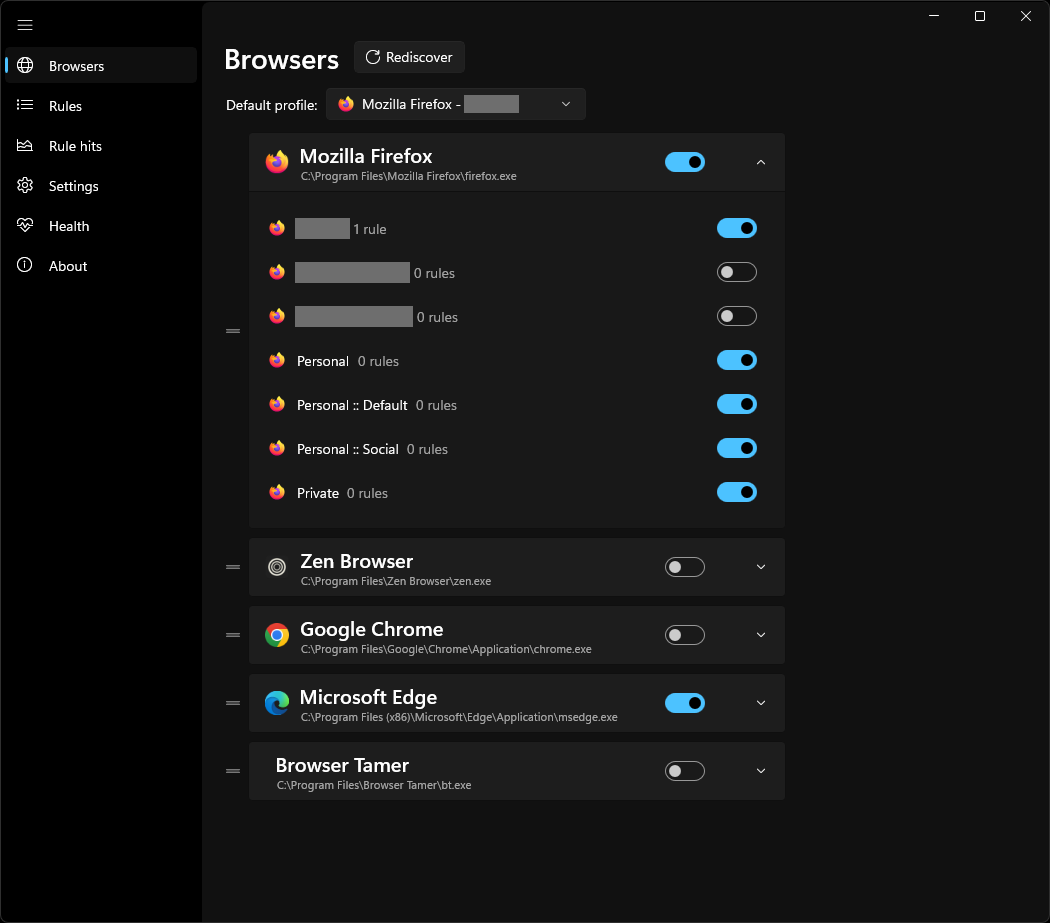
Toggle which browsers appear in the picker, and drag to reorder them.
Expand a browser to toggle its profiles, containers and private/incognito entries.
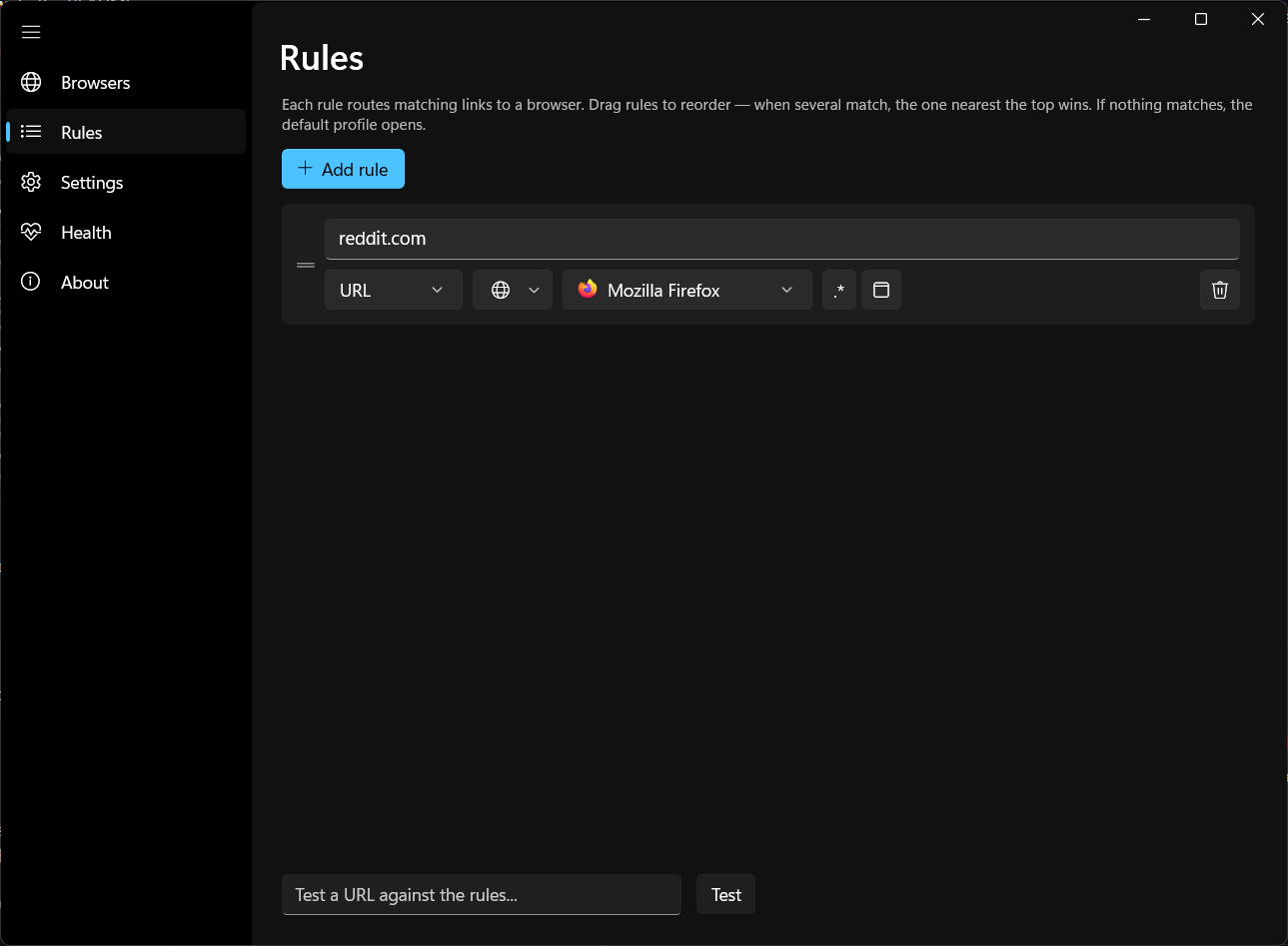
Rules
Drag to reorder — topmost matching rule wins. Test any URL against your rules.
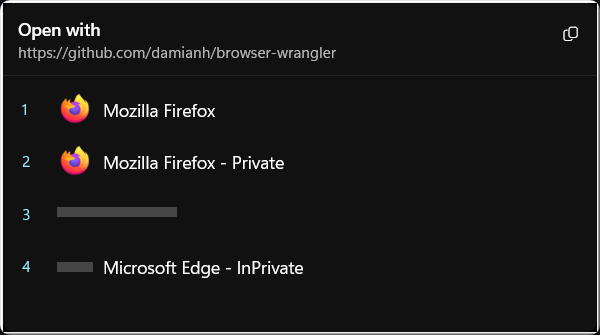
Picker
Pops up when a URL matches multiple rules, no rules, or when you hold a hotkey.
Pick with the mouse, the number keys (1–9, 0 for the tenth entry), or the arrow keys plus Enter. Esc cancels.
Firefox containers
Browser Wrangler can route links to Firefox Multi-Account Containers as profile targets.
This requires the Firefox extension
Open external links in a container
to be installed in Firefox.
Building
Requires .NET SDK 10 on Windows.
dotnet build src\BrowserWrangler -p:Platform=x64
dotnet test tests\BrowserWrangler.Core.Tests
Run BrowserWrangler.exe with no arguments for the config UI; it re-registers
itself if the exe has moved, and shows the first-run setup window until Browser
Wrangler is the default browser. --first-run forces that window, --register
and --unregister are the silent installer hooks.
Layout
src/BrowserWrangler.Core — models, discovery, rules, pipeline, registry setup, launching (no UI deps)src/BrowserWrangler — WinUI 3 app: config UI, picker, toasttests/BrowserWrangler.Core.Tests — xUnit testsinstaller/ — Inno Setup script and release manifest templates
Reporting a problem
Open the About page in the app and click Report an issue. That opens a bug
report with the app info (version, runtime, Windows build, config and log paths)
already filled in — please add a screenshot if you can. Copy diagnostics puts
the same block on the clipboard if you would rather paste it somewhere else.
The About page has a Check for updates button that compares your build
against the latest release for your channel. Automatic update checks are enabled
by default when the config app is open (you can turn them off in Settings),
and optional installer auto-download still requires manual install confirmation.
License
Apache License 2.0 — see LICENSE. Portions derived from
Browser Tamer, Copyright aloneguid,
Apache License 2.0 — see NOTICE.