APRS Client
Cross-platform desktop client for aprsnet.uk — Windows 10/11 and Debian/Ubuntu Linux.
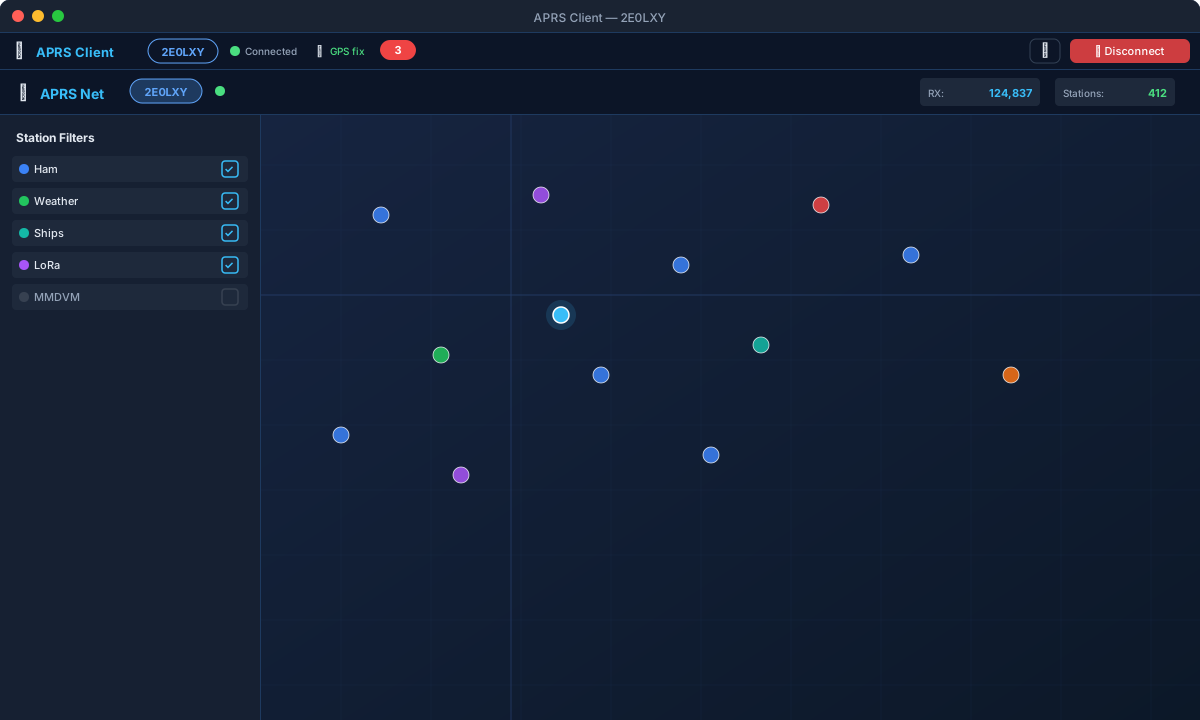
Built with Electron: wraps the full server web UI in a native desktop application with system tray, native OS notifications, GPS positioning, auto member login, two-way filter persistence, real-time settings sync, and persistent appearance settings.


Also available on
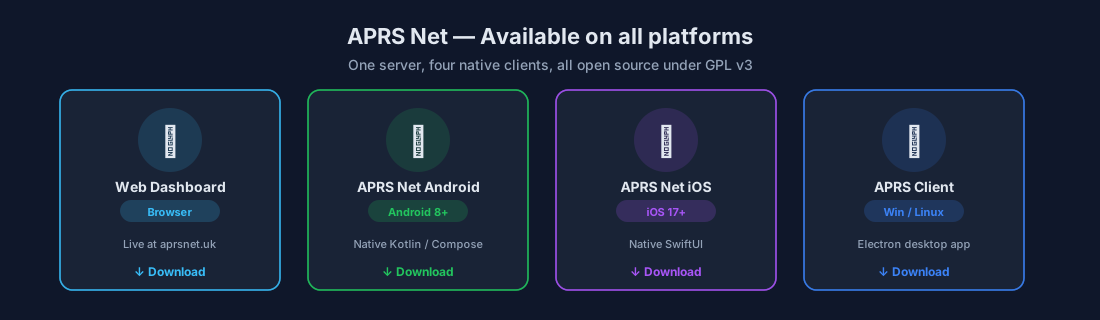
Download
See Releases for:
APRS.Client.Setup.x.x.x.exe — Windows 10/11 NSIS installeraprs-client_x.x.x_amd64.deb — Debian/Ubuntu package
Features
Full aprsnet.uk Web Dashboard
The complete server web UI runs inside the app — everything available at www.aprsnet.uk is available here:
- Live APRS station map with clustering, trails, PHG range circles, solar day/night terminator
- TOCALL-based station classification (LoRa, MMDVM/DMR, OGN, CWOP weather)
- Station type filters and sub-filters; station ghosting; auto-fit zoom
- Smart search (Ctrl+K) — searches callsigns, comments, messages, devices
- Time-lapse replay — rewinds station history at 10×–240× speed
- Station detail modal with history, packet log, path tabs, QRZ.com profile
- Messages centre — conversations inbox sidebar, thread view, compose bar, 5-row traffic log
- Weather dashboard, UK Met Office severe weather warnings, animated RainViewer rain radar
- Propagation analytics, activity and coverage meters, activity heatmap
- ISS / ARISS live position and pass countdown
- Utilities: passcode calculator, Maidenhead converter, beacon generator, symbol picker
- Admin panel: full server configuration, API keys, webhooks, audit log, ban list, backup/restore
- Geo-fence Alerts panel — create and manage server-side enter/exit rules
- Member settings panel — quiet hours, map filter preferences, Ecowitt weather station configuration (API keys, MAC, beacon interval, WX SSID, pressure source, optional comment fields, Test Connection button)
Desktop Integration (client-overlay.js)
The overlay is injected into every aprsnet.uk page load and adds native desktop behaviour:
- Toolbar — pinned bar at top of page showing callsign, WebSocket connection state (reads
#conn-status from the DOM), GPS fix indicator, unread message count badge, and Disconnect button
- Native OS notifications — incoming APRS messages trigger Windows/Linux system notifications via the Electron main process; fires even when the window is minimised to tray
- Auto member login — signs in to your aprsnet.uk member account on every page load using saved credentials; the member panel and messages centre open pre-authenticated
- Real-time settings sync — the app inherits the web page's
member_sync WebSocket handler; when preferences are saved from Android, iOS, or another browser tab, the changes appear in the settings panel and on the map without a page reload
- Two-way filter persistence (v1.2.1+) — change listeners on all 21 filter checkboxes (
show-aprs, show-cwop, show-ogn, show-ships, show-lora, LoRa sub-filters, mp-drop-pistar, mp-drop-dstar, mp-drop-apdesk, etc.) capture every change and persist it via saveSettings; all 21 are restored and applied on every reconnect
- GPS map marker — plots your location using the OS location services (via
main.js ipcMain → webContents.send) or manual coordinates configured in the connect screen
- Theme control — stores dark/light preference; applies
data-theme="dark|light" to the page on every load
System Integration
- System tray icon with context menu: Open, Reload, Disconnect, Quit
- Minimise to tray on window close (configurable)
- Launch on Windows startup with optional start-minimised mode
- Single-instance lock — re-launching focuses the existing window rather than opening a second
First Run
- Launch the app
- Enter callsign and APRS-IS passcode
- Enter your aprsnet.uk member account credentials (for auto-login, filter sync, and direct messaging)
- Tick Remember me and connect automatically to skip this screen on future launches
- Click Connect to APRS Net
The full web dashboard loads inside the app with the client toolbar at the top.
Settings
Click ⚙ in the toolbar to open the Desktop Settings dialog:
| Setting | Description |
|---|
| Desktop notifications | Enable / disable OS message notifications |
| Minimise to tray | Window close minimises rather than quits |
| Launch on startup | Register with OS startup items |
| Auto-connect | Skip the connect screen on launch |
| Theme | Dark / Light — applied to the site on every page load |
Full settings (callsign, passcode, member account, GPS source, appearance) are on the connect screen.
All settings are stored in settings.json in the Electron userData folder.
Cross-device Sync
The desktop client participates in the same cross-device sync as Android and iOS:
| What syncs | Trigger | Direction |
|---|
| Map filter preferences | Login (auto) | Server → Desktop |
| Map filter preferences | Any checkbox change | Desktop → Server → All devices |
| Message history | Login (auto) | Server → Desktop (via loadMemberMessages()) |
| New messages | Real-time | All devices → Server → Desktop (WS rx packet) |
| Settings changes | Any save | Any device → Server → Desktop (member_sync WS push) |
| Ecowitt WX config | Settings save | Desktop → Server → All devices |
Building from Source
Prerequisites
Install and build
git clone https://github.com/2E0LXY/APRS-Client
cd APRS-Client
npm install

# Run in development
npm start

# Build Windows installer (requires Windows or Wine)
npm run build:win -- --publish never

# Build Linux DEB
npm run build:linux -- --publish never
Every push to main builds installers; pushing a v* tag publishes them as a Release.
Architecture
main.js              — Electron main: BrowserWindow, tray, IPC, GPS store,
                       single-instance lock, launch-on-startup
preload.js           — contextBridge: exposes aprsClient API to renderer
renderer/
  connect.html       — Connection / settings screen (callsign, passcode, member, GPS)
  client-overlay.js  — Injected into aprsnet.uk pages:
                         • desktop toolbar (callsign, WS state, GPS, unread badge)
                         • auto member login
                         • native OS notification bridge
                         • two-way filter persistence (21 checkboxes)
                         • GPS map marker forwarding
                         • theme application
                         • member_sync WS event handling
assets/
  icon.png / icon.ico / icon.svg
The overlay never modifies the server — it drives the site's own DOM controls, so it remains fully compatible with any server update.
Changelog
| Version | Changes |
|---|
| v1.2.2 | Geo-fence alert hook in overlay — forwards alert WS events to Electron ipcRenderer for native OS notification |
| v1.2.1 | Fix WS state dot (reads #conn-status DOM correctly); two-way filter persistence via change listeners on all 21 checkboxes |
| v1.2.0 | client-overlay.js — desktop toolbar, auto member login, OS notifications, GPS forwarding, preference application |
| v1.1.0 | Single sign-on, appearance memory, GPS map marker, quick message composer, launch on startup, single-instance lock |
| v1.0.x | Initial release — Electron wrapper, system tray, native notifications, connect screen |
Licence
GNU General Public Licence v3 — © 2026 Daren Loxley 2E0LXY