Steam Dock Extension
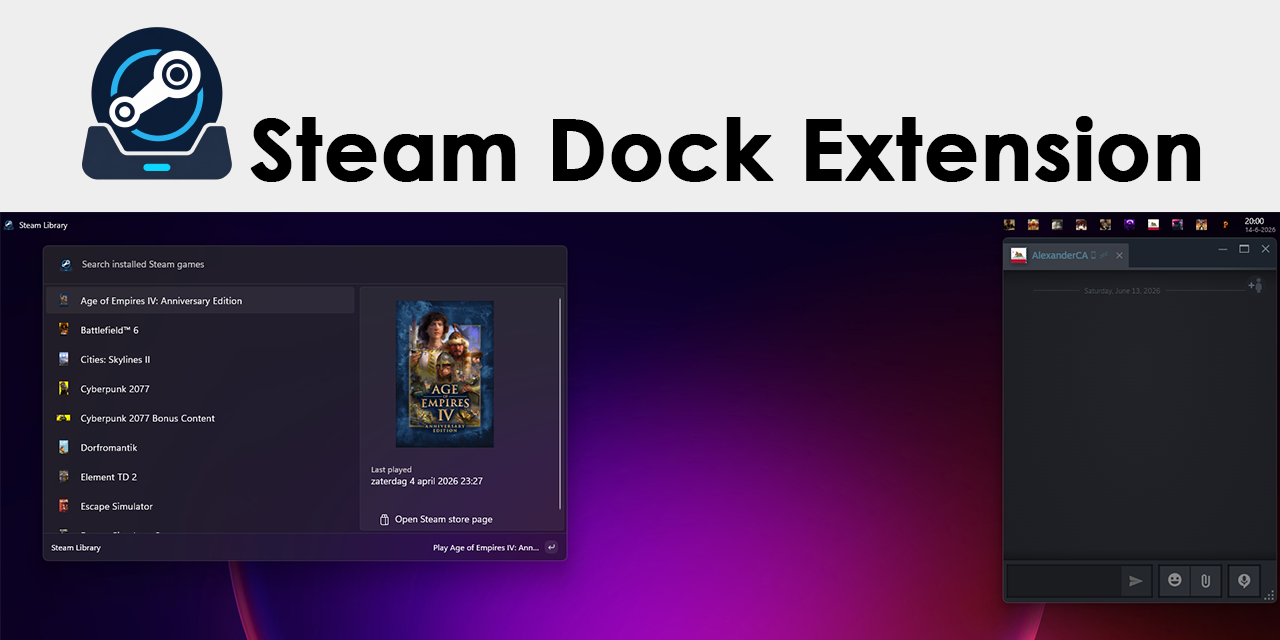
A PowerToys Command Palette extension with two Dock experiences:
Repository:
- Steam Library: a searchable alphabetical list of locally installed games.
- Online Steam Friends: a live Dock band showing online friends and the game they are playing.
Data sources
The library is read locally from Steam's libraryfolders.vdf and
appmanifest_*.acf files. Artwork is loaded from Steam's local
appcache/librarycache when available.
Online friends use Valve's ISteamUser/GetFriendList and
ISteamUser/GetPlayerSummaries Web API methods.
The Steam profile used for the Dock band must have Friends List set to
Public under Edit Profile > Privacy Settings. Valve returns HTTP 401
for GetFriendList when that setting is private, even when the API key is valid.
Configuration
Open the extension settings in Command Palette and configure:
- Steam Web API key: create one at .
A key entered in the settings is stored in Windows Credential Manager. Leave
the field blank to keep the stored key, enter
CLEAR to remove it, or set the
STEAM_WEB_API_KEY environment variable instead.
- SteamID64: optional. The extension automatically selects the most recent user from
Steam's
config/loginusers.vdf.
- Steam installation folder: optional override.
- Maximum online friends and refresh interval.
Other settings are stored in the package's local application data. Existing
plain-text API keys from development builds are migrated to Windows Credential
Manager when the extension starts.
Requirements
- Windows 10 version 2004 or newer
- Microsoft PowerToys with Command Palette and Dock support
- A local Steam installation for the library
- An optional Steam Web API key for online friends
Build and test
- Open
SteamDockExtension.sln in Visual Studio. Do not open only the .csproj;
the solution contains the deployment mappings used by Visual Studio.
- Select the
SteamDockExtension (Package) profile.
- Use Build > Deploy SteamDockExtension.
- In Command Palette, run Reload Command Palette extensions.
- Enable the Dock and add the Steam Library and Online Steam Friends bands.
The user controls whether each band appears in the Start, Center, or End Dock region.
The project has an explicit Deploy target. It builds the project, copies the package
assets into the loose MSIX layout, and registers that layout with Windows. Repeated
deployments first stop and unregister the running development build so its files are
not locked. Windows Developer Mode must be enabled for development package registration.
For a local parser check without deploying the extension:
dotnet run --project SteamDockExtension.Diagnostics
Create a Store package
On Windows with the .NET 10 SDK and Windows SDK installed:
.\Publishing\Build-StorePackage.ps1
The unsigned x64/ARM64 bundle is written to artifacts/store for Partner
Center. See the release checklist for Store
and WinGet publication.
For independent WinGet publication, use the GitHub
Release WinGet installers workflow and follow
the WinGet submission guide.
Privacy and license
Steam Dock Extension has no developer-owned server, analytics, or telemetry.
See PRIVACY.md, SECURITY.md, and
LICENSE.
Steam and the Steam logo are trademarks and/or registered trademarks of Valve
Corporation. This independent project is not affiliated with or endorsed by
Valve Corporation or Microsoft.