GH Desktop Plus
This is an up-to-date fork of GitHub Desktop with additional features and improvements.
> [!IMPORTANT]
> This is a community-maintained project. It is not an official GitHub product.
Highlights 👀
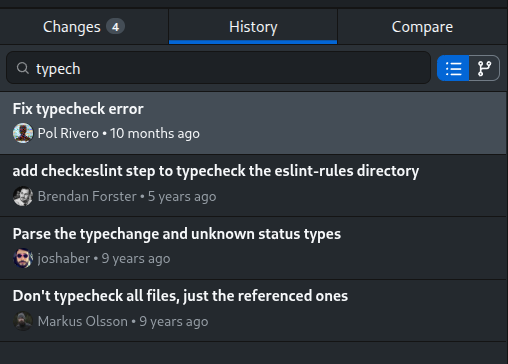
Search commits by title, message, tag, or hash | |
|---|
 | 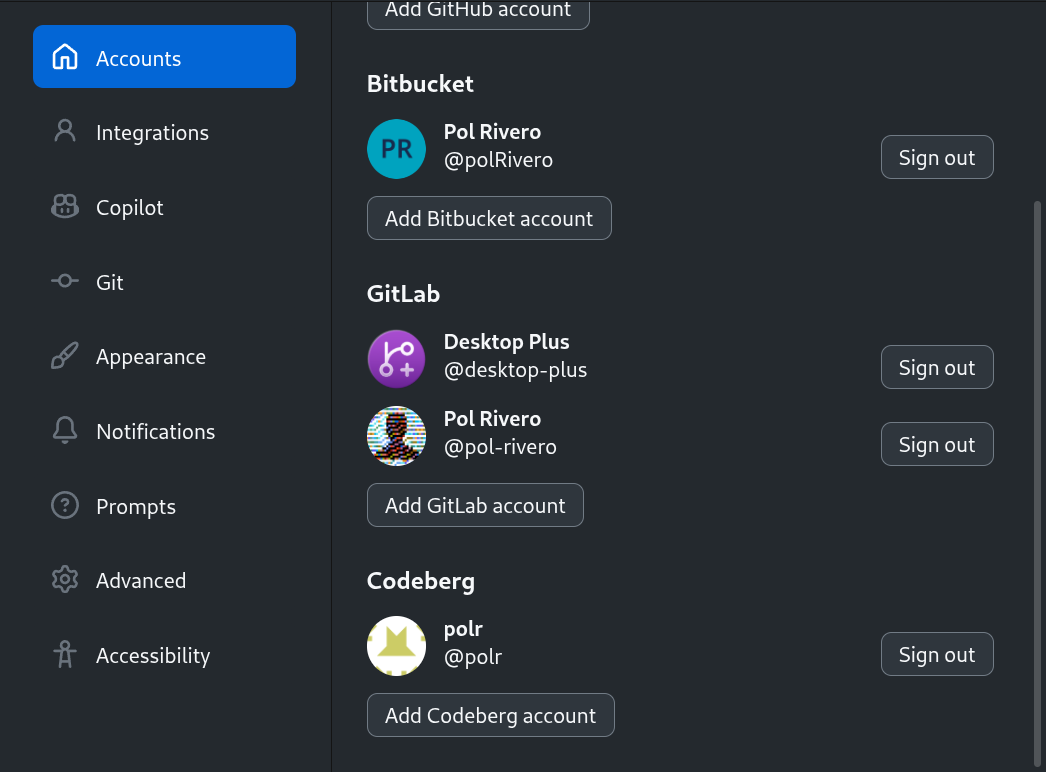 |
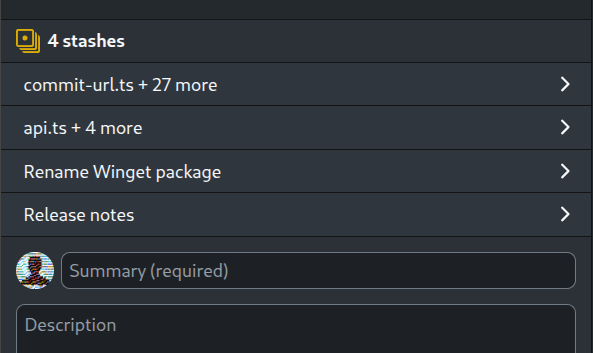
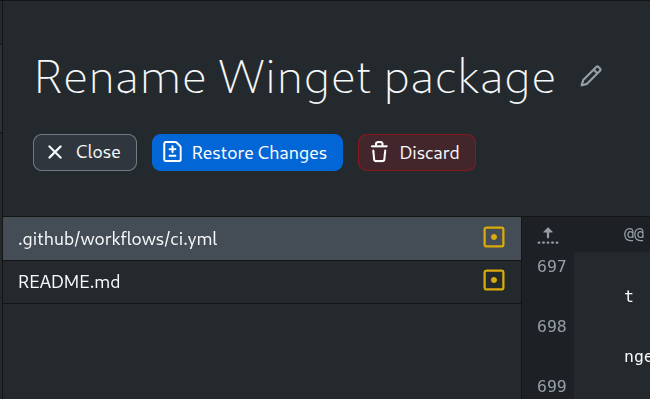
Create multiple stashes per branch | Visualize the Commit Graph |
 |  |
| Quickly find unpushed branches |
 |  |
Additional Features in Desktop Plus ✨
See the full list of features here.
See demo video
Download and Installation 📦
Windows
Click to expand
Option 1: Using Winget (Recommended)
winget install DesktopPlus.DesktopPlus
Option 2: Manual download
Download and execute the installer from the releases page.
| 64-bit x86 | 64-bit ARM |
|---|
| .EXE Installer | -win-x64.exe | -win-arm64.exe |
| .MSI Installer ⚠️ | -win-x64.msi | -win-arm64.msi |
Regardless of how you install it, the app updates itself automatically in the background. You can turn this off in "Options" > "Advanced" > "App" by unchecking "Automatically download and install updates".
⚠️ The MSI installer is meant for enterprise deployments and is not recommended for regular users. If you want to use it, keep in mind that you will need to reboot your computer to finish the installation. The MSI installer only registers a hook that will install the app on login.
macOS
Click to expand
Option 1: Using Homebrew (Recommended)
brew install desktop-plus/tap/desktop-plus
Make sure to run brew update + brew upgrade regularly to get the latest updates for Desktop Plus.
Option 2: Manual download (Not recommended)
Download and extract the ZIP file from the releases page. Click the app file to run it.
If you encounter the error "Apple could not verify this app is free of malware", go to "System Settings" > "Privacy & Security", scroll down to "Security" and click "Open Anyway" on "Desktop Plus".
| 64-bit x86 | 64-bit ARM (Apple Silicon) |
|---|
-macOS-x64.zip | -macOS-arm64.zip |
Please note that the app doesn't auto-update like the official GitHub Desktop, so you will need to manually download it every time you want to update.
For this reason, I recommend using Homebrew instead of the manual download.
Debian · Ubuntu · Mint · Pop!_OS · Zorin · elementary OS (APT)
Click to expand
Create the repository file:
sudo curl https://gpg.desktop-plus.org/public.key | sudo gpg --dearmor -o /usr/share/keyrings/desktop-plus.gpg
echo "deb [arch=amd64,arm64 signed-by=/usr/share/keyrings/desktop-plus.gpg] https://apt.desktop-plus.org/ stable main" | sudo tee /etc/apt/sources.list.d/desktop-plus.list
Update the package list and install:
sudo apt update
sudo apt install -y desktop-plus
Fedora · RHEL · CentOS Stream · Rocky Linux · AlmaLinux (RPM)
Click to expand
Option 1: Using the official repository (Recommended)
Create the repository file:
sudo rpm --import https://gpg.desktop-plus.org/public.key
echo -e "[desktop-plus]\nname=Desktop Plus\nbaseurl=https://rpm.desktop-plus.org/\nenabled=1\ngpgcheck=1\nrepo_gpgcheck=1\ngpgkey=https://gpg.desktop-plus.org/public.key" | sudo tee /etc/yum.repos.d/desktop-plus.repo
Update the package list and install:
sudo dnf check-update --refresh
sudo dnf install -y desktop-plus
Option 2: Using Terra
Make sure you have installed or enabled the Terra repository. Then, run:
sudo dnf install -y desktop-plus-bin
> Note: The Terra package is unofficial. Use at your own risk.
OpenSUSE (RPM)
Click to expand
Create the repository file:
sudo rpm --import https://gpg.desktop-plus.org/public.key
echo -e "[desktop-plus]\nname=Desktop Plus\nbaseurl=https://rpm.desktop-plus.org/\nenabled=1\ngpgcheck=1\nrepo_gpgcheck=1\ngpgkey=https://gpg.desktop-plus.org/public.key" | sudo tee /etc/zypp/repos.d/desktop-plus.repo
Update the package list and install:
sudo zypper refresh
sudo zypper install -y desktop-plus
Arch Linux · EndeavourOS · Garuda Linux · Manjaro (AUR)
Click to expand
Simply install desktop-plus-bin from the AUR using your preferred AUR helper.
yay -S desktop-plus-bin
You can also build from source by installing desktop-plus or desktop-plus-git from the AUR.
> A keyring (such as gnome-keyring or KWallet) is required, and its daemon must be launched either at login or when the X server / Wayland compositor is started. Normally this is handled by a display manager, but in other cases following the instructions found on the Arch Wiki will fix the issue of not being able to save login credentials.
Flatpak (any distro)
Click to expand
Simply install Desktop Plus from Flathub:
flatpak install -y flathub org.desktop_plus.desktop-plus
> NOTE: Git hooks will run inside the Flatpak sandbox and cannot access programs installed on your system (such as version managers,
> linters, or other tools your hooks rely on). If your hooks depend on such programs, install a native package instead.
AppImage (any distro, not recommended)
Click to expand
IMPORTANT: I strongly recommend using your distribution's native package (APT, RPM, and AUR packages above) or Flatpak instead of the AppImage, as it requires some manual setup for the sign-in feature to work.
If you need to use the AppImage, follow these steps:
- Manually create a
desktop-plus.desktop entry.
- Link the MIME type:
xdg-mime default desktop-plus.desktop x-scheme-handler/x-github-desktop-auth
- Desktop notifications require
libnotify to be installed on your system. Some desktops already pull it in, but others (like KDE Plasma) don't include it by default.
If you are on Debian, Ubuntu, or similar distributions, the package is called libnotify4. In other distros it's called libnotify.
# If using "AM":
am install github-desktop-plus
# If using "AppMan":
appman install github-desktop-plus
> Note: The AM/AppMan package is unofficial. Use at your own risk.
Option 2: Manual download (Not recommended)
Download the AppImage from the releases page:
| 64-bit x86 | 64-bit ARM |
|---|
-linux-x86_64.AppImage | -linux-arm64.AppImage |
Then, make it executable:
chmod +x DesktopPlus-*-linux-*.AppImage
Finally, double-click the .AppImage file to run it.
Common issues 🛠️
Before opening a new issue, please check the Known Issues document for common issues and their workarounds.
Command Line Interface 💻
Desktop Plus includes a CLI (desktop-plus-cli) for opening and cloning repositories from the terminal. See the CLI documentation for usage details and instructions on creating a shorter alias.
Running the app locally 🏗️
From the terminal
corepack enable  # Install yarn if needed
yarn             # Install dependencies
yarn build:dev   # Initial build
yarn start       # Start the app for development and watch for changes
-
It's normal for the app to take a while to start up, especially the first time.
-
While starting up, this error is normal: UnhandledPromiseRejectionWarning: Error: Invalid header: Does not start with Cr24
-
You don't need to restart the app to apply changes. Just reload the window (Ctrl + Alt + R / Cmd + Alt + R).
-
Changes to the code inside main-process do require a full rebuild. Stop the app and run yarn build:dev again.
-
Read this document for more information on how to set up your development environment.
From VSCode
The first time you open the project, install the dependencies by running:
corepack enable
yarn
Then, you can simply build and run the app by pressing F5.
Breakpoints should be set in the developer tools, not the VSCode editor.
Running tests
I recommend running the tests in a Docker container for reproducibility and to avoid conflicts with your git configuration.
After installing the dependencies with yarn, make sure you have Docker installed and run:
yarn test:docker
Why this fork?
First, because shiftkey's fork is currently unmaintained (the last commit was in February 2025), so all Linux users are no longer getting the latest features and fixes from the official GitHub Desktop repository.
Secondly, I think the official GitHub Desktop app is very slow in terms of updates and lacks some advanced features that I'd like. This fork has low code quality requirements compared to the official repo, so I (and hopefully you as well) can add features and improvements quickly.
This fork also focuses on integrating nicely with Bitbucket, since I use it for work and haven't found a good Linux GUI client for it.
Keep in mind that this version is not endorsed by GitHub, and it's aimed at power users with technical knowledge. If you're looking for a polished and stable product, I recommend using the official GitHub Desktop app instead.
Acknowledgments 🙏
Free code signing on Windows provided by SignPath.io, certificate by SignPath Foundation. See the Code signing policy for more information.
Application icon adapted from git-branch-plus by Lucide, ISC license.