Glo
A glowing sticky note that floats above every window on Windows.
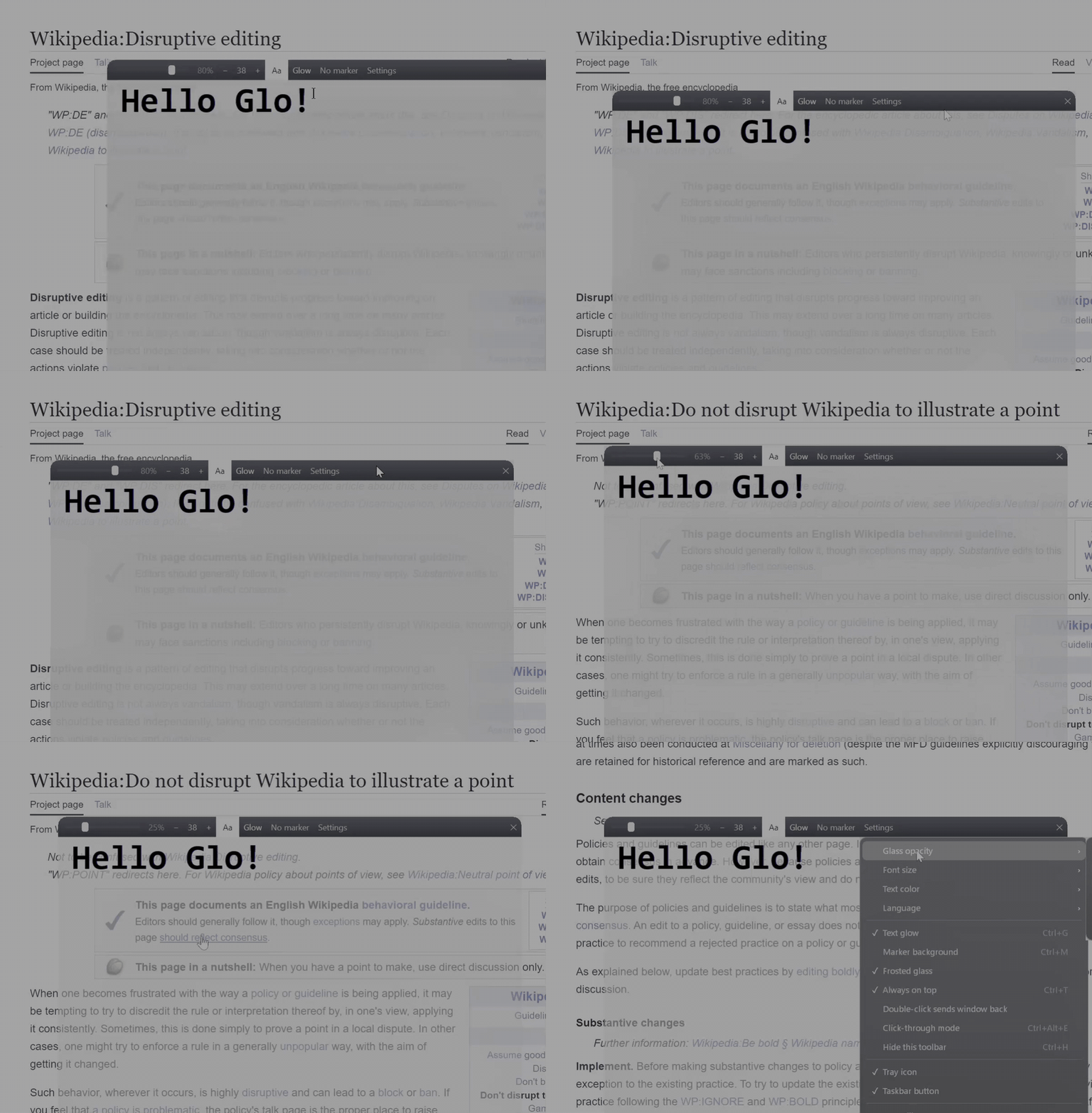
Transparent glass, fully opaque text, neon glow, and double-click to click through the note.
Русская версия
Why
Most "always on top" notes fade the whole window when you make it transparent,
so the text fades with it. Glo keeps them separate:
- Transparent glass, solid text. Slide the glass from 0 to 100% — the letters stay crisp at every step.
At 0% only the text floats over your screen.
- Neon glow. A soft halo and a bold outline around each letter, readable on any background.
Eight colors: white, black, red, green, blue, cyan, pink, yellow.
- Click through the note. A single click edits the note. A double-click passes the click
to whatever is underneath — a button, a video, a game. The note stays on top.
- Frosted glass blur behind the note (Windows 10/11).
- Marker mode — a solid highlight under the text for busy backgrounds.
- One portable exe, ~2.5 MB. No installer, no runtime, no dependencies, no network access.
Pure Go + Win32.
- Autosaves every 5 seconds.
- 5 languages: English, Русский, Español, 中文, Français — picked from Windows or switched in Settings.
Install
- Download
Glo.exe from Releases.
- Run it. That's it.
Windows may show "Windows protected your PC" on first launch. The exe is not code-signed
(a certificate costs money), not because anything is wrong with it.
Click More info → Run anyway. You can also build it from source yourself (see below).
Requires 64-bit Windows 10 or 11.
Usage
| Control | What it does |
|---|
| Slider | Glass opacity, 0–100%. Text never fades |
- 16 + | Font size, 8–72. Click the number for presets |
Aa | Left-click: white ↔ black text. Right-click: cycle colors |
| Glow | Neon halo on/off |
| Marker | Solid background under the text |
| Settings | Everything else: always on top, frosted glass, language, tray icon, taskbar button, files |
Move the window by an empty spot of the toolbar. Resize by edges and corners.
Shortcuts
| Keys | Action |
|---|
| Double-click | Click through the note to the window below |
Ctrl+G | Toggle glow |
Ctrl+M | Toggle marker |
Ctrl+P | Next text color |
Ctrl+↑ / Ctrl+↓ | Glass opacity up / down (Ctrl+Alt+↑/↓ works globally) |
Ctrl+= / Ctrl+- | Font size up / down |
Ctrl+T | Always on top |
Ctrl+H | Hide the toolbar |
Ctrl+Alt+H | Hide / show the whole window (global) |
Ctrl+Alt+E | Permanent click-through on/off (global) |
Ctrl+O / Ctrl+S | Open / save as .txt |
Ctrl+Q, Alt+F4 | Exit |
In permanent click-through mode the note ignores the mouse entirely.
Turn it off with Ctrl+Alt+E or from the tray icon menu.
The note and settings live in %AppData%\Glasspad\ (note.txt, settings.json).
Switch the UI language in Settings → Language; it applies instantly and is remembered.
"Auto" follows Windows, or the environment variable GLO_LANG (en, ru, es, zh, fr) if set.
All UI strings live in src-go/i18n.go — translations and new languages are welcome.
Build
Cross-compiles from any OS with Go 1.21+, no Windows needed:
sh src-go/build.sh
# or
GOOS=windows GOARCH=amd64 go build -ldflags "-H=windowsgui -s -w" -o Glo.exe ./src-go
amd64 only: the OPENFILENAMEW and INPUT struct layouts assume 64-bit alignment.
How it works
SetLayeredWindowAttributes can either fade a whole window (LWA_ALPHA) or cut out one
key color (LWA_COLORKEY) — never "transparent background, opaque text" in one window.
So Glo is three windows stacked and moved together:
- Backdrop — the glass. Gradients with
LWA_ALPHA driven by the slider.
- Glow — per-pixel alpha via
UpdateLayeredWindow. The text is rendered to a DIB,
turned into a mask and blurred at two radii (tight outline + wide halo). Never takes the mouse.
- Main window — a plain
EDIT control on a LWA_COLORKEY background, so the text itself
is always fully opaque.
Double-click-through briefly sets WS_EX_TRANSPARENT and replays the click with SendInput.
Full technical notes (in Russian) are in README.ru.md.
License
MIT