Firefly Luciferin
Ambient Lighting or Bias Light is a technology that enhances your viewing experience by projecting colored lights onto
the wall behind your TV/Monitor, matching the colors on the screen. This creates a more immersive and engaging
atmosphere, making your favorite shows, movies, and games feel even more captivating.
Luciferin is a generic term for the light-emitting compound found in organisms that generate bioluminescence like
Fireflies and Glow Worms.
Firefly Luciferin is a Java Fast Screen Capture PC software designed
for the Glow Worm Luciferin firmware,
the combination of these software create the perfect Bias Lighting and Ambient Light system for PC.
Written in Java with a native flavour for Windows and Linux.







If you like Firefly Luciferin, give it a star, or fork it and contribute!





Key features
Quick start
You can download the Firefly Lucferin installer for Windows or
Linux here.
The Linux version is also available on Flathub
and Snap Store.
This software can run on any Desktop PC using Windows or Linux. MacOS support will be added later.
To get the full Bias Lighting experience you need a microcontroller (ex. ESP8266, ESP32)
running Glow Worm Luciferin firmware. You can connect the
microcontroller to the PC via USB or via wireless (WiFi/Ethernet, MQTT server is optional).
Glow Worm Luciferin firmware can be flashed on your device using the
Why don't you build your own Luciferin?
Here's a Quick Start guide
Firefly Luciferin (PC Software) + Glow Worm Luciferin (Firmware)
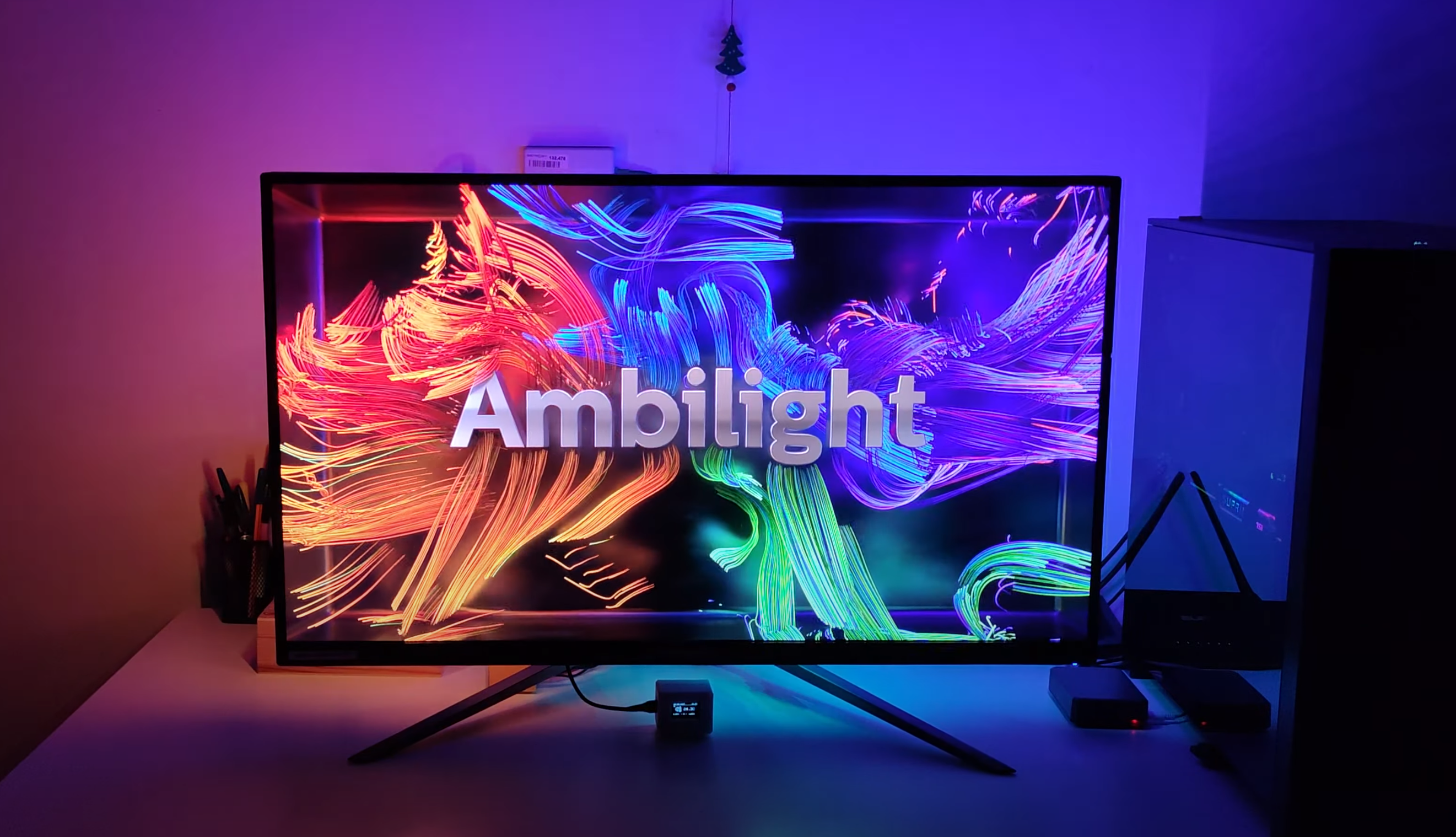
(click the image above to watch it on YouTube)
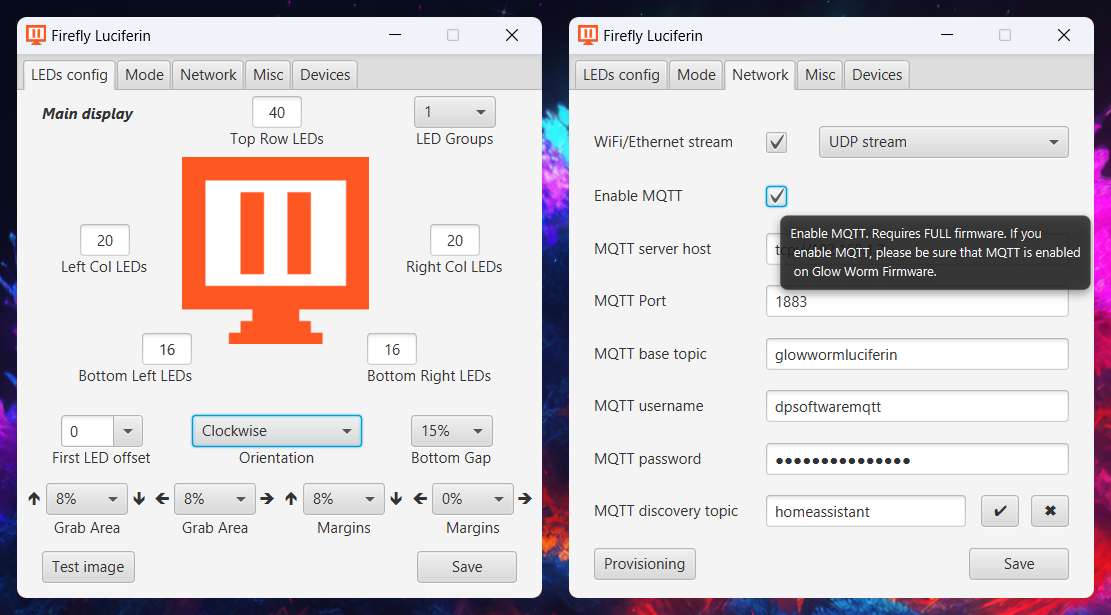
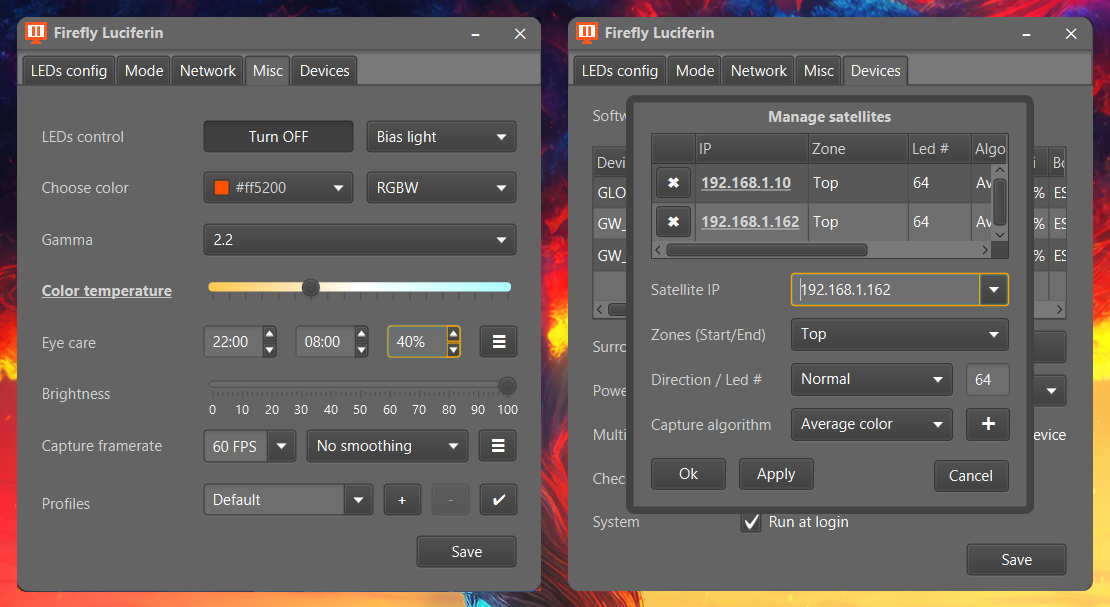
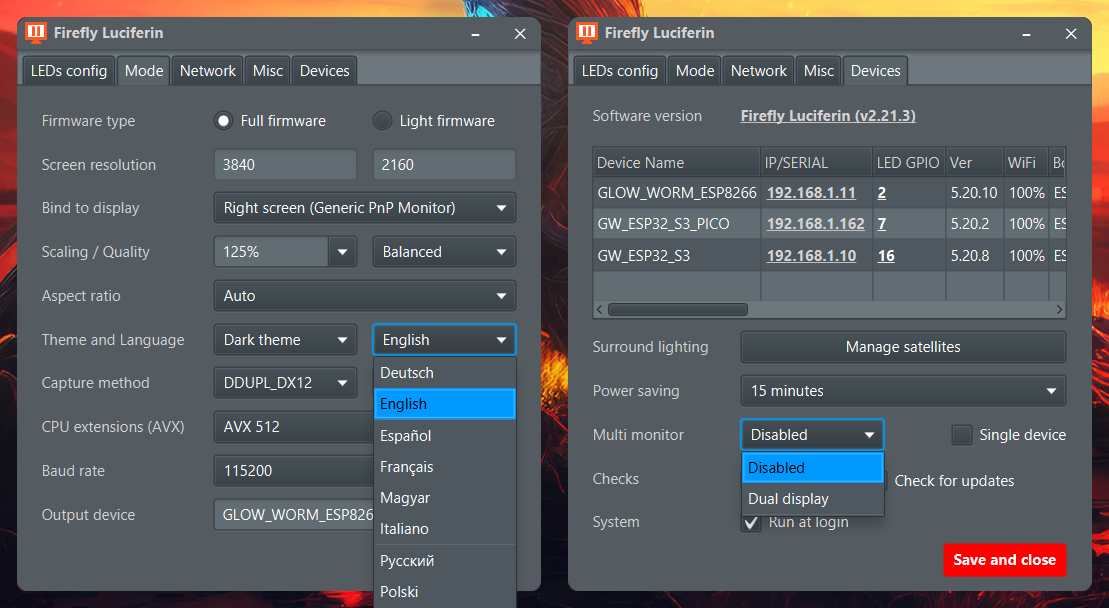
Easy to learn, easy to use
Effortless setup with minimal configuration required, yet highly customizable to meet specific needs.

(click the image above to watch it on YouTube)
Luciferin Official PCB


If you don't want to design your own PCB and you have a soldering iron, you might
find Luciferin's official PCB interesting.
This page provides more information about Luciferin's hardware compatibility, along with a list of the supported pre-built boards.
Firefly Luciferin is a very optimized software and it has nearly no impact on your system performance.
By default Firefly Luciferin captures at 30FPS, if you want you can unlock the framerate.
If you are using a slow microcontroller, capturing at a very high framerate will not help. If you right click the tray icon and then click FPS,
you can see the output as shown in the image below. In that output you can see how fast the software is capturing the screen (producing)
and how fast your microcontroller is able to process (consume) this data.
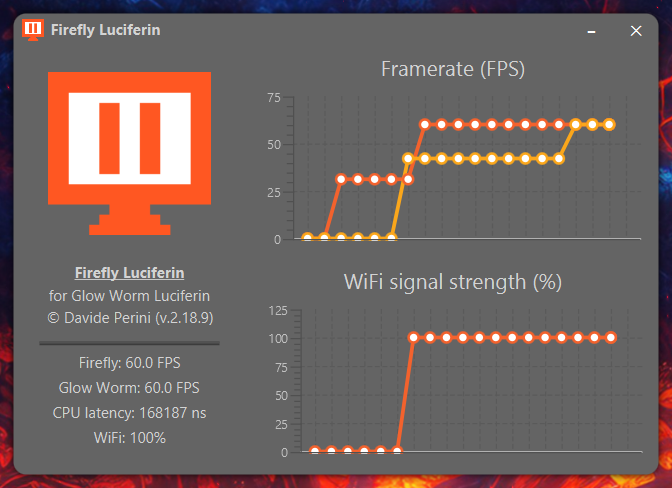
Producer framerate should not exceed the consuming one, all data that is not consumed in time, is lost.
A good WiFi signal is required for wireless stream.
Are you interested in the achievable framerate? Click here.
GPU Hardware Acceleration
Screen capturing is pretty slow and very CPU intensive in Windows systems (Linux is much more efficient in this regard),
for this reason I wrapped the Windows GDI32 C class using Java Native Access to access Windows hardware acceleration.
This API captures and delivers captured frames in GPU memory.
If you are running Windows 8 or Windows 10/11 you can use Desktop Duplication API (DDUPL), it's the fastest implementation yet, no lag,
no stutter, very small usage of resources. DDUPL is accessed via JNA using the GStreamer bindings for Java.
Deep integration with your OS
Thanks to the Java Foreign Function and Memory API, Luciferin is deeply integrated with your operating system through a series of bindings to native libraries. This guarantees maximum efficiency and compatibility.
Luciferin Web Interface
Glow Worm Luciferin FULL firmware exposes a Web Interface to control your lights from your browser without the needs of the Firefly Luciferin PC client.

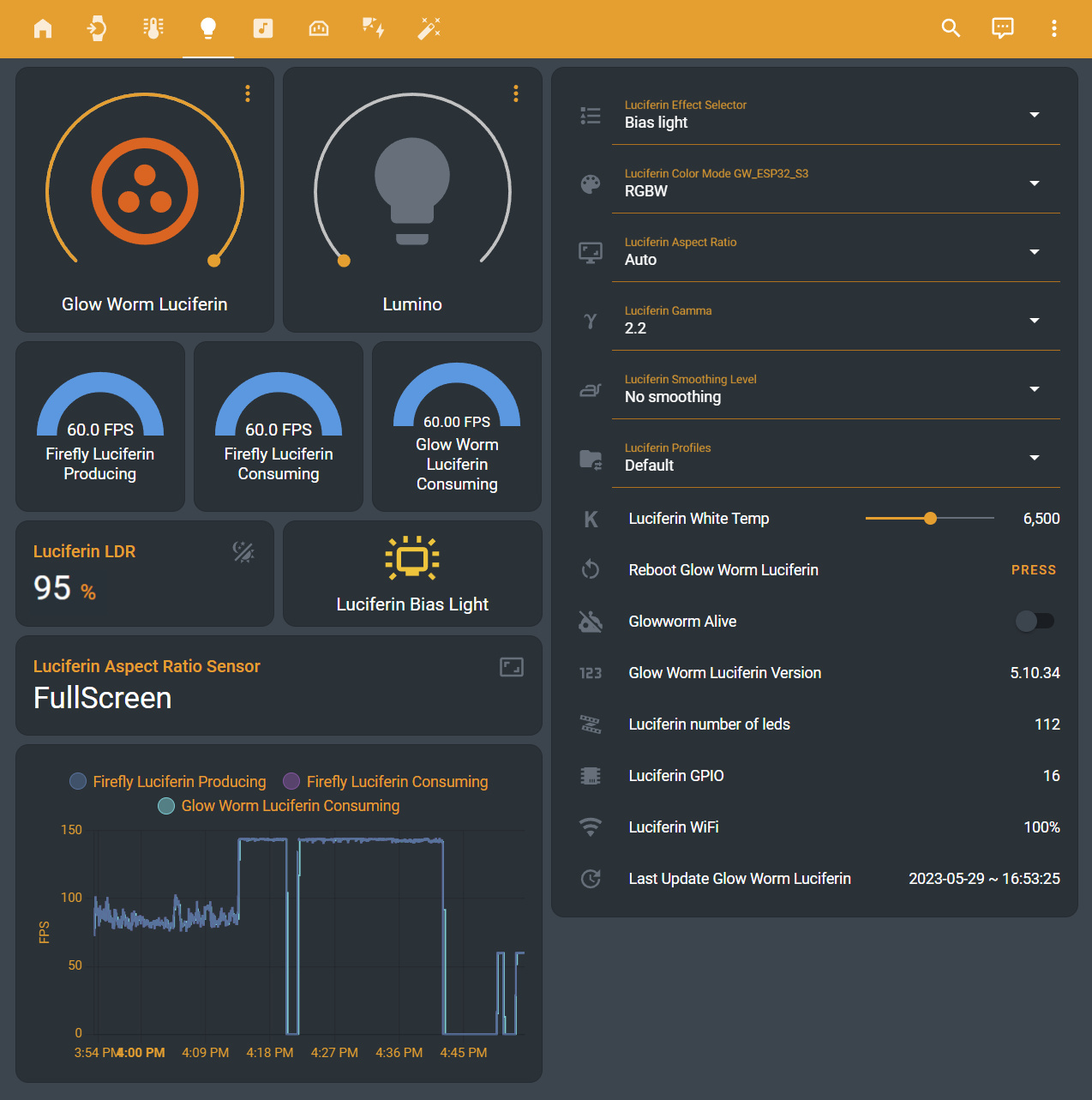
Home Assistant Mobile Client Screenshots
Glow Worm Luciferin firmware can be easily integrated in Home Assistant.
Contribute
You can contribute to Luciferin by:
- Providing Pull Requests (Features, Proof of Concepts, Language files or Fixes)
- Testing new released features and report issues
- Contributing missing documentation for features and devices
- With a donation
Credits