Pin Action
>
简体中文
Pin workflow dependency versions to full-length hashes.
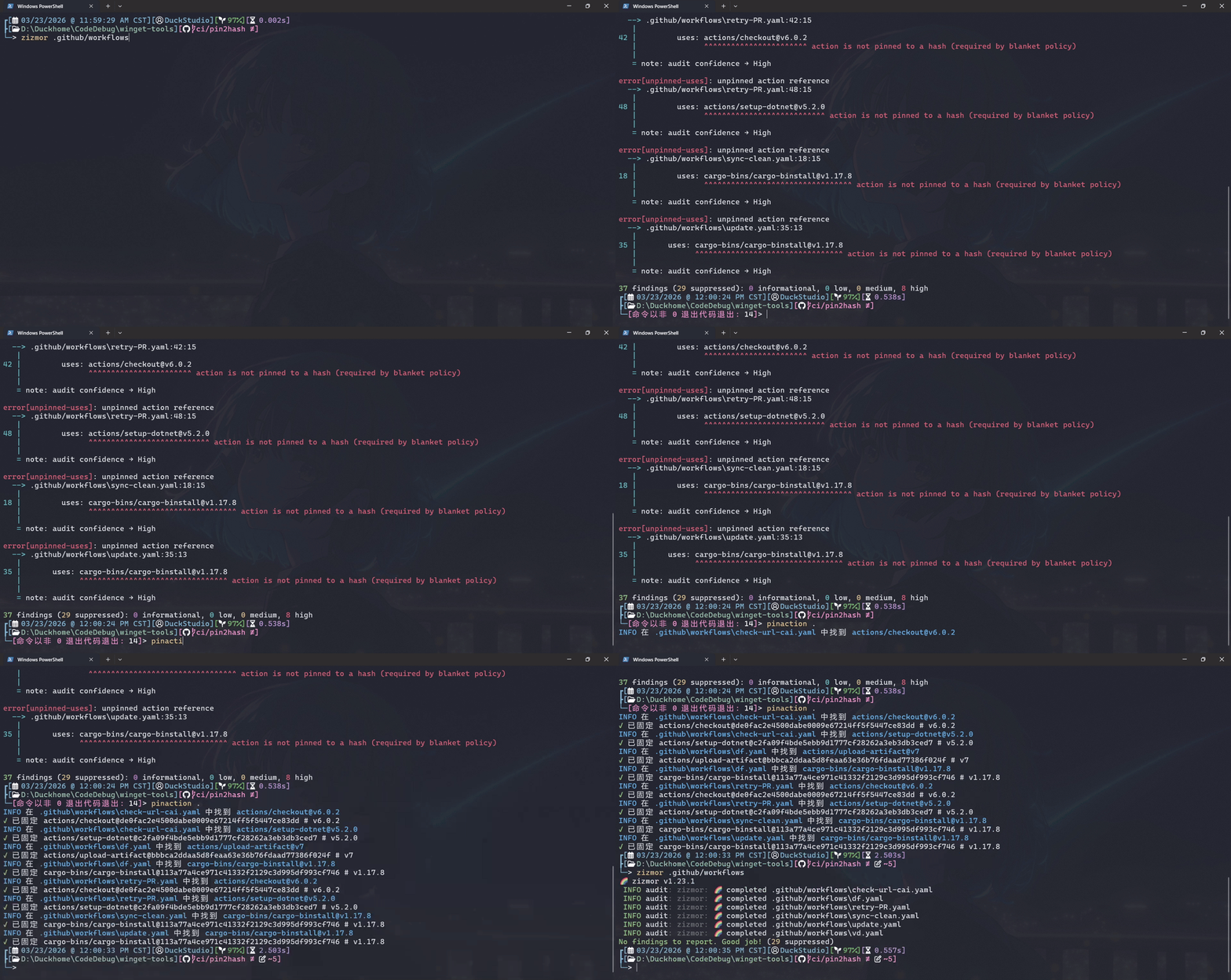
Install
Windows
When the pull request for new version is published, you can install it via winget:
winget install --id DuckStudio.PinAction -s winget -e
Linux
Linux
> I use WSL2 Ubuntu + fish shell + bash.
> You can use ANY editor you like, not just limited to nano.
> Before continuing, please install the .NET 10 SDK.
Clone repository
git clone https://github.com/DuckDuckStudio/PinAction.git # Add the "-b " parameter to specify the version
cd PinAction/
Compiles Pin Action
> [!TIP]
> You DON'T necessarily have to strictly follow the examples given here; you can refer to the dotnet publish command documentation to combine new command.
The example here uses the Release build configuration, specifying the target operating system as Linux, single file, and self-contained runtime.
dotnet publish src/PinAction/PinAction.csproj --configuration Release --os linux -p:PublishSingleFile=true --self-contained

# For those who like to use lowercase ...
mv "src/PinAction/bin/Release/net10.0/linux-x64/publish/PinAction" "src/PinAction/bin/Release/net10.0/linux-x64/publish/pinaction"
Add to PATH
> Please replace the path in the code with the path to your actual publish folder.
For fish:
nano ~/.config/fish/config.fish
# Add the following code
# set -gx PATH "/path/to/repo/PinAction/PinAction/bin/Release/net10.0/linux-x64/publish/" $PATH
For bash:
nano ~/.bashrc
# Add the following code
# export PATH="/path/to/repo/PinAction/PinAction/bin/Release/net10.0/linux-x64/publish/:$PATH"
Then use the source command to reload the configuration.
Add fish shell auto-completion
> complete command documentation: https://fishshell.com/docs/current/cmds/complete.html
touch ~/.config/fish/completions/pinaction.fish
nano ~/.config/fish/completions/pinaction.fish
Add the following content:
> [!NOTE]
> If you changed the command to all lowercase earlier, please also change the command here to lowercase.
# DuckStudio.PinAction
# https://github.com/DuckDuckStudio/PinAction/blob/main/README.zh-CN.md

# General Commands (use "--xxx" style, for other aliases see "pinaction --help")
complete -c PinAction -l help      -d "显示帮助信息"
complete -c PinAction -l version   -d "显示版本号"
complete -c PinAction -l license   -d "显示许可信息"
Usage
pinaction ""
You can pass multiple files or directories at once.
For directories, it will recursively look for .yaml or .yml files within.
Run pinaction --help for more help information.
Q & A
Does it support using a GitHub Token?
I think it will when I learned how to read and store the Token in C#.
Currently it doesn't, but you can hardcode it in the source code.
Can it skip some workflows?
Please modify the code, there are an example in the code.
Why we need pin the version to the full-length hash?
This is a practice recommended by GitHub, and is considered mandatory in some projects.
If your workflow dependency do not have Immutable releases enabled, your workflow may be affected if an upstream dependency modifies the same version again.
Pinning the version to the full-length hash ensures your workflow always uses the same code, even if the upstream dependency modifies the same version.
What is the "full-length hash"?
It is the Git commit hash corresponding to the specified workflow version (tag).
How does this program replace the content?
I took the easy route — instead of parsing YAML, I simply split lines containing uses: and applied regex after a few .Split() operations.
For details, see the PinActionHash method in the source code.
Why doesn't it have an icon?
Because I can't draw. After an hour of thinking, 我已急哭.
License
This program is licensed under the MIT License.
Dependencies
This program would not have been possible without these projects.
Thank you to the open-source community!
For the license files related to these dependencies, please see NOTICE.md.