Easy Link File Viewer
A desktop application for Windows to read, modify and write shortcut files (.lnk) with ease.






<a href="https://ci.appveyor.com/project/ElektroStudios/Easy-Link-File-Viewer"><img src="https://ci.appveyor.com/api/projects/status/github/ElektroStudios/Easy-Link-File-Viewer?svg=true" alt="AppVeyor CI" /></a>
<a href="https://sonarcloud.io/summary/new_code?id=ElektroStudios_Easy-Link-File-Viewer"><img src="https://sonarcloud.io/api/project_badges/measure?project=ElektroStudios_Easy-Link-File-Viewer&metric=alert_status" alt="SonarCloud Quality Gate" /></a>
<a href="https://github.com/ElektroStudios/Easy-Link-File-Viewer/releases/latest"><img src="https://img.shields.io/github/v/release/ElektroStudios/Easy-Link-File-Viewer" alt="Latest Release" /></a>
<a href="https://learn.microsoft.com/en-us/dotnet/visual-basic/"><img src="https://img.shields.io/badge/language-VB.NET-purple.svg?logo=visualbasic" alt="Language" /></a>
<a href="https://learn.microsoft.com/en-us/windows/apps/"><img src="https://img.shields.io/badge/platform-Windows-lightgray.svg" alt="Platform" /></a>
<a href="LICENSE"><img src="https://img.shields.io/github/license/ElektroStudios/Easy-Link-File-Viewer" alt="License" /></a>
<a href="https://api.github.com/repos/ElektroStudios/Easy-Link-File-Viewer/zipball"><img src="https://img.shields.io/github/repo-size/ElektroStudios/Easy-Link-File-Viewer" alt="Repo size" /></a>
<a href="https://somsubhra.github.io/github-release-stats/?username=ElektroStudios&repository=Easy-Link-File-Viewer"><img src="https://img.shields.io/github/downloads/ElektroStudios/Easy-Link-File-Viewer/total.svg?label=total%20downloads" alt="Total Downloads" /></a>
<a href="https://github.com/ElektroStudios/Easy-Link-File-Viewer/commits"><img src="https://img.shields.io/github/last-commit/ElektroStudios/Easy-Link-File-Viewer" alt="Last commit" /></a>
<a href="https://github.com/ElektroStudios/Easy-Link-File-Viewer/pulls"><img src="https://img.shields.io/github/issues-pr/ElektroStudios/Easy-Link-File-Viewer" alt="Pull Requests" /></a>
<a href="https://github.com/ElektroStudios/Easy-Link-File-Viewer/issues?q=is%3Aissue+is%3Aopen"><img src="https://img.shields.io/github/issues/ElektroStudios/Easy-Link-File-Viewer?color=blue" alt="Open Issues" /></a><a href="https://github.com/ElektroStudios/Easy-Link-File-Viewer/issues?q=is%3Aissue+is%3Aclosed"><img src="https://img.shields.io/github/issues-closed/ElektroStudios/Easy-Link-File-Viewer?label=&color=28a745" alt="Closed Issues" /></a>
<a href="https://github.com/ElektroStudios/Easy-Link-File-Viewer/pulse"><img src="https://img.shields.io/badge/maintained-yes-green.svg" alt="Maintenance" /></a>
<a href="https://en.wikipedia.org/wiki/Spanish_Empire"><img src="https://img.shields.io/badge/Made_in-Spain_%F0%9F%87%AA%F0%9F%87%B8-AA151B?style=flat" alt="Made in Spain" /></a>
👋 Introduction
Easy Link File Viewer is a desktop application designed to read, modify, and write shortcut files (.lnk). It provides access to the internal structure of shortcut files, enabling you to instantly repair broken paths, swap icons, and analyze raw file data without fighting the OS.
💡 Motivation
Windows shortcut files (.lnk) are everywhere, but Windows makes it surprisingly difficult to inspect or modify them properly. If you right-click a shortcut and open its properties, the OS only lets you change a few basic fields. And when a shortcut breaks, points to a missing network drive, or needs a batch update across multiple deployments, fixing it manually via the Windows UI is tedious and limited. Developers and power users often have to resort to writing custom scripts or using outdated tools just to see what is actually hidden inside a shell link file.
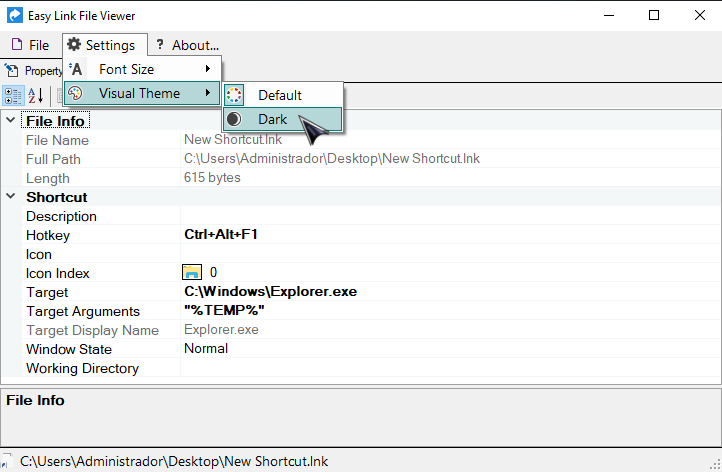
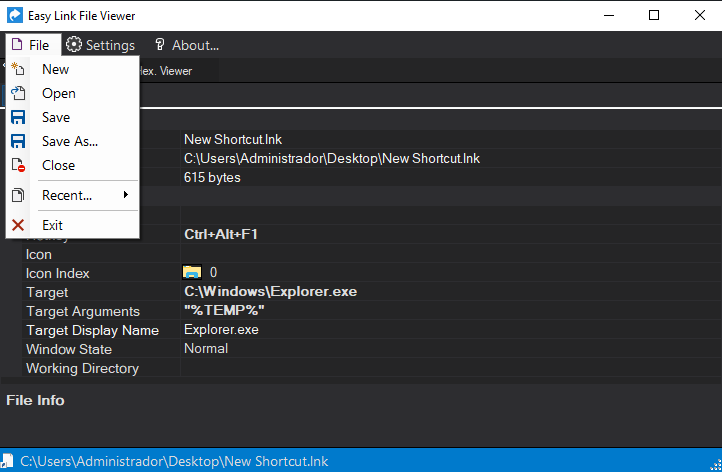
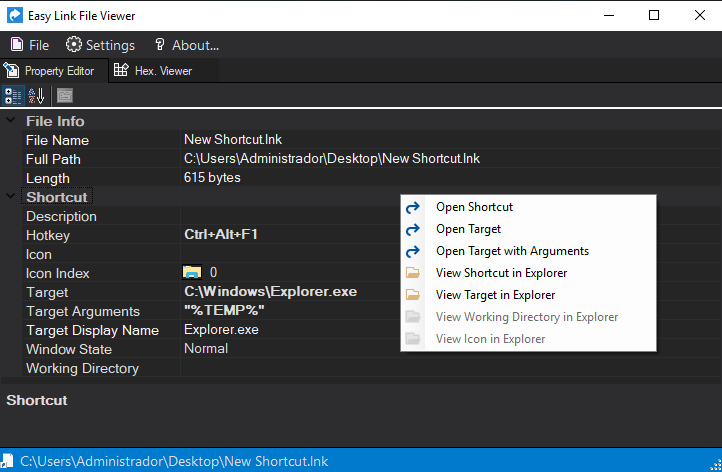
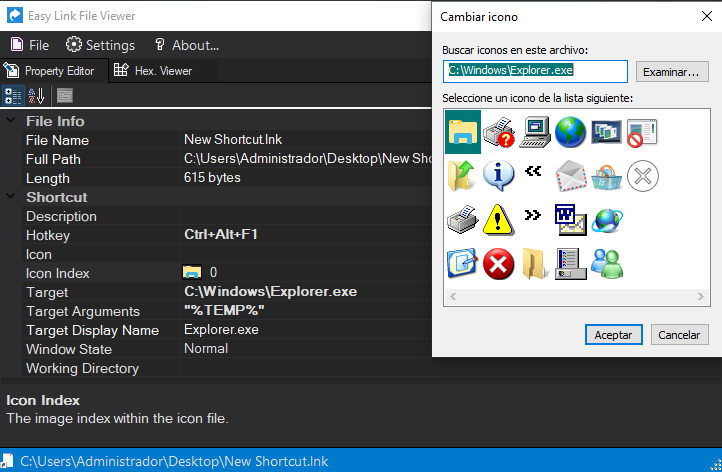
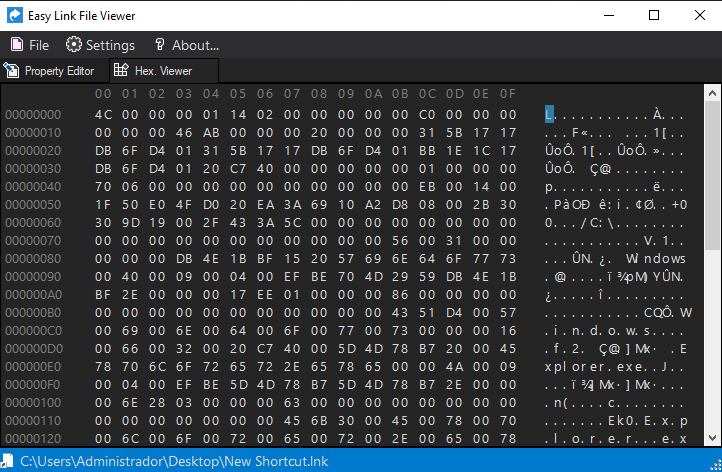
Easy Link File Viewer was built to provide a clean, dedicated workspace to handle shortcut files. It exposes properties of a .lnk file in a friendly user interface—including a built-in hexadecimal viewer for raw structure analysis and an advanced icon changer—making it simple to inspect, repair, and rewrite shortcuts with complete precision.
⚡ The Real Question
🖼️ Screenshots
🤖 Features
- Portable application. Just copy the software anywhere.
- Supports multiple program instances. You can open and edit various files at once this way.
- Friendly file editor.
- Hexadecimal Viewer (read-only).
- Shortcut's icon changer.
- File Drag&Drop.
- Visual Theming.
- List with Most Recent Used (MRU) shortcut files.
- Can read shortcuts that points to special targets.
- Apply changes directly to the current shortcut file, or save a copy of it to another destination.
📝 Requirements
🚀 Getting Started
-
Navigate to the Releases page.
-
Download the latest .zip archive or the .exe setup installer, depending on your preference.
-
If you downloaded the .zip archive, extract its contents to your preferred directory.
If you downloaded the .exe file, run it and follow the installation wizard.
-
Run the executable file to launch the application.
🔄 Change Log
Explore the complete list of changes, bug fixes, and improvements across different releases by clicking here.
💪 Contributing
Your contribution is highly appreciated!. If you have any ideas, suggestions, or encounter issues, feel free to open an issue by clicking here.
Your input helps make this Work better for everyone. Thank you for your support! 🚀
💰 Beyond Contribution
This work is distributed for educational purposes and without any profit motive. However, if you find value in my efforts and wish to support and motivate my ongoing work, you may consider contributing financially through the following options:
Your support means the world to me! Thank you for considering it! 🤗💗
🏆 Credits
This work relies on the following technologies, libraries or resources:
⚠️ Disclaimer
This software and its associated repository are provided strictly on an "as is" basis, without warranties of any kind, whether express or implied. This includes, but is not limited to, any implied warranties of merchantability, reliability, or fitness for a particular purpose.
The authors and copyright holders assume no liability for any direct, indirect, incidental, or consequential damages—including data loss or system errors—arising from the use, misuse, or inability to use this software. You are solely responsible for determining the appropriateness of using this tool and assume all associated risks.
Furthermore, this project operates entirely independently. The utilization of any third-party libraries or components within this software does not imply any affiliation with, or endorsement or approval by, their respective original authors.
This project is licensed under the Apache License, Version 2.0. See the License file for details.