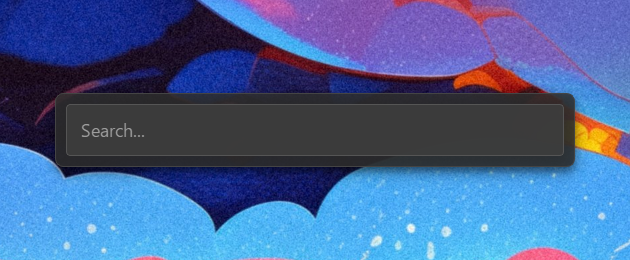
InputBar is a fast application launcher for Windows designed to quickly access apps, files, and system commands through a global keyboard shortcut. With its minimal interface and plugin-based architecture, InputBar offers seamless integration with core system functions while remaining fully configurable via JSON settings.
Key Features:
App Search: Instantly find installed applications across Start Menu, LOCALAPPDATA, Windows registry, and UWP/Store apps.
File Search: Integrates with voidtools Everything for rapid file and folder discovery.
Built-in Calculator: Perform quick math calculations directly in the input bar.
System Commands: Execute system actions like lock, sleep, restart, or shutdown with confirmation steps.
Customizable Shortcuts: Configure standard keys or Windows key shortcuts using low-level hooks.
Audience & Benefit:
Ideal for power users and professionals seeking a fast, customizable productivity tool. InputBar enhances efficiency by enabling quick access to applications, files, and system functions through an intuitive interface.
Install via winget with winget install Ephraem.InputBar.
README
【 𝗜𝗻𝗽𝘂𝘁 𝗕𝗮𝗿 】
A fast application launcher for Windows, triggered by a global keyboard shortcut.
Minimal interface, plugin-based, fully configurable through JSON files.
✨ Features
App search — fuzzy search across all installed apps (Start Menu, LOCALAPPDATA, Windows registry, UWP/Store)
File search — integrates voidtools Everything for instant file and folder search
Built-in calculator — type 2 + 2, the result appears and copies to clipboard
System commands — lock, sleep, restart, shutdown (with confirmation step)
Result submenu — press → on any app or file to access Start as admin / Open folder / Copy file path
Shell shortcuts — named command shortcuts with fuzzy search, per-entry shell override
Customizable shortcuts — standard keys or Windows key via low-level hook
Fully themeable — colors, borders, transparency, icon tints via JSON
IPC pipe — can be triggered from external scripts (AutoHotkey, etc.)
User data persistence — updates inject new keys without overwriting existing settings
_version.py is auto-generated by CMake at build time from _version.py.in and is gitignored.
In dev mode (running from source) it is absent — Updater.py catches the ImportError and skips the update check.
Never edit _version.py manually; bump the version in build/project.json instead.