🔰
Githical
The Mithical Git Client for the Terminal
AI coding is bringing more people into the terminal. But most terminal
apps still assume you are already an expert. They can feel cryptic, cramped, and
unforgiving.
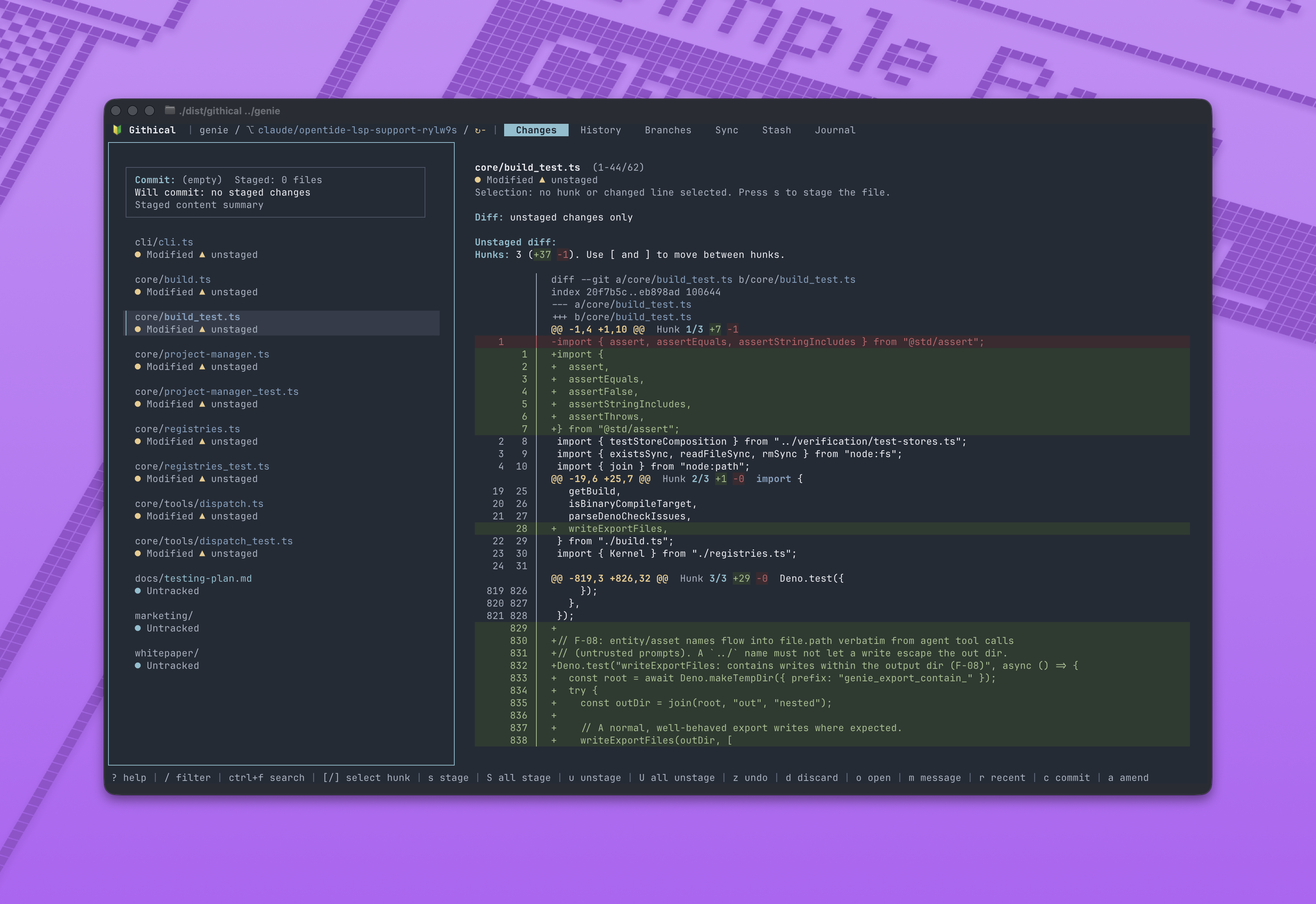
Githical makes Git feel clear in the terminal. You get clarity in a
fast, keyboard and mouse friendly TUI, focused on the stuff you do every day: review
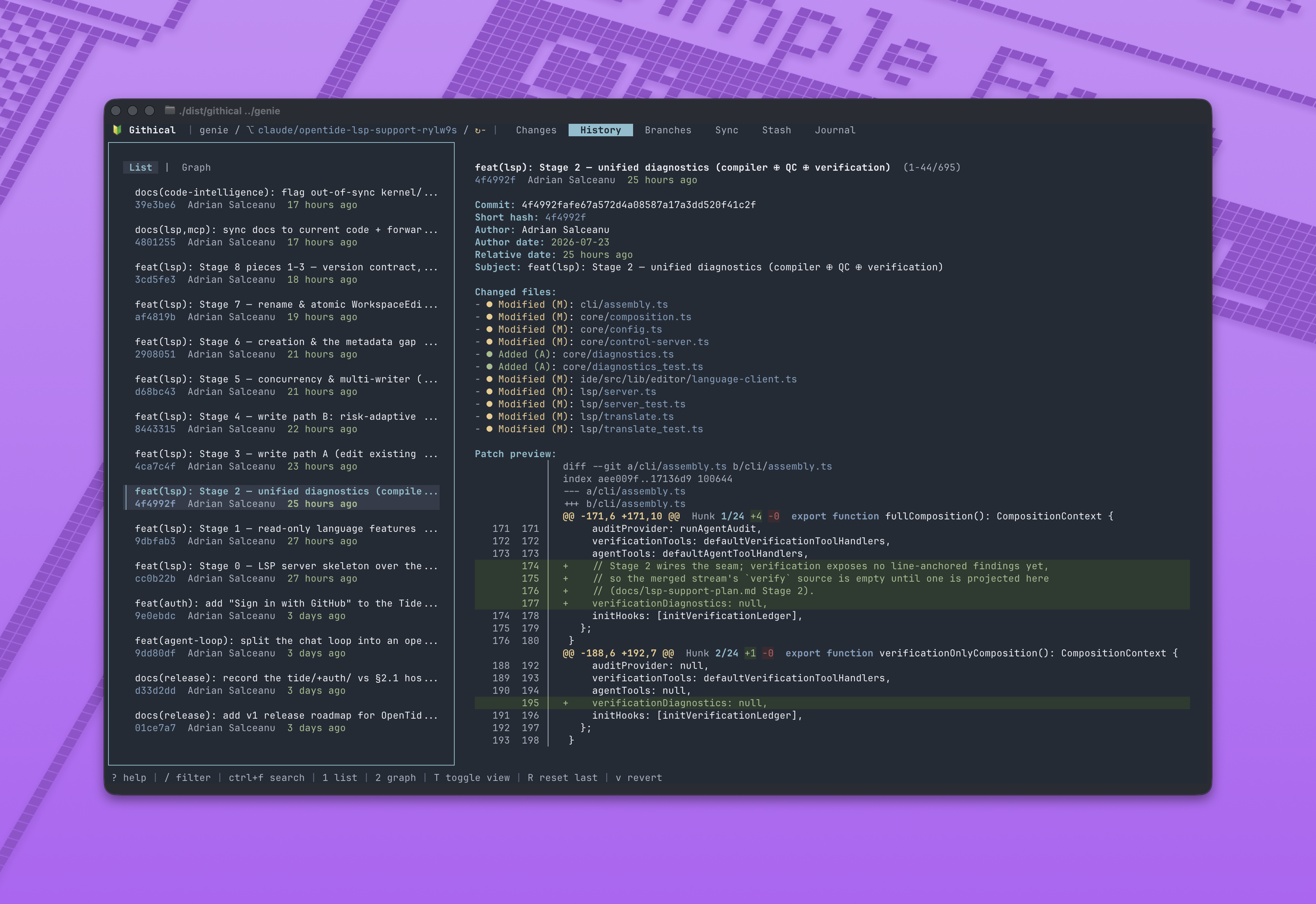
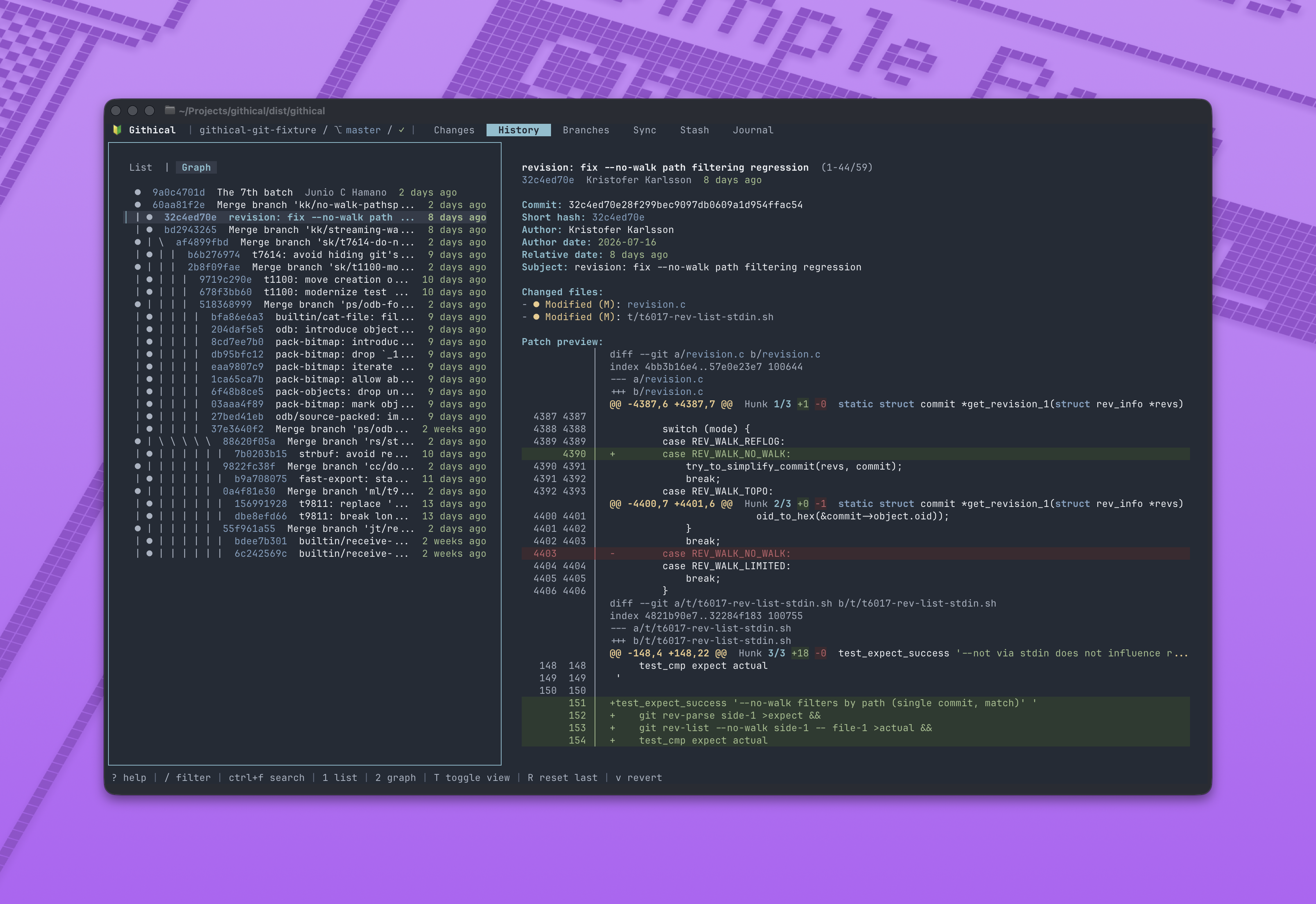
changes, stage the right lines, commit, sync, switch branches, check history,
stash work, and recover when things get messy.
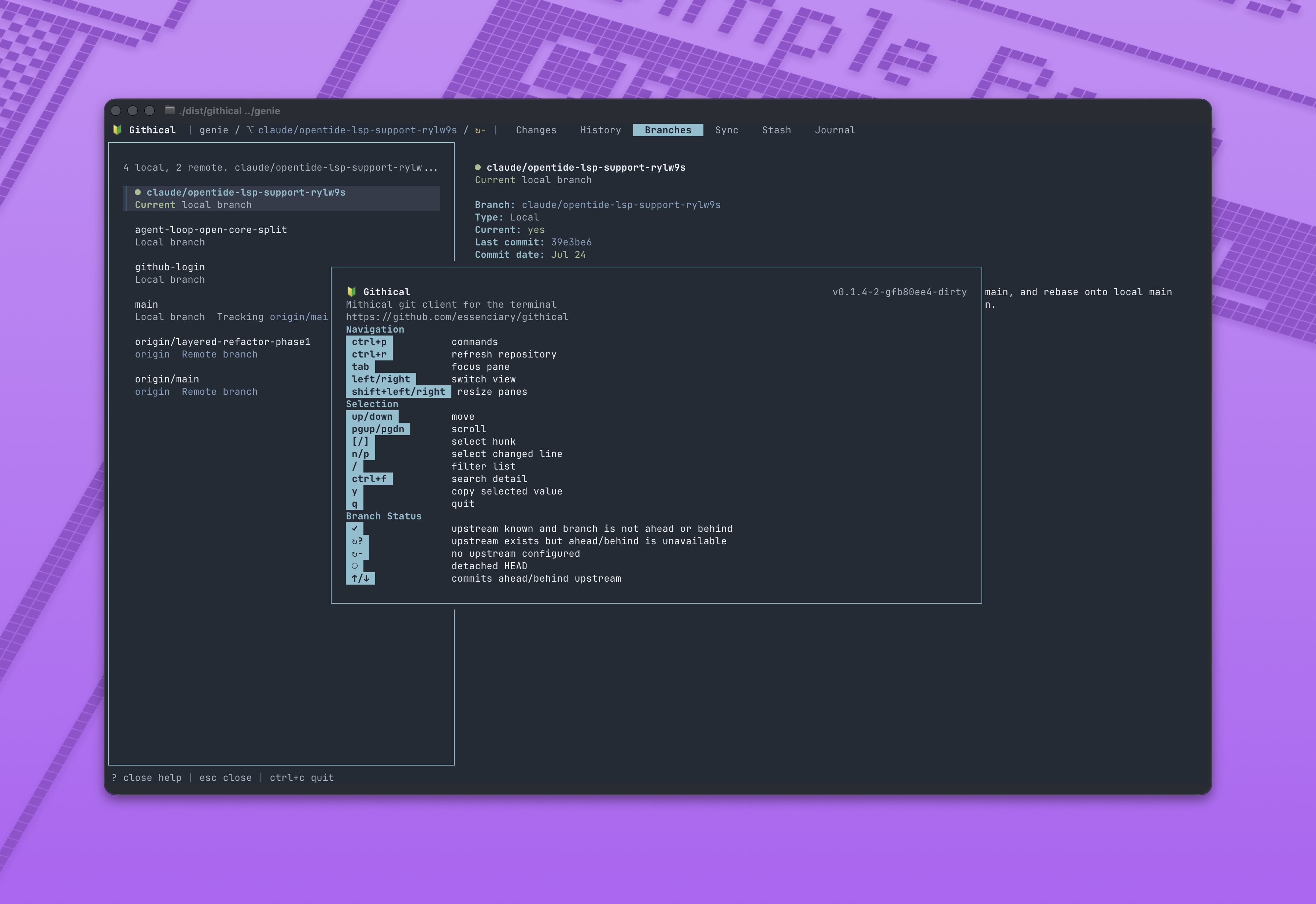
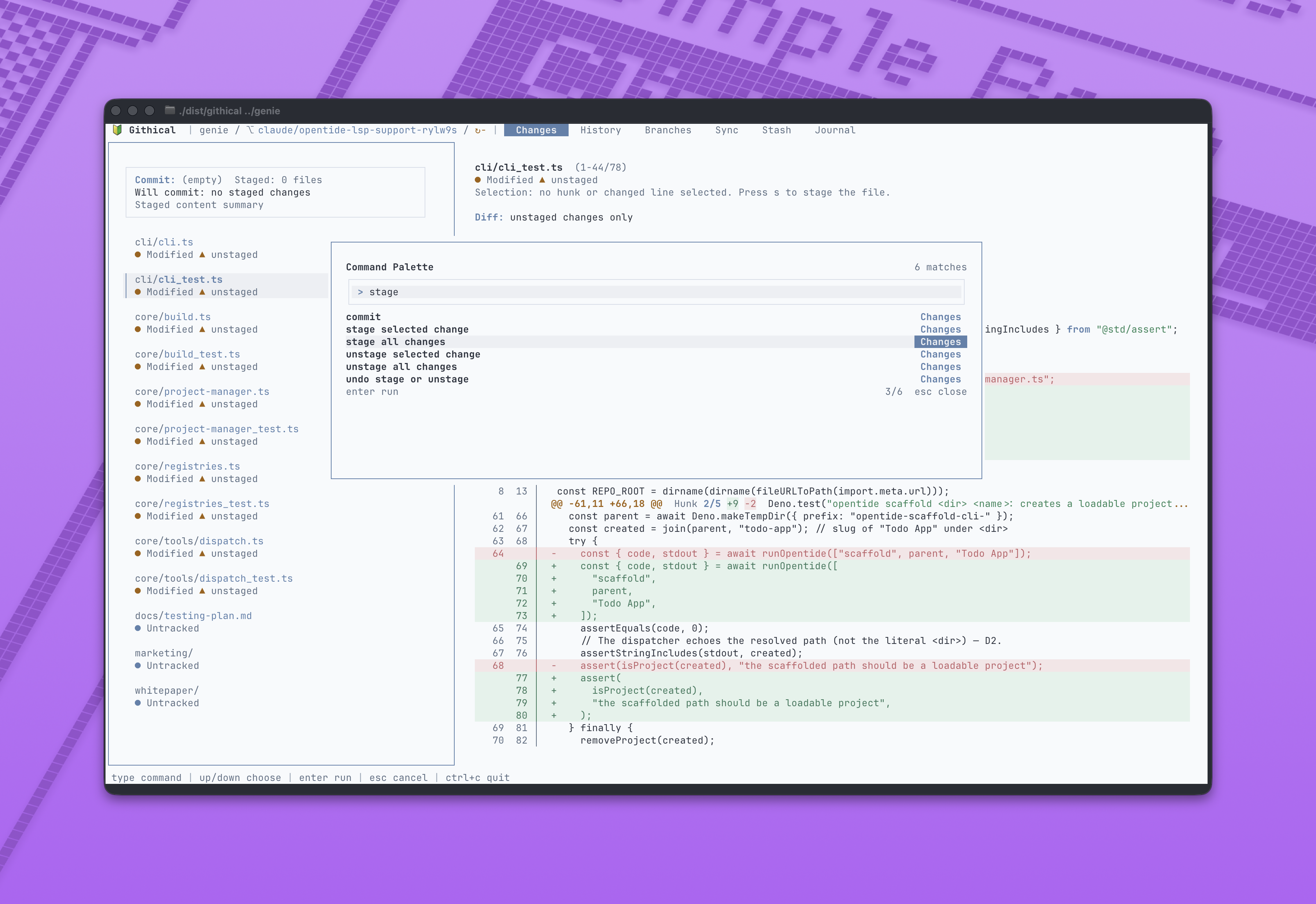
Screenshots
Changes
History
History Graph
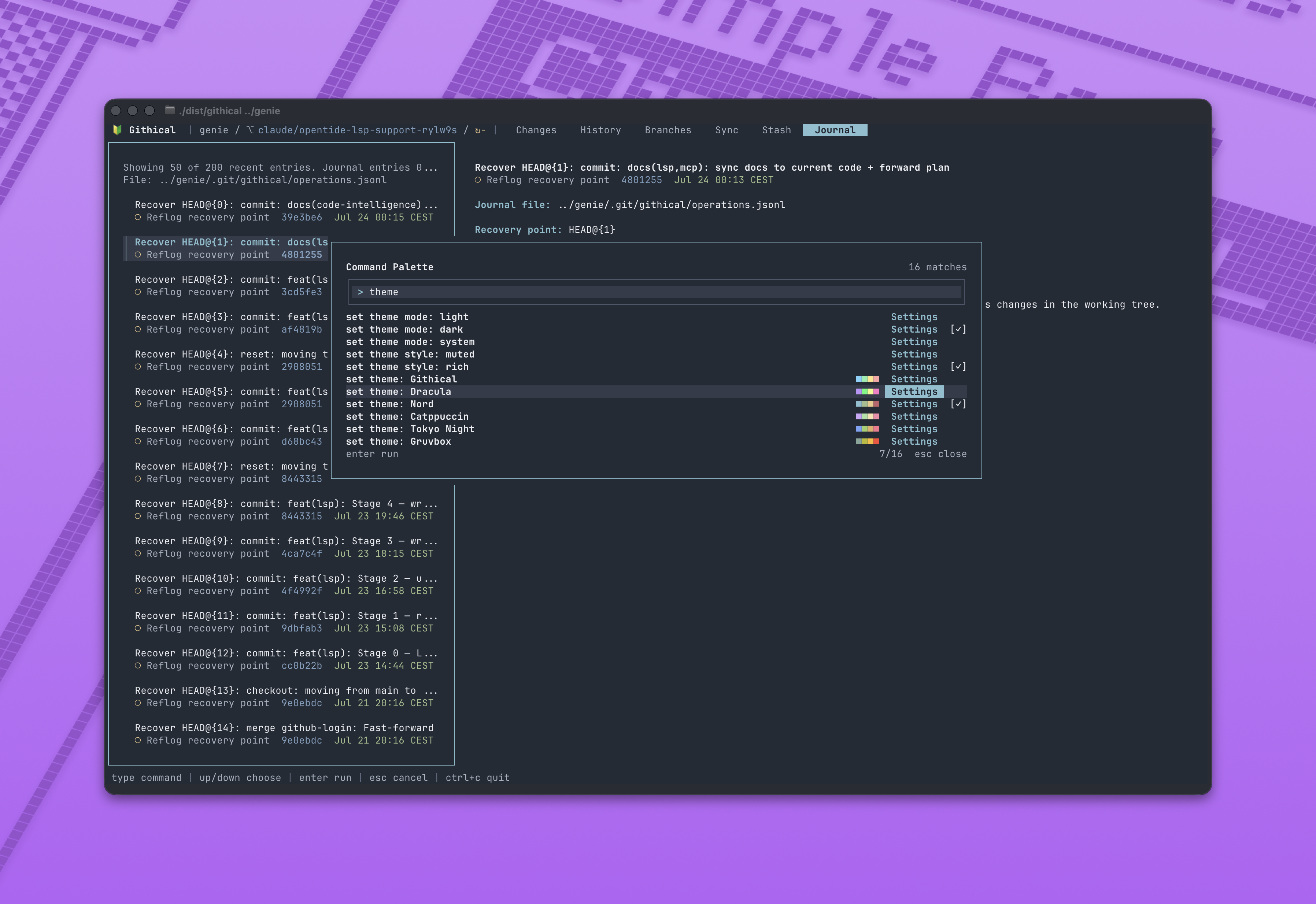
Command Palette
Help
Light Theme
What It Does
By design, Githical is focused. It makes everyday Git easy to see, understand,
and trust. It does not try to wrap all of Git. That is the point.
Githical V1 includes Changes, History, Branches, Sync,
Stash, and Journal views. You can stage precisely, commit confidently, amend,
reuse recent messages, discard with confirmation, open files in your editor,
fetch, pull, push, create and switch branches, clean up old branches, merge or
rebase from main, inspect history, revert, reset the last commit while keeping
your changes, manage stashes, read the operation journal, and recover HEAD from
the reflog.
Githical uses your installed git under the hood, so your normal Git config,
credentials, hooks, signing, and remotes keep working.
Install
You need:
- The system
git binary installed and available on PATH, unless
git_binary is configured.
- A modern terminal.
Install with Homebrew on macOS or Linux:
brew install essenciary/tap/githical
After Essenciary.Githical is accepted into the WinGet community repository,
install it on Windows with:
winget install --id Essenciary.Githical --exact
You can also download a portable archive from
GitHub Releases:
githical__darwin_arm64.tar.gz for macOS Apple Silicon.githical__darwin_amd64.tar.gz for macOS Intel.githical__linux_arm64.tar.gz for Linux ARM64.githical__linux_amd64.tar.gz for Linux x86_64.githical__windows_arm64.zip for Windows ARM64.githical__windows_amd64.zip for Windows x86_64.
Extract it, then put the githical binary somewhere on PATH. Windows archives
contain githical.exe. Download checksums.txt from the same release to verify
the archive before installing:
sha256sum -c checksums.txt --ignore-missing
On macOS, use:
shasum -a 256 -c checksums.txt --ignore-missing
Linux releases also include native packages:
sudo apt install ./githical__linux_amd64.deb
sudo dnf install ./githical__linux_amd64.rpm
Use the matching ARM64 package name on ARM machines. The .deb, .rpm,
Homebrew, and WinGet packages declare Git as a runtime dependency. Detailed
install, verification, and source-build instructions are in
docs/install.md.
CLI
githical [PATH]
githical --repo PATH
githical --help
githical --version
Run githical inside a Git repository, or pass a path. --version prints the
build version; unreleased local builds default to dev.
Config
Githical can read a small JSON config file from:
/githical/config.json.
You can set your preferred external editor, Git executable, startup theme,
file-name styling, custom themes, and operational limits:
{
  "editor": "code --wait",
  "git_binary": "git",
  "view": "system",
  "active_theme": "githical",
  "file_style": "rich",
  "limits": {
    "recent_history": 30,
    "journal_read": 2000,
    "journal_batch": 50,
    "reflog": 200,
    "patch_preview_lines": 5000
  }
}
Supported JSON keys:
editor: external editor command used when opening files.git_binary: executable name or path for Git. Defaults to git, resolved
from PATH.view: startup theme mode. Valid values are light, dark, and system.active_theme: startup theme ID. Defaults to githical.file_style: file-name styling.themes: custom theme definitions.limits: positive numeric limits for recent_history, journal_read,
journal_batch, reflog, and patch_preview_lines.
file_style can be rich or muted; rich is the default and adds semantic
color to file names, while muted preserves plain path styling.
Built-in theme IDs:
githicaldraculanordcatppuccintokyo-nightgruvboxsolarizedone-darkmonokaiayugithub
Custom themes can be added with a themes array. Each theme has:
Each light and dark variant defines these #RRGGBB colors:
inksubtlelineaccentaccent_inktop_bartab_barfooterpaneladdedremovedadded_panelremoved_panelwarncode_keywordcode_stringfooter_divider
Startup theme mode, active theme, and theme style can also be changed from the
command palette. Those changes are written to config.json.
Custom theme palettes are still defined manually in JSON.
Environment options:
GITHICAL_EDITOR: first editor preference, before config editor, VISUAL,
and EDITOR.GITHICAL_CONFIG=/path/to/config.json: override the config file path.GITHICAL_STATE=/path/to/state.json: override the app-managed UI state path.GITHICAL_ASCII=1: use plain ASCII symbols for terminals that do not render
Unicode symbols well.
Editor resolution order is GITHICAL_EDITOR, config editor, VISUAL, then
EDITOR.
Omitted limits fields use defaults.
Unknown config keys, invalid theme objects, invalid hex colors, duplicate user
theme IDs, and non-positive numeric limits stop startup with a config error.
Githical also writes app-managed UI state to
/githical/state.json. This currently stores
main_pane_width, the internal panel width after you resize the panes, so it
can be restored on the next startup. Tests and advanced troubleshooting can
override this path with GITHICAL_STATE=/path/to/state.json.
Develop
To work on Githical, you need Go 1.26.5 or newer and git on PATH.
Build a local development binary:
go build -o /tmp/githical ./cmd/githical
Run tests:
go test ./...
Build release-ready distributions into dist/:
./scripts/build-dist.sh
The build script writes the local dist/githical binary and release archives.
Tagged release CI also builds Linux packages, generates Homebrew and WinGet
metadata, smoke tests the published architectures on native runners, and
attests the final artifacts. Maintainer setup is documented in
docs/publishing.md.
Project
Githical is released under the MIT License. Contributions are welcome
through CONTRIBUTING.md, and security reports should follow
SECURITY.md. All contributors are expected to follow the
Code of Conduct.