What it is
Open the Command Palette (Win + Alt + Space), start typing, and Universal Search Suggestions reacts the way a browser would:
- live autocomplete from Google, Bing, DuckDuckGo, Brave, Yahoo, Ecosia, Qwant, Swisscows
- inline answers for math, weather, currencies, definitions, sports scores, sunrise / sunset, translations, local time
- your own bookmarks and history from Chrome, Edge, Brave, or Firefox
- a rich details panel with a Wikipedia summary and a streamed AI answer
- direct URL detection (
github.com/user/repo → opens straight to the page)
Pick a result, hit Enter, and it opens in your browser. That's it.
Install
> Requires Windows 11 with PowerToys 0.95+ and the Command Palette module enabled.
From the Command Palette gallery (recommended)
In the Command Palette, run Install command palette extension, then pick Universal Search Suggestions.
From the Microsoft Store
Single click install with automatic updates:

From WinGet
winget install Fefedu973.UniversalSearchSuggestions
Same package as the Microsoft Store, installed from the command line. WinGet handles updates automatically.
From a GitHub release
- Open the latest release.
- Download the
.msix matching your CPU — _x64.msix for Intel/AMD, _arm64.msix for ARM.
- Double-click it and choose Install.
- Open the Command Palette — the new page is loaded automatically.
From source
git clone https://github.com/Fefedu973/UniversalSearchSuggestions
cd UniversalSearchSuggestions
.\scripts\dev-deploy.ps1 -Configuration Release -Platform x64
What you get
Search suggestions from every major engine
| Source | Notes |
|---|
| Google | The same fast autocomplete used by Chrome's omnibox |
| Google rich | Adds descriptions and thumbnails (sports, finance, dictionary…) when available |
| Google answers | Calculator, weather, currency conversion, dictionary, sunrise/sunset, translation, local time, sports, finance — shown inline, no extra click |
| Bing, DuckDuckGo, Brave, Yahoo, Ecosia, Qwant, Swisscows | All optional, all free, all using the same public autocomplete endpoints their own websites use |
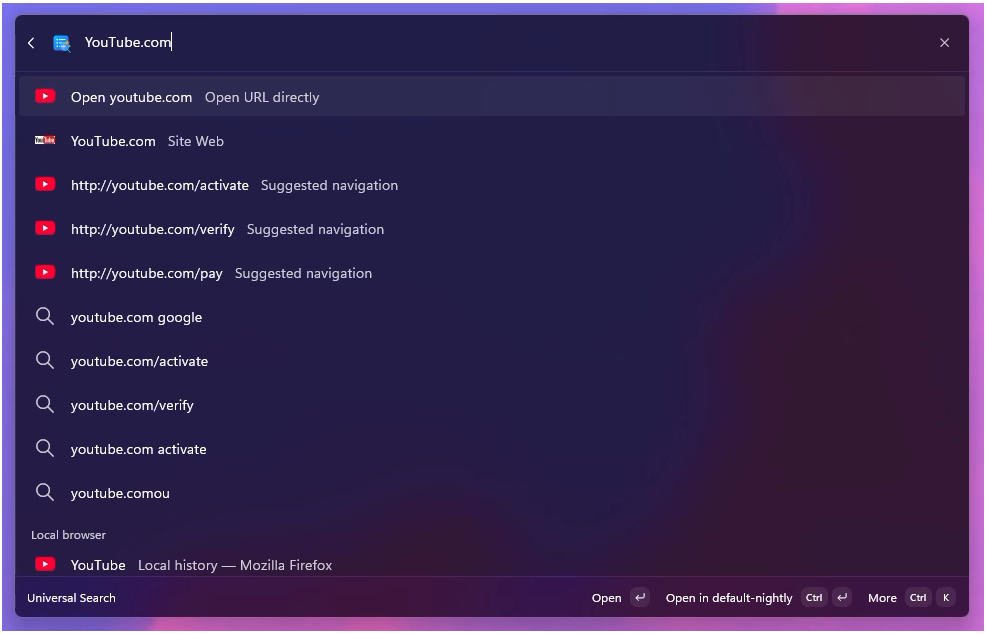
| Direct URL detection | Type youtube.com/watch?v=… and it opens directly — no detour through search |
Google is on by default. Anything else is one toggle away.
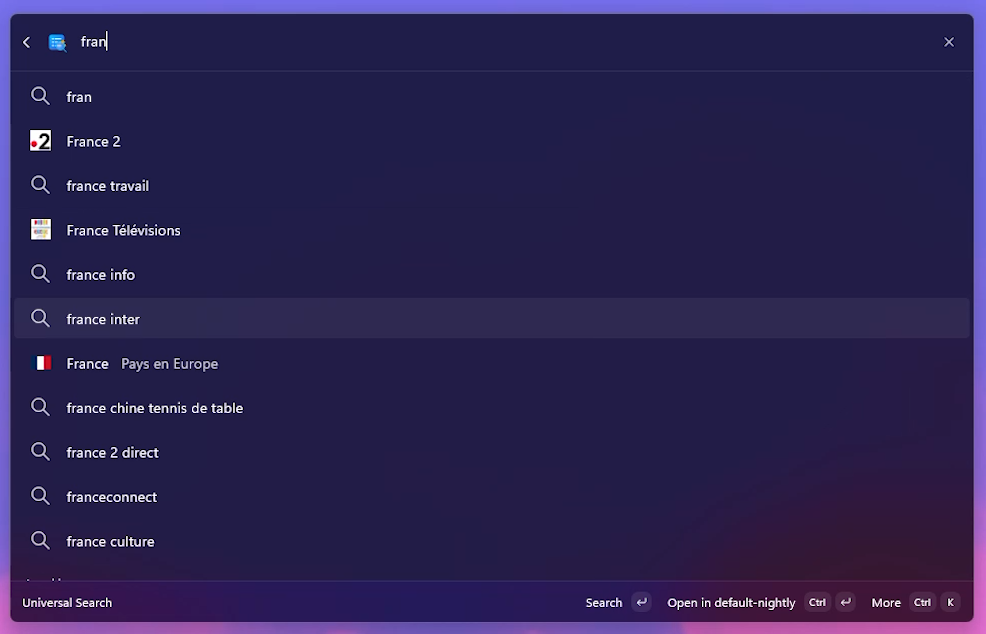
Live autocomplete as you type.
Type a URL — it opens straight to the page.
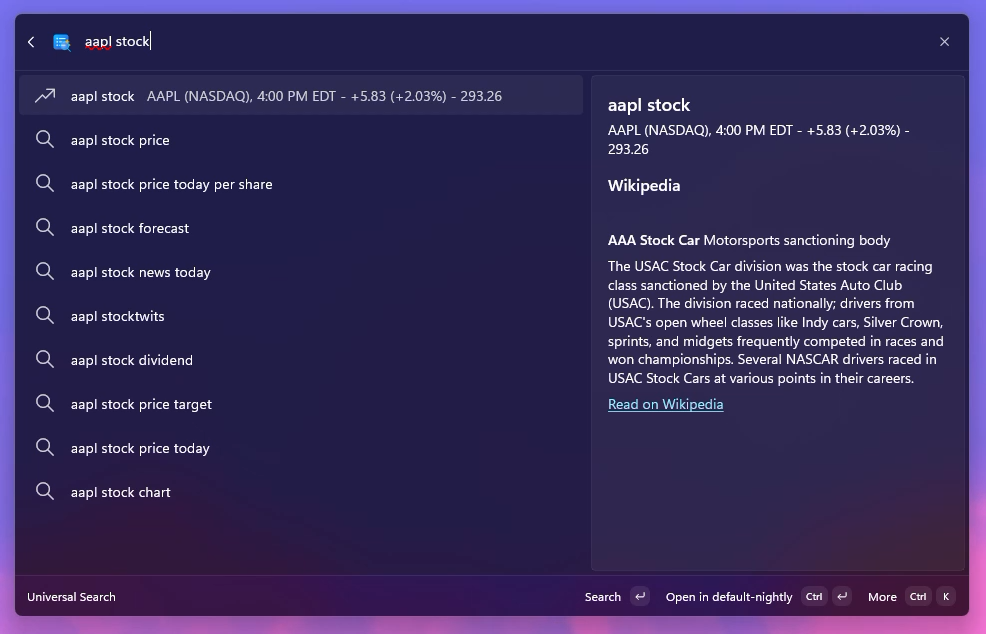
Inline answers like Chrome's omnibox
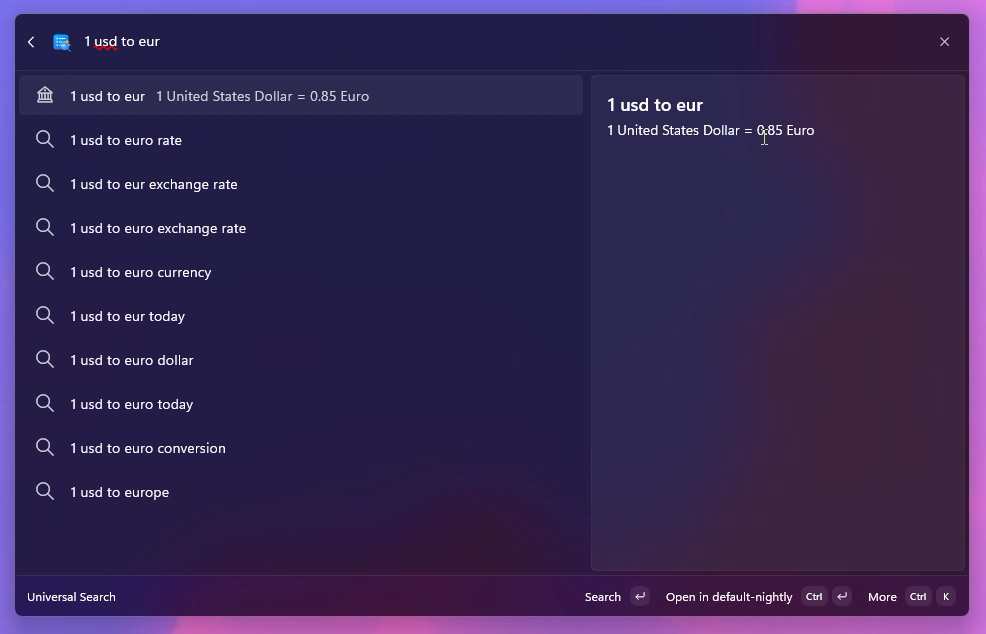
Math, currency, units, definitions, translations, stock quotes, general knowledge — answered inline, no extra click.
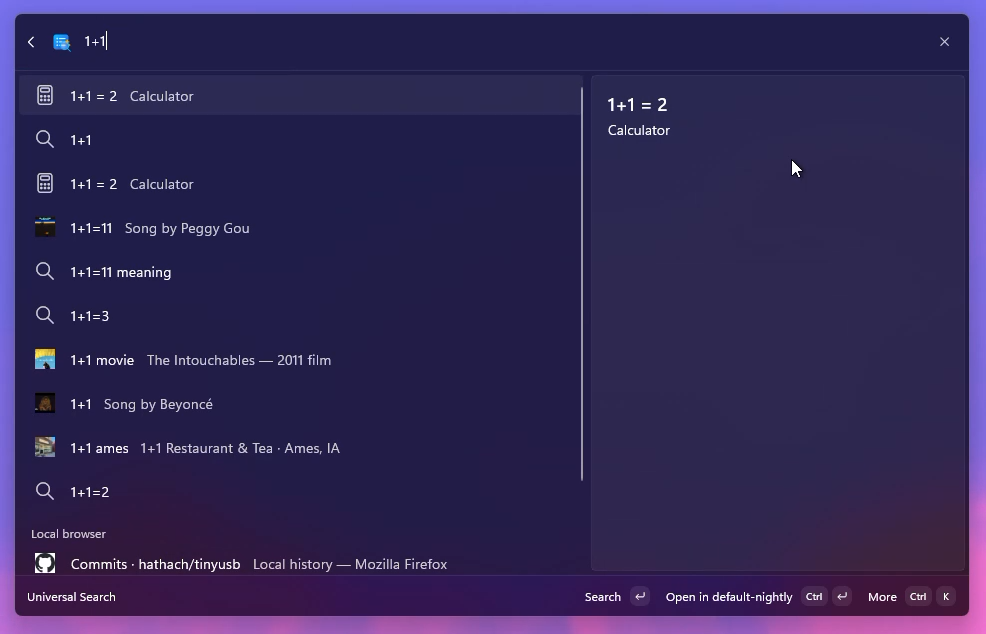
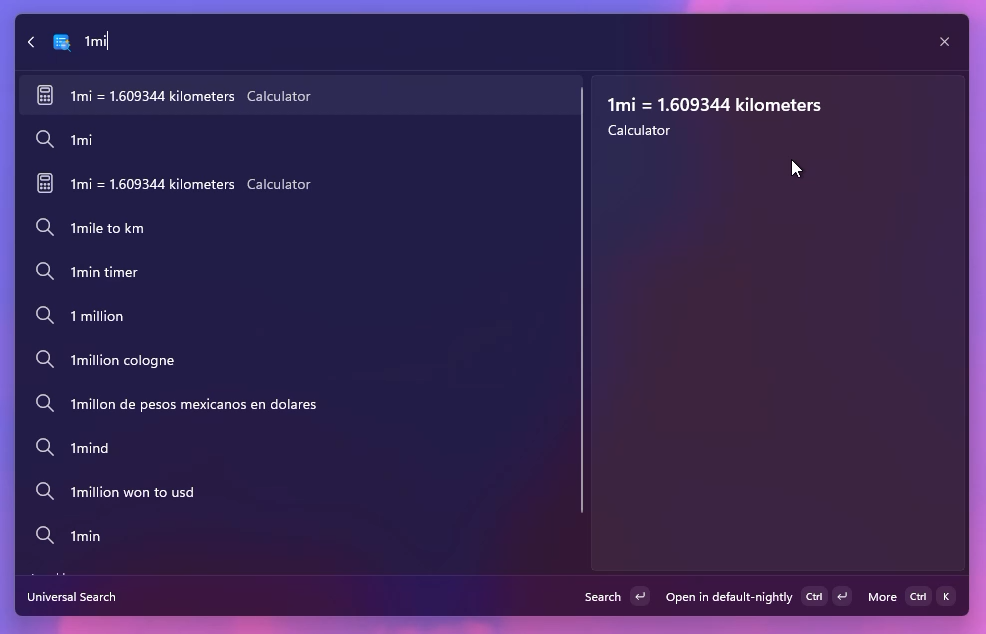
Calculator
Currency
Units
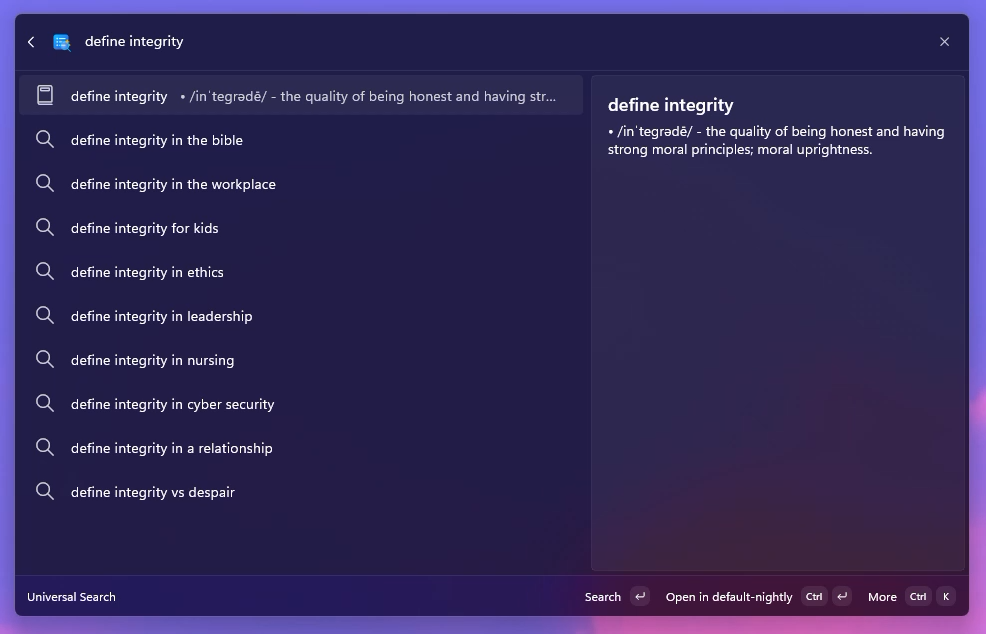
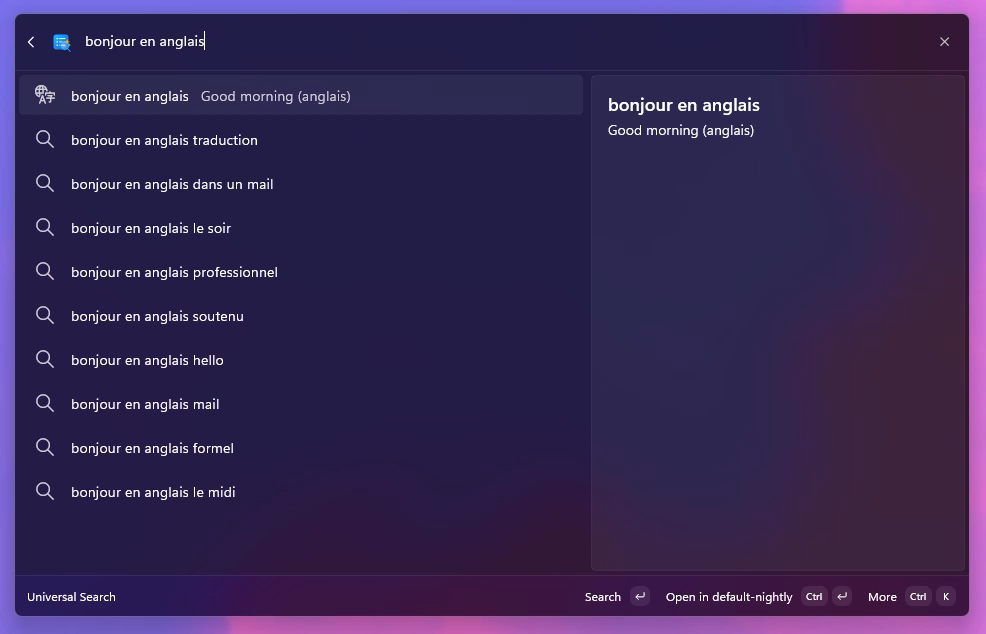
Dictionary
Translation
Stock quotes
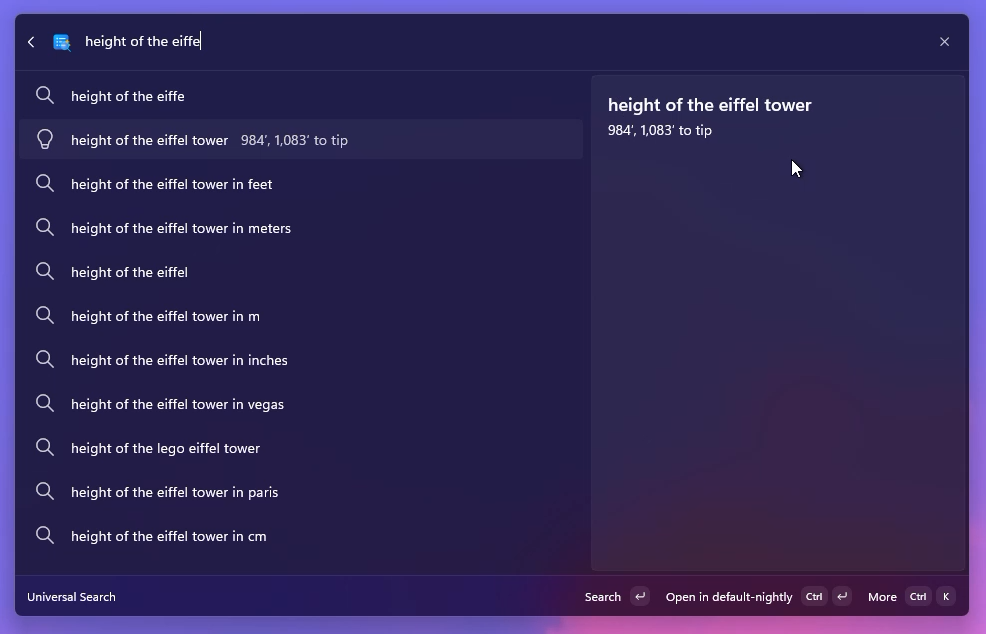
General knowledge — facts, sport scores, sunrise/sunset, local time, and more.
Your local bookmarks and history
Pick one browser profile (Chrome, Edge, Brave, or Firefox) and Universal Search will quietly index its bookmarks and history, ready to be matched as you type. Everything stays on your machine.
You can use Raycast-style operators in the search box:
gh -clone           match "gh", exclude "clone"
"react hooks"       exact phrase
\-deprecated        treat the dash as literal
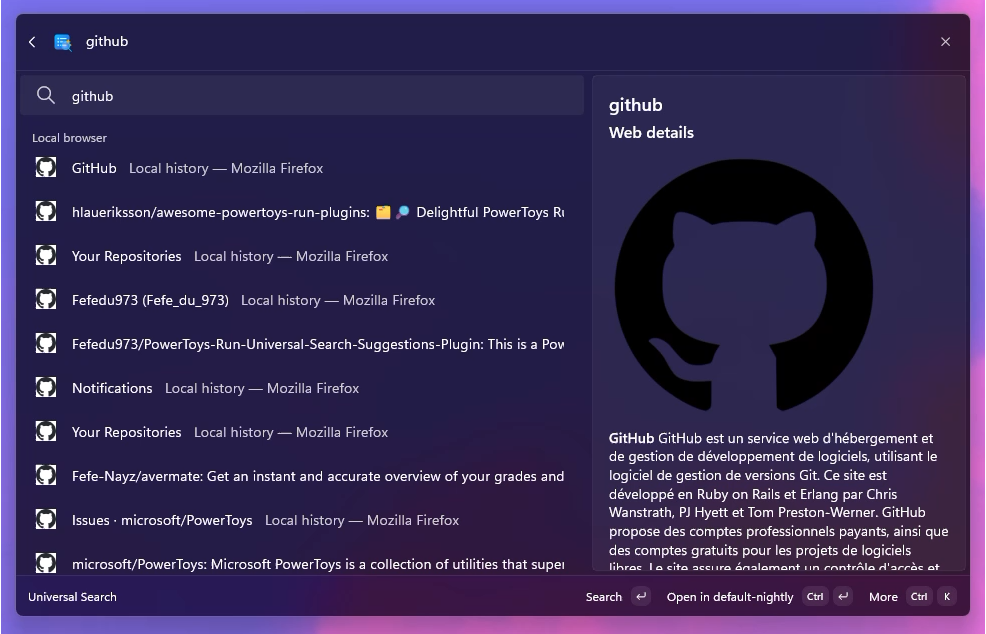
Your own bookmarks and history surface alongside live web suggestions.
A details panel that helps you decide
Select a suggestion and the right side shows what the result is about — without opening it:
- Web summary from DuckDuckGo Instant Answer or Wikipedia, with a thumbnail
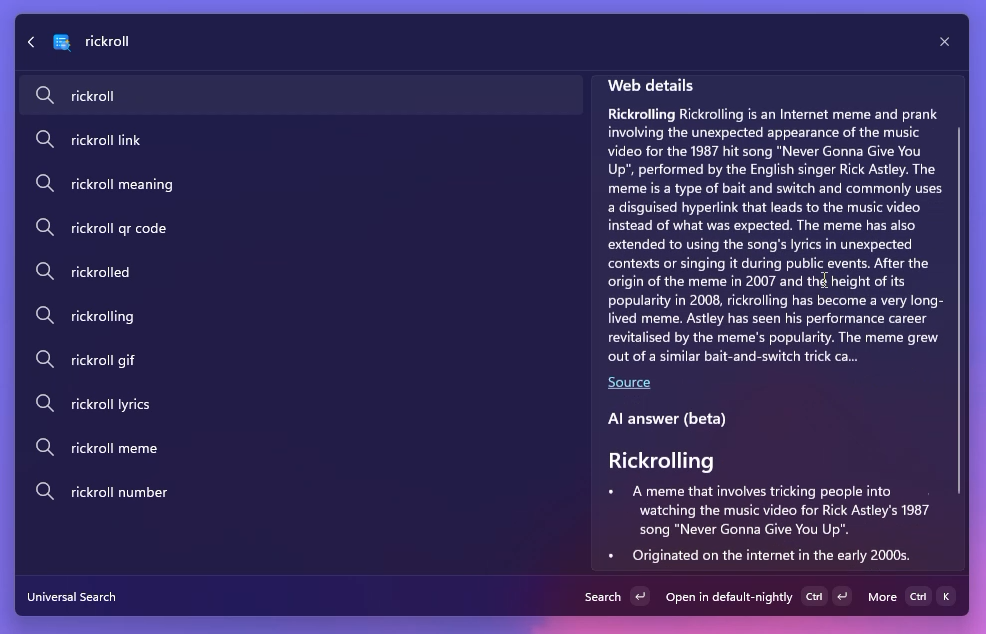
- AI answer streamed live in Markdown, in your language
- Or connect a SERP API ato get better results (coming soon)
The default AI runs on a free, no-account, anonymous endpoint (OVH's hosted Llama 3.1). Bring your own API key to point it at OpenAI, Groq, OpenRouter, Together, Mistral, Azure OpenAI — or any OpenAI-compatible service.
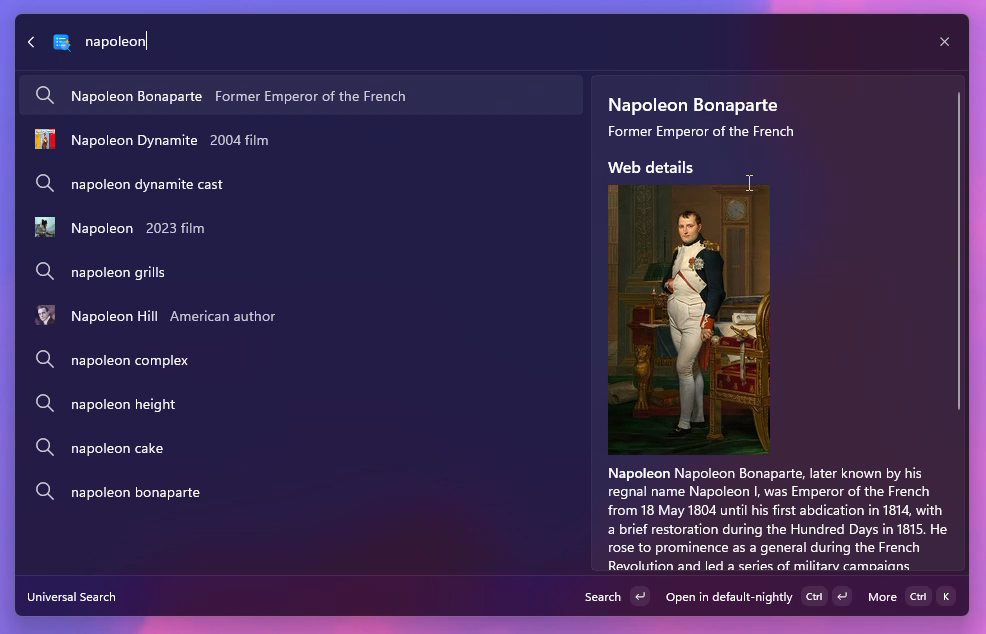
Web summary from Wikipedia / DuckDuckGo with thumbnail.
AI answer streamed live in your language.
Open it the way you want
Every suggestion has a context menu with:
- Open in your default browser or any installed one (Chrome, Edge, Brave, Firefox, custom path)
- Open in a specific browser profile
- Open in Incognito / InPrivate / private mode
- Copy URL
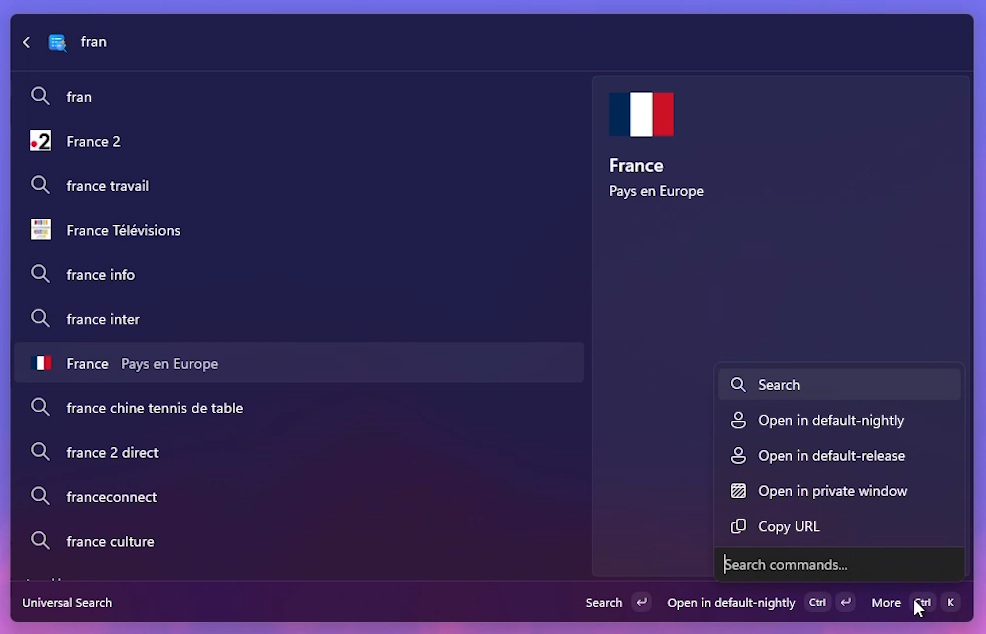
Right-arrow on any suggestion to pick a specific browser, profile, or incognito mode.
A useful empty state
Before you've typed anything, the page can show:
- your recent searches (stored locally)
- the day's trending Google suggestions
- both, blended
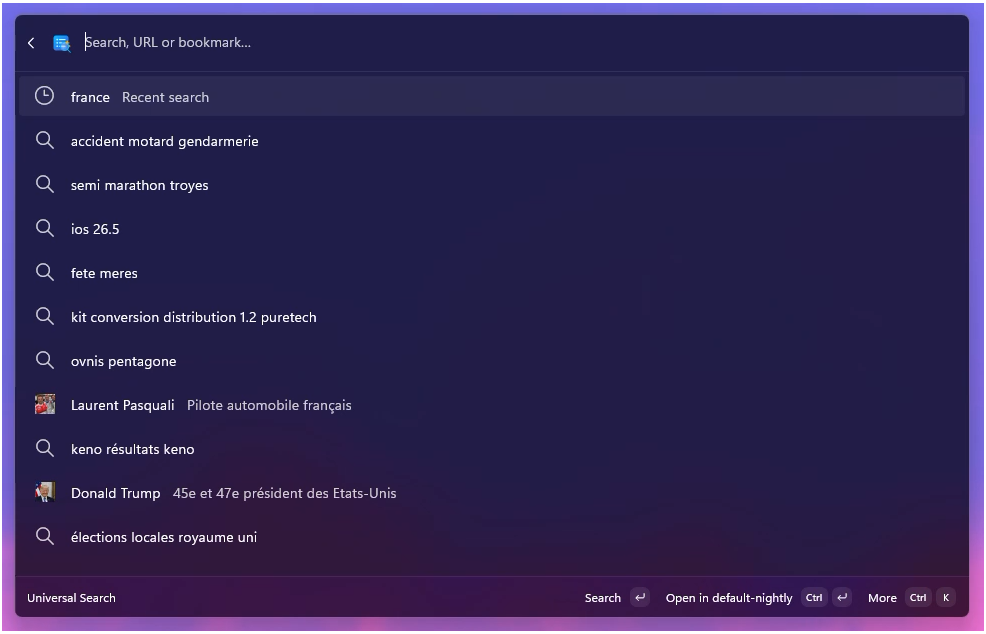
What you see the moment you open the page — recent and trending, blended.
Settings
Universal Search ships with sensible defaults — installing it and starting to type is enough. Everything below can be tuned later from the extension's settings page.
| Setting | Default |
|---|
| Primary search engine | Google |
| Browser | System default |
| Suggestion language | Auto-detected from Windows |
| Google autocomplete + rich + answers | On |
| Bing, Yahoo, DuckDuckGo, Ecosia, Brave, Qwant, Swisscows | Off |
| Bookmarks + history | On (from your default browser) |
| Details panel | On |
| Web summary (Wikipedia + DuckDuckGo) | On |
| AI answer in details | On — anonymous OVH Llama 3.1 8B |
| Empty page content | Recent searches + Google suggestions |
| Site favicons | On |
| Max suggestions per source | 10 |
| Max local results | 12 |
| Max total results | 40 |
| Network debounce | 110 ms |
Use your own AI provider
Paste a different endpoint and key into the AI settings and you're done:
| Provider | Endpoint | Suggested model |
|---|
| OpenAI | https://api.openai.com/v1/chat/completions | gpt-4o-mini |
| Groq | https://api.groq.com/openai/v1/chat/completions | llama-3.1-8b-instant |
| OpenRouter | https://openrouter.ai/api/v1/chat/completions | meta-llama/llama-3.1-8b-instruct |
| Together AI | https://api.together.xyz/v1/chat/completions | meta-llama/Llama-3.1-8B-Instruct-Turbo |
| Mistral | https://api.mistral.ai/v1/chat/completions | mistral-small-latest |
| OVH (default, no key) | https://oai.endpoints.kepler.ai.cloud.ovh.net/v1/chat/completions | Llama-3.1-8B-Instruct |
Leave the API key empty and you fall back to the anonymous OVH endpoint — free, rate-limited, no signup.
FAQ
Is anything sent to a server?
The autocomplete sources you turn on receive your typed query the same way they would in a browser address bar. Bookmarks and history never leave your computer. The AI answer (if enabled) goes to the endpoint configured in settings — by default, OVH's anonymous Llama 3.1 endpoint. You can disable it, change the endpoint, or add your own API key at any time.
Will it slow the Command Palette down?
No. The "Search…" row appears the moment you type — that one is local. Network sources are debounced (110 ms by default) and cancelled on every keystroke. The details panel loads asynchronously and never blocks the list. Wikipedia and DuckDuckGo thumbnails are cached on disk, so re-selecting a result is instant.
Why are there several "Google" toggles?
Google exposes a few different autocomplete feeds and each adds something different:
- Google autocomplete is the regular suggestion list.
- Google rich adds descriptions, headings, and thumbnails (definitions, sport scores, stocks, etc.).
- Google answers adds inline calculator, weather, currency, dictionary, time and translation results — the things you see in Chrome's omnibox.
- Google Toolbar XML is the legacy 2008-era feed, off by default. Turn it on only if the modern endpoints don't work on your network.
In normal use, the three default-on Google sources together give you the full Chrome address-bar feel.
Where are bookmarks and history read from?
From the browser profile you picked in Bookmarks/history browser. Chromium browsers expose them through a Bookmarks JSON file and a History SQLite database; Firefox uses places.sqlite. Universal Search reads them on demand into memory and matches them locally — no telemetry, no sync, no network call. The local cache lives at %LOCALAPPDATA%\UniversalSearchSuggestions\.
Why don't I see my Google search history before I type?
Google ties personalized "recent searches" to your signed-in browser session via cookies. A standalone process can't reuse that session, so Universal Search keeps its own local list of recent queries instead. You can also display Google's anonymous trending suggestions, or both.
How do I clear the cache?
Open the Command Palette, find the Universal Search top-level command, press the right arrow to open its context menu, and pick Reset Universal Search cache. This clears favicons, thumbnails, AI responses, and recent searches.
Contribute
Issues, ideas, and pull requests are very welcome.
Build and test
.\scripts\build.ps1        # build all projects
.\scripts\test.ps1         # run the xUnit suite
.\scripts\dev-deploy.ps1   # register the MSIX and reload Command Palette
Stack: .NET 9 / C# 13, WindowsAppSDK 1.6, Microsoft.CommandPalette.Extensions 0.9, xUnit 2.9.
Project layout
License
MIT — use it anywhere, just keep the credit.