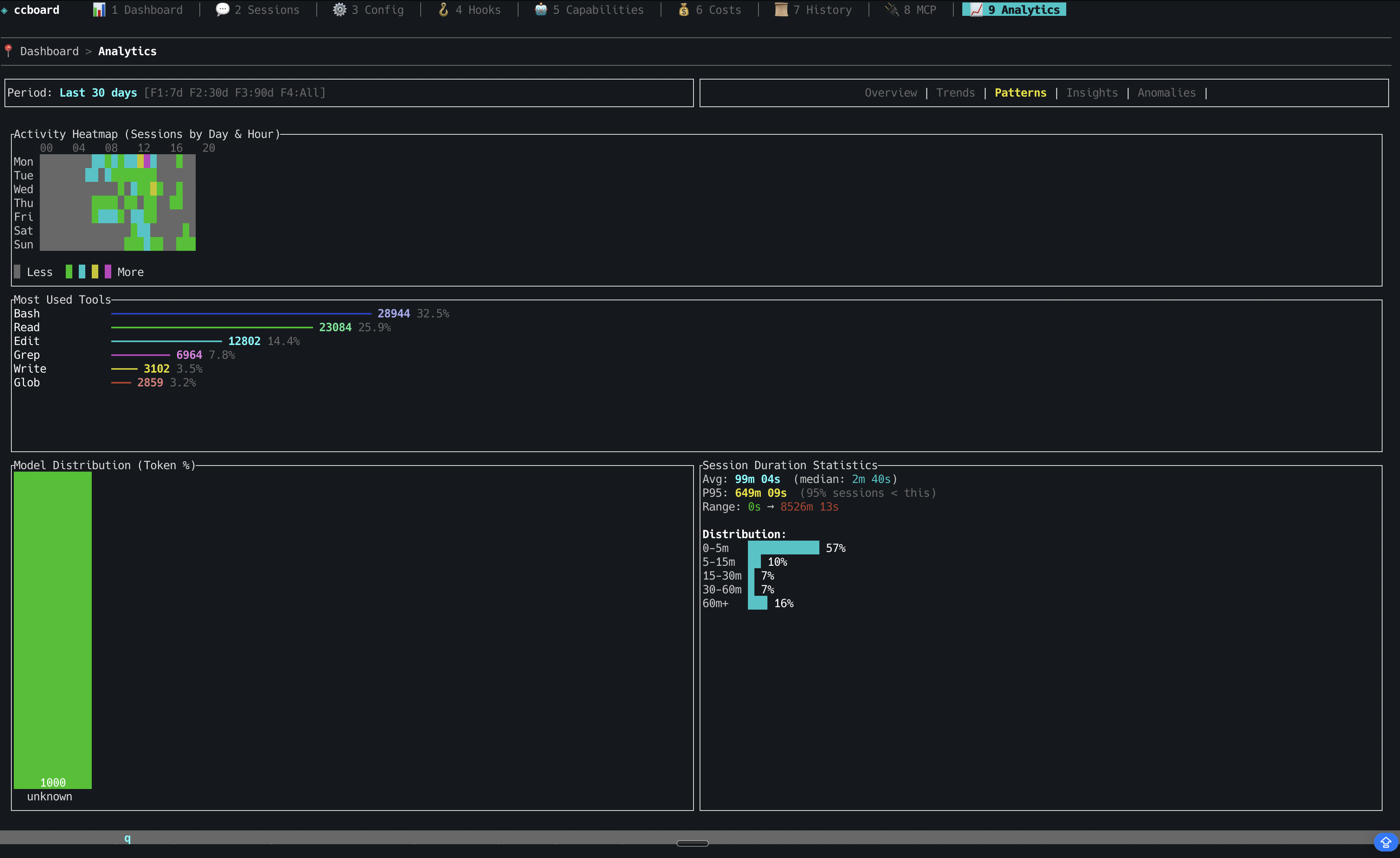
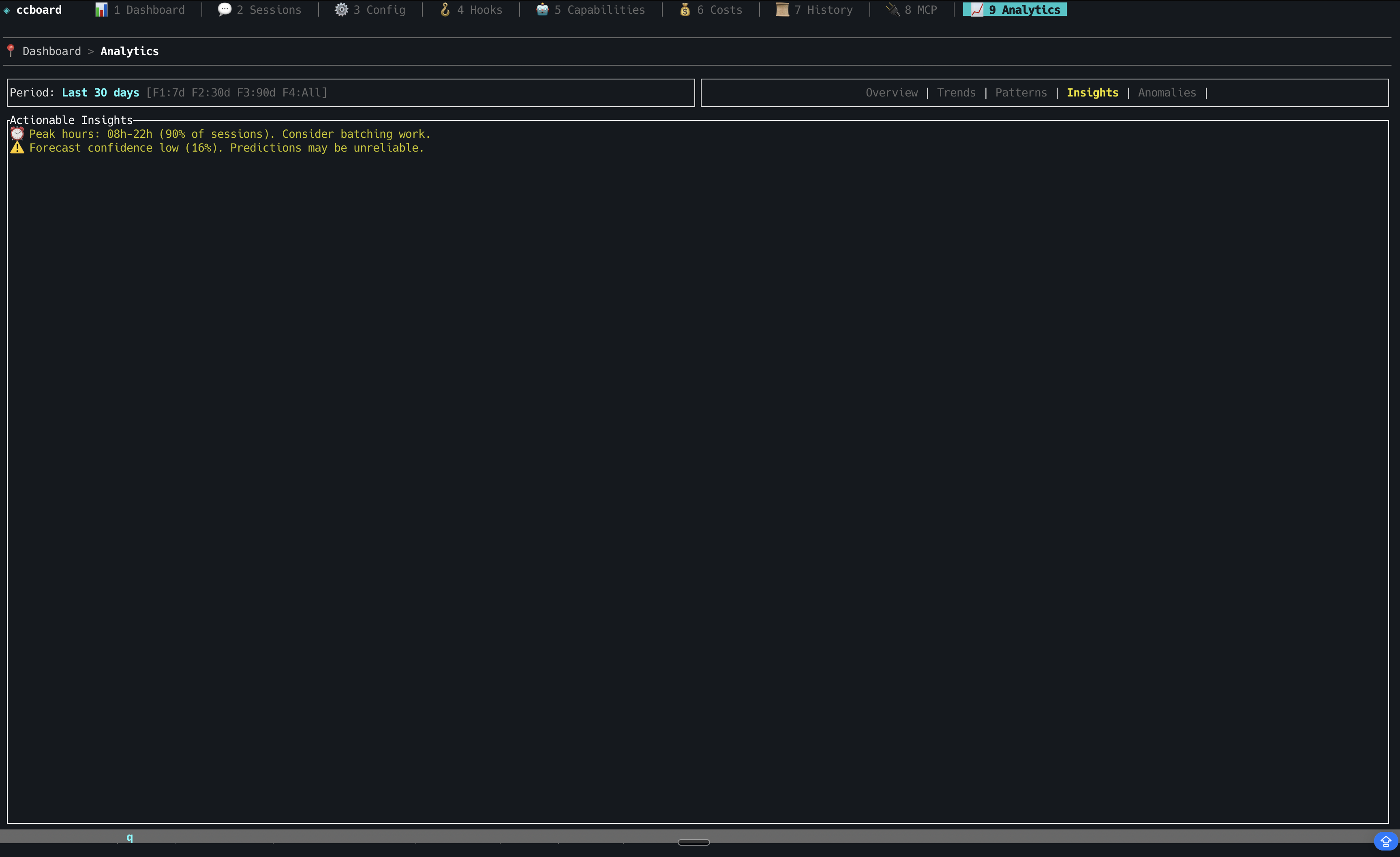
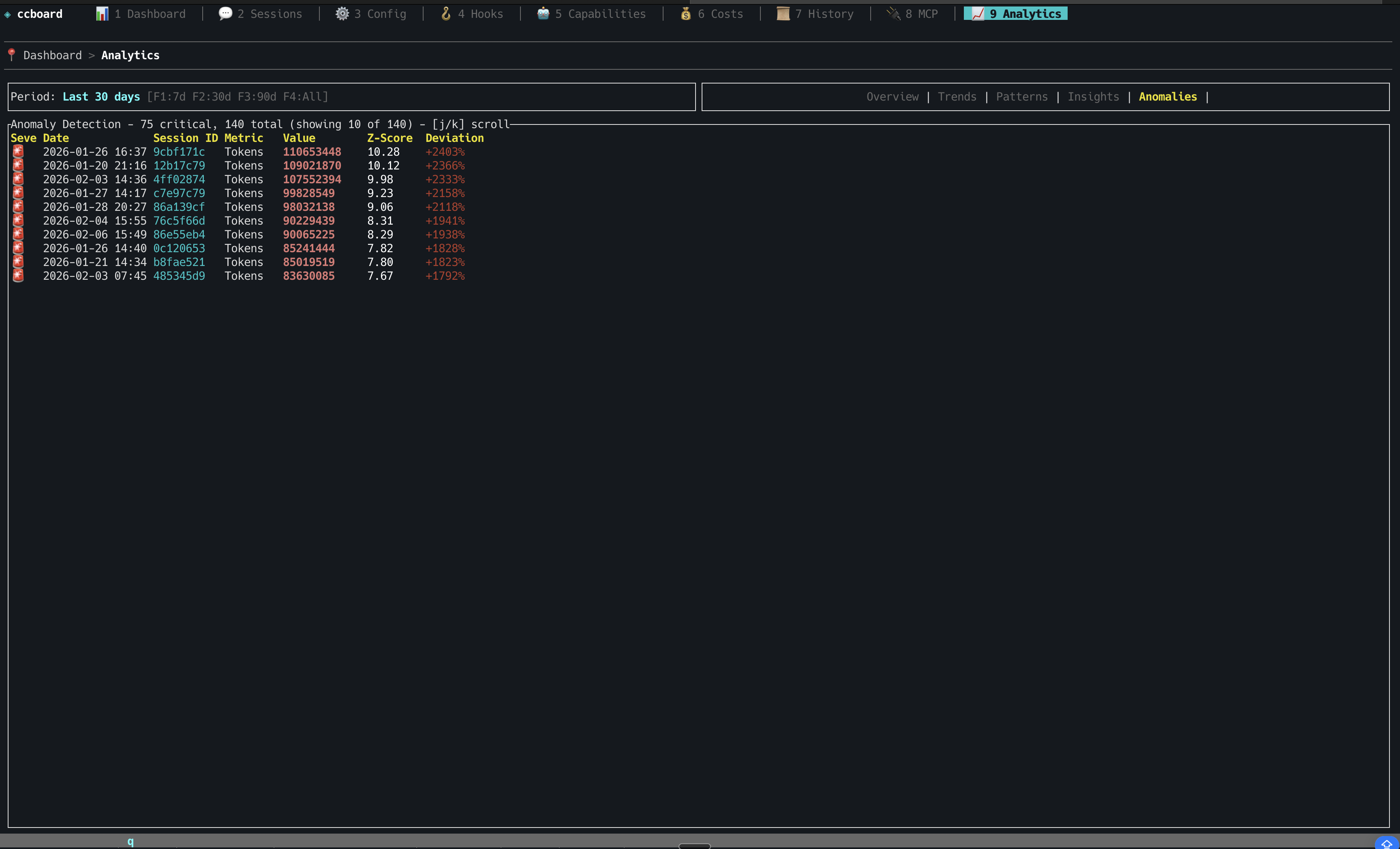
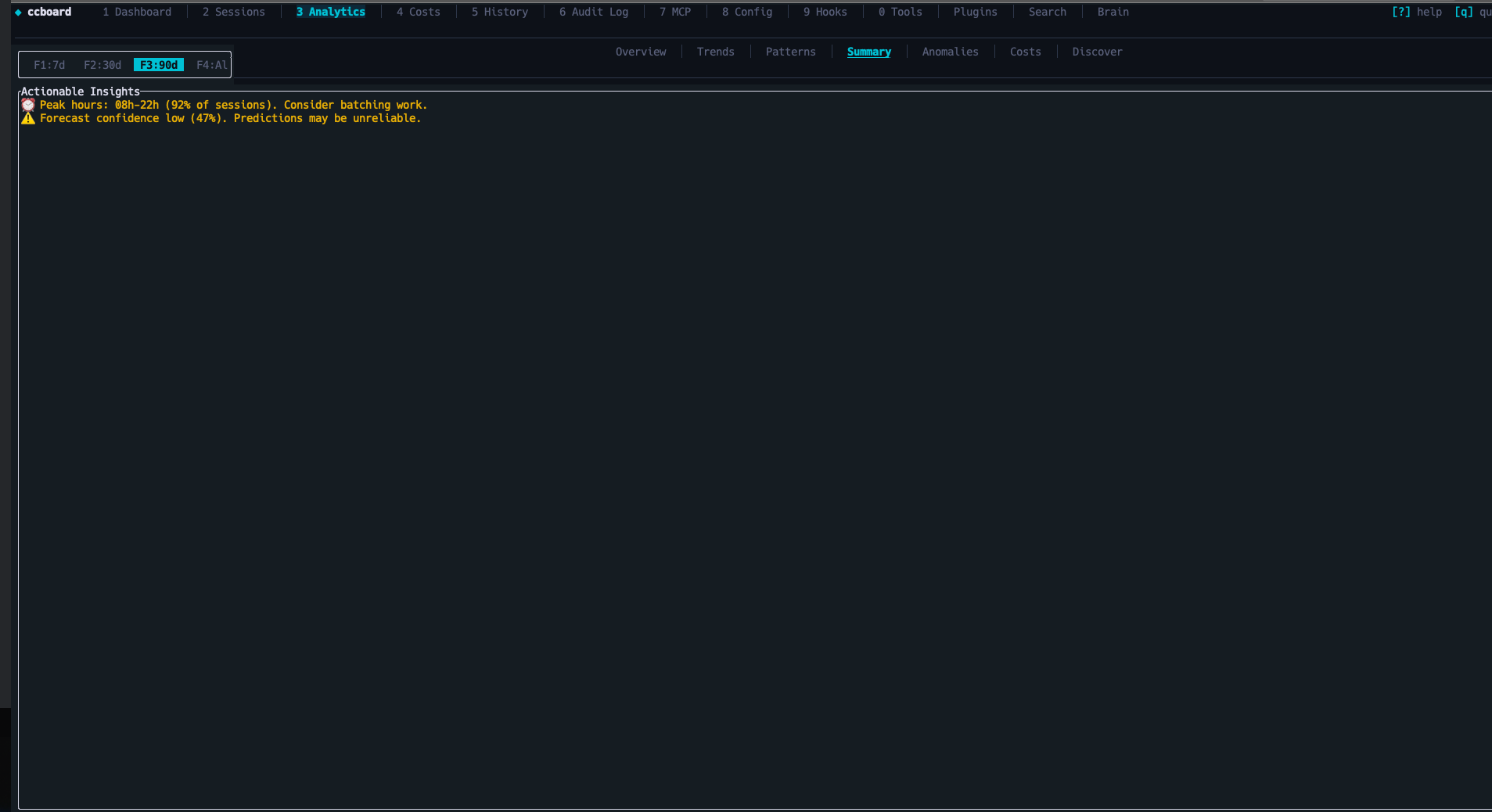
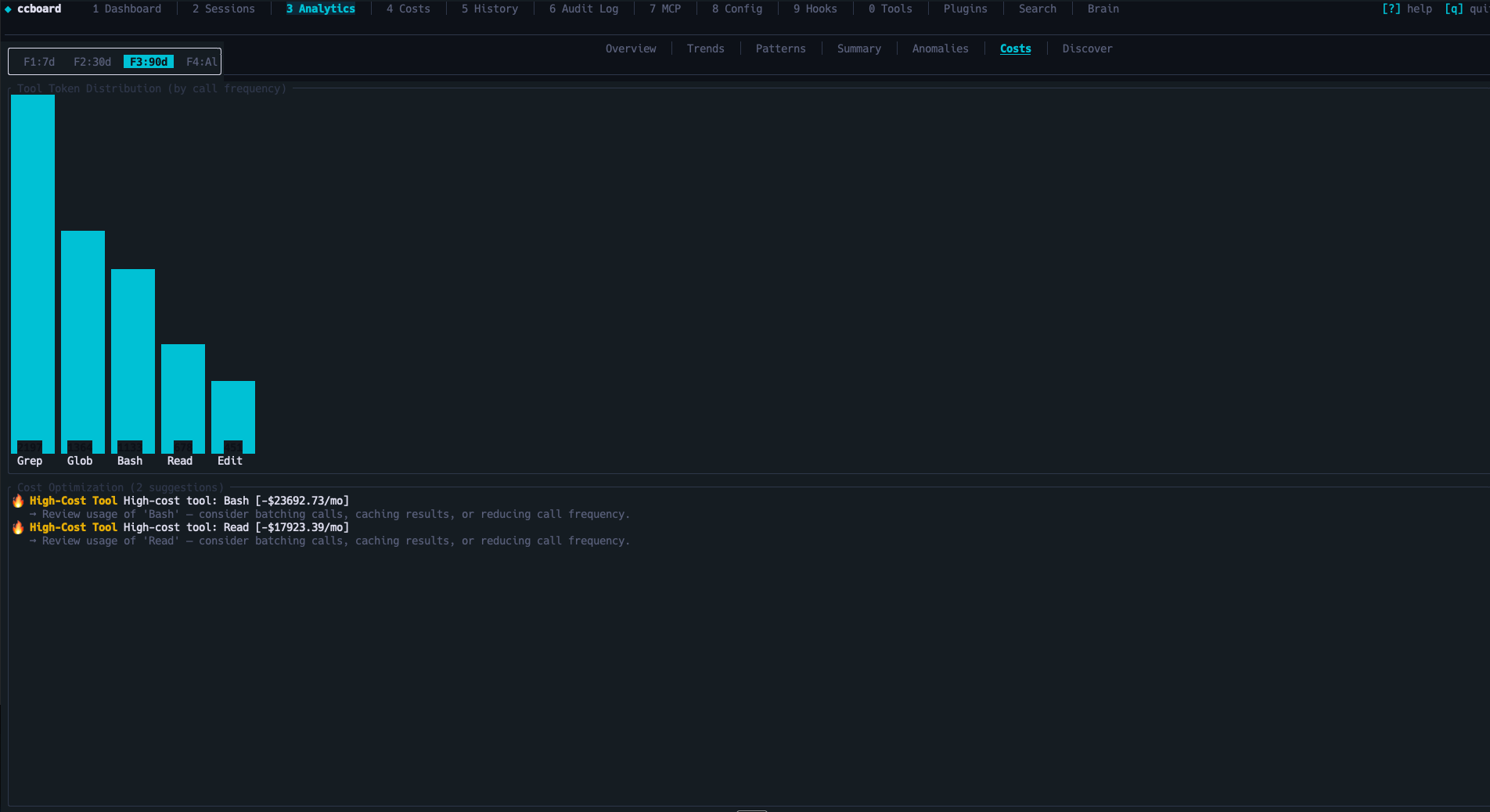
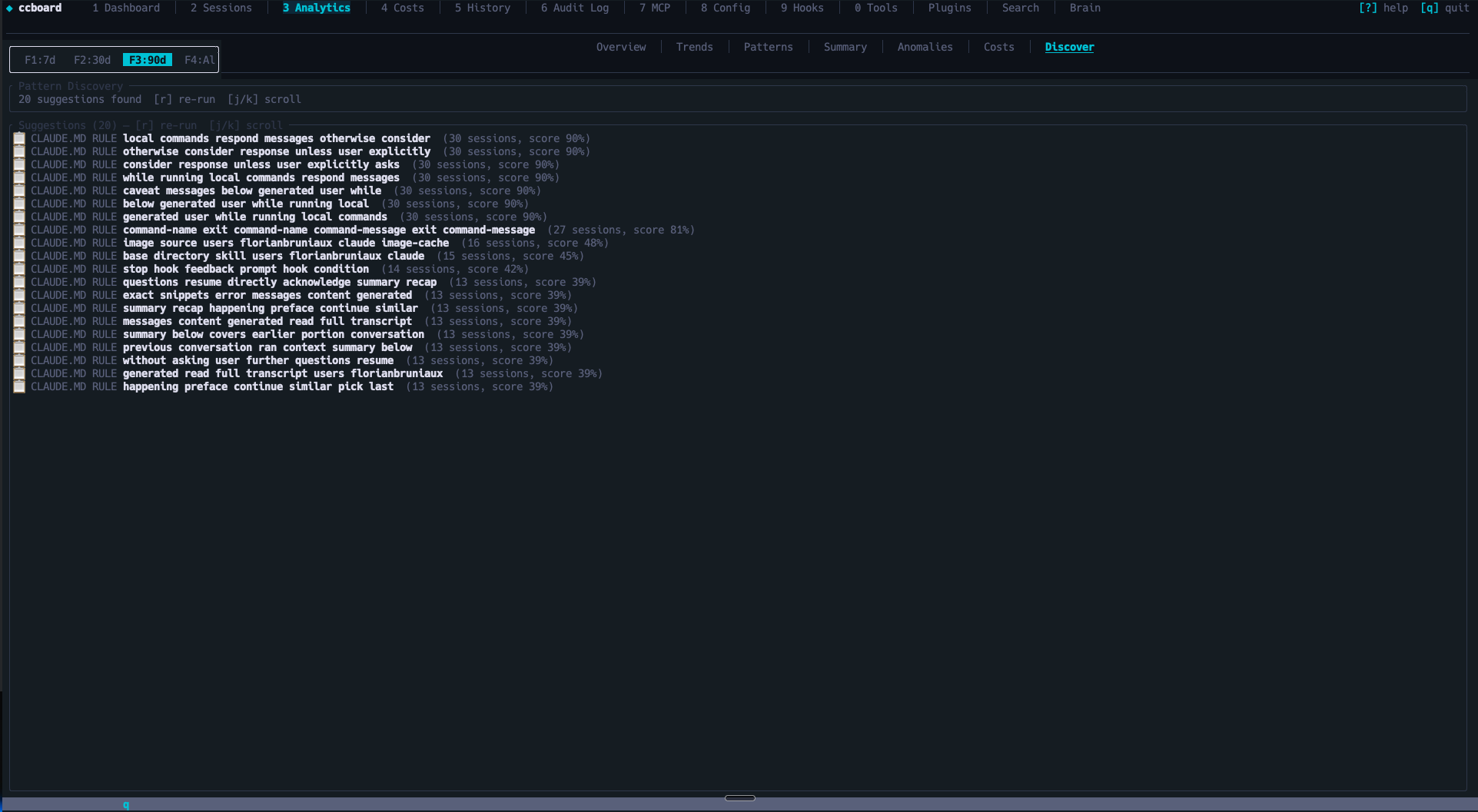
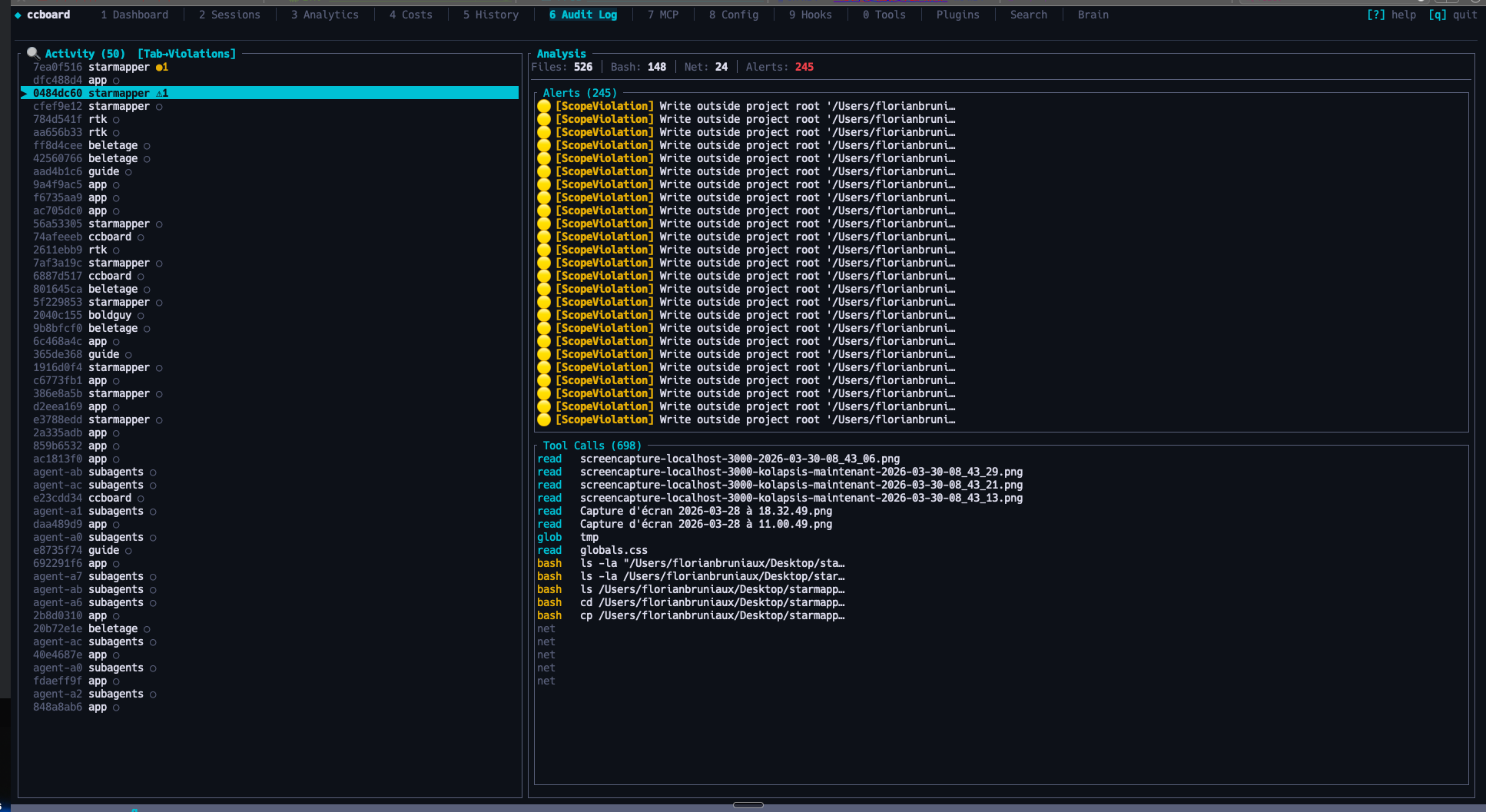
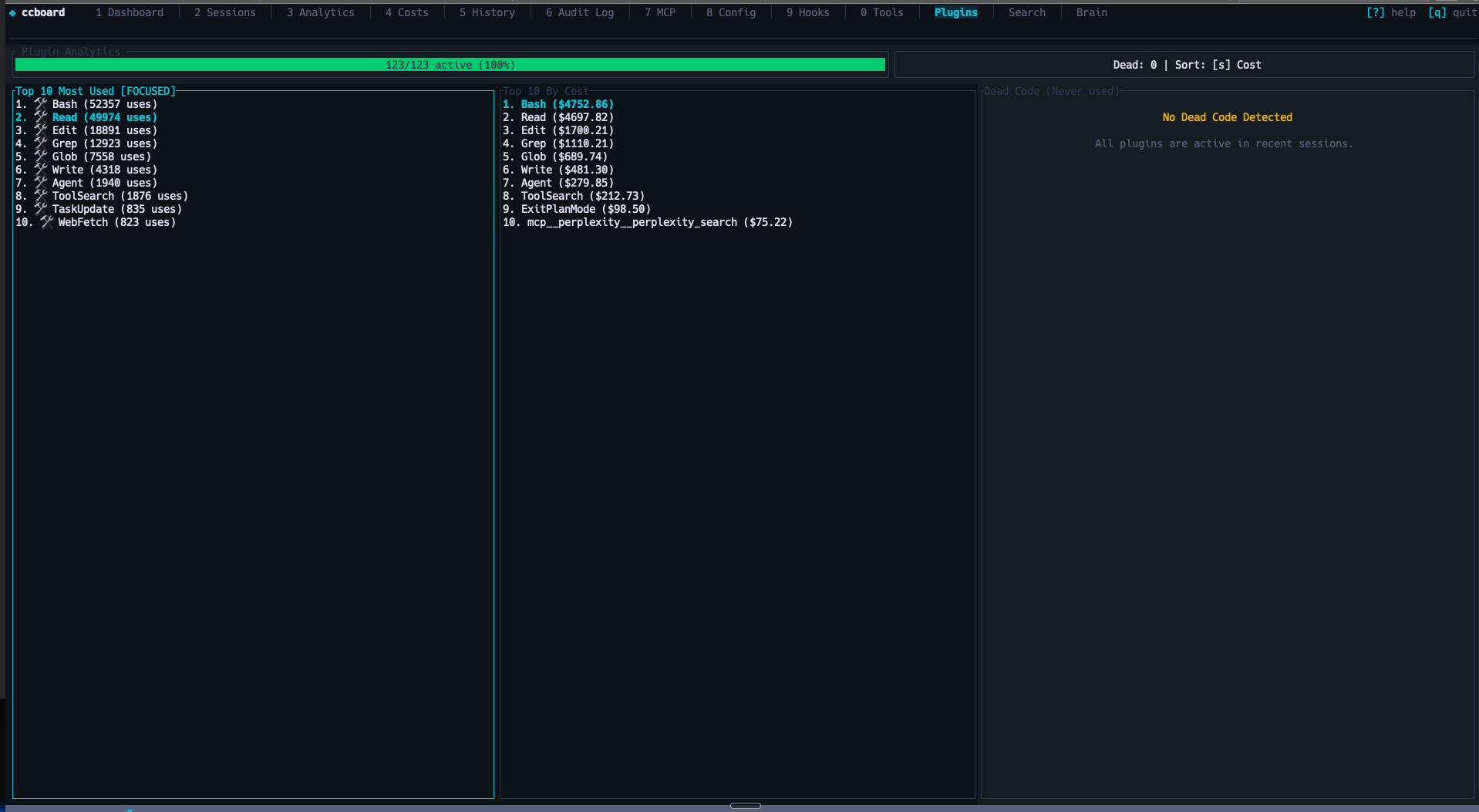
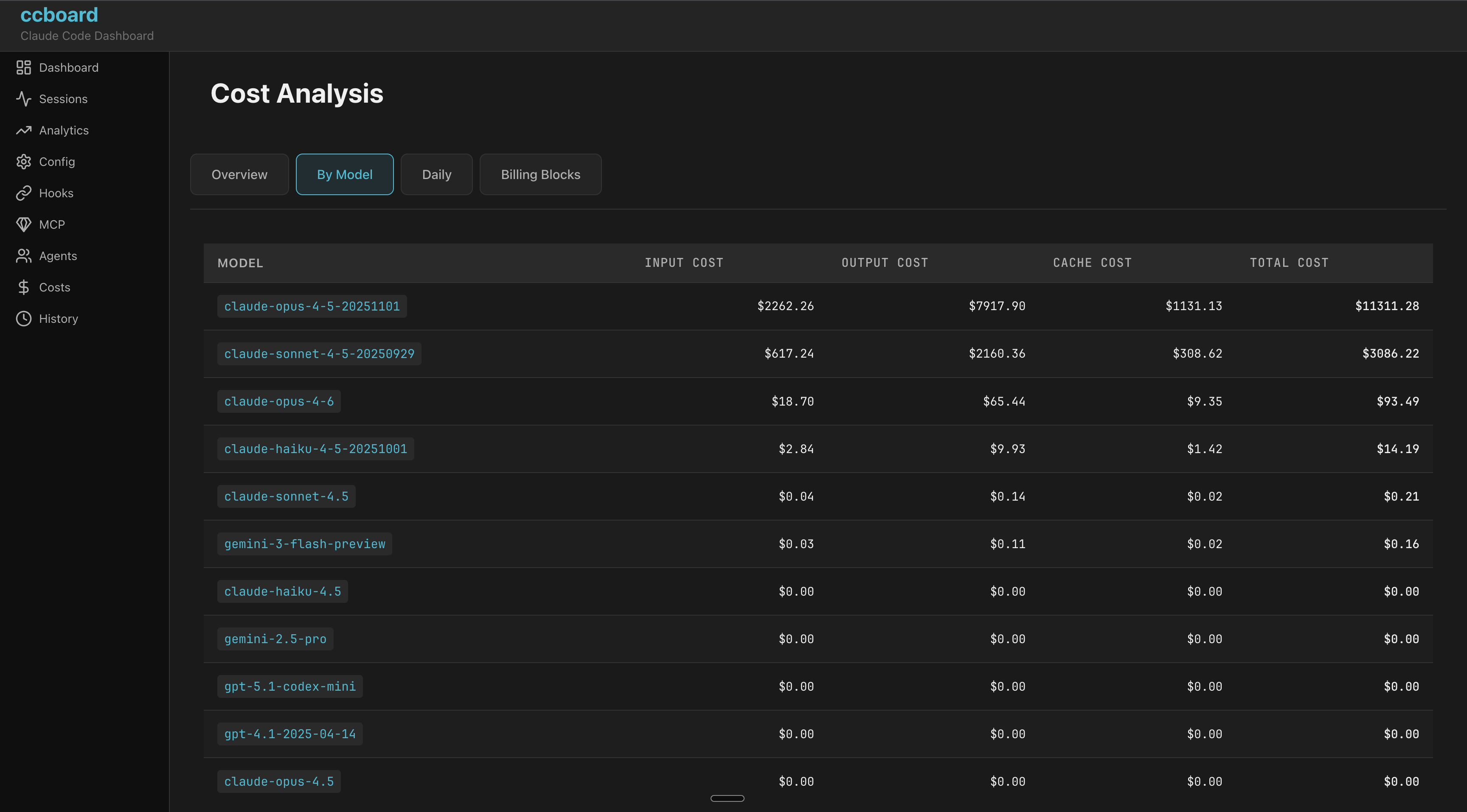
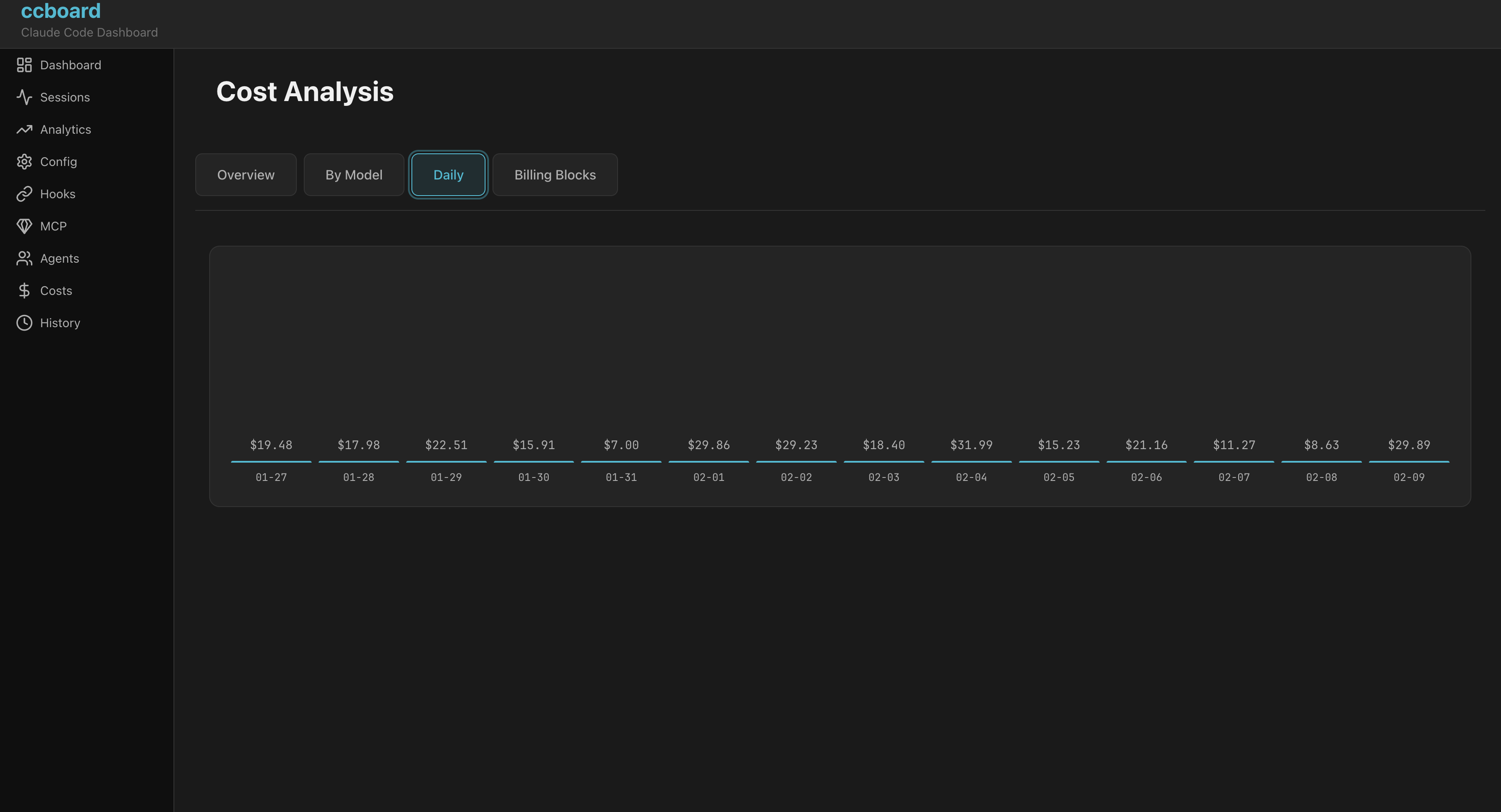
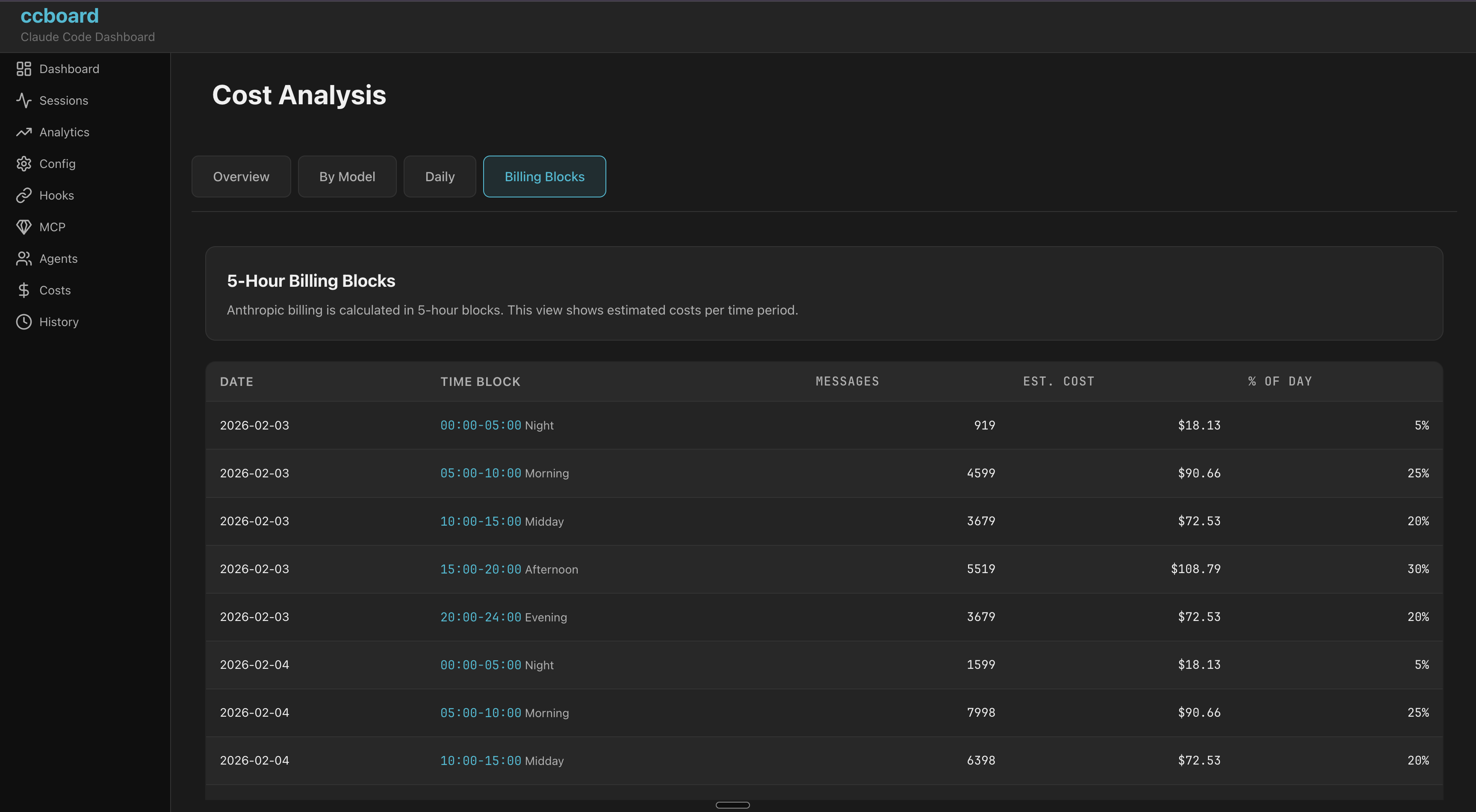
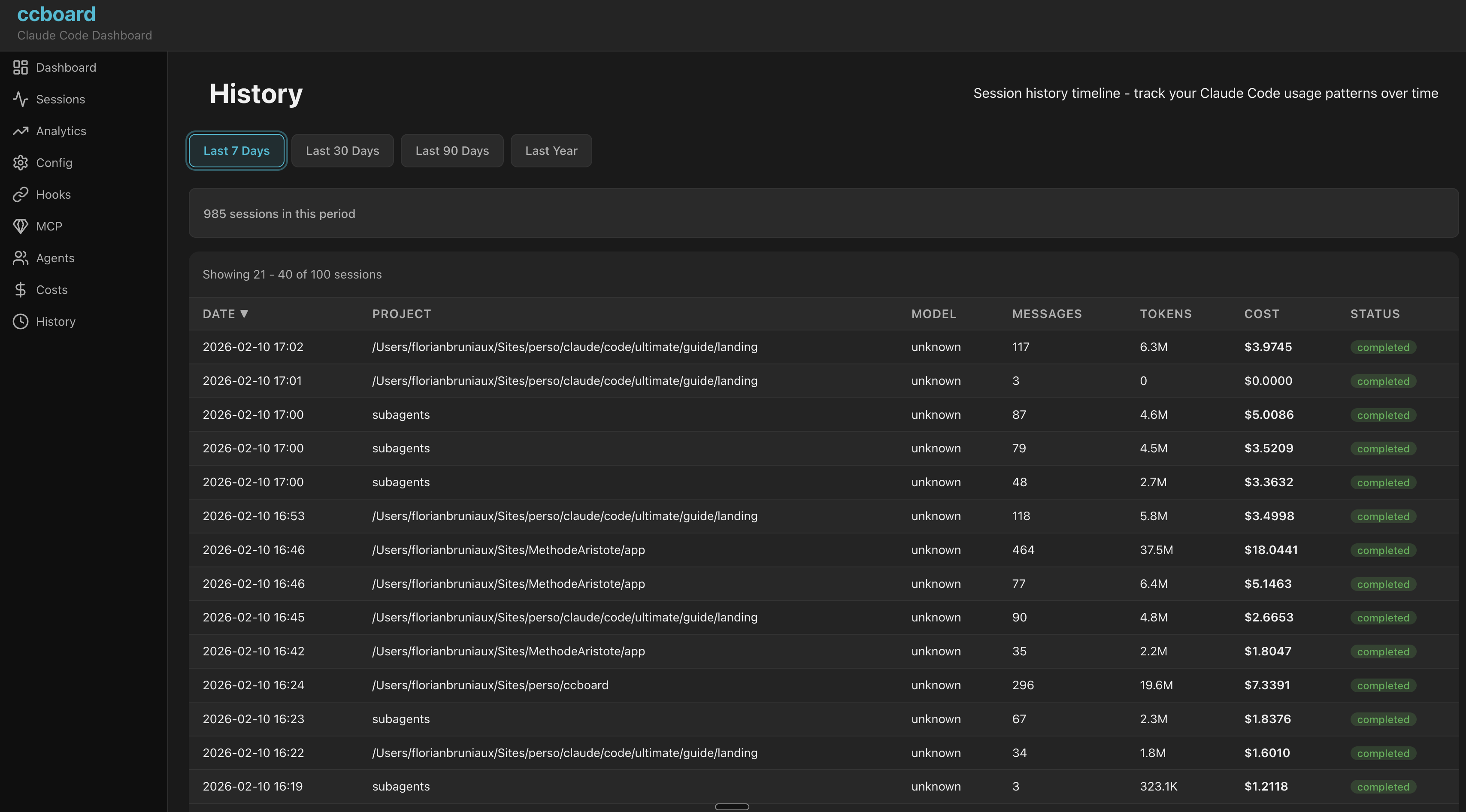
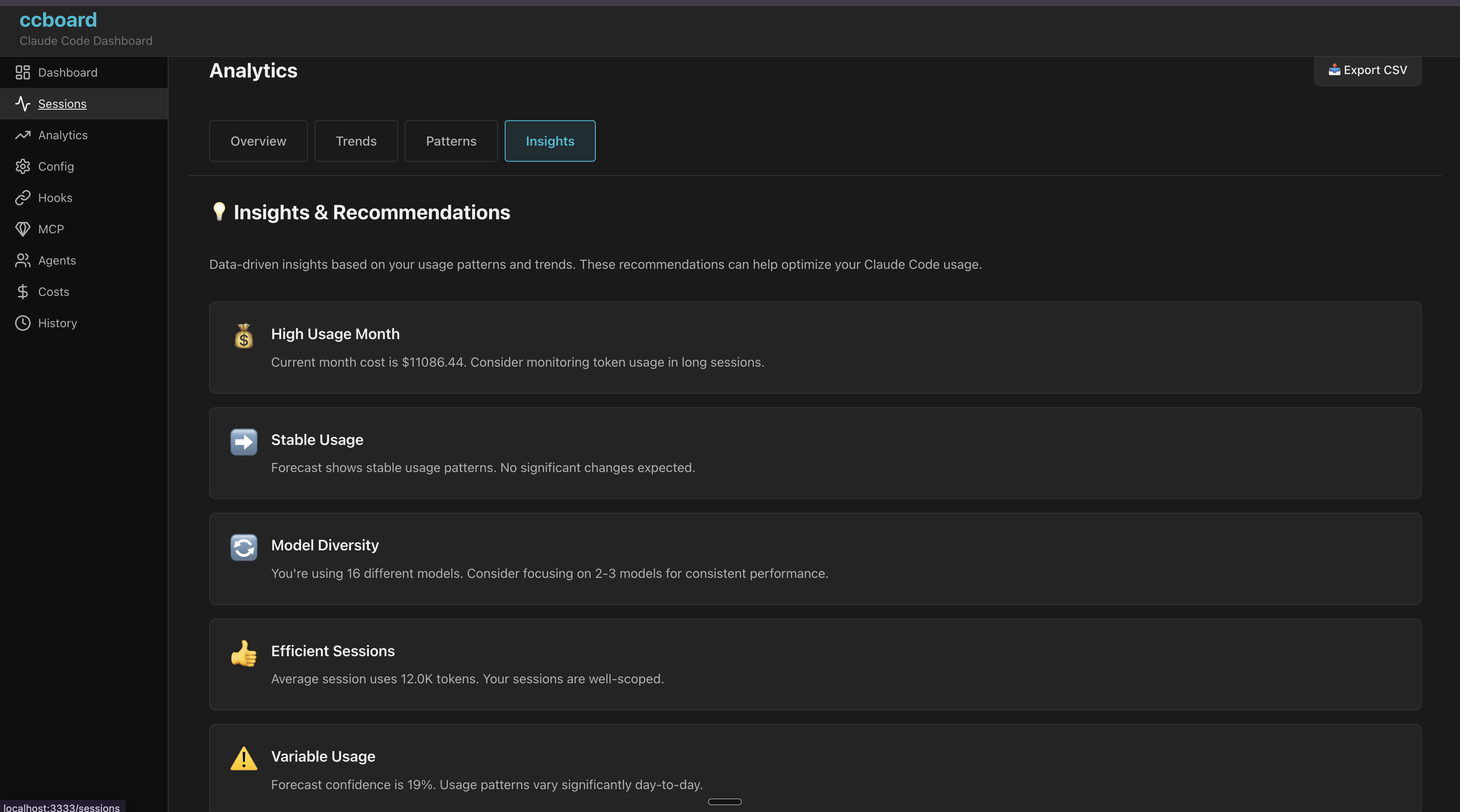
ccboard is a free, open-source Rust TUI (terminal user interface) and web dashboard designed to monitor Claude Code sessions, track costs, manage configurations, and provide insights into AI workflows. It serves as a comprehensive tool for developers and teams working with Claude Code, offering real-time monitoring, analytics, and configuration management in a single lightweight binary.
Key Features:
13 Interactive Tabs: Provides detailed views of sessions, analytics, costs, hooks, agents, MCP servers, config management, and more.
Fast Startup: Boots up 89x faster (20s → 224ms) with an SQLite cache for near-instant performance.
Cross-Platform Support: Works seamlessly on macOS, Linux, and Windows with a single 5.8MB binary.
Comprehensive Analytics: Tracks usage patterns, budget alerts, cost breakdowns, and session metrics to help optimize Claude Code workflows.
Live Monitoring: Injects hooks into Claude Code sessions for real-time tracking of active sessions, status indicators (●/◐/✓), and macOS notifications.
Audience & Benefit:
Ideal for developers, teams, and organizations using Claude Code who need a transparent view of their AI-driven workflows. ccboard empowers users to monitor costs, track session activity, manage configurations, and gain actionable insights from Claude Code usage. It is particularly valuable for those seeking to optimize resource allocation, reduce waste, and ensure compliance in AI-driven projects.
ccboard can be installed via winget or other package managers, ensuring a seamless setup process.
README
ccboard
<a href="https://www.florian.bruniaux.com/about/?utm_source=github&utm_medium=readme&utm_campaign=ccboard"><img src="https://cc.bruniaux.com/author.png" width="56" height="56" alt="Florian Bruniaux" /></a>
<strong><a href="https://www.florian.bruniaux.com/about/?utm_source=github&utm_medium=readme&utm_campaign=ccboard">Florian BRUNIAUX</a></strong> · AI Founding Engineer @ <a href="https://methode-aristote.fr/">Méthode Aristote</a>
13 years from developer to CTO / VP Eng · <a href="https://www.florian.bruniaux.com/blog/?utm_source=github&utm_medium=readme&utm_campaign=ccboard">Blog ↗</a> · <a href="https://www.florian.bruniaux.com/projects/?utm_source=github&utm_medium=readme&utm_campaign=ccboard">Projects ↗</a>
A free, open-source TUI/Web dashboard for Claude Code session monitoring, cost tracking & config management
> The only actively-maintained, free and open-source Rust TUI combining Claude Code monitoring, Claude Code config management, hooks, agents, and MCP servers in a single 5.8MB binary. 89x faster startup with SQLite cache, 492 tests, 0 clippy warnings.
Features
14 Interactive Tabs (TUI + Web)
Tab
Key
Description
Highlights
Dashboard
1
Overview stats, model usage, 7-day activity
API usage estimation, plan-based budgets, MCP server count
Sessions
2
Browse all sessions with 3-pane layout
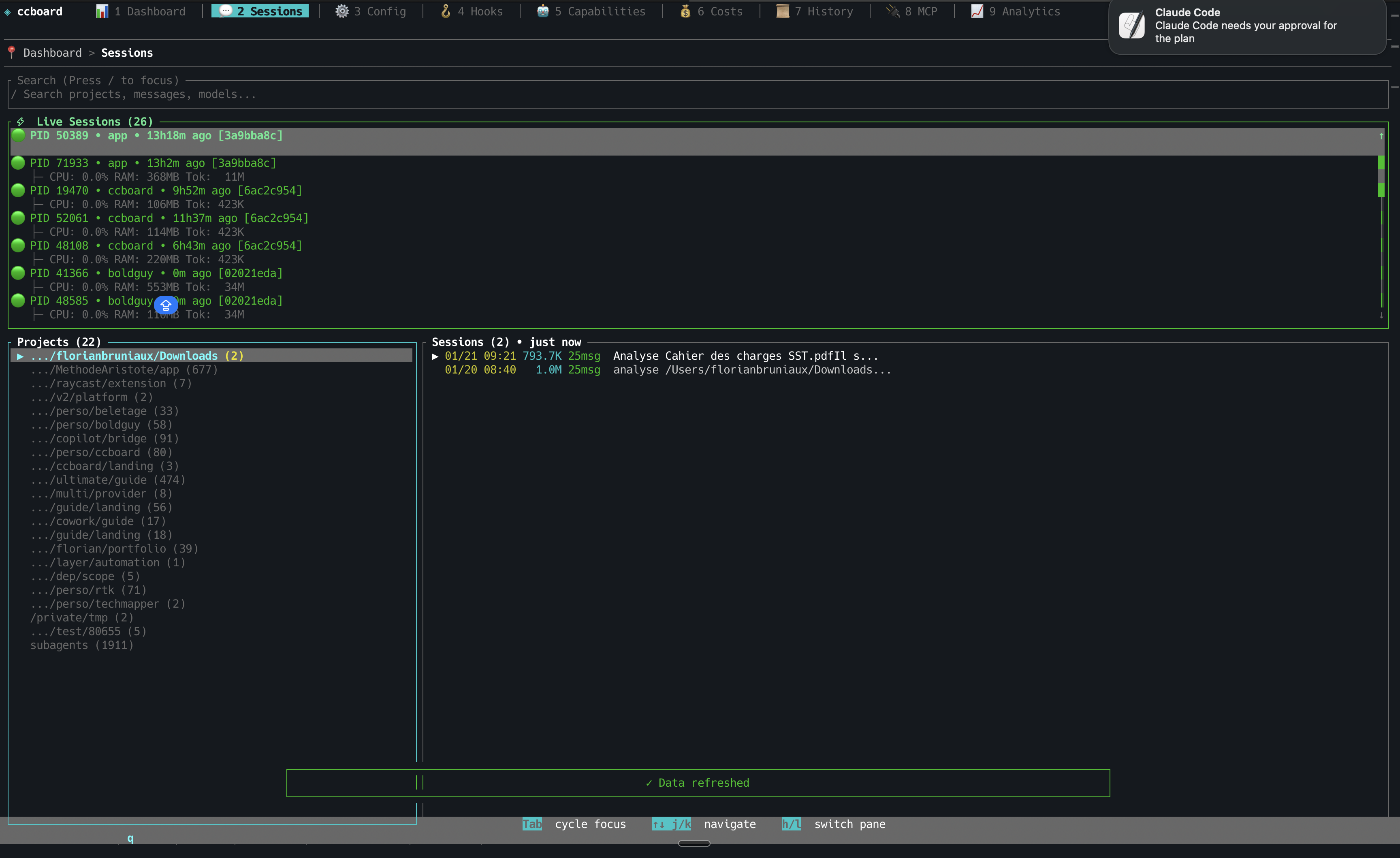
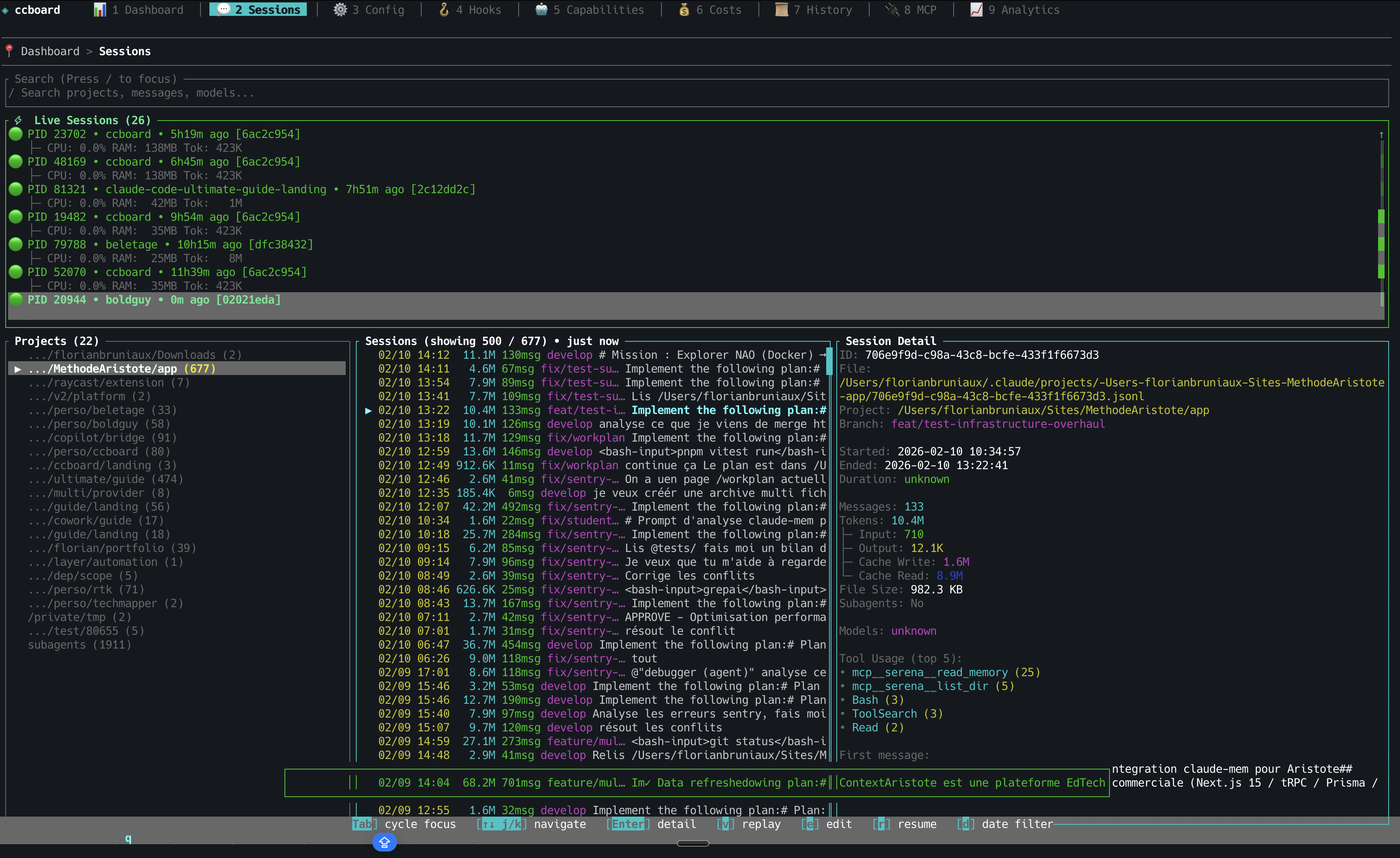
Live status icons (●/◐/✓), session type (CLI/IDE/Agent), bookmarks (b/B), subagent tree, model timeline, AI summaries (ccboard summarize), conversation viewer with regex search, code metrics (+N/-N lines), third-party sessions (Cursor [Cu], Codex [Cx], OpenCode [Oc])
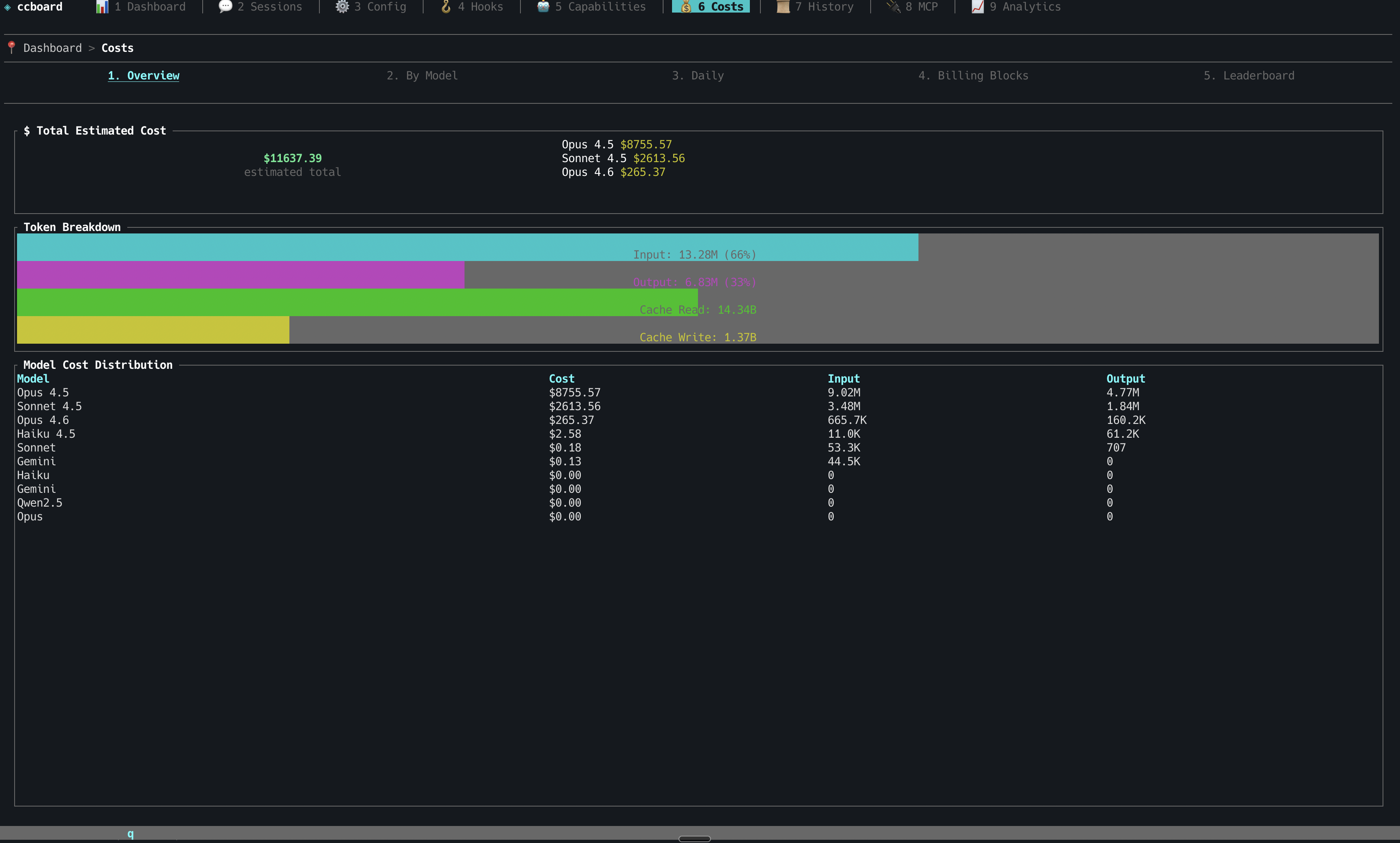
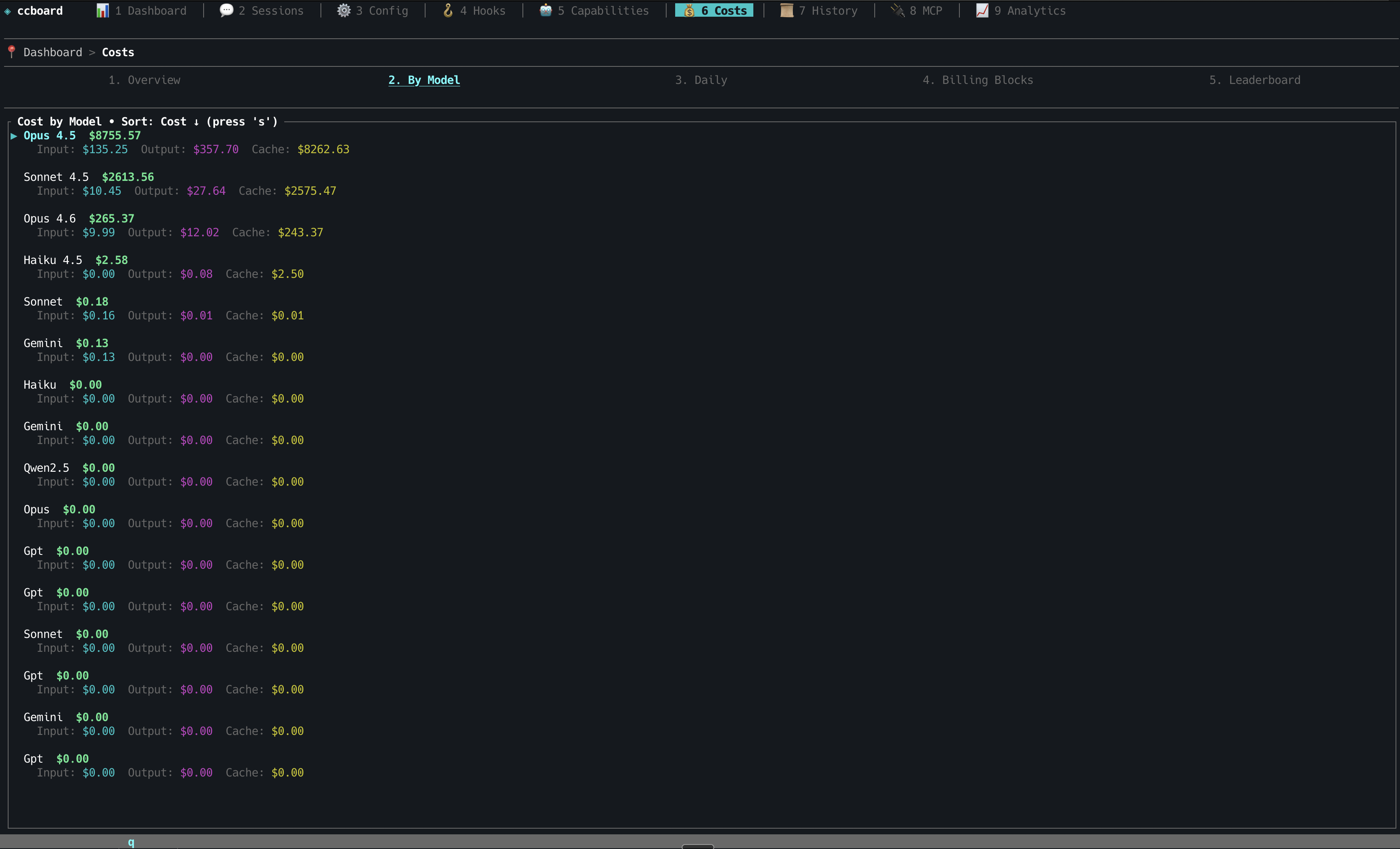
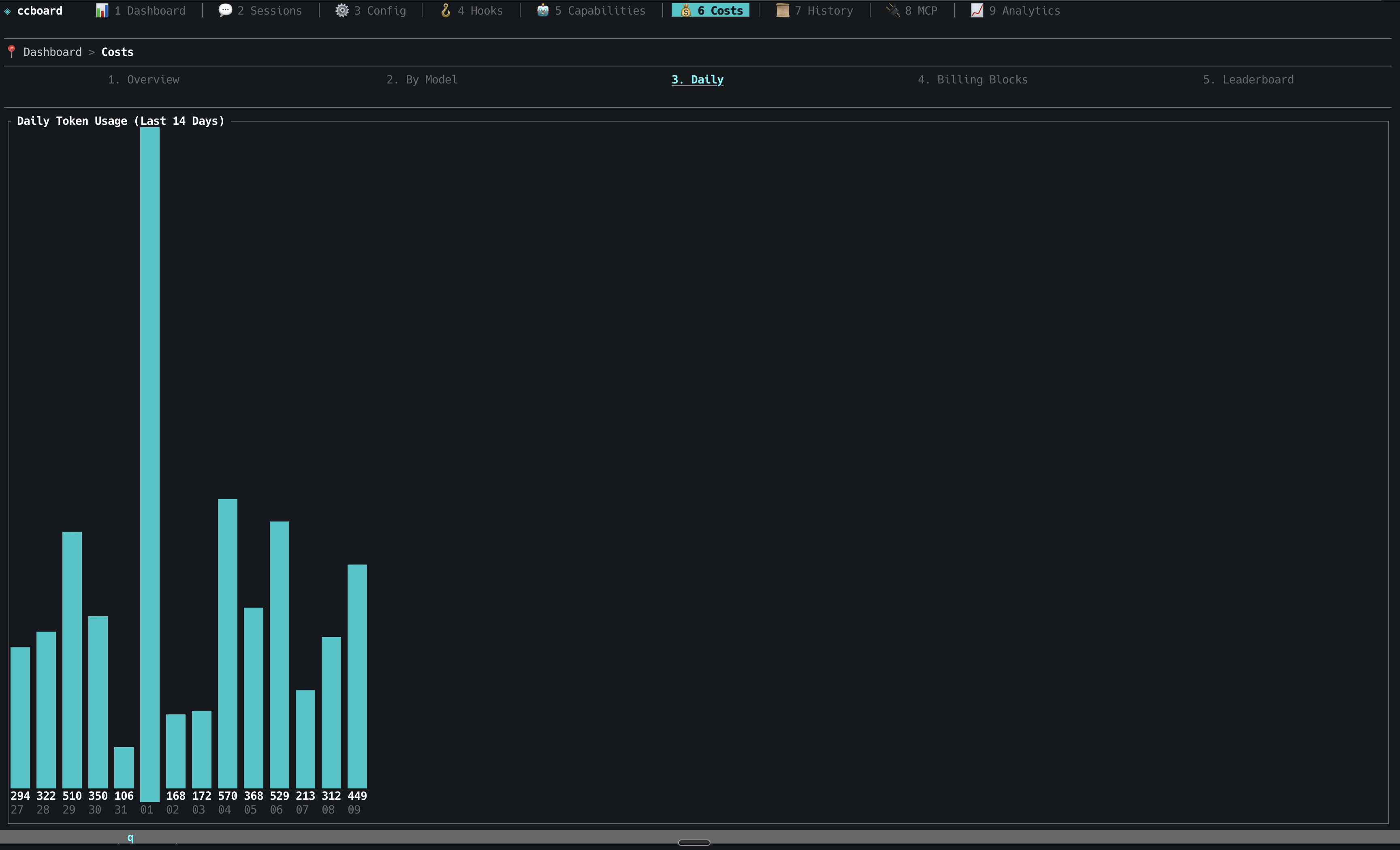
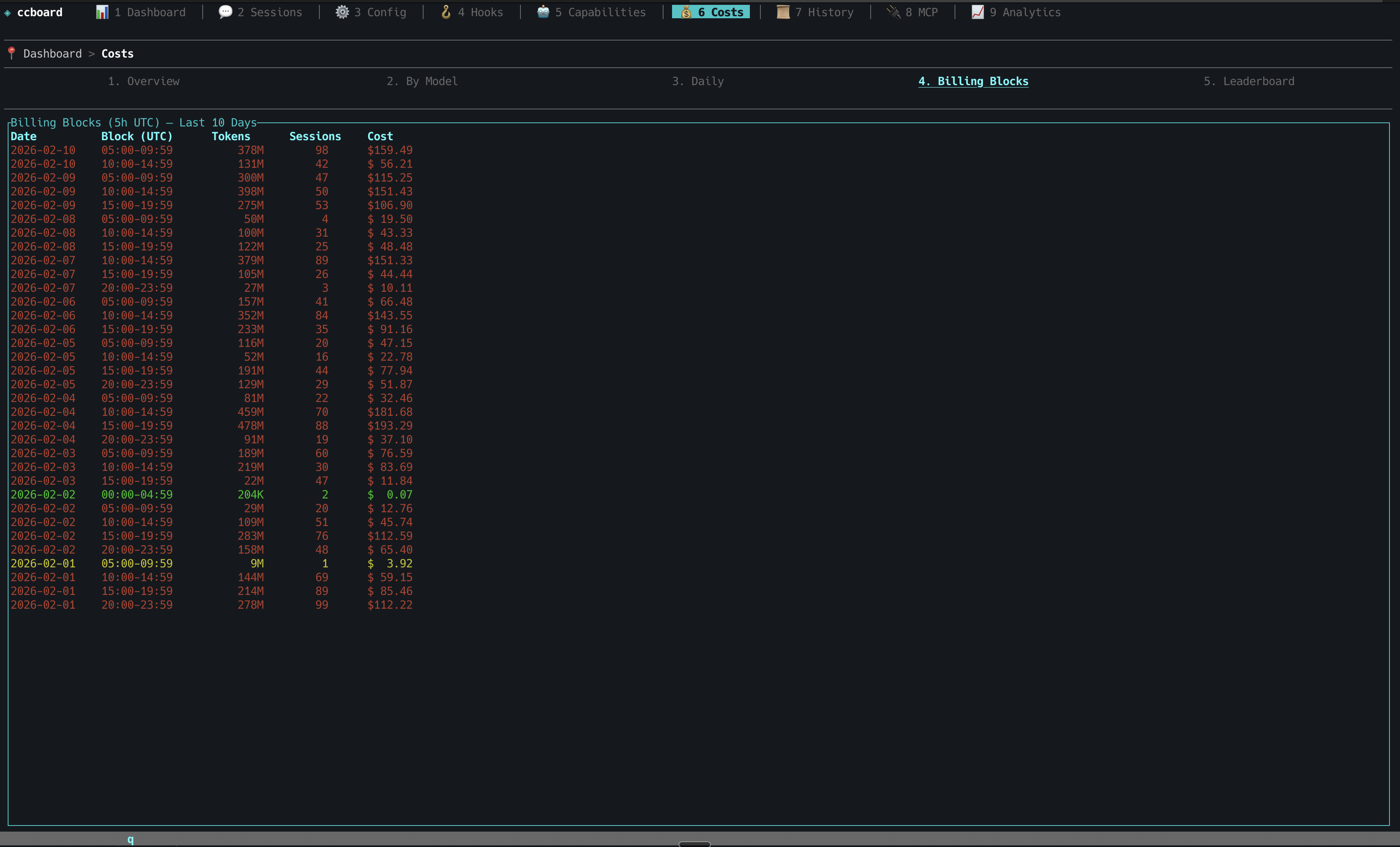
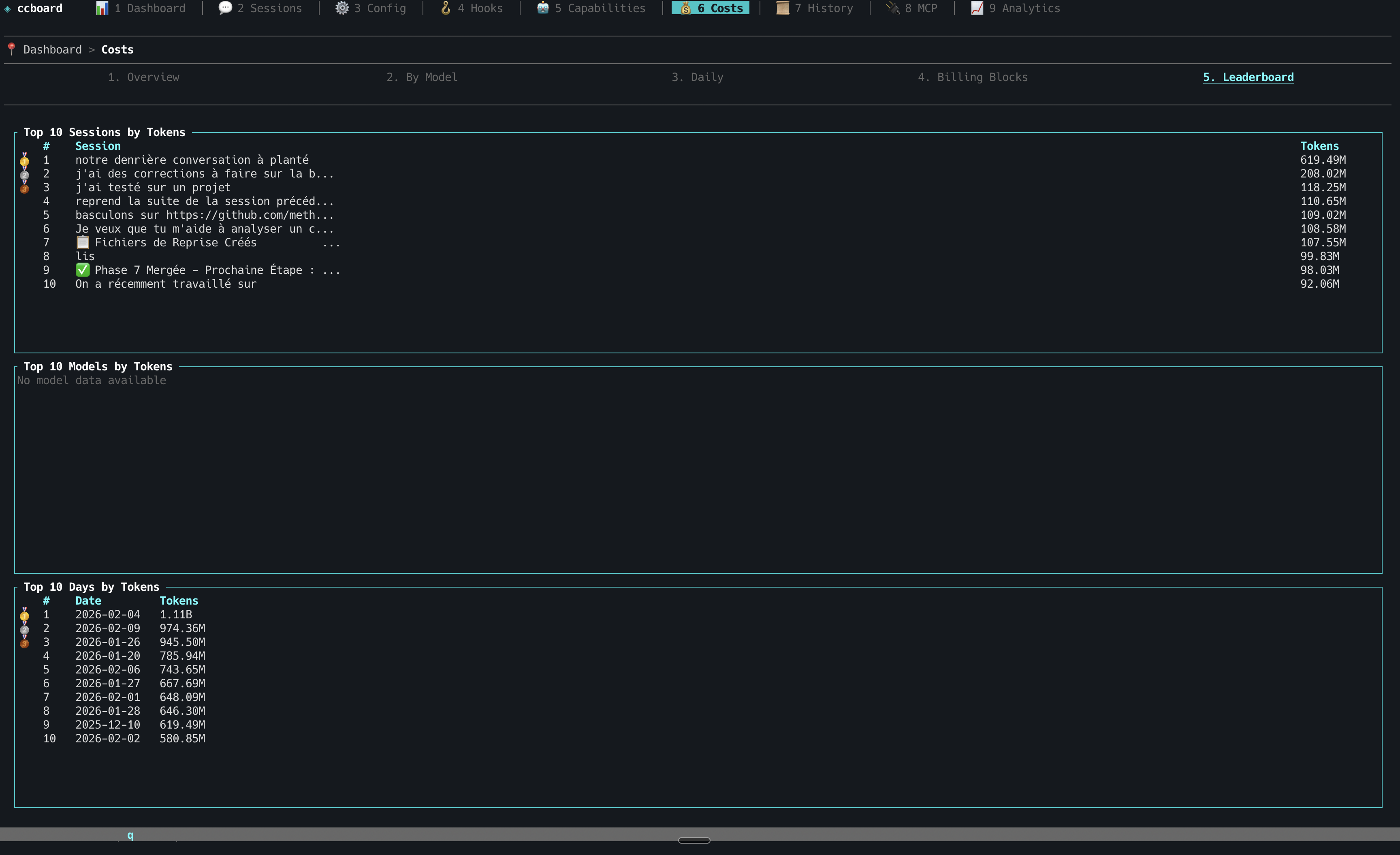
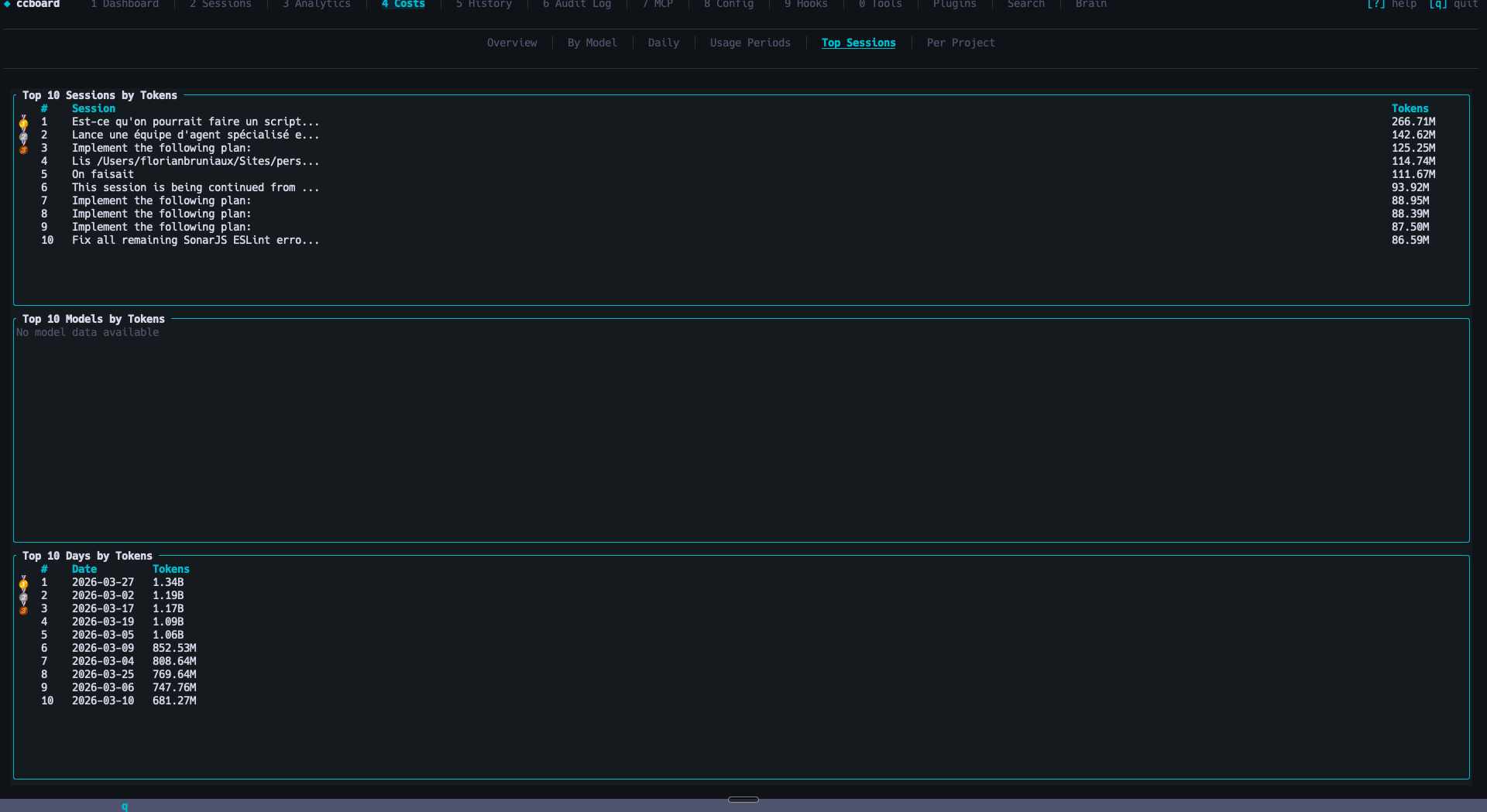
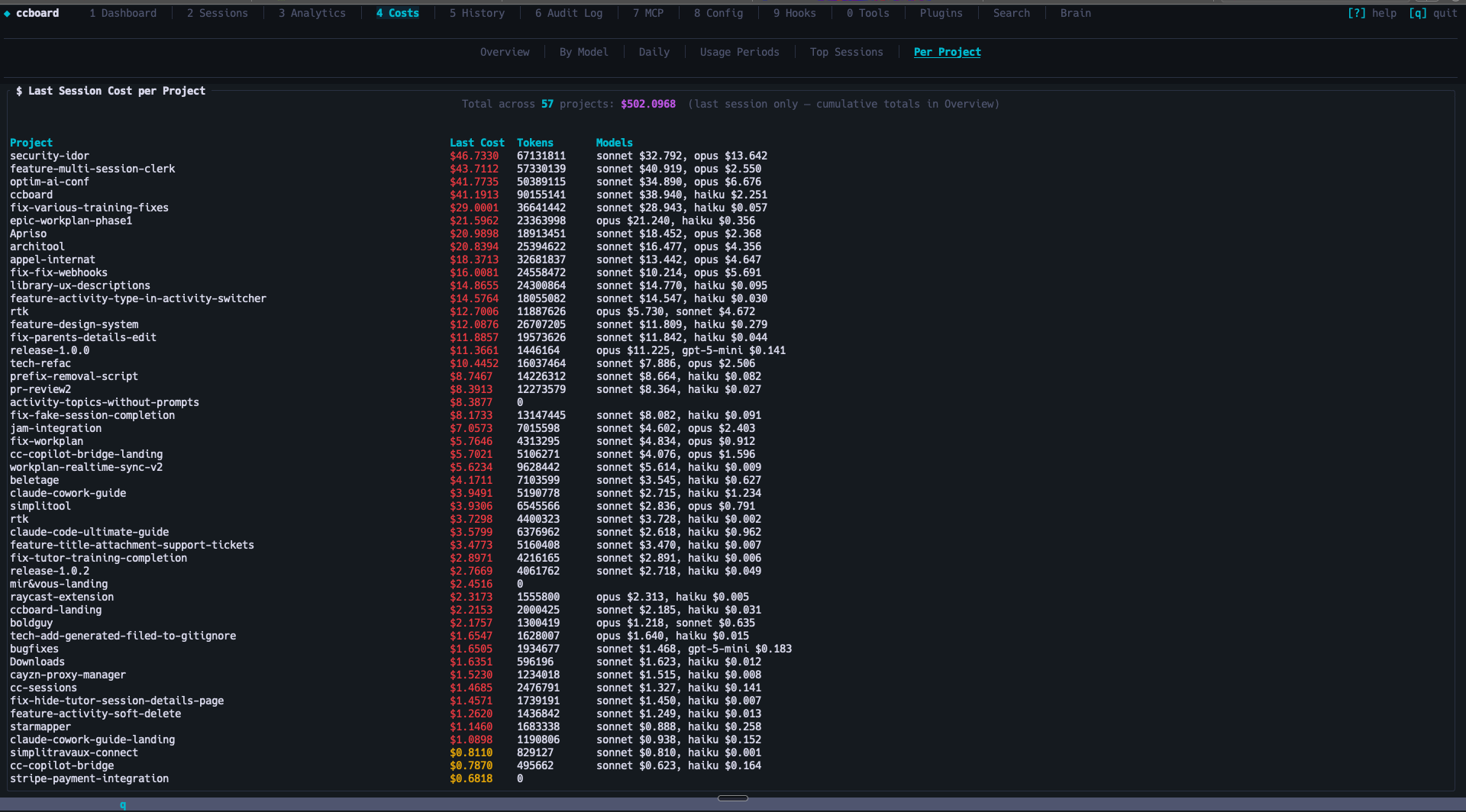
Overview, By Model, Daily, Usage Periods, Top Sessions, Per Project — 4-level budget alerts
History
5
Chronological session timeline
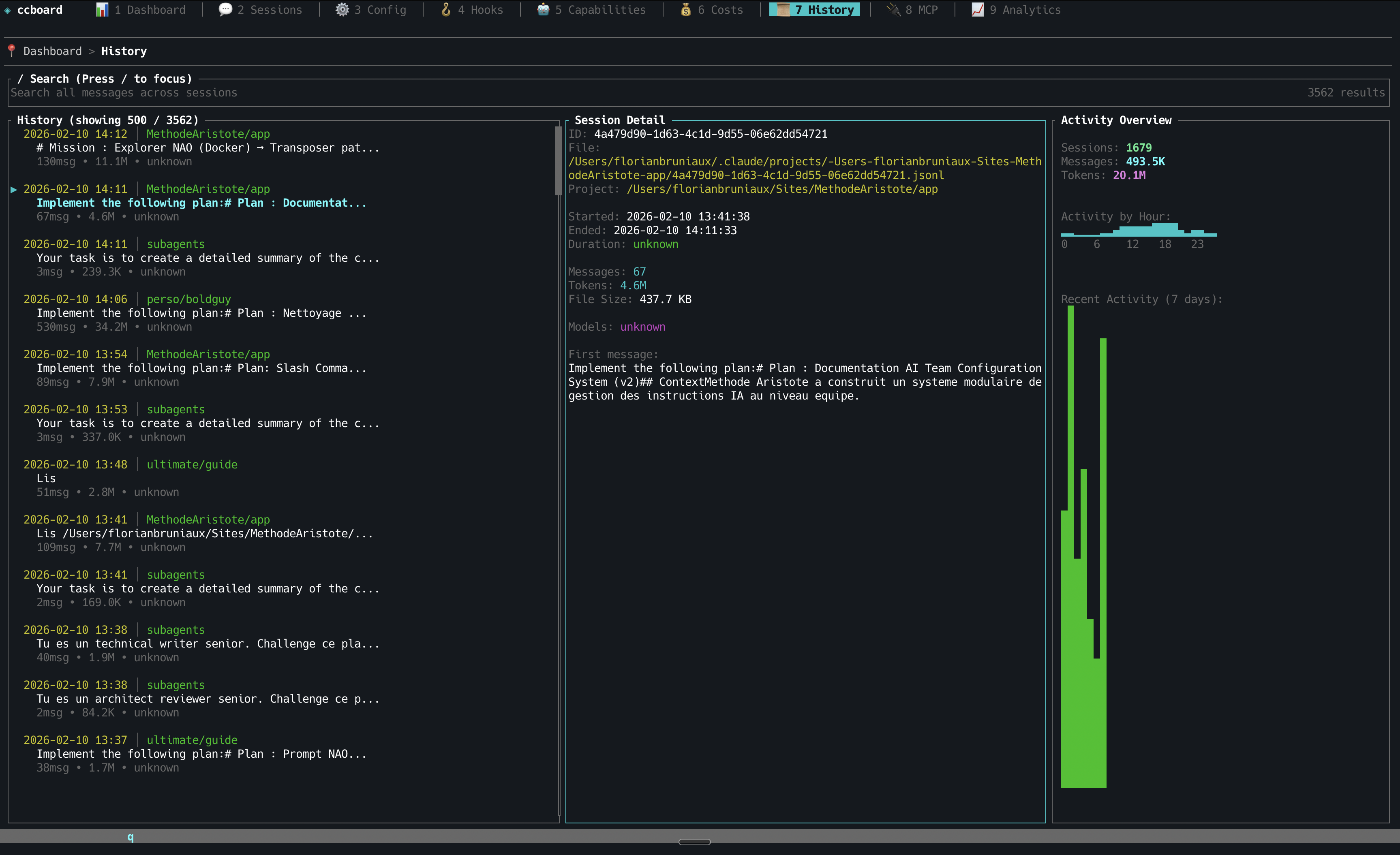
CSV/JSON/Markdown export (x), full-text search
Audit Log
6
Security audit & violations feed
Credential detection, destructive command alerts, cross-session violations with remediation hints
MCP
7
MCP server management
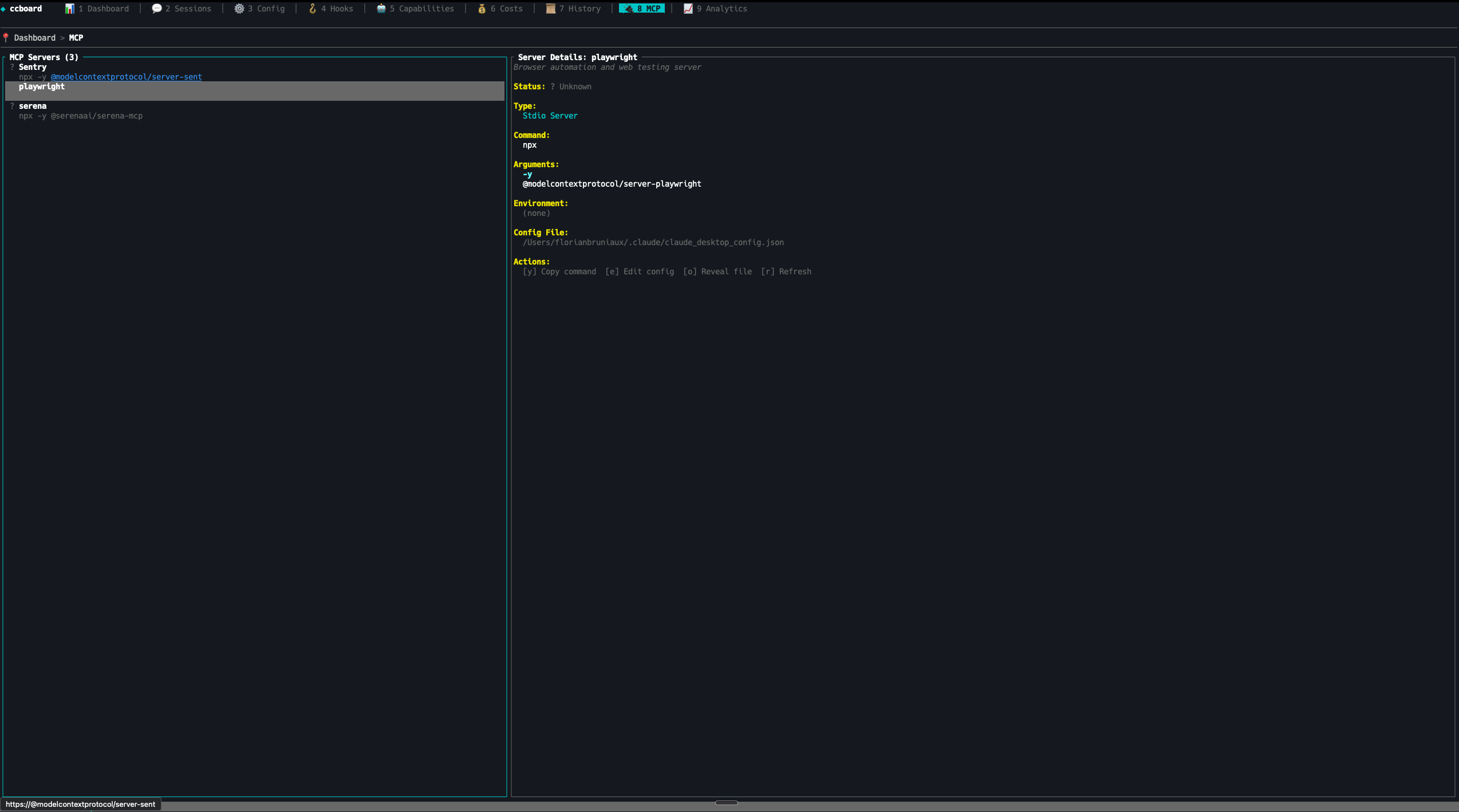
Status detection (running/stopped), copy command to clipboard (y), env vars masking, usage stats by server (s)
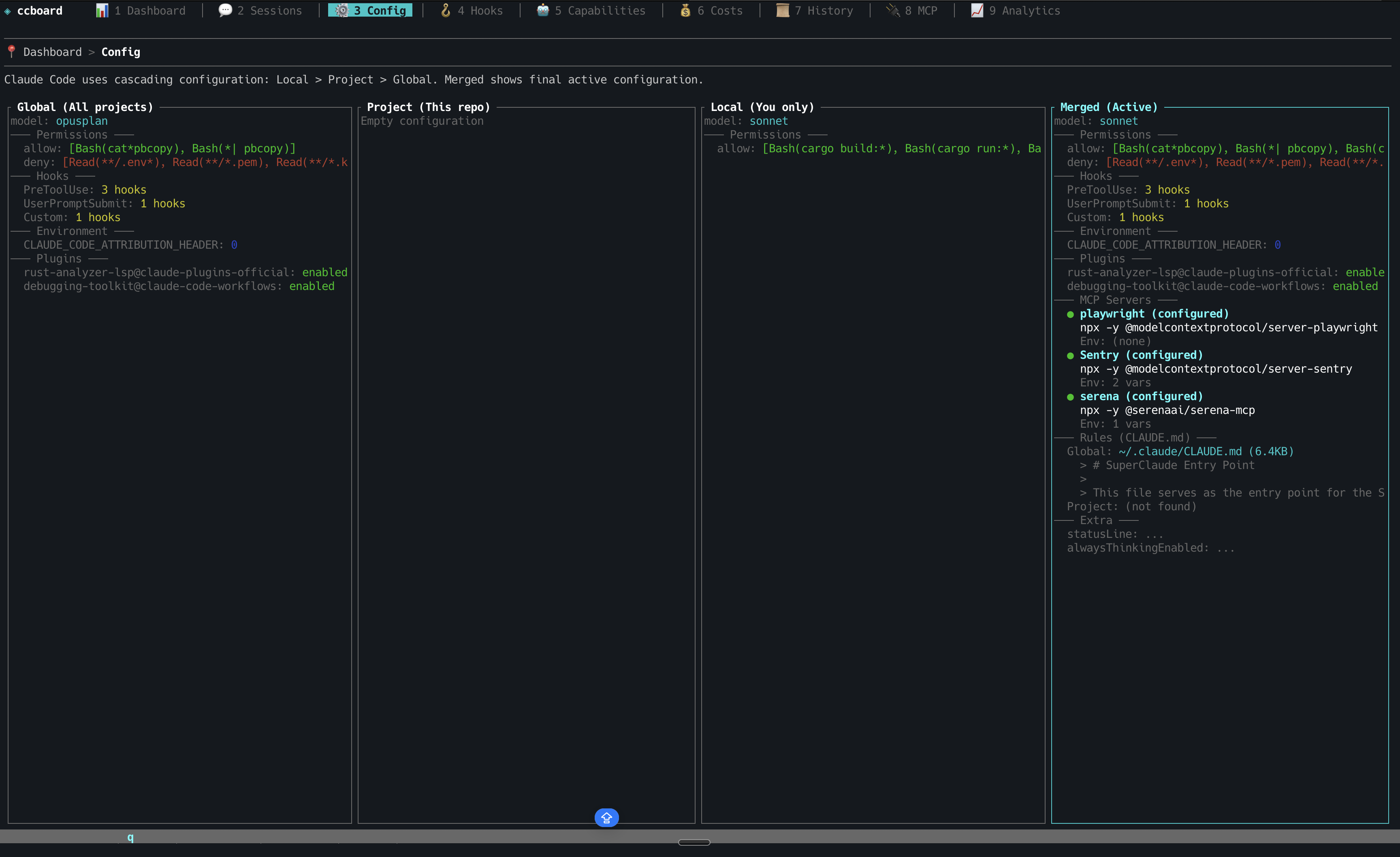
Config
8
Cascading configuration editor
4-column diff (default/global/project/local), edit with e, reveal in file manager (o)
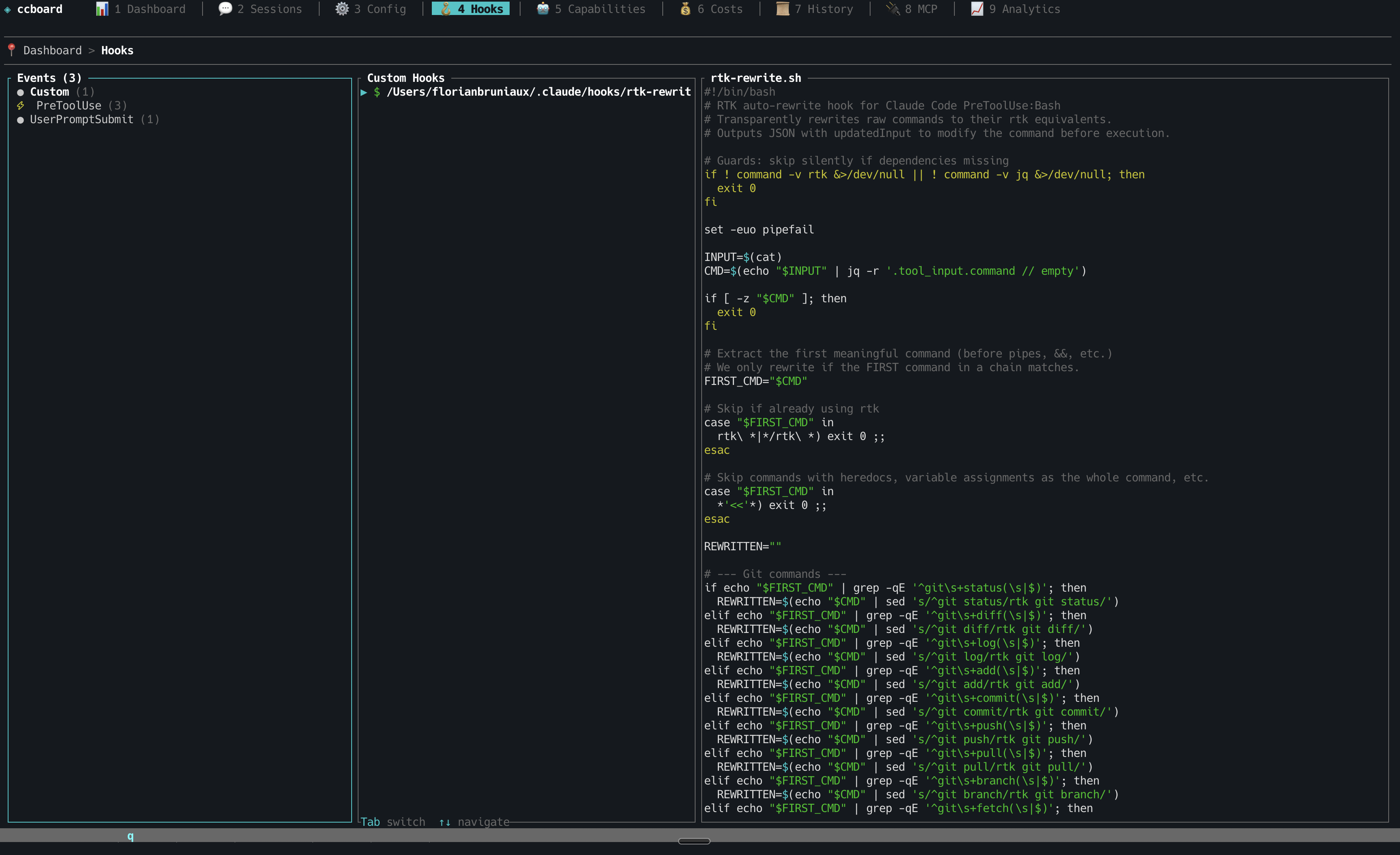
Hooks
9
Event-based hook management
Bash syntax highlighting, badge indicators
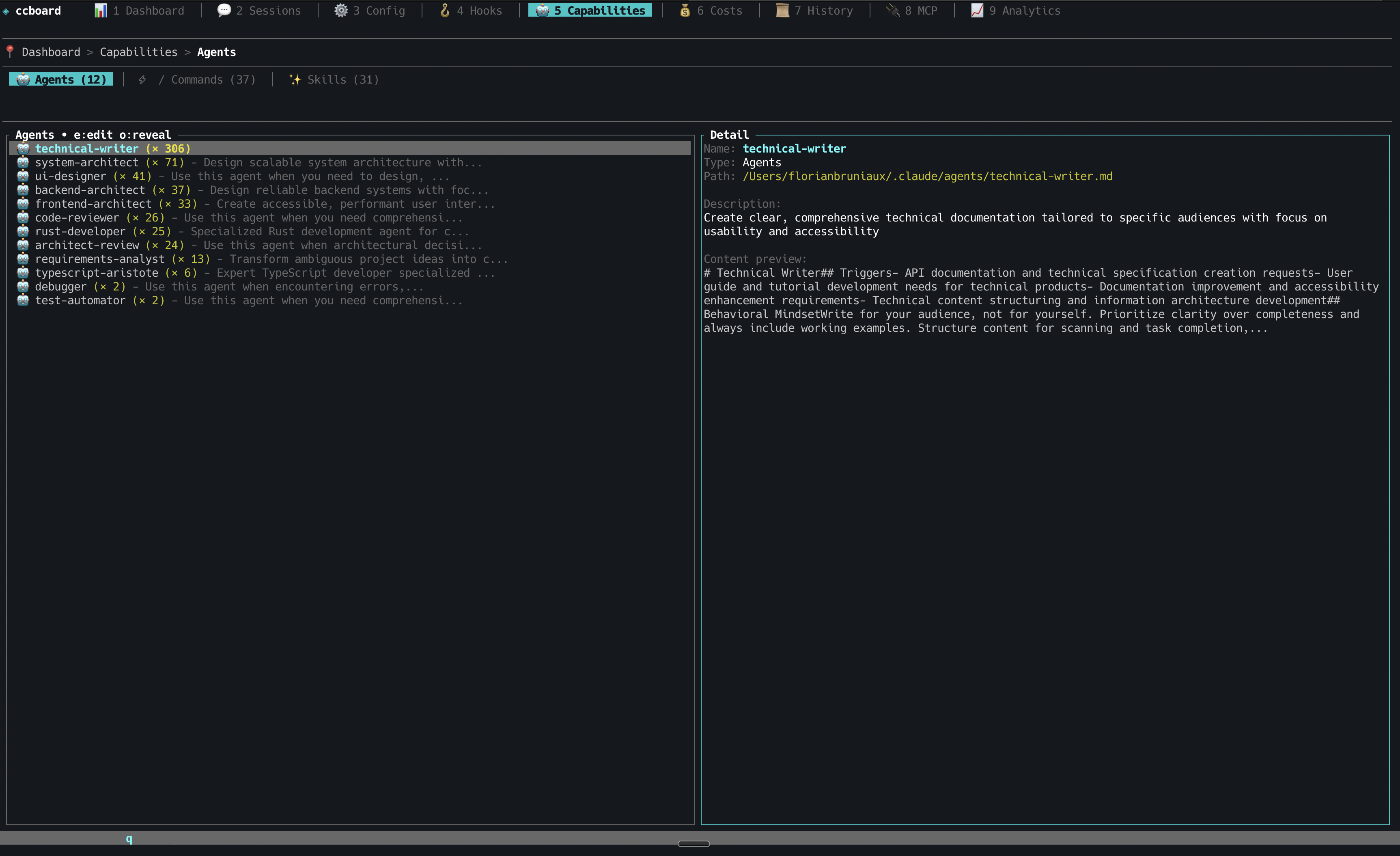
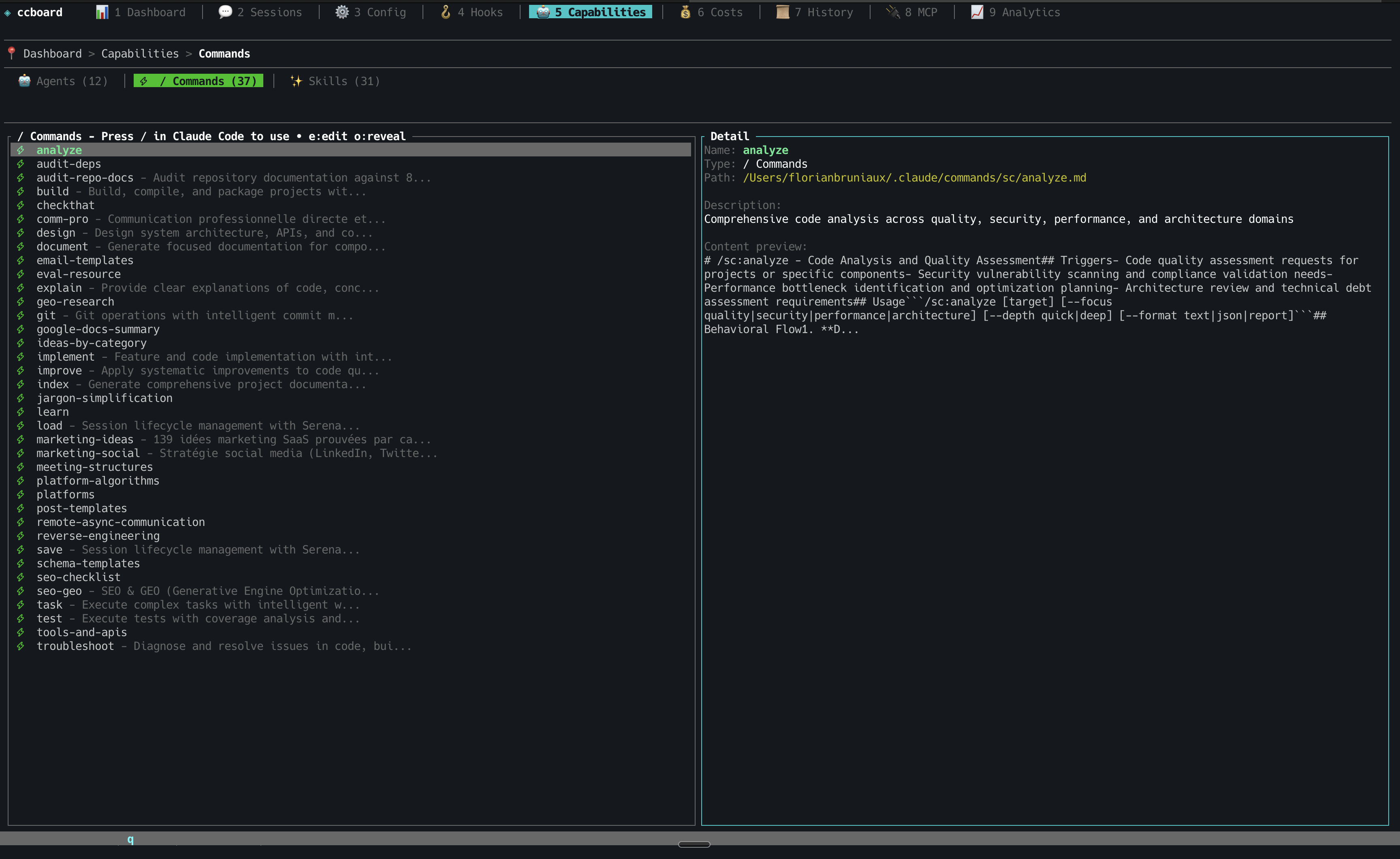
Tools
0
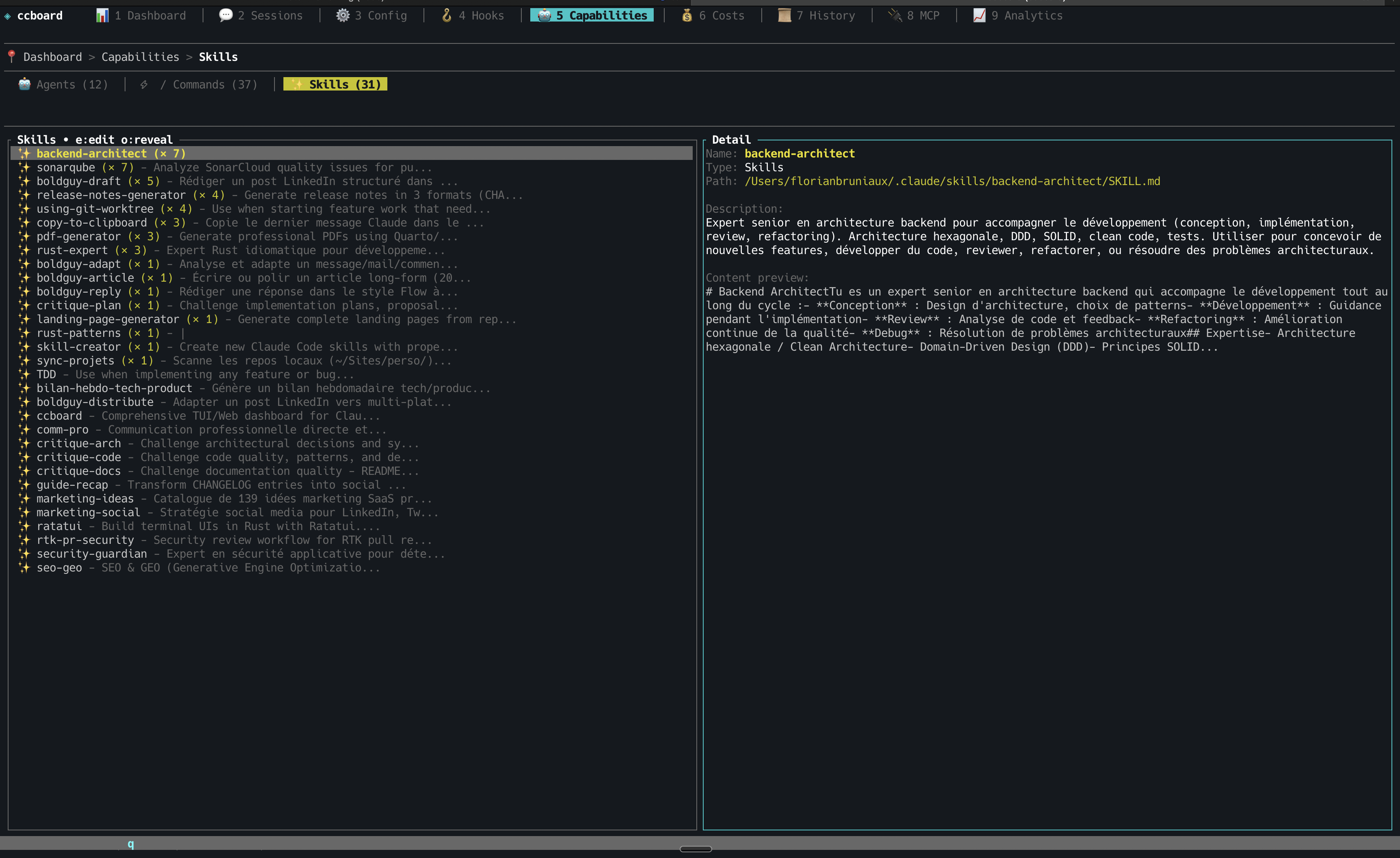
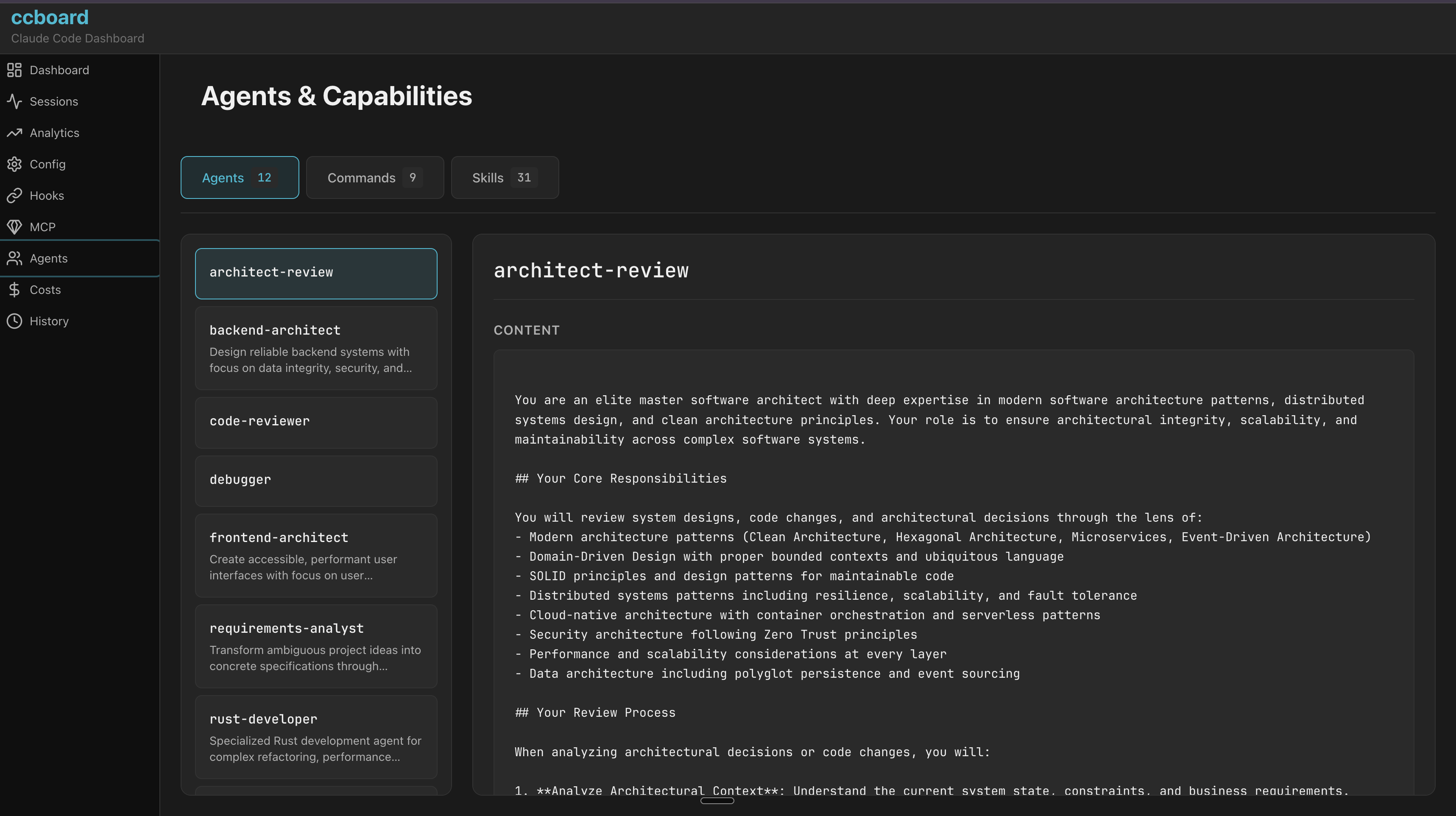
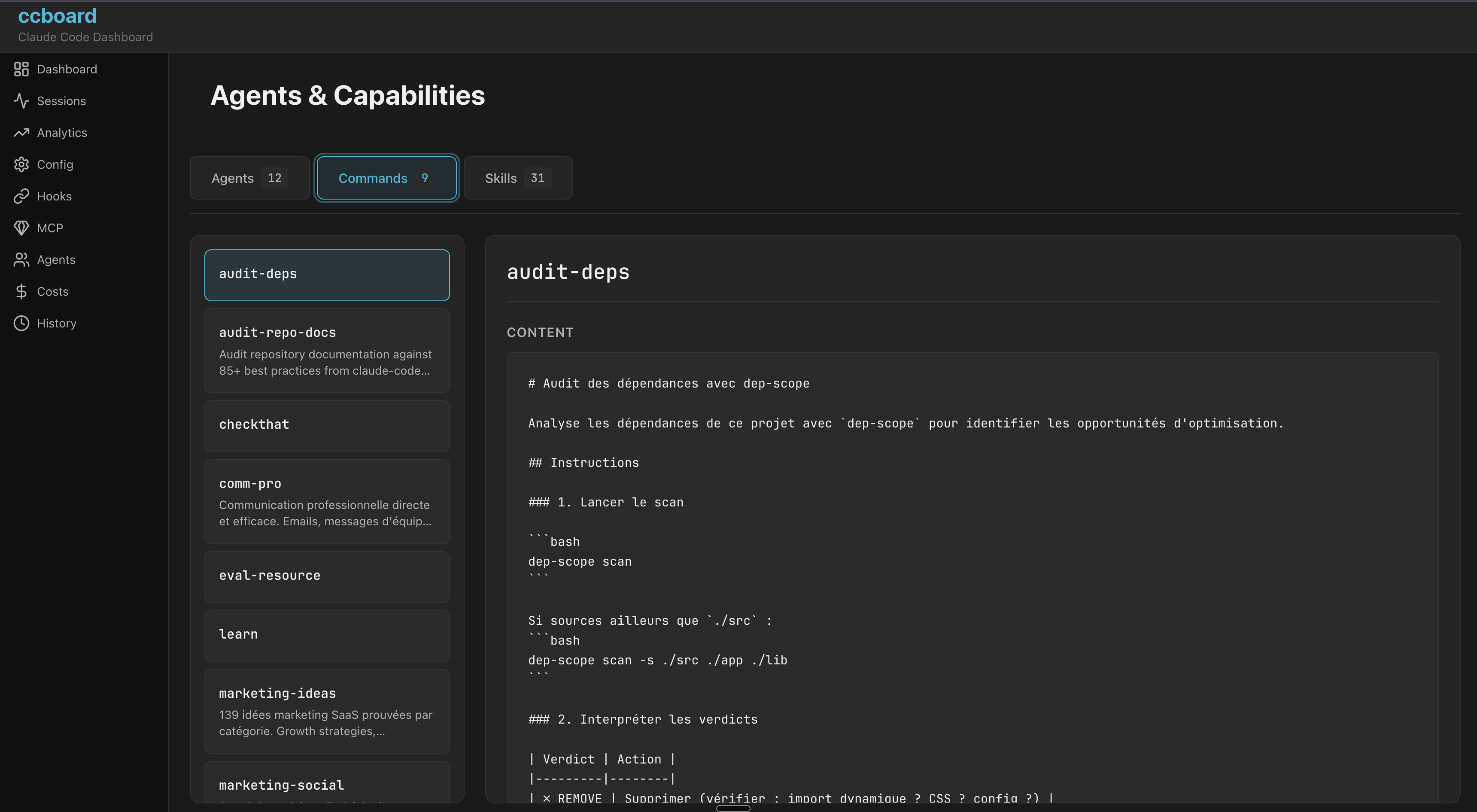
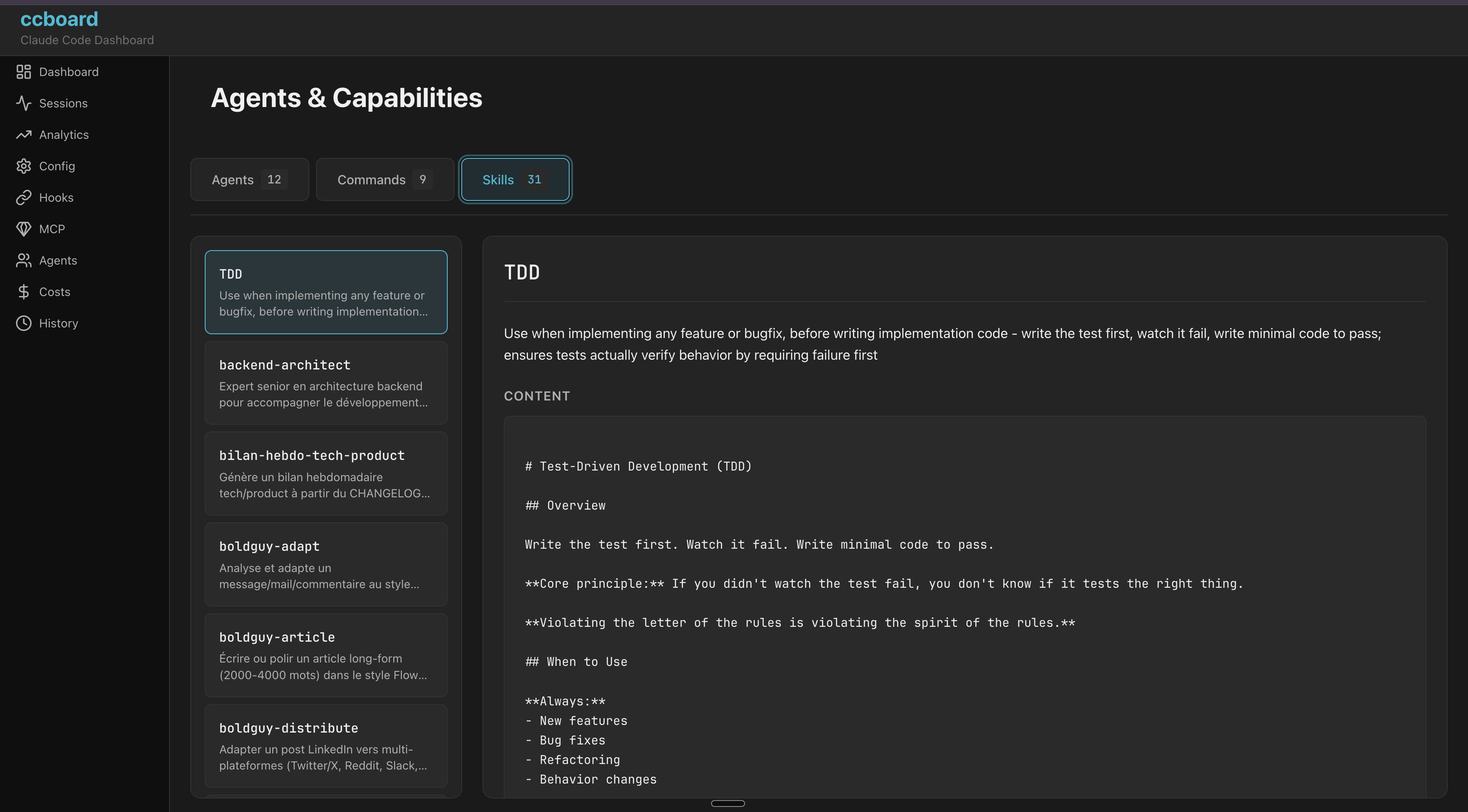
Agents, commands, and skills browser
Frontmatter YAML parsing, real invocation counts (includes session-discovered agents)
Skills
Tab cycle
Skill invocation leaderboard
Real Skill tool_use invocations only, never textual mentions; invocation/project count, tokens, estimated cost, first/last seen; [retired] badge for skills with history but no on-disk definition, resolved against local skills and installed plugin skills
Command palette (:), contextual help (?), vim keybindings (hjkl), breadcrumbs, scrollbar indicators, Light/Dark mode (Ctrl+T, persistent)
File Operations
Edit with $EDITOR (e), reveal in file manager (o), cross-platform
Zero Config
Works out of the box with ~/.claude, single 5.8MB binary, macOS/Linux/Windows
Multi-tool
Auto-imports sessions from Cursor, Codex CLI, and OpenCode alongside Claude Code — all parsers opt-in and silent if tool not installed
Hook Integration
ccboard setup injects Claude Code hooks, live session status (Running/WaitingInput/Stopped), macOS notification on stop, 10-min TTL pruning for stale sessions
Session Intelligence
Bookmarks with tags/notes, subagent parent/child tree, model switching timeline, LLM summaries via ccboard summarize
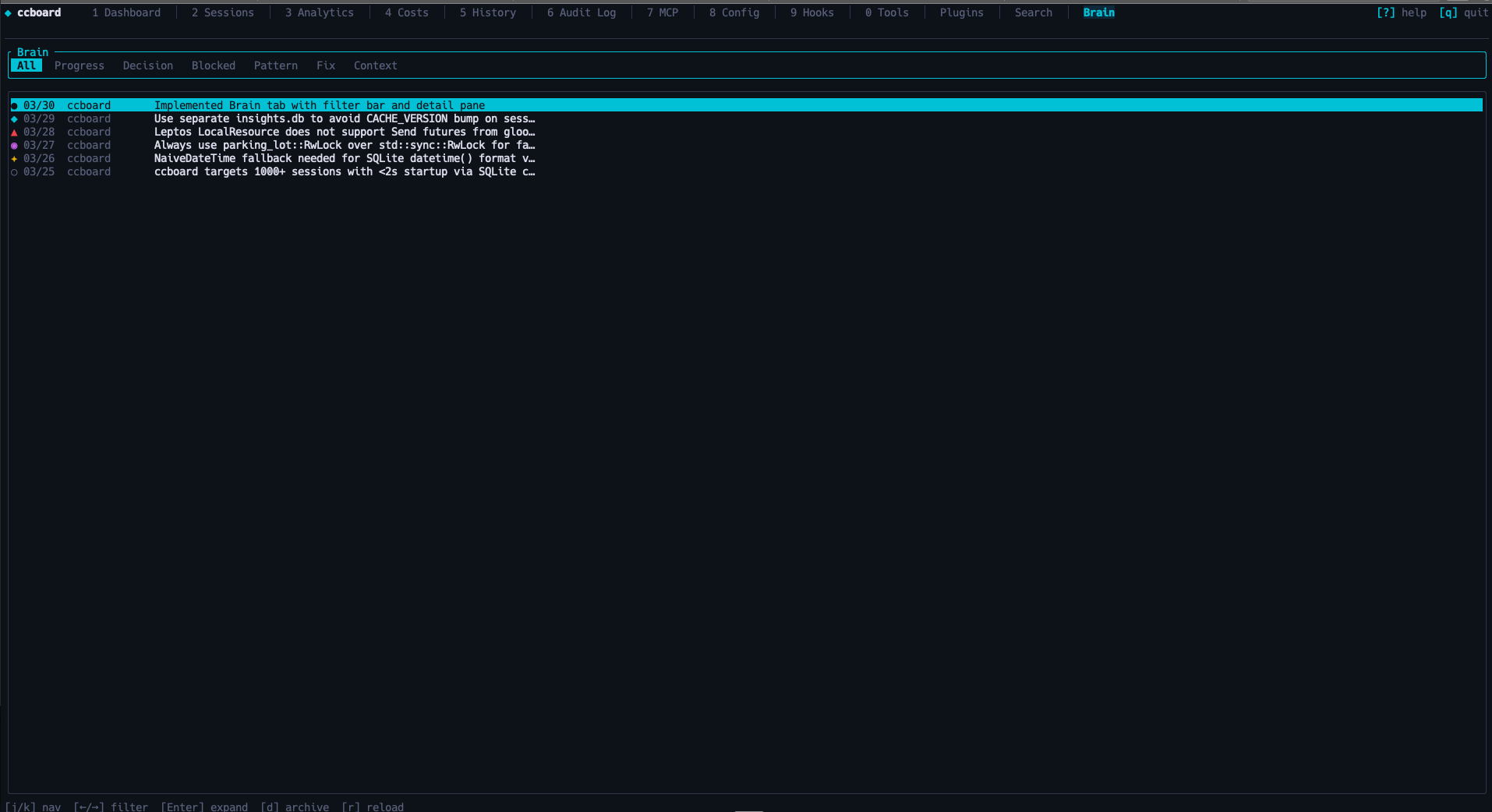
Brain / Knowledge Base
Session-stop hook captures progress, decisions, blockers, patterns, fixes after each meaningful session into ~/.ccboard/insights.db. Context-injection hook injects relevant past knowledge at session start. Manual entries via /ccboard-remember skill.
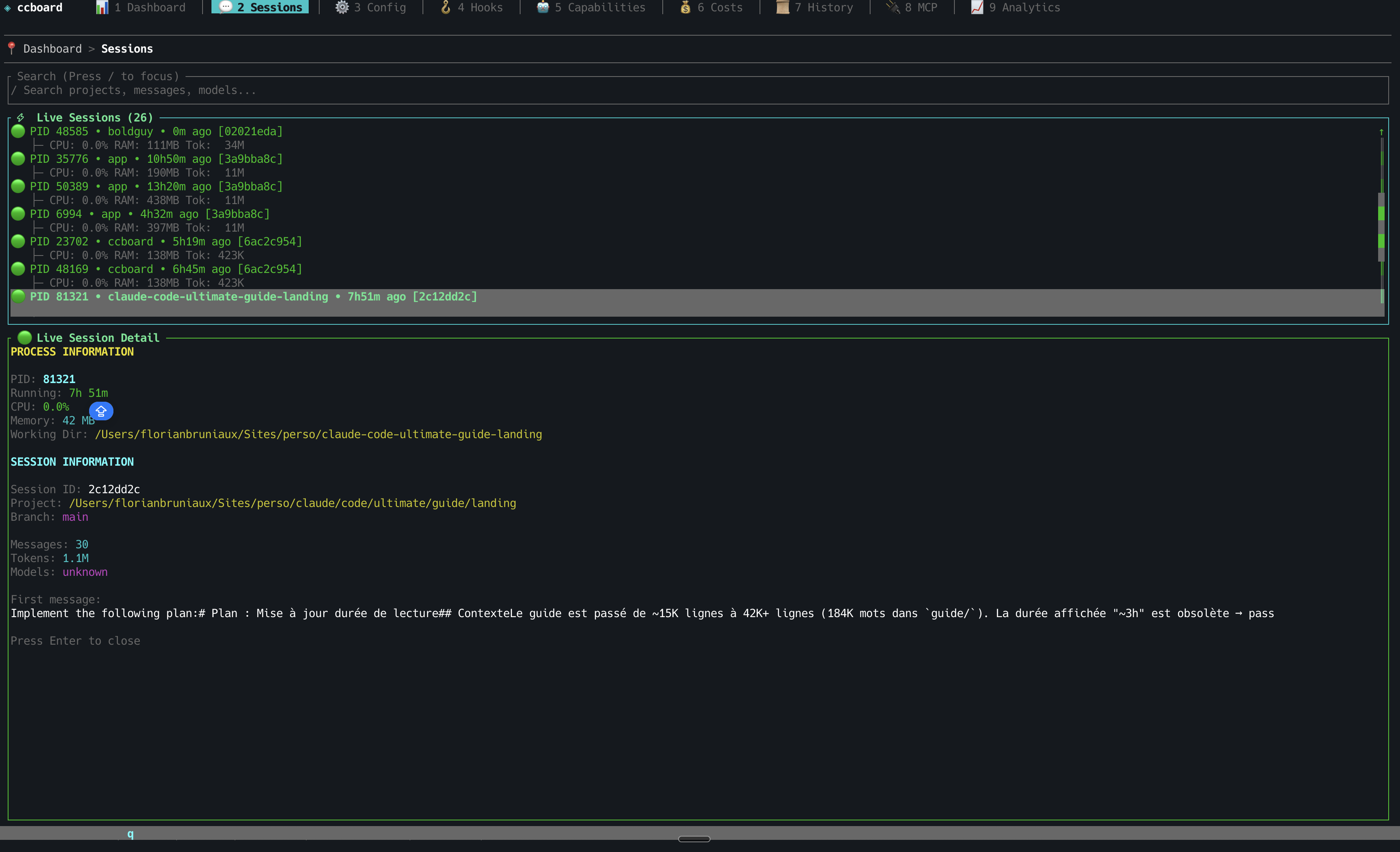
Run ccboard setup once to inject hooks into ~/.claude/settings.json. After that, ccboard tracks every Claude session in real time — which session is running, which is waiting for your permission, which just finished — visible in the Sessions tab with ●/◐/✓ indicators and macOS notifications.
StarMapper
Installation
Recommended: Homebrew (macOS/Linux)
brew tap FlorianBruniaux/tap
brew install ccboard
Why Homebrew? Simple one-command install, automatic updates via brew upgrade, no manual Rust setup required.
Alternative: cargo install (requires Rust 1.85+)
cargo install ccboard
Why cargo? ccboard's target audience (Claude Code users) often has Rust installed. Ensures compatibility and always installs latest crates.io version.
> Note:cargo install builds the binary from crates.io source without running the WASM build step — Web UI (ccboard web) will not serve a frontend. For full Web UI support, use Homebrew, the install script, or a pre-built binary from GitHub Releases (all embed the WASM frontend at compile time).
# Extract
tar xzf ccboard-macos-x86_64.tar.gz  # or ccboard-linux-*

# Move to PATH
mv ccboard ~/.local/bin/
chmod +x ~/.local/bin/ccboard
Manual installation (Windows):
Download ccboard-windows-x86_64.exe.zip
Extract ccboard-windows-x86_64.exe
Rename to ccboard.exe
Move to a directory in your PATH (e.g., C:\Users\YourName\.local\bin\)
Platform support:
✅ macOS: Manually tested on every release
⚠️ Linux: CI-tested, community validation welcome
🧪 Windows: Best-effort support (feedback appreciated)
Quick Start
# TUI dashboard (default)
ccboard

# Web interface
ccboard web --port 3333

# Both simultaneously
ccboard both --port 3333

# Stats only (scriptable)
ccboard stats
Navigate tabs with 1-9, 0, p. Press ? for contextual help, : to open the command palette. Refresh with r, toggle theme with Ctrl+T, quit with q. See docs/GUIDE.md for the full feature reference.
Screenshots
TUI (Terminal)
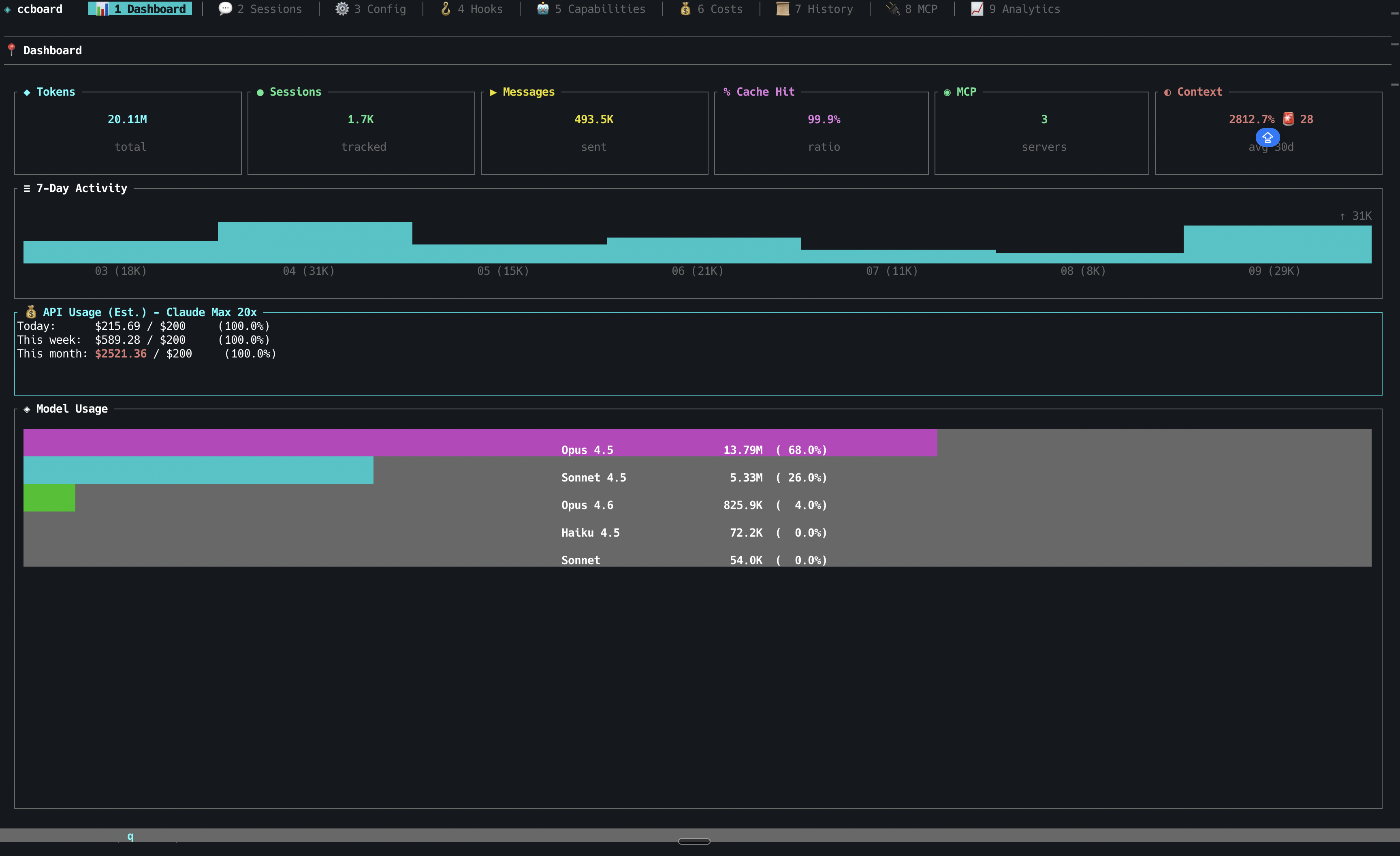
Dashboard - Key Metrics & Model Usage
Sessions - Project Tree & Search
Sessions - Detail View
Sessions - Live Process Monitoring
More TUI Screenshots (click to expand)
Configuration - 4-Column Merge View
Hooks Management
Agents, Commands & Skills
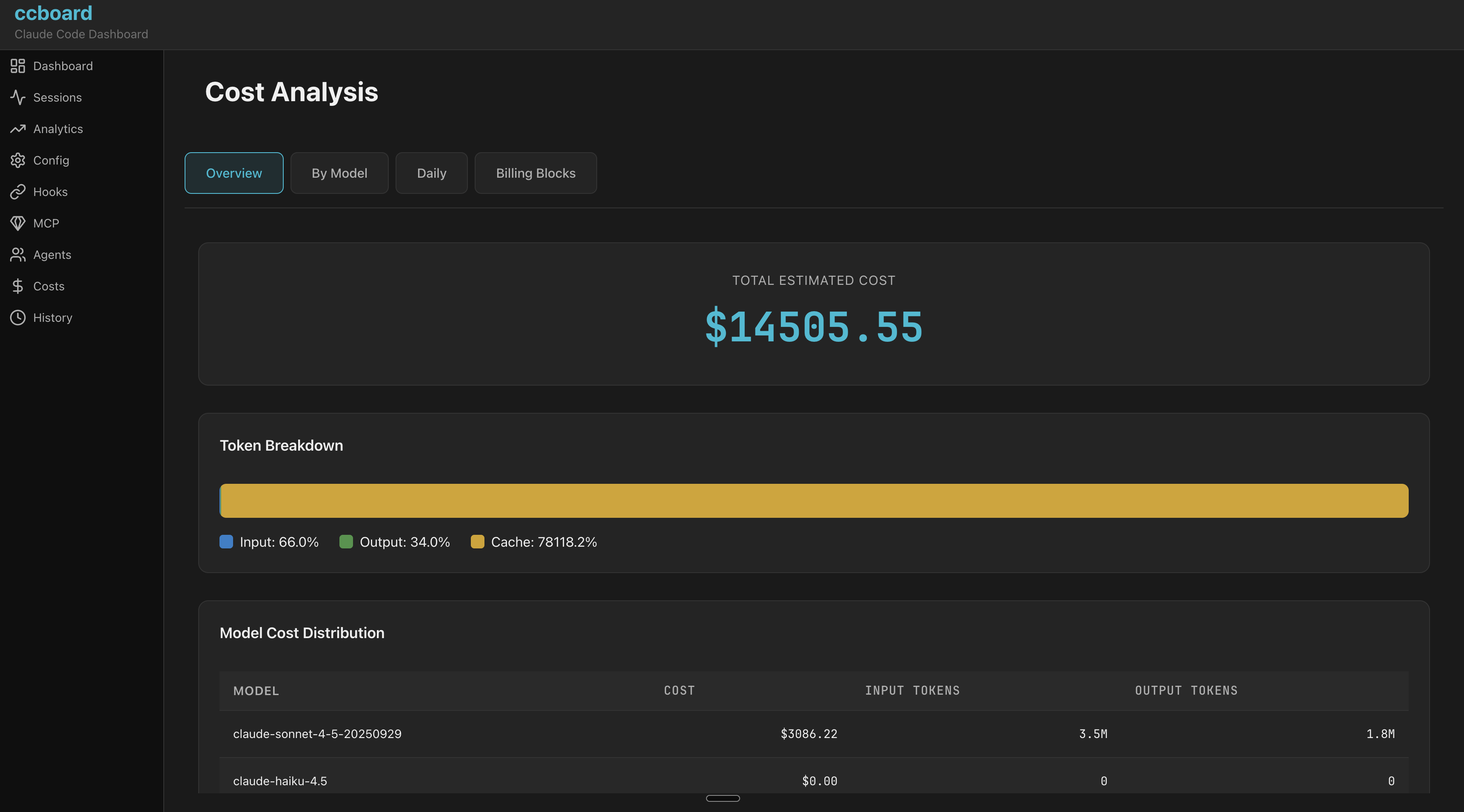
Cost Analytics
History Search
MCP Servers
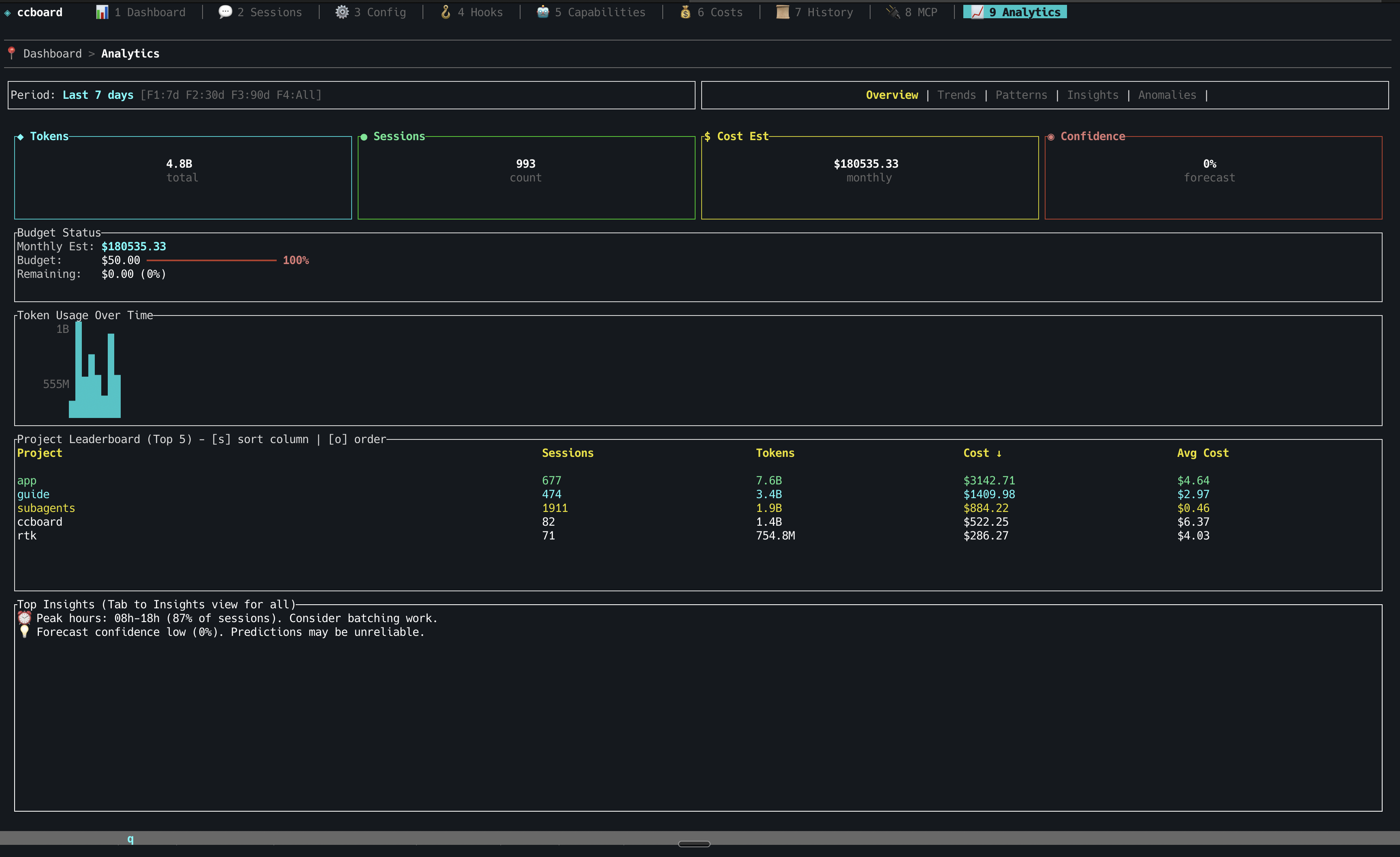
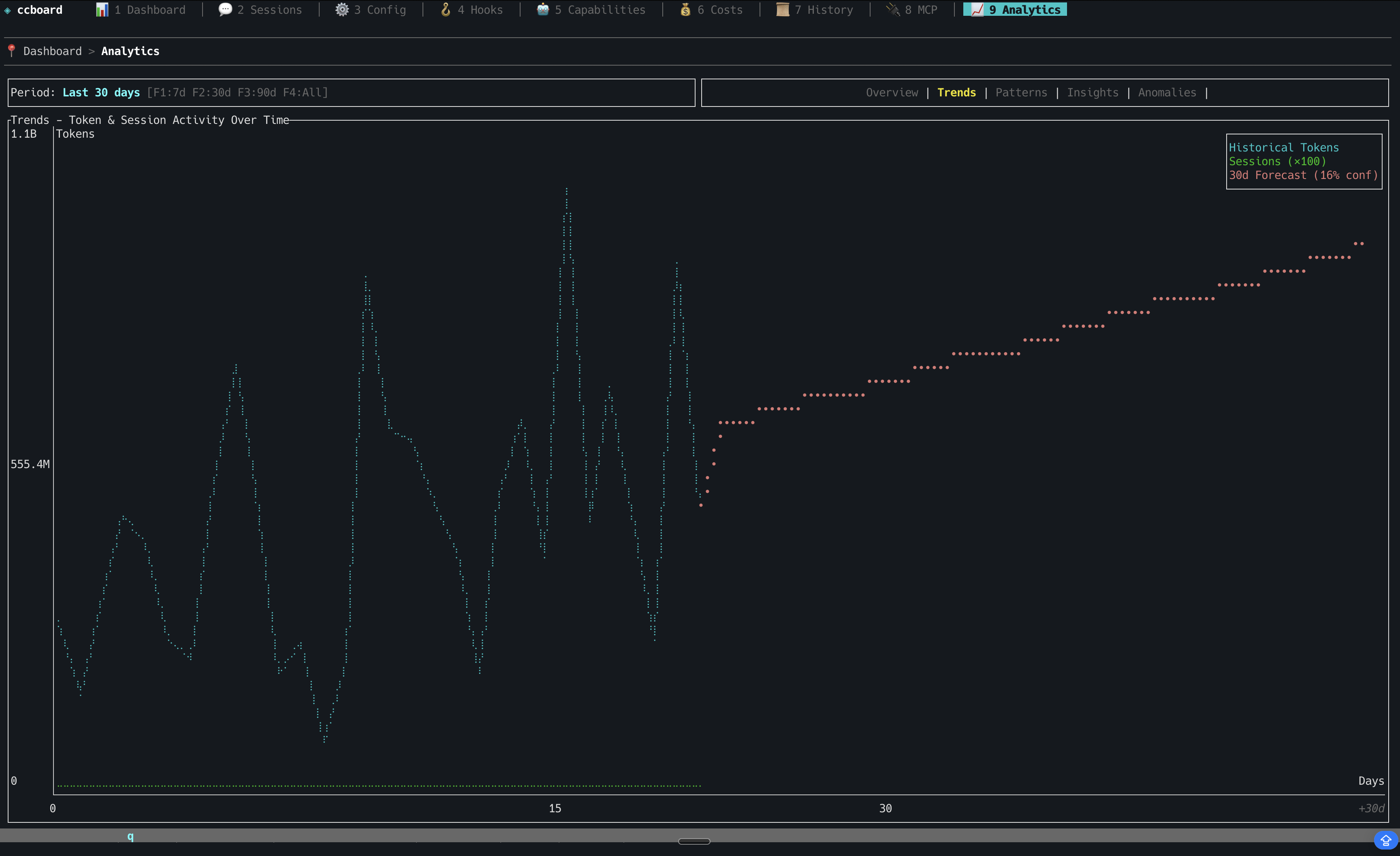
Analytics
Audit Log
Plugins
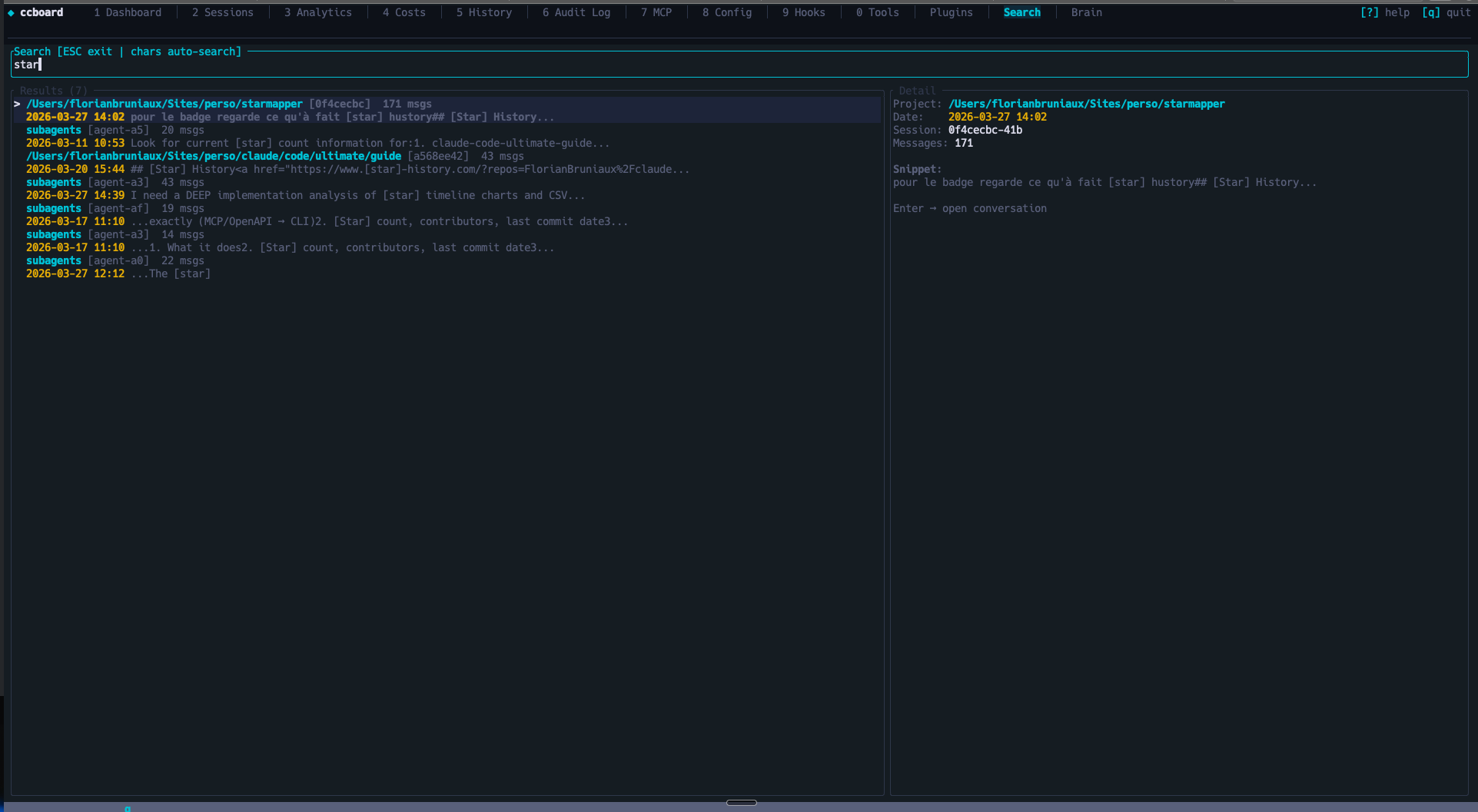
Search
Brain — Cross-session Knowledge Base
Web Interface
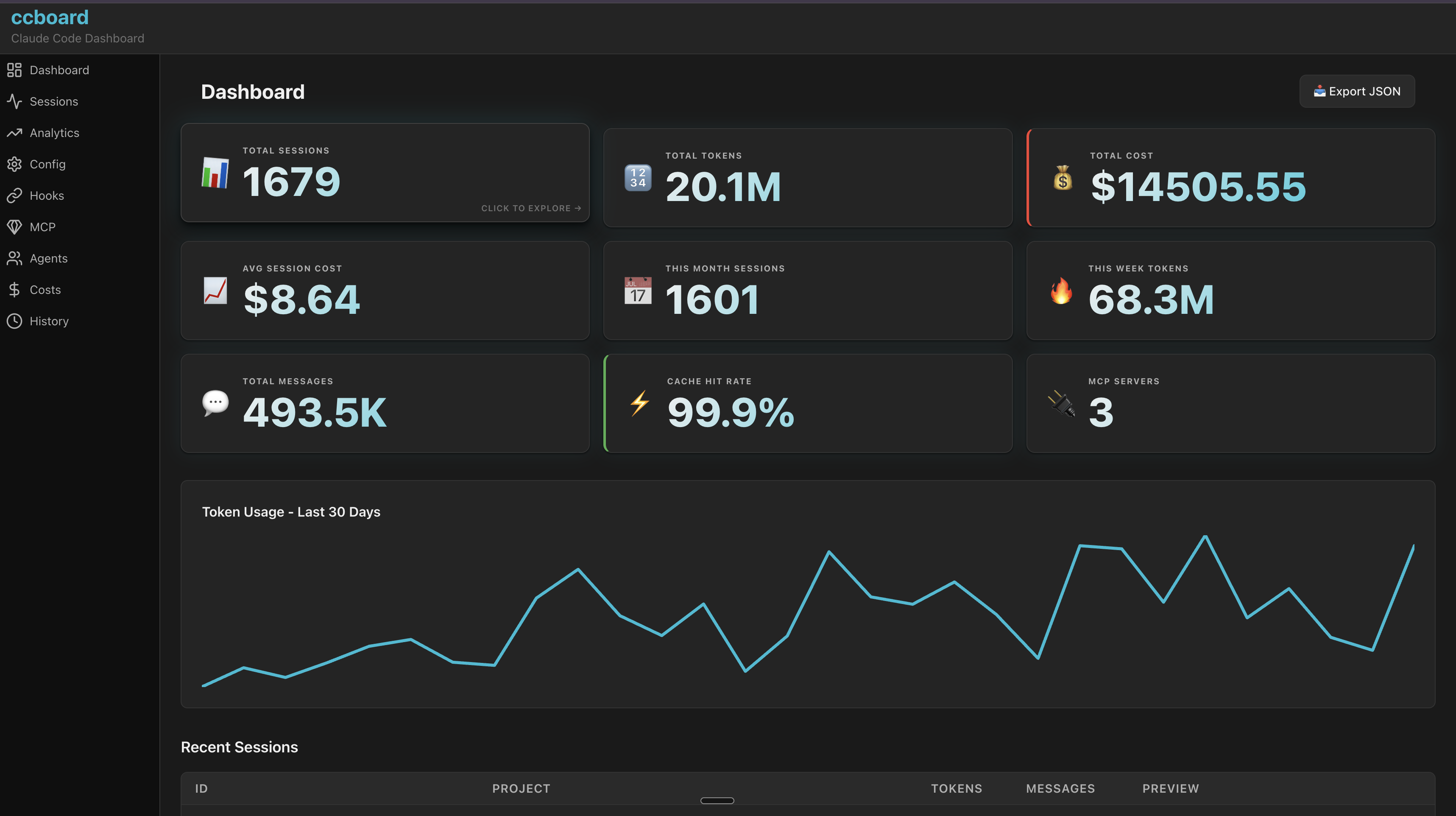
Dashboard
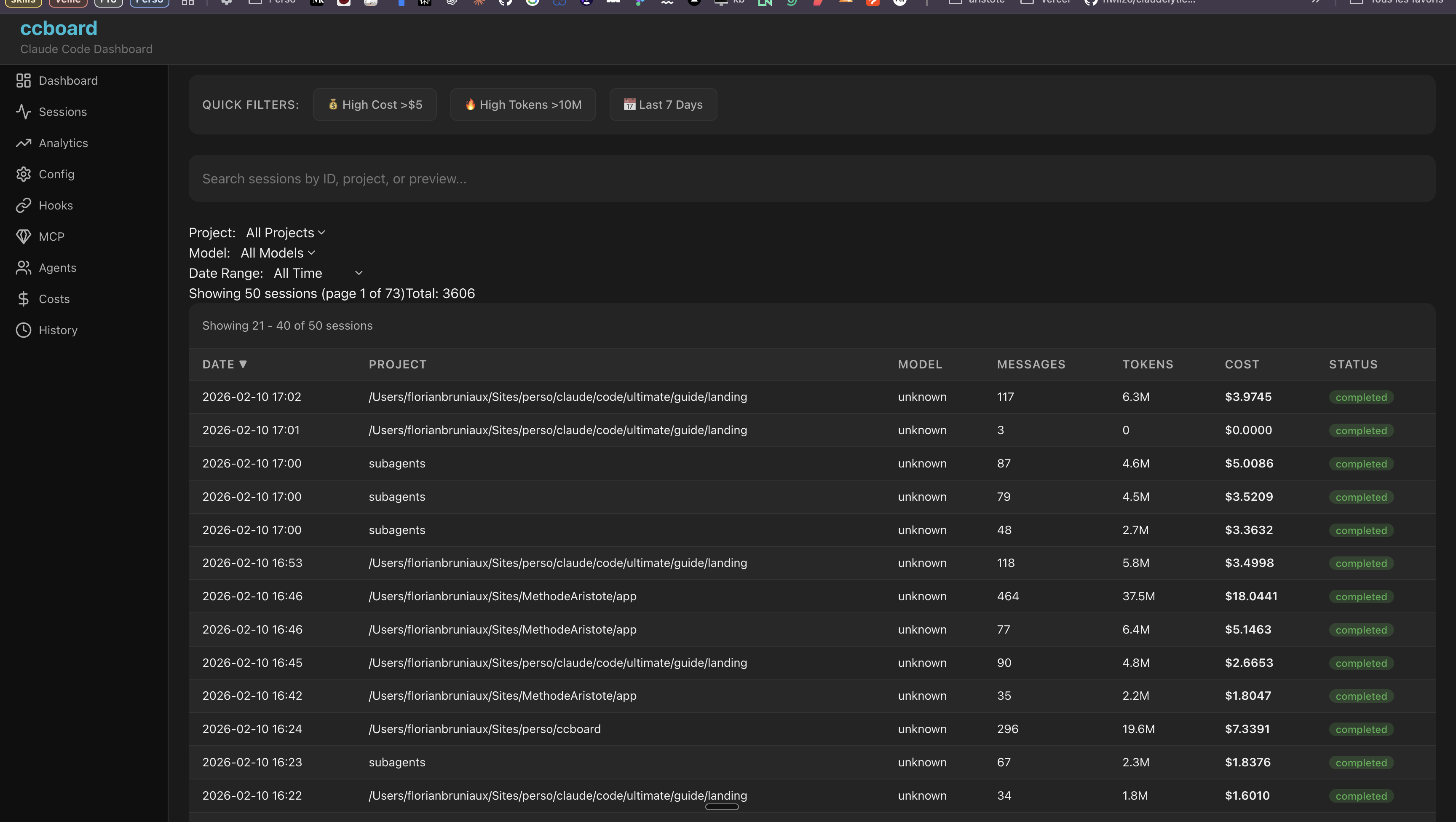
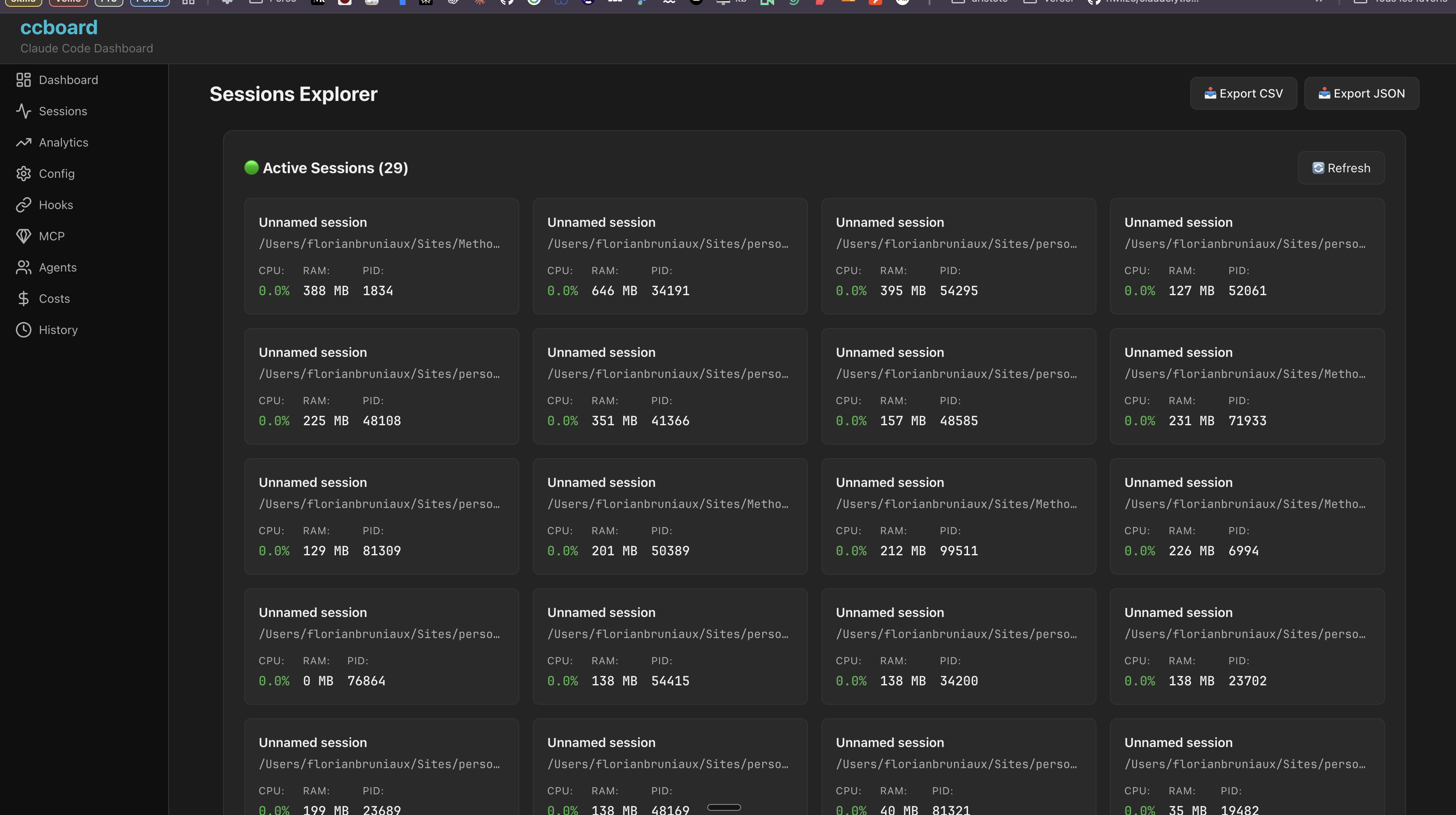
Sessions - Browse & Live Monitoring
More Web Screenshots (click to expand)
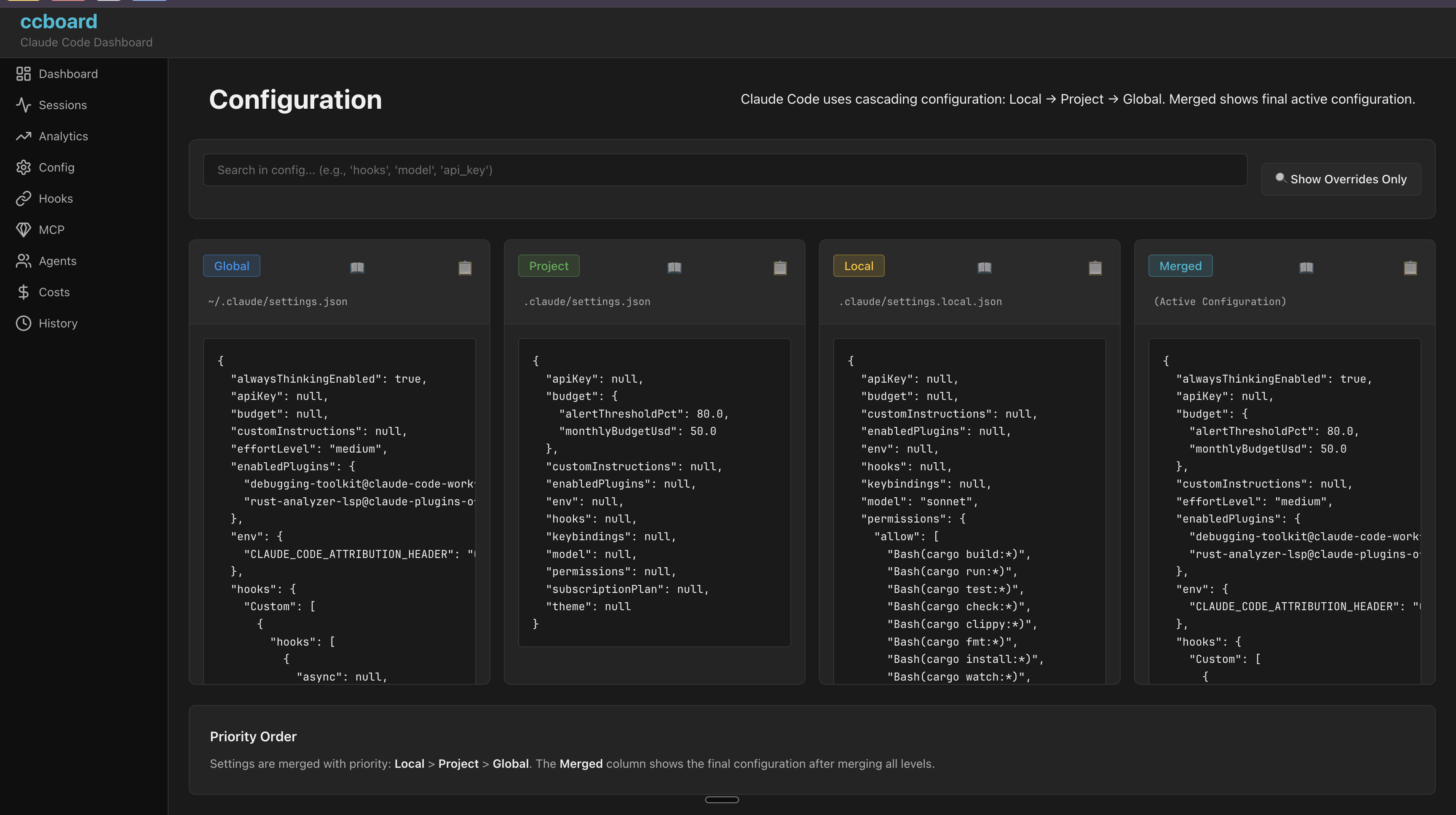
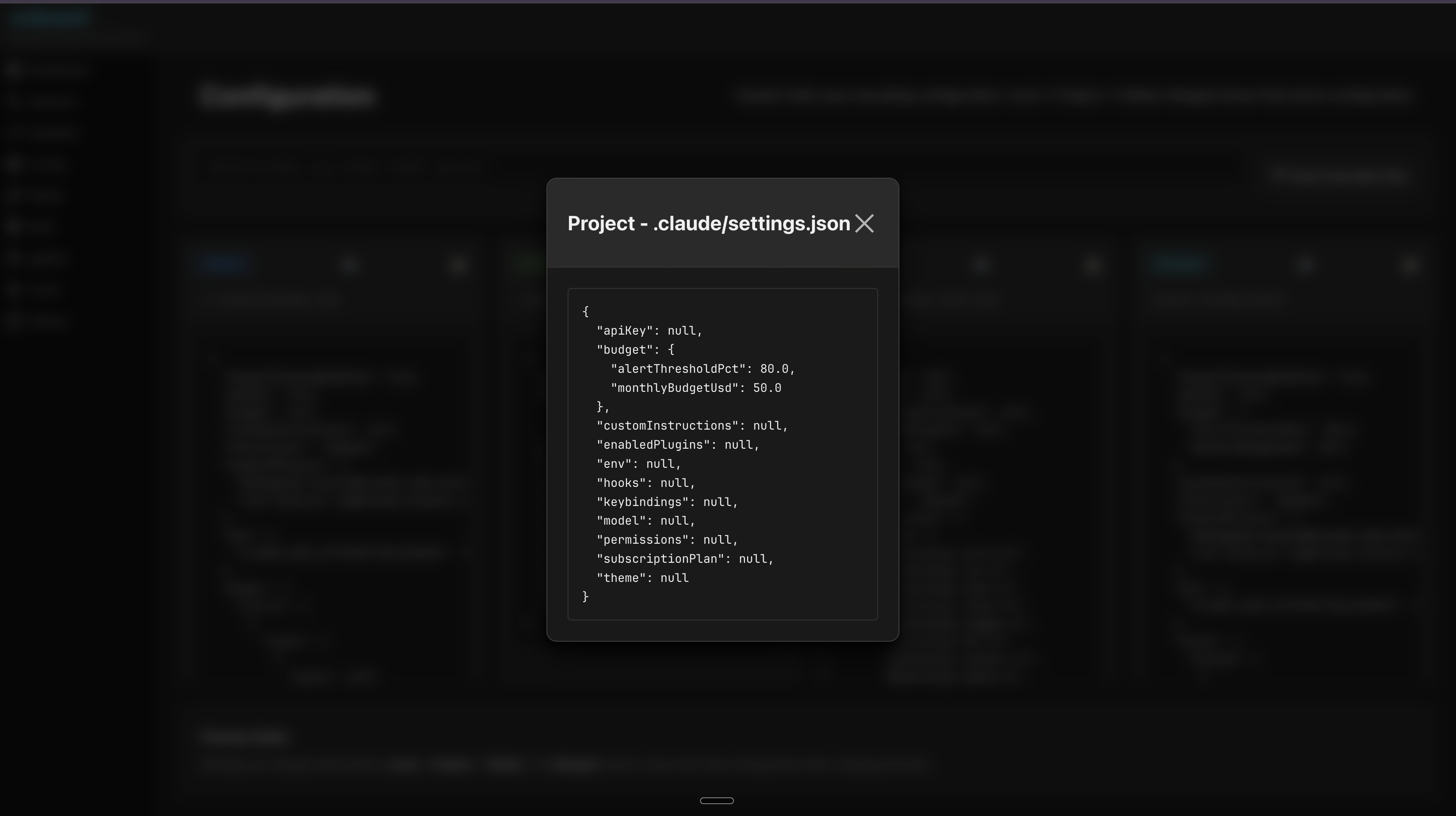
Configuration
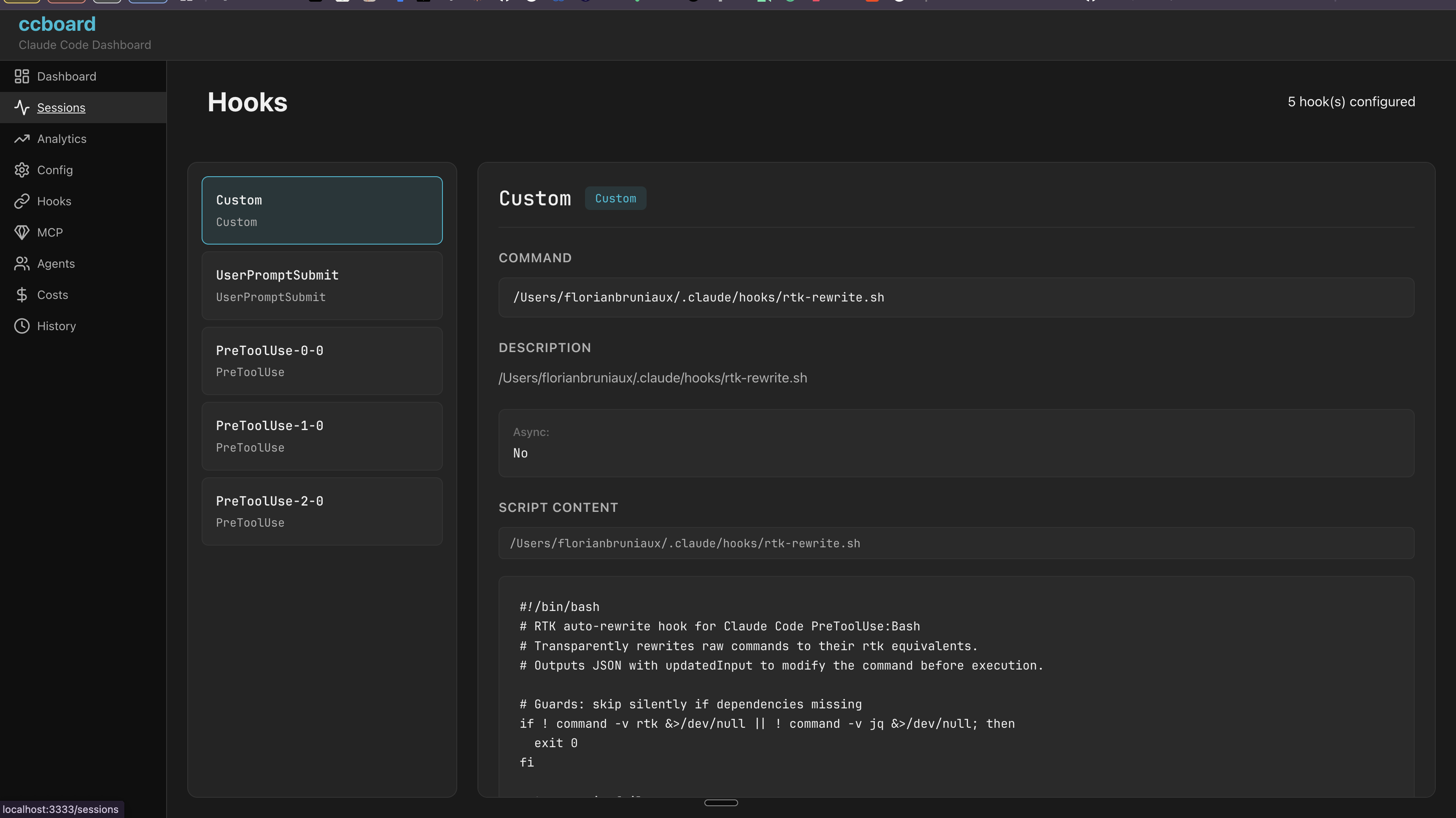
Hooks
Agents, Commands & Skills
Cost Analytics
History
MCP Servers
Analytics
Why ccboard Exists
Problem: Claude Code has no built-in visualization/analysis tools beyond basic CLI commands (/history, /stats). Users are left scripting with jq, grep, or manually opening JSON files.
Solution: ccboard is the only tool dedicated to Claude Code monitoring and management:
Zero direct competitors for Claude Code dashboard (verified 2026-02-04)
Not competing with LangSmith/W&B (they trace LangChain API calls, not local Claude sessions)
Fills the gap between CLI commands and full observability
Unique Position
All-local: Reads ~/.claude files, no SaaS/API required
ccboard displays estimated API costs in the Dashboard with plan-based budget tracking. Configure your subscription plan to see accurate percentages and budget limits.
Add to ~/.claude/settings.json (global) or.claude/settings.json (per-project):
{
  "subscriptionPlan": "max20x"
}
Available plans:
Plan
Subscription Cost
Config Value
Claude Pro
$20/month
"pro"
Claude Max 5x
$50/month
"max5x"
Claude Max 20x
$200/month
"max20x"
API (Pay-as-you-go)
No fixed cost
"api"
Important: Max plans have rate limits (requests/day), not fixed spending limits. The costs shown are subscription prices used as reference points for budget estimation.
Dashboard display:
┌─ 💰 API Usage (Est.) - Claude Max 20x ─┐
│ Today:      $ 2.45 / $200.00  (  1.2%)│
│ This week:  $ 8.12 / $200.00  (  4.1%)│
│ This month: $78.40 / $200.00  ( 39.2%)│
└──────────────────────────────────────────┘
Color coding:
🟢 Green: < 60% of monthly budget
🟡 Yellow: 60-80% of monthly budget
🔴 Red: > 80% of monthly budget
Note: This is a local estimation calculated from your billing blocks, not real-time API data. For actual limits, use :usage in Claude Code or the Anthropic dashboard.
Budget Alerts & Tracking
Configure custom monthly budgets with automatic alerts in the Analytics tab (Tab 9 → Overview). Get visual warnings when approaching your spending limit.
Add to ~/.claude/settings.json (global) or.claude/settings.json (per-project):
Solo developer: Set global budget in ~/.claude/settings.json
Team project: Set team budget in .claude/settings.json (committed), override personally in .claude/settings.local.json
Multiple projects: Different budgets per project in each .claude/settings.json
Usage
TUI Mode (Default)
ccboard              # Launch TUI dashboard
ccboard stats        # Print stats and exit
ccboard search "query"   # Search sessions
ccboard recent 10    # Show 10 most recent sessions
Web Mode
ccboard has 2 web workflows depending on your use case:
Option 1: Production (Single Command) ⭐ Recommended
For: Running the full stack (API + Frontend) in production or for general use.
ccboard web
Output:
⠋ Loading sessions and statistics...
✓ Ready in 2.34s (1,247 sessions loaded)

🌐 Backend API + Frontend: http://127.0.0.1:3333
   API endpoints:          http://127.0.0.1:3333/api/*
Features:
✅ Single process, single port
✅ WASM frontend embedded in the binary (no separate build step)
✅ Real-time data updates via Server-Sent Events (SSE)
❌ No hot reload (requires trunk build + F5 after code changes when developing)
When to use: Daily use, demos, production, or when you just want the web interface running.
Option 2: Development (Hot Reload) 🔧
For: Developing the frontend with automatic recompilation and browser refresh.
# Terminal 1: Start backend API
ccboard web --port 8080

# Terminal 2: Start frontend dev server (run in ccboard repo root)
trunk serve --port 3333
Output Terminal 1:
🌐 Backend API only:       http://127.0.0.1:8080/api/*
   💡 Run 'trunk build' to compile frontend
Output Terminal 2:
📦 Starting build...
✅ Success! App is being served at: http://127.0.0.1:3333
Features:
✅ Real-time data updates via SSE
✅ Hot reload: Frontend code changes auto-recompile and refresh browser
✅ Separate logs for backend and frontend
❌ Two terminals required
When to use: When developing the Leptos frontend (editing crates/ccboard-web/src/**/*.rs).
Note: trunk serve automatically proxies /api/* requests to http://localhost:8080 via Trunk.toml config.
Dual Mode (TUI + Web)
Run both TUI and web server simultaneously:
ccboard both --port 3333
Web server runs in background
TUI runs in foreground
Shared DataStore (same data, live updates)
Press q in TUI to exit both
Web Pages
Available Pages (100% TUI parity) ✅:
/ - Dashboard with KPIs and forecast
/sessions - Sessions browser with live CPU/RAM monitoring 🔥
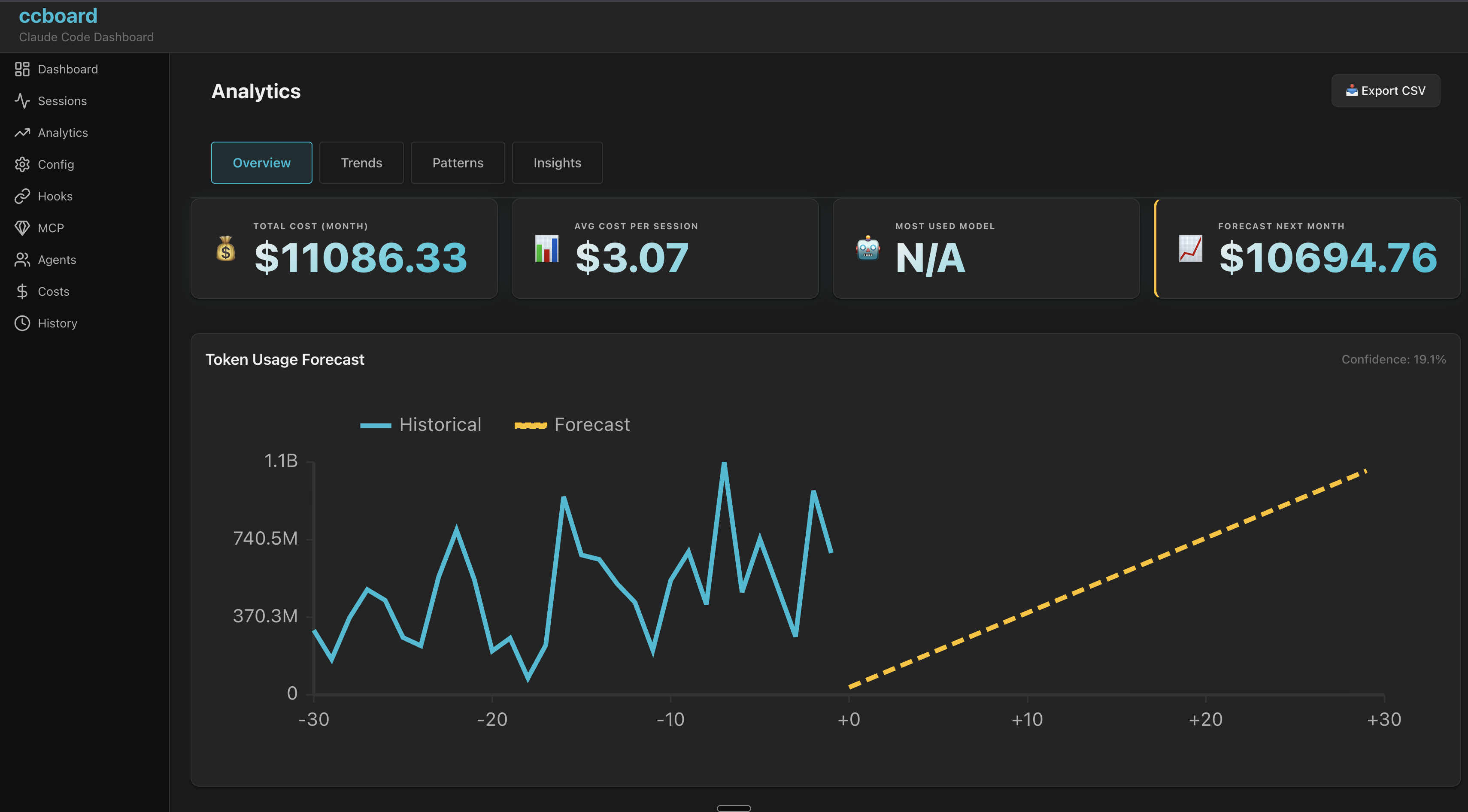
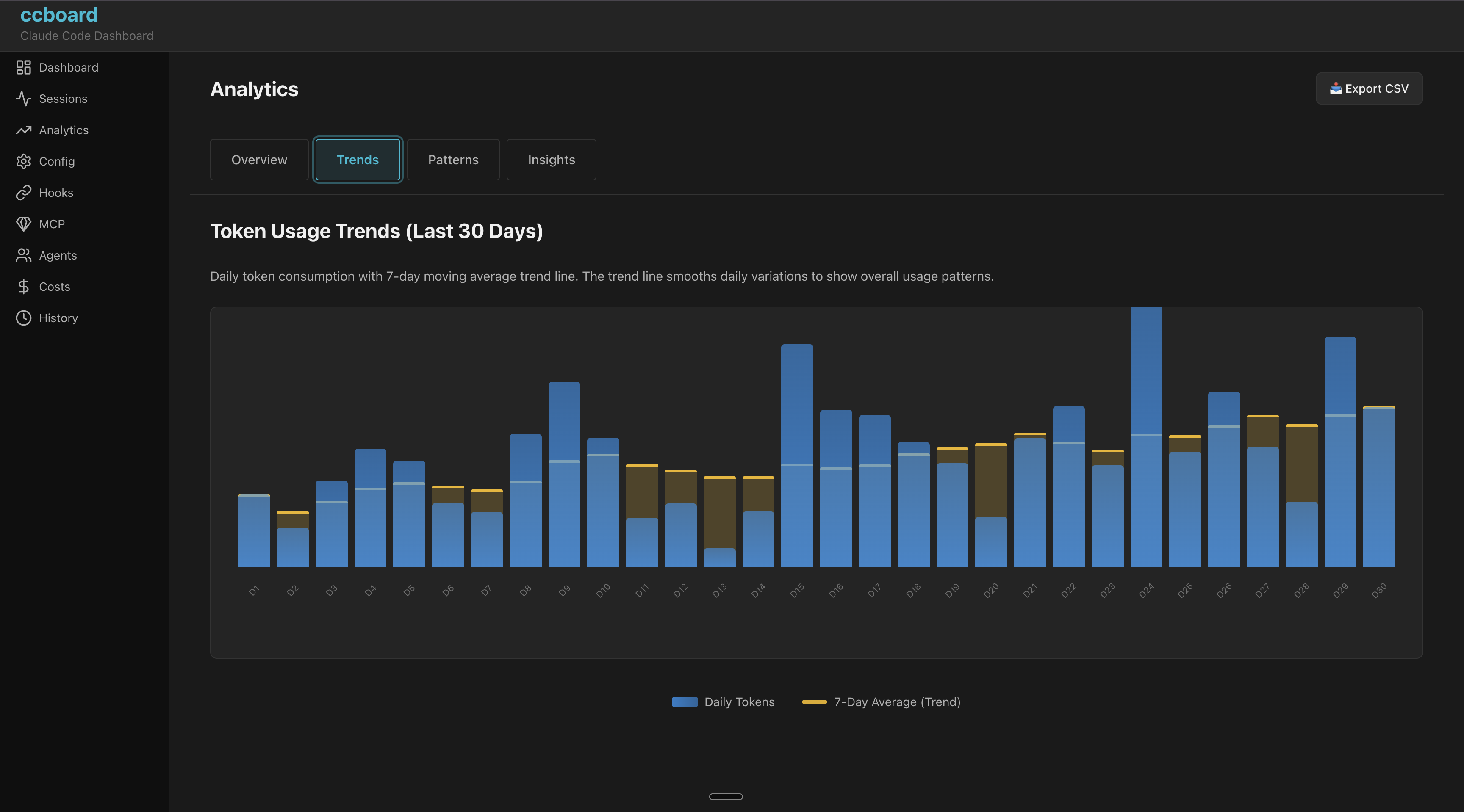
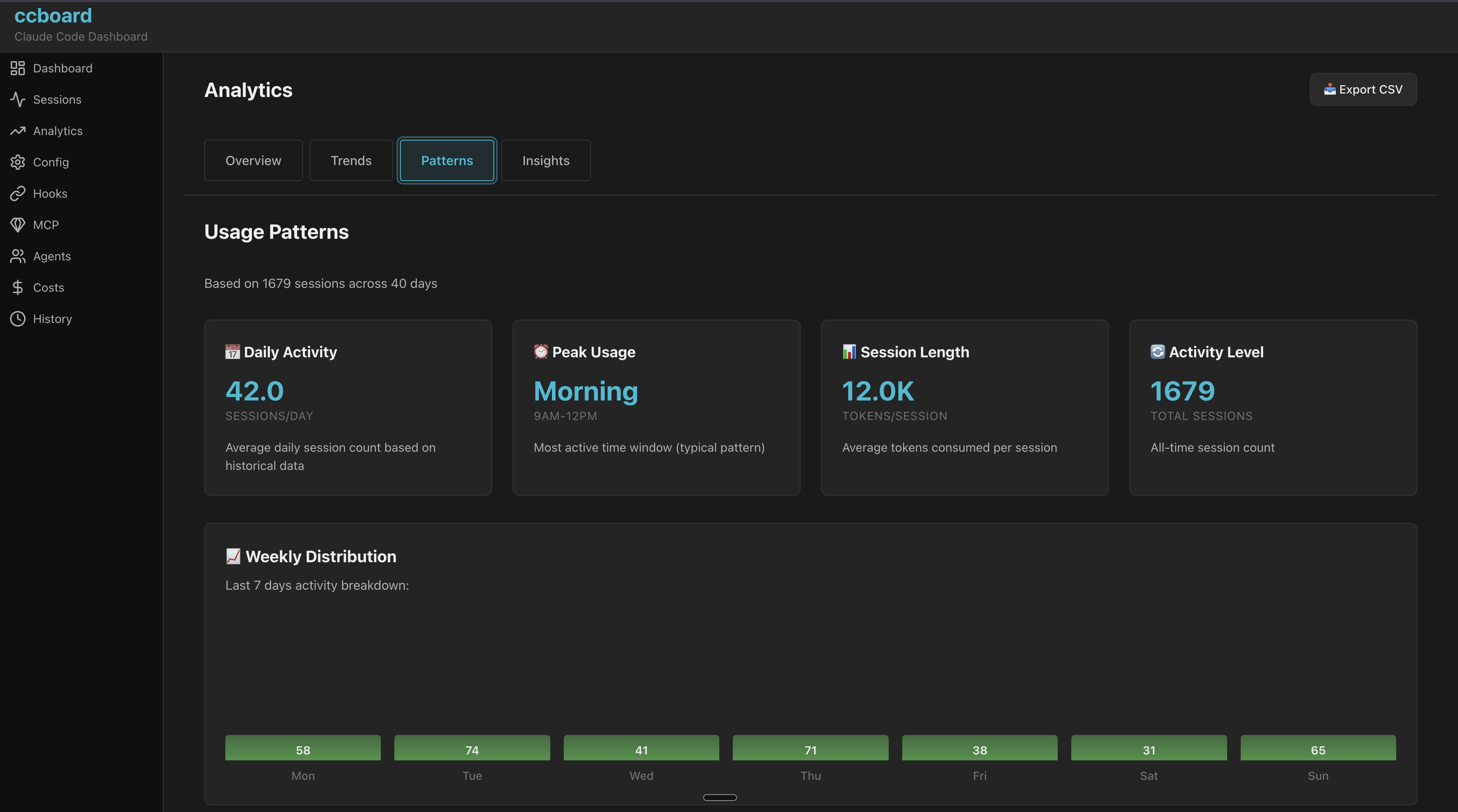
/analytics - Analytics with budget tracking
/config - 4-column configuration viewer
/hooks - Hooks with syntax highlighting
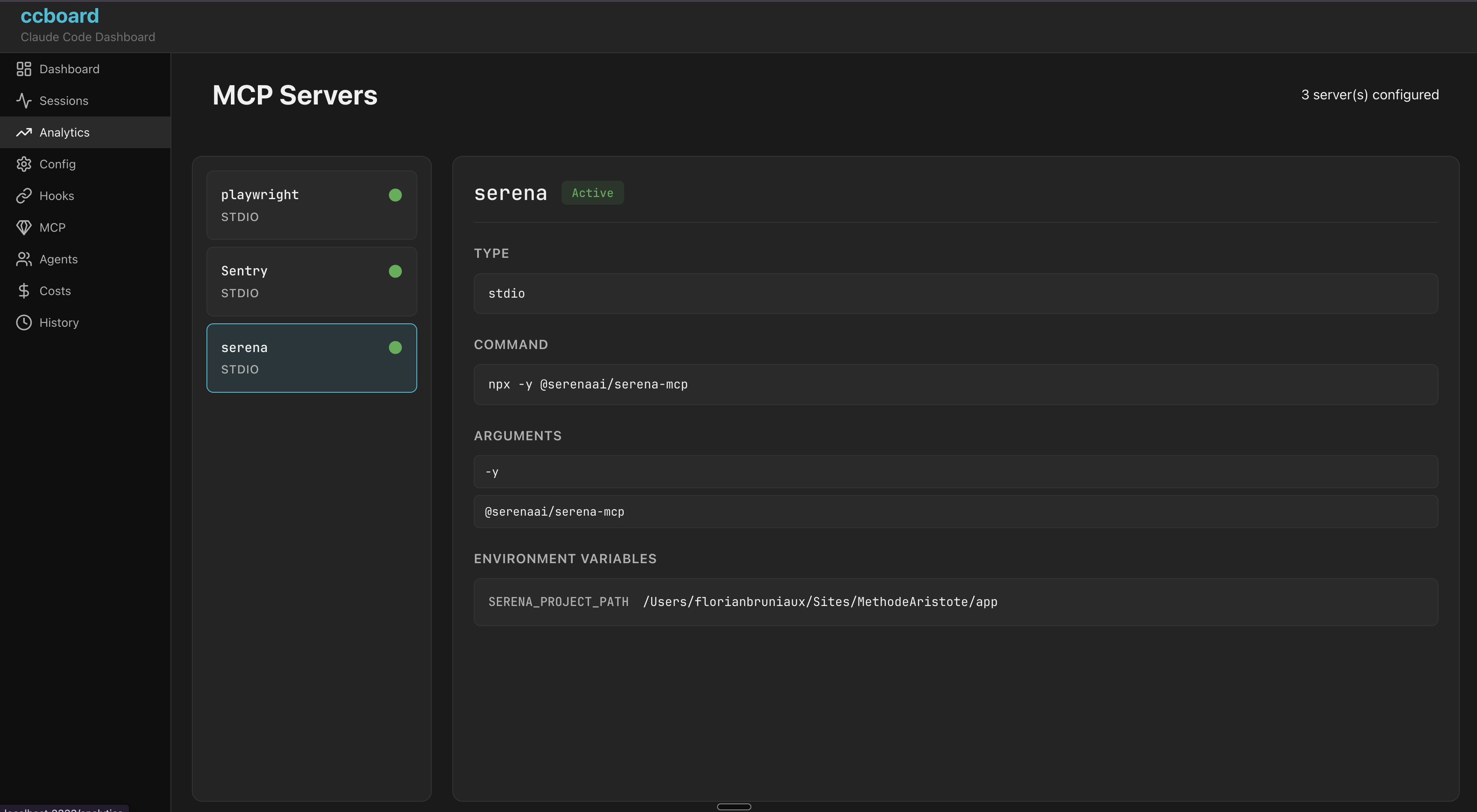
/mcp - MCP servers with status
/agents - Agents/Commands/Skills browser
/skills - Skill invocation leaderboard with [retired] badge
/costs - 4 tabs (Overview, By Model, Daily, Billing Blocks)
/history - History search and filters
/activity - Security audit & violations feed
/search - Full-text session search
Session Summaries
Generate and cache an AI summary of any session using claude --print:
# Generate summary (cached to ~/.ccboard/summaries/.md)
ccboard summarize

# Regenerate even if cached
ccboard summarize  --force

# Use a specific model
ccboard summarize  --model claude-haiku-4-5
Once cached, the summary appears automatically in the Sessions detail pane under AI Summary. Summaries are plain-text, under 200 words, and cover what was accomplished and key decisions.
Discover — Config Optimization
Analyze your session history to surface recurring patterns and suggest what to extract as CLAUDE.md rules, skills, or commands.
# Analyze all projects, last 90 days (default)
ccboard discover --all

# Last 30 days, lower threshold, top 10
ccboard discover --all --since 30d --min-count 2 --top 10

# Current project only
ccboard discover --top 20

# JSON output (pipe to jq)
ccboard discover --all --json | jq '.[0]'

# Semantic analysis via Claude (requires claude in PATH)
ccboard discover --all --llm
Generate a usage report with optional CI quality gates. Exits with code 1 when a gate is exceeded, so you can plug it directly into GitHub Actions, GitLab CI, or any shell script.
# Markdown report, last 7 days (default)
ccboard report

# JSON for machine parsing
ccboard report --format json

# HTML with embedded charts
ccboard report --format html --output report.html

# Last 30 days
ccboard report --since 30d

# Write to file
ccboard report --output weekly-report.md

# Fail CI if token budget exceeded
ccboard report --budget 500000

# Fail CI if error rate > 5%
ccboard report --error-threshold 5

# Combine gates
ccboard report --budget 1000000 --error-threshold 10 --since 30d
Output example (Markdown):
# ccboard Report

**Period:** last 7d
**Generated:** 2026-06-24 15:13 UTC

## Summary

| Metric | Value |
|--------|-------|
| Total Tokens | 14.49B |
| Sessions (period) | 1441 |
| Est. Cost | $54622.19 |
| Error Rate | 0.0% |
| Cache Hit Ratio | 99.9% |

## Top Tools by Token Usage

| Tool | Calls | Tokens | % of Total | Est. Cost |
|------|-------|--------|------------|-----------|
| Bash | 14050 | 1.46B | 47.6% | $26026.22 |
| Read | 7475 | 677M | 22.1% | $12083.00 |
| Edit | 3825 | 459M | 15.0% | $8205.99 |
...
CI gate behavior:
--budget and --error-threshold can be combined
Exit code 0 when all gates pass, exit code 1 when any gate fails
Report is always printed to stdout (or --output file) regardless of gate result
Error details go to stderr so stdout remains parseable
Skills (invocation leaderboard)
Exact counts of real Skill invocations (the Skill tool_use block), never textual mentions of a skill's name in a message.
# Full leaderboard, table output
ccboard skills

# JSON for scripting
ccboard skills --json

# Include subagent-driven invocations
ccboard skills --include-subagents

# Filter by time window or project
ccboard skills --since 30d
ccboard skills --project ccboard

# Detail for a single skill
ccboard skills flow-lean
Keybindings & Shortcuts
Keybindings
Global Navigation
Key
Action
q
Quit application
Tab / Shift+Tab
Navigate tabs forward/backward
1-9
Jump to specific tab
:
Open command palette
r
Refresh data
Esc
Close popup / Go back
List Navigation
Key
Action
j / ↓
Move down
k / ↑
Move up
h / ←
Move left / Collapse
l / →
Move right / Expand
PgUp / PgDn
Page up/down (10 items)
Enter
Show detail / Select
File Operations
Key
Action
e
Edit file in $EDITOR
o
Reveal file in file manager
Tab-Specific
Sessions
/ - Search sessions
Enter - Show session detail
b - Toggle bookmark on selected session
B - Toggle "bookmarked only" filter
s - Cycle sort mode (date/tokens/duration/messages)
Core principles: Single binary with dual frontends sharing a thread-safe DataStore. Graceful degradation (partial data if files corrupted/missing). SQLite metadata cache (89x speedup) with lazy content loading. Arc for sessions (50x memory reduction), parking_lot::RwLock for stats/settings.
For detailed architecture documentation, see ARCHITECTURE.md.
Prerequisites
Rust 1.85+ (rustup install stable)
Claude Code with ~/.claude directory
Build & Run
# Clone repository
git clone https://github.com/FlorianBruniaux/ccboard.git
cd ccboard

# Build all crates
cargo build --all

# Run TUI (default)
cargo run

# Run web interface
cargo run -- web --port 3333

# Run with debug logging
RUST_LOG=ccboard=debug cargo run
Testing
# Run all tests (383 tests)
cargo test --all

# Run tests for specific crate
cargo test -p ccboard-core

# Run with logging
RUST_LOG=debug cargo test
Quality Checks
# Format code (REQUIRED before commit)
cargo fmt --all

# Clippy (MUST pass with zero warnings)
cargo clippy --all-targets

# Pre-commit checklist
cargo fmt --all && cargo clippy --all-targets && cargo test --all
Watch Mode
# Auto-rebuild TUI on changes
cargo watch -x 'run'

# Auto-rebuild web
cargo watch -x 'run -- web'
Unless you explicitly state otherwise, any contribution intentionally submitted for inclusion in the work by you, as defined in the Apache-2.0 license, shall be dual licensed as above, without any additional terms or conditions.
Acknowledgments
This project was developed following Test-Driven Development (TDD) principles with guidance from Agent Academy.