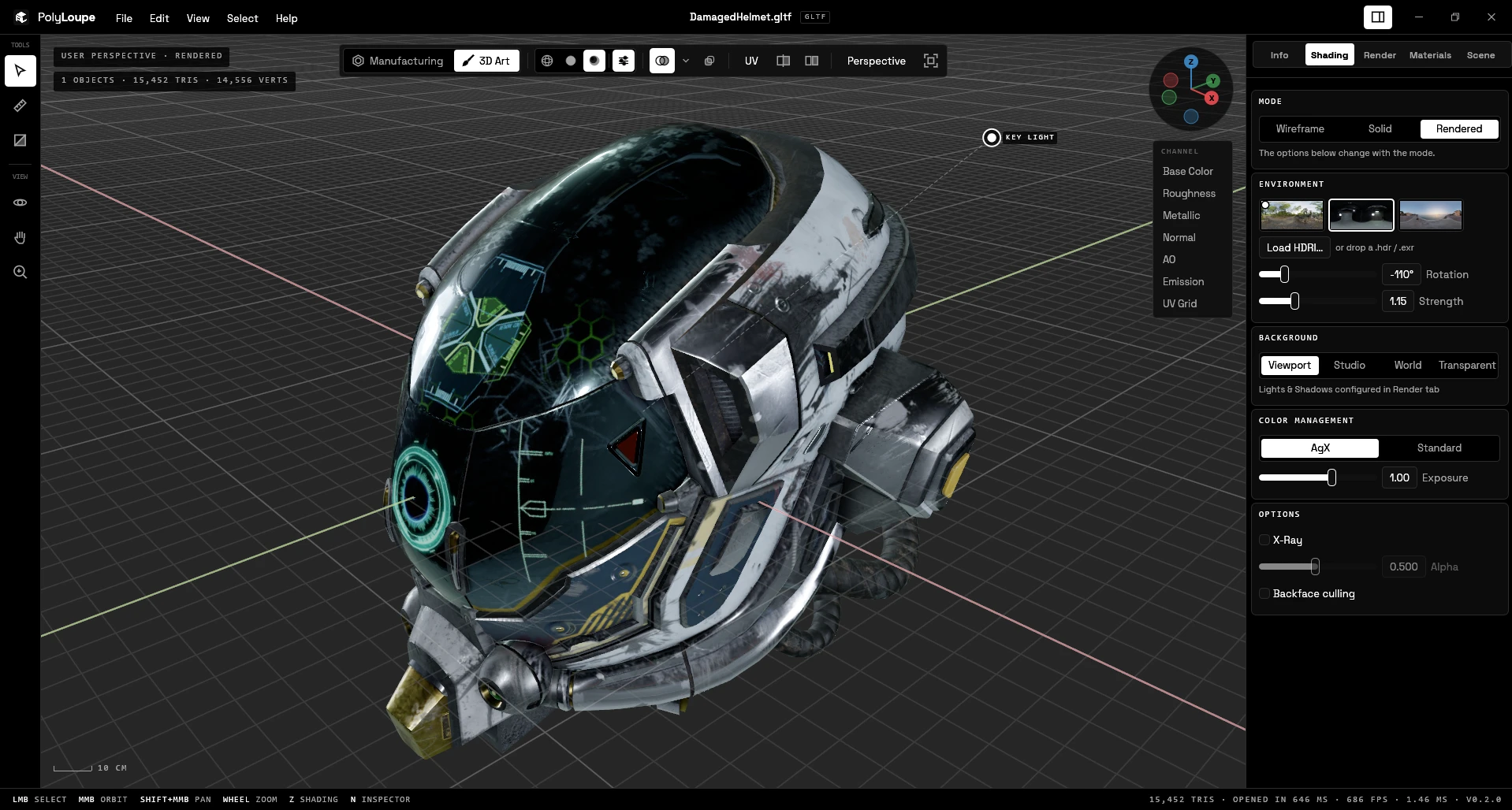
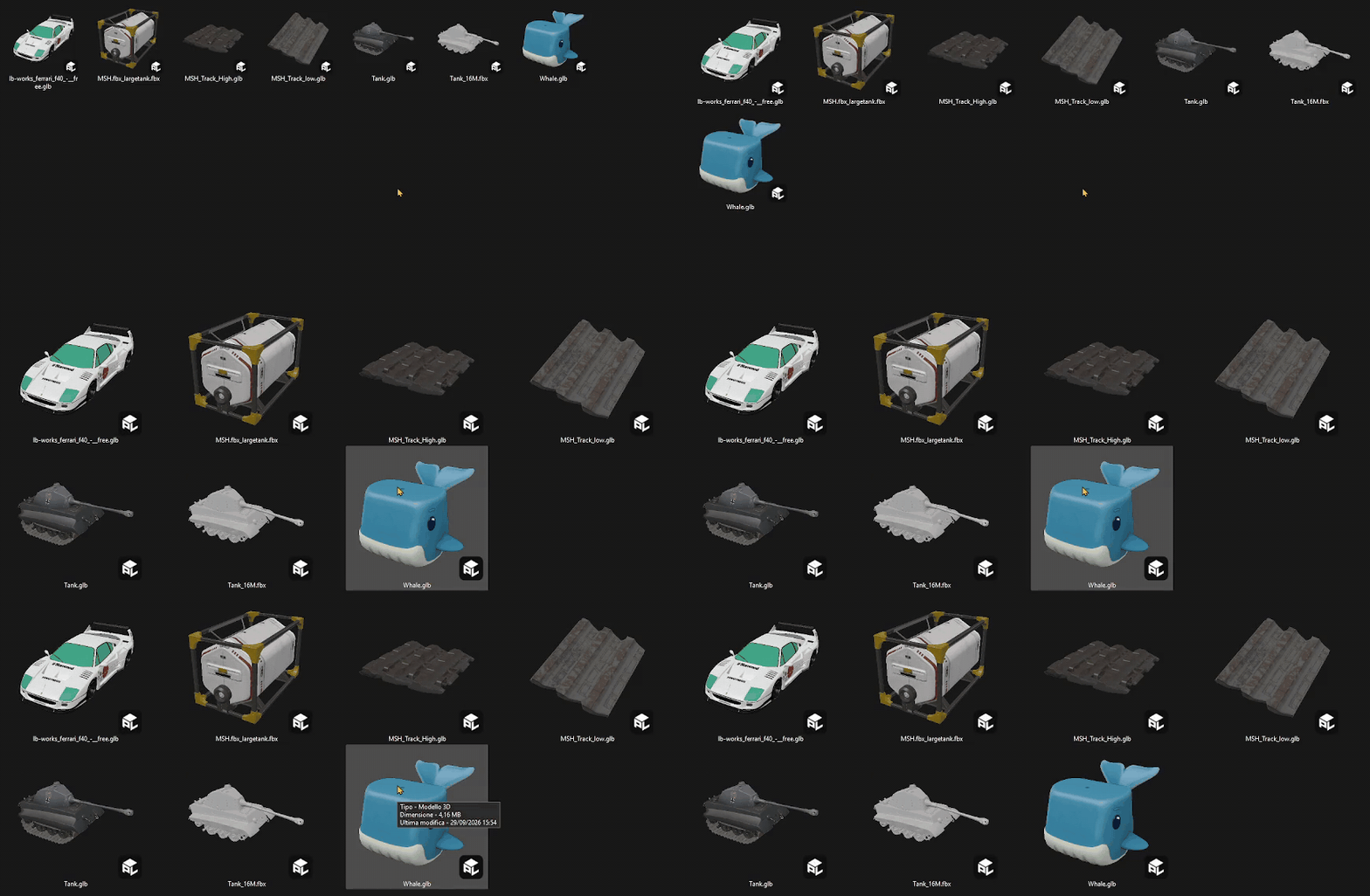
PolyLoupe opens glTF/GLB, FBX, OBJ, STL, PLY, 3MF and COLLADA files in about a second, with
Blender-style navigation and shading, texture channels, UV layout, mesh checks, measuring,
cross-sections and A/B compare. The installer also adds Explorer thumbnails for these formats.
README
PolyLoupe
The 3D viewer for people who make assets. Opens in a blink, moves like Blender (or Maya,
ZBrush, Unity...), shows what's really in the model. Native, free and open source.
Every polygon, up close.
Download
Windows 10/11 (x64): get PolyLoupe-Setup-.exe from the
latest release. The installer isn't code-signed yet, so SmartScreen may
say "Windows protected your PC": choose More info > Run anyway. The installer is built from
this repository by scripts/build-installer.ps1, and its SHA-256 is listed in the release notes.
What it does
Opens glTF/GLB, FBX, OBJ (with MTL textures), STL, PLY, 3MF, COLLADA (.dae) and STEP
(.step/.stp); files load on a background thread.
glTF support covers metallic-roughness PBR, skinning, morph targets, animation,
KHR_texture_transform, EXT_texture_webp, meshopt compression (EXT_meshopt_compression,
used by Tripo and gltfpack exports) and KHR_mesh_quantization; other extensions are ignored,
and a file that requires one (Draco, ...) still opens with a warning, though it may look wrong
or be incomplete. All 150 Khronos glTF Sample Assets open.
STEP files go through OpenCASCADE with assembly parts, names and
colors; the CAD kernel lives in its own DLL, loaded only when a STEP file is opened, and the
meshed result is cached so the same file opens in a moment the next time.
Two workspaces, picked from the file type (switch in the viewport toolbar):
Manufacturing (STL, 3MF, STEP, PLY): millimeters, Move (W), Rotate (E) and Scale (R) with a
transform gizmo and Ctrl snapping, Lay on face, Auto orient and Drop to bed for print
orientation, Export Model to STL or 3MF. Part materials for quick renders: FDM plastic (PLA,
PLA Silk, PETG, ABS) and resin with layer lines that follow the bed, nylon SLS, metal
(polished, satin, brushed, blasted), with grain and scratches. Parts show as plain satin
plastic (a color you can change) unless you pick "File materials" in Shading.
3D Art (glTF, FBX, OBJ, DAE): textures, UVs, channels and animation, in meters like Blender.
Explorer thumbnails for all of them (rendered by a small self-contained handler, like Blender's
for .blend files), plus "Open with" and Default apps entries.
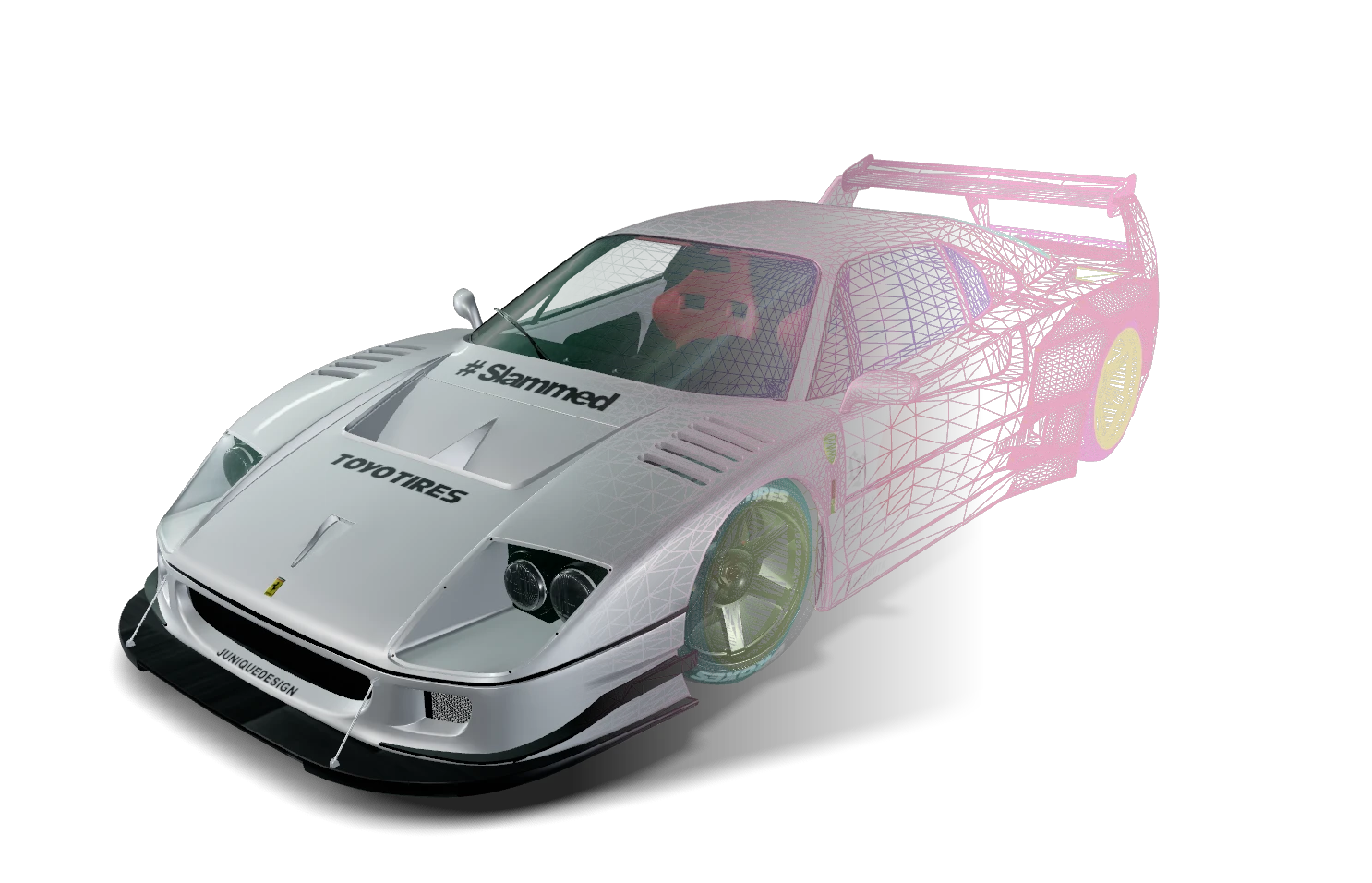
Wireframe, Solid and Rendered shading, like Blender:
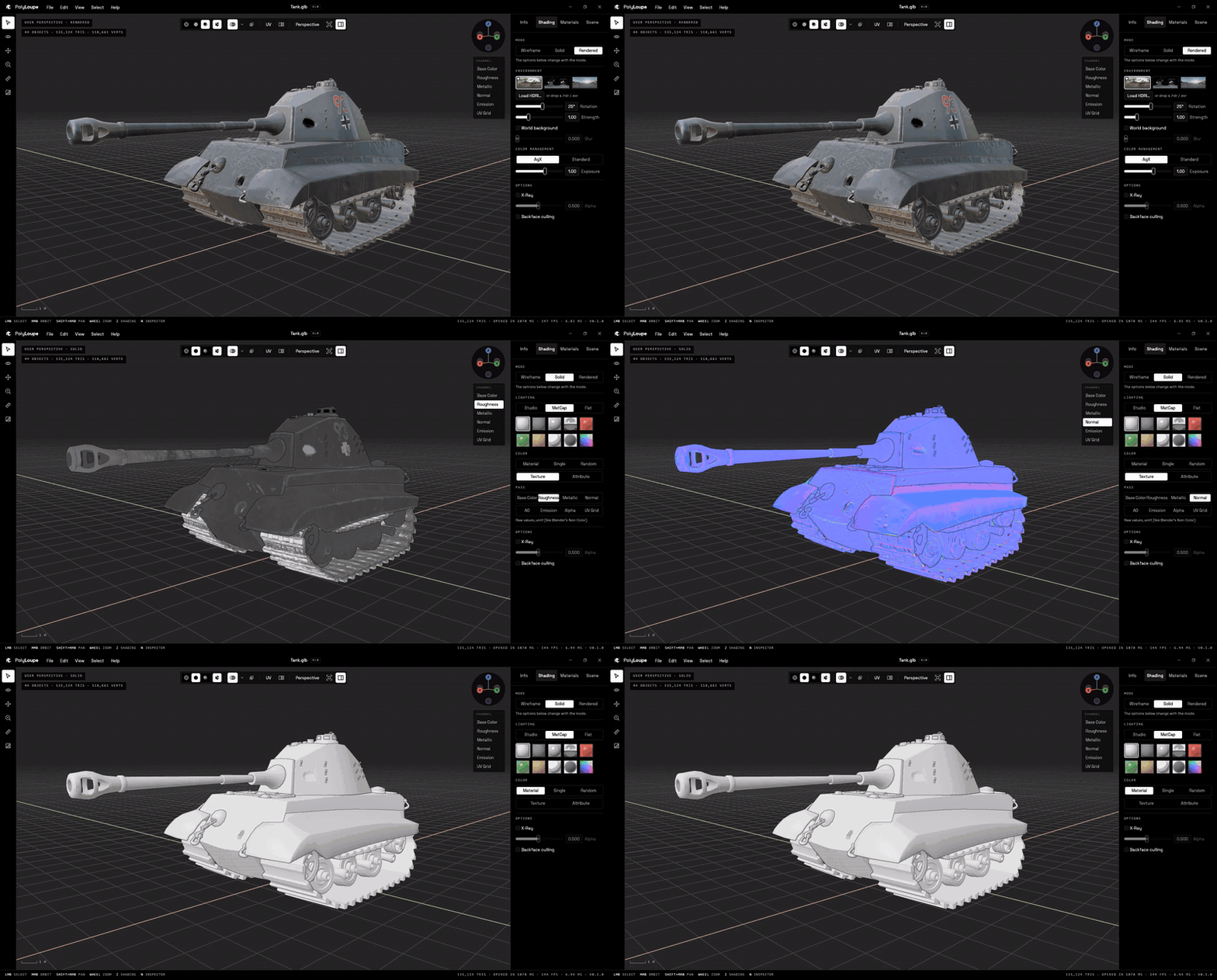
Solid: Studio, MatCap (including Blender's Clay Warm and Basic Bright) or Flat lighting;
Material, Single, Random, Texture or Attribute color.
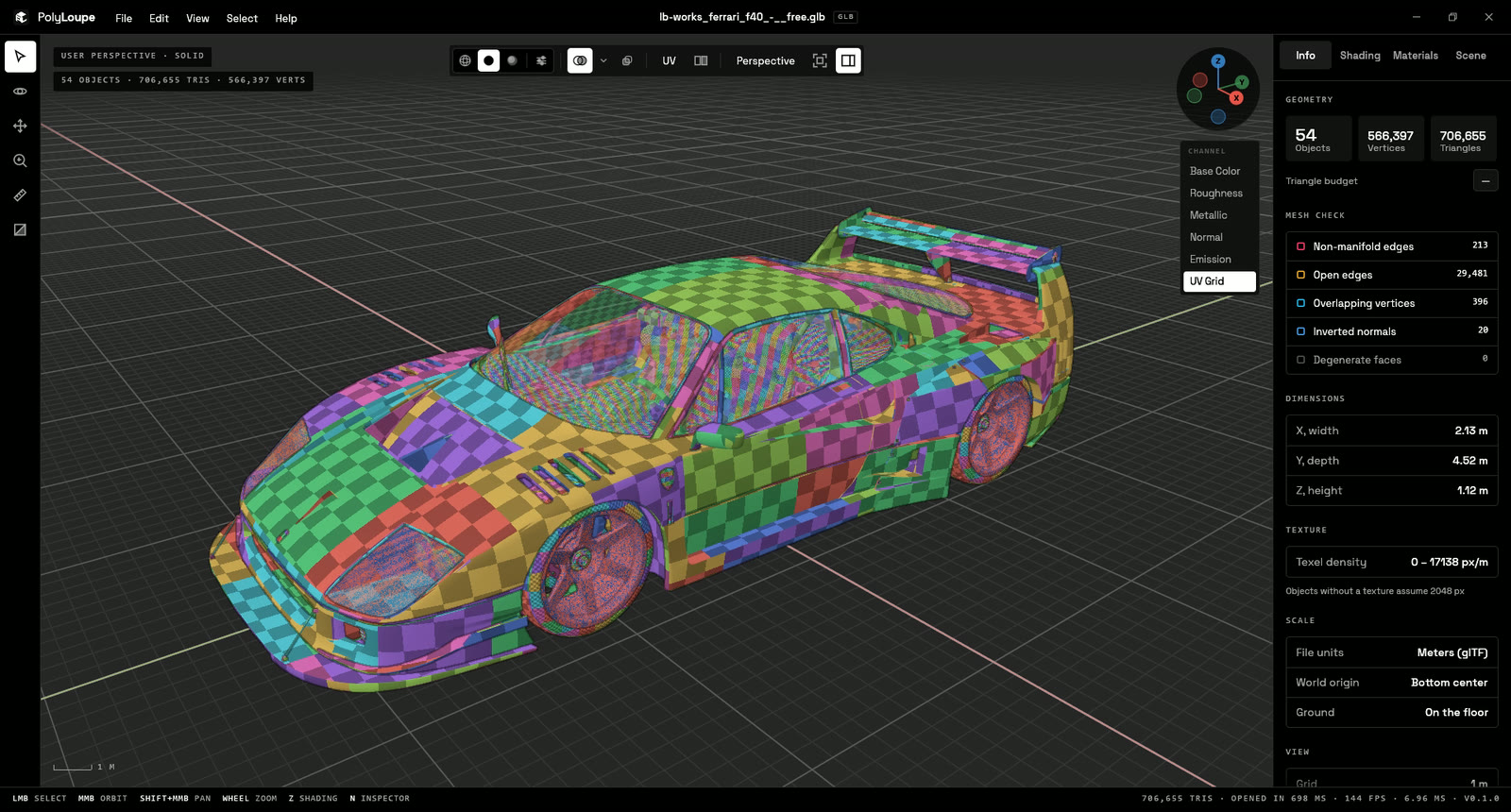
Texture channels: Base Color, Roughness, Metallic, Normal, AO, Emission, Alpha, UV grid,
for the whole scene or per object (C / Shift+C cycle them).
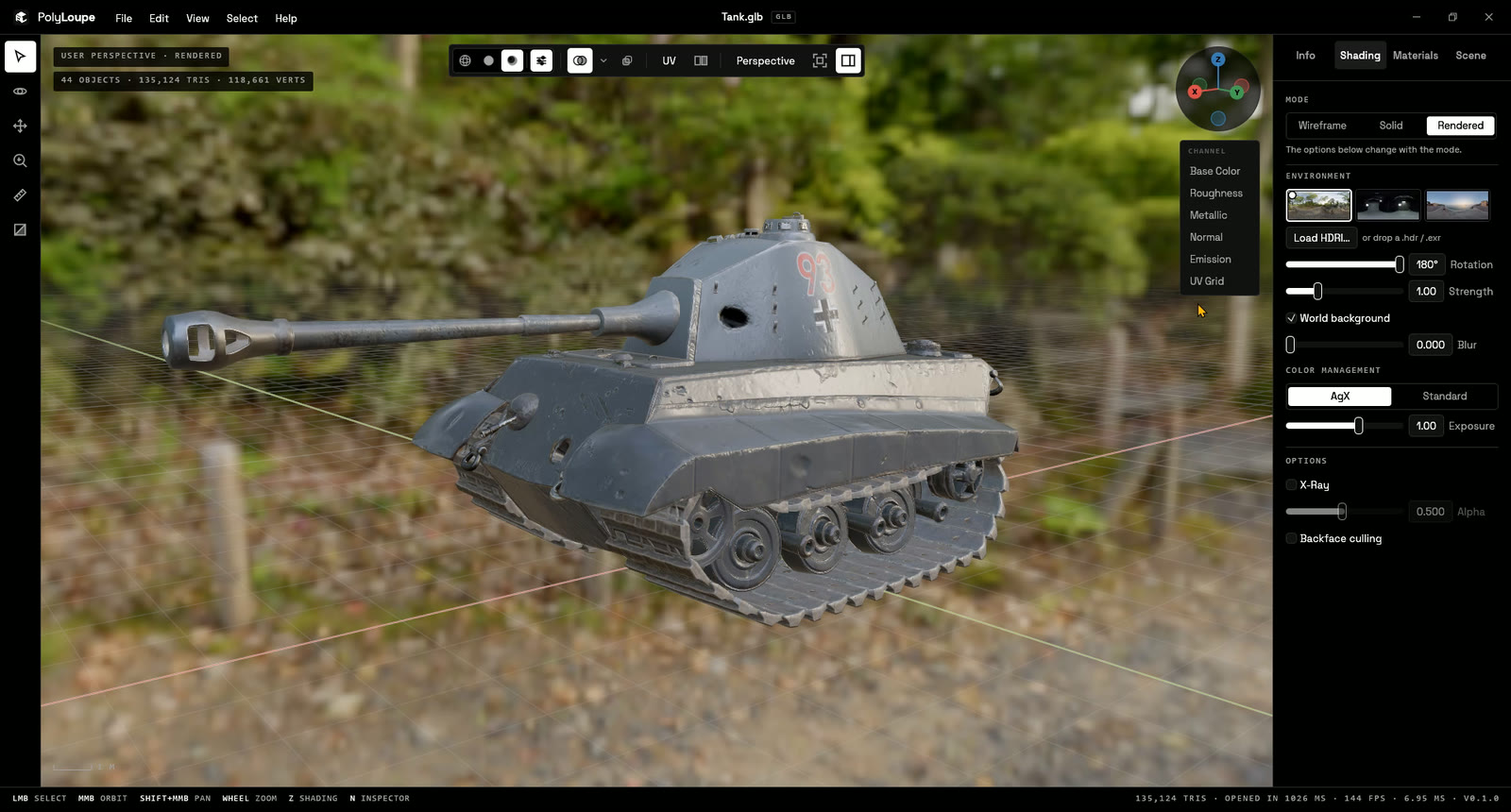
Rendered: PBR with image-based lighting, AgX, clearcoat and transmission. Blender's own
HDRIs built in (Forest, the Material Preview default, Studio, Sunset), plus your .hdr /
.exr library. Up to 6 lights you drag in the view, soft shadows, a shadow floor and a
studio backdrop.
Asset checks for artists:
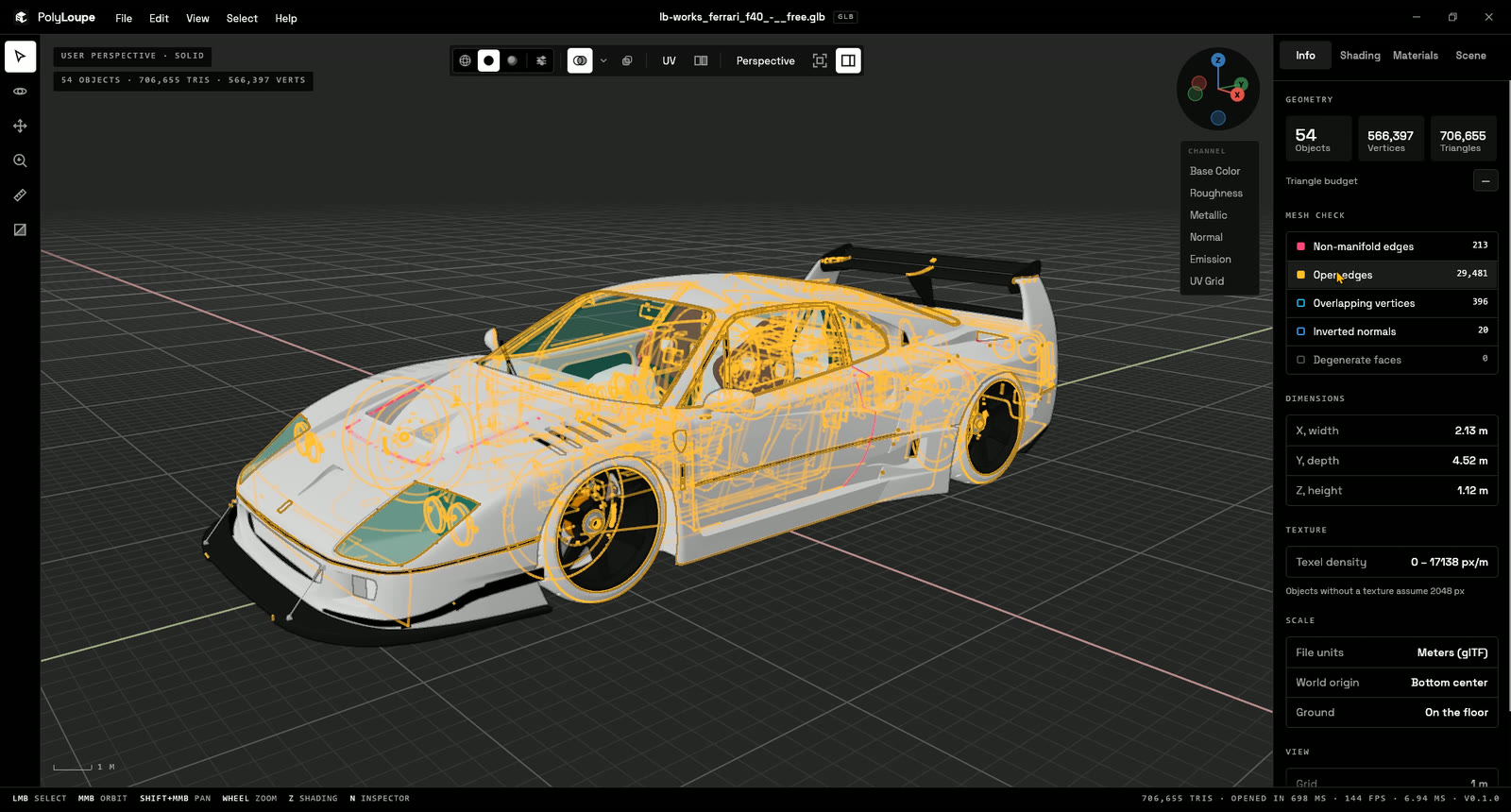
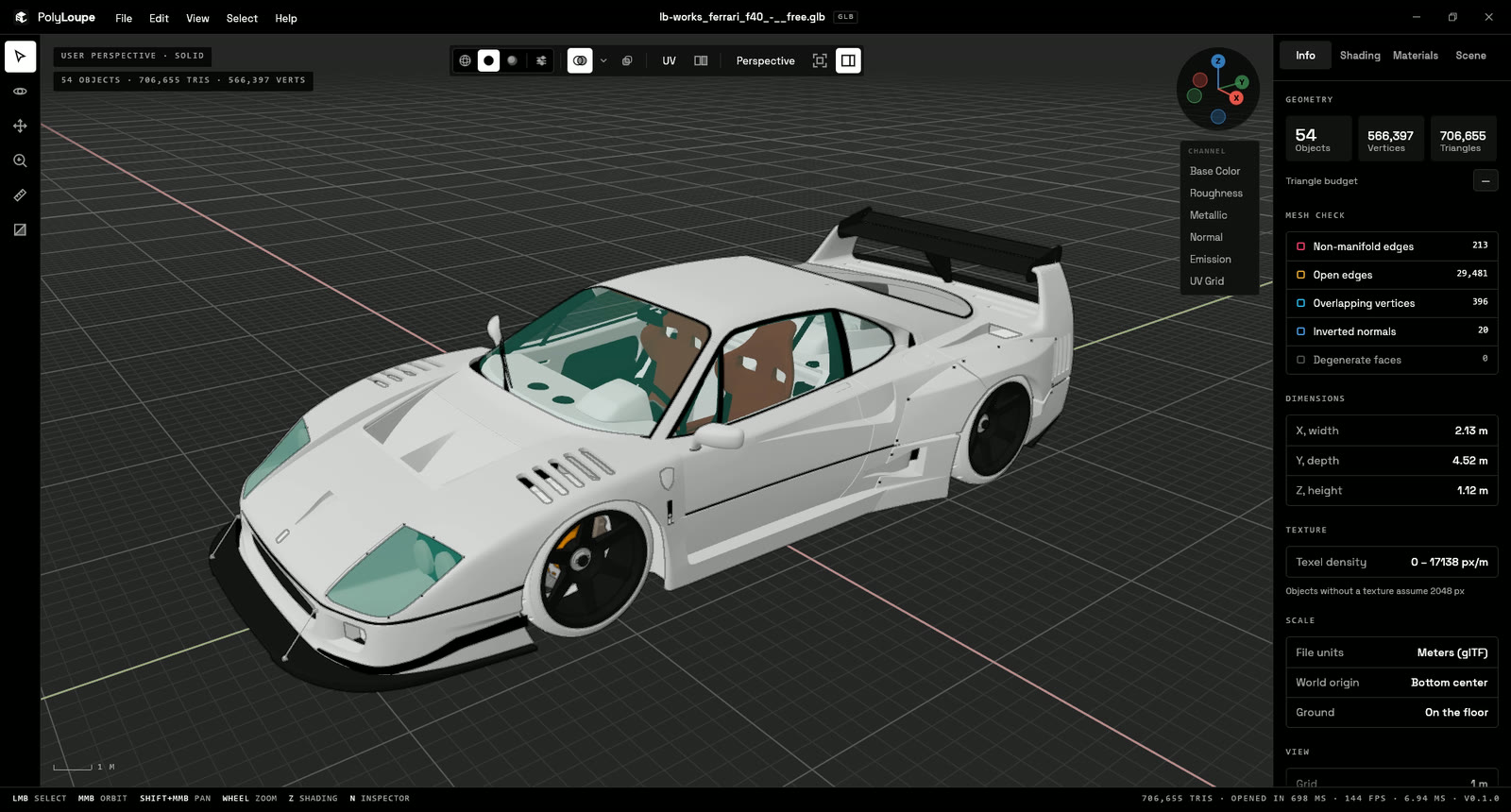
Mesh check: non-manifold edges, open edges, overlapping vertices, degenerate faces.
Measure (M) with vertex snapping, per-axis deltas.
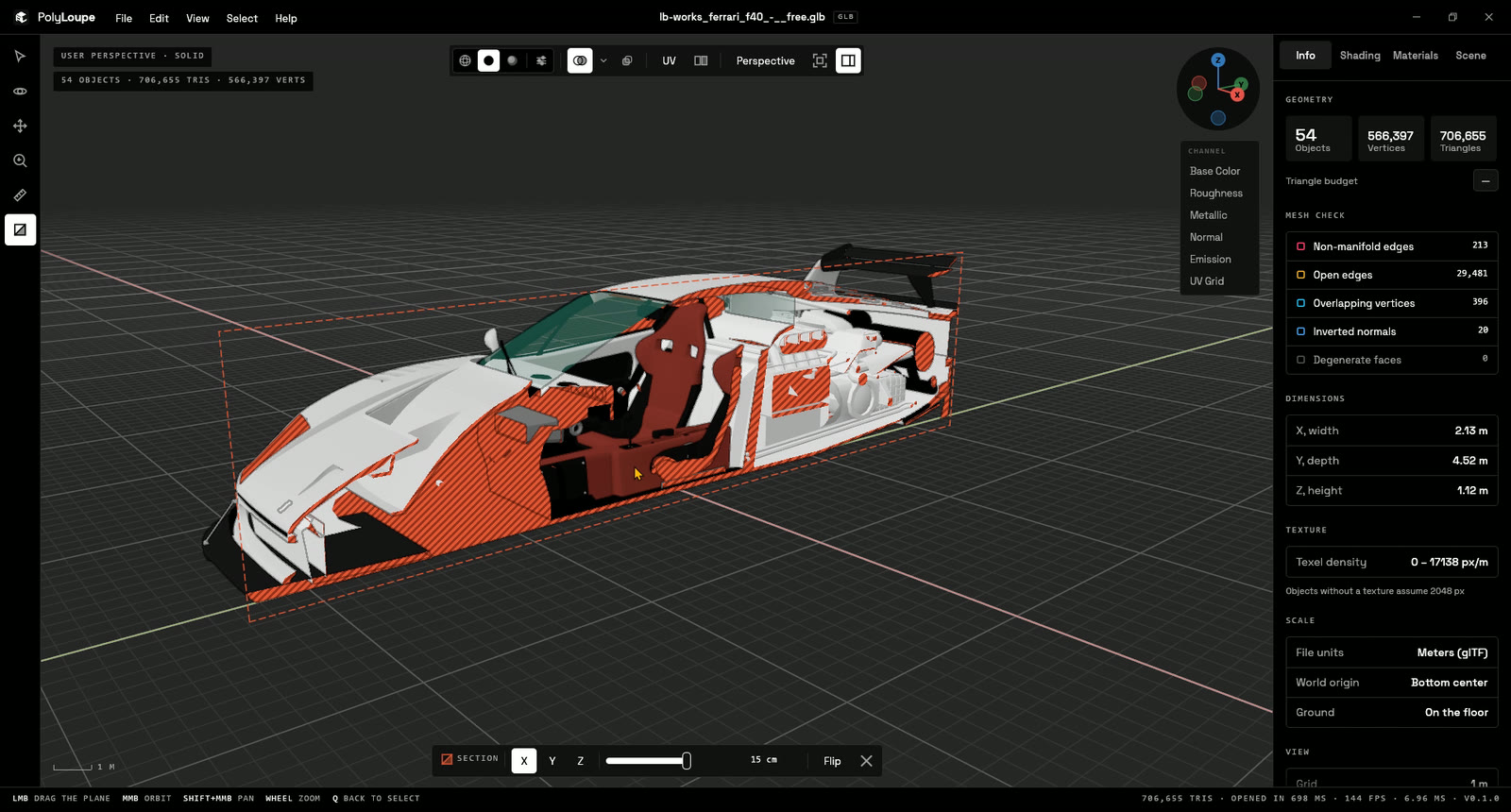
Cross-section along X, Y or Z with a hatched cap.
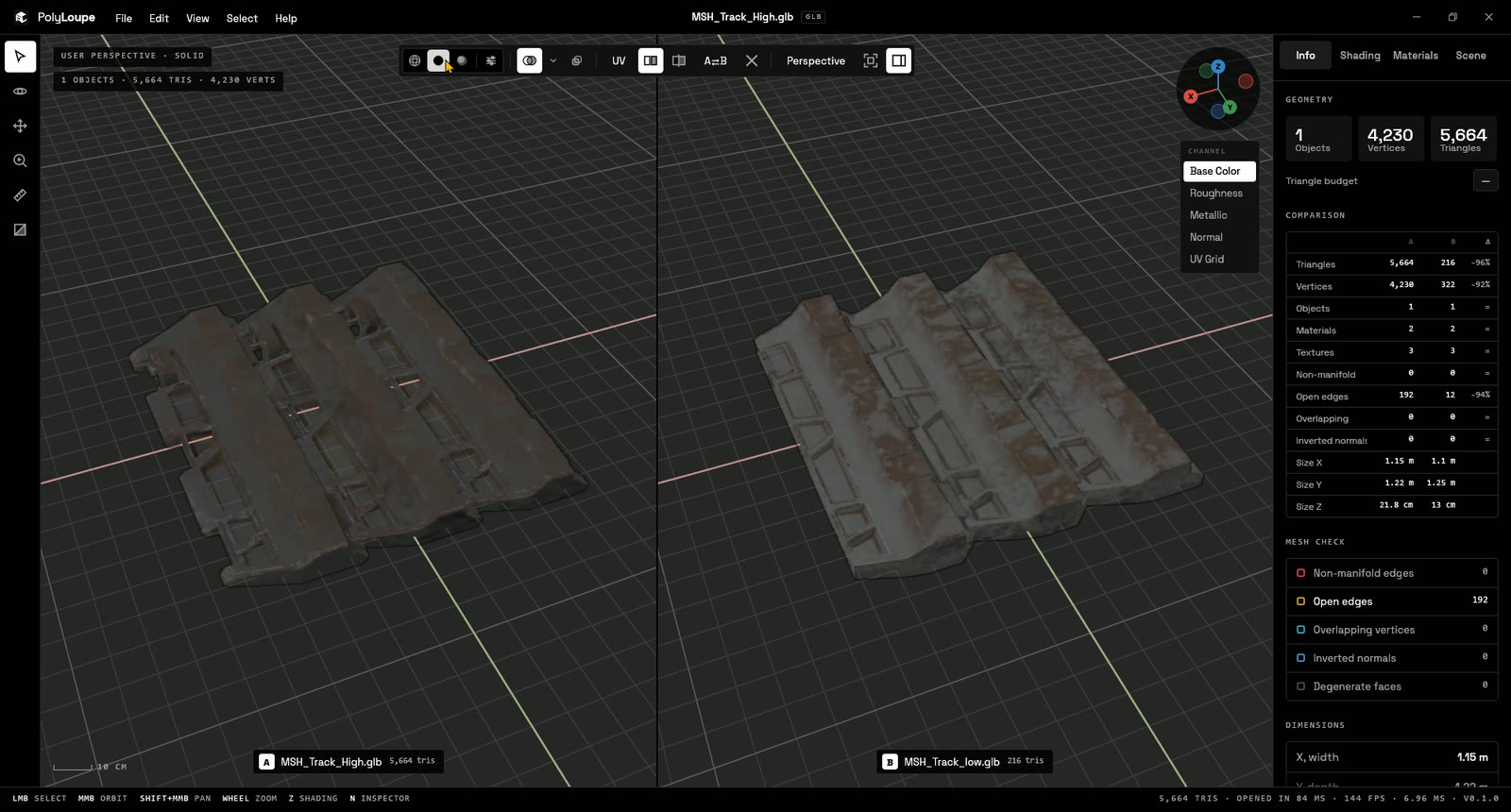
A/B compare of two models, or of two shading styles on one model (side by side or split
with a soft gradient, synced camera and animation).
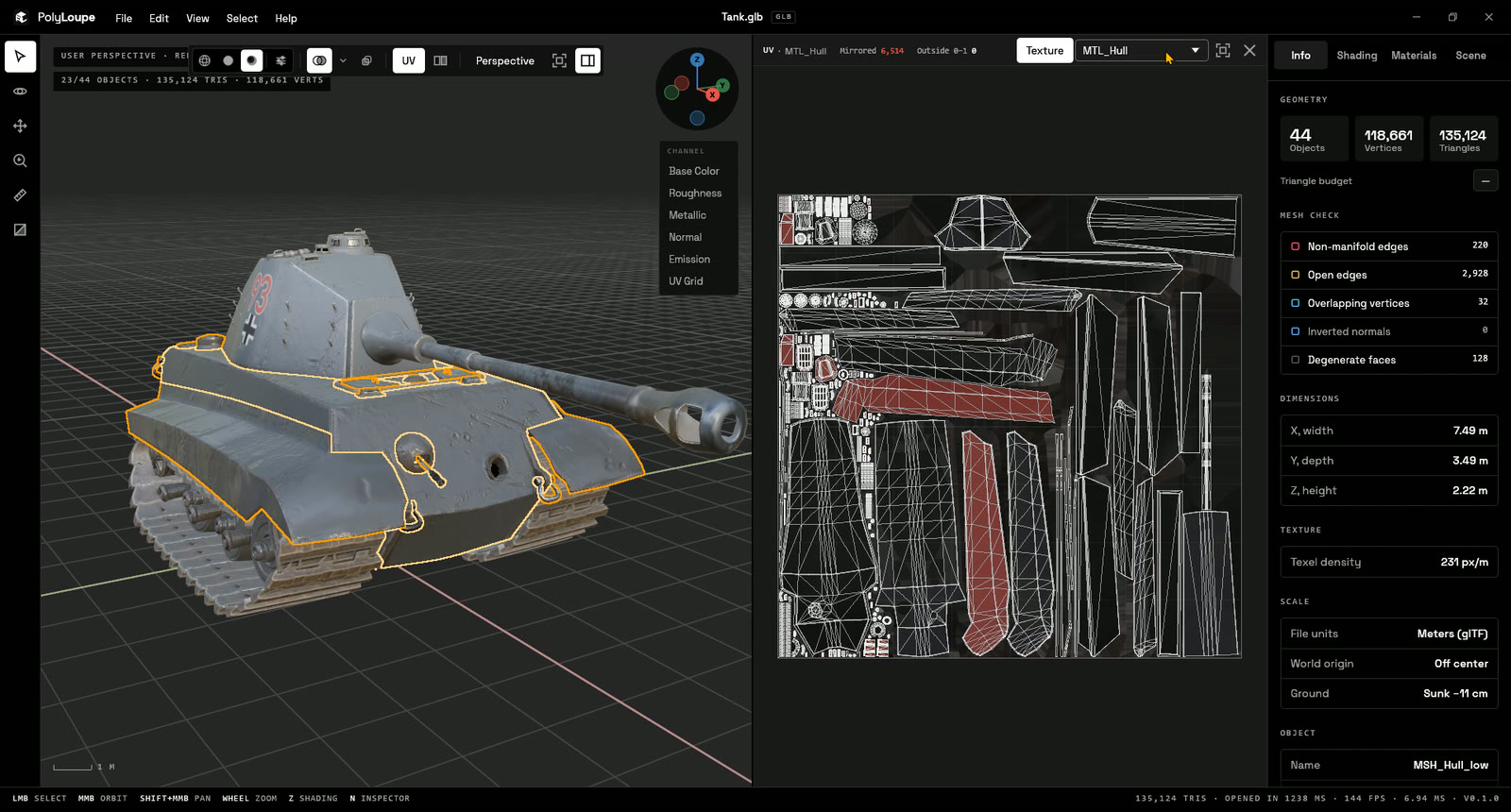
UV layout pane (U) with the texture behind, mirrored and out-of-0–1 islands counted; show the selected objects or a whole texture set (every object using one material).
Normals and face orientation overlays, origins, scale and declared units, pivot.
Texel density and a triangle budget bar.
Animation: skinning, morph targets and node animation (glTF, FBX) with a Blender-style timeline.
Render tab: images (F12) at viewport size, 1080p, 1440p, 4K, square, portrait or custom, with
2×/4× supersampling and an optional transparent background, and turntables (GIF, or MP4 with
ffmpeg). A comparison renders as the viewport shows it.
English and Italian UI (follows Windows by default).
Renders only when something changes: no GPU usage while idle. A Performance mode
(Preferences > Viewport) keeps it smooth on integrated GPUs and older PCs.
Screenshots
Texture channels, one key away (C)
Rendered: PBR with Blender's HDRIs
UV layout of a whole texture set
UV grid checker
Mesh check
Cross-section
A/B compare, high vs low poly
Two shading styles in one render
Solid shading and the Info panel
Feedback
PolyLoupe is young and shaped by the people who use it. Found a model that opens wrong, or miss
a check you do every day? Open an issue (Help > Report a bug or
suggest a feature in the app), or start a discussion. No telemetry: the app
never sends anything anywhere.
Controls
Blender's by default (the mouse part changes with the navigation preset):
Input
Action
MMB drag / Alt+LMB drag
Orbit
Shift+MMB drag
Pan
Wheel / Ctrl+MMB drag
Zoom
LMB / Shift+LMB
Select / extend selection
A / Alt+A
Select all / none
H / Shift+H / Alt+H
Hide selected / hide others / reveal
N
Side panel (also the button at the top right)
Home / .
Frame all / frame selected
1 / 3 / 7 (Ctrl for opposite)
Front / Right / Top view
2 4 6 8
Orbit in 15° steps
5
Perspective / orthographic
Z
Shading pie menu
Shift+Z / Alt+Z / Shift+Alt+Z
Toggle wireframe / X-ray / overlays
Q / O / G / M
Select / Orbit / Pan / Measure tool
W
Move tool (Manufacturing): drag arrows, rings or center, Ctrl snaps
L / Shift+L / B / Alt+G
Lay on face / auto orient / drop to bed / reset (Move tool)
Del / Shift+Del
Remove the last measurement / all of them
Ctrl+Z
Undo the last move (or measurement, in the Measure tool)
C / Shift+C
Next / previous texture channel
U
UV layout
Space
Play / pause animation
← / → (Shift for start/end)
Step frames
Ctrl+O / Ctrl+Shift+O
Open file / compare with a second file
F12
Export image
Ctrl+,
Preferences
F11
Fullscreen
Top-row digits work as numpad keys, so laptops without a numpad are covered.
Build
Requires Rust (stable) and, on Windows, the MSVC build tools. The STEP reader also needs CMake:
the first build compiles OpenCASCADE from its official sources into target/occt (10-30 minutes,
once).
cargo build --release --workspace
cargo run --release -- path/to/model.glb
Builds everything and writes target\installer\PolyLoupe-Setup-.exe (English or Italian
wizard, built with Inno Setup). It installs to
Program Files, registers the thumbnail handler, adds PolyLoupe to "Open with" and Default apps
for .glb .gltf .fbx .obj .stl .ply .3mf .dae .step .stp, and offers to open Default apps at the end (Windows
doesn't let installers pick the default app themselves).
The thumbnail handler works like Blender's handler for .blend files: Windows runs it in its
isolated thumbnail process and hands it the file's bytes, and the DLL parses the model and renders
it on the CPU (no GPU, no helper process), in about 30 ms for a typical model. .gltf and .obj files
can keep their data in files next to them (buffers, .mtl, textures), which that isolated process
can't see, and STEP needs the OpenCASCADE DLL next to polyloupe.exe, so those formats get a second
handler, built like F3D's: Windows gives it the
file's path, and it runs polyloupe --thumbnail in a separate process with a timeout, so a broken
file never takes Explorer down. polyloupe --thumbnail model.glb out.png 256 renders exactly what
Explorer shows.
Drop -AllUsers to install for the current user only (%LOCALAPPDATA%\Programs\PolyLoupe, no
admin), though Windows may take a while to notice a per-user handler; add -Uninstall to remove
either.
Explorer keeps the thumbnails it already made: clear "Thumbnails" in Disk Cleanup to see files you
browsed before an update with the new renderer.
Screenshots from the command line
cargo run --release -- model.glb --capture out.png --size 1280x800 --shading rendered --view front
Flags: --shading wireframe|solid|rendered, --lighting studio|matcap|flat,
--color material|single|random|texture|attribute, --pass basecolor|roughness|metallic|normal|ao|emission|alpha|uvgrid,
--matcap N, --env forest|studio|sunset|PATH.hdr|PATH.exr, --env-bg, --xray, --wire-overlay,
--workspace manufacturing|art, --file-materials, --imperfection 0..1, --no-overlays, --no-grid, --no-outline, --view front|back|right|left|top|bottom, --ortho,
--popover shading|overlays|channel|preferences|welcome, --nav blender|maya|zbrush|max|gameengine|cad, --pie, --sidebar, --select N, --click X,Y,
--channel PASS (on the selection), --clip N, --frame N, --fps, --popover preferences.
--export OUT.png [--export-scale 1|2|4] [--transparent] runs File > Export Image instead of a
window screenshot.
Capture runs never change your saved preferences.
License
PolyLoupe is free software: you can redistribute it and/or modify it under the terms of the
GNU General Public License, version 3 or (at your option) any later version.
Third-party components keep their own licenses (THIRD-PARTY-NOTICES.txt, generated by
scripts/third-party-notices.py, ships with the installer). The name and logo are covered by
TRADEMARKS.md.