MarkdownBlaze
A fast, offline Markdown viewer — and the rare one that prints properly. Point it at a .md
file and it renders a clean, navigable document, lays it onto paper the way it will actually print,
and lets you pick how that paper should look. No Electron, no telemetry, and no network requests of its own — the only time anything leaves your machine is when a document you open references a resource on the web, such as a remote image, and the WebView fetches it like a browser would: a native
OS WebView driven by Photino + Blazor and
Microsoft Fluent UI on .NET 10.
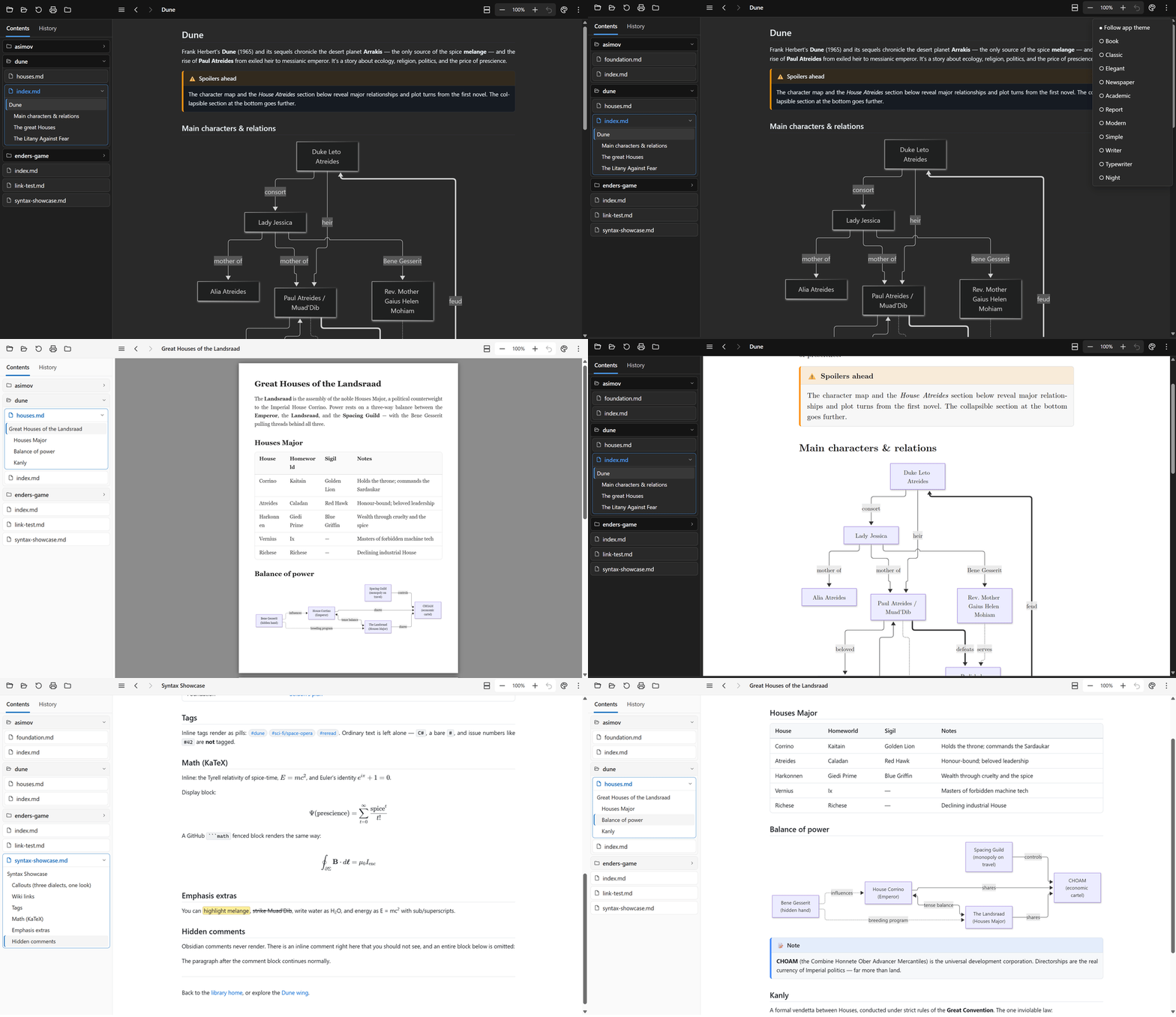
> 📖 The samples/wiki/ folder is a self-contained sample wiki that doubles as a
> feature tour. Open it with MarkdownBlaze samples/wiki/.
Screenshots
| |
|---|
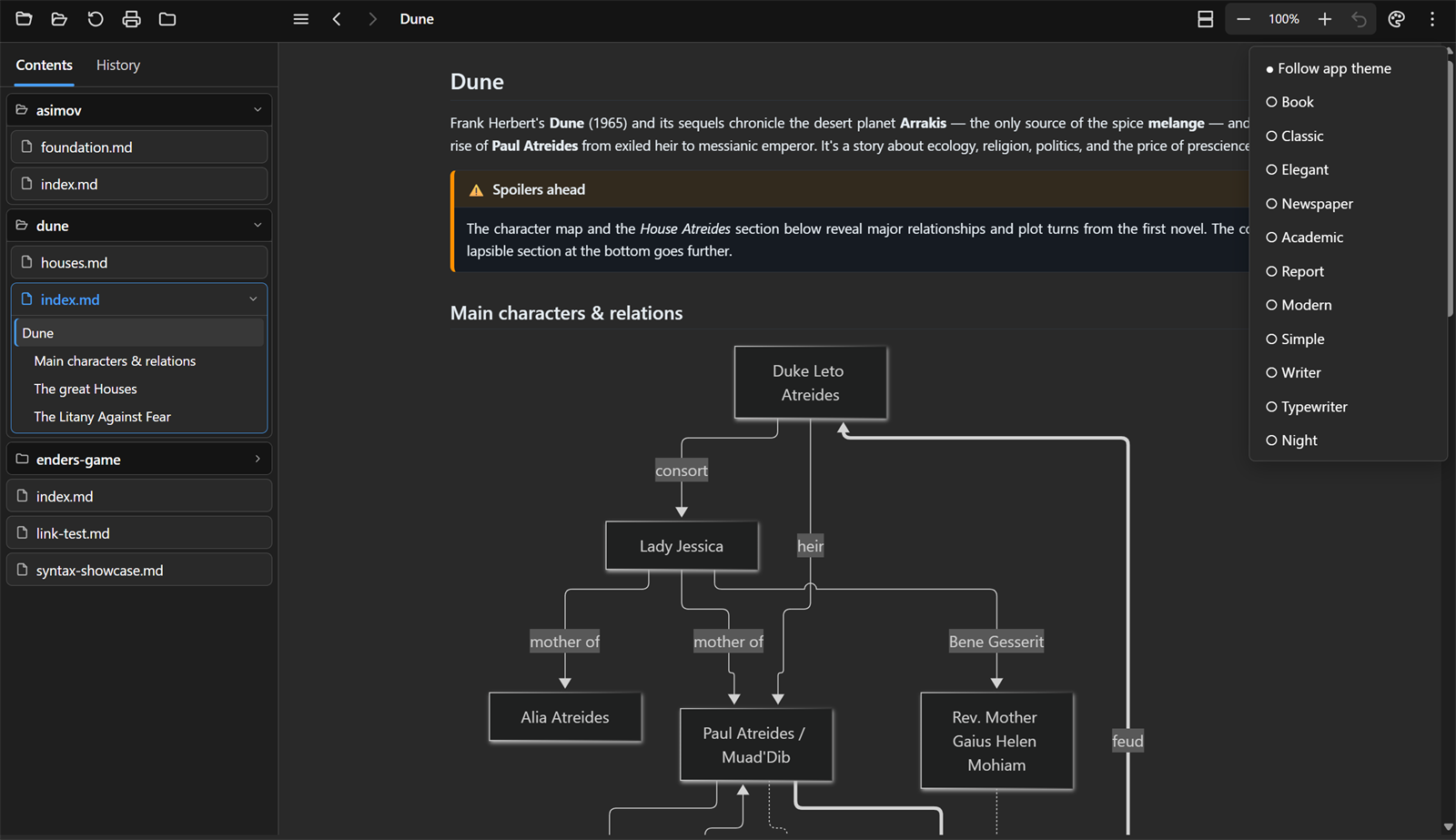 Eleven document themes, from the toolbar or Eleven document themes, from the toolbar or F9 | 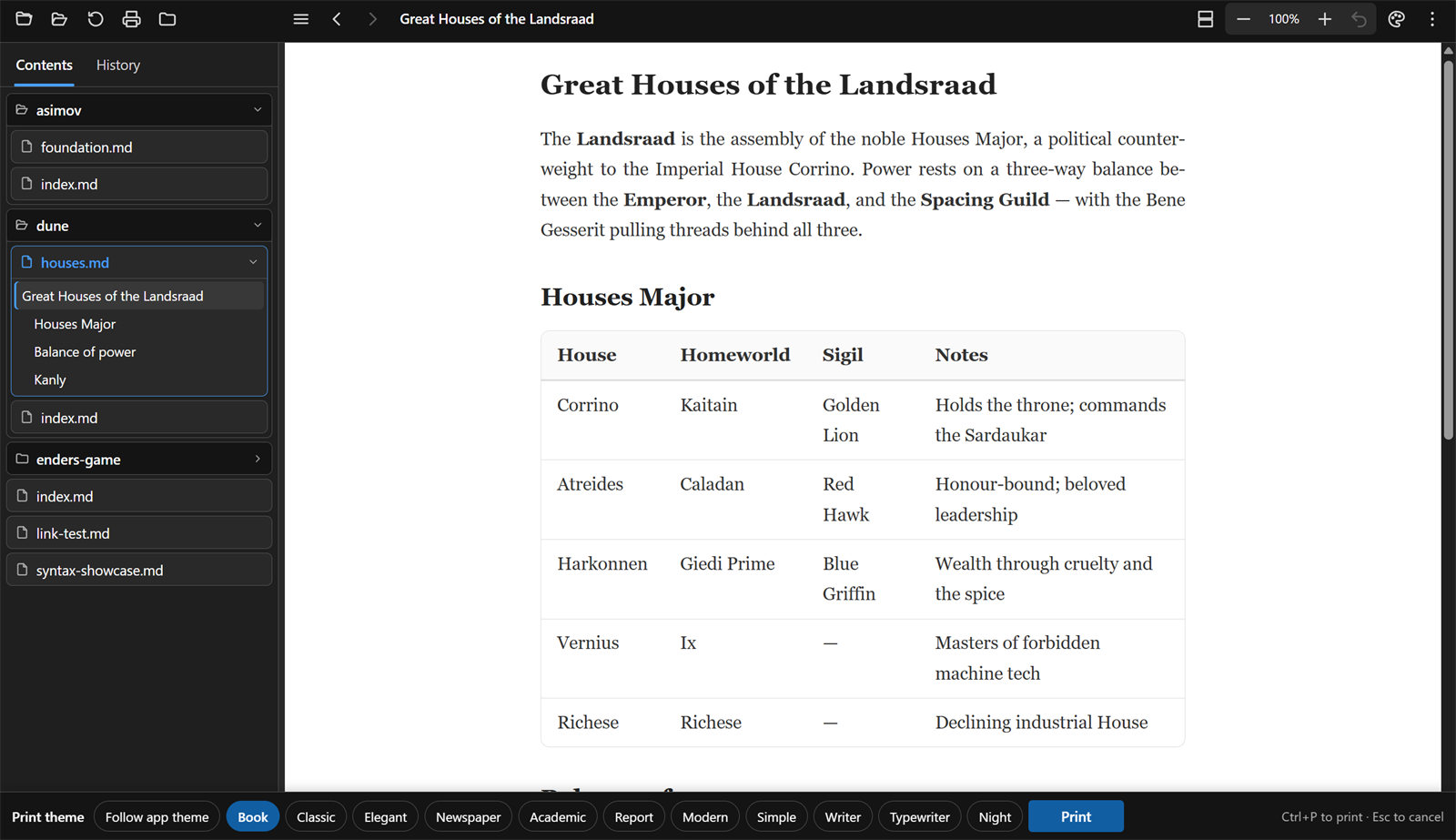 Print bar — pick the look for this one print Print bar — pick the look for this one print |
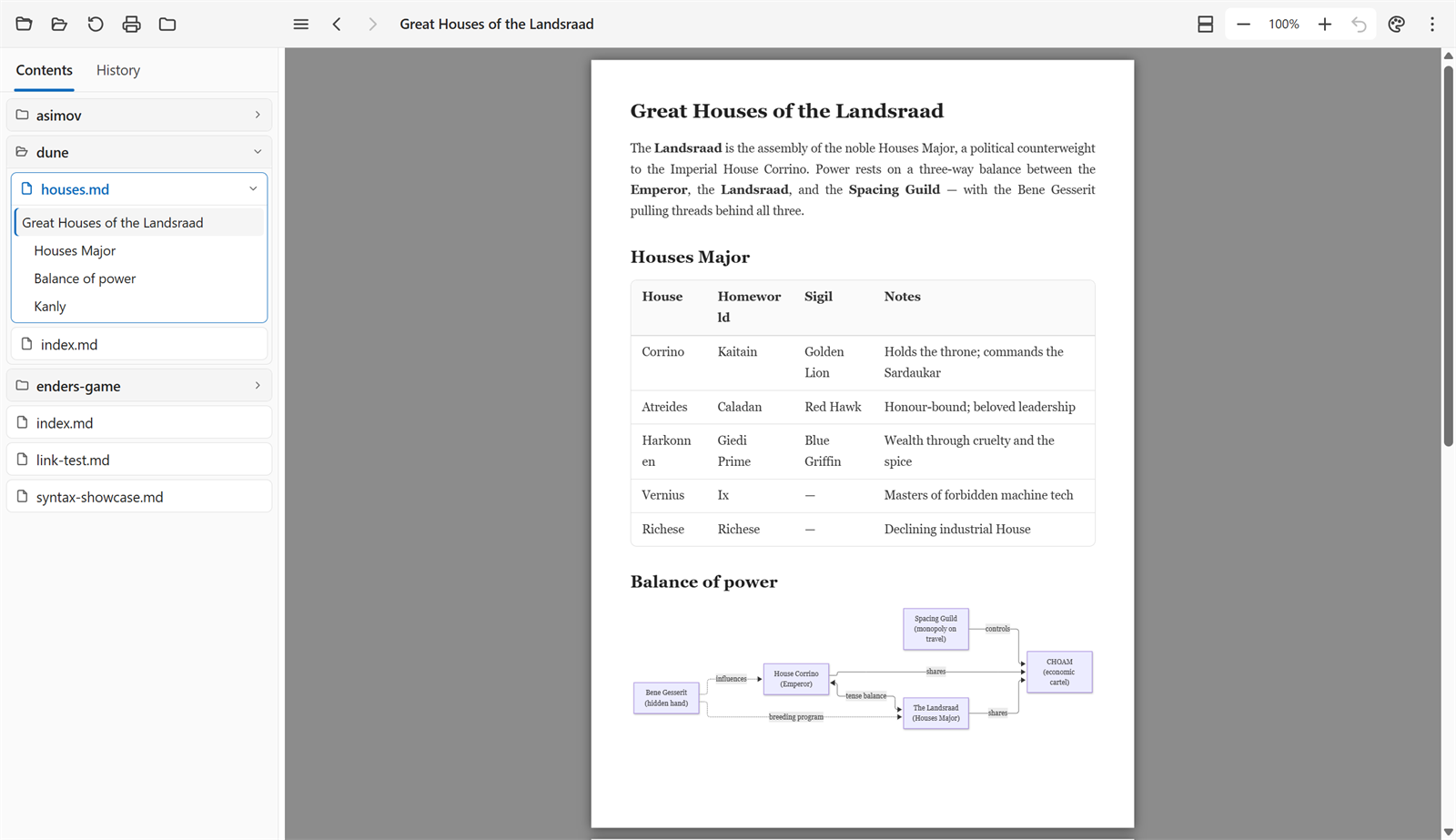 Page view — the document on paper, before you print Page view — the document on paper, before you print | 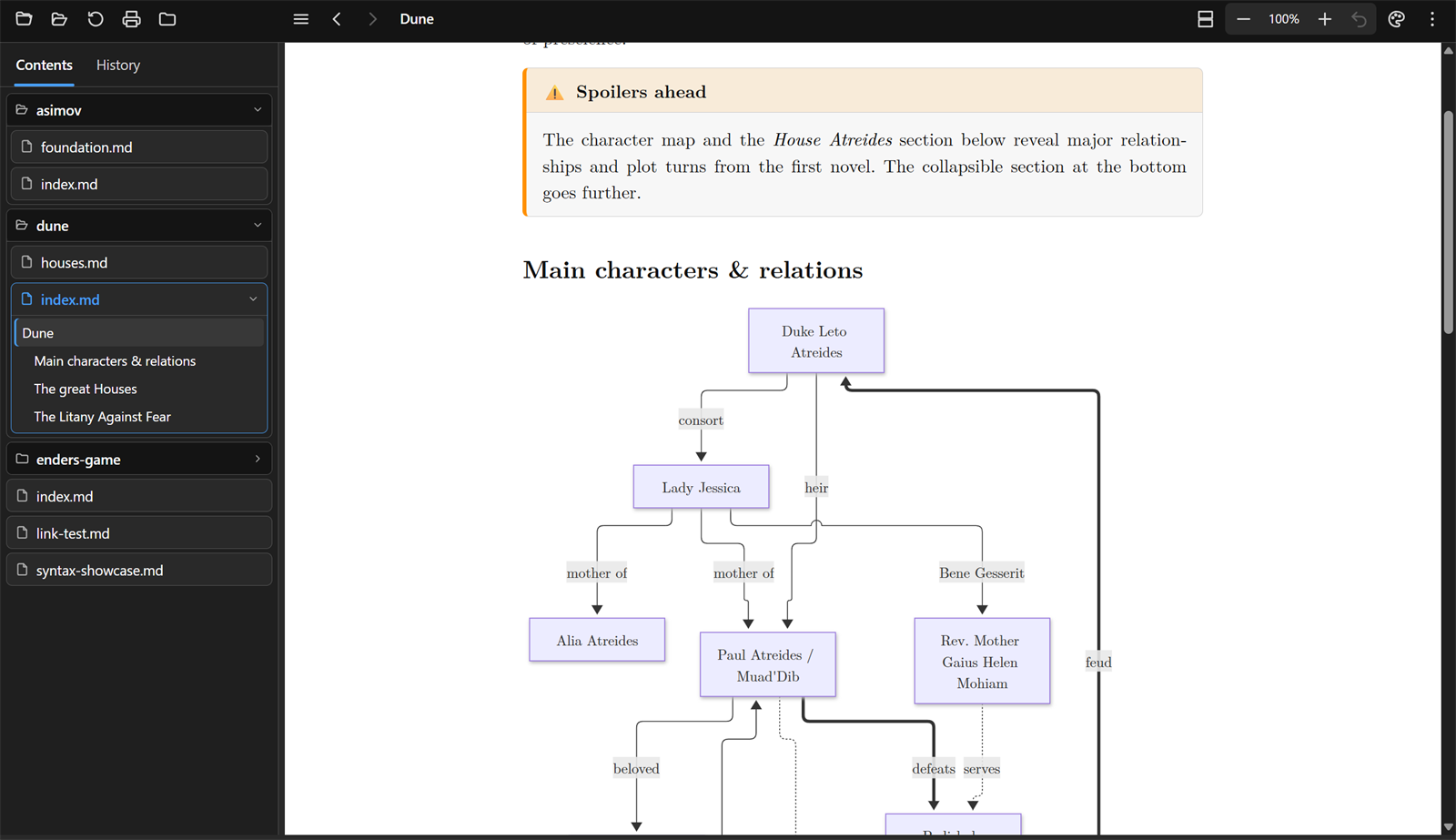 Academic — the look of a typeset paper Academic — the look of a typeset paper |
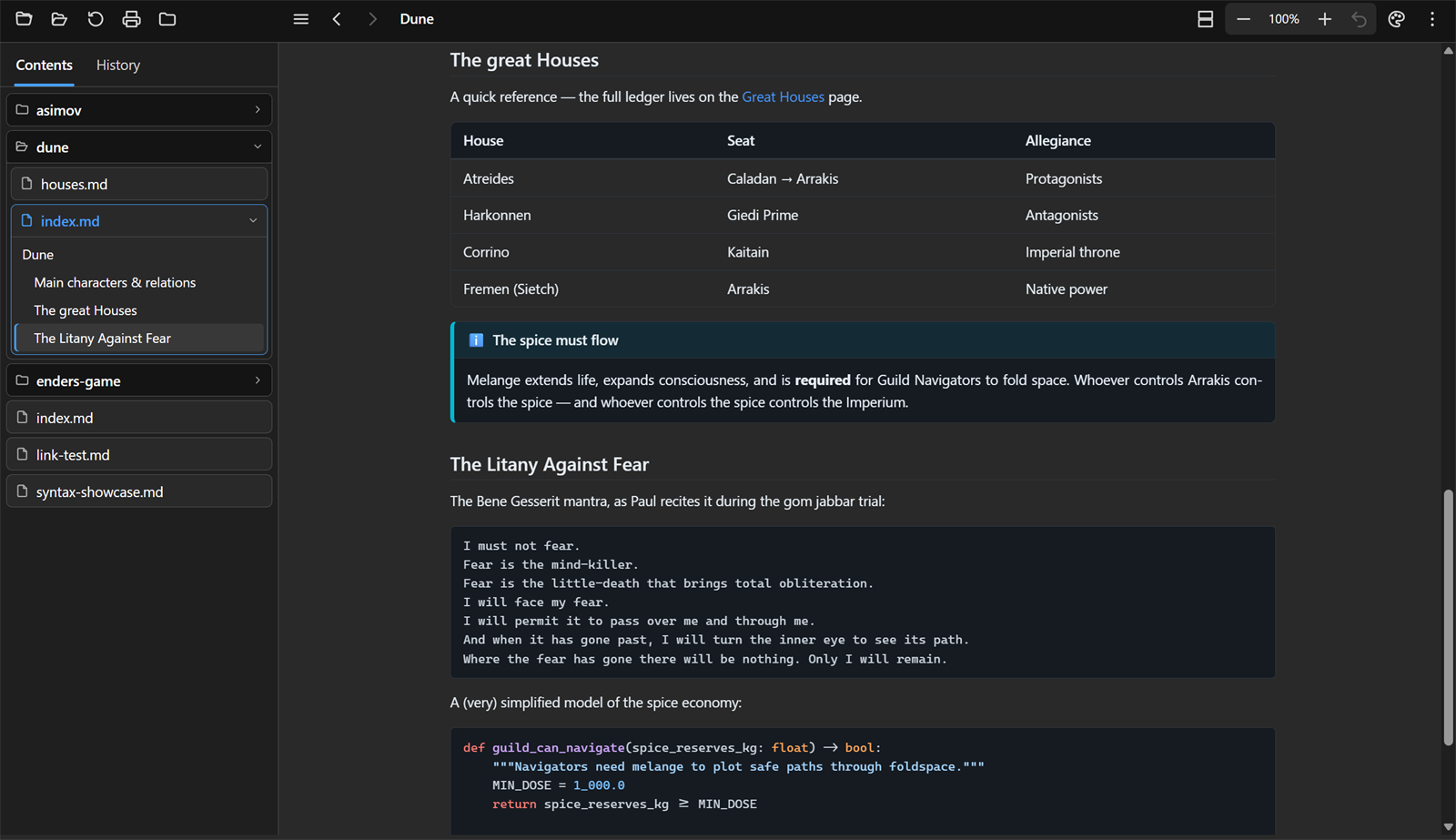 Code, tables and callouts Code, tables and callouts | 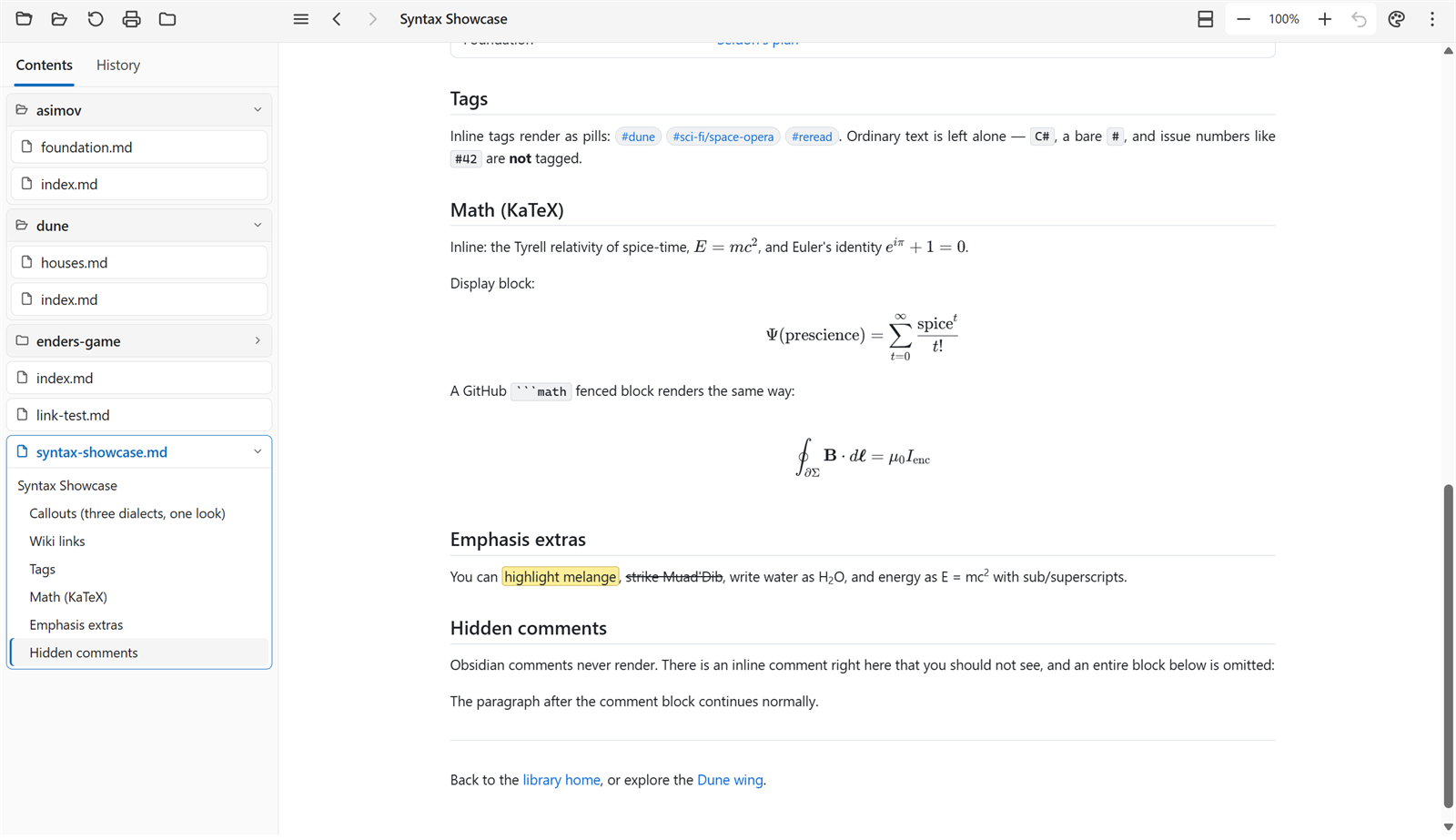 Math, tags and Obsidian syntax Math, tags and Obsidian syntax |
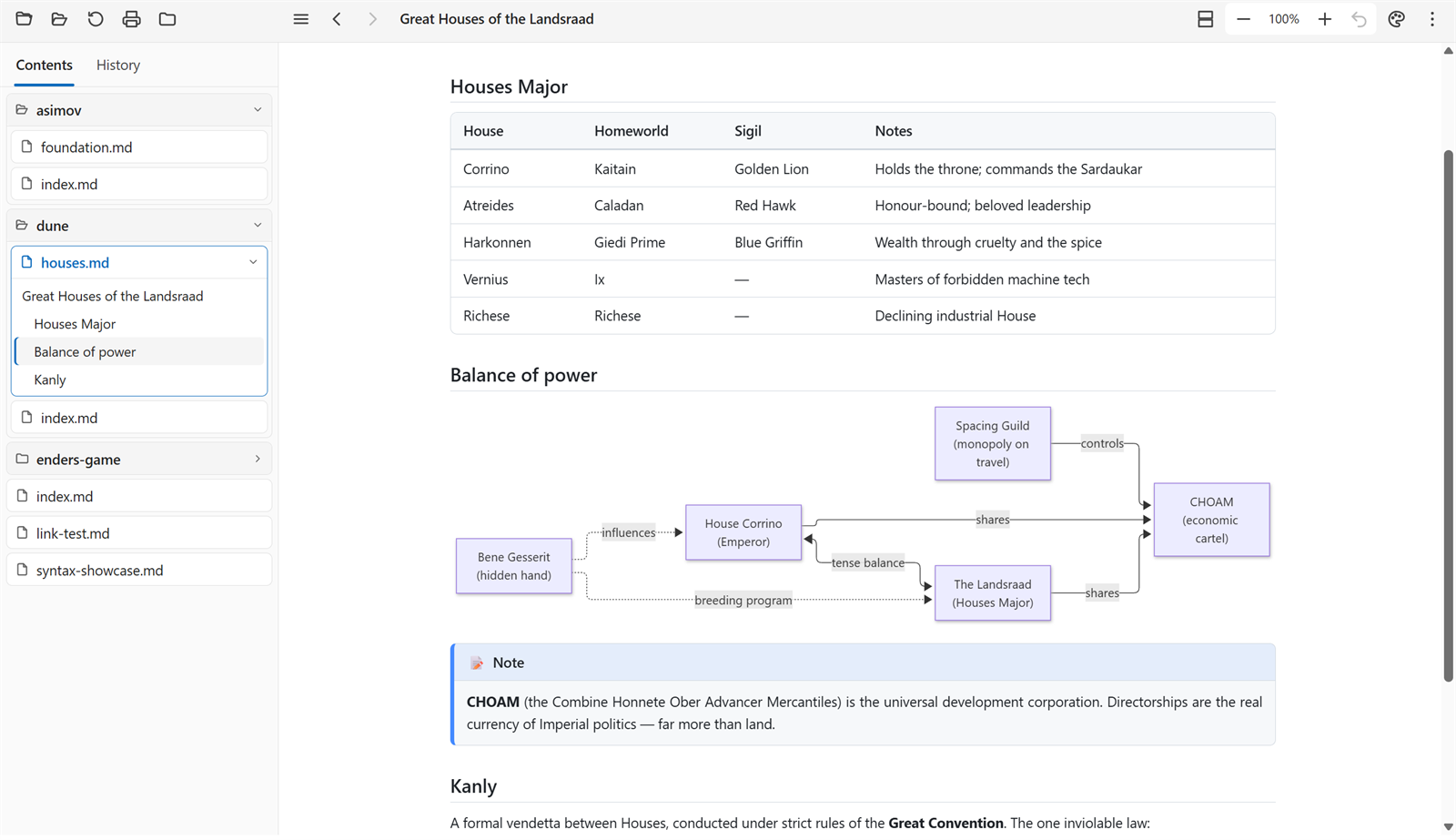
Tables and diagrams, light appearance
Features
The document, your way
- Eleven document themes — Book, Classic, Elegant, Newspaper, Academic, Report, Modern, Simple,
Writer, Typewriter and Night, plus Follow app theme. Each changes the paper colour, the typeface
and the spacing of the document only: the toolbar and sidebar keep the appearance you chose.
Pick one from the toolbar or step through them with
F9.
- Consistent typography — every theme sets its text in a single typeface and its code in one
other, keeps body text the same size however deeply it is nested, and uses the same modest
heading scale.
- Justified, hyphenated text in the document's own language — recognised from the text (English,
French, German, Spanish, Dutch, Italian, Portuguese, Czech, Swedish, Danish, Norwegian) or
stated with
lang: in the front matter.
- Two views — Continuous, one column that scrolls, and Pages, the document laid onto A4
sheets with real print margins and page breaks, fitted either to the pane's width or to a whole
sheet.
F2 cycles. Page view is a live preview of the printed result.
- Zoom the document, not the app —
Ctrl + wheel, Ctrl + / Ctrl -, a trackpad pinch, or the
toolbar's − 100% + ↺. The window itself never scales, so the interface stays where you put it.
- Blocks stay in the column — diagrams scale to it and wide tables fit it. In Follow app theme
code keeps its lines as written and scrolls sideways when one runs long; under a document theme,
in page view and on paper, long lines of code wrap, because a sheet cannot be scrolled.
Printing
Ctrl + P opens a bar along the bottom to choose the theme for that one print; the document
changes as you look at it, so you see what the printer will produce. Ctrl + P again sends it.- Only the document is printed — no toolbar, no sidebar, no menus. The app's dark appearance never
reaches the paper: Follow app theme prints in its light palette, and a document theme prints as
itself, with syntax highlighting and Mermaid diagrams re-drawn to match.
- Code wraps, diagrams scale and tables shrink to the sheet, because paper cannot be scrolled.
- Printing without backgrounds still works: code, callouts, highlights, tags and table headers are
outlined as well as tinted, so every box stays visible.
Navigating
- Folder panels — the sidebar's Contents tab shows the folder you are reading as nested,
collapsible panels: one per folder, one per document. The current document's panel holds its own
headings as a tree, so files and folders are never mistaken for what is inside them, and the
heading of the section you are reading is marked as you scroll.
- The folder you point at is the root. Open a file and you get its folder; open a folder and it
reads that folder's
index, main or readme, else the first document alphabetically. Following
a link never moves the root.
- History that keeps its order — entries stay where you last saw them instead of jumping to the
top when reopened. Right-click for Open, Open in new window, Copy filename, Open containing
folder.
- Smart link rewriting relative to the opened file: extension-less links and
[[wiki links]] get
.md; folder links resolve to index.md. Local links open in-app, external ones in your browser.
- Auto-refresh — edit the file and the view reloads, keeping your place and your zoom.
Rendering
- CommonMark + extensions via Markdig: tables, task lists,
footnotes, definition lists, auto-identifiers,
==highlight==, ~~strikethrough~~, sub/superscript.
- Syntax highlighting with a bundled highlight.js (~190 languages),
following the document's theme rather than the app's.
- Math via bundled KaTeX — inline
$…$, display $$…$$, ```math blocks.
- Mermaid diagrams, re-drawn whenever the document's theme changes so they never sit dark on a
light page.
- Admonitions / callouts in Docusaurus (
:::tip), MkDocs (!!! note) and GitHub/Obsidian
(> [!note], collapsible > [!tip]-) syntaxes.
- Emoji shortcodes, YAML front matter parsed and hidden, local images served straight from disk
by the app.
Obsidian / GitHub flavour
- Wiki links —
[[Page]], [[Page|alias]], [[Page#Heading]] navigate in-app; ![[img.png]]
inlines; ![[Note]] becomes a link.
- Tags —
#project, #todo/study render as pills (C# and #123 are correctly ignored).
- Comments — Obsidian
%%…%%, inline and fenced, are hidden.
Rendering comes from the standalone
bwets.Markdig.Extensions package.
Safe with documents you did not write
A Markdown file can come from anywhere, so the app treats it as untrusted. Raw HTML is cleaned by an
allow-list (no scripts, frames, forms or event handlers, and none of the names the app uses for its own toolbar and menus),
cut to the depth a browser would show, a Content-Security-Policy confines the page, only
web, mail, phone and FTP links are handed to the system (nothing that starts a program or reaches a network
share), only real image files are shown, a link shows where it really goes before it is clicked, a page that takes
more than 30 seconds to render is given up on, and the web view's developer tools and menus are off. The
samples/wiki/security/ pages try each of these attacks; docs/architecture.md explains
the layers.
Fitting into the desktop
-
Explorer — MarkdownBlaze is offered under Open with for .md, .markdown and .mdx files (and
can be made the default in Settings → Default apps), and Open with MarkdownBlaze is on folders.
-
markdown:// links — the address of the document you are reading is a working link, so
anything that can open a URL can hand a document over: markdown://C:/notes/Report.md.
-
Who registers it (Windows; all under HKEY_CURRENT_USER, so no elevation):
- The installer registers all of it, and removes all of it again when uninstalled.
- The portable zip registers nothing until you ask: Settings → Windows integration → Add to
Explorer and register markdown:// links, or from a script
MarkdownBlaze.exe --register. Remove
in the same place, or MarkdownBlaze.exe --unregister, takes it away again. (Both switches do their
work without opening a window; the exit code is 0 when done, 1 if the registry refused, 2 if they do
not apply.)
- The Microsoft Store package declares the file types and the
markdown link in its manifest;
the app leaves the registry alone.
The app never registers itself on its own at startup. Linux and macOS packages register the handler
through the .desktop entry and Info.plist.
-
Remembers window size, position, maximized state, sidebar width, view, theme and zoom.
-
A log of what goes wrong quietly (a file that could not be read, a link that did not open) in
%LOCALAPPDATA%\MarkdownBlaze\logs (under ~/.local/share on Linux), kept small and
local; Settings shows where it is. It never leaves your machine — see PRIVACY.md.
Getting to know it
- Guided tour — on first start, a few tooltips point at the main features. It can be skipped at
any step, put off until the next launch, and run again from Settings.
- What's new — a version-by-version list of changes, under the ⋮ menu.
- A welcome manual opens when the app is started without a file.
Keyboard shortcuts
| Shortcut | Action |
|---|
Alt + ← / Alt + → | Back / Forward |
Ctrl + O / Ctrl + Shift + O | Open a file / a folder |
F2 / Shift + F2 | Next / previous view |
F9 / Shift + F9 | Next / previous document theme |
Ctrl + wheel, Ctrl + / Ctrl - | Zoom the document (Ctrl 0 resets) |
Ctrl + P | Print — once to choose a theme, again to print |
F5 / Ctrl + R | Refresh |
Ctrl + B / F1 | Toggle sidebar |
F11 | Fullscreen (Esc leaves it) |
? | All shortcuts |
Getting started
Prerequisites
- .NET 10 SDK
- Windows: the WebView2 Runtime
(preinstalled on current Windows)
- Linux: WebKitGTK + GTK —
webkit2gtk-4.1 and gtk3
(Arch/CachyOS: sudo pacman -S --needed gtk3 webkit2gtk-4.1 dbus)
Build & run
dotnet run --project src/MarkdownBlaze -- "samples/wiki/index.md"   # a file
dotnet run --project src/MarkdownBlaze -- "samples/wiki"            # or a whole folder
Command line
Switches go before the file or folder: anything after the first file name is read as a file name, never as a
switch (so an address someone else wrote cannot add switches of its own).
| Argument | Effect |
|---|
or | Open it (a folder opens its index, main or readme, else the first document). A markdown:// address is accepted too. |
--log-level | trace, debug, information (default), warning, error, critical or none. |
--devtools | Turn the web view's developer tools on (F12) in a release build; a debug build always has them. |
--register / --unregister | Windows only: add or remove the Explorer and markdown:// registration and exit without opening a window. Exit code 0 done, 1 the registry refused, 2 not applicable (not Windows, or the Store package). |
Releases & packaging
Prebuilt, self-contained binaries (Windows zip/installer/MSIX, Linux tar.gz/.deb/.pkg.tar.zst,
macOS .dmg) come from the manual release workflow. On Linux,
packaging/linux/install-linux.sh installs the .desktop entry and registers MarkdownBlaze for
.md files and markdown:// links.
Tech stack
- .NET 10, PhotinoX.Blazor 5 (native OS WebView host), Microsoft Fluent UI Blazor 5
- Markdig + bwets.Markdig.Extensions for Markdown → HTML
- highlight.js, Mermaid and KaTeX, all bundled for offline use
Project layout
branding/                   The icon (icon-1024.png is the master; icon-32 … icon-512.png and icon.svg
                            are derived from it), and the screenshots this README shows
docs/                       Project documentation: architecture.md (the invariants and the trust boundary)
samples/wiki/               The sample wiki / feature showcase, with the hostile-but-harmless pages in security/
scripts/                    Maintenance scripts (see scripts/README.md): vendor update, highlight palette
packaging/                  Windows installer/MSIX, winget, Microsoft Store listing,
                            Linux .desktop/.deb, Arch PKGBUILD, macOS .app/.dmg
tests/
  MarkdownBlaze.Tests/      xUnit tests (sanitizer, links, paths, services, the sample pages)
  fixtures/                 Documents the tests render
.github/workflows/          ci.yml (build, format, test on every push) and the manual release workflow
src/
  MarkdownBlaze.slnx        What `dotnet build src` loads: the app and the tests, nothing outside this repository
  MarkdownBlaze.Dev.slnx    The same plus the sibling bwets.Markdig.Extensions checkout (needs LocalSources=true)
  MarkdownBlaze/
    Program.cs              Photino + Blazor host, markdown:// scheme, startup
    Assets/                 icon.ico and icon.png, shipped next to the executable for the window icon
    Content/                UserManual.md (shown when no file is given), WhatsNew.md (⋮ → What's new);
                            copied flat into the output folder
    Components/
      App.razor             Root: app appearance, the viewer, Settings drawn over it
      Viewer/               ViewerView (layout only), Toolbar, and what they run on: ViewerState (zoom, view,
                            theme, open popups), Commands (the registry the keyboard and the shortcuts
                            overlay are both drawn from), ViewerActions, ViewerMenus
      Sidebar/              Sidebar, FolderTree, TreePanel (recursive), Outline, HistoryList
      Overlays/             ContextMenu, WhatsNewDialog, ShortcutsDialog, PrintBar, Toast, RateBar, MissingFileBar
      Settings/SettingsView The settings page
      Shared/               Icon, FocusScope (keyboard focus for popups)
    Models/                 Preferences (with ThemeMode, ViewMode, PageFit kept as the strings the file has always
                            held), HistoryEntry, Heading, RenderResult, TreeNode, ContentTheme, …
    Services/
      MarkdownService       Markdown → HTML, startup file/folder resolution, app version
      ReferenceResolver     Which links go where and which pictures are shown, on the sanitized HTML
      NavigationService     Current document, back/forward, links, file watching, the render deadline
      RenderWorker          Renders on a thread of their own, with a 64 MB stack
      FileWatcher           Reloads the open document when another program saves it
      FileTreeService       The folder being read, as lazily-read folder and document panels
      ContentThemes         The document themes and their light/dark character
      DocumentLanguage      The language a document is written in, for hyphenation
      ViewModes, EnumText   Continuous vs page view: the names the page and the preferences file use for the enums
      PreferencesStore      Settings kept between launches
      HistoryStore          Persisted history, order preserved
      WindowStateService    Window size, position and fullscreen
      RatingPrompt          The one-time request to rate the app in the Microsoft Store
      UriScheme             markdown:// addresses, both directions
      AppPaths, JsonFile, SaveDebouncer, Log, FileLoggerProvider, IUiDispatcher, Background …
                            Where data lives, atomic debounced saves, the local log, UI-thread marshalling,
                            logging the failure of work nobody awaits
    Security/               HtmlSanitizer, NestingLimit (HTML cut to a browser's depth), ExternalLinks (link allow-list),
                            LocalPath (which files may be read),
                            AssetHandler (serves the open document's pictures over mdasset://)
    Interop/                ViewerInterop (the connection to the page's JavaScript, both ways), PageEvents, NativeDialogs (the OS
                            file and folder dialogs)
    Platform/               IShellLauncher / ShellLauncher (the one place that starts a browser, a new window or
                            the file manager)
    Platform/Windows/       ShellIntegration (Explorer verbs and the markdown:// handler), PackageIdentity, WindowIcon
    wwwroot/
      index.html            The page: splash, Content-Security-Policy, stylesheets, scripts
      css/                  app.css (chrome, page view, print), content-themes.css (the document themes),
                            highlight-theme.css, highlight-content.css (generated)
      js/                   ES modules (main.js, render, pagination, zoom, print, tour, …) with their tests in tests/js
      fonts/latin-modern/   The one bundled typeface (Academic theme)
      vendor/               highlight.js, Mermaid and KaTeX for offline use, with VERSIONS.md and SHA256SUMS
Contributing and security
CONTRIBUTING.md covers building, testing and the code rules; SECURITY.md
says how to report a vulnerability; docs/architecture.md explains the design
decisions the code relies on. THIRD-PARTY-NOTICES.md lists the libraries and
fonts the app ships, with their licences.
License
MIT. The bundled libraries and fonts keep their own licences, listed in
THIRD-PARTY-NOTICES.md.