Use this command to install NexusPilot with WinGet:
winget install --id=GuqierMcl.NexusPilot -e
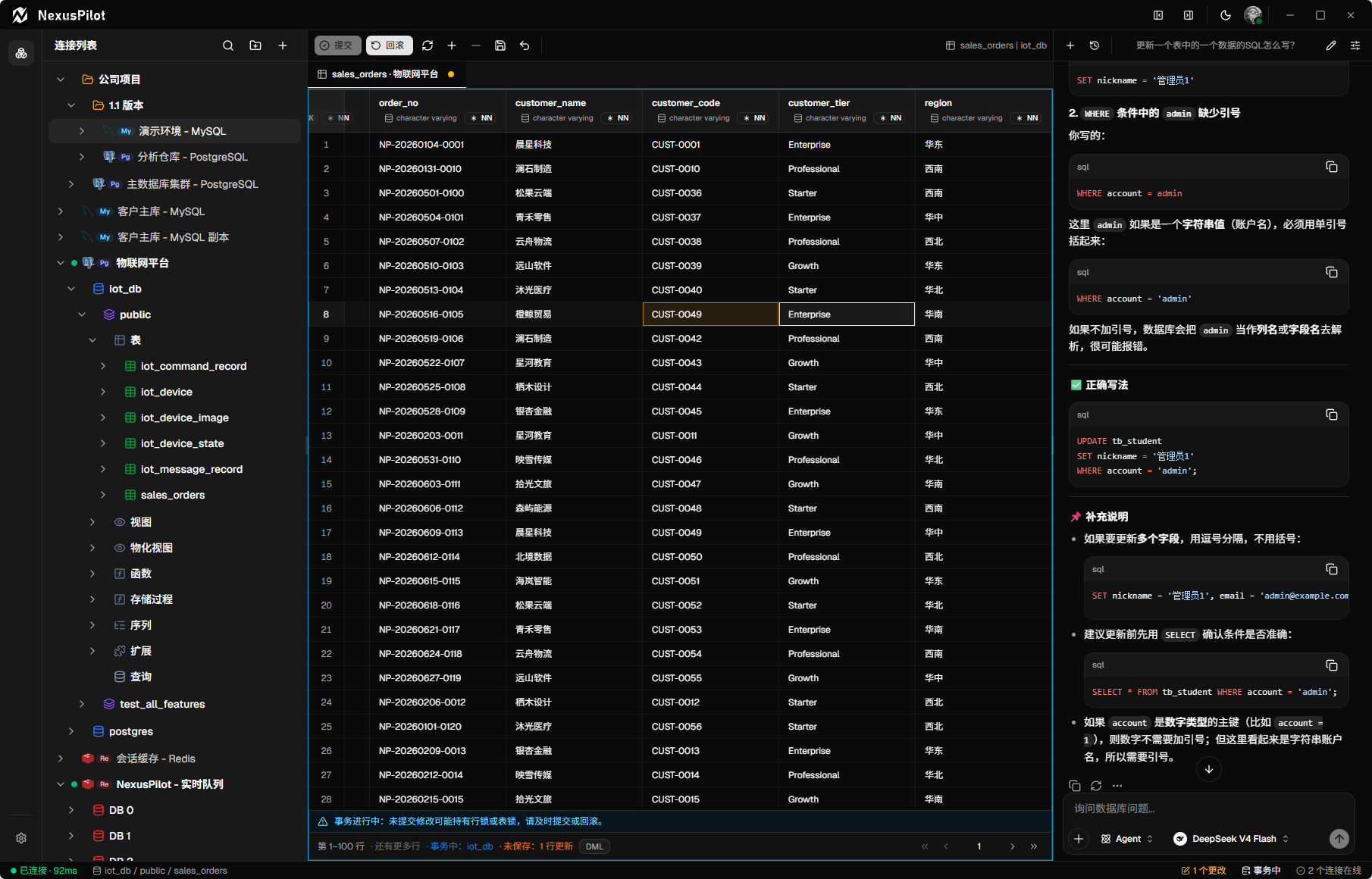
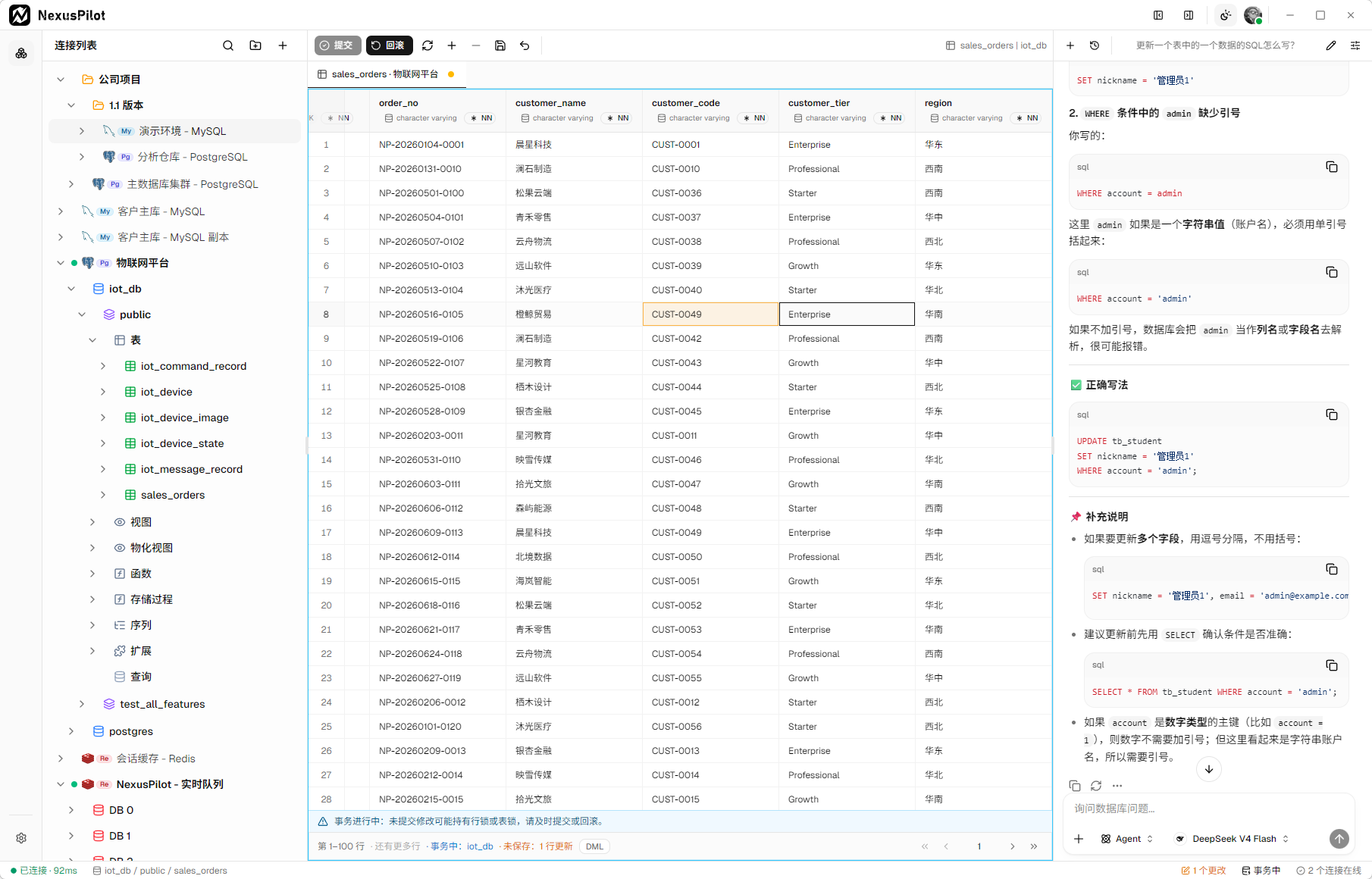
NexusPilot is a multi-database workbench for developers and data teams. Its agent works from real connection state, engine-native objects, and data results to explore different data models in natural language and act through controlled workbench tools. It is built on Tauri v2, React 19, and Rust, with a local AI Runtime sidecar powered by Bun + Elysia + the Vercel AI SDK.
✨ Core Capabilities
- Natural-language data agent — use Ask, Query, and Agent modes to describe data questions or multi-step tasks in natural language. The agent works from real connection state, engine-native objects, and data results to query, explore, explain, and operate on data according to each source's capabilities.
- Controlled agent tool execution — the agent uses data sources through restricted workbench tools instead of opening hidden connections outside the application. Every operation is checked against driver capabilities, resource type, and risk level; SQL and Redis writes currently use risk analysis and approval flows, with strong confirmation for high-risk actions.
- Multi-source connections and object exploration — manage relational, key-value, and analytics sources in one connection tree, with more data models designed to fit the same capability system. Each engine exposes its own object hierarchy and available operations instead of being forced into one table abstraction.
- Engine-aware query and operation workspaces — use interaction surfaces adapted to each source. Current workflows include context-aware query editing, multi-statement results, saved queries, and Redis Key, typed-value, and TTL operations; new sources can add native workflows without pretending to be SQL or tables.
- Data inspection and safe mutations — inspect content through views appropriate to the current resource. Reading, filtering, paging, and mutation entry points follow source and resource capabilities; supported writes use previews, stable identity, preconditions, or transactions to reduce accidental and concurrent overwrites.
- Engine-native object management — inspect and manage the objects and structures each source actually owns. Current relational drivers provide table inspection, structured design, and DDL previews, while ClickHouse adds native workflows for databases, tables, views, projections, and data-skipping indexes.
- Bring-your-own models with a local AI Runtime — manage providers, models, and credentials in the local AI Runtime, synchronize the models.dev catalog, and configure custom OpenAI-compatible providers. The agent reuses workbench connections through a controlled bridge; the frontend never stores LLM credentials, and the workbench remains usable without AI.
- End-to-end encrypted device sync — use NexusPilot Cloud to synchronize saved connections and folders across authorized devices, with device authorization, conflict handling, and Recovery Key recovery. Cloud stores ciphertext rather than plaintext credentials, while the local workbench and AI Runtime remain independently usable.
🗄️ Supported Databases
| Database | Data model | AI tool integration | Status |
| ---------- | ------------------ | ------------------- | ----------- |
| PostgreSQL | Relational | ✅ Integrated | ✅ Supported |
| MySQL | Relational | ✅ Integrated | ✅ Supported |
| SQLite | Relational | ✅ Integrated | ✅ Supported |
| Redis | Key-value | ✅ Integrated | ✅ Supported |
| ClickHouse | Columnar analytics | ✅ Integrated | ✅ Supported |
| Oracle | Relational | ✅ Integrated | ✅ Supported |
This matrix describes the public availability of connection drivers; it does not imply identical operations across database engines. “AI tool integration” means the AI Runtime can use the driver’s currently registered connection, object, or data tools through the workbench connection runtime—not that every read, write, or management operation is enabled. Exact capabilities depend on the engine, server version, connection permissions, and runtime capability model.
README
NexusPilot
Talk to your databases in natural language.
An AI-native, cross-platform workbench grounded in real connections, engine-native objects, and data results.
NexusPilot is a multi-database workbench for developers and data teams. Its agent works from real connection state, engine-native objects, and data results to explore different data models in natural language and act through controlled workbench tools. It is built on Tauri v2, React 19, and Rust, with a local AI Runtime sidecar powered by Bun + Elysia + the Vercel AI SDK.
✨ Core Capabilities
Natural-language data agent — use Ask, Query, and Agent modes to describe data questions or multi-step tasks in natural language. The agent works from real connection state, engine-native objects, and data results to query, explore, explain, and operate on data according to each source's capabilities.
Controlled agent tool execution — the agent uses data sources through restricted workbench tools instead of opening hidden connections outside the application. Every operation is checked against driver capabilities, resource type, and risk level; SQL and Redis writes currently use risk analysis and approval flows, with strong confirmation for high-risk actions.
Multi-source connections and object exploration — manage relational, key-value, and analytics sources in one connection tree, with more data models designed to fit the same capability system. Each engine exposes its own object hierarchy and available operations instead of being forced into one table abstraction.
Engine-aware query and operation workspaces — use interaction surfaces adapted to each source. Current workflows include context-aware query editing, multi-statement results, saved queries, and Redis Key, typed-value, and TTL operations; new sources can add native workflows without pretending to be SQL or tables.
Data inspection and safe mutations — inspect content through views appropriate to the current resource. Reading, filtering, paging, and mutation entry points follow source and resource capabilities; supported writes use previews, stable identity, preconditions, or transactions to reduce accidental and concurrent overwrites.
Engine-native object management — inspect and manage the objects and structures each source actually owns. Current relational drivers provide table inspection, structured design, and DDL previews, while ClickHouse adds native workflows for databases, tables, views, projections, and data-skipping indexes.
Bring-your-own models with a local AI Runtime — manage providers, models, and credentials in the local AI Runtime, synchronize the models.dev catalog, and configure custom OpenAI-compatible providers. The agent reuses workbench connections through a controlled bridge; the frontend never stores LLM credentials, and the workbench remains usable without AI.
End-to-end encrypted device sync — use NexusPilot Cloud to synchronize saved connections and folders across authorized devices, with device authorization, conflict handling, and Recovery Key recovery. Cloud stores ciphertext rather than plaintext credentials, while the local workbench and AI Runtime remain independently usable.
🗄️ Supported Databases
Database
Data model
AI tool integration
Status
PostgreSQL
Relational
✅ Integrated
✅ Supported
MySQL
Relational
✅ Integrated
✅ Supported
SQLite
Relational
✅ Integrated
✅ Supported
Redis
Key-value
✅ Integrated
✅ Supported
ClickHouse
Columnar analytics
✅ Integrated
✅ Supported
Oracle
Relational
✅ Integrated
✅ Supported
> This matrix describes the public availability of connection drivers; it does not imply identical operations across database engines. “AI tool integration” means the AI Runtime can use the driver’s currently registered connection, object, or data tools through the workbench connection runtime—not that every read, write, or management operation is enabled. Exact capabilities depend on the engine, server version, connection permissions, and runtime capability model.
Prerequisites: Bun ≥ 1.3 (required — not pnpm/npm/yarn) and a Rust toolchain.
bun install

bun run dev:all         # desktop app + AI Runtime together
# or individually
bun run tauri dev       # Tauri desktop app (Vite on port 1420)
bun run ai-runtime:dev  # local AI Runtime sidecar (port 8787)
Verify before submitting
bun run tsc --noEmit        # frontend type-check
bun run ai-runtime:test     # AI Runtime tests
cargo test --manifest-path src-tauri/Cargo.toml
cargo fmt --manifest-path src-tauri/Cargo.toml -- --check
cargo clippy --manifest-path src-tauri/Cargo.toml -- -D warnings
The AI Runtime is a local sidecar that owns provider/model configuration, run execution, history, and live events. LLM credentials never leave it, and AI database tools execute through the same Rust connection runtime your UI uses.
Optional NexusPilot Cloud connection sync is a separate, commercial service. It is not required for local database connections, queries, or the AI Runtime.
> Keep your Recovery Key safe. If all authorized devices and the Recovery Key are lost, encrypted Cloud sync assets cannot be recovered.
🤖 AI Providers
NexusPilot uses a bring-your-own-provider model. Configure a supported provider and model in the local AI Runtime, then provide credentials through the app's provider settings.
The AI Runtime automatically synchronizes the provider and model catalog from models.dev, caches the metadata locally, and refreshes it in the background.
If the remote catalog is temporarily unavailable, the last usable local catalog remains available; custom providers and models can also be configured when needed.
LLM credentials are managed by the local AI Runtime and are not stored in the frontend.
AI requests are sent to the provider selected by you and may incur provider usage costs.
Database tools operate through the workbench connection runtime and use explicit capability and approval boundaries for changes.
You can use the database workbench without enabling AI features or NexusPilot Cloud.
📚 Documentation
Website — product overview, downloads, and release history
Documentation — installation, quick start, database connections, and AI assistant guides
Public knowledge base — authoritative architecture, contracts, product intent, ADRs, and contributor guides
Contracts — IPC and public Desktop-to-Cloud compatibility boundaries
AGENTS.md — coding guidelines for AI agents and contributors
🤝 Contributing
Contributions are welcome. Please read AGENTS.md for build commands, code style, architecture notes, and AI-assisted development conventions before making changes.
Before opening a pull request, run the verification commands above and avoid including credentials, private connection strings, generated artifacts, or unrelated internal documents.
🛡️ Security
If you discover a security vulnerability, please report it privately through GitHub private vulnerability reporting (the Security tab) or by email at support@nexuspilot.dev.
Please do not open public issues for security vulnerabilities. When reporting a security issue, include the affected version, operating system, reproduction steps, and impact where possible. Do not include passwords, access tokens, full connection strings, or sensitive business data in the report; redact or replace them with placeholders.