Use this command to install OfficeCLI with WinGet:
winget install --id=HaiYing.OfficeCLI -e
OfficeCLI is a command-line tool designed to simplify the creation, modification, and analysis of Word, Excel, and PowerPoint documents. It enables users to perform complex document operations with minimal effort, reducing the need for extensive scripting or manual intervention.
Key Features:
Document Creation: Create blank or pre-populated documents from scratch.
Text and Style Reading: Extract text content and structural information in plain text or structured JSON.
Formatting Analysis: Identify inconsistencies in styles and formatting issues across documents.
Element Modification: Adjust any element, including text, fonts, colors, layouts, formulas, charts, and images.
Content Reorganization: Add, remove, move, or copy elements between different parts of a document or across files.
Audience & Benefit:
Ideal for developers seeking to automate report generation from databases or APIs, batch-process documents, or integrate document pipelines into CI/CD environments. It also benefits AI agents by enabling the creation of presentations and structured data extraction without manual editing. Teams can use OfficeCLI to clone document templates, populate them with data, and validate document quality automatically.
OfficeCLI is a versatile tool that streamlines document management for diverse user groups, enhancing efficiency and reducing complexity in handling Microsoft Office formats.
README
OfficeCLI
> OfficeCLI is the world's first and the best Office suite designed for AI agents.
Give any AI agent full control over Word, Excel, and PowerPoint — in one line of code.
Open-source. Single binary. No Office installation. No dependencies. Works everywhere.
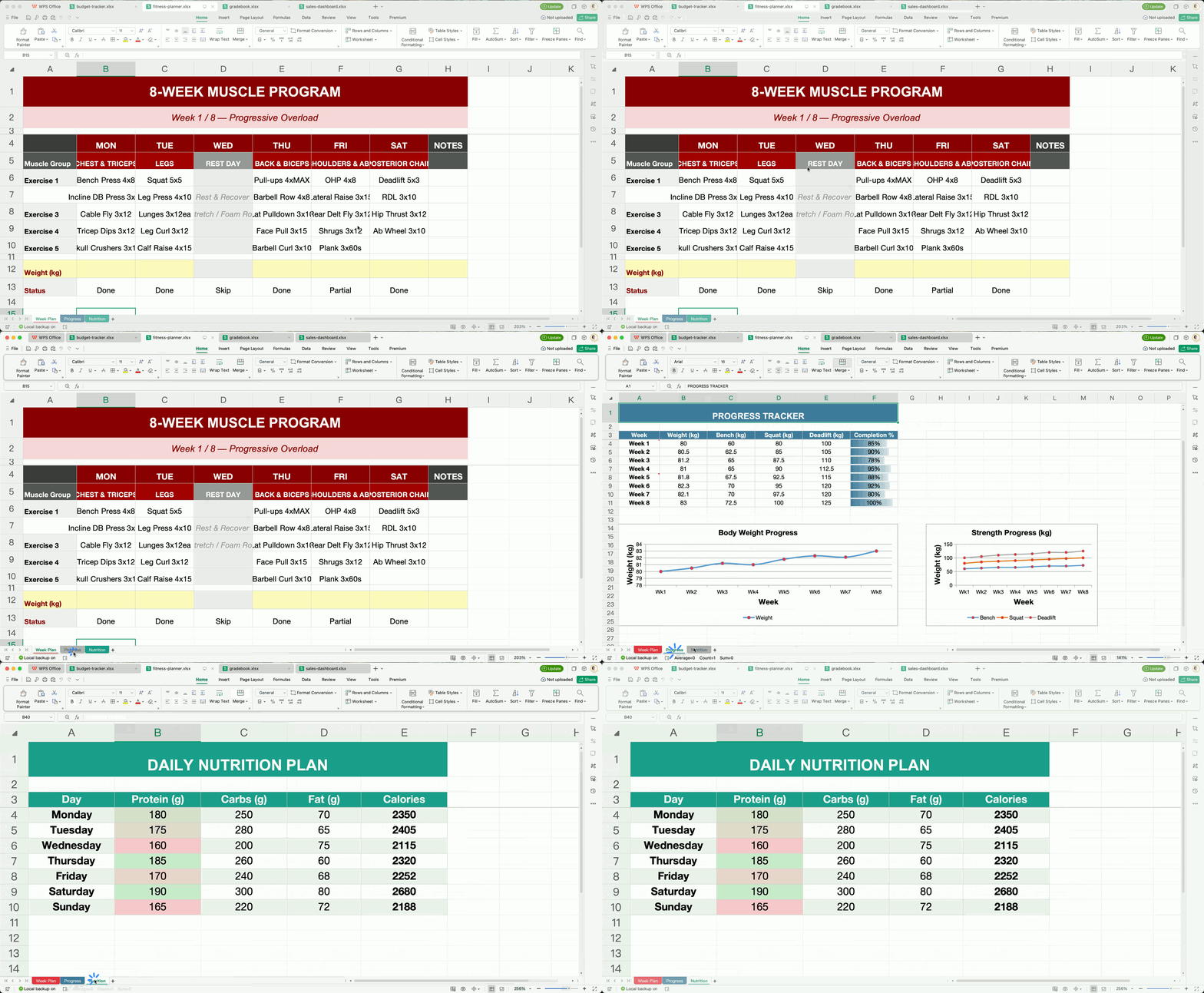
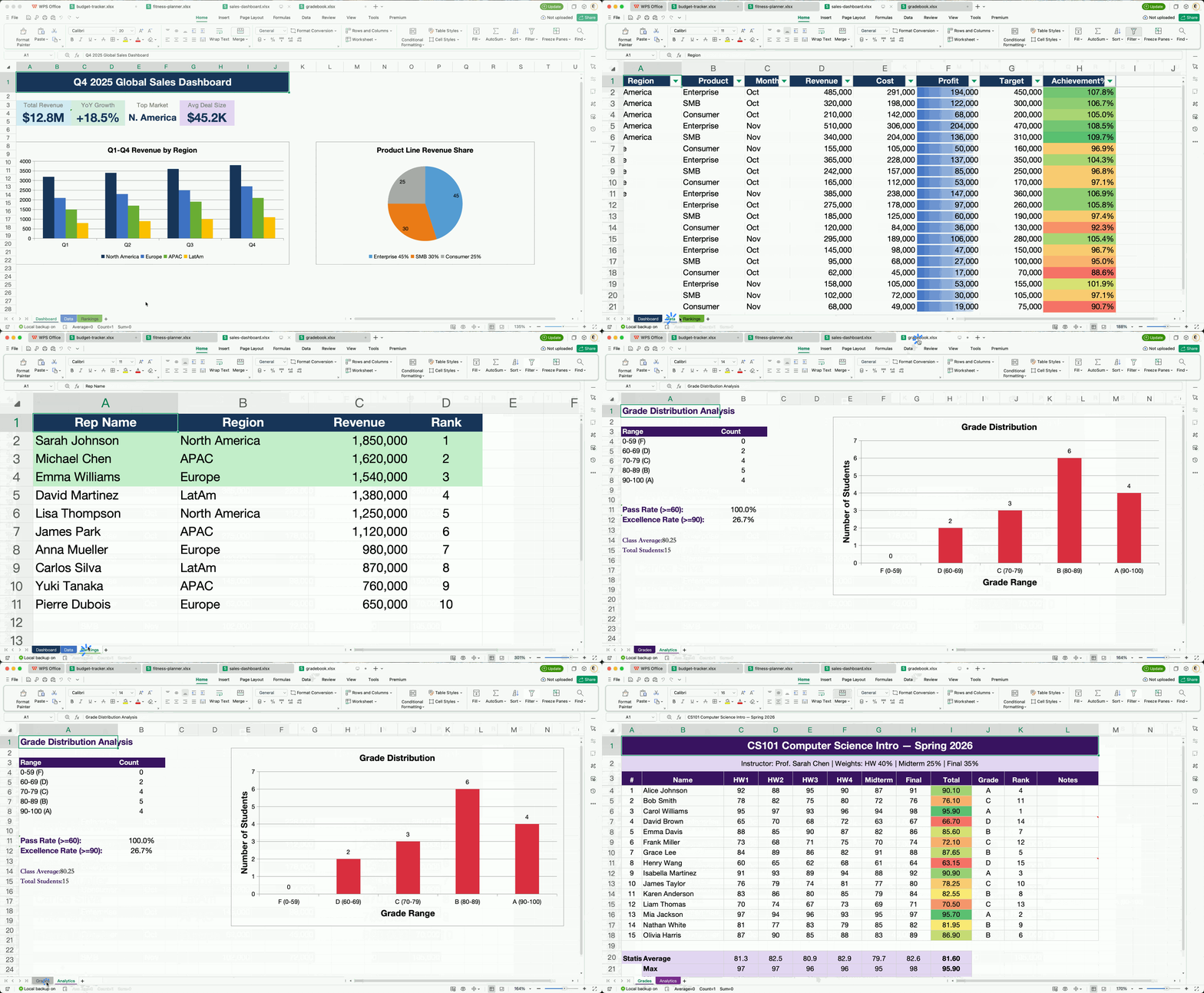
OfficeCLI's built-in HTML rendering engine reproduces documents with high fidelity — and that's what gives AI eyes. It renders .docx / .xlsx / .pptx to HTML or PNG, closing the render → look → fix loop.

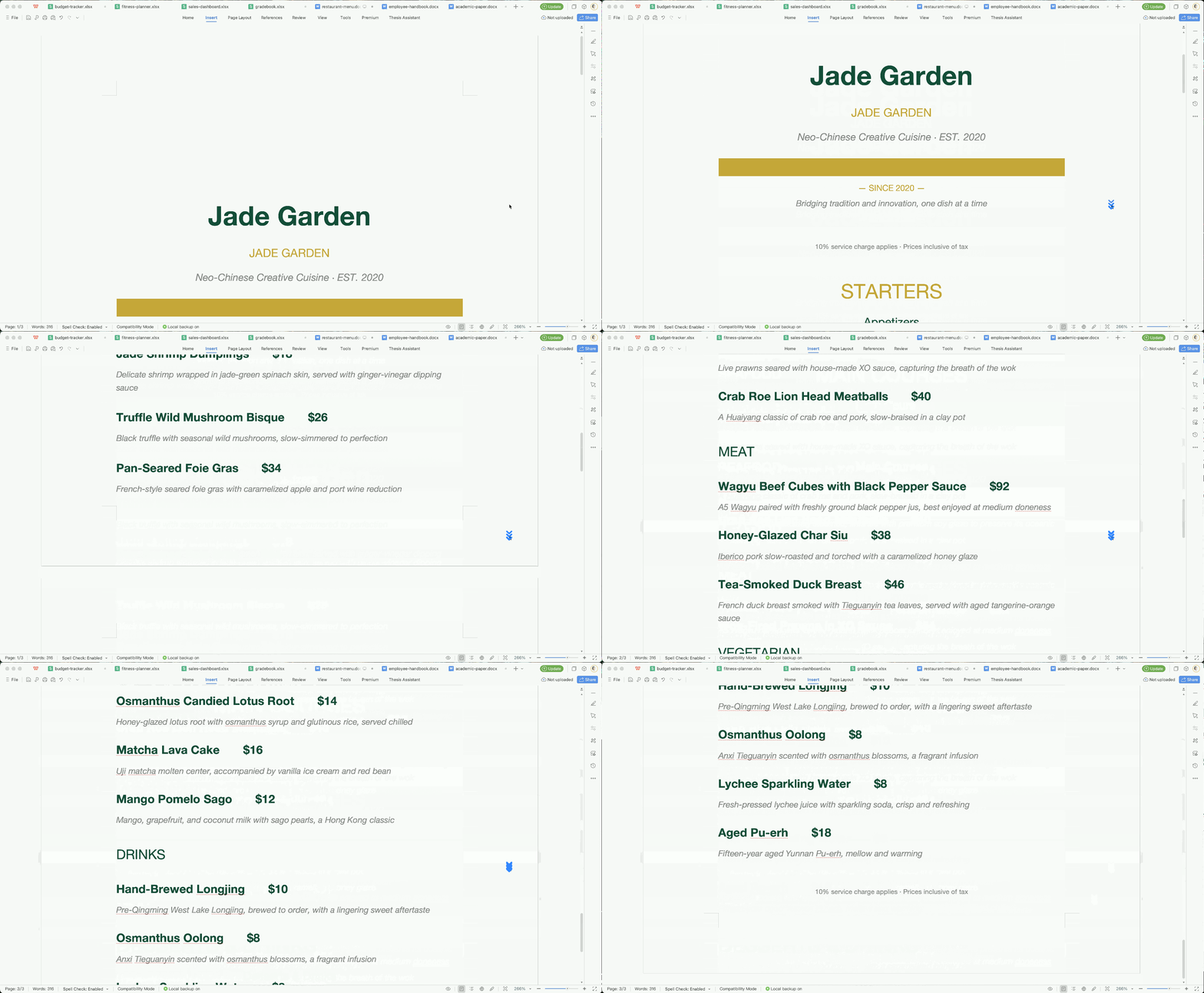
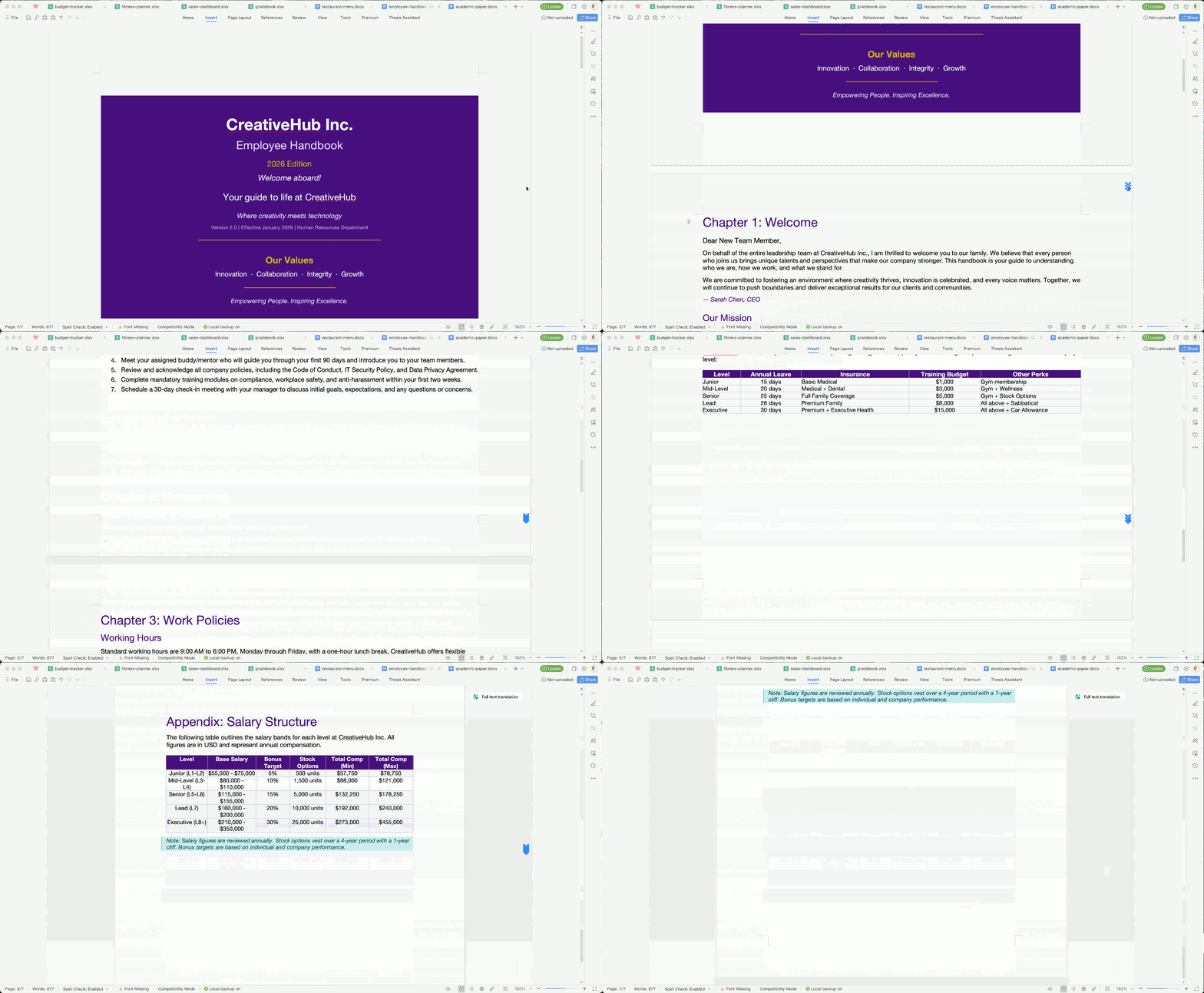
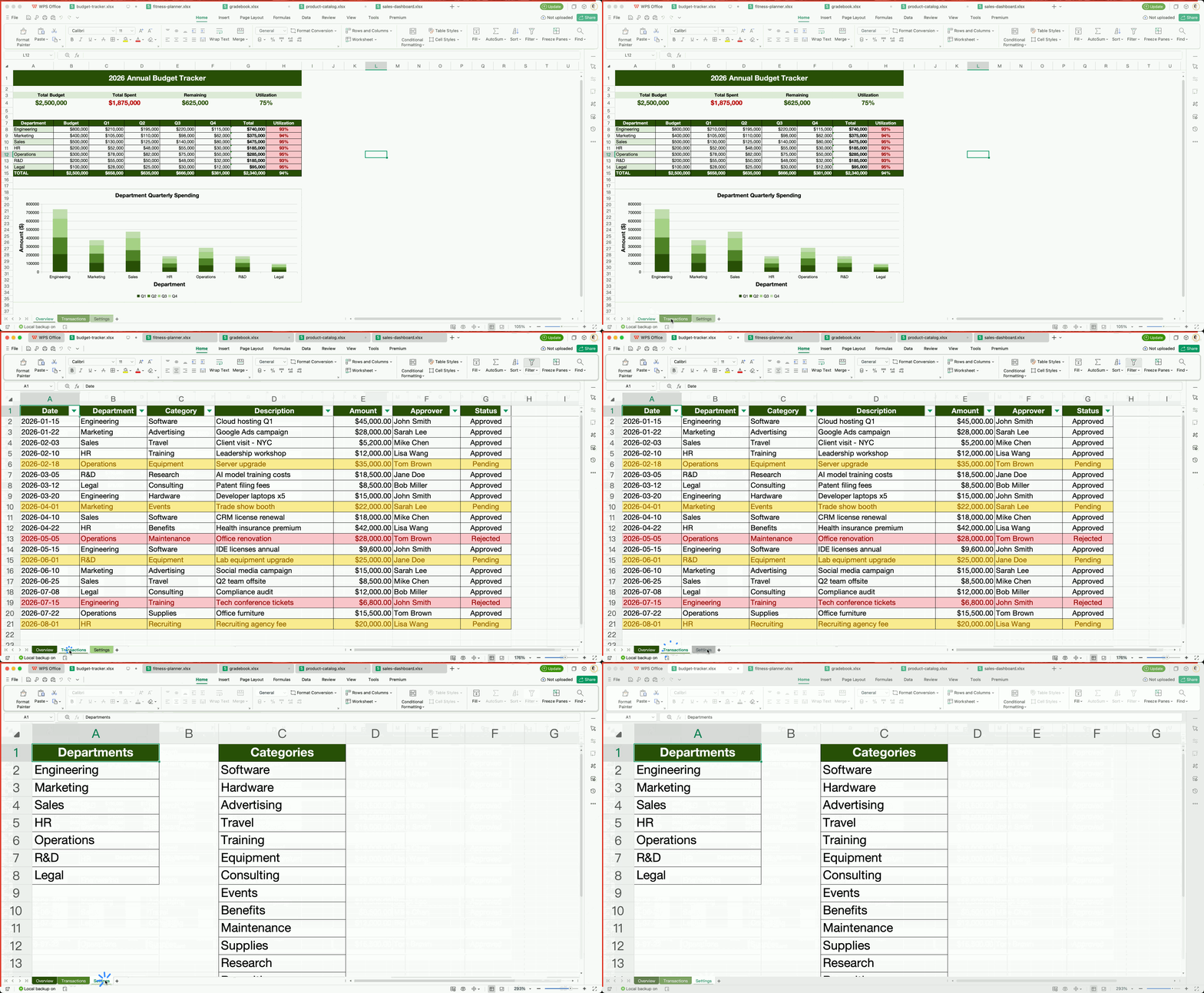
All documents above were created entirely by AI agents using OfficeCLI — no templates, no manual editing.
For AI Agents — Get Started in One Line
Paste this into your AI agent's chat — it will read the skill file and install everything automatically:
curl -fsSL https://officecli.ai/SKILL.md
That's it. The skill file teaches the agent how to install the binary and use all commands.
For Humans
Option A — GUI: Install AionUi — a desktop app that lets you create and edit Office documents through natural language, powered by OfficeCLI under the hood. Just describe what you want, and AionUi handles the rest.
Option B — CLI: Download the binary for your platform from GitHub Releases, then run:
officecli install
This copies the binary to your PATH and installs the officecli skill into every AI coding agent it detects — Claude Code, Cursor, Windsurf, GitHub Copilot, and more. Your agent can immediately create, read, and edit Office documents on your behalf, no extra configuration needed.
For Developers — See It Live in 30 Seconds
# 1. Install (macOS / Linux) — or: brew install officecli / npm install -g @officecli/officecli
curl -fsSL https://raw.githubusercontent.com/iOfficeAI/OfficeCLI/main/install.sh | bash
# Windows (PowerShell): irm https://raw.githubusercontent.com/iOfficeAI/OfficeCLI/main/install.ps1 | iex

# 2. Create a blank PowerPoint
officecli create deck.pptx

# 3. Start live preview — opens http://localhost:26315 in your browser
officecli watch deck.pptx

# 4. Open another terminal, add a slide — watch the browser update instantly
officecli add deck.pptx / --type slide --prop title="Hello, World!"
That's it. Every add, set, or remove command you run will refresh the preview in real time. Keep experimenting — the browser is your live feedback loop.
Quick Start
# Create a presentation and add content
officecli create deck.pptx
officecli add deck.pptx / --type slide --prop title="Q4 Report" --prop background=1A1A2E
officecli add deck.pptx '/slide[1]' --type shape \
  --prop text="Revenue grew 25%" --prop x=2cm --prop y=5cm \
  --prop font=Arial --prop size=24 --prop color=FFFFFF

# View as outline
officecli view deck.pptx outline
# → Slide 1: Q4 Report
# →   Shape 1 [TextBox]: Revenue grew 25%

# View as HTML — opens a rendered preview in your browser, no server needed
officecli view deck.pptx html

# Get structured JSON for any element
officecli get deck.pptx '/slide[1]/shape[1]' --json

# Save and close — flushes the resident session to disk
officecli close deck.pptx
Or self-install from a downloaded binary (or run bare officecli to auto-install):
officecli install    # explicit
officecli            # bare invocation also triggers install
Updates are checked automatically in the background. Disable with officecli config autoUpdate false or skip per-invocation with OFFICECLI_SKIP_UPDATE=1. Configuration lives under ~/.officecli/config.json.
Key Features
Built-in Engines & Generation Primitives
OfficeCLI is self-contained. The capabilities below ship inside the binary — no Office required.
Rendering engine — high-fidelity, built-in
OfficeCLI's keystone: a from-scratch, high-fidelity HTML rendering engine that lets an AI agent see the rendered document instead of guessing from the DOM. It covers shapes, charts (trendlines, error bars, waterfall, candlestick, sparklines), equations (OMML → LaTeX, rendered with KaTeX), 3D .glb models via Three.js, morph transitions, slide zoom, and shape effects. Per-page PNG screenshots are produced by piping the rendered HTML through a headless browser. Three modes:
view html — standalone HTML file, assets inlined. Open in any browser.
view screenshot — per-page PNG, ready for multimodal agents to read.
watch — local HTTP server with auto-refreshing preview; every add / set / remove updates the browser instantly. Excel watch supports inline cell editing and drag-to-reposition charts.
officecli view deck.pptx html -o /tmp/deck.html
officecli view deck.pptx screenshot -o /tmp/deck.png # add --page 1-N for more slides
officecli watch deck.pptx                            # http://localhost:26315
> Without visualization, an agent generating slides is flying blind — it can read the DOM but can't tell if the title overflows or two shapes overlap. Because rendering is built into the binary, the render → look → fix loop works in CI, in Docker, on a server with no display — anywhere the binary runs.
Formula & pivot engine
350+ built-in Excel functions evaluated automatically on write — write =SUM(A1:A2), get the cell, the value is already there. No round-trip through Office to recalc. Covers spilling dynamic arrays (FILTER / SORT / UNIQUE / SEQUENCE / LET / LAMBDA / MAP), VLOOKUP / XLOOKUP / INDEX / MATCH, financial & bond math (XIRR / PRICE / YIELD / DURATION / COUPNUM), statistical distributions, tests & regression (NORM.DIST / T.TEST / LINEST), and date & text functions.
Plus native OOXML pivot tables from a source range with one command — multi-field rows/cols/filters, 10 aggregations, showDataAs modes, date grouping, calculated fields, top-N, layouts. Pivot cache + definition are written to OOXML, so Excel opens the file with the aggregation already populated:
merge replaces {{key}} placeholders in any .docx / .xlsx / .pptx with JSON data — across paragraphs, table cells, shapes, headers, footers, and chart titles. Agent designs the layout once (expensive); production code fills it N times (cheap, deterministic, zero token cost). Avoids the failure mode where an agent regenerates each report from scratch and produces N inconsistent layouts.
dump serializes any .docx, .pptx, or .xlsx — whole document or any subtree (a single paragraph, table, slide, worksheet, the styles part, numbering, theme, or settings) — into a replayable batch JSON; batch replays it. Given a sample the user wants to imitate, an agent reads the structured spec instead of raw OOXML XML, mutates, and replays. Bridges "I have an existing template" and "generate me 100 variations."
For multi-step workflows, resident mode keeps the document in memory. Batch mode applies multiple operations in a single pass.
# Resident mode — near-zero latency via named pipes
officecli open report.docx
officecli set report.docx /body/p[1]/r[1] --prop bold=true
officecli set report.docx /body/p[2]/r[1] --prop color=FF0000
officecli close report.docx

# Batch mode — multi-command execution (atomic by default: any failed item rolls back the whole batch)
echo '[{"command":"set","path":"/slide[1]/shape[1]","props":{"text":"Hello"}},
      {"command":"set","path":"/slide[1]/shape[2]","props":{"fill":"FF0000"}}]' \
  | officecli batch deck.pptx --json

# Inline batch with --commands (no stdin needed)
officecli batch deck.pptx --commands '[{"op":"set","path":"/slide[1]/shape[1]","props":{"text":"Hi"}}]'

# Keep whatever succeeds even if some items fail (pre-1.0.137 behavior)
officecli batch deck.pptx --input updates.json --best-effort --json

# Stop at the first failing command instead of running the rest (still rolls back everything unless combined with --best-effort)
officecli batch deck.pptx --input updates.json --stop-on-error --json
> Reading the file with another tool? Flush to disk first.
> officecli's own reads (get/query/view) always see your latest edits, so within officecli you never need to save. But a live resident defers the disk write, so before a non‑officecli program reads the file — python‑docx/openpyxl, Microsoft Word, a renderer, delivery/upload — flush it:
> bash > officecli set report.docx /body/p[1] --prop bold=true > officecli save report.docx # flush, keep the resident warm (or `close` to flush + release) > python my_reader.py report.docx # now sees the edit >
> A live resident also auto‑flushes shortly after going idle (adaptive 2–10s, scaled to the document's measured save cost). For a pipeline where another program reads after every command, set OFFICECLI_RESIDENT_FLUSH=each — every mutation is on disk before the command returns, while the resident stays warm. Full flush model (each/auto/fixed/off, save / close, env tuning): wiki → open / close.
officecli mcp claude       # Claude Code
officecli mcp cursor       # Cursor
officecli mcp vscode       # VS Code / Copilot
officecli mcp lmstudio     # LM Studio
officecli mcp list         # Check registration status
Exposes all document operations as tools over JSON-RPC — no shell access needed.
Direct CLI Integration
Get OfficeCLI working with your AI agent in two steps:
Install the binary -- one command (see Installation)
Done. OfficeCLI automatically detects your AI tools (Claude Code, GitHub Copilot, Codex) by checking known config directories and installs its skill file. Your agent can immediately create, read, and modify any Office document.
Manual setup (optional)
If auto-install doesn't cover your setup, you can install the skill file manually:
Other agents: Include the contents of SKILL.md in your agent's system prompt or tool description.
Why your agent will thrive on OfficeCLI
Deterministic JSON output — every command supports --json with consistent schemas. No regex parsing, no scraping stdout.
Path-based addressing — every element has a stable path (/slide[1]/shape[2]). Agents navigate documents without understanding XML namespaces. (OfficeCLI syntax: 1-based indexing, element local names — not XPath.)
Progressive complexity (L1 → L2 → L3) — agents start with read-only views, escalate to DOM ops, fall back to raw XML only when needed. Minimizes token usage.
Self-healing workflow — validate, view issues, and the structured error codes (not_found, invalid_value, unsupported_property) return suggestions and valid ranges. Agents self-correct without human intervention.
Built-in agent-friendly rendering engine — view html / view screenshot / watch emit HTML and PNG natively. No Office required. Agents can see their output and fix layout issues, even inside CI / Docker / headless environments.
Built-in formula & pivot engine — 350+ Excel functions auto-evaluated on write (incl. spilling dynamic arrays, financial / bond and statistical families); native OOXML pivot tables from a source range with one command. Agents read computed values and shipped aggregations immediately, without round-tripping through Office.
Template merge — agent designs the layout once, downstream code fills {{key}} placeholders N times. Avoids burning tokens regenerating every report from scratch.
Round-trip dump — dump turns any .docx, .pptx, or .xlsx into replayable batch JSON. Agents learn from human-authored samples by reading a structured spec, not raw OOXML XML.
Built-in help — when unsure about property names or value formats, the agent runs officecli set instead of guessing.
Auto-install — OfficeCLI detects your AI tooling (Claude Code, Cursor, VS Code, …) and configures itself. No manual skill-file setup.
Built-in Help
Don't guess property names — drill into the help:
officecli help pptx set              # All settable elements and properties
officecli help pptx set shape        # Detail for one element type
officecli help docx query            # Selector reference: attributes, :contains, :has(), etc.
Run officecli --help for the full overview.
JSON Output Schemas
All commands support --json. The general response shapes:
Errors return a non-zero exit code with a structured error object including error code, suggestion, and valid values when available:
{
  "success": false,
  "error": {
    "error": "Slide 50 not found (total: 8)",
    "code": "not_found",
    "suggestion": "Valid Slide index range: 1-8"
  }
}
Error codes: not_found, invalid_value, unsupported_property, invalid_path, unsupported_type, missing_property, file_not_found, file_locked, invalid_selector. Property names are auto-corrected -- misspelling a property returns a suggestion with the closest match.
Error Recovery -- Agents self-correct by inspecting available elements:
# Agent tries an invalid path
officecli get report.docx /body/p[99] --json
# Returns: {"success": false, "error": {"error": "...", "code": "not_found", "suggestion": "..."}}

# Agent self-corrects by checking available elements
officecli get report.docx /body --depth 1 --json
# Returns the list of available children, agent picks the right path
Mutation confirmations (set, add, remove, move, create with --json):
{"success": true, "path": "/slide[1]/shape[1]"}
See officecli --help for full details on exit codes and error formats.
Multiple operations applied in a single pass (stdin, --input, or --commands; atomic by default — any failed item rolls back the whole batch — --best-effort to keep partial progress, --stop-on-error to abort early)
Requires .NET 10 SDK for compilation only. The output is a self-contained, native binary -- .NET is embedded in the binary and is not needed at runtime.