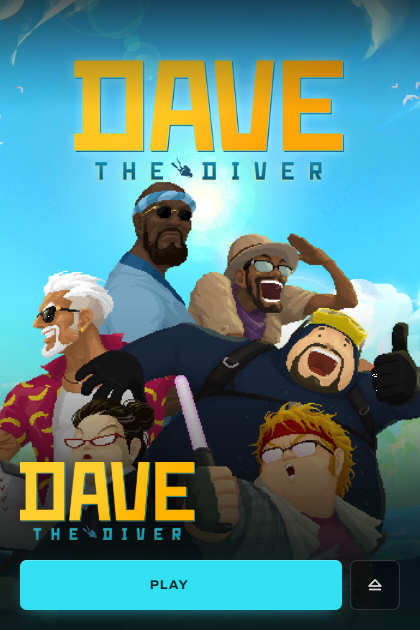
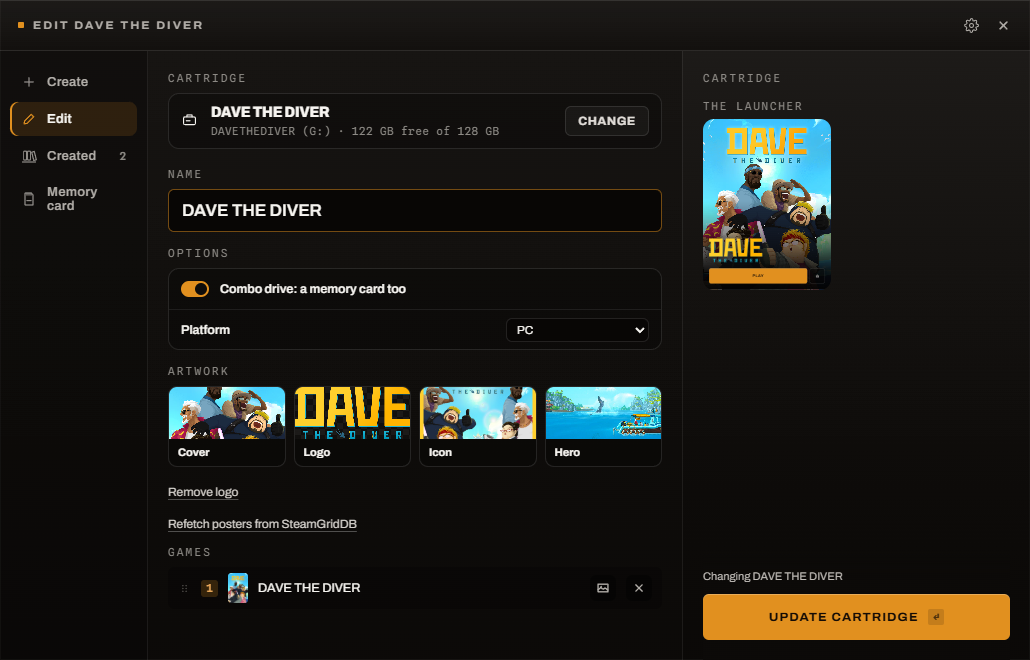
A cartridge is a small drive in a pocketable enclosure with a game on it. Push it
into a USB-C port; the launcher opens showing what is on it. Press Play to
start the game, or Eject to power the drive down and pull it out.
Each cartridge is a drive with a cartridge.conf text file at its root. There
are no scripts to write and nothing to allowlist, because nothing on a
cartridge is ever executed automatically — pressing Play is the gate.
Features
- Plug and it opens. A background watcher notices the drive and shows the
launcher. Nothing runs until you press Play — or, if you ask it to, the game
starts on its own, a notification appears, or nothing happens at all. Even
set to start the game, a program carried on the cartridge still waits for a
click: a URI hands off to a launcher you already have, and a stranger's binary
does not get the machine.
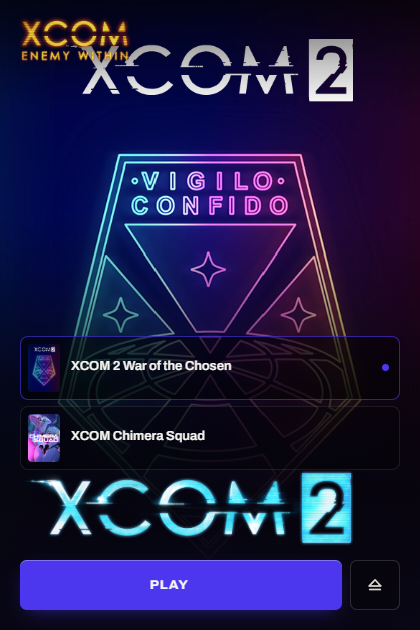
- One game or a shelf of them. A cartridge can carry a collection, with a
rail to pick from.
- Real eject. The button parks the drive and powers it down, elevating only
if the unprivileged path fails.
- Controller and keyboard. A pad navigates the list and works the buttons;
so do the arrow keys, Enter,
E and I.
- Skinnable, by the cartridge. A
.gamepak/skin.css on the drive restyles
the launcher — its size, layout, and which of the four artworks it shows in
each place. Fourteen worked examples with screenshots in
docs/skins/; SKINNING.md is the reference.
- Artwork from SteamGridDB, optional and off until you add a key. Covers,
heroes, logos and icons are written onto the cartridge, so it looks the same
on a machine that has never heard of it.
- Steam-aware. A cartridge registers as a Steam library so copied games run
from the drive rather than being redownloaded.
- The cartridge counts its own hours. Launches, playtime and last-played go
on the drive, not on the PC, so the count follows the cartridge between
machines.
- Saves that travel too, optional and off until you turn it on. A cartridge
can say where its saves live — as
{appdata}/Foo/Saves, resolved by whichever
platform reads it — and insert and eject carry whichever copy changed. If both
changed, neither is touched and the launcher says so; anything replaced is
kept beside it. A game the cartridge carries needs none of that: one line
gives it its whole home directory on the drive, and every save it writes goes
there whether or not anyone knew where it would put them.
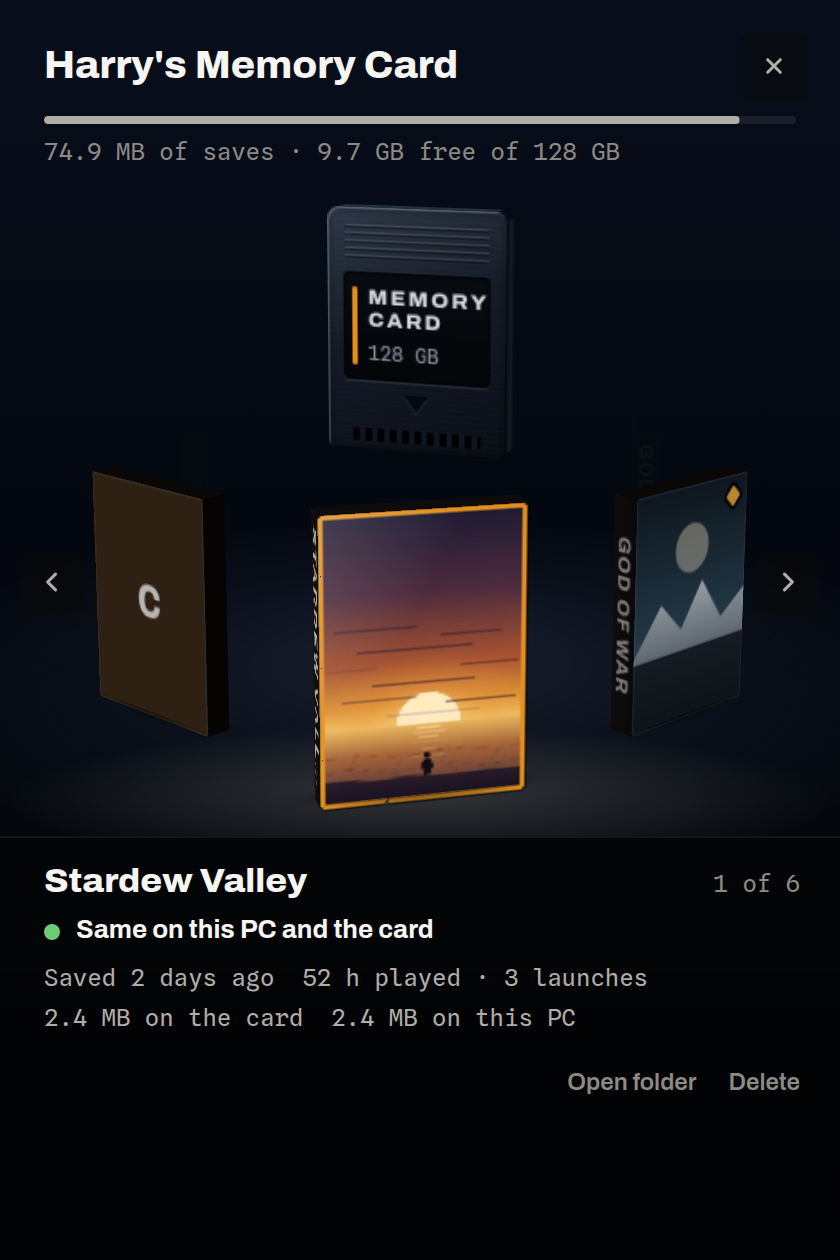
- Memory cards. A drive with a
memorycard.conf carries saves and no
games: plug it in and every save shows as a block, the way a console's memory
card browser showed them, with which copy is newer and a button to copy it
either way. The wizard makes one — it finds where each game saves from
Ludusavi's list if you
switch that on, or you point at the folder. A cartridge can be a combo drive
too, and keep its memory card one button away.
- Not an NFC project. If you want to tap a card, a toy or a QR code to
launch a game, use Zaparoo — it does that across nine
platforms and this does not do it at all.
- Works offline. Nothing phones home. The only network call is the artwork
lookup you asked for.
| Status |
|---|
| Windows 10 / 11 | Supported |
| Linux (systemd + udev) | Supported |
| Steam Deck | Supported |
| macOS | Not yet — the drive layer needs a rewrite |
Any removable drive works: NVMe in a USB enclosure, a portable SSD, or a USB
stick. NTFS by default — the one format that both Windows and Linux write and
that holds the symlinks Steam needs to install Proton onto a cartridge. exFAT
when a Mac has to write to the drive, btrfs for Linux-only cartridges, and five
more in the picker for a cartridge that only ever meets one kind of machine.
Install
Windows — WinGet:
winget install HarryBMa.PCGamePak
Or Scoop:
scoop bucket add harrybma https://github.com/HarryBMa/scoop-bucket
scoop install pc-gamepak
Either puts both programs on your PATH, but a package manager cannot register
the watcher to start at logon — that is what opens the launcher when a
cartridge goes in — so run the installer once (it is in the package's folder,
or take it from Releases):
powershell -ExecutionPolicy Bypass -File install.ps1 -Mode Watcher
Linux — the pacman package is written and tested, and waiting on the AUR
reopening registrations. Building it by hand is a clone and a command:
git clone https://github.com/HarryBMa/pc-gamepak.git
cd pc-gamepak/packaging/aur/pc-gamepak && makepkg -si
systemctl --user enable --now pc-gamepak-watcher.service
There is a Flatpak too, for everything else and for the Steam Deck. Or clone and
run sudo linux/install.sh, or linux/install-user.sh for a rootless install
under ~/.local.
Full instructions, and why automount decides whether any of it
works →
Usage
Run pc-gamepak --create to open the wizard: pick a game, pick a drive, and it
writes the cartridge — copying the files if you ask it to, fetching artwork, and
registering the drive with Steam.
Then plug the cartridge in. The launcher opens; press Play.
To write one by hand, put a cartridge.conf at the drive's root:
title=Stardew Valley
executable=steam://rungameid/413150
cover=cover.jpg
Build from source
Needs Rust and Node 18+. On Windows also the Visual Studio
Build Tools with "Desktop development with C++"; on Linux, webkit2gtk and
libudev.
git clone https://github.com/HarryBMa/pc-gamepak.git
cd pc-gamepak
cd tauri-ui && npm install && npm run build && cd ..

sudo linux/install.sh          # Linux
# Windows: right-click windows/install.ps1 → Run with PowerShell
core/ holds every decision the launcher and wizard make, with no UI and no
Tauri, so cd core && cargo test covers the logic on any machine.
More
Installing on Linux · The manual ·
Writing a skin · Other frontends · Tauri and Iced ·
Where the project is · What changed ·
Contributing
License
MIT.