
RepoManager





A Windows desktop tool for developers who keep several local Git repositories.
Find your repositories, review working-tree changes, keep project notes and open
your editor, terminal or Agent from one PySide6/QML interface.
Download
· Getting started
· Documentation
· Issues

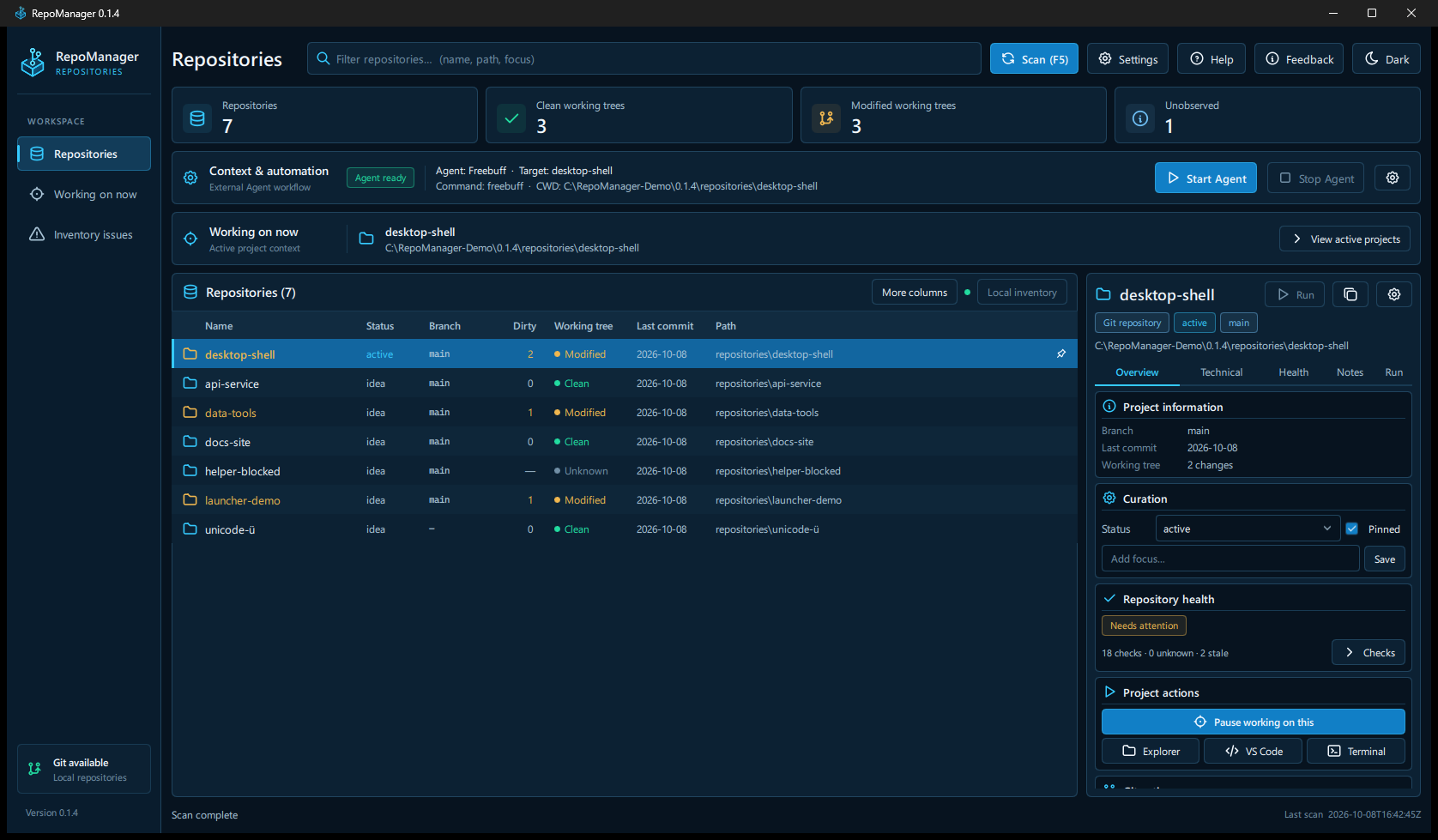
The screenshots show the released v0.1.4 application with controlled demo repositories.
Source version: 0.1.4. The release badge and Download link identify the latest
published build. See the v0.1.4 release notes.
What it does
- Finds Git repositories under your chosen folders, including linked worktrees.
Scans run in the background and can be cancelled.
- Shows branches, working-tree changes, remotes and recent commits in a searchable
repository table.
- Keeps project status, focus, pins, notes and Working on now context.
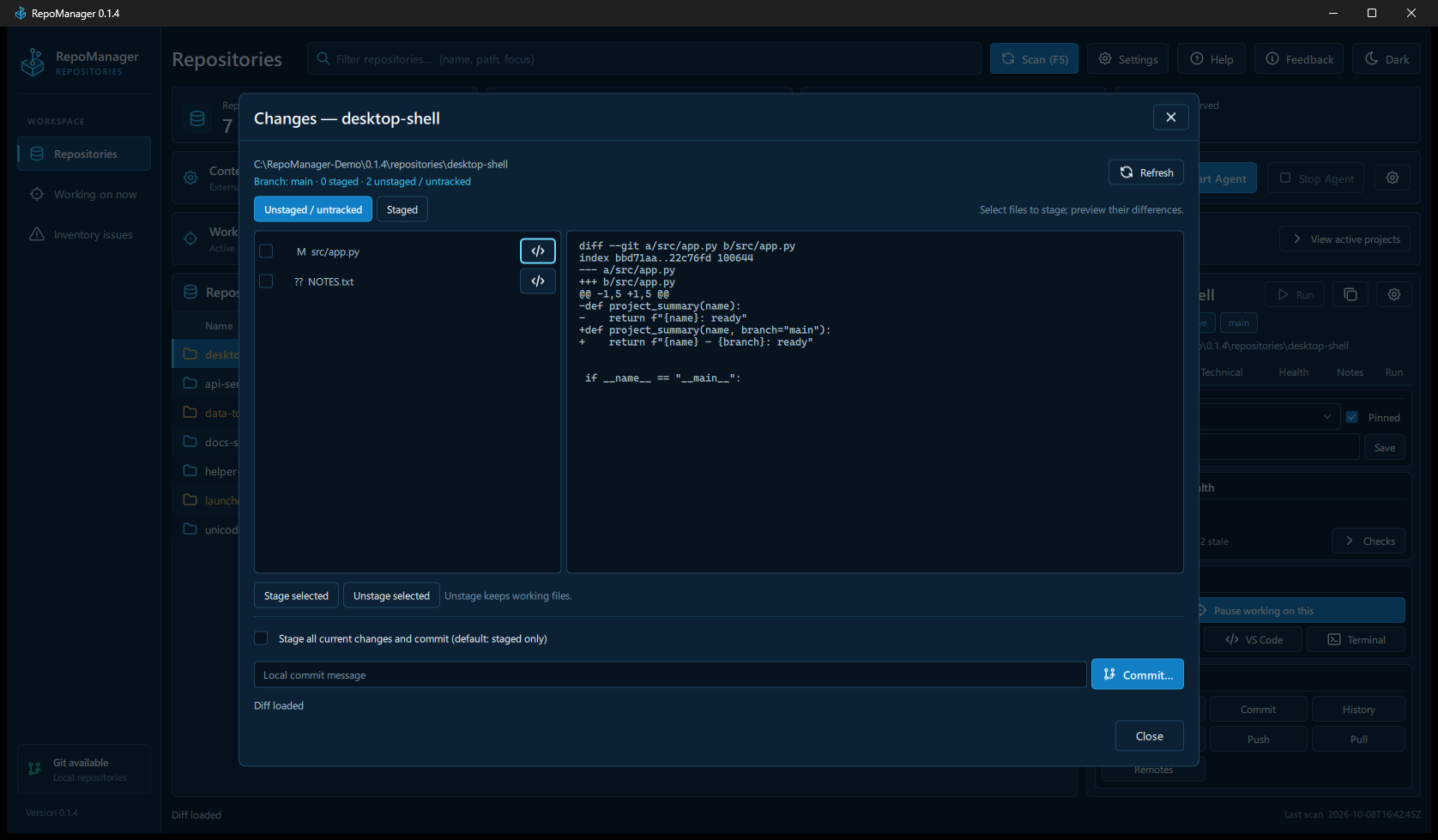
- Reviews Changes/diff, stages or unstages files, commits locally and confirms
Fetch, Push and fast-forward-only Pull.
- Reports repository Health, with ignore/restore controls for advisory checks.
- Opens Explorer, VS Code and Windows Terminal; detects project launchers for
Quick Run and offers local Agent selection with managed stop.
- Reviews inventory issues and possible moves, and exports metadata as JSON or
Markdown.
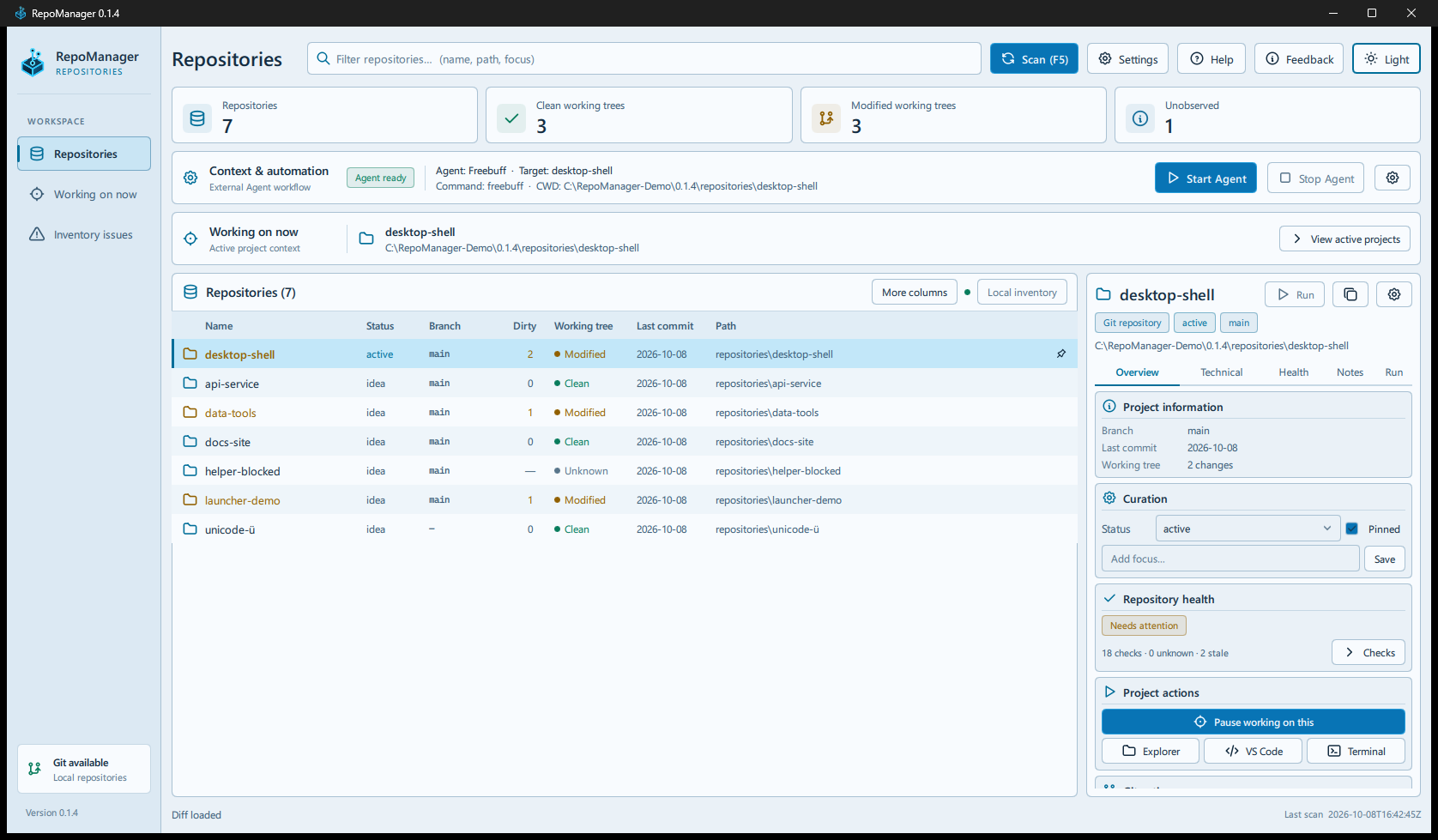
Dark and Light modes are available. More details are in the
product guide.
Screenshots
Changes and diff preview
Light mode
Getting started
Official support: Windows 10 22H2 / Windows 11 x64.
- Open the Releases page.
- Download
RepoManager--windows-x64.zip and extract the complete folder.
- Start
RepoManager\RepoManager.exe.
- In Settings > Scan folders, add the folder containing your repositories
and choose Save & scan.
Python and Qt are bundled; a separate Python installation is not needed.
The portable build is unsigned, so Windows SmartScreen may warn or show an
unknown publisher.
Git must be available on PATH. If RepoManager cannot find or start Git,
Install Git opens the official
Git for Windows page. After installation,
use Check again. Restart RepoManager if it still cannot see the updated PATH.
New profiles scan Desktop, Documents and Downloads, not the entire machine.
Scan depth is relative to each root: depth 2 checks the root and up to two nested
folder levels. Choose a nearer root or increase the depth for deeper repositories.
*Add C:* is an optional whole-drive scan and can take longer or encounter
protected folders. Existing roots are preserved; Cancel discards unsaved changes.
Git and Agent workflow
Select a repository to view its details. Changes shows staged and unstaged
files with a diff preview. Unstage leaves working files intact. Commit defaults
to staged changes and never pushes; stage-all is a separate explicit option.
Push, Pull and Fetch show the destination before confirmation. Pull is
fast-forward-only. See Git actions
for limits and error handling.
Quick Run uses the same detected launchers as the full Run tab. Multiple
launchers require a choice. External tools are optional: VS Code for its editor
action, Windows Terminal for Terminal, and the relevant runtime for npm, Godot,
Python, Roblox, PowerShell, WSL or Git Bash launchers. Terminal uses Windows
Terminal's default profile; PowerShell 7 is not required for that action.
Freebuff, OpenCode, Codex and Gemini CLI are detected when installed. Freebuff is
preferred when there is no saved Agent selection; valid saved choices remain.
With multiple available Agents, Start Agent opens a chooser before launch.
The Agent Settings shortcut opens Settings > Integrations.
Selected Agent and Fallback / custom Agent command are separate settings.
Freebuff can be selected while opencode remains a configured alternative.
Choosing an Agent does not replace that command. Every Agent start is initiated
by the user and uses the selected repository as its working directory.
Safety and limitations
- Automatic/read-only Git observation cannot start helper processes. Some Git
LFS or submodule observations therefore remain unavailable, rather than
being shown as clean. Use an external Git tool in those cases. RepoManager
does not disable Git LFS. The installed Git executable remains trusted.
- Explicit Git writes/network operations, launchers and Agents are separate
user actions. They can execute configured code and are not sandboxed.
- Health and post-run checks describe observed state; they do not certify
correctness or approve an Agent's work.
- App data stays under
%LOCALAPPDATA%\RepoManager, outside managed repositories.
Exports contain metadata, not repository backups. Review notes, reports and
screenshots before sharing; arbitrary text is not secret-scanned.
- A selected GitHub remote can trigger a read-only request to
api.github.com.
Feedback opens a draft for you to review and submit; there is no automatic
telemetry or report submission.
- No installer, automatic updater, cloud sync, Agent orchestration or official
Linux/macOS support is provided. Conflict resolution, branch switching,
discard/reset/stash, hunk staging and submodule writes need an external Git tool.
For bugs or suggestions, use Feedback / Bug in the app or
GitHub Issues.
Report vulnerabilities privately through the security policy.
Help > Versions and updates > Official releases opens the release page for
manual comparison and download. WinGet is not the documented installation path.
Run from source
Requires Windows, Git on PATH and normal 64-bit CPython 3.14.7, the build/CI
baseline. From the repository root:
py -3.14 -m venv .venv
.venv\Scripts\python.exe -m pip install -r packaging\requirements-qt.txt
.venv\Scripts\python.exe run.py
The shipped UI is PySide6/QML. run_classic.py retains a source-only Tkinter
reference; it is excluded from the Qt portable package.
Build and test
Windows release build describes the pinned PyInstaller build,
runtime notices, matching Qt/PySide sources and integrity manifest.
Run the current product tests in an environment with the Qt and build/tooling
dependencies installed:
.venv\Scripts\python.exe -B -m tests.run_layers --layer current
Testing explains the separate test layers and portable/manual
checks. Legacy Tkinter tests are a reference suite, not proof of the shipped UI.
Documentation
License
RepoManager is licensed under the MIT License. Bundled third-party
components retain their own licenses and notices.