ProxyBridge



ProxyBridge is a lightweight, open-source universal proxy client (Proxifier alternative) that provides transparent proxy routing for applications on Windows, macOS, and Linux. It redirects TCP and UDP traffic from specific processes through SOCKS5 or HTTP proxies, with the ability to route, block, or allow traffic on a per-application basis. ProxyBridge fully supports both TCP and UDP proxy routing and works at the system level, making it compatible with proxy-unaware applications without requiring any configuration changes.
> [!TIP]
> ProxyBridge routes your traffic - InterceptSuite lets you see inside it.
> Full MITM proxy with SSL/TLS inspection, live request editing, scripting, and support for TCP, UDP, StartTLS, DTLS and more. Built by the same team. Try InterceptSuite →
Table of Contents
💖 Support ProxyBridge Development
If you find ProxyBridge useful, consider sponsoring to support ongoing development and new features!

Download
🌐 Official Download Portal
Visit our Official Download Page for the latest automated builds and platform detection.
📦 Release Packages
Linux One-Command Quick Install:
curl -Lo deploy.sh https://raw.githubusercontent.com/InterceptSuite/ProxyBridge/refs/heads/master/Linux/deploy.sh && sudo bash deploy.sh
macOS via Homebrew (official):
brew install --cask proxybridge
Windows via winget:
winget install InterceptSuite.ProxyBridge
> [!WARNING]
> The winget package is community-maintained and not official. It may lag behind releases or be unverified. For guaranteed-latest, verified builds always use the Official Download Page.
> [!NOTE]
> For historical versions, change logs, and direct access to raw assets, visit the GitHub Releases page.
Features
- Cross-platform - Available for Windows, macOS and Linux
- Dual interface - Feature-rich GUI and powerful CLI for all use cases
- Process-based traffic control - Route, block, or allow traffic for specific applications
- Universal compatibility - Works with proxy-unaware applications
- Multiple proxy protocols - Supports SOCKS5 and HTTP proxies
- System-level interception - Reliable packet capture at kernel/network extension level
- No configuration needed - Applications work without any modifications
- Protocol agnostic - Compatible with TCP and UDP protocols (HTTP/HTTPS, HTTP/3, databases, RDP, SSH, games, DTLS, DNS, etc.)
- Traffic blocking - Block specific applications from accessing the internet or any network (LAN, localhost, etc.)
- Flexible rules - Direct connection, proxy routing, or complete blocking per process
- Advanced rule configuration - Target specific processes, IPs, ports, protocols (TCP/UDP), and hostnames with wildcard support - full IPv4 and IPv6 support on Windows
- Process exclusion - Prevent proxy loops by excluding proxy applications
- Import/Export rules - Share rule configurations across systems with JSON-based import/export
> [!CAUTION]
> Beware of Fake ProxyBridge Downloads
>
> Multiple fake ProxyBridge download sources have been identified. Some of these sources distribute unwanted binaries and malicious software.
>
> ❌ Do NOT download ProxyBridge from any third-party or unofficial sources.
>
> ✅ Official ProxyBridge sources (only):
> - GitHub Repository: https://github.com/InterceptSuite/ProxyBridge/
> - Official Website: https://interceptsuite.com/download/proxybridge
>
> If you prefer not to use prebuilt binaries, you may safely build ProxyBridge yourself by following the Contribution Guide and compiling directly from the official source code.
>
> ProxyBridge does not communicate with any external servers except its own update feed at https://download.interceptsuite.com/proxybridge.json for update checks (triggered only on app launch or manual update checks);
Documentation
> [!IMPORTANT]
> 📖 Full Documentation
>
> Everything you need to get started and go deep:
> - Installation and setup guides
> - Proxy rules and rule configuration
> - CLI reference
> - UDP, IPv6, HTTP/3, DTLS setup
> - Troubleshooting and advanced usage
>
> interceptsuite.com/docs/proxybridge
Screenshots
macOS
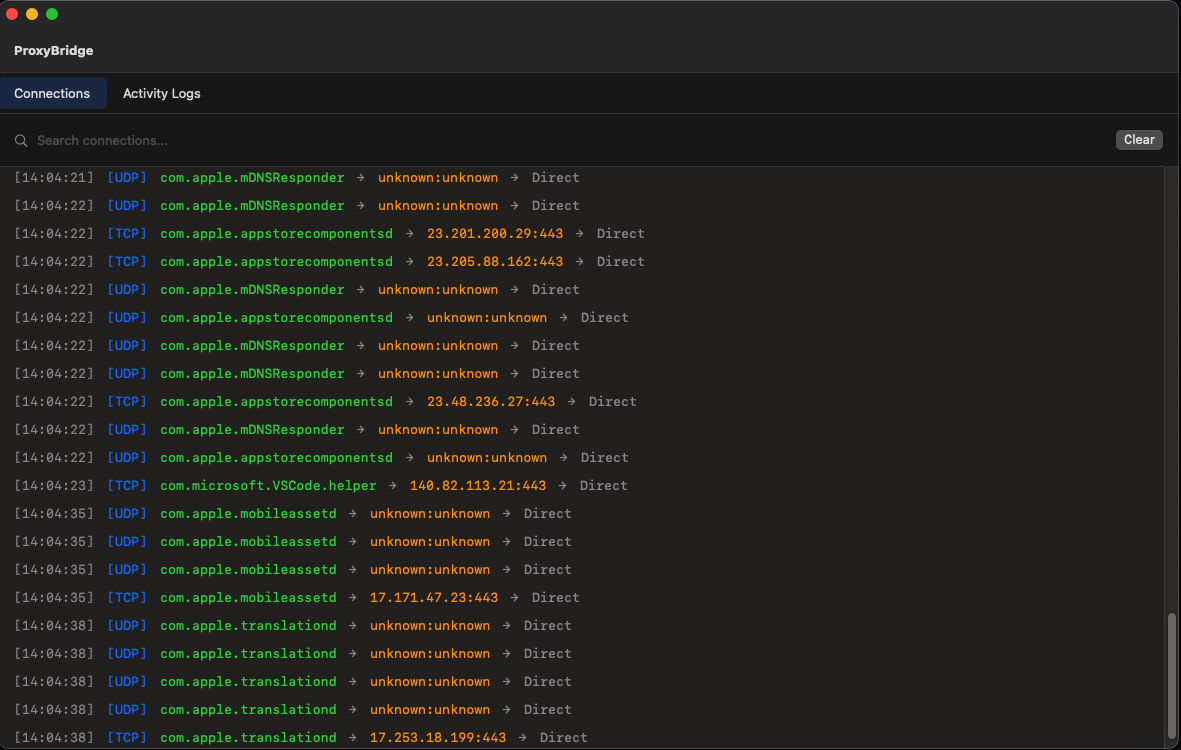
ProxyBridge GUI - Main Interface
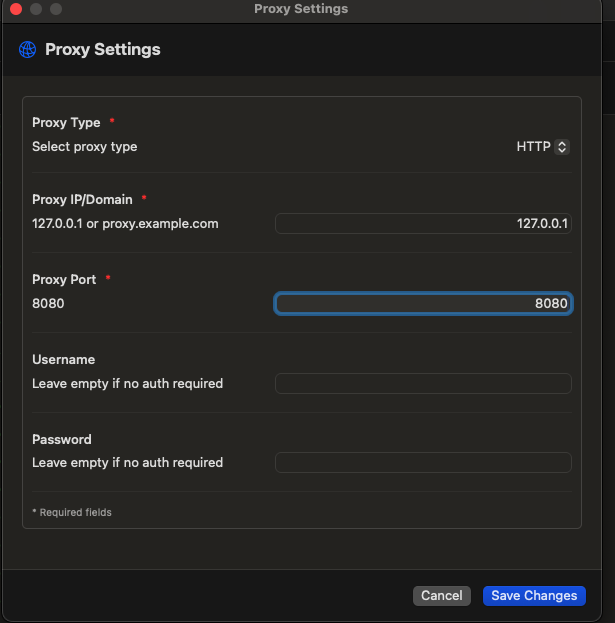
Proxy Settings Configuration
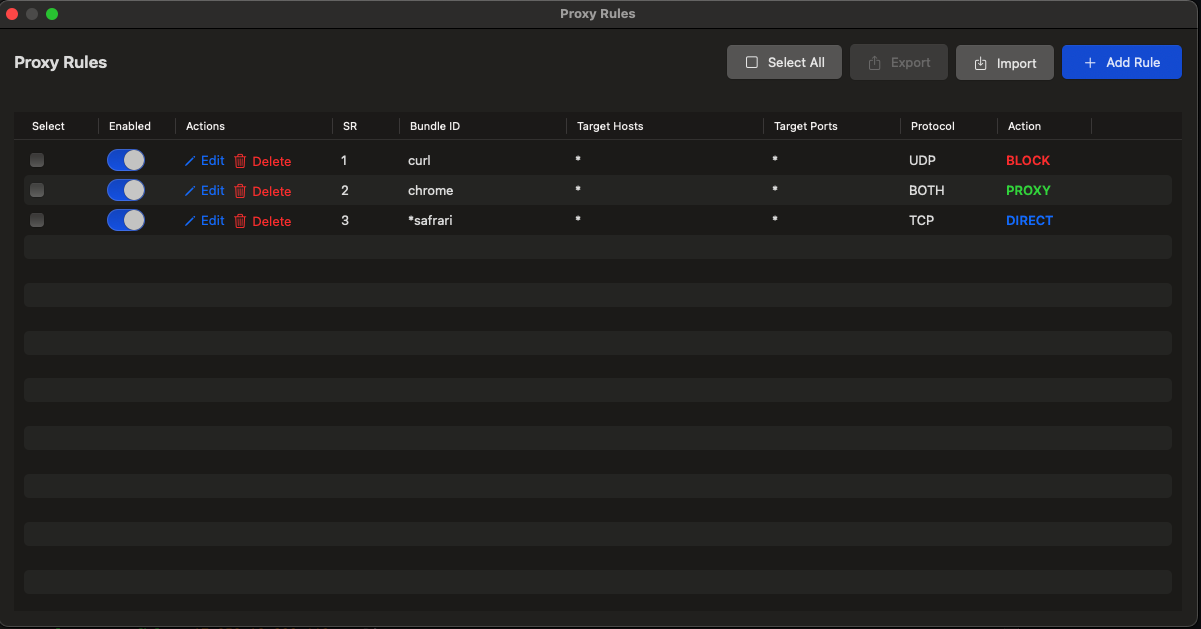
Proxy Rules Management
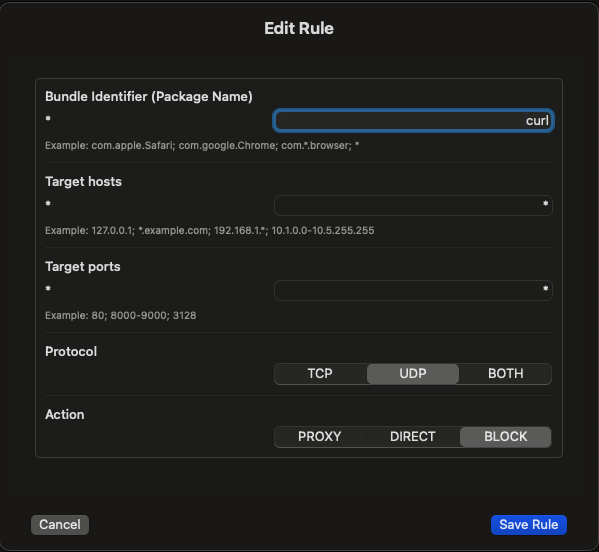
Add/Edit Proxy Rule
Windows
GUI
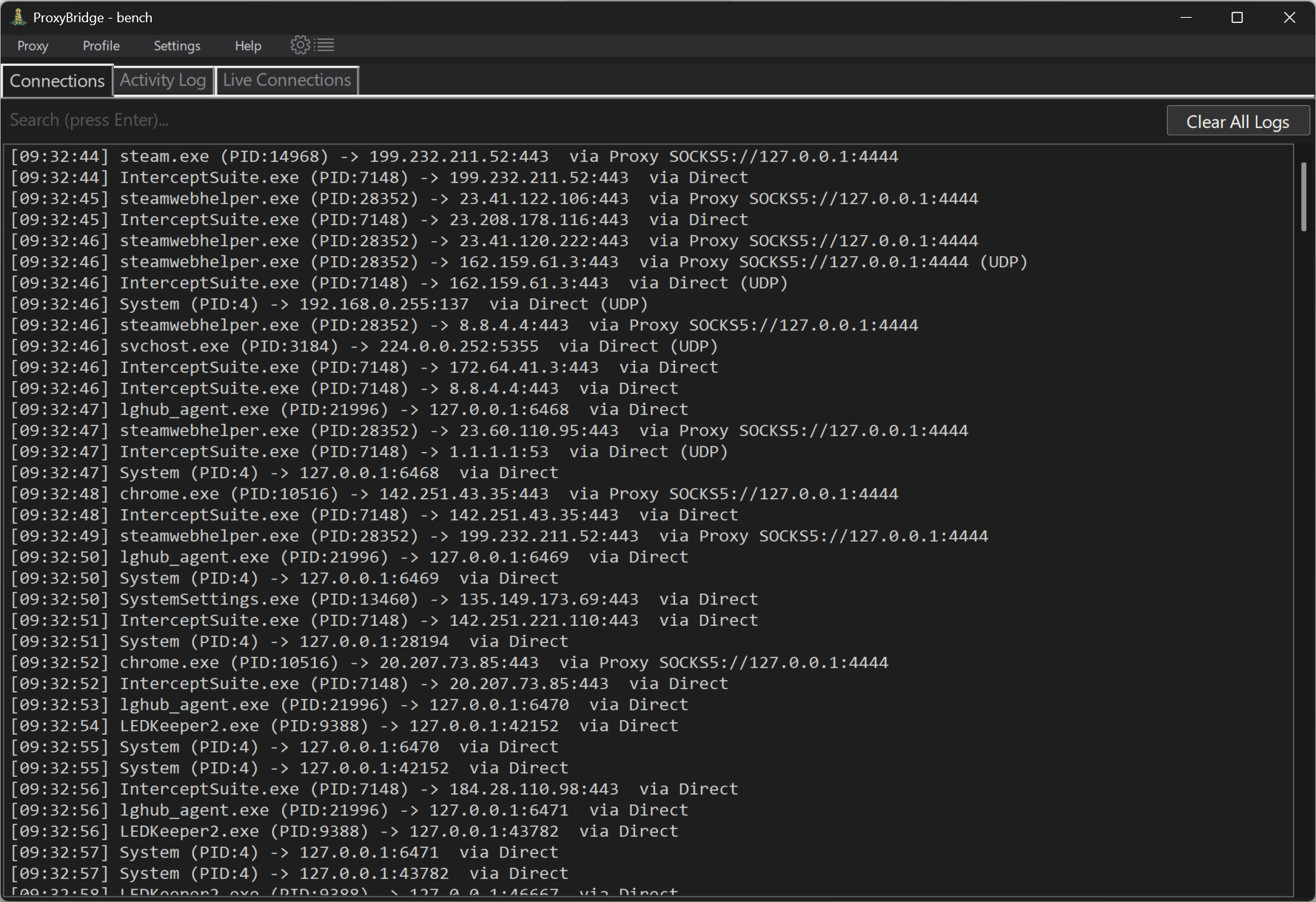
ProxyBridge GUI - Main Interface
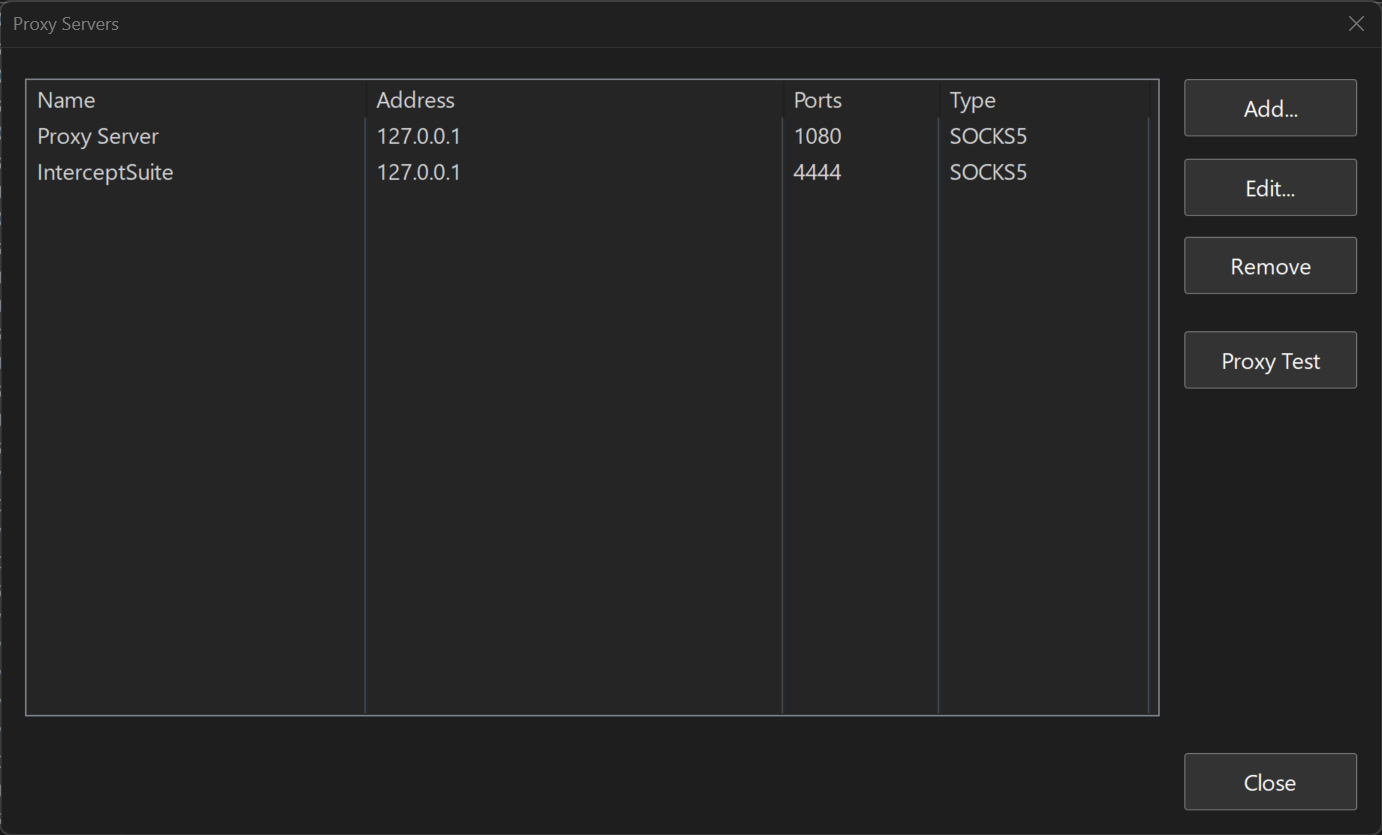
Proxy Settings Configuration
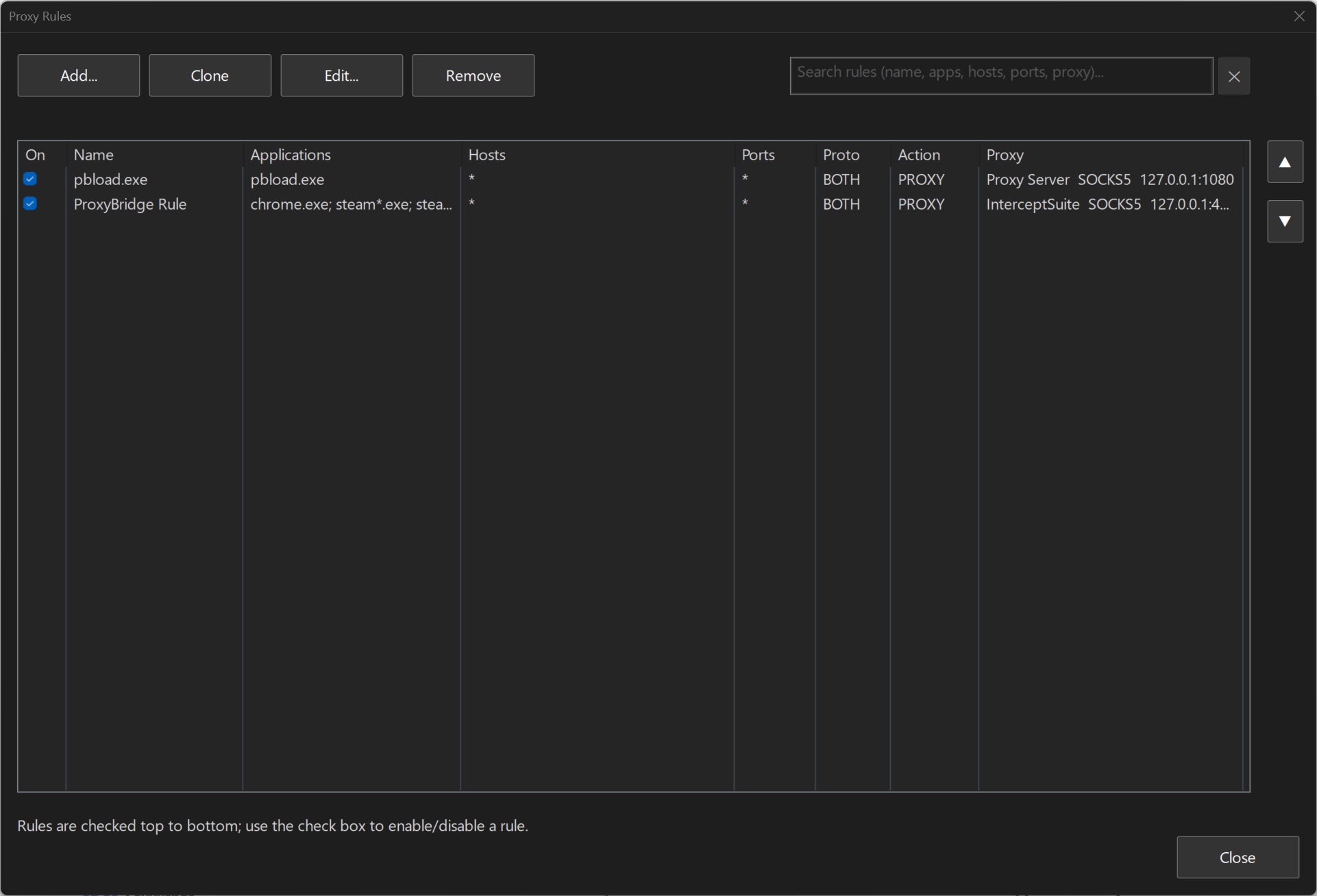
Proxy Rules Management
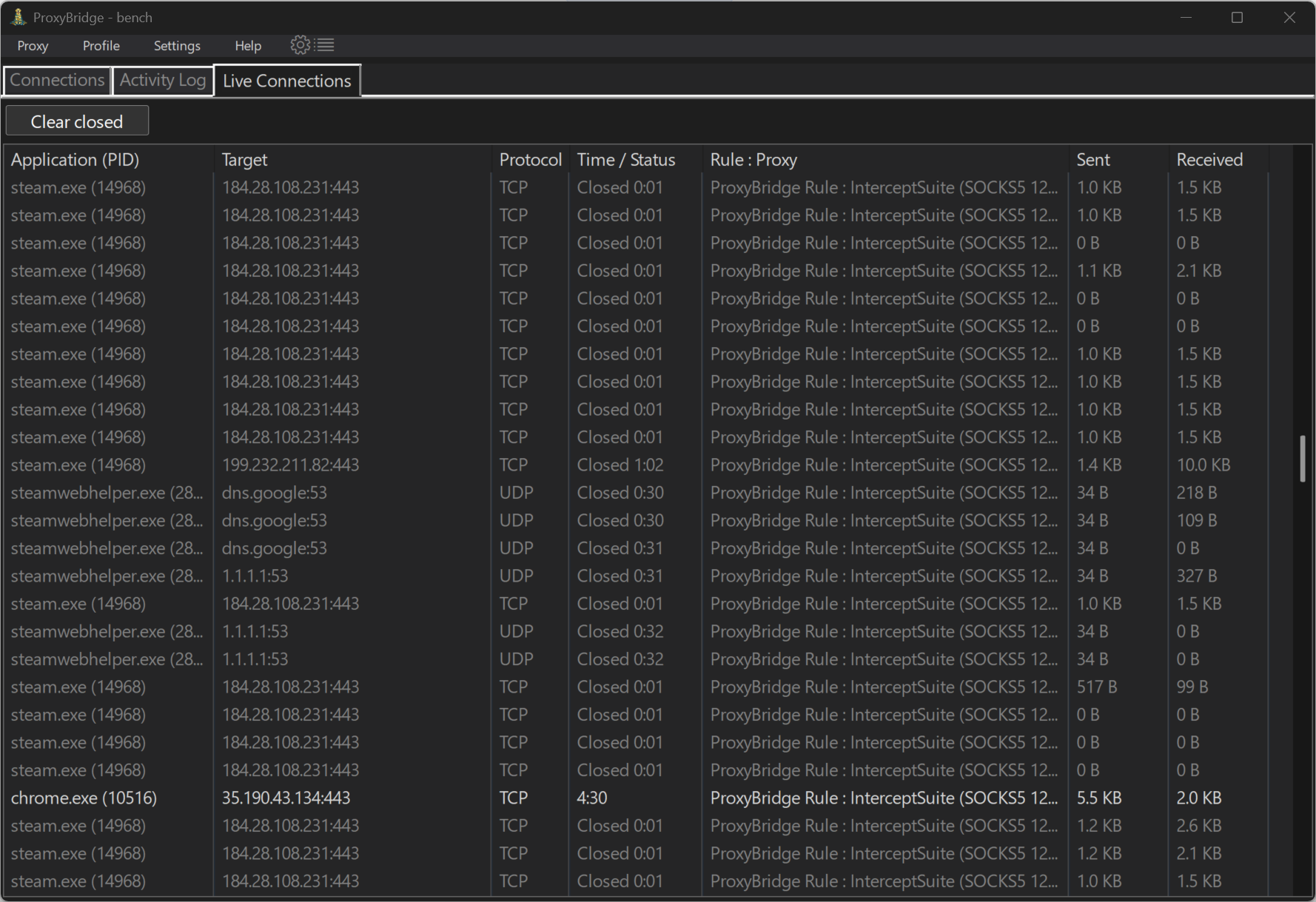
Live Connections - proxied connections and UDP flows right now
CLI
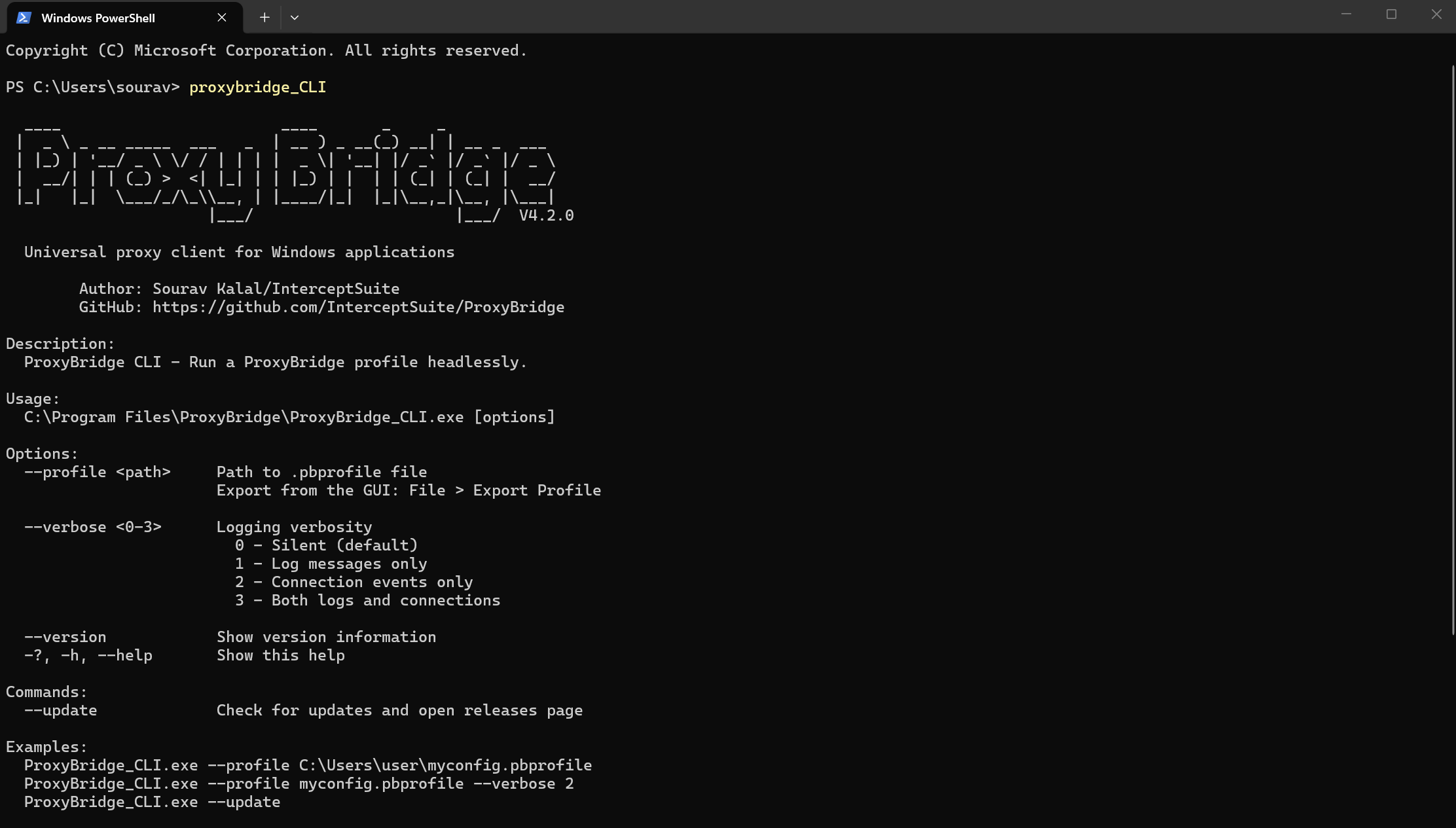
ProxyBridge CLI Interface
Linux
GUI
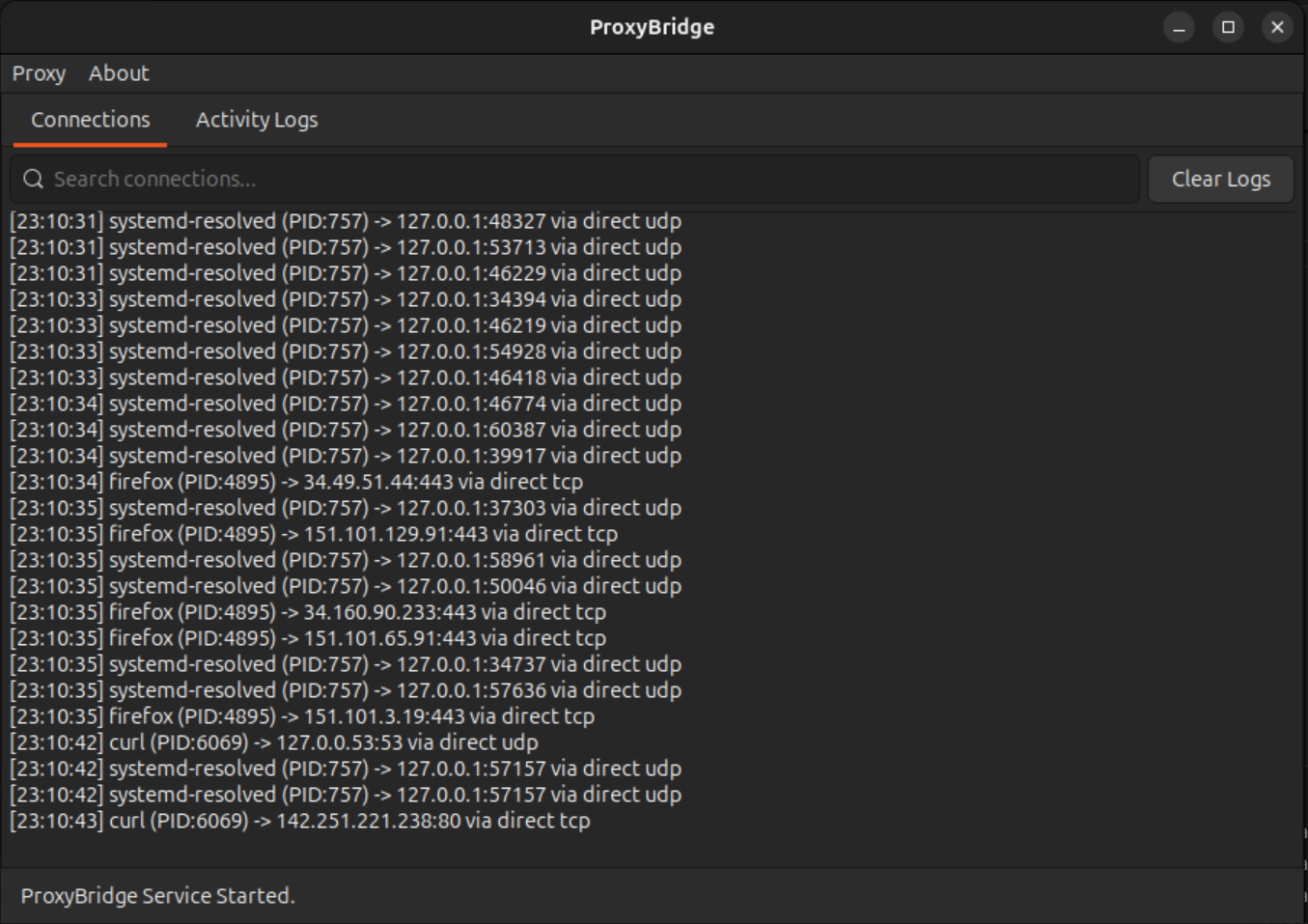
ProxyBridge GUI - Main Interface
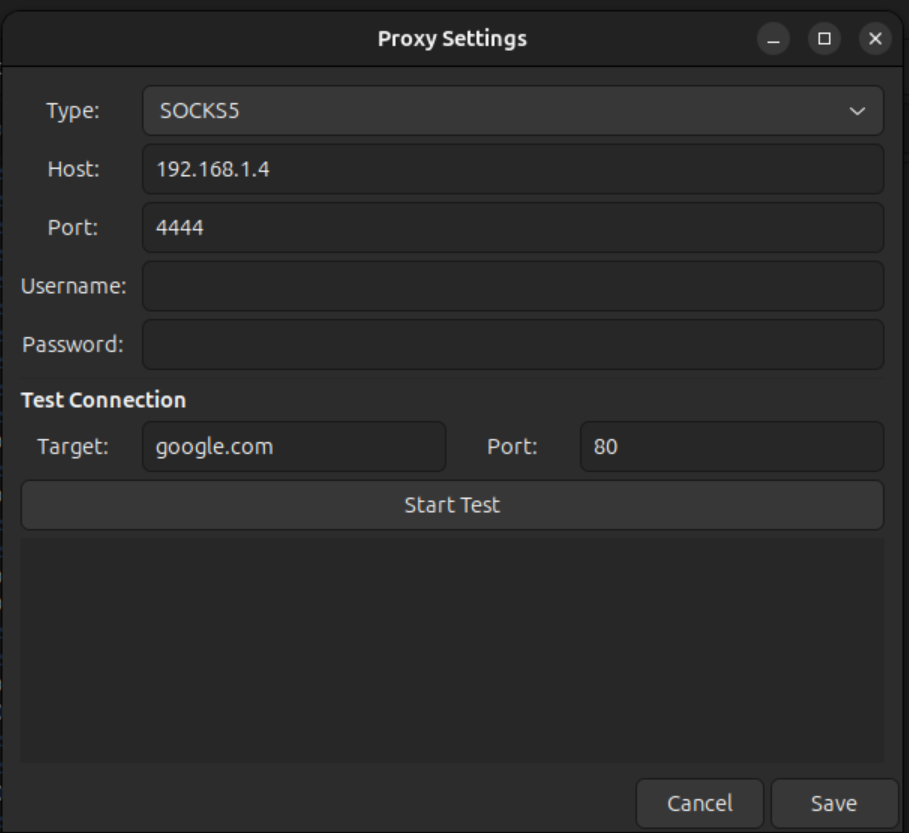
Proxy Settings Configuration
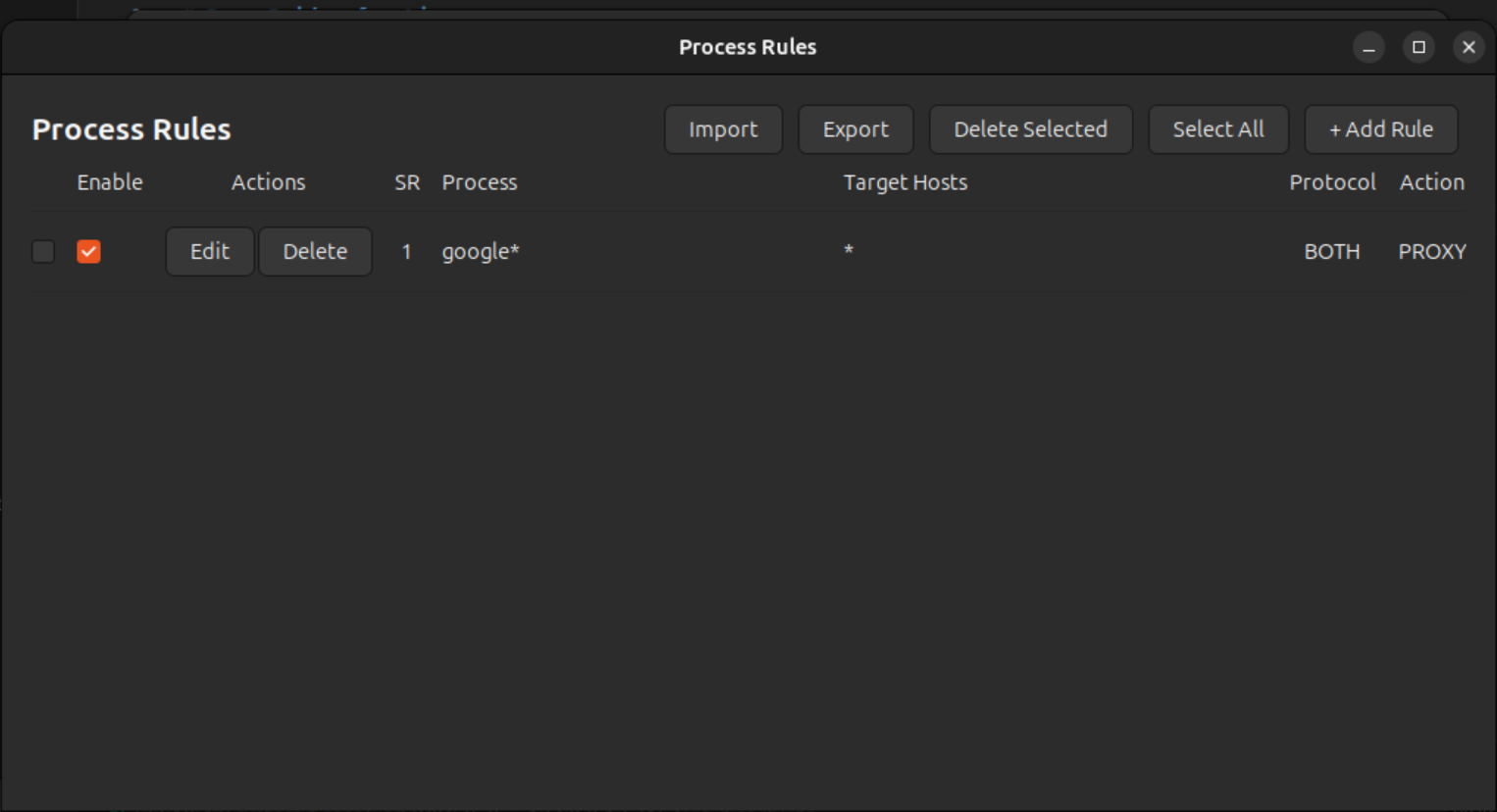
Proxy Rules Management
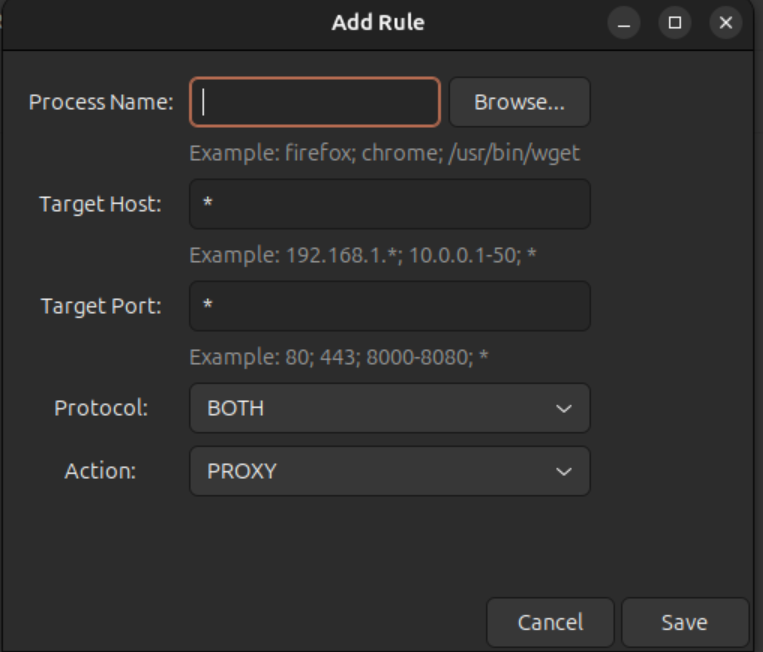
Add/Edit Proxy Rule
CLI
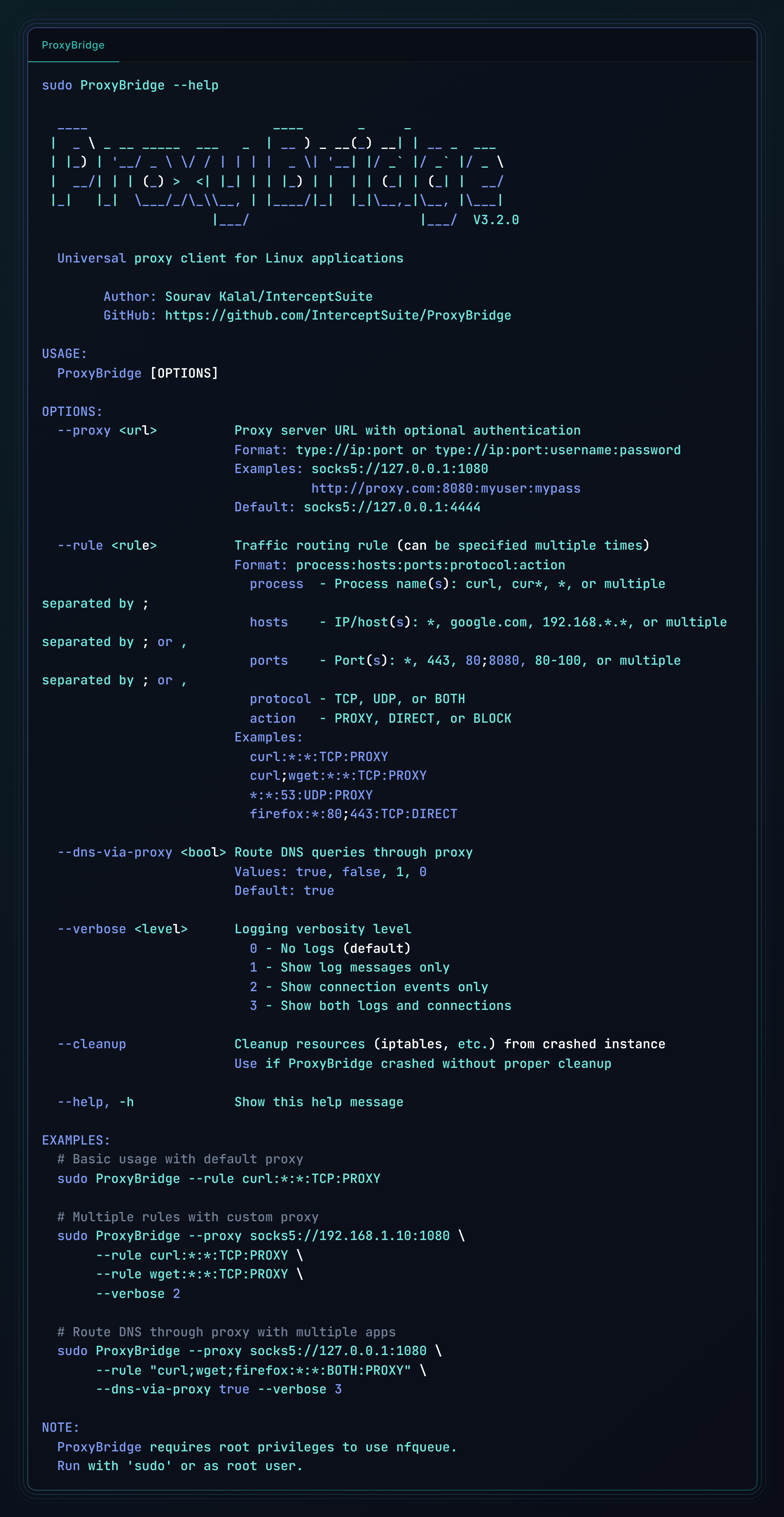
ProxyBridge CLI Interface
Use Cases
- Redirect proxy-unaware applications (games, desktop apps) through InterceptSuite/Burp Suite for security testing
- Route specific applications through Tor, SOCKS5 or HTTP proxies
- Intercept and analyze traffic from applications that don't support proxy configuration
- Test application behavior under different network conditions
- Analyze protocols and communication patterns
InterceptSuite
ProxyBridge is a proxy client - it routes your application traffic through any SOCKS5 or HTTP proxy. It does not inspect or modify the traffic itself.
InterceptSuite is a MITM SOCKS5 proxy server built for traffic interception and analysis. Point ProxyBridge at InterceptSuite and you can inspect everything:
- Full TLS/SSL interception and certificate spoofing
- TCP, UDP, StartTLS, DTLS traffic analysis
- Live request and response editing
- Scripting and automation
ProxyBridge routes the traffic in. InterceptSuite sees inside it.
Try InterceptSuite →
License
MIT License - See LICENSE file for details
Author
Sourav Kalal / InterceptSuite
Credits
Windows Implementation:
This project is built on top of WinDivert by basil00. WinDivert is a powerful Windows packet capture and manipulation library that makes kernel-level packet interception possible. Special thanks to the WinDivert project for providing such a robust foundation.
Based on the StreamDump example from WinDivert:
https://reqrypt.org/samples/streamdump.html
The Windows GUI and CLI are written in native C using the Win32 API, keeping the footprint small and startup instant.
macOS Implementation:
Built using Apple's Network Extension framework for transparent proxy capabilities on macOS.
Linux Implementation:
Built using Linux Netfilter NFQUEUE for kernel-level packet interception and iptables for traffic redirection. The GUI uses GTK3 for native Linux desktop integration.