TeamCity CLI


teamcity is the official command-line client for TeamCity. It covers the day-to-day — starting builds, tailing logs, digging through the queue — and the odd jobs too: shelling into build agents, editing job settings, raw REST calls when nothing else fits.

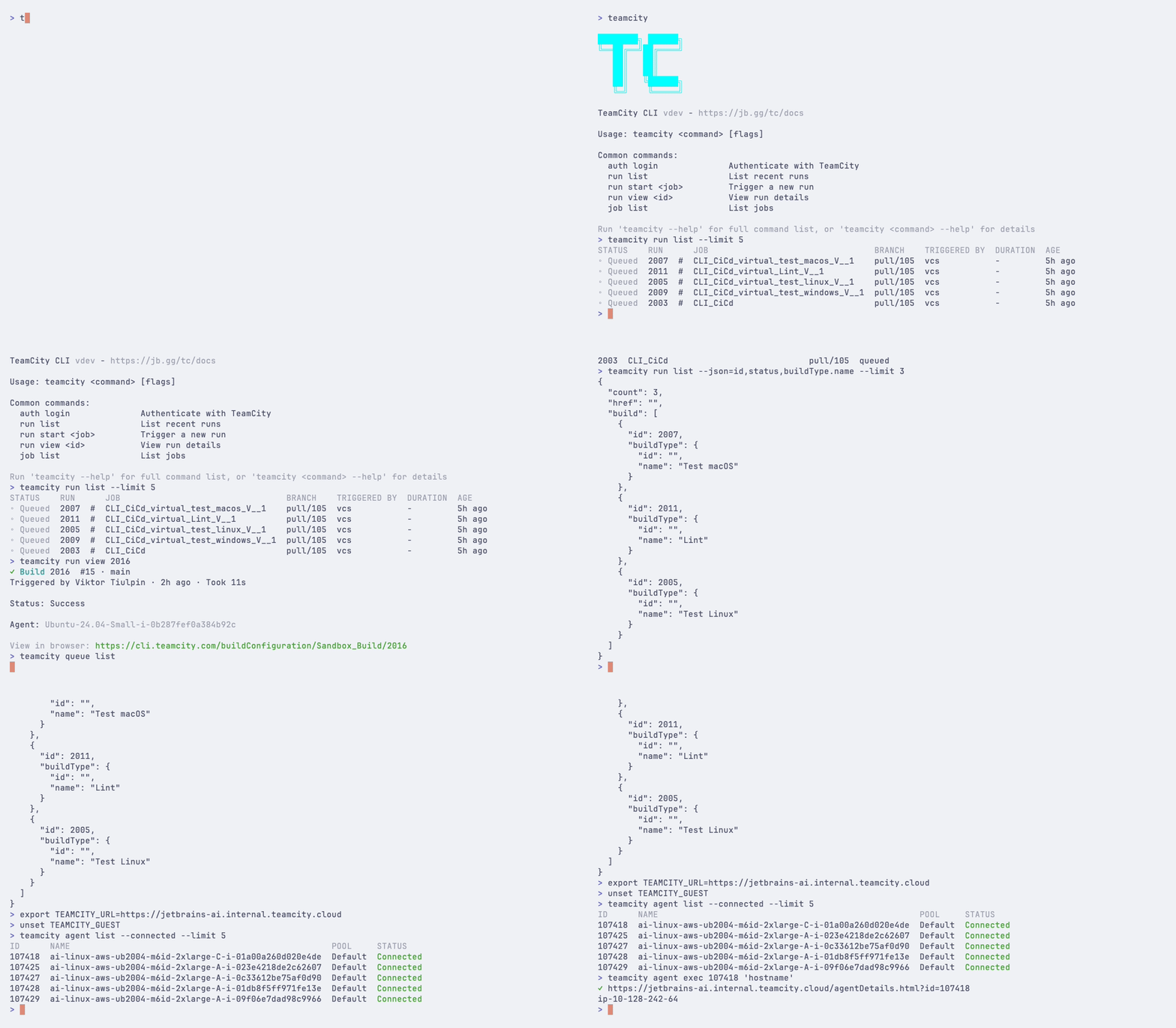
Full documentation, including installation, authentication, and a command reference, lives at jb.gg/tc/docs.
Install
macOS (Homebrew):
brew install jetbrains/utils/teamcity
Linux:
curl -fsSL https://jb.gg/tc/install | bash
The install script also works on macOS. New installs use ~/.local/bin without sudo; rerunning it updates an existing unmanaged installation in place. Missing Bash/Zsh PATH entries are added automatically. Restart your shell afterward, or use the printed PATH command.
Windows (Winget):
winget install JetBrains.TeamCityCLI
npm:
npm install -g @jetbrains/teamcity-cli
More installation methods (deb, rpm, Chocolatey, Scoop, build from source)
Debian/Ubuntu:
curl -fsSLO https://github.com/JetBrains/teamcity-cli/releases/latest/download/teamcity_linux_amd64.deb
sudo dpkg -i teamcity_linux_amd64.deb
RHEL/Fedora:
sudo rpm -i https://github.com/JetBrains/teamcity-cli/releases/latest/download/teamcity_linux_amd64.rpm
Arch Linux (AUR):
yay -S teamcity-bin
PowerShell:
irm https://jb.gg/tc/install.ps1 | iex
CMD:
curl -fsSL https://jb.gg/tc/install.cmd -o install.cmd && install.cmd && del install.cmd
Chocolatey:
choco install teamcitycli
Scoop:
scoop bucket add jetbrains https://github.com/JetBrains/scoop-utils
scoop install teamcity
Build from source:
go install github.com/JetBrains/teamcity-cli/tc@latest
See the getting started guide for the full walkthrough.
Usage
For security, redirects never downgrade HTTPS or forward request headers to another origin. Cross-origin artifact downloads remain supported without credentials.
Log in once and the CLI remembers the server:
teamcity auth login
Then:
# my latest build on this branch
teamcity run list --user @me --branch @this --limit 1

# start a build and stay attached to it
teamcity run start MyProject_Build --branch main --watch

# pin different revisions in a job with multiple VCS roots
teamcity run start MyProject_Build --revision AppRepo=abc123 --revision AssetsRepo=@main

# logs from the latest build of a job
teamcity run log --job MyProject_Build

# what's sitting in the queue
teamcity queue list

# shell into a build agent
teamcity agent term Agent-Linux-01
One naming note: TeamCity says build and build configuration; the CLI says run and job. The glossary has the full mapping.
Set TEAMCITY_RO=1 to block writes and remote shells (agent exec and agent term). Use server-side permissions for a security boundary.
Every command takes --json or --plain for scripting, and --web opens the matching page in the TeamCity UI. When no command covers what you need, teamcity api calls the REST API directly with your stored credentials. You can also log in to several servers and switch between them — see configuration.
For a queued run, teamcity run view reports agent and cloud-image compatibility, including unmet requirements, when the server supports it. Large pools are summarized; use --json and read .compatibility for every entry.
Commands
Artifact downloads are confined to --output; failed or incomplete transfers preserve existing files.
| Group | Commands |
|---|
| auth | login, logout, status |
| run | list, start, view, watch, log, tree, changes, tests, diff, cancel, download, artifacts, restart, pin/unpin, tag/untag, comment |
| job | list, view, create, tree, pause/resume, step list/view/add/delete, param list/get/set/delete, settings list/get/set |
| project | list, view, create, tree, vcs list/view/create/test/delete, ssh list/generate/upload/delete, cloud profile/image/instance, connection list/view/create github-app/create docker/authorize/delete, param, token get/put, settings export/status/validate |
| pipeline | list, view, create, validate, pull, push, schema (enabled runners/features), delete |
| queue | list, approve, remove, top |
| agent | list, view, term, exec, jobs, authorize/deauthorize, enable/disable, move, reboot |
| pool | list, view, link/unlink |
| server | plugin upload (optionally with --hot-reload) |
| api | Raw REST API access |
| link | Bind this repository to a TeamCity project via teamcity.toml |
| config | list, get, set |
| alias | set, list, delete |
| skill | list, install, remove, update |
| update | Check for and install CLI updates (--check/--json for status only, --yes for non-interactive installation) |
Run teamcity --help for usage, or see the command reference.
For AI agents
The CLI ships with an Agent Skill that teaches coding agents (Claude Code, Cursor, and others) how to drive teamcity:
teamcity skill install           # auto-detects installed agents
teamcity skill install --project # install to current project only
teamcity skill update            # update to the version bundled with teamcity
teamcity skill remove            # uninstall
or specifically for Claude Code, install the teamcity plugin, which
bundles these skills from
JetBrains/teamcity-skills:
/plugin marketplace add JetBrains/teamcity-skills
/plugin install teamcity@teamcity
The plugin ships the skills only — install the teamcity CLI itself as above.
See AI agent integration for details.
Learn more
Contributing
TeamCity CLI is open source under the Apache-2.0 license. Bug reports and pull requests are welcome — CONTRIBUTING.md covers how the project is built and tested.
project settings status reports the server’s runtime message and missing DSL context parameters. Its “Recorded” timestamp is when the status was recorded, not the last successful sync.
Connections listed or selected with --project include parent projects, including _Root. Delete an inherited connection from its owning project.