codemap 🗺️
> codemap — structural ground truth for coding agents.
> Resolves what your code actually imports, tells you what breaks if you change it, and is explicit about what it couldn't figure out.


Your agent's first minute
brew tap JordanCoin/tap && brew install codemap   # one static binary
cd your-repo && codemap setup                      # hooks + MCP for Claude Code and Codex
codemap mcp                                        # stdio MCP server for any other client
After codemap setup, the agent gets three answers it cannot get from the source text, at session start, before an edit, and on request.
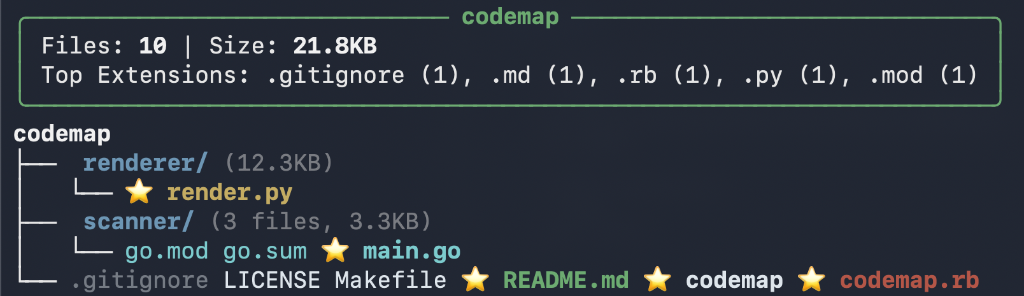
Where things are. codemap .
╭────────────────────────────── codemap ──────────────────────────────╮
│ Files: 289 | Size: 2.3MB                                            │
│ Top Extensions: .go (227), .yml (35), .md (23), .sh (2), .ps1 (1)   │
╰─────────────────────────────────────────────────────────────────────╯
codemap
├── analysis/ (2 files, 3.6KB, all .go)
├── cmd/ (47 files, 463.2KB, all .go)
├── config/ (2 files, 23.2KB, all .go)
...
Who depends on this. codemap --importers config/config.go
⚠️  HUB FILE: config/config.go
   Imported by 40 files - changes have wide impact!

   Dependents:
   • blast_radius.go
   • cmd/config.go
   ... and 38 more
Coverage: complete
Where is the code that does X. codemap find "hub importers"
main.go
  matched: resolveImportersInvocation, buildImportersReport, runImportersMode
  importers: 0
Coverage: complete
Ranked by path and symbol match, each hit tagged with its importer count. Lexical only, and it says so.
And the one line every answer carries. Every dependency answer reports a coverage status: complete, partial, or unavailable, with the source that could not be trusted. A partial graph never reads as a complete one, so "nothing imports this" and "I couldn't tell" are different answers.
What it's for
An agent reading your repo can see what a file says. It can't cheaply see what depends on that file. That answer lives in go.mod, Cargo workspace membership, package.json exports maps, and tsconfig path aliases, not in the source text.
codemap computes three things:
| |
|---|
| Orientation | A structure map with the most-imported files called out. Cheap cold start, useful when an agent has no memory of the last hour. |
| Dependency graph | Imports resolved through each ecosystem's real rules, not string matching. |
| Blast radius | Who breaks if you change this file. |
Install
# macOS/Linux
brew tap JordanCoin/tap && brew install codemap

# Windows
scoop bucket add codemap https://github.com/JordanCoin/scoop-codemap
scoop install codemap
> Other options: Releases | go install | build from source
CI / tarball install
Release tarballs ship codemap and the bundled rules but not the ast-grep executable, which --deps needs. Either install it separately:
apk add --no-cache curl jq bash python3 py3-pip

ARCH=$(uname -m)
if [ "$ARCH" = "x86_64" ]; then ARCH="amd64"; elif [ "$ARCH" = "aarch64" ]; then ARCH="arm64"; fi

CODEMAP_VERSION=$(curl -fsSL https://api.github.com/repos/JordanCoin/codemap/releases/latest | jq -r '.tag_name' | tr -d 'v')
curl -fsSL "https://github.com/JordanCoin/codemap/releases/download/v${CODEMAP_VERSION}/codemap_${CODEMAP_VERSION}_linux_${ARCH}.tar.gz" \
  | tar xz -C /usr/local/bin/ codemap

python3 -m pip install --no-cache-dir ast-grep-cli
…or use the self-contained codemap-full artifact, which bundles codemap, ast-grep, and sg:
curl -fsSL "https://github.com/JordanCoin/codemap/releases/download/v${CODEMAP_VERSION}/codemap-full_${CODEMAP_VERSION}_linux_${ARCH}.tar.gz" \
  | tar xz -C /usr/local/bin/ codemap ast-grep sg
Setup
Run setup anywhere inside your git repo. Repo-scoped commands such as
setup, doctor, config, watch, skill, context, serve, and
managed hooks resolve the nearest git root automatically, including linked
worktrees with a .git file.
cd /path/to/your/project
codemap setup
codemap setup configures Claude Code and Codex by default:
- creates
.codemap/config.json with auto-detected language filters
- merges hooks into
.claude/settings.local.json and .codex/hooks.json
- configures MCP in
.mcp.json and .codex/config.toml
- hooks start and read daemon state at session start
Managed entries record the verified absolute path of the running codemap, so agents don't depend on your shell PATH. Rerun setup if that path changes.
codemap setup --agent claude   # one agent only
codemap setup --agent codex
codemap setup --global         # user-scope, applies to every project
Verify
codemap doctor            # validate this project's integrations
codemap doctor --global   # validate user-scope configuration
Doctor checks project scope and falls back to user scope, reporting which one satisfied each check. For Codex, trust the hooks from /hooks in CLI or Settings → Hooks in Desktop, then start a new session.
Dependency resolution
--deps and --importers resolve imports using each ecosystem's own rules rather than guessing from paths:
| Ecosystem | Resolved via |
|---|
| Go | module path from go.mod; stdlib and third-party imports are not fuzzy-matched into local files |
| Rust | cargo metadata — workspace membership, target kinds (lib/bin/test/bench/example/build), and dev-dependencies reachable from #[cfg(test)] blocks |
| JS/TS | package.json exports/imports maps, npm/pnpm/Bun workspaces, Deno import maps, and tsconfig rootDir/outDir remapping (including extends) |
| Dart/Flutter | pubspec.yaml package names and declared dependencies; package: URIs resolve within the owning package's lib/, while undeclared or duplicate package names fail closed |
| Everything else | ast-grep import extraction with suffix and directory matching |
The coverage contract
Every dependency answer reports how much of it codemap actually stands behind:
codemap --json --deps . | jq .coverage
{
  "status": "partial",
  "sources": [
    { "name": "ast-grep", "status": "authoritative" },
    { "name": "cargo-metadata", "status": "mixed",
      "detail": "2 of 5 Cargo manifests used fallback topology" }
  ],
  "issues": [
    { "code": "unresolved-import", "path": "src/app.ts",
      "message": "import ./gone resolved to no file in the project" }
  ]
}
issues lists each project-relative import that resolved to no file, one entry per reference. The key is omitted when there are none.
status is complete, partial, or unavailable.- Each source reports
authoritative, mixed, fallback, timeout, unavailable, or failed.
- A timed-out or failed scan returns an empty result with provenance, not a silent empty graph and not a hard error — so an agent can tell "nothing imports this" apart from "I couldn't tell".
The JSON payload is versioned (schema_version: codemap.analysis/v1) so consumers can depend on its shape.
Supported languages
21 ast-grep language rules for dependency analysis: Go, Python, JavaScript, JSX, TypeScript, TSX, Rust, Ruby, C, C++, Java, Swift, Dart, Kotlin, C#, PHP, Bash, Lua, Scala, Elixir, Solidity. Dart projects, including Flutter apps and packages, also get pubspec.yaml dependency discovery. CUE files also contribute module-scoped package edges through lexical import extraction; CUE is not an ast-grep rule.
> Powered by ast-grep. Installed automatically with the Homebrew formula.
Commands
codemap .              # structure view (respects .codemap/config.json)
codemap --diff         # what changed vs main
codemap --deps .       # dependency flow
codemap --importers f  # who imports a file
codemap blast-radius   # review bundle: diff + deps + importers
codemap collide        # rank open PRs by shared-file merge-order hazard
codemap find "" # rank files by path and symbol match, with importer counts
codemap handoff .      # save layered handoff for cross-agent continuation
codemap context        # machine-readable project context JSON
codemap doctor         # validate agent integrations
codemap skill list     # available agent skills
codemap watch start    # background daemon for live graph state
codemap serve          # HTTP API for non-MCP integrations
codemap mcp            # MCP server on stdio
codemap --version
Options
Standard linked Git worktrees automatically reuse the primary worktree's
.codemap/config.json and project skills. Create the worktree with Git, an IDE,
or any manager that uses standard linked-worktree metadata, then give the agent
its absolute path:
git worktree add  -b
codemap -C /tmp/feature-worktree context
Normal CLI and plugin MCP calls need no --setup-root: central config and skills
come from the primary worktree, while handoffs, watcher files, and hook/session
state remain in the linked worktree. Independent clones have no trusted Git
metadata linking them, so sharing setup between them still requires an explicit
override:
codemap -C /tmp/independent-clone --setup-root /path/to/original context
-C/--project-root operates on exactly the named directory, like git -C;
it may be a subdirectory of a repository, and storage and config discovery still
walk up to the git root. --setup-root explicitly reuses /.codemap
policy and runtime state from another checkout. Both accept a repository or
subdirectory; relative setup paths resolve from the project root.
| Flag | Description |
| Flag | Description |
|---|
-C, --project-root | Operate on exactly `` (may be a subdirectory of a repository; storage and config discovery still walk up to the git root) |
--setup-root | Explicitly reuse policy and runtime state from /.codemap |
--depth, -d | Limit tree depth (0 = unlimited) |
--only | Only include files with these extensions |
--exclude | Exclude files matching patterns |
--max-files | Scan bound: files kept by the tree, and the largest repo a dependency scan runs on (default 100000, or config max_files; -1 = unbounded). Above it the output says bounded: scanned N of M files instead of presenting a prefix as the repo |
--diff | Show files changed vs main branch |
--ref | Branch to compare against (with --diff) |
--deps | Dependency flow mode |
--importers | Check who imports a file |
--skyline | City skyline visualization |
--animate | Animate the skyline (with --skyline) |
--json | Output JSON |
--color | auto (default): ANSI colour only when stdout is a terminal and NO_COLOR is unset; always keeps colour when piping into less -R; never turns it off |
> Flags come before the path/URL: codemap --json github.com/user/repo
Pattern matching needs no quotes: .png matches any .png file, Fonts matches any /Fonts/ directory, *Test* is a glob.
Modes
Diff
codemap --diff
codemap --diff --ref develop
╭─────────────────────────── myproject ──────────────────────────╮
│ Changed: 4 files | +156 -23 lines vs main                      │
╰────────────────────────────────────────────────────────────────╯
├── api/
│   └── (new) auth.go         ✎ handlers.go (+45 -12)
└── ✎ main.go (+29 -3)

⚠ handlers.go is used by 3 other files
Dependency flow
codemap --deps .
╭──────────────────────────────────────────────────────────────╮
│                    MyApp - Dependency Flow                   │
├──────────────────────────────────────────────────────────────┤
│ Go: chi, zap, testify                                        │
╰──────────────────────────────────────────────────────────────╯

Backend ════════════════════════════════════════════════════
  server ───▶ validate ───▶ rules, config
  api ───▶ handlers, middleware

HUBS: config (12←), api (8←), utils (5←)
Blast radius
Who breaks if you change a file:
codemap --importers config/config.go
⚠️  HUB FILE: config/config.go
   Imported by 21 files - changes have wide impact!

   Dependents:
   • cmd/hooks.go
   • mcp/find_guidance.go
   ...
For a review bundle in one command — Markdown, text, or a single JSON object:
codemap blast-radius --ref main .
codemap blast-radius --json --ref main .
codemap blast-radius --text --ref main .
Skyline
codemap --skyline --animate

Remote repos
Analyze any public GitHub or GitLab repo without cloning it yourself:
codemap github.com/anthropics/anthropic-cookbook
codemap gitlab.com/user/repo
Shallow-clones to a temp directory and cleans up. If you already have the repo locally, codemap uses your copy.
Agent integration
Hooks
Automatic context at session start, before and after edits, and at compaction.
→ See docs/HOOKS.md
The prompt-submit hook classifies intent, surfaces hub-file risk, shows your working set, matches relevant skills, and emits structured markers (``) for tool consumption.
MCP
codemap mcp serves 19 tools over stdio:
| Category | Tools |
|---|
| Structure | get_structure, find, find_file, get_hubs, get_file_context |
| Dependencies | get_dependencies, get_importers, get_diff |
| Session | get_working_set, get_activity, get_handoff |
| Daemon | start_watch, stop_watch, status |
| Skills | list_skills, get_skill |
| Discovery | list_projects |
get_structure, get_diff, get_importers, get_dependencies, and get_handoff declare an OutputSchema and return typed structured content alongside the text response, so callers get parseable results instead of prose.
Codex
codemap setup configures Codex alongside Claude. For Codex only:
codemap setup --agent codex          # project hooks + MCP
codemap plugin install               # global plugin (MCP + skills), activated by default
codemap doctor --agent codex         # validate; reports CLI and Desktop runtimes separately
After upgrading the codemap binary, agent integrations do not update themselves:
codemap plugin install   # Codex only, once per Codex environment
cd /path/to/project && codemap setup && codemap doctor   # both agents, per project
codemap plugin install refreshes the plugin for CLI and Desktop sharing a Codex environment, and migrates the current project when run inside one — but it does not discover every configured project. Start a new task or session afterward, and re-check hook trust if Codex asks.
> codemap doctor probes executables recorded in project-local config (.codex/config.toml, .mcp.json), so running it inside an untrusted repo executes a repo-chosen path. Doctor bounds this by requiring absolute paths and a recognized argument shape, but treat it like any command that honors project-local config.
Project config
Per-project defaults in .codemap/config.json, so you don't pass --only/--exclude/--depth every time. Hooks respect it too.
codemap config init   # auto-detect top extensions, write config
codemap config show   # display current config
{
  "only": ["rs", "sh", "sql", "toml", "yml"],
  "exclude": ["docs/reference", "docs/research"],
  "depth": 4,
  "max_files": 100000,
  "mode": "auto",
  "guidance": {
    "missing_extension_hints": true,
    "ignored_extensions": []
  },
  "budgets": {
    "session_start_bytes": 30000,
    "diff_bytes": 15000,
    "max_hubs": 8
  },
  "routing": {
    "retrieval": { "strategy": "keyword", "top_k": 3 },
    "subsystems": [
      {
        "id": "watching",
        "paths": ["watch/**"],
        "keywords": ["hook", "daemon", "events"],
        "docs": ["docs/HOOKS.md"],
        "agents": ["codemap-hook-triage"]
      }
    ]
  },
  "drift": {
    "enabled": true,
    "recent_commits": 10,
    "require_docs_for": ["watching"]
  }
}
All fields are optional. --only and --depth override the config's values for one run; --exclude adds to the config's exclude list, so a config exclude keeps applying when you pass more patterns on the command line. Exclude patterns follow .gitignore anchors: a bare name (tool) matches at any depth, /tool only the root entry, tool/ only directories, and /tool/ only the root directory, so a built binary at the root can be excluded without losing cmd/tool/. When an MCP file search finds real matches hidden by only, codemap reports the paths and suggests which extensions to add — set guidance.missing_extension_hints: false to disable.
Skills
Markdown files that give agents context-aware guidance, matched against intent, mentioned files, and project languages.
codemap skill list
codemap skill show hub-safety
codemap skill init            # custom skill template
| Builtin | Activates when |
|---|
hub-safety | Editing hub files (3+ importers) |
refactor | Restructuring, renaming, moving code |
test-first | Writing tests, TDD workflows |
explore | Understanding how code works |
handoff | Switching between AI agents |
config-setup | .codemap/config.json is missing, boilerplate, or mismatched to the stack |
Drop a .md file with YAML frontmatter in .codemap/skills/ to add your own — project-local skills override builtins, no Go code required:
---
name: my-skill
description: When this skill should activate
keywords: ["relevant", "keywords"]
languages: ["go"]
---

# Instructions for the AI agent
Context protocol
One command that gives any AI tool codemap's full intelligence:
codemap context                       # full JSON envelope
codemap context --for "refactor auth" # with pre-classified intent + matched skills
codemap context --compact             # minimal, for token-constrained agents
Returns a ContextEnvelope with project metadata, dependency-graph evidence, intent classification, working set, matched skills, and a handoff reference. If fresh graph evidence is unavailable, hub counts are null and risk is unknown instead of being inferred from stale state. Anything that can shell out gets code-aware context.
HTTP API
codemap serve --port 9471
| Endpoint | Returns |
|---|
GET /api/context?intent=refactor+auth | Full context envelope |
GET /api/context?compact=true | Minimal envelope |
GET /api/skills | All skills with metadata |
GET /api/skills?language=go&category=refactor | Filtered skill matches |
GET /api/skills/ | Full skill body |
GET /api/working-set | Current session's active files |
GET /api/health | Health check |
Binds to 127.0.0.1; use --host 0.0.0.0 to expose.
Cross-agent handoff
When you switch agents (Claude → Codex → Cursor), codemap tracks who worked and what they touched:
{
  "agent_history": [
    {"agent_id": "claude-code", "files_edited": ["cmd/hooks.go", "main.go"], "ended_at": "..."},
    {"agent_id": "codex", "files_edited": ["scanner/types.go"], "ended_at": "..."}
  ]
}
Agent detection is automatic via environment variables. History carries across sessions, capped at 20 entries, in .codemap/handoff.latest.json.
Roadmap
Shipped: diff/skyline/deps modes, project config, Claude + Codex hooks and MCP, cross-agent handoff, remote repos, intent routing, skills framework, context protocol, HTTP API, build-system-aware resolution for Go/Rust/JS/TS, and the versioned coverage contract.
Next:
Peers
sem does symbol-level impact analysis. serena and codebase-memory-mcp are broader MCP servers with semantic retrieval, and zvec-grep is hybrid search. codemap's difference: imports resolved through each ecosystem's real rules, a coverage status on every answer, and hub warnings before an edit.
Contributing
Fork → branch → commit → PR. See CONTRIBUTING.md before adding a new language.
License
MIT