ccburn JuanjoFuchs
Use this command to install ccburn:
winget install --id=JuanjoFuchs.ccburn -e 🔥 Claude Code usage limits — TUI with burn-up charts, compact mode for status bars, JSON for automation
winget install --id=JuanjoFuchs.ccburn -e 🔥 Claude Code usage limits — TUI with burn-up charts, compact mode for status bars, JSON for automation







Watch your tokens burn — before you get burned.
TUI and CLI for Claude Code usage limits — burn-up charts, compact mode for status bars, JSON for automation.
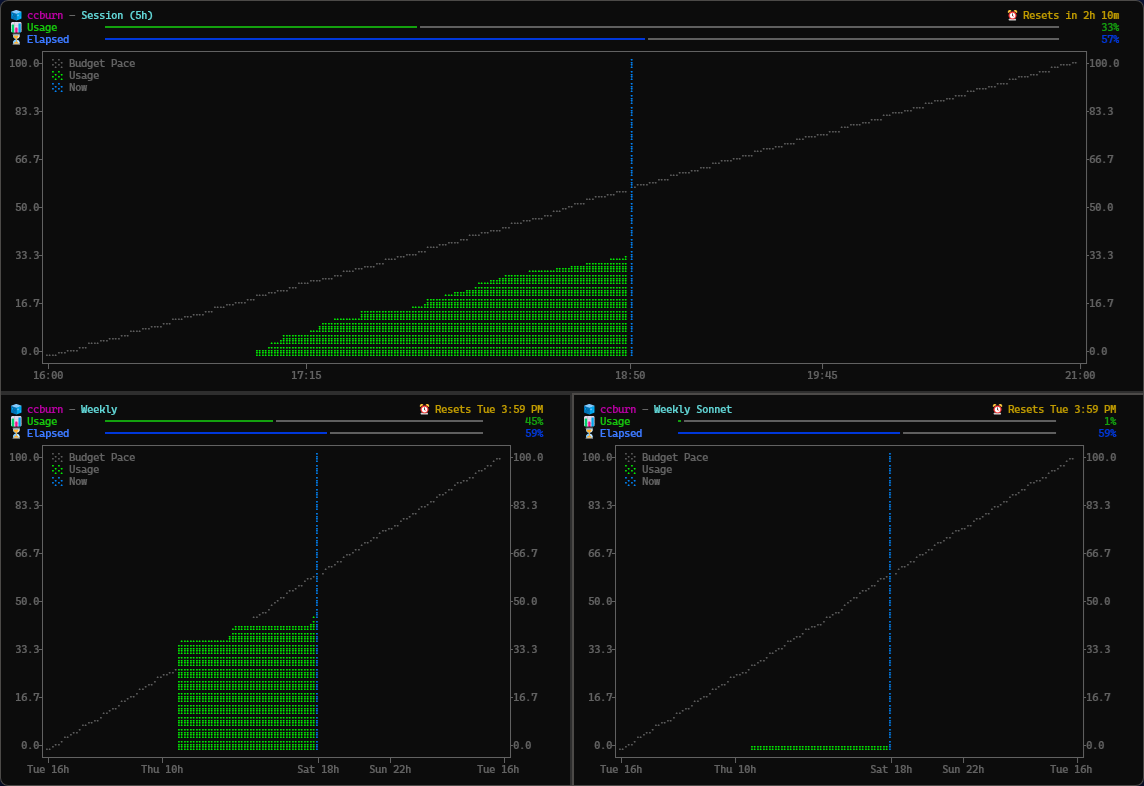
--sinceRun claude and login first to refresh credentials.
winget install JuanjoFuchs.ccburn
npx ccburn
npm install -g ccburn
pip install ccburn
git clone https://github.com/JuanjoFuchs/ccburn.git
cd ccburn
pip install -e ".[dev]"
claude
ccburn              # Session limit (default)
ccburn weekly       # Weekly limit
ccburn weekly-sonnet # Weekly Sonnet limit
# Full TUI with burn-up chart (default)
ccburn

# Weekly usage view
ccburn weekly

# Compact output for tmux/status bars
ccburn --compact
# Output: Session: 🔥 45% (2h14m) | Weekly: 🧊 12% | Sonnet: 🧊 3%

# JSON output for scripting/automation
ccburn --json

# Zoom to last 30 minutes
ccburn --since 30m

# Single snapshot (no live updates)
ccburn --once

# Custom refresh interval (seconds)
ccburn --interval 10
Usage: ccburn [OPTIONS] [LIMIT]

Arguments:
  [LIMIT]  Which limit to display [default: session]
           Options: session, weekly, weekly-sonnet

Options:
  -i, --interval INTEGER  Refresh interval in seconds [default: 5/30]
  -s, --since TEXT        Only show data since (e.g., 30m, 2h, 1d)
  -j, --json              Output JSON and exit
  -o, --once              Print once and exit (no live updates)
  -c, --compact           Single-line output for status bars
  --debug                 Show debug information
  --version               Show version and exit
  --help                  Show this message and exit
| Emoji | Status | Meaning |
|---|---|---|
| 🧊 | Behind pace | Usage below expected budget — you have headroom |
| 🔥 | On pace | Usage tracking with expected budget |
| 🚨 | Ahead of pace | Usage above expected budget — slow down! |
ccburn reads your Claude Code credentials and fetches usage data from the Anthropic API. It calculates:
Data is stored locally in SQLite for historical analysis and to minimize API calls when running multiple instances.
Ensure Claude Code is installed and you've logged in at least once:
claude # This will prompt for login if needed
Ensure your terminal supports Unicode and has a monospace font with emoji support. Recommended terminals:
If you see "(stale)" in the header, ccburn couldn't reach the API. It will continue showing cached data and retry automatically.
Contributions are welcome! Please feel free to submit a Pull Request.
