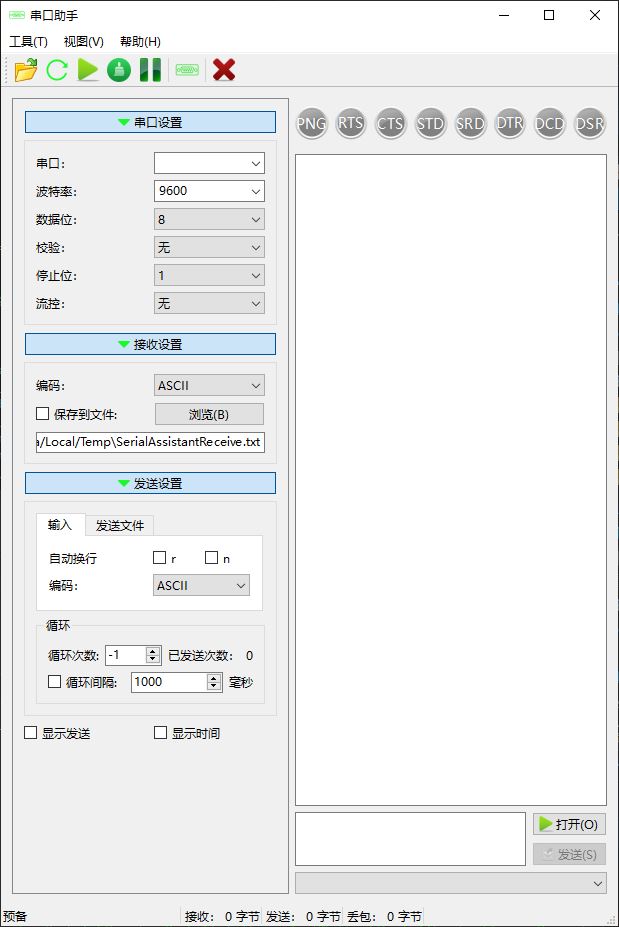
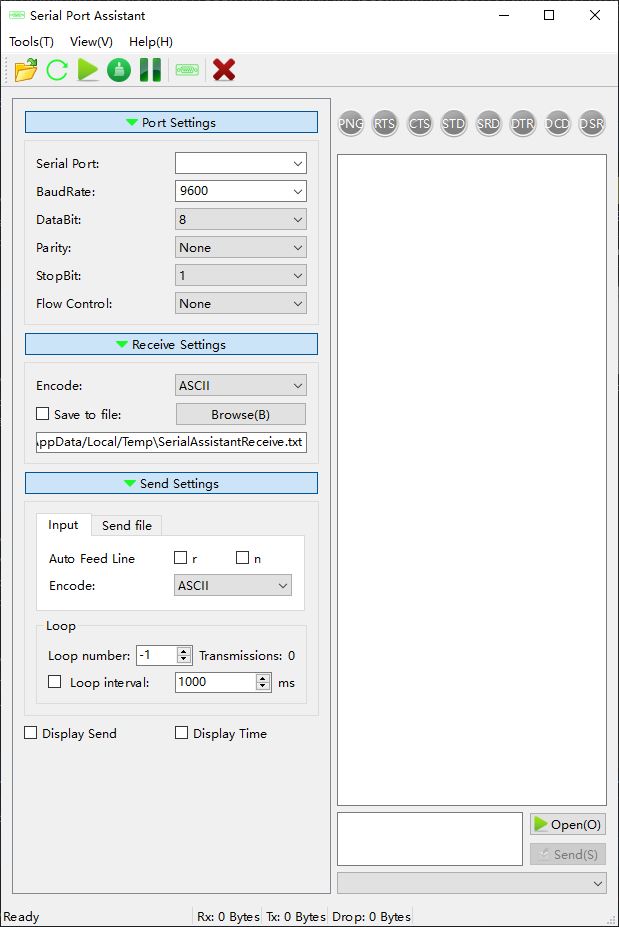
Serial Port Assistant is a cross-platform application designed to manage and monitor serial port communication across multiple operating systems, including Windows, Linux, Android, and macOS. It provides a versatile toolset for engineers, developers, and hobbyists working with serial devices.
Key Features:
Cross-platform compatibility, supporting Windows, Linux, Android, and macOS.
Real-time monitoring of serial data transmission with adjustable baud rates and settings.
Built-in terminal emulation for direct communication with serial devices.
Hexadecimal editing capabilities for advanced users to send or receive binary data.
Multi-language support, enabling a global user base to operate the tool in their preferred language.
Extensible architecture allowing developers to integrate custom plugins for additional functionality.
Audience & Benefit:
Ideal for engineers and developers requiring efficient serial port management, this tool simplifies communication with devices such as sensors, embedded systems, or IoT hardware. Its cross-platform nature ensures consistent functionality across different environments, streamlining workflows and reducing the learning curve for users transitioning between operating systems.
Serial Port Assistant can be installed via winget, making it easy to integrate into existing development setups.
RabbitCommon: https://github.com/KangLin/RabbitCommon
It can be downloaded to the same directory of the project.
If it is a different directory, set the environment variable RabbitCommon_ROOT
Make the build directory in the project root directory
cd SerialPortAssistant
mkdir build
cd build
# cmake configure
cmake .. -DCMAKE_BUILD_TYPE=Release -DCMAKE_INSTALL_PREFIX=`pwd`/install [-DRabbitCommon_ROOT=...]
# compiling
cmake --build . --config Release --target install
cd install  # The program is installed in the install/bin directory
Script
build_debpackage.sh
This script generates the deb package under linux.
Before use, please make sure the following programs are installed
2025/12/03 14:09:27 socat[31902] N PTY is /dev/pts/5
2025/12/03 14:09:27 socat[31902] N PTY is /dev/pts/6
2025/12/03 14:09:27 socat[31902] N starting data transfer loop with FDs [5,5] and [7,7]
Create symbolic links (optional, for better naming).
You can now use this program to open the serial port. /dev/pts/5(/dev/ttyVCOM0) and /dev/pts/6(/dev/ttyVCOM1).
Because these serial port names are non-standard, this program cannot find them.
You can enter the following in the "Serial Port" field: /dev/pts/5
Because the virtual serial port was created with root privileges, this program also needs to be run with root privileges.
$ sudo serialportassistant
Alternatively, authorize the serial port to the current user: