MicYou turns your phone into a high-quality microphone for your PC.
Native Android client · Windows / Linux / macOS desktop server · Wi-Fi / USB / Web
Features
Stream from the Android app over Wi-Fi or USB (ADB), or use Web mode directly from a mobile browser by scanning a QR code.
Run the desktop server on Windows, Linux, and macOS with a full GUI, a low-overhead CLI, or an interactive TUI dashboard.
Configure a processing pipeline with AI and traditional noise suppression, acoustic echo cancellation (AEC), dereverberation, equalizer, amplification, automatic gain control (AGC), and voice activity detection (VAD).
Inspect audio level, bitrate, latency, jitter, packet loss, and buffer status; mute or monitor incoming audio at any time.
Route audio through VB-CABLE on Windows, PipeWire on Linux, or BlackHole on macOS for use in calls, games, streaming, and recording apps.
Customize Material 3 interfaces with light/dark themes, dynamic colors, custom backgrounds, desktop pocket mode, system tray controls, and multiple languages.
Share connection, DSP, language, and theme preferences between the desktop GUI, CLI, and TUI.
Extend functionality with a dual-runtime plugin system (Native and WASM) and an in-app marketplace for custom DSP nodes, soundpads, and control widgets.
Screenshots
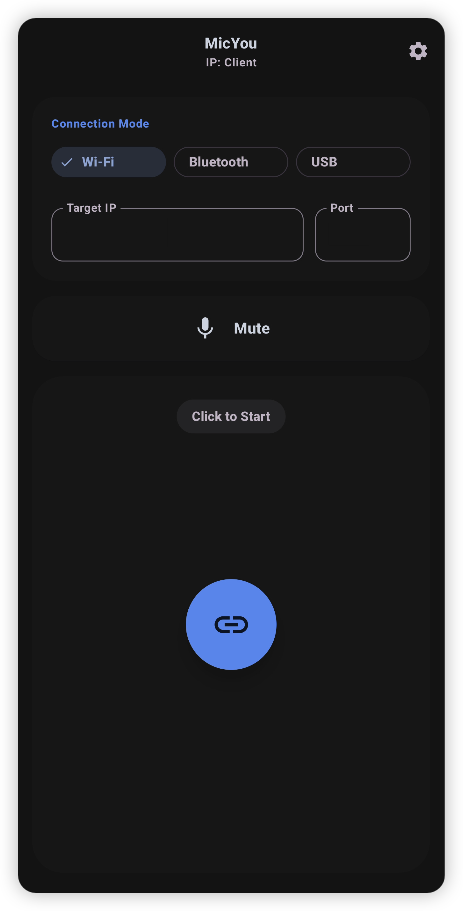
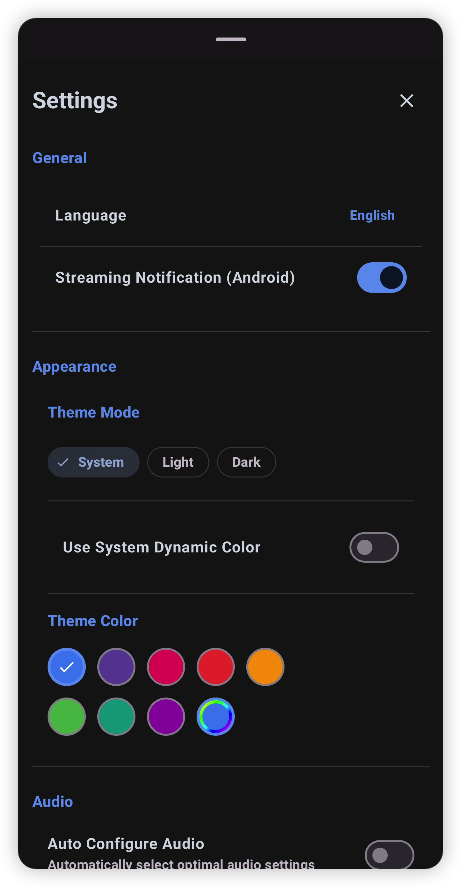
Android App
Main Screen
Settings
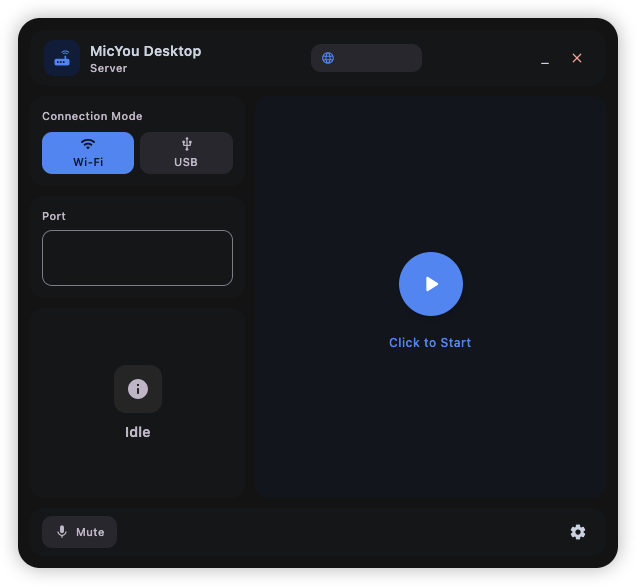
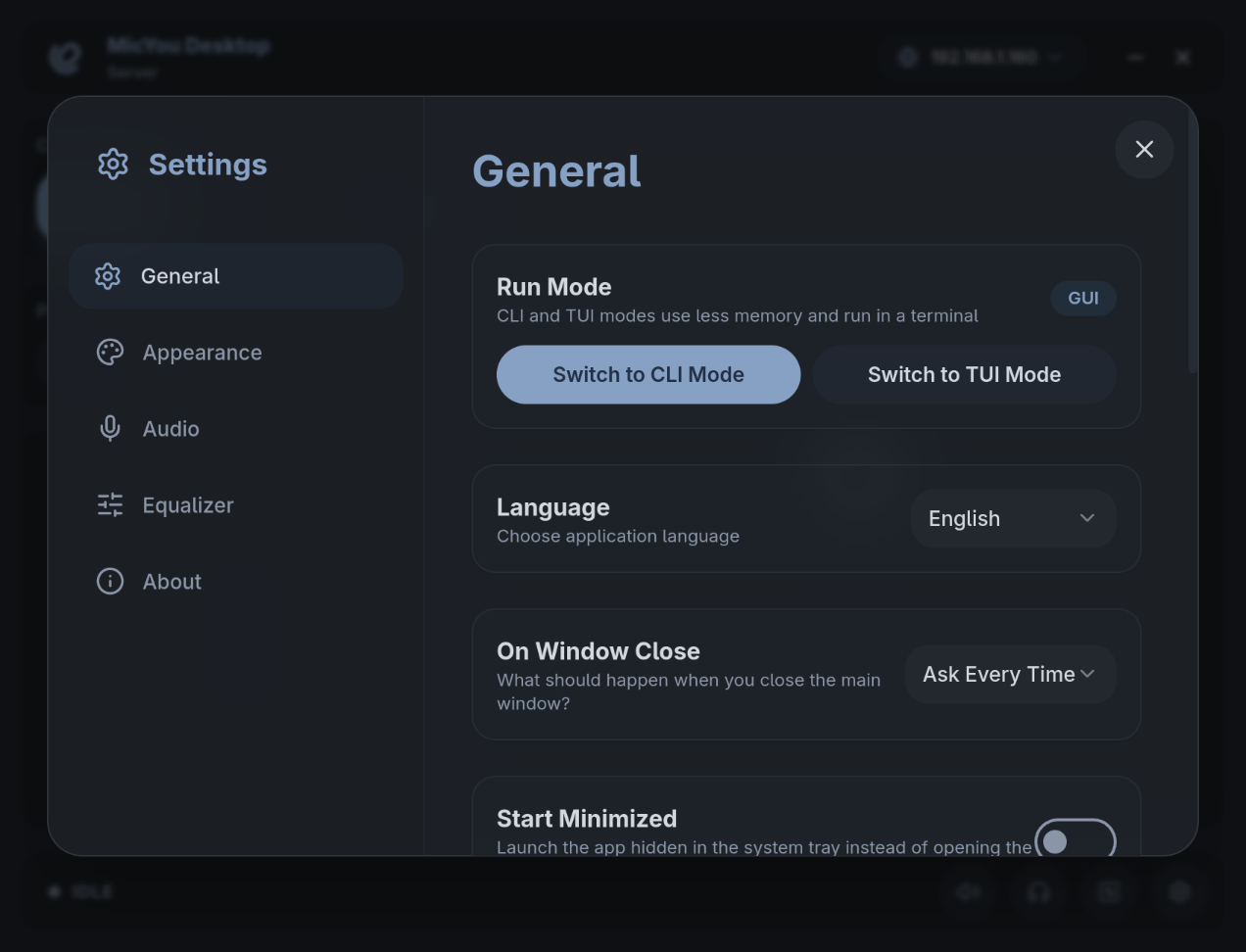
Desktop App
Main Screen
Settings
Getting Started
Download the Android APK and the desktop package for your operating system from GitHub Releases.
Set up a virtual microphone for your platform by following the Quick Start guide.
Choose a connection method:
Wi-Fi: Keep the phone and PC on the same network, then select Wi-Fi on both apps.
USB: Enable USB debugging, connect the phone with a data cable, then select USB on both apps.
Web: Select Web on the desktop and scan the QR code with a mobile browser—no Android app is required.
Start streaming, then select the configured virtual microphone in your call, game, streaming, or recording app.
For platform-specific installation steps and troubleshooting, visit the MicYou documentation.
Technology
Android: Kotlin, Jetpack Compose, Material 3
Desktop: Tauri 2, Rust, Vue 3, Vite, Tailwind CSS
Protocol and audio: A Rust backend and shared crates for transport, buffering, DSP, and virtual audio device integration
Contributing
We welcome contributions of all kinds! Whether you want to report a bug, suggest a feature, help with translations, or contribute code, please check our Contributing Guidelines to get started.