StarFetch ⭐



简体中文
English
A beautiful and fast system information tool written in Rust, inspired by neofetch. StarFetch displays your system information with elegant ASCII art and smart terminal adaptation.
💡 Inspiration & Encouragement
StarFetch was born from a deep respect for the legacy of command-line tools. We are incredibly honored to have received these words of encouragement from Dylan Araps, the creator of neofetch:
> "Starfetch looks cool. It looks like a lot of care has gone into it. ... I wish you all the best and I hope you succeed in your goals."
> — Dylan Araps
His reminder that "writing software is fun but can also be very draining" and to "look after yourselves" is a core value we carry forward in this project.
✨ Features
- 🎨 Adaptive ASCII Art - Automatically adjusts display based on terminal width.
- 🖥️ Comprehensive System Info - Hostname, OS, kernel, uptime, CPU, memory, and packages.
- 🔗 Smart Hyperlinks - Clickable developer links with terminal detection.
- 🌈 Beautiful Colors - ANSI color support for elegant terminal output.
- ⚡ Lightning Fast - Written in Rust for optimal performance.
- 🔧 Cross-Platform - Works on macOS, Linux, and Windows.
📸 Screenshot
    ╔════════════════════════════════╗
    ║   ★  STARFETCH  ★            ║
    ╚════════════════════════════════╝

Developed by Linus Shyu

hostname
--------
OS: macOS
Kernel: 25.2.0
Uptime: 6 Days 14 Hours 32 Minutes
Packages: 30 (brew)
CPU Cores: 10
CPU Brand: Apple M5
CPU Frequency: 4608 MHz
CPU Usage: 10.24%
Total Memory: 16 GB
Used Memory: 10.79 GB
🚀 Installation
Install with your system package manager—as simple as neofetch.
APT (Ubuntu / Debian / Kali)
On Linux, these two commands are all you need (x86_64 and ARM64):
curl -1sLf 'https://dl.cloudsmith.io/public/starlakeai/starfetch/setup.deb.sh' | sudo -E bash
sudo apt-get install starfetch
Homebrew (macOS)
brew tap Linus-Shyu/tap
brew install starfetch
Winget (Windows)
winget install Linus-Shyu.StarFetch
Other installation options
Universal install script (when no package manager is available):
# Linux / macOS / BSD
curl -fsSL https://raw.githubusercontent.com/Linus-Shyu/StarFetch_Core/master/install.sh | bash
# Windows (PowerShell)
irm https://raw.githubusercontent.com/Linus-Shyu/StarFetch_Core/master/install.ps1 | iex
Prerequisites
- Rust (latest stable version) - Install Rust
- Cargo (comes with Rust)
Build from Source
git clone https://github.com/Linus-Shyu/StarFetch_Core.git
cd StarFetch_Core/StarFetch
cargo build --release
Install Globally
cargo install --path .
Troubleshooting
If you see warnings like profile package spec 'zlib-rs' in profile 'dev' did not match any packages, your global Cargo config (~/.cargo/config.toml) has profile overrides for packages such as zlib-rs or adler2 that this repo does not use. Edit ~/.cargo/config.toml and remove or comment out sections like [profile.dev.package.zlib-rs], [profile.release.package.adler2], and [profile.release.package.zlib-rs]. You can also ignore the warning—it does not affect the build.
📦 Dependencies
ansi_term - Terminal colors and styling.sysinfo - Cross-platform system info.systemstat - System statistics (uptime, etc.).terminal_size - Terminal width detection.
👥 Authors
🙏 Acknowledgments
- Dylan Araps - For the original inspiration and kind words.
- Rust Foundation - For guidance on trademark compliance. We use Ferris the Crab (the unofficial-official mascot) to represent our love for the Rust community. 🦀
- The Open Source Community - For the amazing crates that make this project possible.
📄 License
This project is licensed under the MIT License - see the LICENSE file for details.
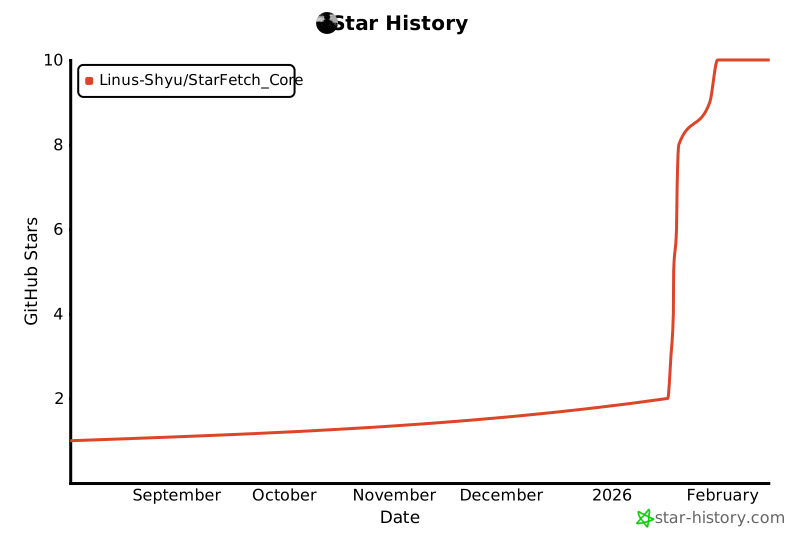
⭐ If you find StarFetch useful, please consider giving it a star on GitHub!