
Mia Agent

Mia is a coding and personal assistant AI agent designed to be unobtrusive, configurable and easy to use. Mia grows with you.
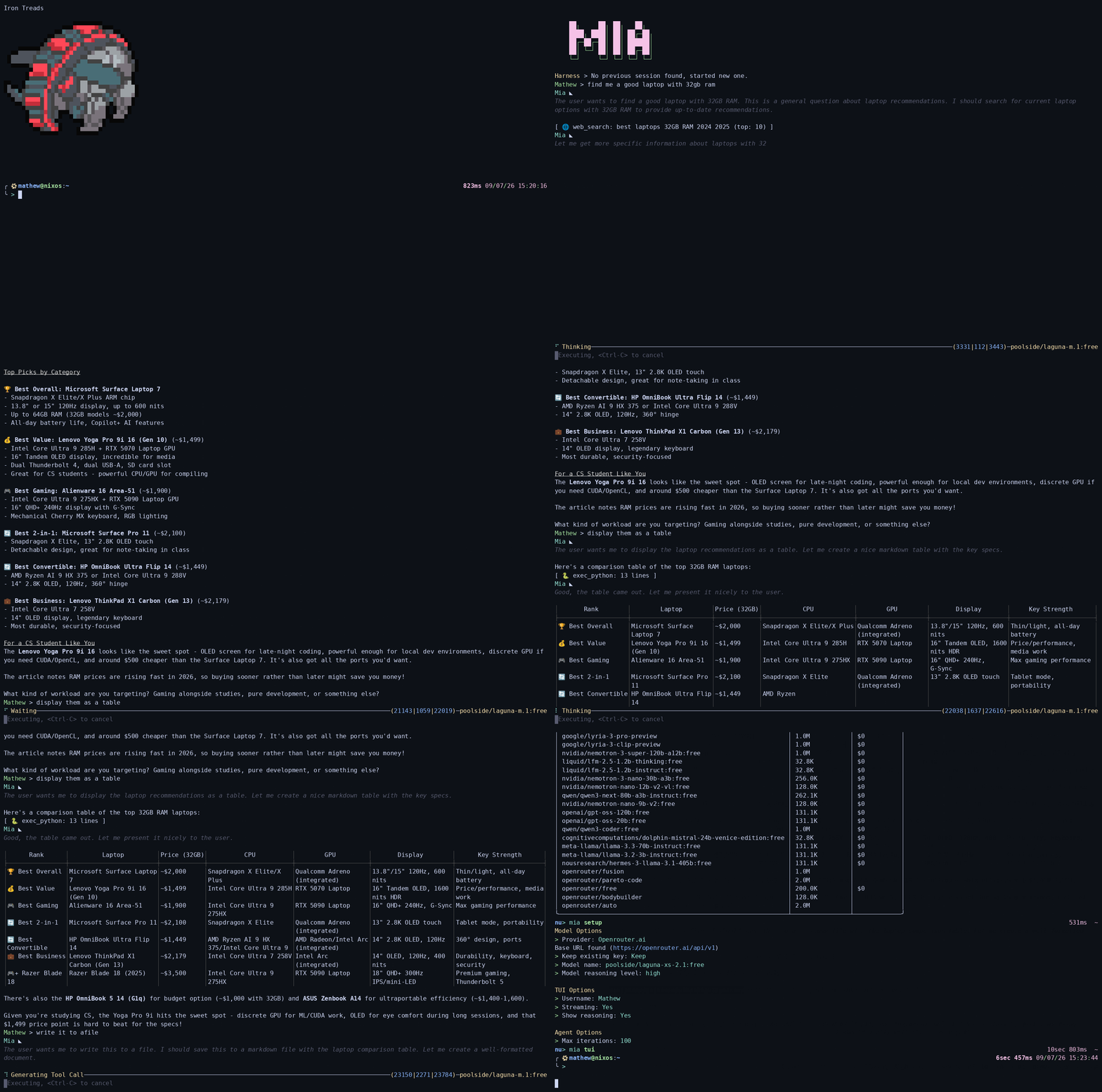
This project was inspired by Hermes Agent. Although it borrows ideas from it, this is not a direct derivation or modification of the project.
Table of Contents
Principles
- The agent should never write to the system without getting permission from the user.
- Guardrails should be implemented in code, not in prompts.
- The agent should act as an additional tool to the user not as a replacement for everything they already use.
Features
- Minimal terminal UI powered by ratatui
- Multi turn agent loop with configurable iteration limit
- Agent memory (persistent across sessions)
- Session history with auto-loading of the last session (
mia session list / mia session clear)
- Full markdown rendering in terminal (thanks to termimad)
- Streaming responses (enabled by default, with token usage display)
- OpenAI Compatible API access with support for multiple providers:
- OpenRouter (default, recommended)
- OpenCode Zen
- Google AI Studio
- Groq
- Cerebras
- Local LLMs (Ollama, LMStudio, llama.cpp, etc.)
- Web search and extract using Tavily
- Document conversion using pandoc (
doc_convert tool)
- Document creation from markdown/latex (
doc_create tool)
- Legacy reedline-based TUI available via the hidden
mia old-tui command
Currently Mia has the following tools:
| Tool | Description | Gated |
|---|
| 📅 | datetime | Get the current date and time |
| 📁 | fs_list_dir | List files in a directory |
| 📖 | fs_read_file | Read a file from the filesystem |
| 🔍 | fs_grep_files | Search file contents |
| 🧭 | fs_search_dirs | Search for files in a directory |
| ✍️ | fs_write_file | Write content to a file |
| 🐍 | exec_python | Execute Python 3 code |
| 🐚 | exec_shell | Run shell commands |
| 🧠 | memory | Manage memory about the user and the agent |
| | web_extract | Extract content from a URL |
| 🌐 | web_search | Search the web |
| 📄 | doc_create | Create pdf, docx and other documents |
| 📃 | doc_convert | Convert any document to another using pandoc |
Tools that are gated require explicit user permission before executing.
Installation
Option A: Prebuilt binaries
Prebuilt binaries for Linux (x86_64) and Windows (x86_64) are published as GitHub releases from the releases page.
Open a new terminal and run
mia setup
to configure your agent and start using it.
Option B: Using cargo (Windows/Linux)
Mia requires rust nightly
rustup toolchain install nightly
rustup default nightly
Cargo can fetch, build and install mia.
cargo +nightly install --git https://github.com/mastermach50/mia-agent
Run
mia setup
to configure your agent and start using it.
Option C: Using nix flakes (NixOS/Linux)
Run the given command to test out mia on your system.
nix run github:mastermach50/mia-agent
To install it, add to your system packages using the same flake.
Configuration
Mia supports multiple LLM providers:
-
Run mia setup to configure your agent interactively.
mia setup supports section selection: --model, --tui and --agent to run only that part of the setup.
-
For advanced configuration, you can manually edit the ~/.mia/.env file on Linux or C:\Users\\.mia\.env on Windows to add your API key:
OPENROUTER_API_KEY=
Or for other providers, set the appropriate environment variable.
- (Optional) Add your Tavily API key (can be obtained for free and has a reasonable number of free searches per month) to
.mia/.env to enable the web_search and web_extract tools.
TAVILY_API_KEY=
- (Optional) Run
mia tools to see if all the tools are usable and find which components are missing if any.
Currently the external tools required by mia are
Usage
CLI
Use mia --help to access the full cli help menu.
TUI
The TUI supports certain commands. Use /help while in the TUI to see them.
Available Commands
mia tui - Start the main terminal UI (ratatui-based)mia old-tui - Start the legacy reedline-based TUI (hidden command)mia setup - Interactive setup wizardmia tools - Check tool availabilitymia model list - List available modelsmia model list --free - List only free models (price filter)mia model list --min-context - Filter by minimum context length (supports human readable values like 128k, 4M)mia model list --max-price - Filter by maximum price per million tokensmia model show - Show current model infomia sessions list - List all sessionsmia session clear - Clear all sessions (prompts for confirmation)
Development
MSRV
Mia uses rust nightly because the code relies on unstable Rust features
(iter_intersperse, pathbuf_into_string, file_buffered) and the 2024 edition.
A nix development shell is available:
nix develop .#mia-dev
which provides the nightly toolchain, rust-analyzer and lldb.
Contributing
We DO NOT accept vibe coded contributions or contributions from agents.
However AI assisted code is fine as long as you the human are the one contributing.
Human contributions are always welcome.