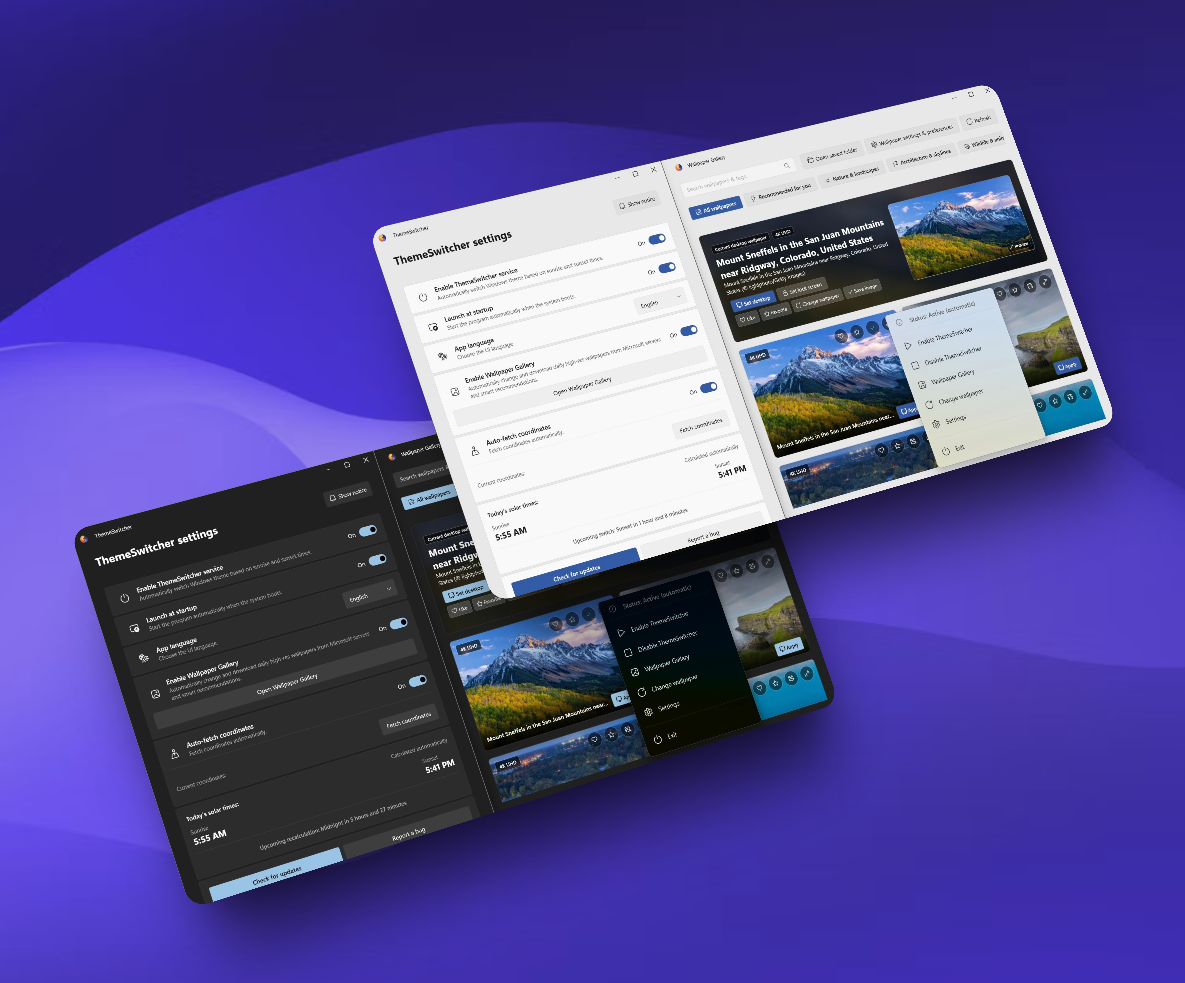
ThemeSwitcher is a desktop utility designed to automatically switch between light and dark modes based on sunrise and sunset times. It includes a high-resolution wallpaper gallery for customizing your desktop experience.
Key Features:
Automatically calculates precise local sunrise and sunset times, synchronizes solar data once per day, and operates 100% offline via encrypted, resilient local caching.
Switches themes instantly upon system startup, sleep wake, or screen unlock, minimizing screen flicker for an ultra-smooth transition.
Discover, customize, and apply stunning high-resolution wallpapers (1080p, 2K, and up to 4K) with instant local browsing and atomic multi-monitor synchronization.
Built with an event-driven architecture that drops CPU usage strictly to 0% during idle, preserving battery life and leaving system resources untouched.
Safeguards your system registry theme keys, rolling back unauthorized external overrides while offering instant suspension right from the tray menu.
Target Audience and Benefits:
Ideal for Windows users who want automatic dark mode scheduling and high-resolution wallpapers. The tool ensures smooth transitions, minimal resource usage, and reliable protection against unintended theme changes.
Available via WinGet, you can install or upgrade ThemeSwitcher instantly using the command line: winget install --id Medoo.ThemeSwitcher for installation or winget upgrade --id Medoo.ThemeSwitcher to update to the latest version.
README
ThemeSwitcher — Auto Dark Mode & 4K Wallpaper Changer for Windows 10/11
🌓 Modern, ultra-lightweight, and 100% offline-first desktop utility
A blazing-fast, self-contained Windows application that seamlessly transitions your system theme between Light and Dark modes based on precise astronomical sunrise and sunset times.
🚀 Key Features
🌅 Smart Solar Sync & Offline-First: Automatically calculates precise local sunrise and sunset times. It synchronizes solar data once per day and operates 100% offline via encrypted, resilient local caching.
⚡ Instant Theme Engine (FastSwitch): Switches instantly upon system startup, sleep wake, or screen unlock—minimizing screen flicker to the absolute minimum for an ultra-smooth transition, applying the target theme before the Windows desktop even finishes loading. Seamlessly updates all open and compatible Windows applications in real time, replicating the official Windows Settings behavior.
🖼️ Up to 4K Wallpaper Gallery: Discover, customize, and apply stunning high-resolution wallpapers (1080p, 2K, and up to 4K), featuring instant (0ms) local browsing and atomic multi-monitor synchronization.
🔋 True Zero-Impact (0% CPU on Idle): Built with an event-driven architecture that drops CPU usage strictly to 0% during idle, preserving battery life and leaving system resources completely untouched.
🛡️ Theme State Enforcement & Anti-Tampering: Safeguards your system registry theme keys, rolling back unauthorized external overrides while offering instant suspension right from the tray menu.
📦 Fully Self-Contained (.NET 10): Ready to run right out of the box with zero runtime dependencies. Everything the app needs is built-in—just download and launch.
⚡ Zero-Latency Fluent UI: A hardware-accelerated tray interface built with modern Windows materials (Mica/Acrylic), flawlessly tuned for high-refresh-rate displays (120Hz/144Hz+).
📶 Resilient Network & Auto-Recovery: Integrates smart three-way network sensing (NCSI/Checkpoints) to distinguish real internet access from local routing, safely scheduling background tasks without UI freezes.
🔄 Built-in In-App Updater: Check and install new releases seamlessly from inside the app without opening an external browser.
📦 Installation & Updates
You can install or upgrade ThemeSwitcher instantly using winget in Windows Terminal (or PowerShell):
Install
winget install --id Medoo.ThemeSwitcher
Update to the latest version
winget upgrade --id Medoo.ThemeSwitcher
> 💡 Prefer manual installation? Download the latest standalone installer directly from GitHub Releases.
💻 System Requirements
OS: Windows 10 (Version 2004 or later) / Windows 11
Architecture: x64
Privileges: Standard User (No Administrator rights required for daily operation)