Autolume
Autolume is a cross-platform tool for real-time visual performances using StyleGAN.
For detailed documentation and demos look at the Metacreation Lab Website.
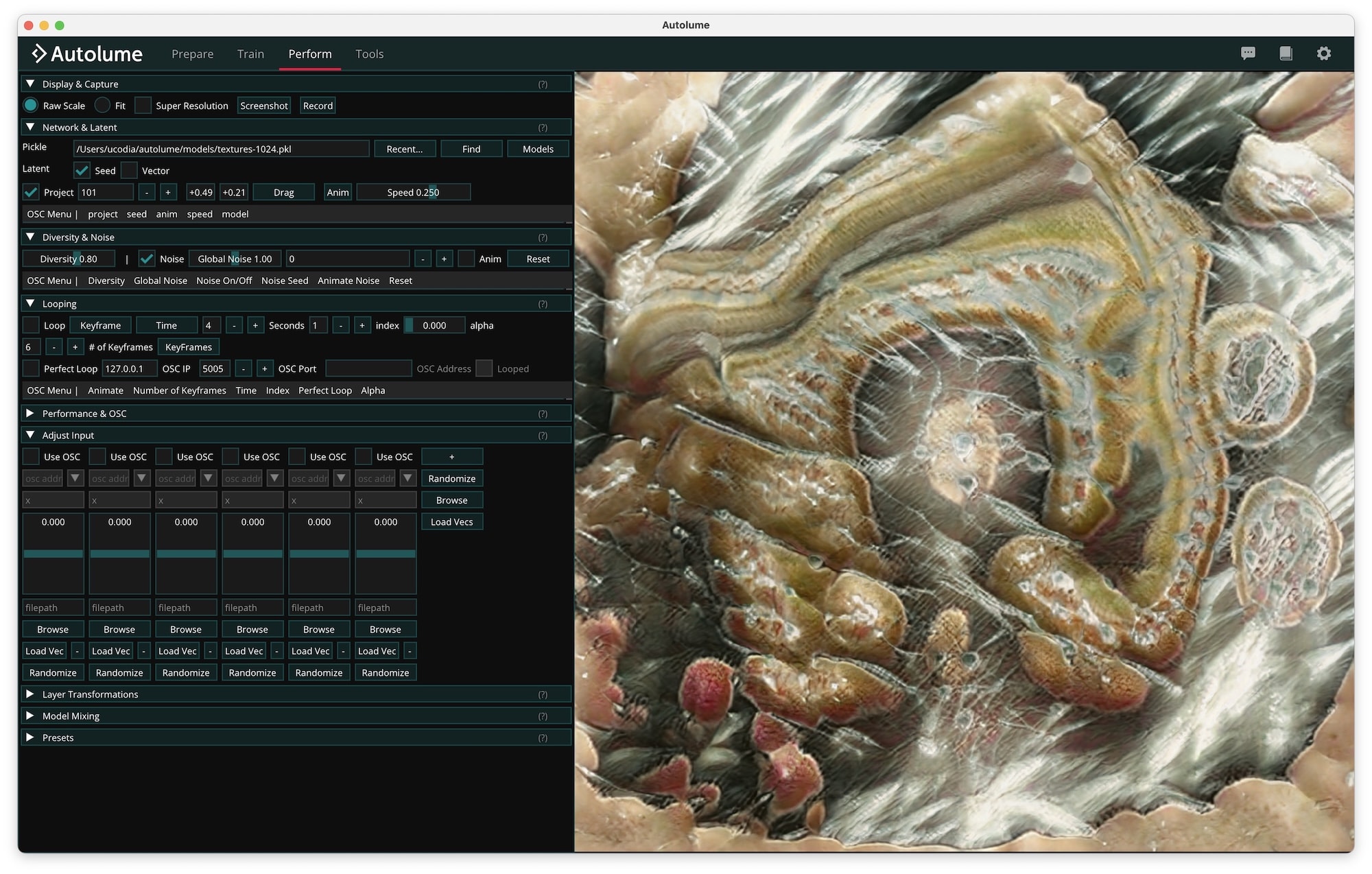
Installation
➡️ Download for Windows, macOS and Linux
Winget (Windows)
Install the app
winget install MetacreationLab.Autolume
Update the app
winget upgrade MetacreationLab.Autolume
Brew (macOS)
Add and trust the brew tap (one time)
brew tap metacreation-lab/tap
brew trust metacreation-lab/tap
Install the app
brew install --cask autolume
Update the app
brew upgrade --cask autolume
Examples
For examples of artworks created with Autolume see: https://www.metacreation.net/artworks
Development instructions
uv is required for setting up the python environment (installation link)
Dependencies
Windows
- CUDA 12.8 (download link)
- Minimum components: CUDA Development + CUDA Runtime
- Microsoft C++ Build Tools (download link)
- Minimum components: Desktop development with C++
Linux (Ubuntu 24+)
- CUDA (download link)
- Minimum components: CUDA Development + CUDA Runtime
- PortAudio runtime (for audio input):
sudo apt install libportaudio2
macOS
- Command Line Tools for Xcode:
xcode-select --install
On macOS and Windows, PortAudio ships inside the sounddevice wheel, so no extra install is needed for audio input.
Initial setup
Create the Python environment:
uv sync
Running the program
Start the program
uv run main.py
Benchmarking
Measure a generator's batch-1 forward latency (auto-selects CUDA, MPS, or CPU)
uv run bench.py path/to/network.pkl
Create a release
Run the cross-platform release script on the OS you want to build for (PyInstaller
cannot cross-compile — a Windows build must run on Windows, etc.):
uv run release.py
The script requires a .env at the repo root with the crash report endpoint
values (it fails fast without one). Copy .env.example and fill it in — see
tools/crash_endpoint/README.md. Forks without
their own endpoint can build with --disable-crash-reporting instead.
- Windows / Linux: output is the
dist/Autolume/ folder.
- macOS: output is
dist/Autolume.app, code-signed automatically — see
macOS signing and notarization.
Pass --package to additionally produce a distributable: an .AppImage on
Linux, a .dmg on macOS, or an Inno Setup installer plus a portable .tar.xz
archive on Windows (requires
Inno Setup on the build machine, installable
with winget install --id JRSoftware.InnoSetup.7 -e -s winget -i). Use
--package-only to package an existing dist/ output without rebuilding.
macOS signing and notarization
Gatekeeper only opens a downloaded app without friction when it is both
signed with a Developer ID and notarized by Apple (an automated
malware scan of the uploaded file — this applies to all distribution outside
the App Store, GitHub releases included). The release script handles both,
after a one-time setup.
One-time setup
- Signing certificate: install a
Developer ID Application certificate
and its private key in your login keychain. Verify it is visible with:
security find-identity -v -p codesigning
- Notarization credentials: ask a team admin for an App Store Connect API
key with the Developer role (App Store Connect → Users and Access →
Integrations → Team Keys). You need three values from that page: the
.p8
key file, the Key ID, and the Issuer ID. Store them under the
autolume-notary keychain profile:
xcrun notarytool store-credentials autolume-notary \
  --key AuthKey_XXXXXX.p8 --key-id  --issuer-id
Release flow
uv run release.py --package --notarize
- The build signs
Autolume.app (hardened runtime + entitlements.plist)
with the Developer ID certificate found in the keychain. If there is none,
the script warns and falls back to an ad-hoc signature; the app then still
runs locally, but downloads are blocked by Gatekeeper.
--package wraps the app into a .dmg and signs it.--notarize submits the .dmg to Apple (usually takes a few minutes) and
staples the resulting ticket, so users can open the app with a plain
double-click. It can also be run on its own against an already-built .dmg
— notarizing after the fact also unblocks copies that were published or
downloaded earlier, since Gatekeeper checks Apple's servers online.
Building documentation
uv run zensical build
The documentation will be output to site.
To serve the documentation locally:
uv run zensical serve
The documentation will be served at http://127.0.0.1:8000/.
Credits
- Philippe Pasquier: Director of Metacreation Lab for Creative AI, Principal Investigator
- Arshia Sobhan: Project management
- Lionel Ringenbach: Software development
- Michael Tjokrowardojo: Software development
- Jonas Kraasch: Project first-phase development
- Arthur Deleu: Project development
- Mahshid Jabari: DevOps
- Peter Chen: Contributions to the super-resolution module
- Manuel Bolduc: User testing
- Ahmed Abuzuraiq: Research associate
- Anthony Hong: macOS port research and testing
Acknowledgment
StyleGAN3: https://github.com/NVlabs/stylegan3
GAN compression: https://github.com/lychenyoko/content-aware-gan-compression
GANSpace: https://github.com/harskish/ganspace
License
Some of the dependencies fall under the Nvidia Source Code License.
Project status
This code base is still open to changes and bugs might still appear. Please create issues and let us know so we can polish it for the final release!
As a dedicated research team behind Autolume, we emphasize that our system is a tool for exploration and innovation without direct support.